Sonic Bridge Recommendations: How to Use It and How to Deposit and Withdraw
4 min read · · Korean original
Contents 4
A while ago, I bridged some Ethereum over to Sonic. It was to take part in an airdrop. But after sending it, I completely forgot about it and ended up missing the airdrop. Ha, so I tried to move my Ethereum back out to Arbitrum.

When I checked the official Sonic website, it turned out that 'there's a bridge for getting in, but no bridge for getting out!' So I looked around a bit and got my funds out through Symbiosis. I paid a bit in fees, but I still moved everything out safely, so I'd like to share how I did it.
- Sonic Bridge is the official bridge for moving crypto assets from various chains to Sonic.
- Moving out of Sonic to other chains isn't officially supported yet, but you can bridge easily using Symbiosis.
- The whole process can be done with a personal wallet such as MetaMask or OKX Wallet.
Introducing the Official Sonic Bridge and How to Use It
Sonic Bridge is the official bridge tool that helps you move assets from external blockchains (Ethereum, Arbitrum, BNB, etc.) to the Sonic chain. As you'd expect from an official bridge, depositing from outside into the Sonic chain is very quick and simple.
① Visit the Official Website
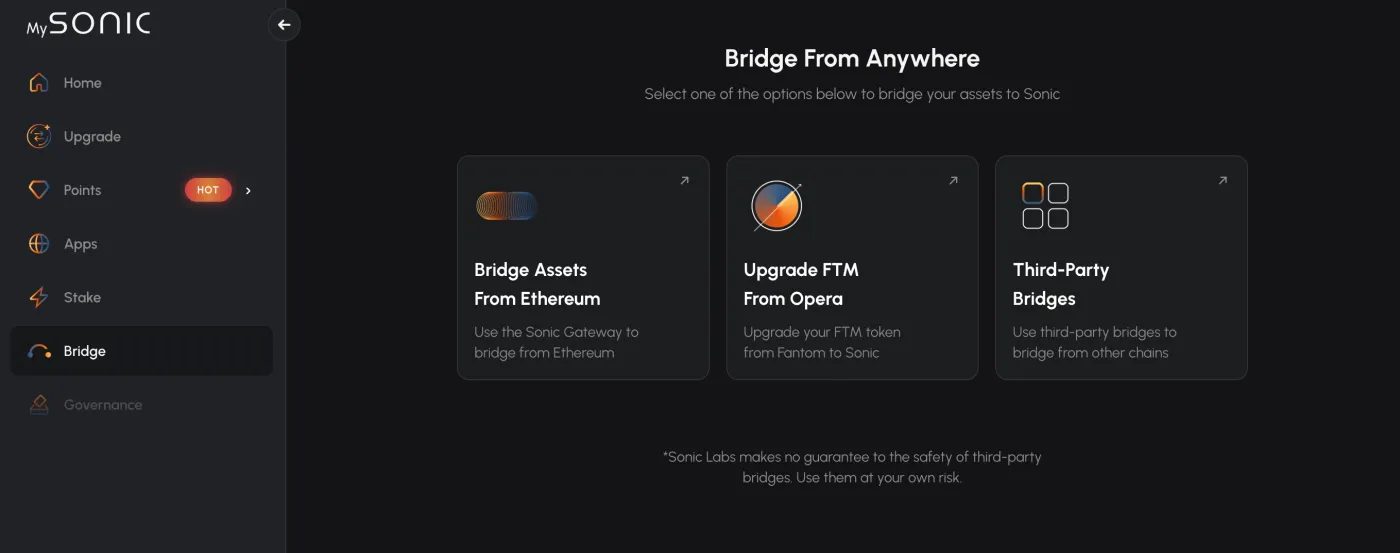
Go to the official Sonic Bridge through this link. Then select the 'Bridge Assets' button on the screen.
② Connect Your Wallet
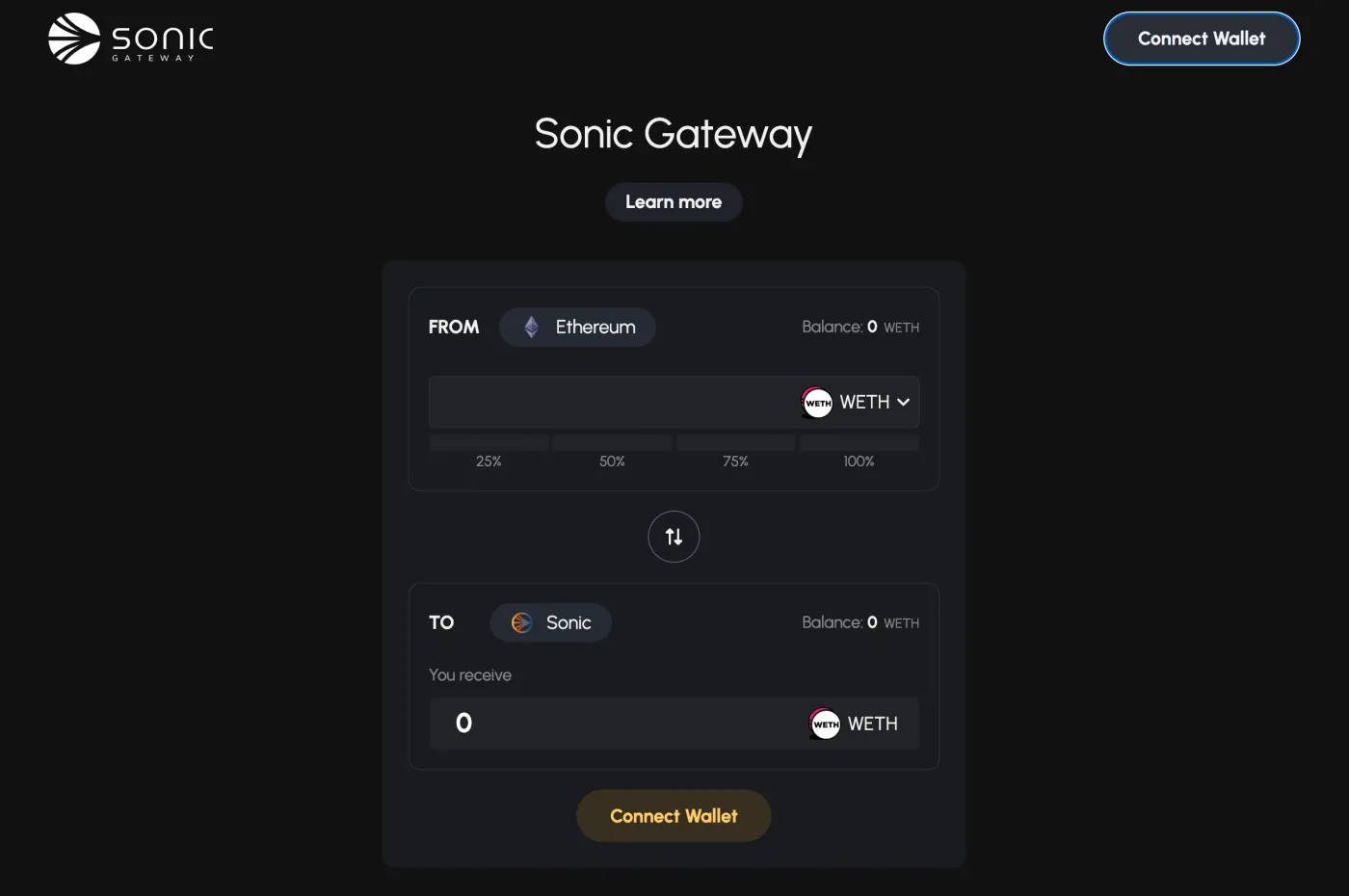
Click 'Connect Wallet' in the top right and connect the personal wallet you use, such as OKX Wallet, MetaMask, or Binance Wallet.
③ Set Up the Asset Transfer
Ethereum is automatically selected as the source chain. Choose the asset you want to send, and check the asset you'll receive on the Sonic blockchain.
④ Approve the Transaction
After you check the gas fee, the bridge contract is executed. Once you complete the signature in your wallet, bridging to Sonic finishes within about 10 to 30 seconds.
How to Withdraw from Sonic Using an External Bridge
As of October 2025, there is no official bridge for moving out of Sonic. 'You can come in as you please, but you can't leave...' What an impressive business spirit. So you'll need to use a third-party app.
There are many bridges out there, but the one I used is Symbiosis. Symbiosis is a multichain platform that handles bridging and swapping at the same time. In other words, it's a cross-chain bridge and DEX that lets you move both assets and chains in a single transaction.
① Visit Symbiosis
Go to Symbiosis through the official link and connect your personal wallet.
② Set the Bridge Chains
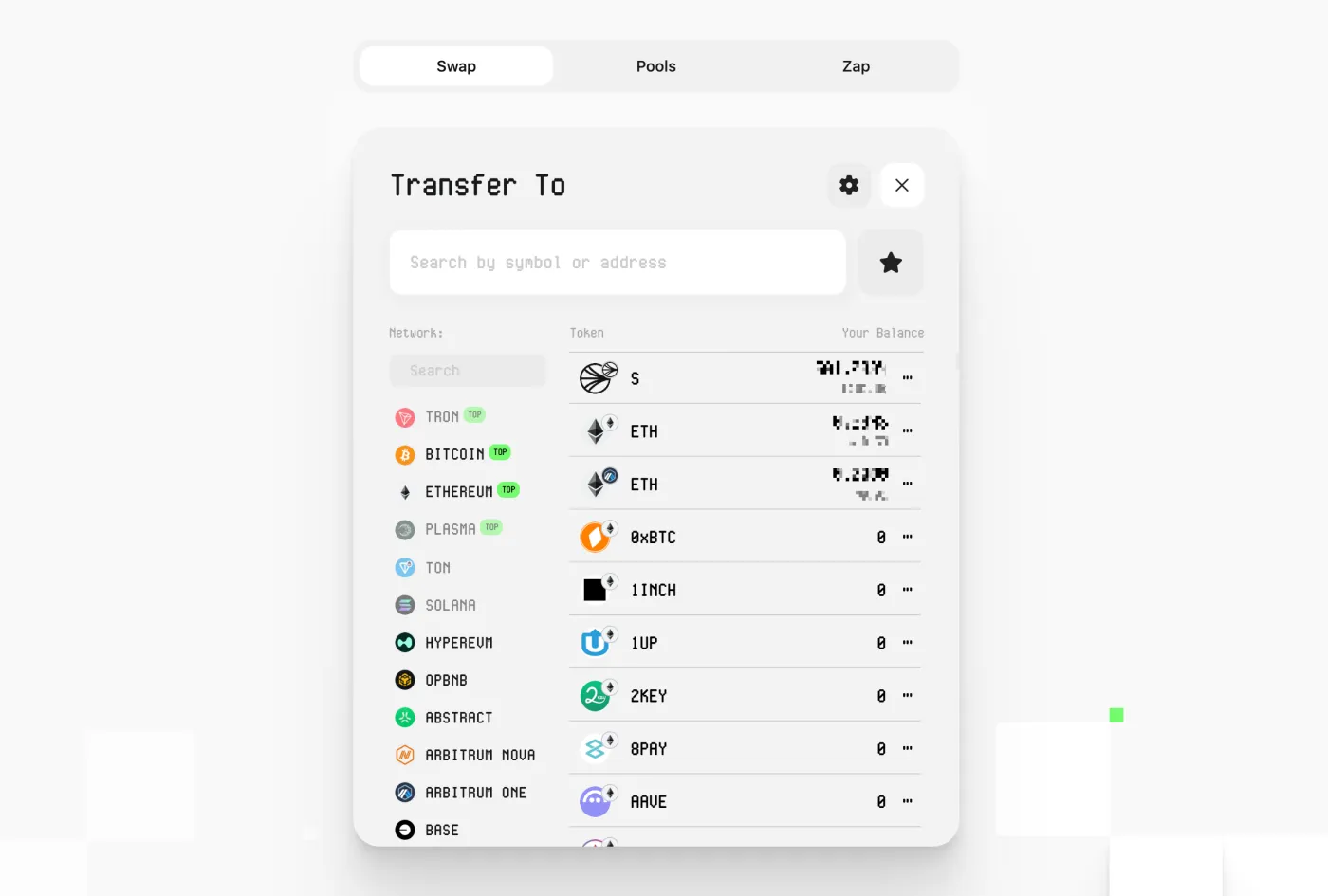
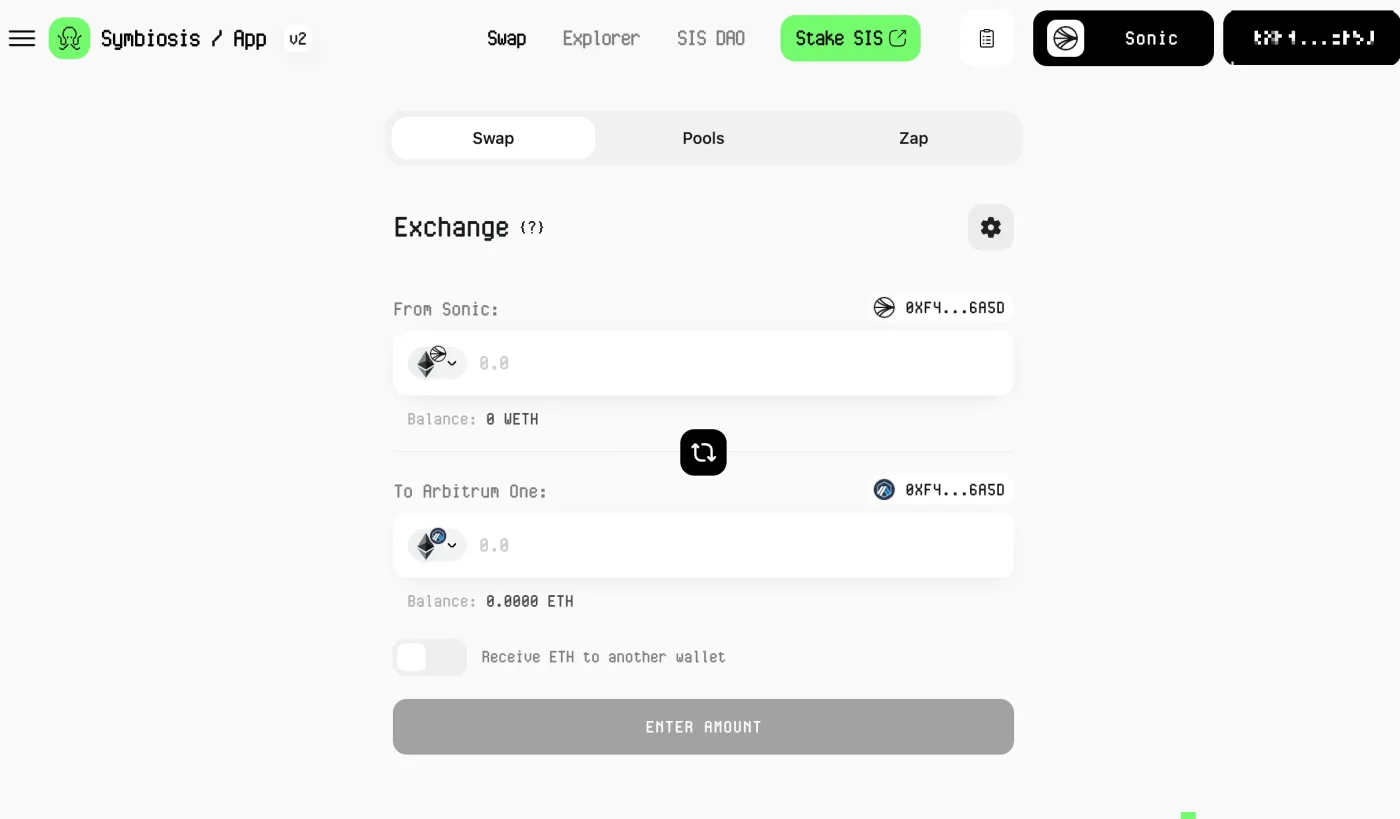
Choose the sending and receiving chains. Below is an example of sending from the 'Sonic' chain to 'Arbitrum'.
③ Swap and Bridge
Enter the token and amount you want, then click ‘Swap & Bridge’. For example, you can send ETH on Sonic to ETH on Arbitrum.
If this is your first time using a bridge, be sure to send a small test amount first. Also, before swapping a large amount, it's important to check the slippage and make sure the asset bridges smoothly.
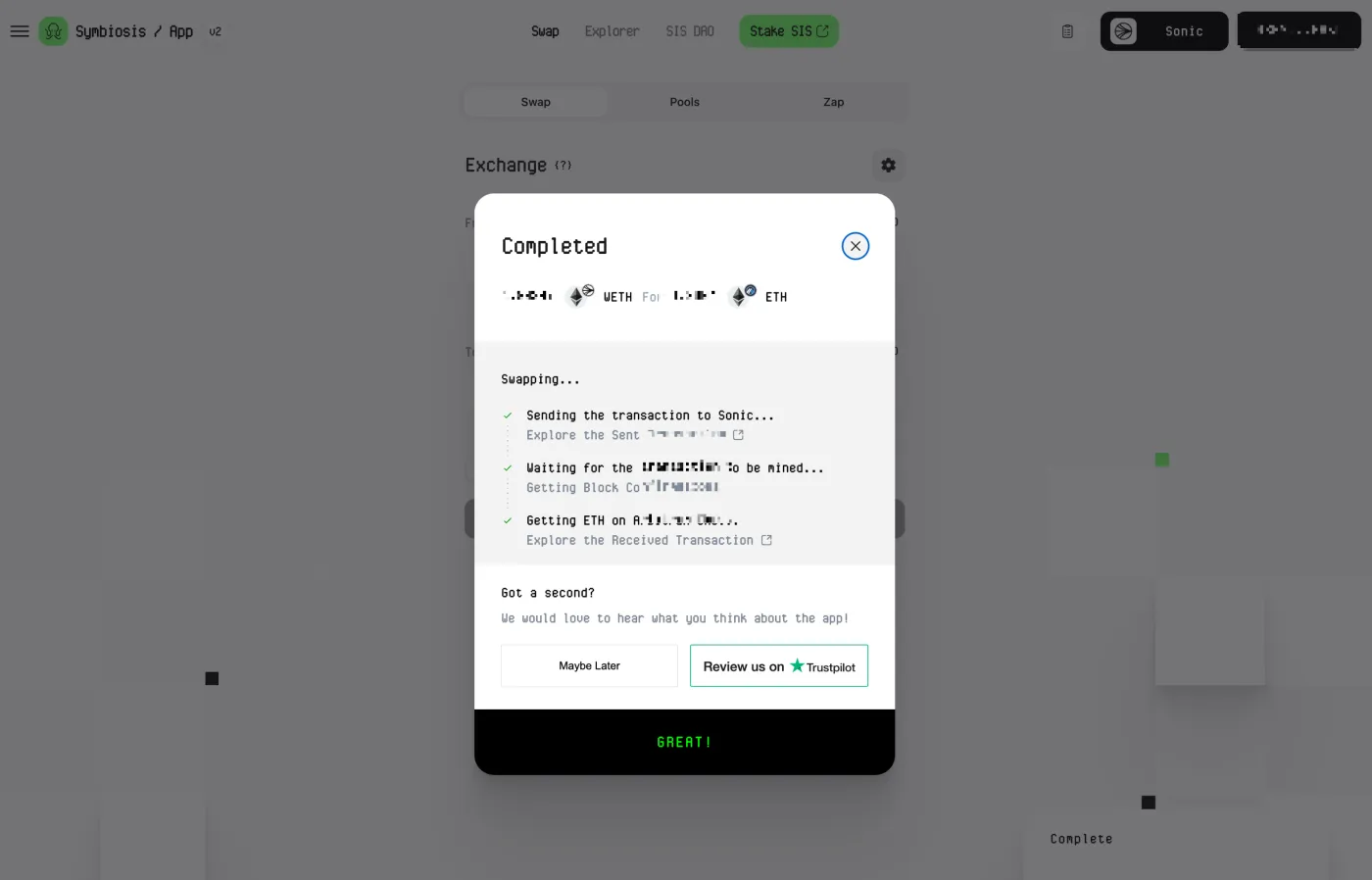
④ Sign in Your Wallet and Finish
A pop-up window appears for final approval of the bridge. Review the transaction details, including the sending chain, amount, and fees, and complete the contract signature.
Frequently Asked Questions (FAQ)
- Q1. Can I move out of Sonic directly?
- Not through the official bridge yet, but you can bridge out through external platforms such as Symbiosis.
- Q2. How much are the bridge fees?
- On Sonic itself, fees average around $0.001, and gas fees on other chains are charged separately.
- Q3. What wallet do I need?
- MetaMask and OKX Wallet are the most common, and both are available as browser extensions.
- Q4. Can every token be bridged?
- No. Usually only widely used tokens such as USDC, ETH, DAI, and USDT are supported, and this may vary by platform.
- Q5. What happens if a bridge fails?
- Sonic Bridge has completed a security audit, and an automatic recovery process kicks in if a transaction error occurs. Symbiosis also provides its own recovery system.
Wrapping Up
Sonic Bridge is a tool that lets you send assets from various chains to Sonic quickly and easily. Moving out of Sonic to external chains isn't officially supported at the moment, but with a dApp like Symbiosis, you can easily bridge and swap.