How to Deposit and Withdraw USDT (Tether) on Bithumb (Binance, Bybit, OKX, Bitget)
5 min read · · Korean original
Contents 3
In this post, we'll look at how to deposit and withdraw USDT (Tether) between Bithumb and overseas exchanges. By following the guide below, you can safely transfer USDT to exchanges that have a Travel Rule partnership with Bithumb, such as Binance, Bybit, and OKX.
- Bithumb officially listed Tether (USDT) in December 2023 and supports USDT deposits and withdrawals over the TRC-20 network.
- You can also deposit and withdraw amounts of KRW 1,000,000 or more to and from Travel Rule partner exchanges such as Binance, Bybit, and OKX.
- Using USDT for deposits and withdrawals has the advantage of keeping your asset value stable while it is in transit.
How to Withdraw USDT (Bithumb > Overseas Exchange)
Here are the 5 steps to withdraw USDT from the Bithumb exchange. Follow the guide below step by step, and you'll be able to safely withdraw USDT from the Korean exchange Bithumb to an overseas exchange.
1. Buy USDT on Bithumb
Log in to the Bithumb exchange and buy USDT with Korean won (KRW). To deposit KRW and withdraw coins, you need to have completed customer verification (KYC) beforehand.
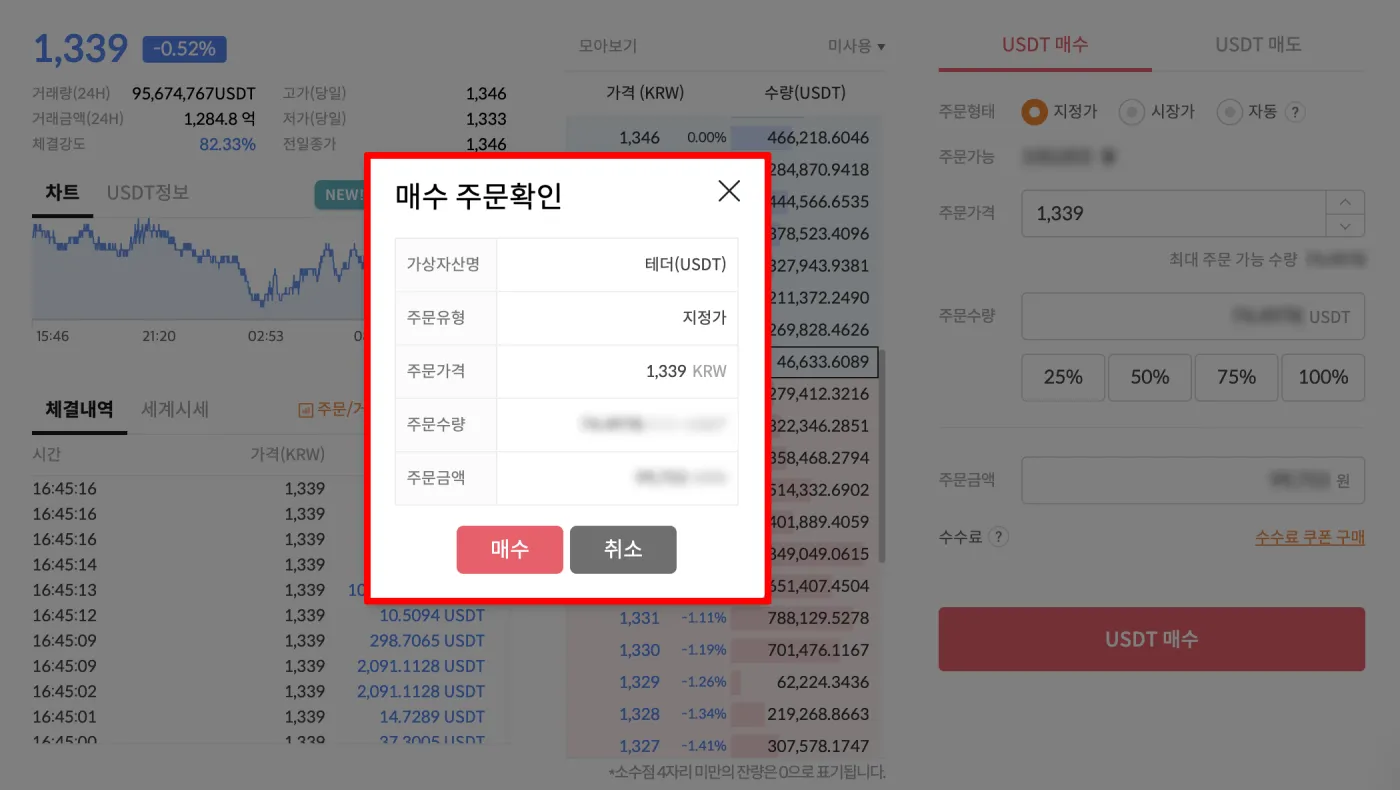
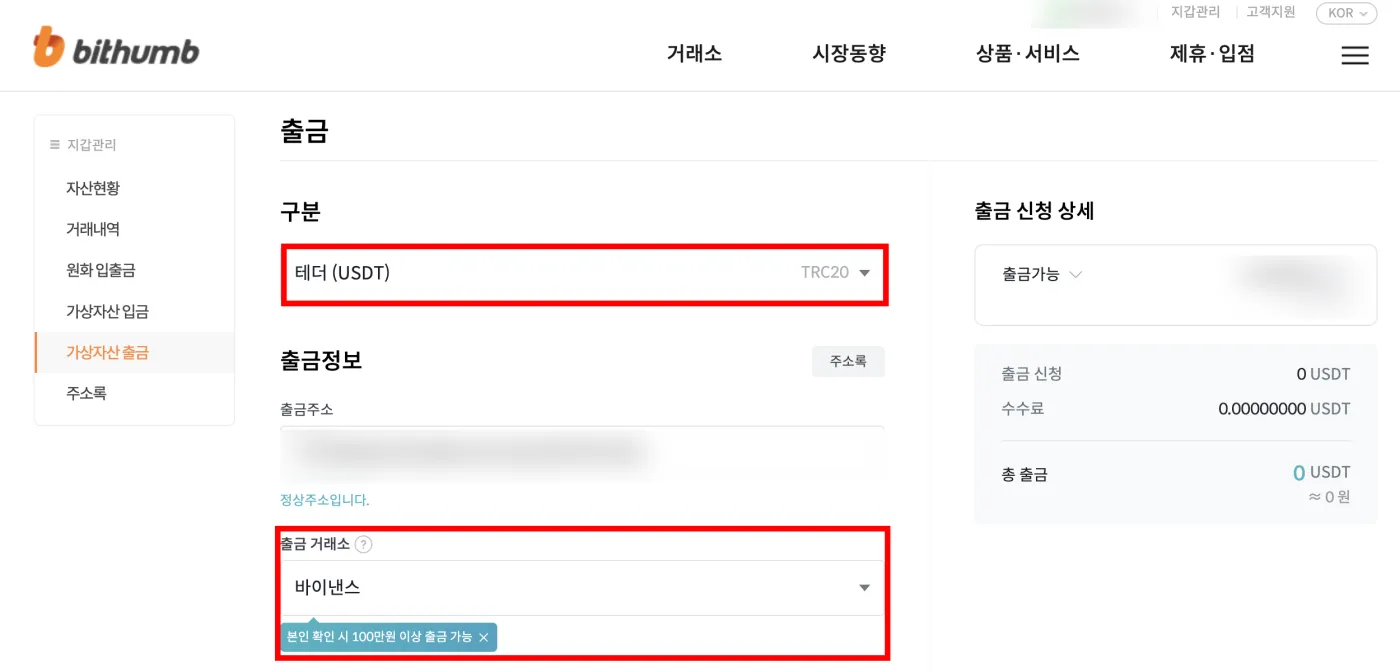
2. Copy the Withdrawal Address and Select the Exchange
Go to the [Wallet Management] - [Crypto Withdrawal] tab. Next, enter the overseas exchange's USDT deposit address as the withdrawal address on Bithumb.
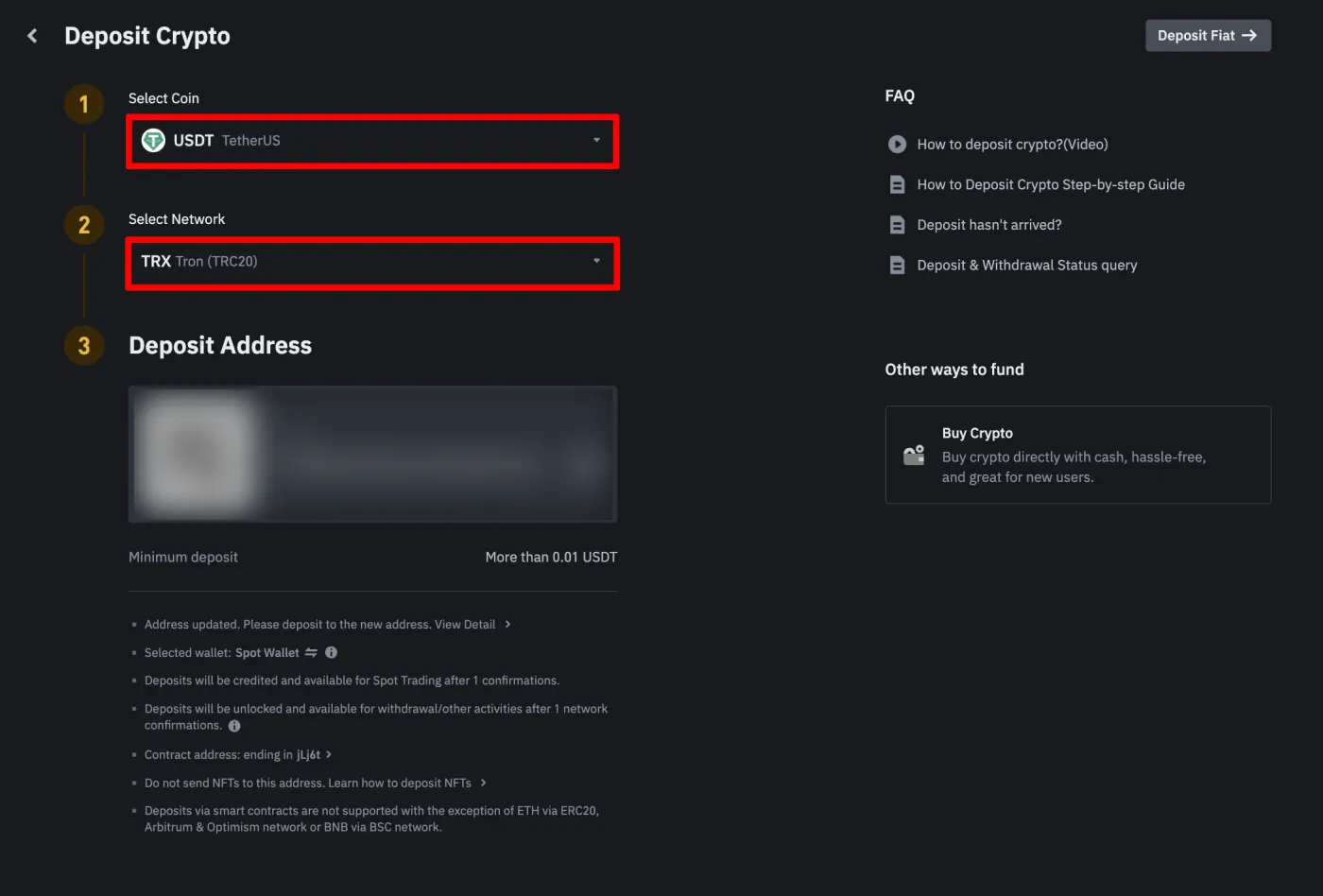
On Binance, you can find your USDT deposit address in the [Deposit] tab after logging in. When you do, make sure the network type is the Tron (TRC-20) network, as shown below.
3. Enter the Recipient Information
You need to enter the information of the individual or company receiving the assets. Enter the recipient's name in Korean first, then enter their name in English. If it's already filled in automatically, you can leave it as is.
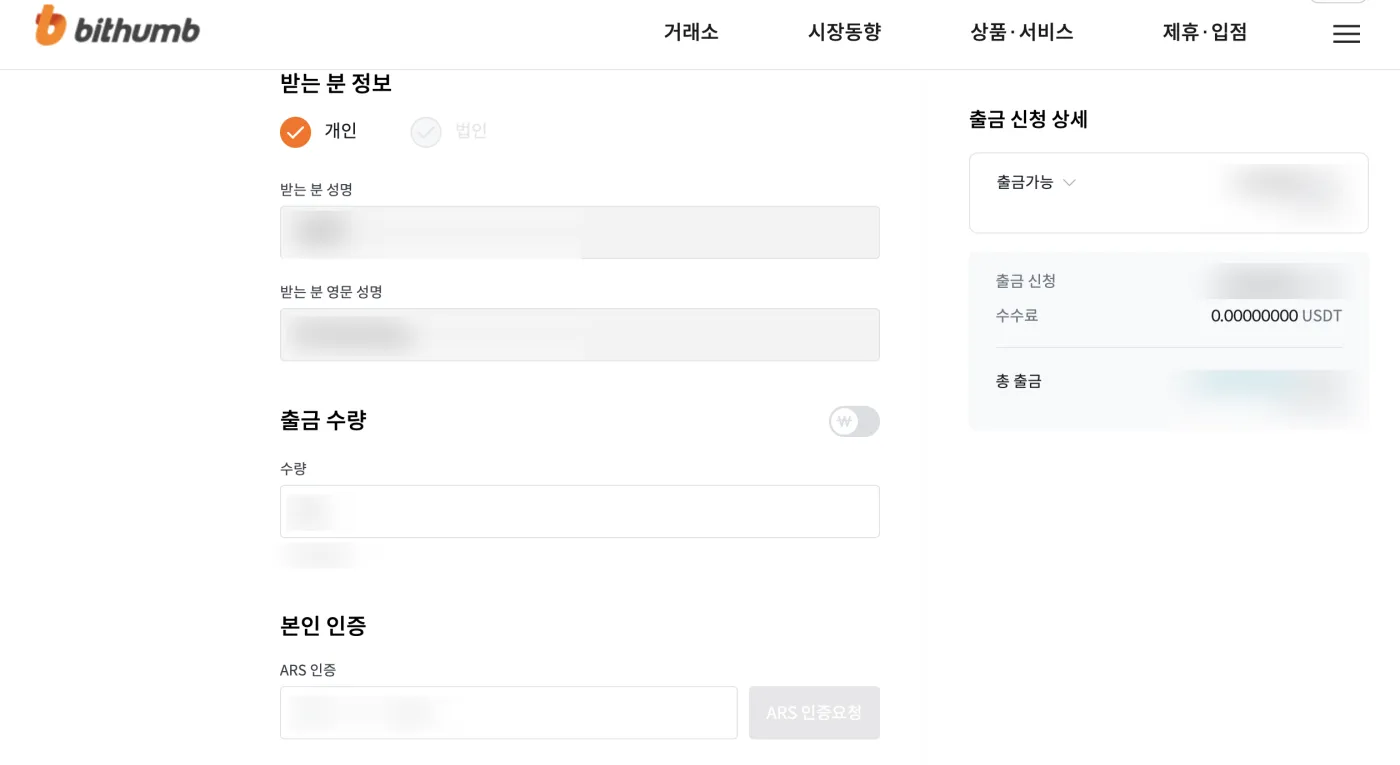
Under the Travel Rule, if the withdrawal amount is KRW 1,000,000 or more, the two accounts must belong to the same owner. If it's KRW 1,000,000 or less, it's fine for the two accounts to have different owners.
4. Check the Withdrawal Amount and Verify Your Identity
Check the amount of USDT you're withdrawing and the details, then complete identity verification to finish submitting your withdrawal request.
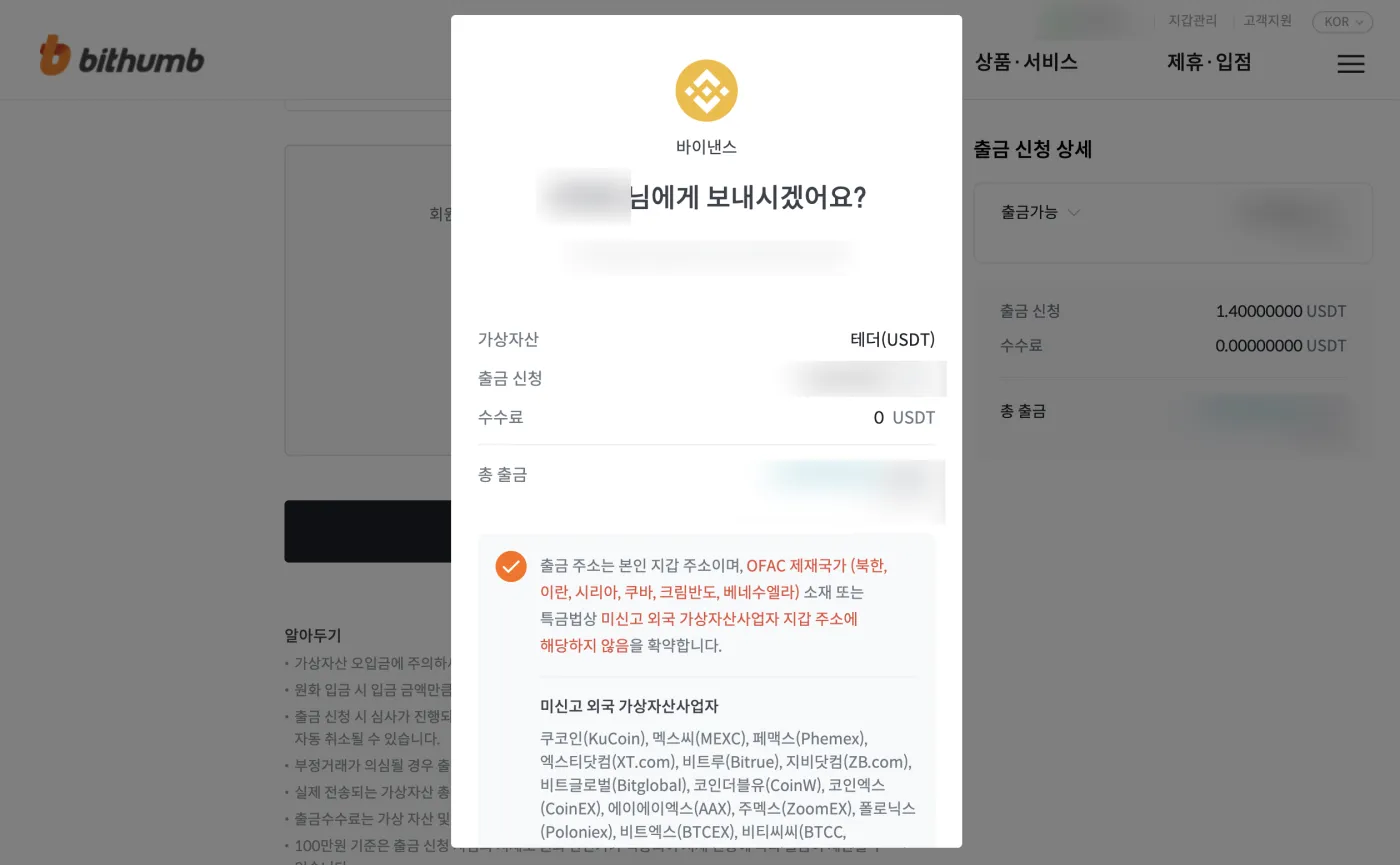
5. Complete the Withdrawal Request and Confirm the Deposit
Once you see the withdrawal request completion message like the one below, you're done. After about 5–10 minutes, you can log in to the overseas exchange and check the USDT you sent.
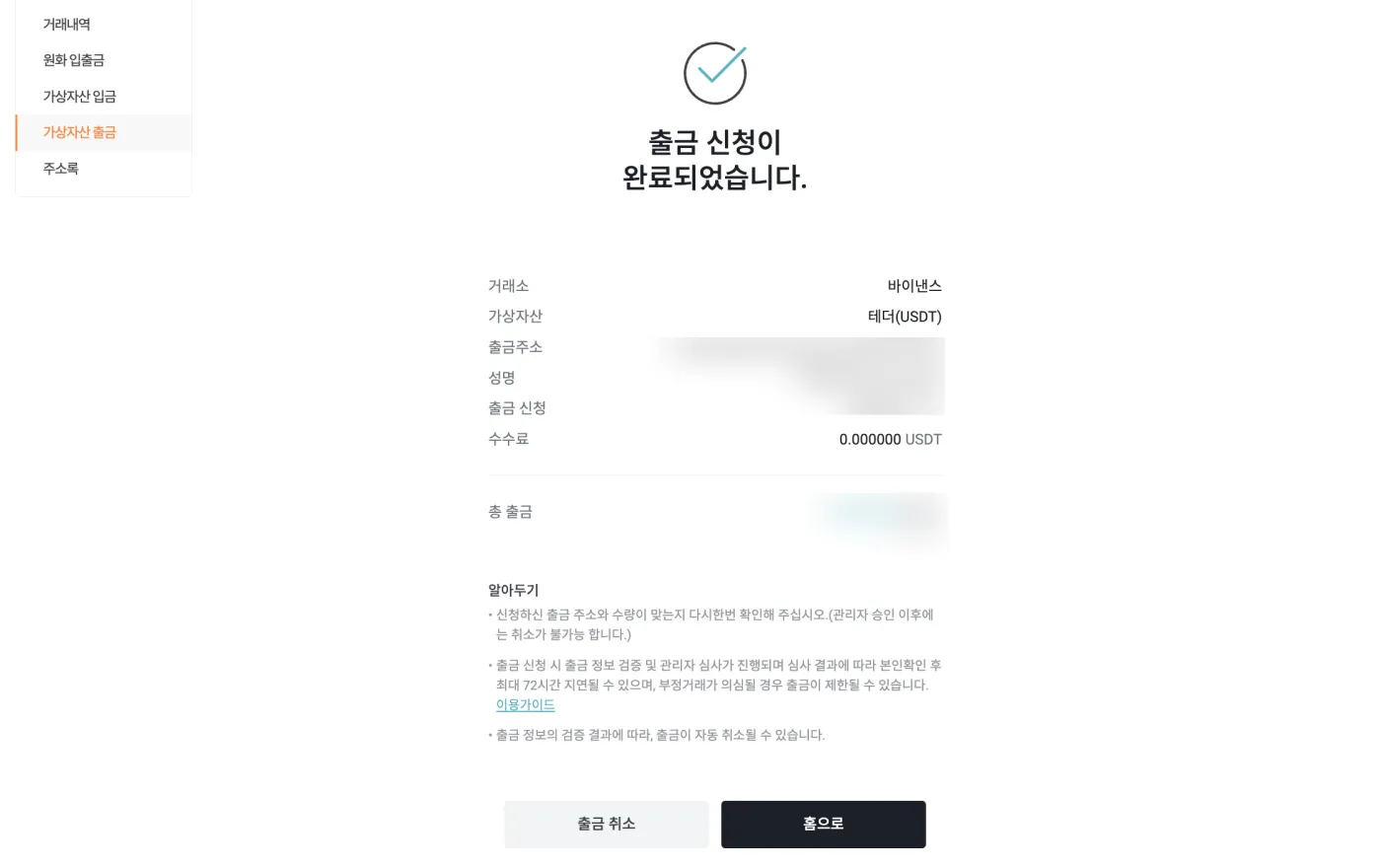
How to Deposit USDT (Overseas Exchange > Bithumb)
You can buy Tether (USDT) on an overseas exchange, deposit it to the Bithumb exchange, and sell it for Korean won (KRW). Here are the 5 steps to deposit USDT from an overseas exchange to Bithumb.
1. Request a USDT Withdrawal
Log in to the overseas exchange and go to the USDT withdrawal tab. The following is an example of withdrawing USDT from the Bybit exchange to Bithumb. After logging in to your account, go to the [Withdrawal] tab.
2. Enter Your Bithumb USDT Address and Select the Network
Log in to the Bithumb exchange and copy your Tether (USDT) deposit address. For the withdrawal network, you must select TRC-20, the same network as the deposit address.
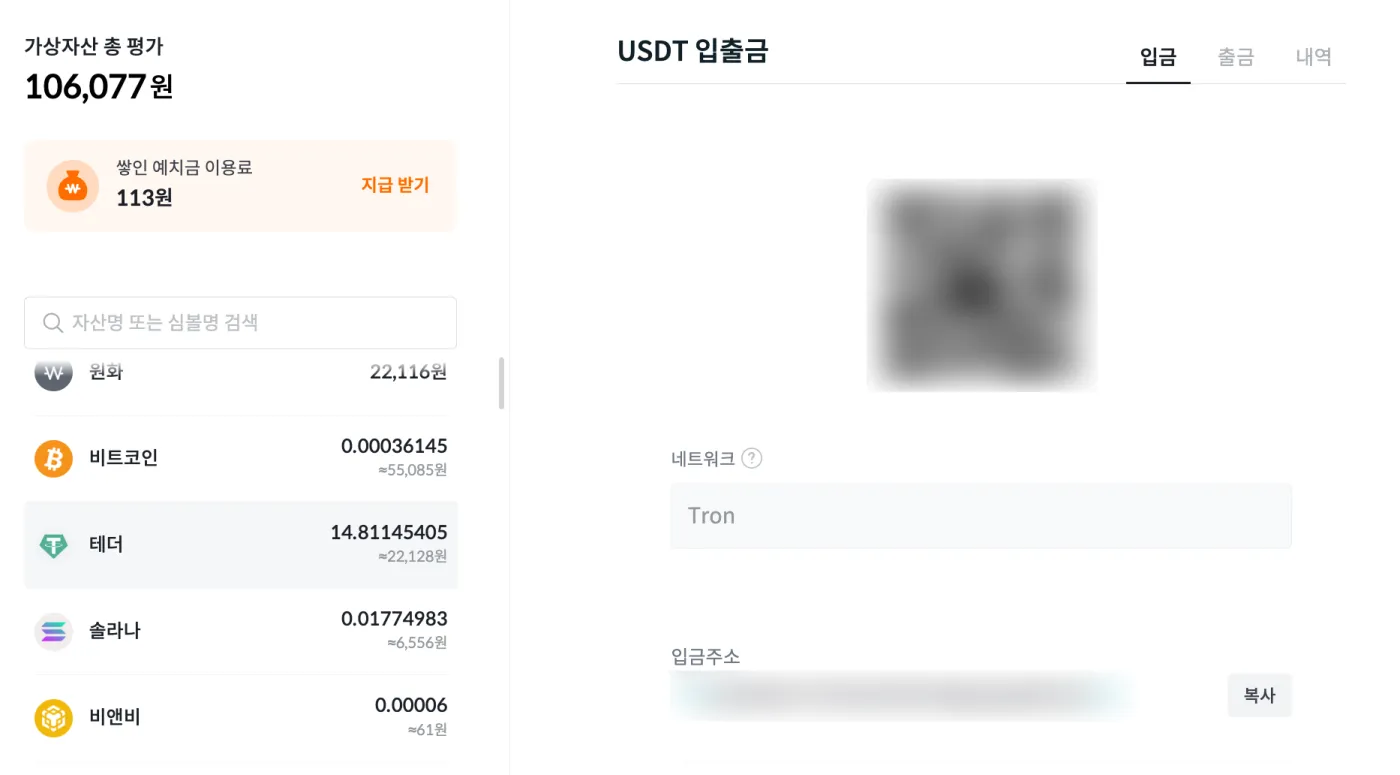
3. Enter the Deposit Address and Select the Network
Go back to the Bybit withdrawal tab. As shown in the screen below, enter the Bithumb USDT deposit address you just copied in the [Wallet Address] field.
Next, make sure to select TRC20 for [Chain Type]. Enter the amount in [Withdrawable Amount], then click the [Confirm] button.
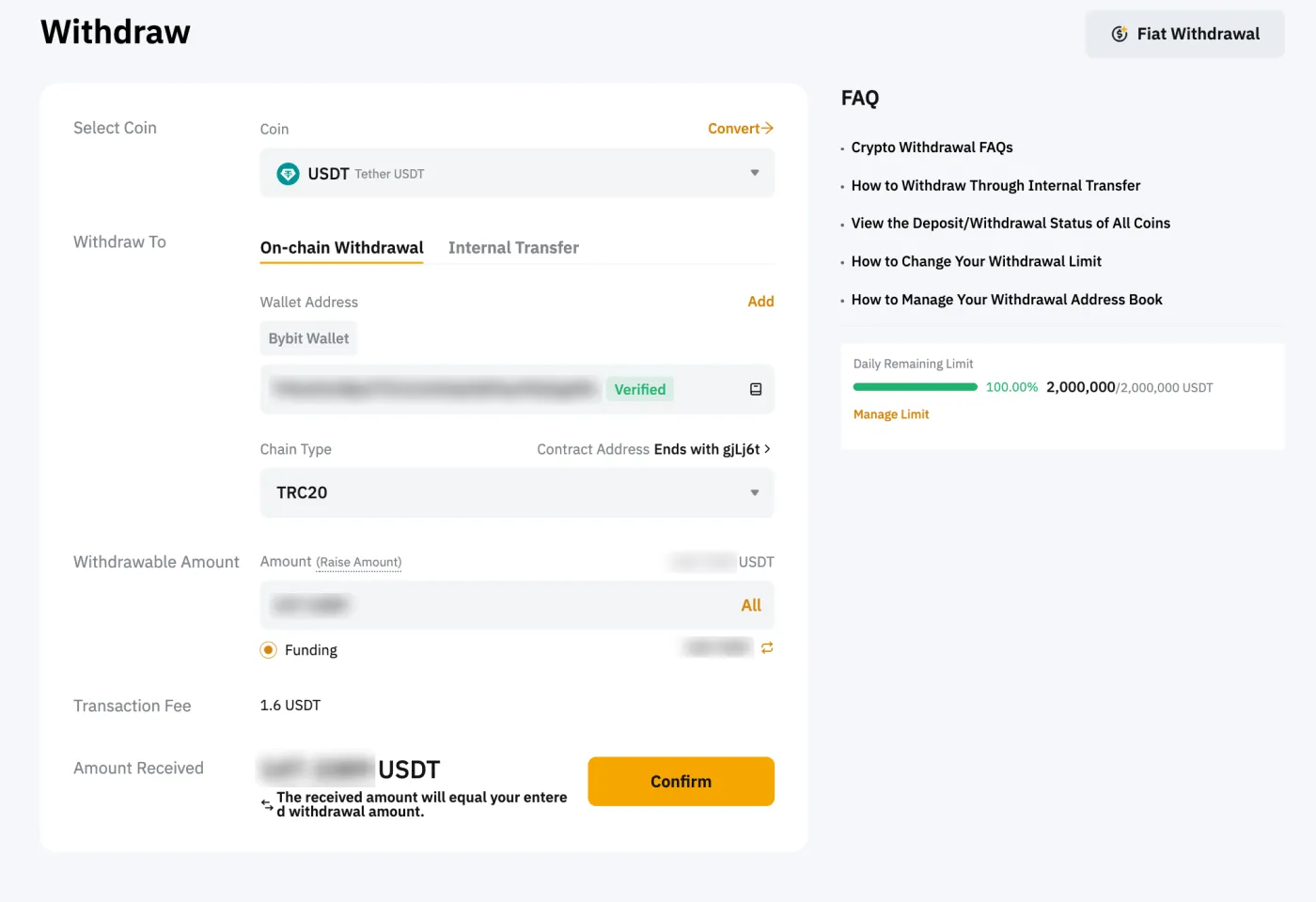
4. Enter Your Bithumb Customer Information
Next, find and click 'Bithumb' as the withdrawal platform, then accurately enter, in English, the customer name you registered with Bithumb.
- First Name: Kildong (given name)
- Last Name: Hong (family name)
4. Confirm the USDT Deposit
About 5–10 minutes after final approval, the USDT deposit to Bithumb will be complete. Once the deposit is complete, you'll receive a notification via KakaoTalk and email.
5. Sell USDT and Withdraw KRW
Once you've received the USDT, you can sell it on the market right away. Go to Bithumb's [Exchange] - [KRW Market] - [USDT] tab, complete the sale, and then request a KRW withdrawal.
Advantages of USDT Deposits and Withdrawals on Bithumb
Upbit and Bithumb are among the most popular exchanges with Koreans. However, moving funds to and from overseas exchanges used to require the hassle of buying another coin, such as XRP, and then transferring it.
The biggest downside of transferring XRP is that its price can change while the transfer is in progress. On top of that, you had to pay trading fees twice, once for buying and once for selling.
With USDT on Bithumb, however, a single Tether purchase is all it takes to transfer to another exchange. This has the advantage of letting you move assets freely to other exchanges while keeping their value the same, without hedging.
However, there's something to keep in mind if you want reliable USDT deposits and withdrawals through Bithumb. You must have completed KYC (real-name verification) on both Bithumb and the overseas exchange. KYC is the process exchanges use to verify users, and it's a required step for confirming a user's identity.
That wraps up how to deposit and withdraw USDT between the Bithumb exchange and overseas exchanges, along with the advantages of using USDT for deposits and withdrawals.