Binance Megadrop: How to Complete the BounceBit Quest
3 min read · · Korean original
Contents 5
The BounceBit event, Binance's first-ever Megadrop project, has begun! In this post, we'll walk you through how to join Binance Megadrop and earn BounceBit's coin, $BB, as a reward.

How to Join the Megadrop Event
To take part in Binance Megadrop, you'll need the following 3 things.
- A KYC-verified Binance account
- A Binance Web3 Wallet
- The required BNB and BTCB
Shall we go through each step in detail? If you don't have a Binance account yet, sign up and complete KYC verification through the Binance sign-up link first, then keep following the tutorial below.
Creating and Linking a Binance Web3 Wallet
The first thing to do is create a Binance Web3 Wallet. Tap 'Wallet' at the bottom of the Binance app, then tap 'Web3'. Next, back up your wallet, and you're all set.
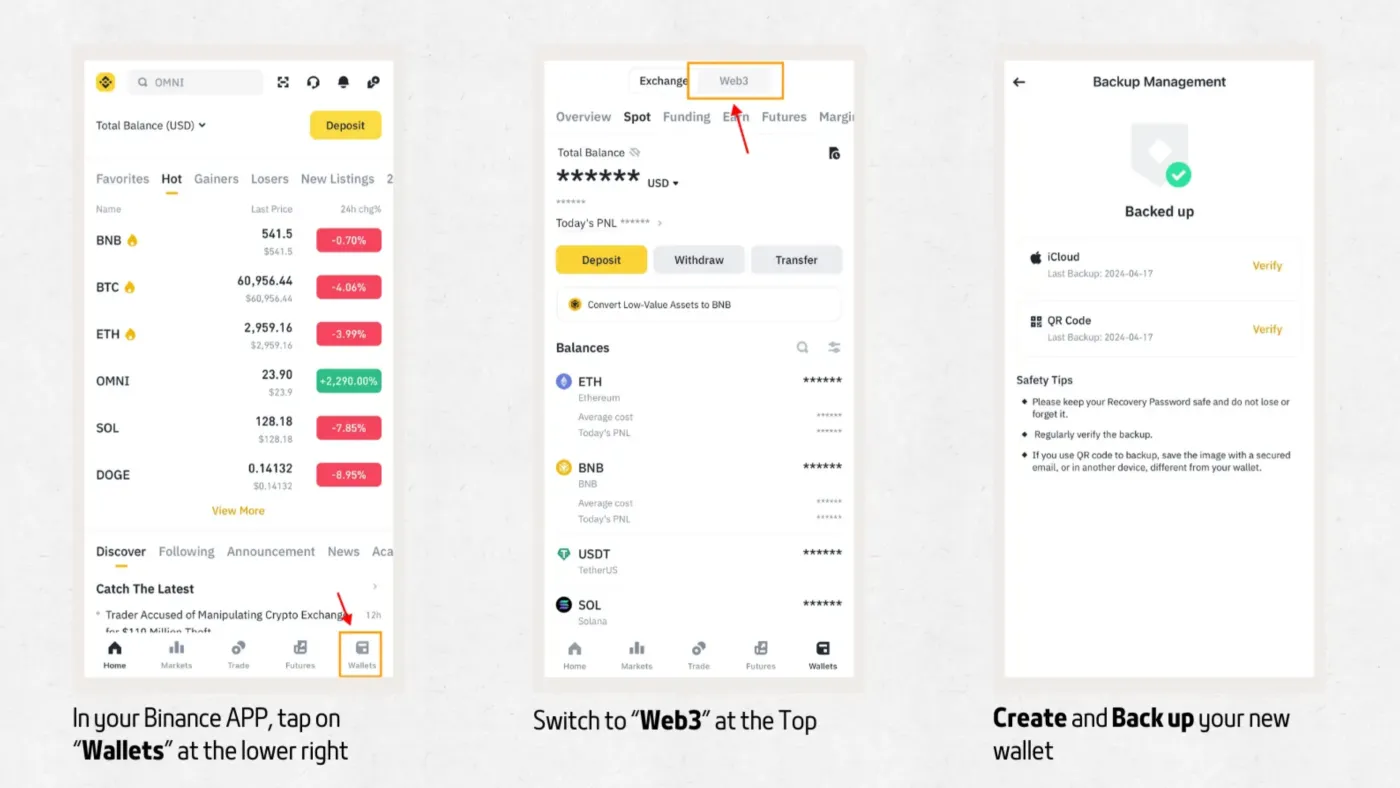
The Binance Web3 Wallet is a keyless wallet linked to your Binance account, so it has no separate seed phrase. Also, to join the Megadrop event, you must use a wallet created this way. Binance specifically advises against using a wallet imported from MetaMask or any other wallet, so be careful!
Completing the BounceBit Megadrop Quest
Once you've created your Web3 Wallet, it's time to start the Megadrop quest for real. Go to 'Megadrop' in the Binance app. You'll see the 'BounceBit' quest there.
The requirement for the BounceBit quest is to stake at least '0.0001 BTCB'. Let's go through it step by step.
①. Bring Assets into Your Web3 Wallet
To complete the BounceBit quest, you need to bring 1) at least 0.000111 BTCB and 2) a small amount of BNB to cover gas fees into your Binance Web3 Wallet. Here's how.
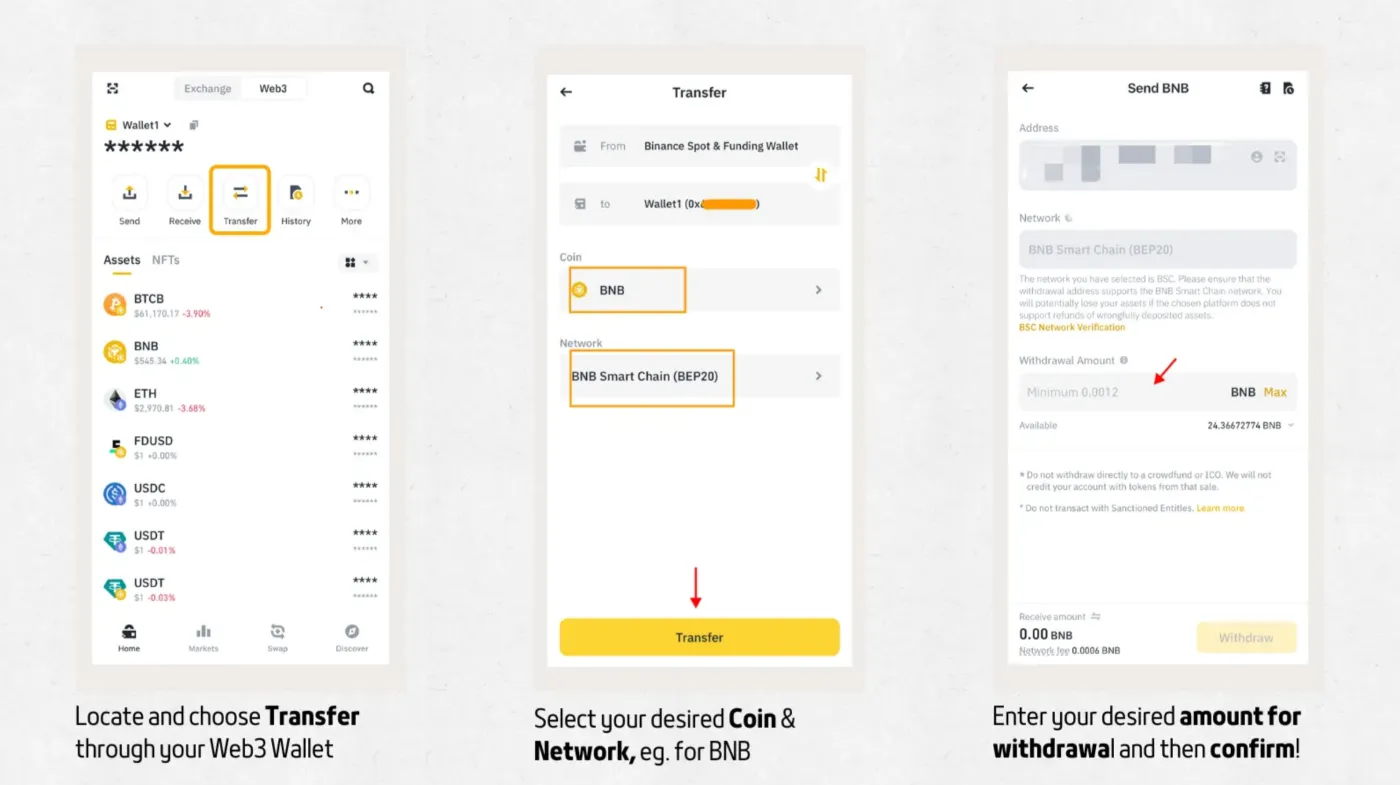
- In your Binance Web3 Wallet, tap 'Transfer'.
- You can bring in BNB and BTCB from your Binance Spot and Funding wallets.
- Be sure to use the BNB Smart Chain (BEP20) network.
②. Deposit BTCB into BounceBit
Once you've brought BNB and the required BTCB into your Web3 Wallet, it's time to go to the BounceBit page and make your deposit.
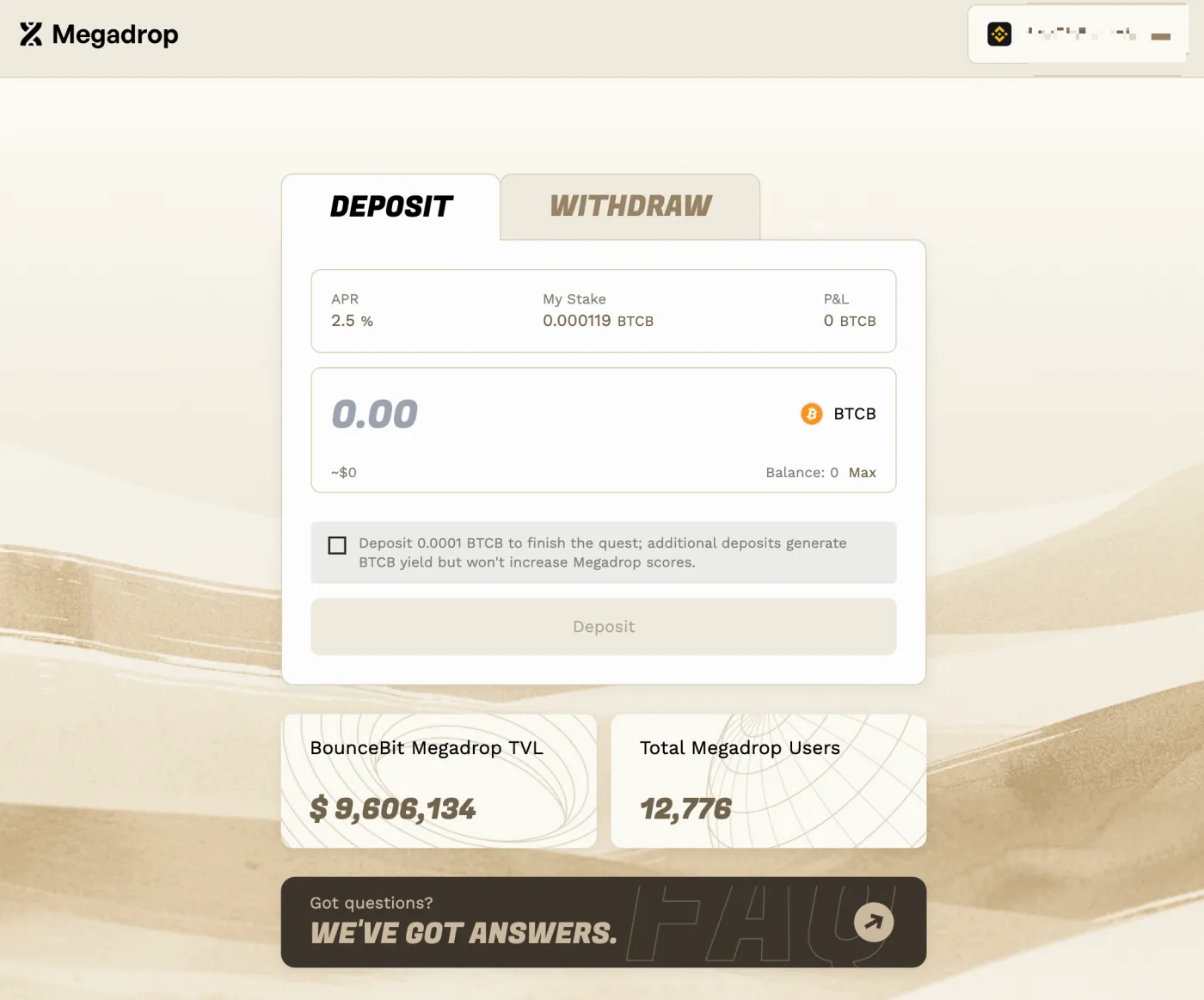
- Go to the BounceBit Megadrop page.
- Connect your Binance Web3 Wallet via 'Connect Wallet'.
- In the 'Deposit' section, deposit at least 0.0001 BTCB.
Once your BounceBit deposit is done, go back to the Binance Megadrop page and tap 'Verify' to finish.
Staking BNB on Binance
Once you've finished the Binance Web3 Wallet quest, you now need to stake BNB on the Binance exchange. As explained in our Binance Megadrop post, you can choose a staking period from a minimum of 30 days to a maximum of 120 days.
The longer your staking period, the more Megadrop points you can earn. Since you can unstake your deposited assets at any time after a waiting period of about 2 days, choosing the maximum 120-day staking period may be the way to maximize your rewards, as long as you don't need the funds right away.
Wrapping Up
That covers, in detail, how to join BounceBit, the first project of Megadrop, the airdrop event run by the Binance exchange.
If you've completed the BounceBit quest through your Binance Web3 Wallet and locked up your BNB in the Binance Earn section, you've completed every step correctly. Great job!