How to Sign Up for Binance and Get a Lifetime 20% Fee Discount
4 min read · · Korean original
Contents 6
In this post, we'll walk through how to sign up for Binance and how to get a discount on your trading fees. You can sign up on a smartphone, a PC, or through the app, and we'll explain each step in detail so that even beginners can sign up easily.
Ready to sign up for Binance? Great! Let's go through the sign-up process step by step in detail. Be sure to follow along all the way to the end!
1. Go to the Binance Website
To sign up for Binance, you first need to go to the Binance website. Please access Binance through the link below. It will take you to the sign-up page with the 20% fee discount code JZS3J9QZ already applied.
2. Enter Your Account Information
Enter the account information you'll use on the Binance exchange. Just type your email address in the 'Email / Phone Number' field as shown below.
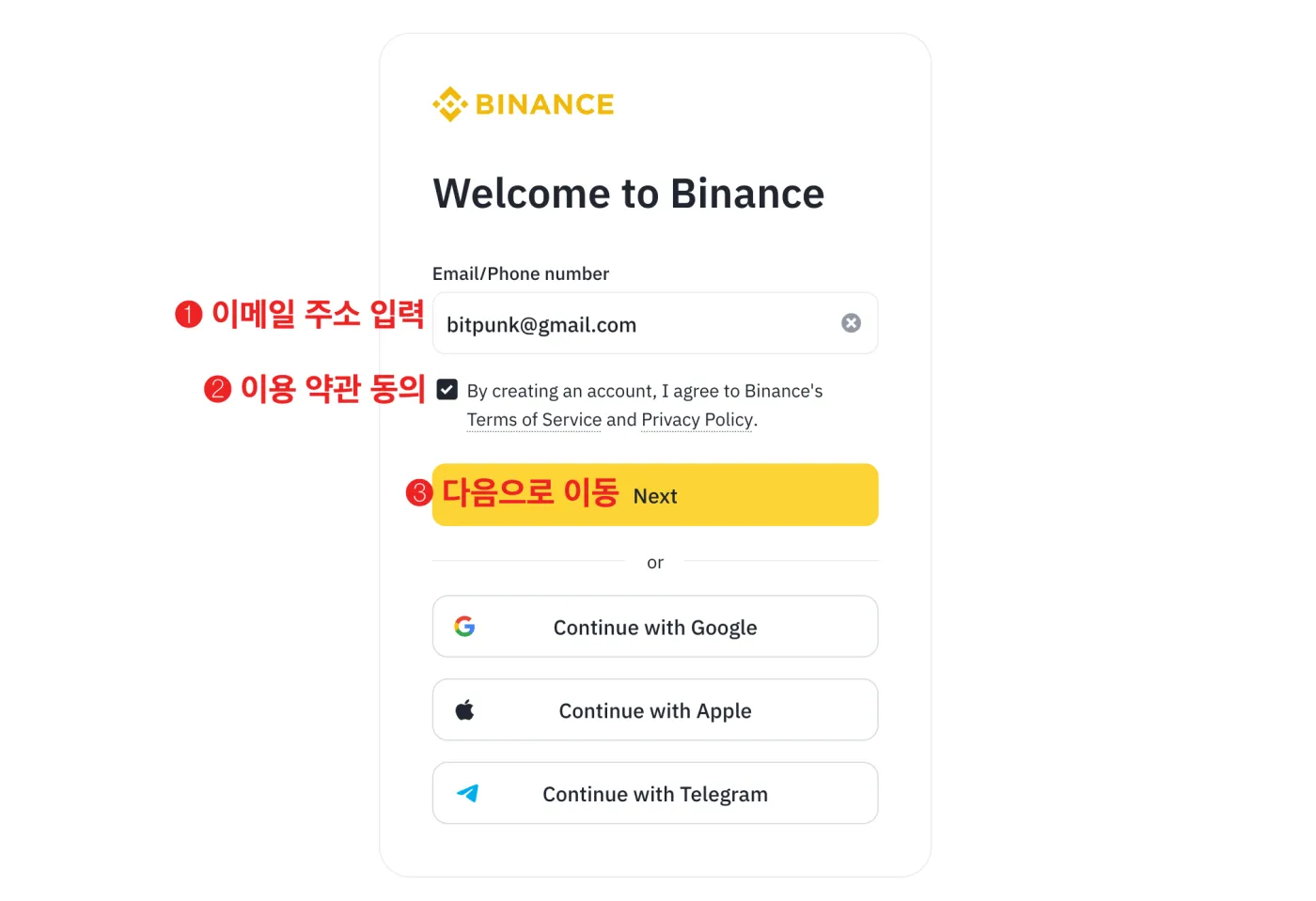
Next, click the checkbox next to the Terms of Use, then press 'Next' to move on to the next step.
3. Enter the 6-Digit Verification Code
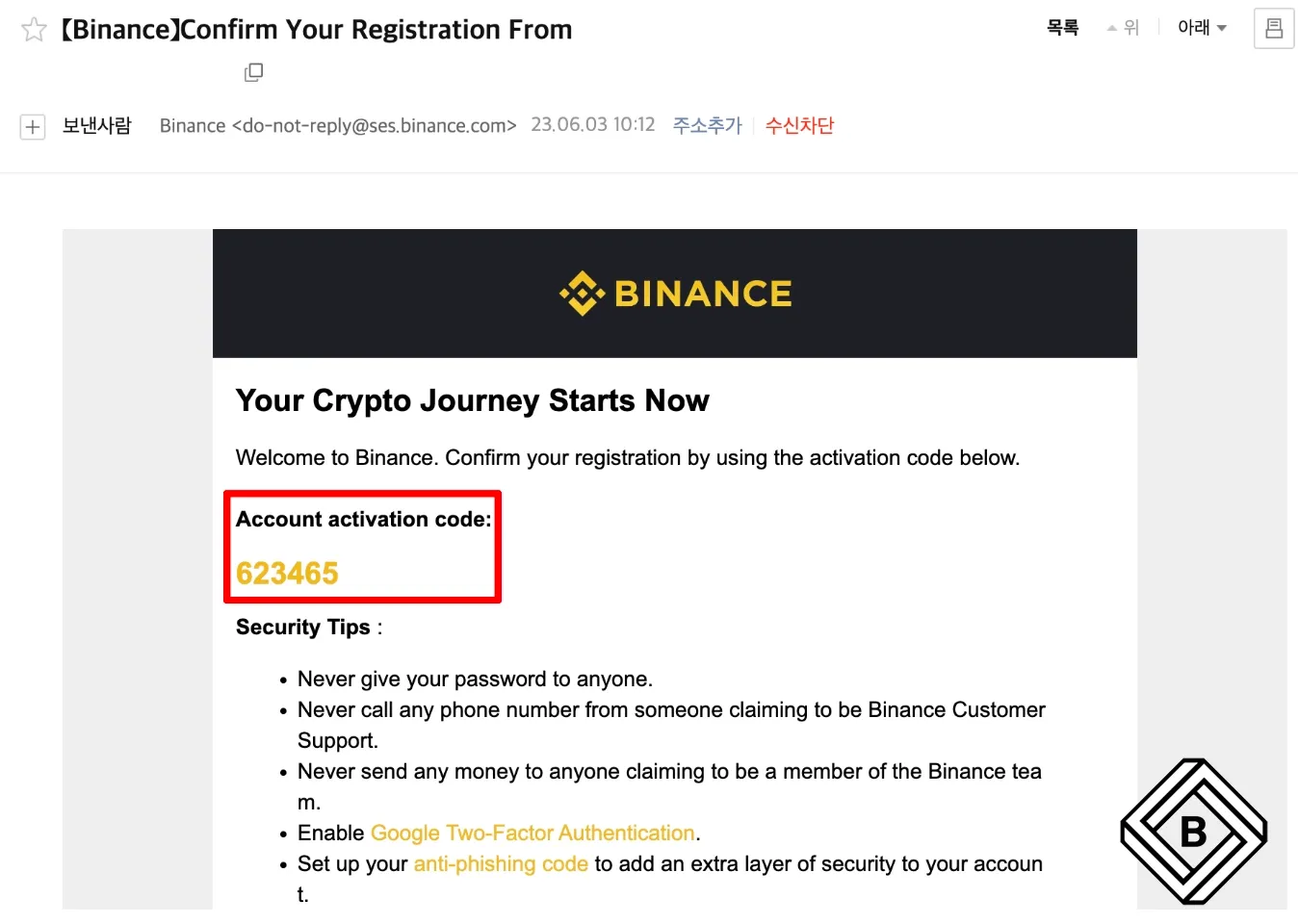
Check the email or phone number you entered when signing up. You should find a 6-digit verification code sent by Binance.
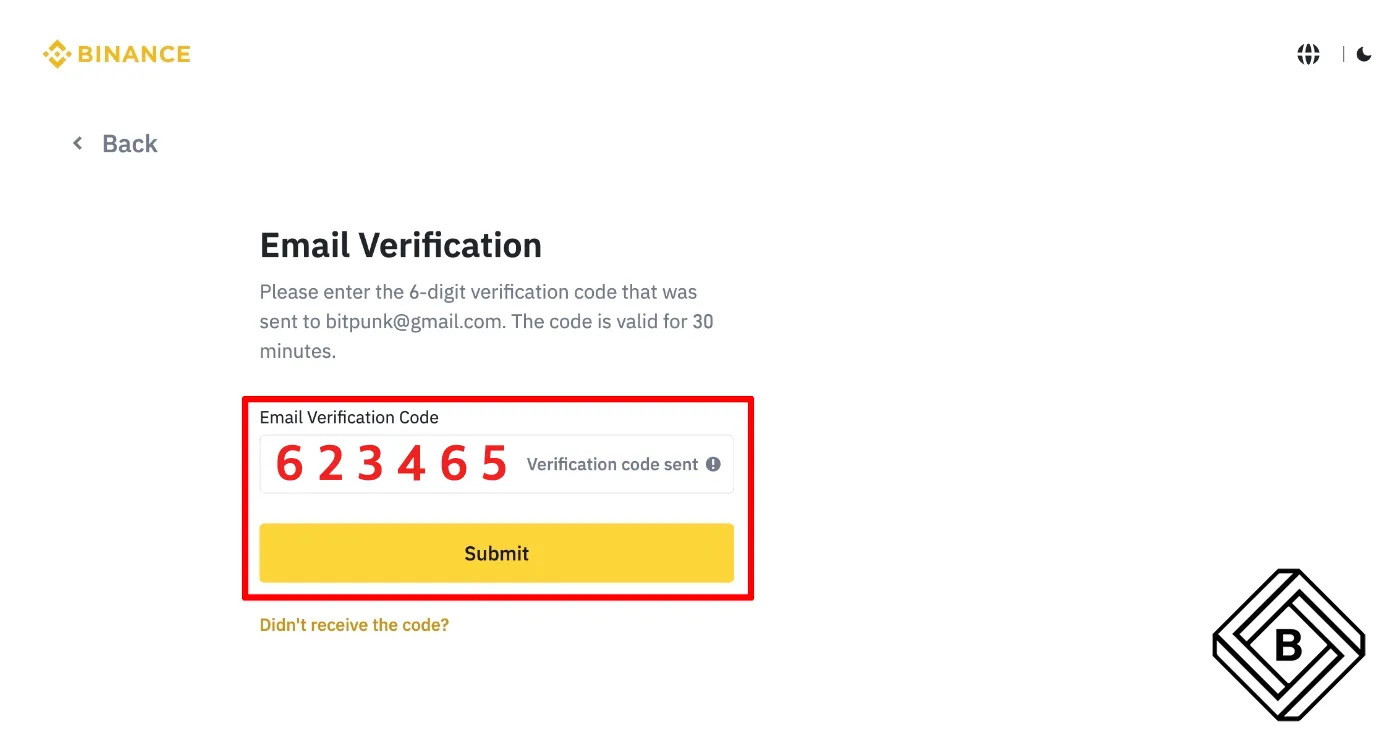
Enter the verification code as shown below and press the 'Submit' button. If you didn't receive the code, wait about 30 seconds to 1 minute and try again. You can also check your spam folder.
4. Set Your Password
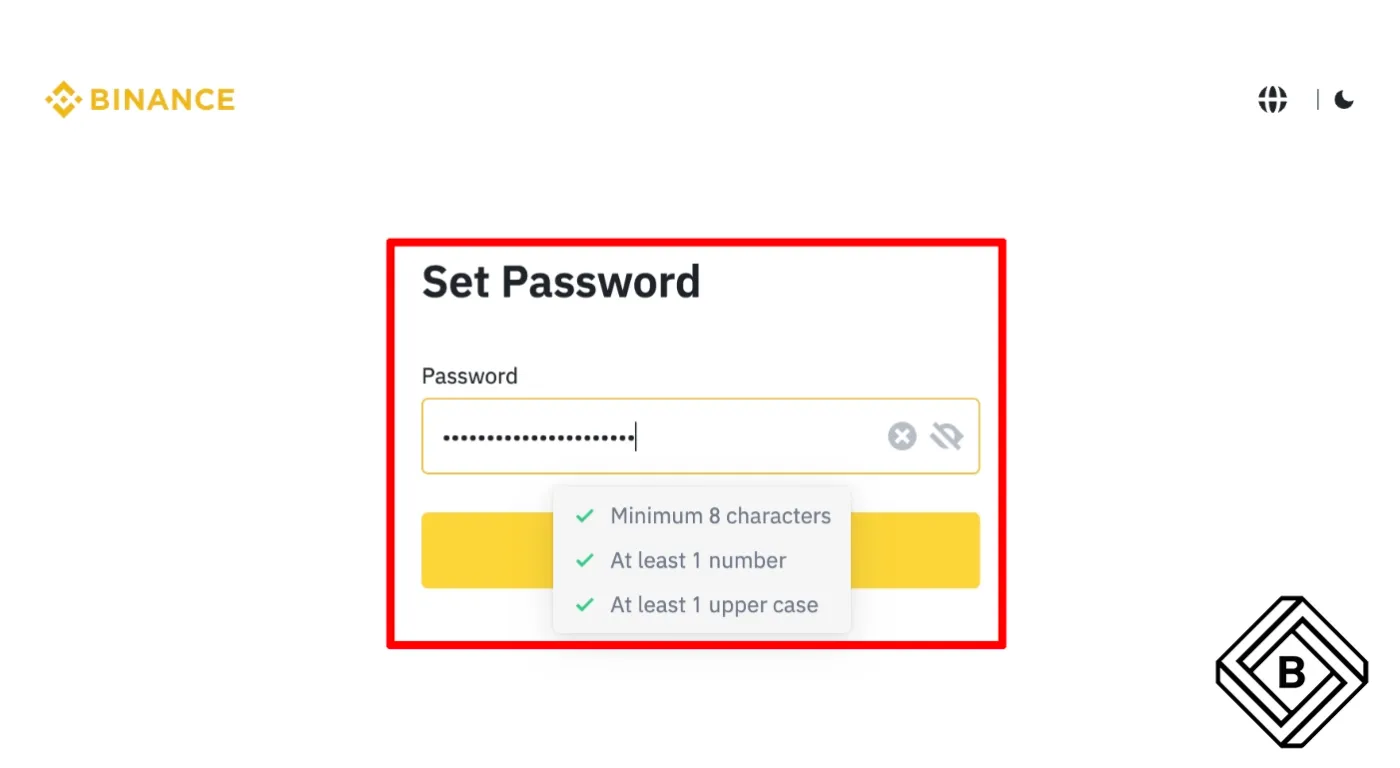
You need to set a password for your Binance account. The password must be at least 8 characters long and include at least one number and at least one uppercase letter. For security, it's safer to use a password that's different from the one for your email account.
5. Check the Referral Code
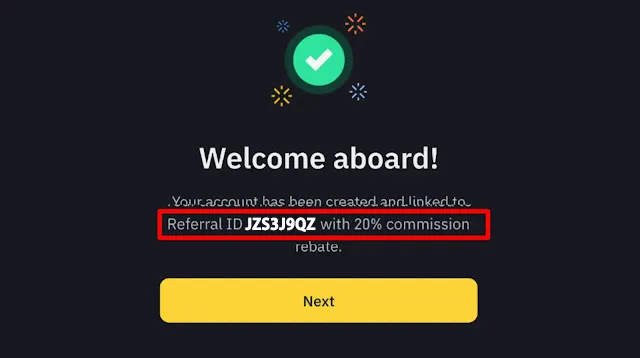
Next, check that the referral ID JZS3J9QZ has been entered correctly, as shown below. Entering this code gives you a lifetime 20% discount on Binance spot and futures trading fees.
Many blogs and websites that explain how to sign up for Binance don't cover this part properly, so you need to pay attention here.
Do you see the referral code you entered, with the words "20% commission" next to it? That's the exact way to confirm that the 20% fee discount has been applied.
If this text isn't there, or it only shows 5% or 10%, you're not getting the maximum discount. In that case, you can enter the referral code above yourself to get the maximum discount.
If you can't enter the code, or a different code is already filled in, you'll need to clear your browser cookies or open the page again in incognito mode and sign up from there.
🪽 Articles About Binance Referrals
6. Account Created and KYC Verification
Congratulations! Your Binance exchange account has now been created. However, you can't start using the Binance exchange right after creating your account. To trade on Binance, you need to complete KYC identity verification. For details on identity verification and additional fee discounts, please refer to the articles below.
🪽 Binance Identity Verification and Additional Fee Discounts
Made it this far? Great job! We've now covered how to sign up for Binance and the basic steps to get ready to use it. If this helped, please leave a heart below. Thank you. 🧡