How to Create and Use a Binance Referral Code
2 min read · · Korean original
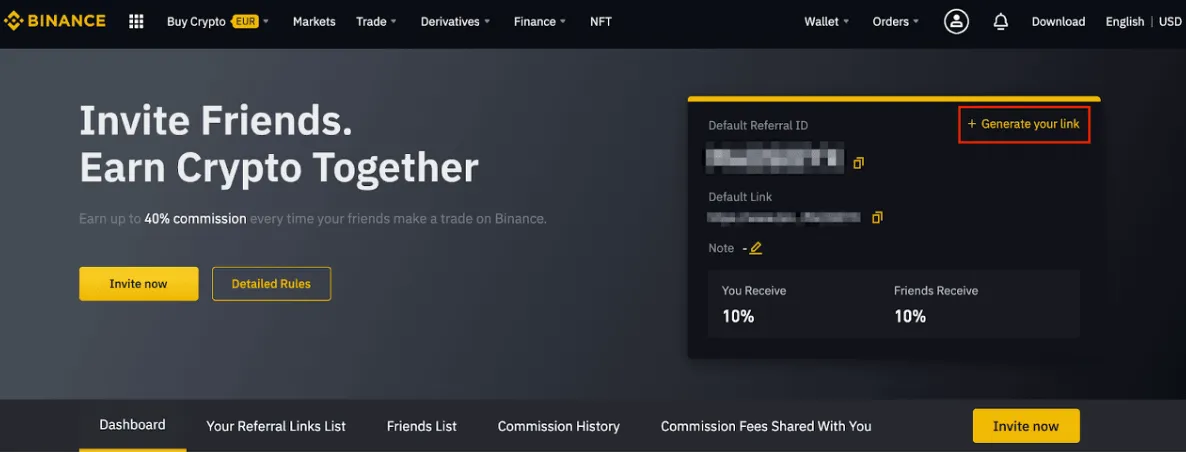
With the Binance Referral Program, you can earn up to 40% referral commission every time your friends trade on Binance. You can earn commission on both the spot and futures markets. Follow the step-by-step guide below to learn how to earn spot referral bonuses.
1. Log in to your Binance account and click [Profile] - [Referral].
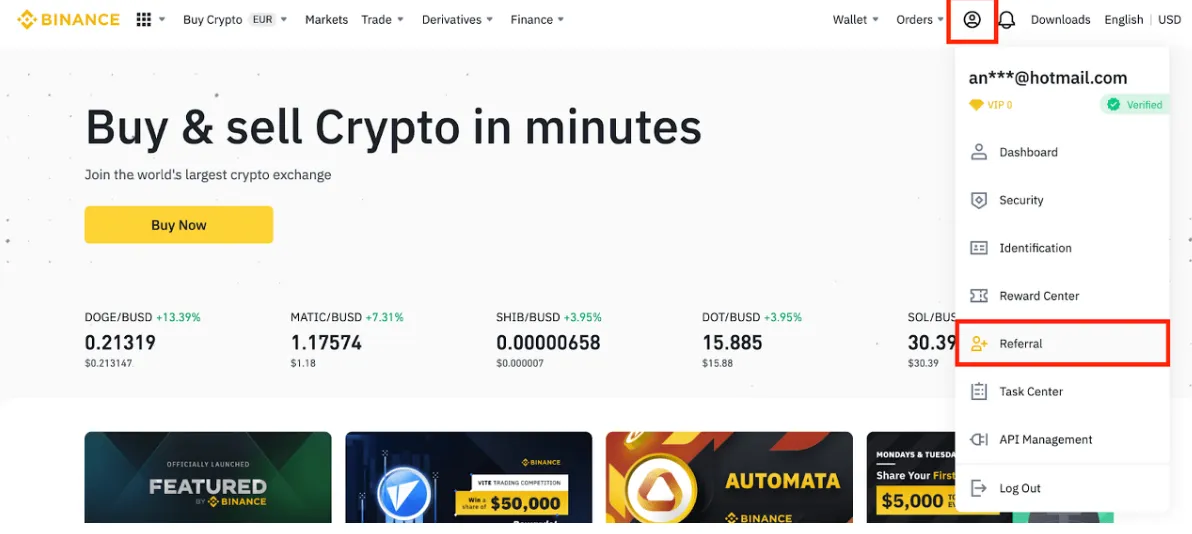
2. On that page, you can see your Referral ID and referral link. Click [+ Generate Link] to set your referral rate however you like.
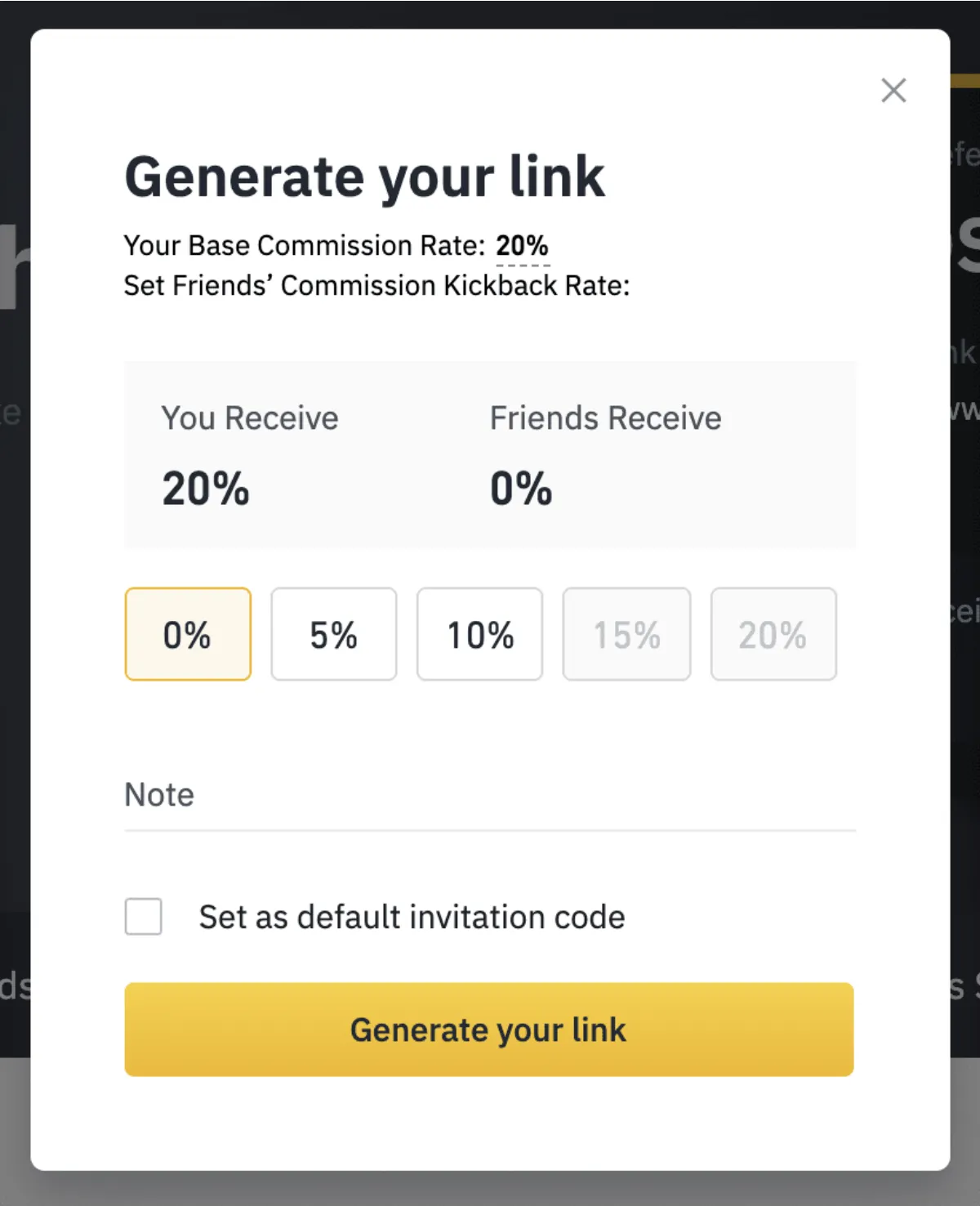
3. Choose your spot referral rate. The default spot referral rate is 20%, which means you receive 20% of the spot trading fees your friend pays.
Accounts with an average daily BNB balance of 500 BNB or more can earn up to 40% spot referral commission. Accounts with less than 500 BNB can earn 20% spot referral commission.
You can also add a note to the link and set it as your default rate. Then click [Generate Link].
4. After setting your commission rate and commission kickback rate, click the [Copy] icon next to your Referral ID or referral link to invite your friends.
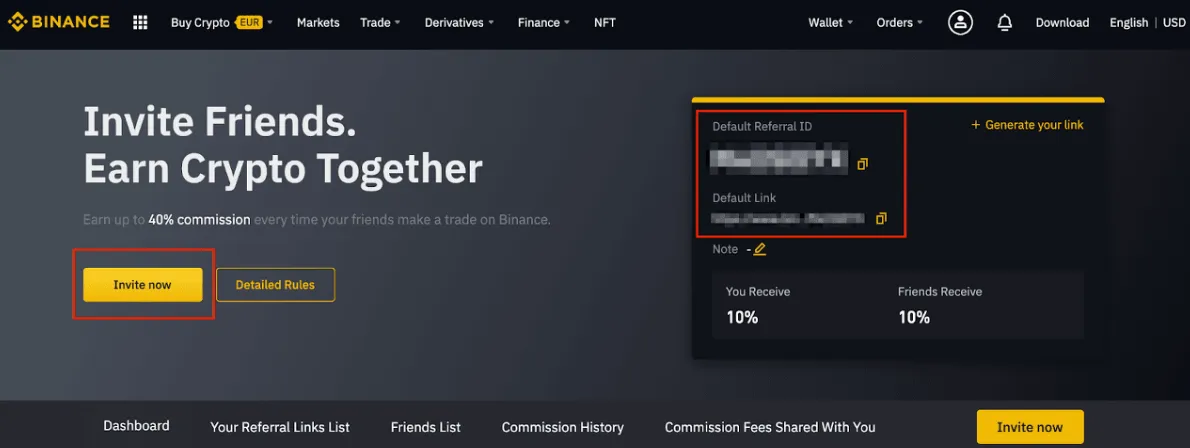
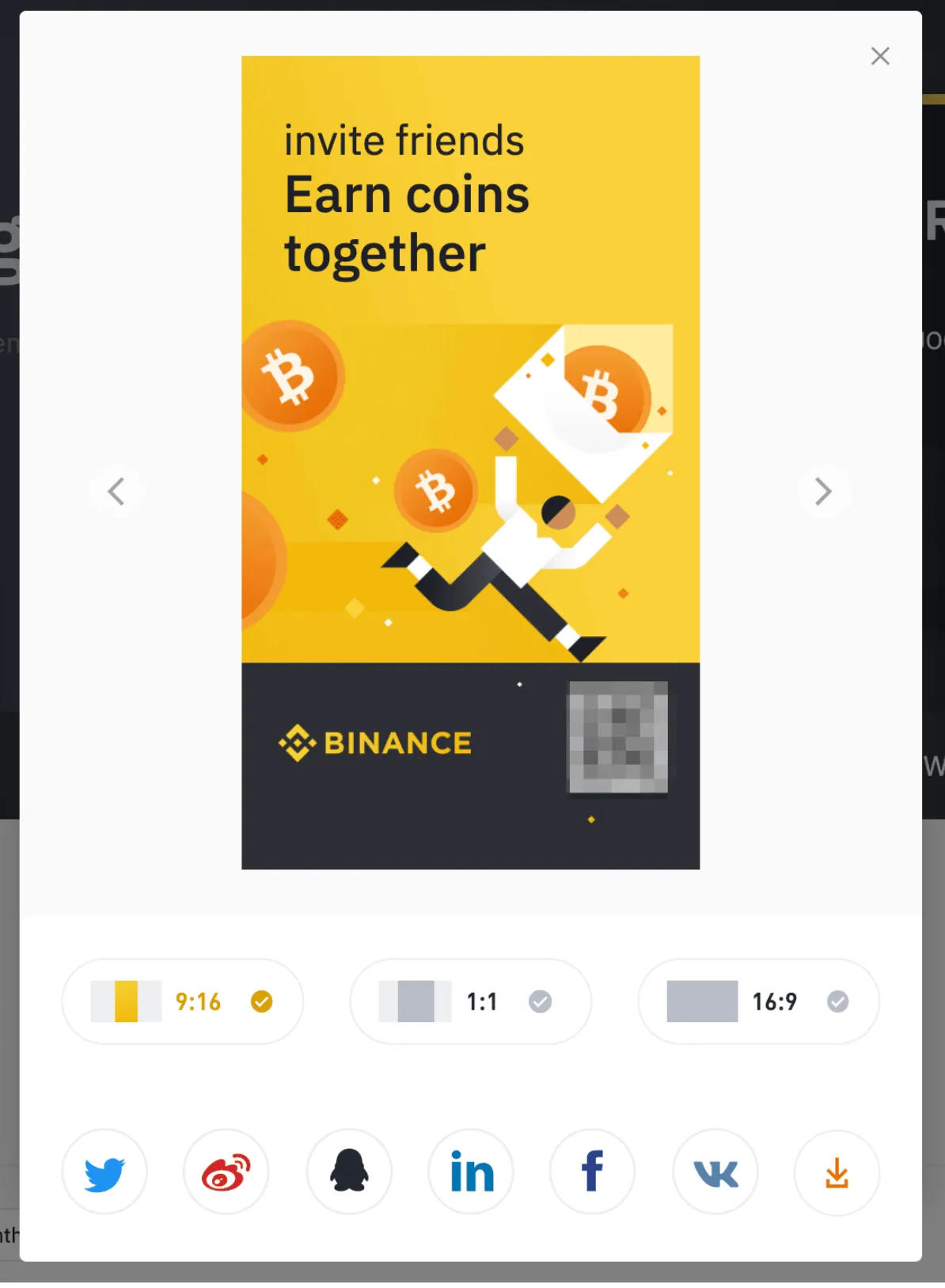
You can also click [Invite Now] to share your referral QR code. You can download images in various sizes, or share directly by clicking one of the social media icons.
5. Once your friend successfully registers on Binance and starts trading, your referral commission starts being calculated in real time and is paid to your Binance account every hour.
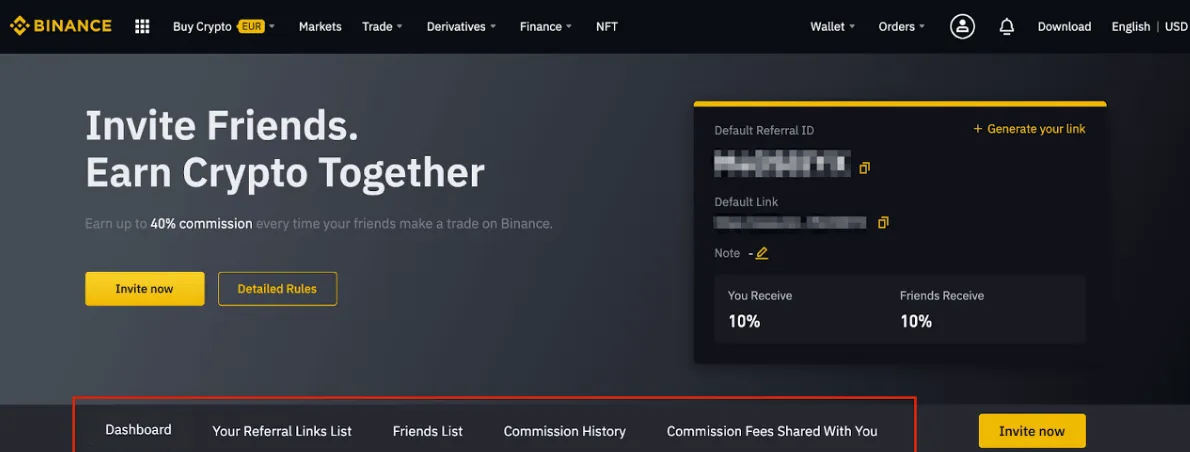
6. You can check your referral details from the top menu.
If you want to earn both spot and futures commissions when referring friends, please make sure you have opened a futures account first. If you refer a friend using a spot referral link but haven't opened a futures account yet, you can only earn commission on spot trades.

If you don't have a Binance account yet, you can sign up through the link below and set up your own referral program. Enter the referral code JZS3J9QZ when signing up to get a 20% trading fee discount for life.