How to Deposit and Withdraw on Binance (Upbit & Bithumb)
4 min read · · Korean original
Contents 4
This guide shows you how to deposit and withdraw crypto assets on Binance. When depositing or withdrawing crypto, the most important thing is to choose the correct address, memo (if required) and network. Otherwise, you could lose your funds, so be careful.
Also, for deposits and withdrawals of KRW 1,000,000 or more, you must use a Binance account in your own name. If you withdraw to someone else's account or an unknown personal wallet, your withdrawal may be rejected and you may have to explain the source of your funds, so please be careful.
Now, let me walk you through how to deposit and withdraw assets on Binance, step by step.
How to Deposit to Binance (Upbit ➡️ Binance)
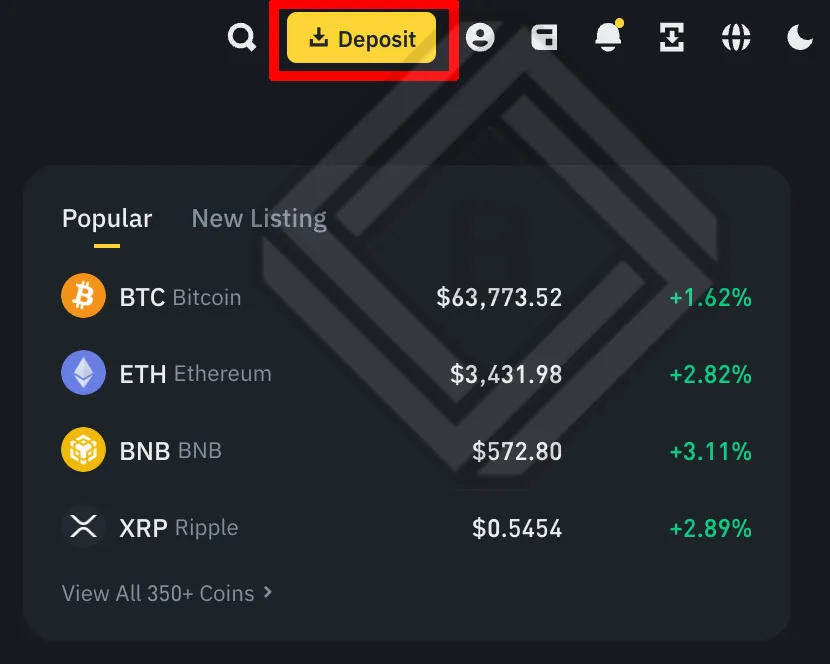
1. Log in to Binance and go to the [Deposit] section in the top right corner.
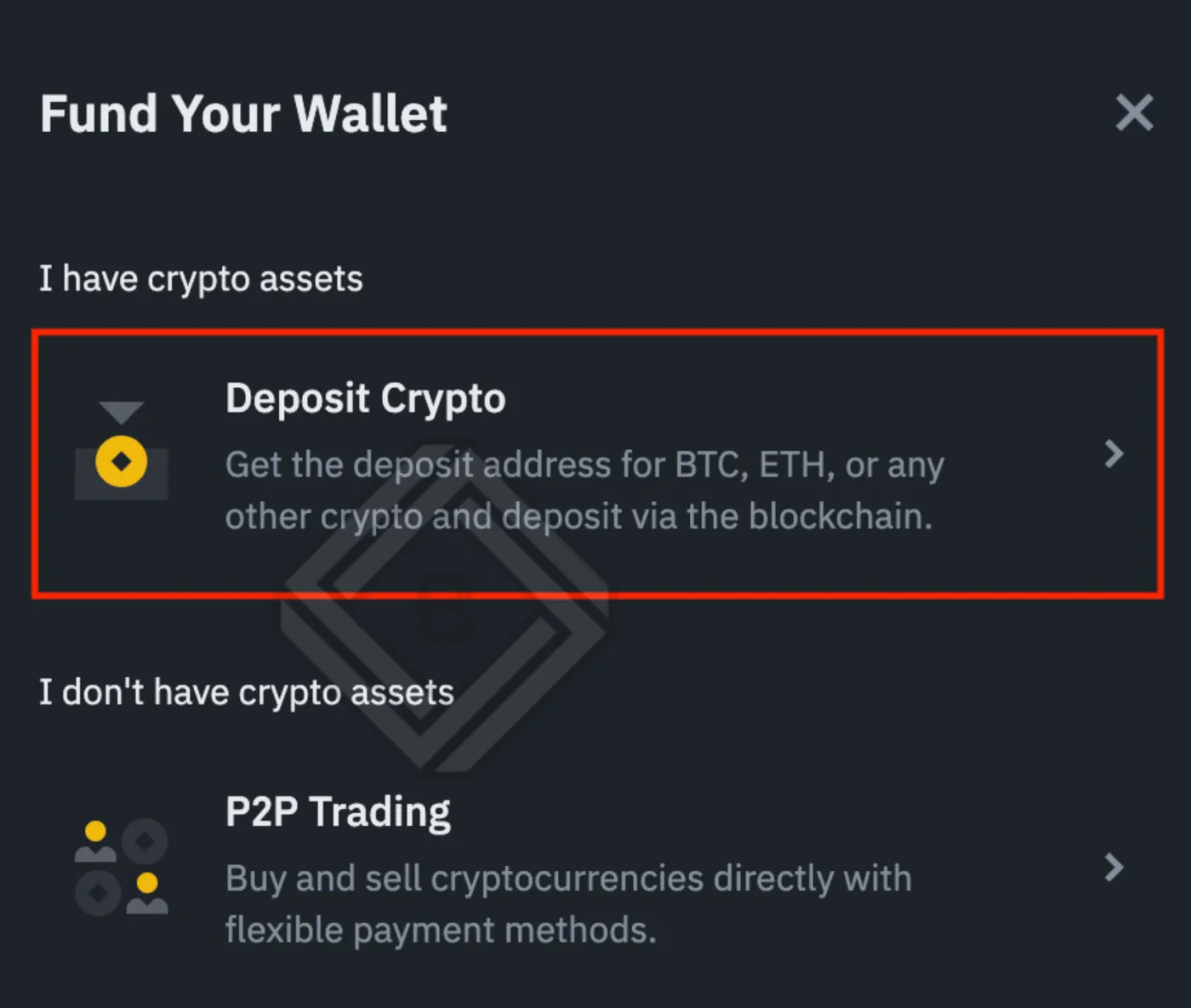
2. To deposit crypto, click [Deposit Crypto].
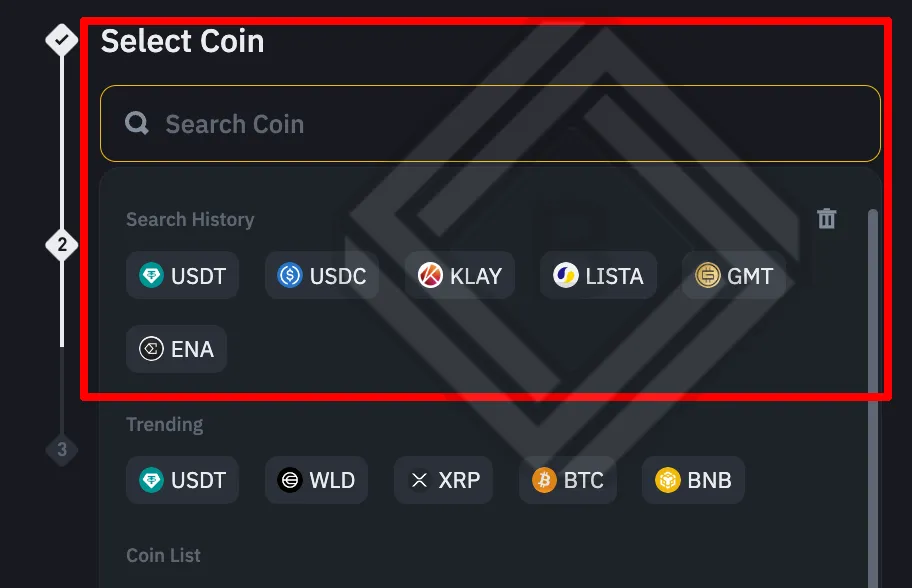
3. Select the crypto asset you want to deposit. Here, we'll choose the stablecoin USDT.
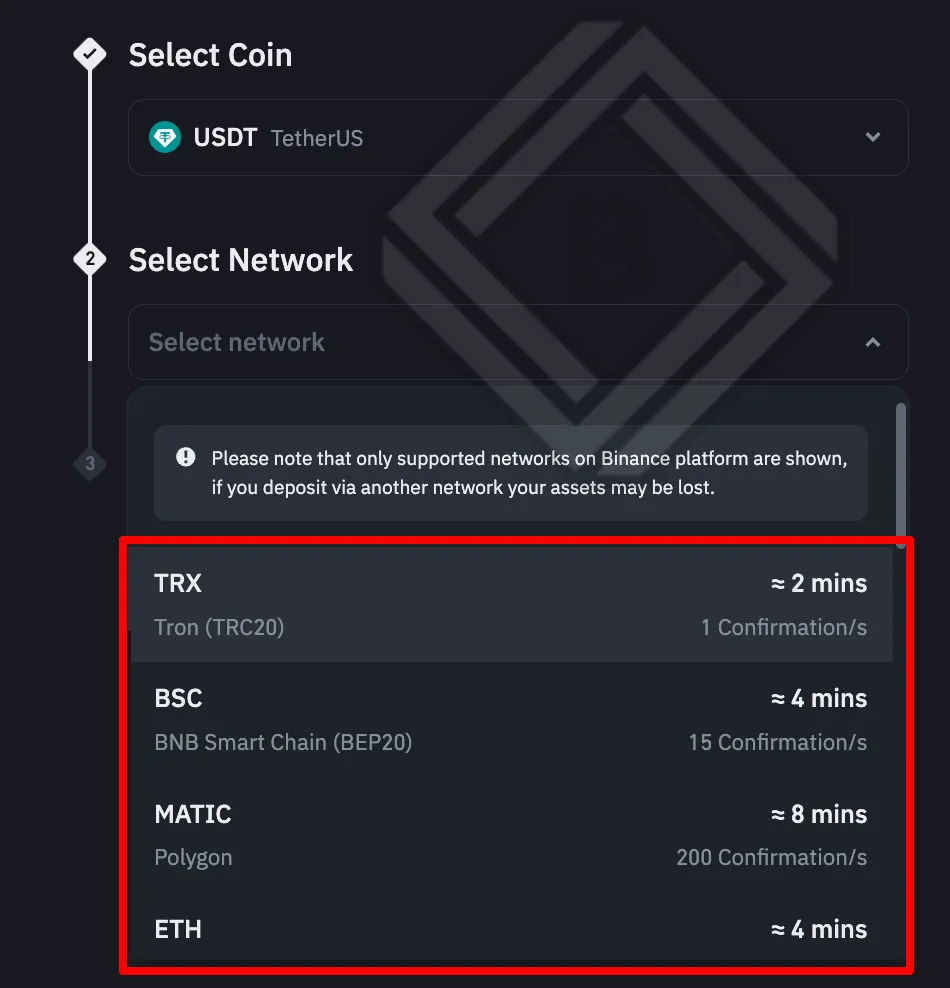
4. The networks available for USDT deposits will be displayed. If you're withdrawing from a Korean exchange such as Upbit, select the TRX20 Tron network.
5. Go to the withdrawal tab on Upbit and select Tron as the withdrawal network. Next, paste the deposit address you copied from Binance into Upbit.
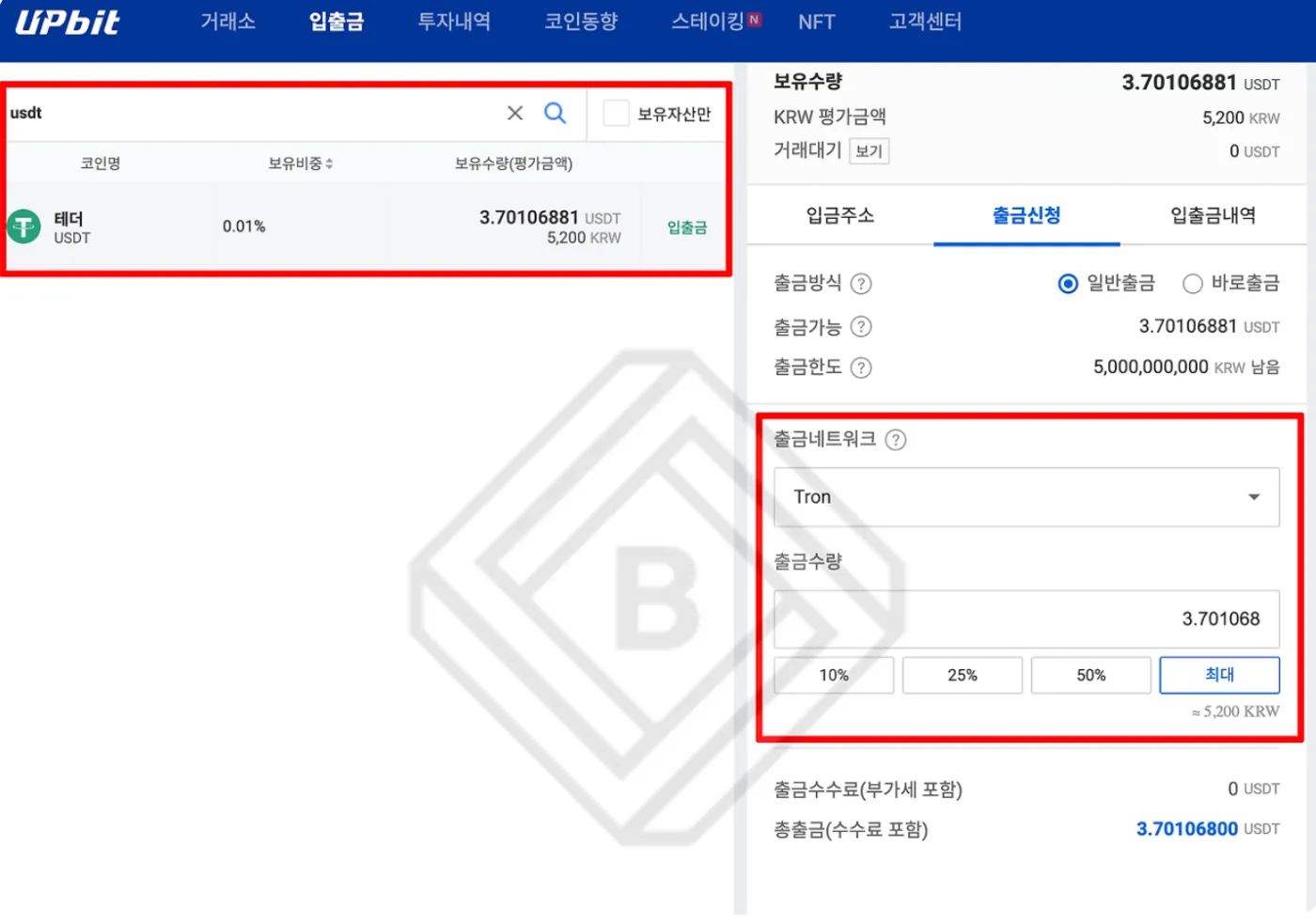
6. Once Upbit approves the withdrawal, the USDT deposit to Binance is usually completed within about 10 minutes on average.
How to Withdraw from Binance (Binance ➡️ Bithumb)
This time, let's look at how to withdraw assets from Binance to Korean exchanges such as Upbit, Bithumb and Korbit.
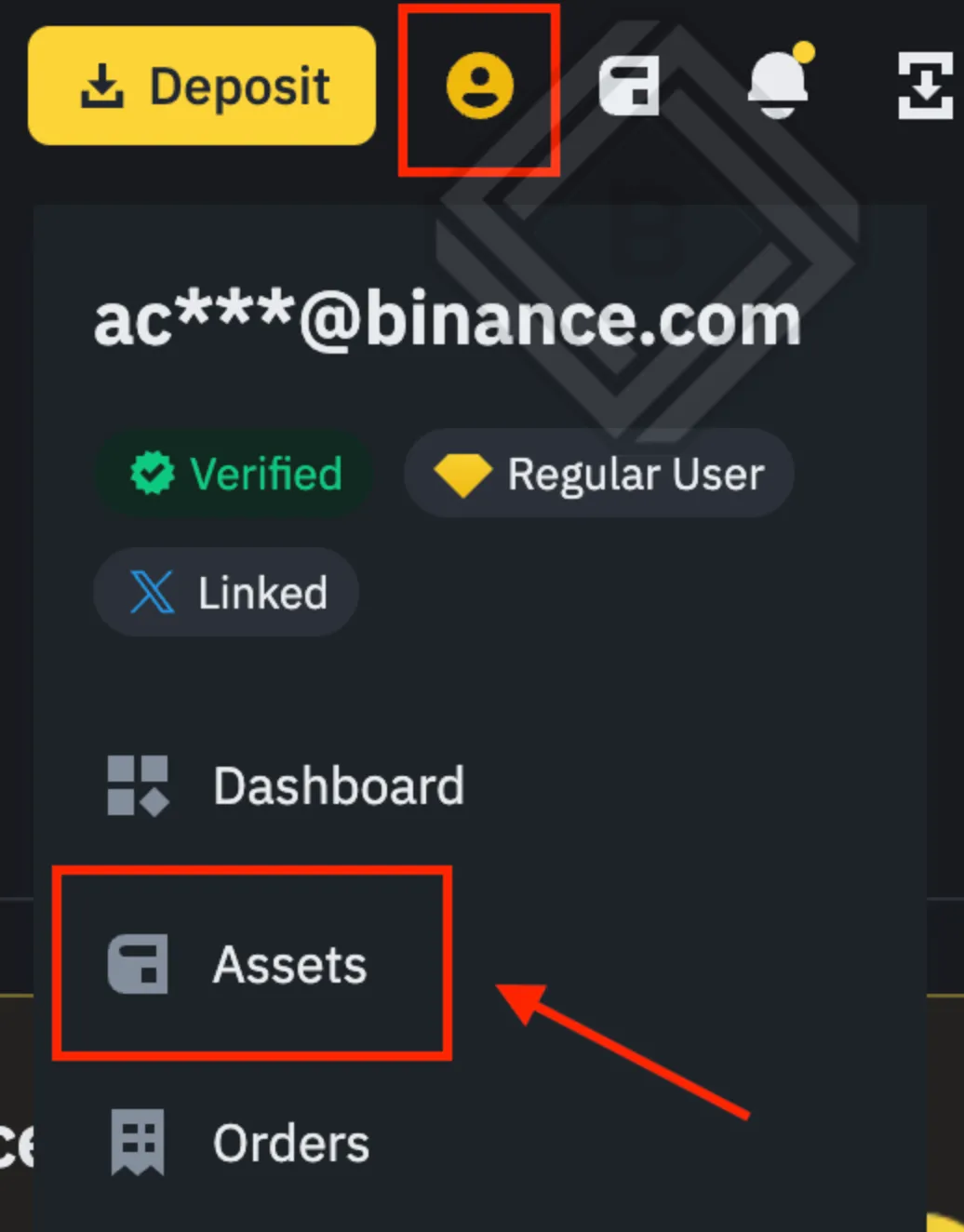
1. Log in to Binance and tap the 'person' icon in the top right corner. Then go to the [Assets] section that appears.
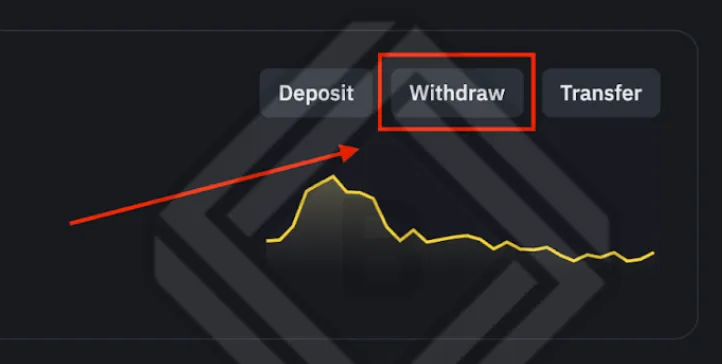
2. Your holdings will be displayed. Click [Withdraw].
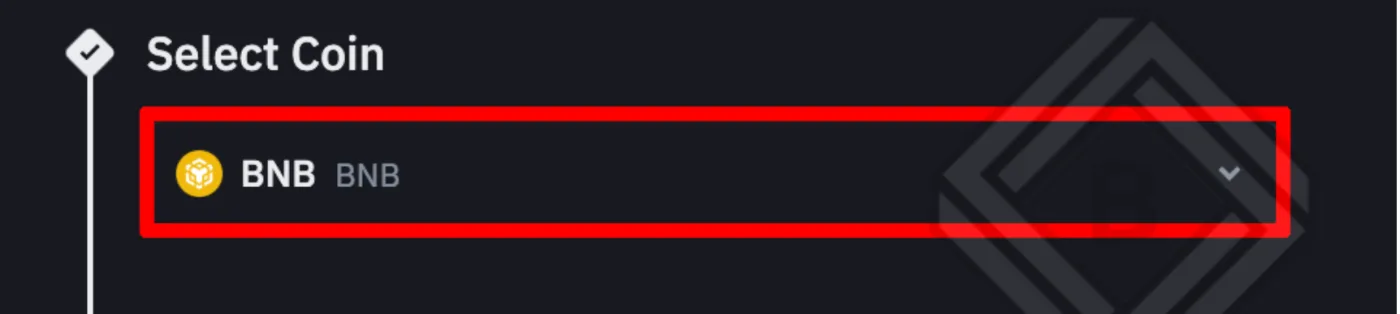
3. Select the coin you want to withdraw. Here, we'll use BNB as an example.
4. Log in to the Korean exchange you'll be depositing to (e.g. Bithumb), then search for BNB in the deposit tab. You'll see the BNB deposit address along with the supported network (BNB Smart Chain).
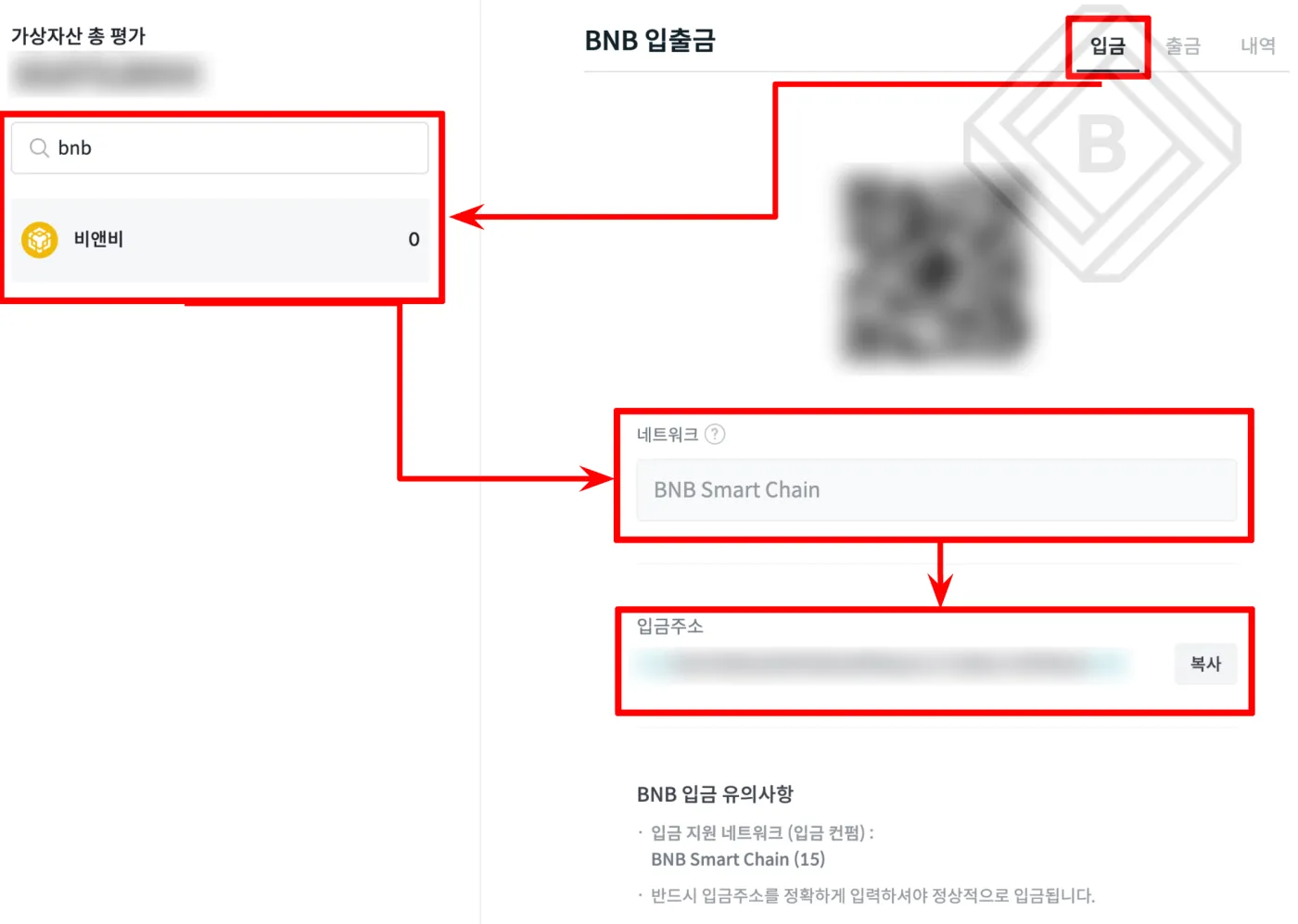
5. Go back to Binance, enter the deposit address in the [Address] field, and select BNB Smart Chain 'BSC' as the network.
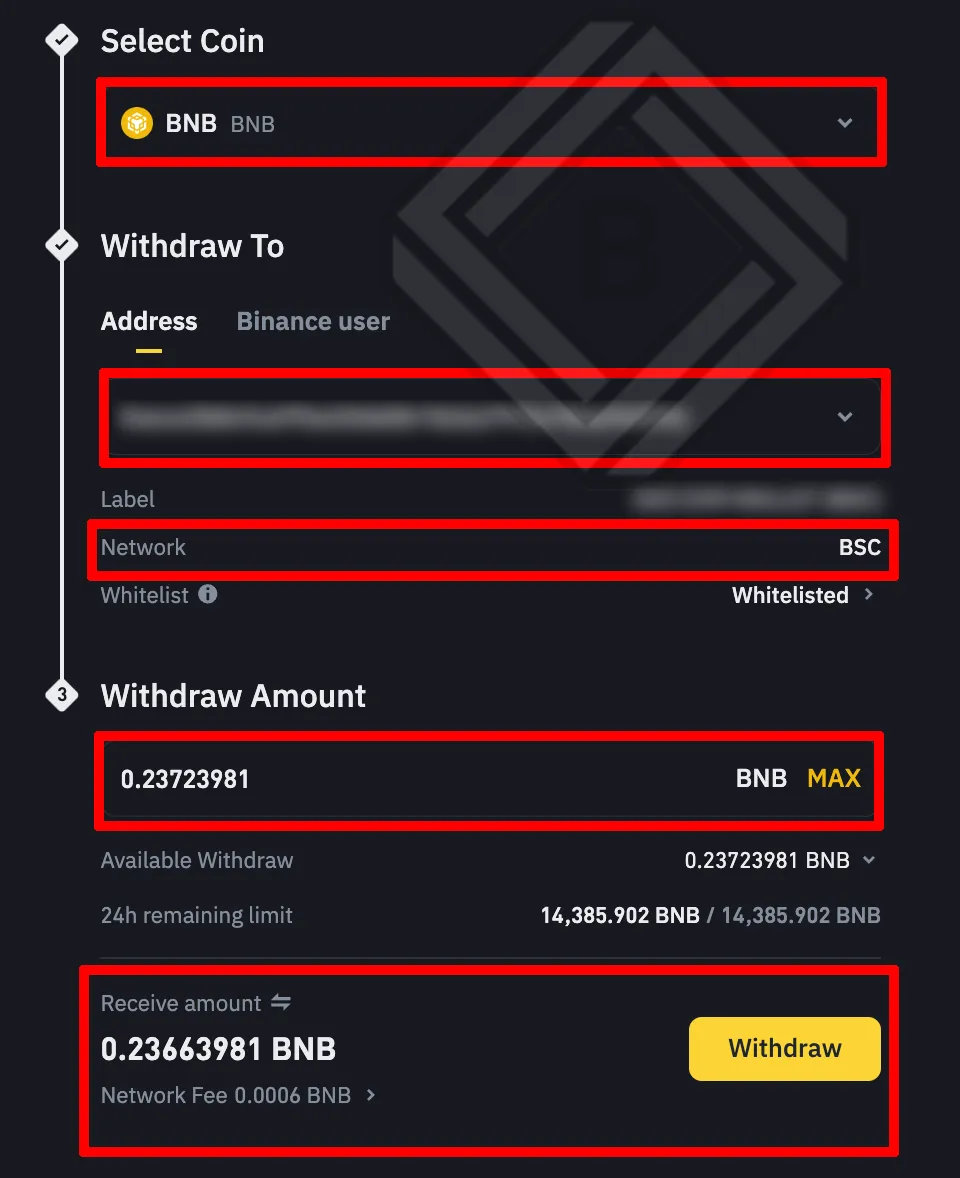
7. Enter the withdrawal amount and complete two-factor authentication to give final approval for the withdrawal.
Some assets may require a memo or ID for deposits and withdrawals. For example, with Ripple (XRP), you must enter the memo tag together with the wallet address for the transfer to go through correctly.
Caution When Depositing and Withdrawing: Understanding Networks
Crypto assets that run on blockchains are secured by each network's consensus algorithm and are often not compatible with one another, so it's important to choose the right network.
Sounds a bit complicated? Then you can think of a network as the country where each asset lives. Countries have borders, right? In other words, different blockchain networks are different countries, so assets can't freely cross each other's borders.
So if you send Ripple, which uses the Ripple network, over the Ethereum network, it's like sending Korean won from Korea to a Spanish bank without any preparation. Of course, a bank might be able to sort that out, but on a blockchain network there's no one to sort it out for you.
That means your assets are lost and can never be recovered. So please don't forget that when depositing or withdrawing crypto, you must always send assets between matching networks.
Here are the most commonly used blockchain networks. You don't need to understand all of them, but you should at least know which network you're using.
- BEP2 means Binance Chain.
- BEP20 means BNB Smart Chain (BSC).
- ERC20 means the Ethereum network.
- TRC20 means the Tron network.
- BTC means the Bitcoin network.
- XRP means the Ripple network.
Wrapping Up
Depositing and withdrawing crypto isn't that hard once you really understand it, but I remember it being quite a challenge for me too back when I was a beginner.
Don't worry. To transfer your precious assets safely, just remember these 4 things.
- Check the network you're sending on (choosing a mismatched network means losing your funds)
- Check the deposit/withdrawal address (don't type it in by hand: copy and paste it, then double-check it with your own eyes!)
- Check the memo (enter it when required, and enter it exactly)
- For large amounts, make a small test transfer before sending all of your funds
That's it for how to deposit and withdraw crypto on Binance. The basic withdrawal principle is the same everywhere, so if you follow the deposit and withdrawal steps above one by one, you can safely send coins to Korean and international exchanges as well as to personal wallets such as MetaMask.