How to Sign Up for Gate Exchange and Get a 50% Fee Discount
4 min read · · Korean original
Contents 5
Hello, this is Bitpunk. In this post, we'll walk through how to sign up for Gate, an exchange that operates in more than 165 countries worldwide, and share a tip for getting a fee discount.

In May 2025, Gate changed its name from Gate.io (gate.io) to Gate (gate.com). Gate is one of the CODE-certified exchanges with a Travel Rule partnership with Korean exchanges such as Upbit and Bithumb.
What Is Gate Exchange?
Gate is one of the world's top 10 crypto exchanges, launched in 2013. It is known for quickly listing a wide range of altcoins. In particular, it is popular for its many events, such as Gate Launchpad, CandyDrop, and Launchpool.
How Do You Sign Up for Gate Exchange?
(1) Visit the Gate Website
To sign up for Gate exchange, go to the official website through the link below. If you're signing up on mobile, you can search for 'Gate' in the App Store and download the app.
- Sign up for Gate (50% discount): https://www.gate.com/signup?ref=BITPUNKX
(2) Enter Your Account Details
Enter the email address or mobile phone number you want to use for Gate. Next, to receive the fee discount and bonus, make sure BITPUNKX is entered correctly in the Referral Code field.
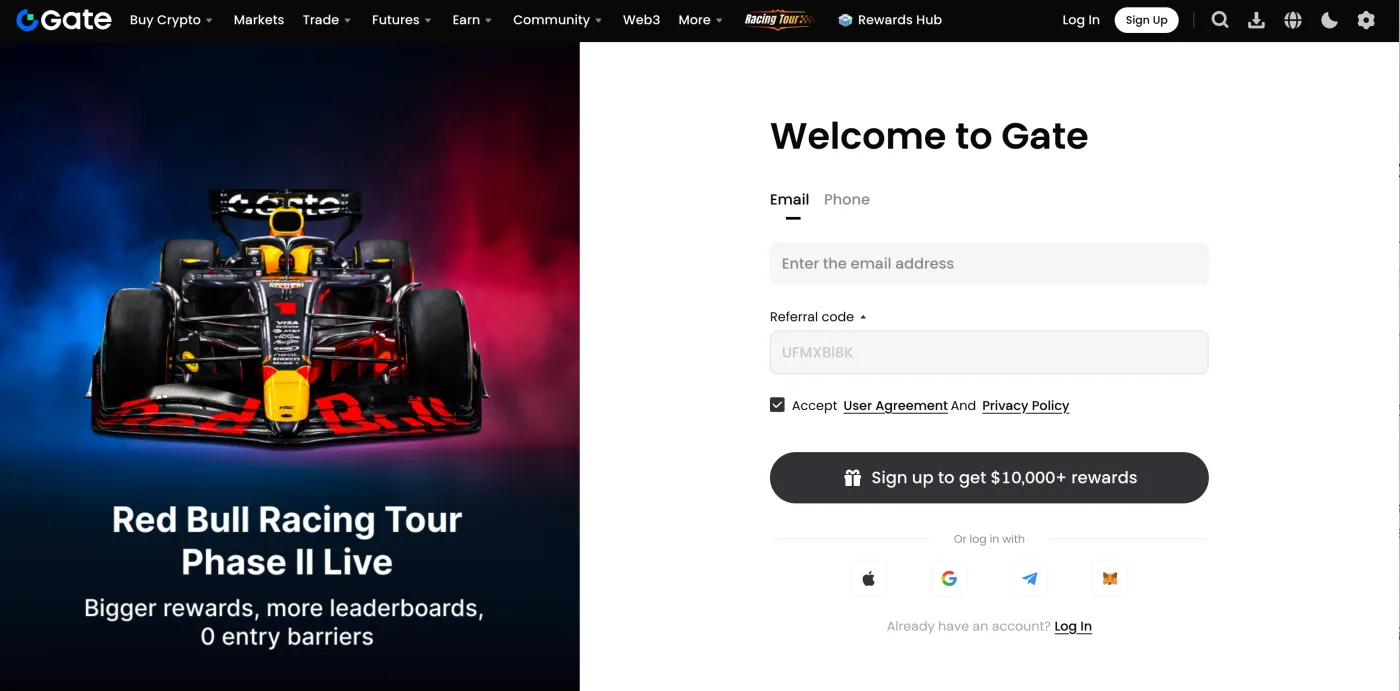
If you enter the referral code above when signing up for Gate exchange, you can get a 50% fee discount and a sign-up bonus worth $10,000. The code can only be entered once during sign-up and cannot be changed later.
(3) Verify Your Email
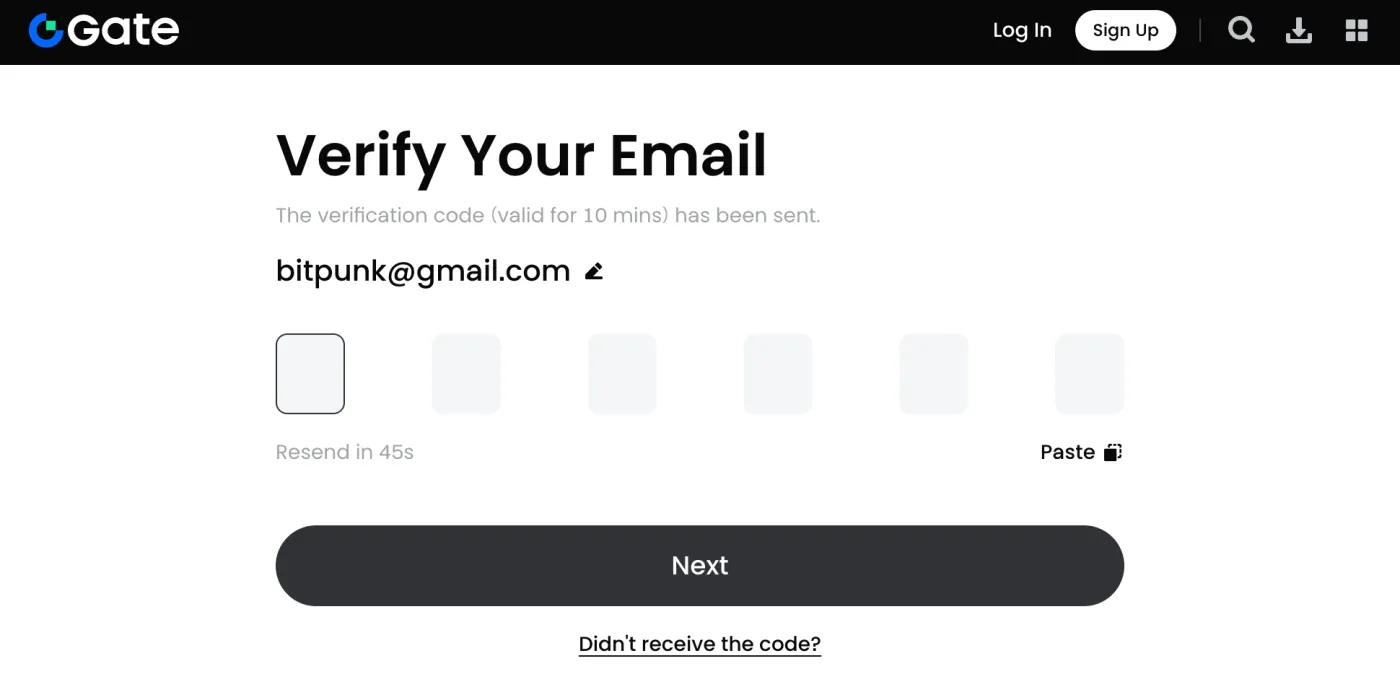
A 6-digit verification code has been sent to your email. Open your inbox and enter the code sent by Gate. Once you've done this, your Gate exchange sign-up is complete.
Do You Really Need to Complete Identity Verification (KYC)?
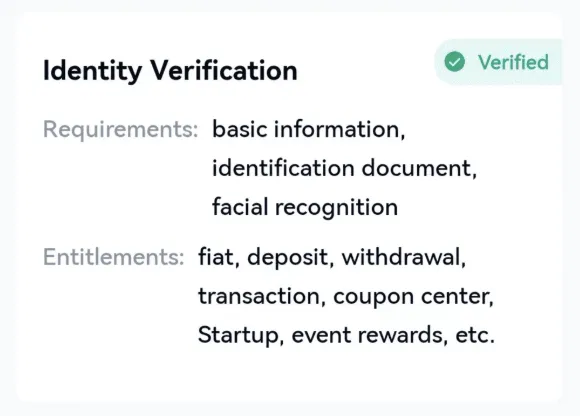
Your Gate exchange sign-up is now complete, but to properly use all of the exchange's features, you need to complete the identity verification process.
Identity verification requires a camera. So it's a good idea to download the Gate app from the App Store and do it there.
(1) Log In and Start KYC
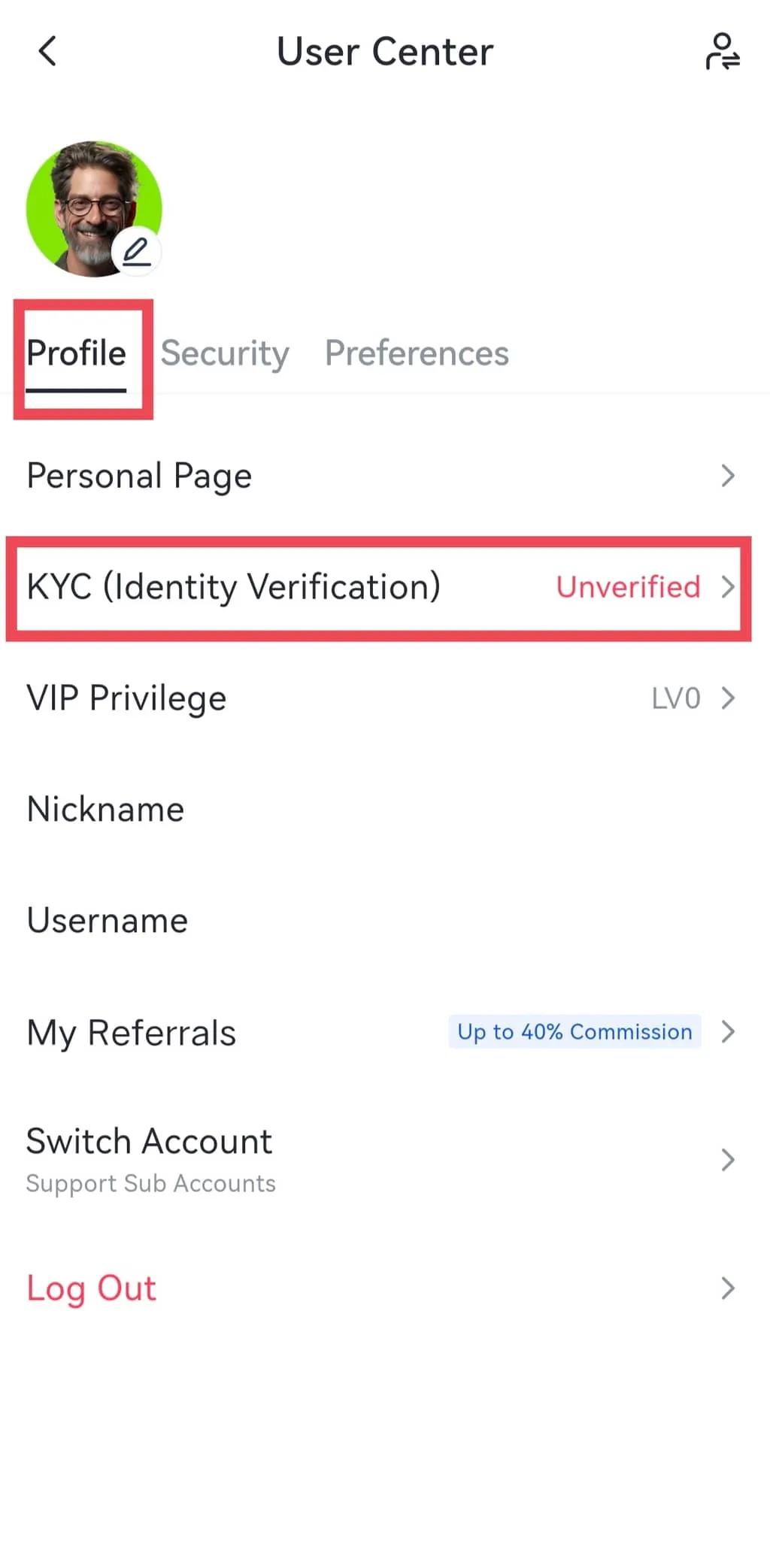
Have you downloaded the Gate app? Log in with the details you just used to sign up. Next, tap the profile icon in the top left, and you'll see the KYC verification tab as shown below.
(2) Enter Your Personal Information
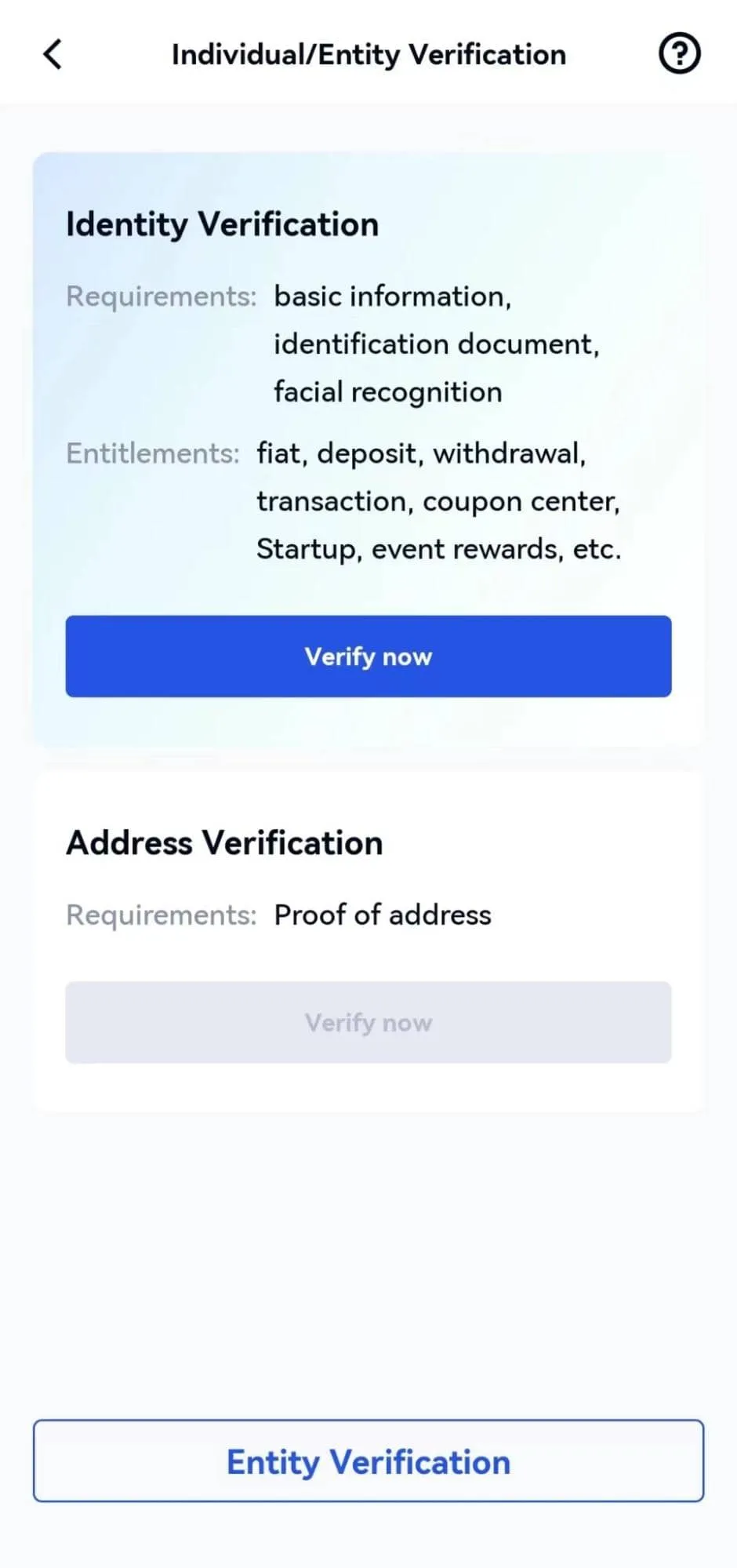
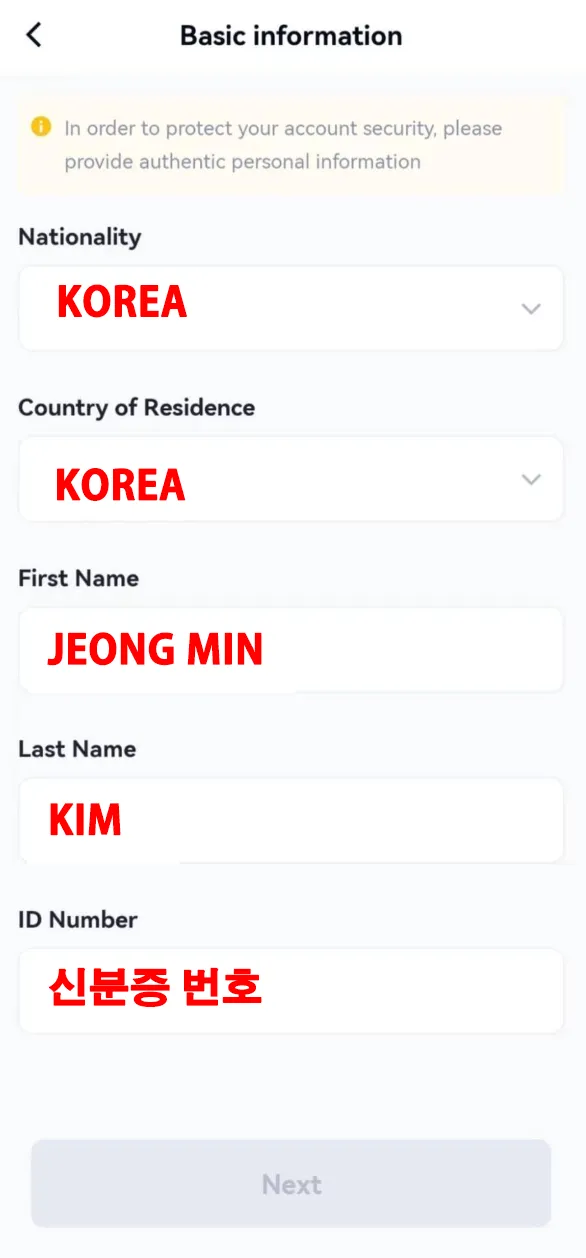
Are you on the KYC verification page? Now you can tap 'Verify Now' to start the verification. First, you need to select your nationality and country of residence. Select 'Korea'.
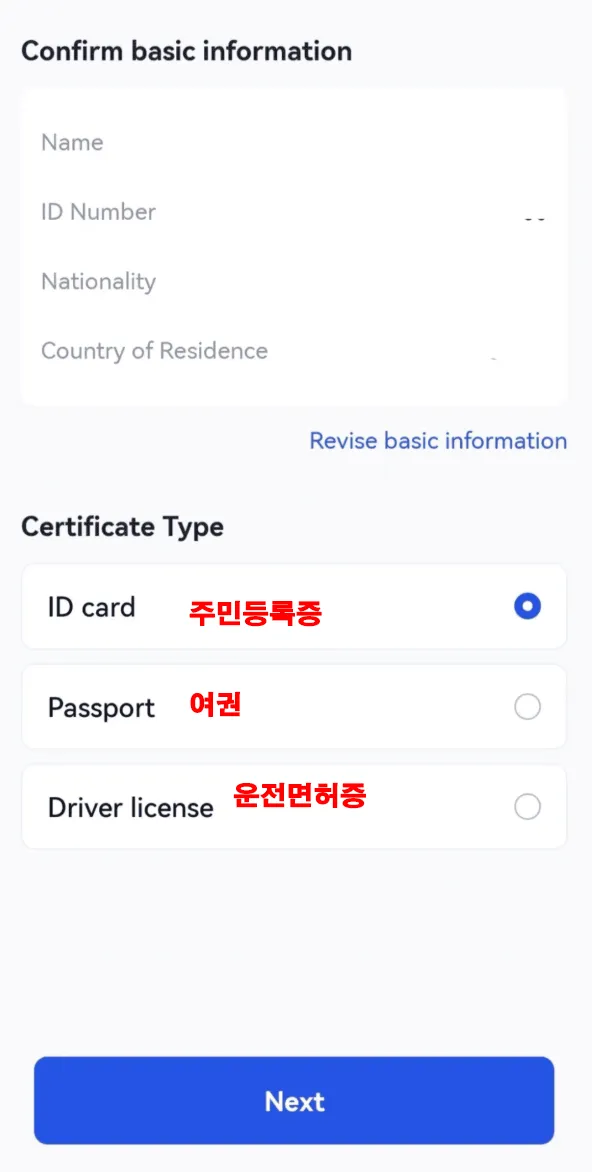
Next, enter your first name (First Name) and last name (Last Name) in English, then enter your ID number. (Depending on your case, the order or steps may differ slightly.)
(3) Photograph and Upload Your ID
Take photos of the front and back of your ID and upload them. Make sure there is no glare and that the photos aren't blurry.
(4) Complete Face Verification
You need to complete face verification to confirm that you are the same person shown on the ID. Follow the instructions to complete the verification.
(5) Done: Wait for the Result
Your KYC review request has been submitted. The review is usually completed within 1 hour to 1 day, and you can check the result by email or in the profile tab.
Setting Up Security and Two-Factor Authentication
To use Gate exchange more safely, it's a good idea to set up two-factor authentication (OTP). Install the Google Authenticator app from the App Store, then link it to your Gate exchange account. Once you do, you'll need the authentication code when logging in and withdrawing.
Wrapping Up
That covers, in detail, how to sign up for Gate exchange, complete identity verification (KYC), and set up security. Gate is one of the world's top 10 Bitcoin exchanges and is popular for its many events and promotions.
When signing up for Gate, the fee discount rate, rewards, and bonuses vary depending on which referral code you use. So when you sign up for Gate exchange, be sure to enter BITPUNKX correctly so you don't miss out on up to a 50% discount and a bonus worth $10,000.