How to Cash Out Gazago Points (Exchanging TIK for STIK and Withdrawing)
3 min read · · Korean original
Contents 5
Hello, this is Bitpunk. Today we'll look at how to cash out the points you earn in the Gazago app. Right now, the only way to turn your points (TIK) into Korean won is to exchange them for STIK in the app, then withdraw the STIK to an exchange and sell it.
1. Exchanging for STIK
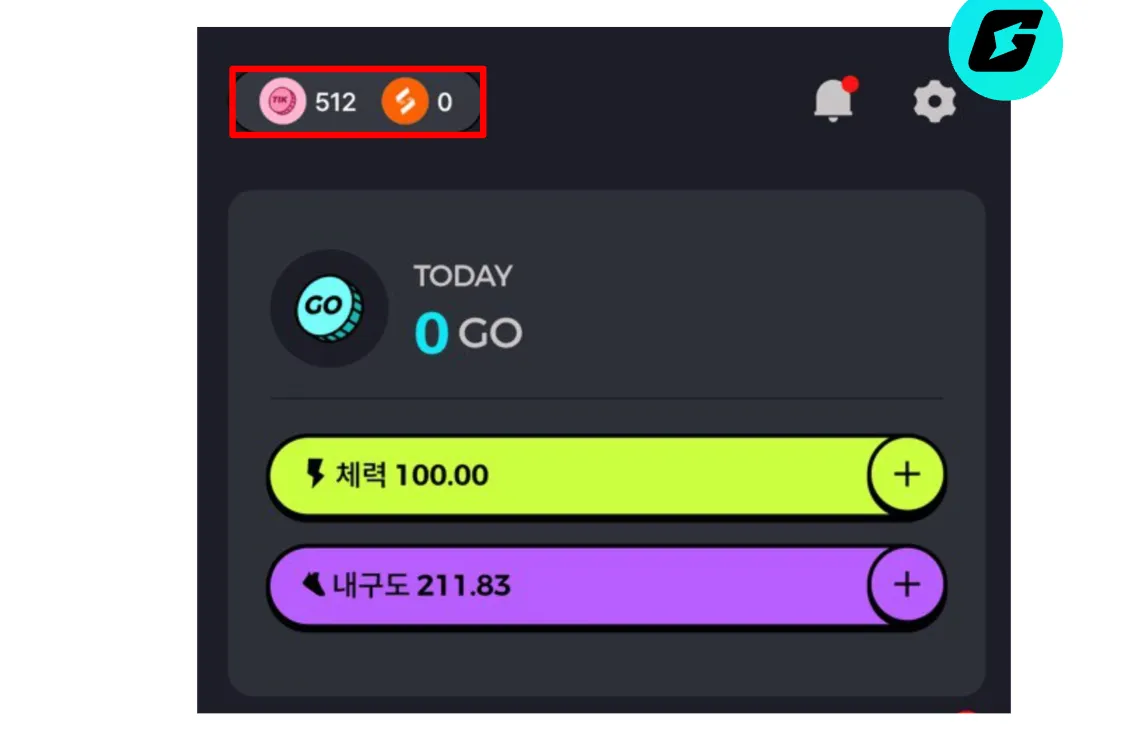
The points you earn by exercising in the Gazago app are called TIK. When you open the Gazago app, you can see how many TIK you've collected so far at the top of the screen.
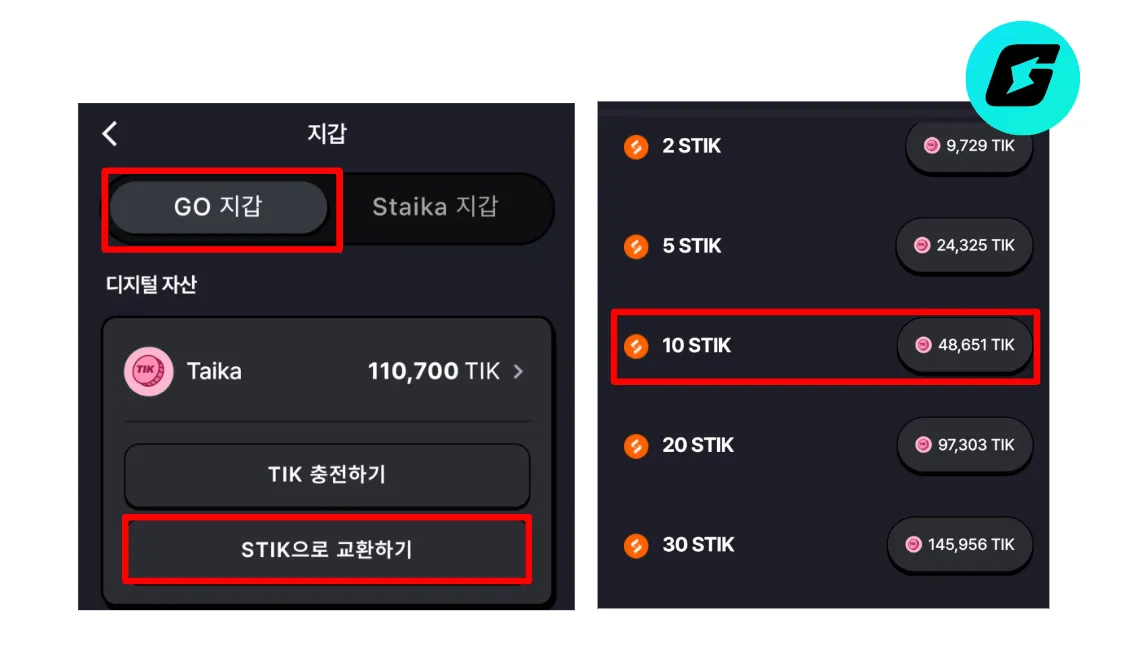
To cash out, you first need to exchange your TIK for STIK. To do this, go into your wallet as shown below and buy STIK with your TIK. Simple so far, right?
2. Sending STIK
Once you do this, your STIK balance will show up in your wallet. Now all you need to do is withdraw your STIK to the Staika wallet. The Staika wallet is a personal wallet dedicated to Gazago, and you need to download a separate app to use it.
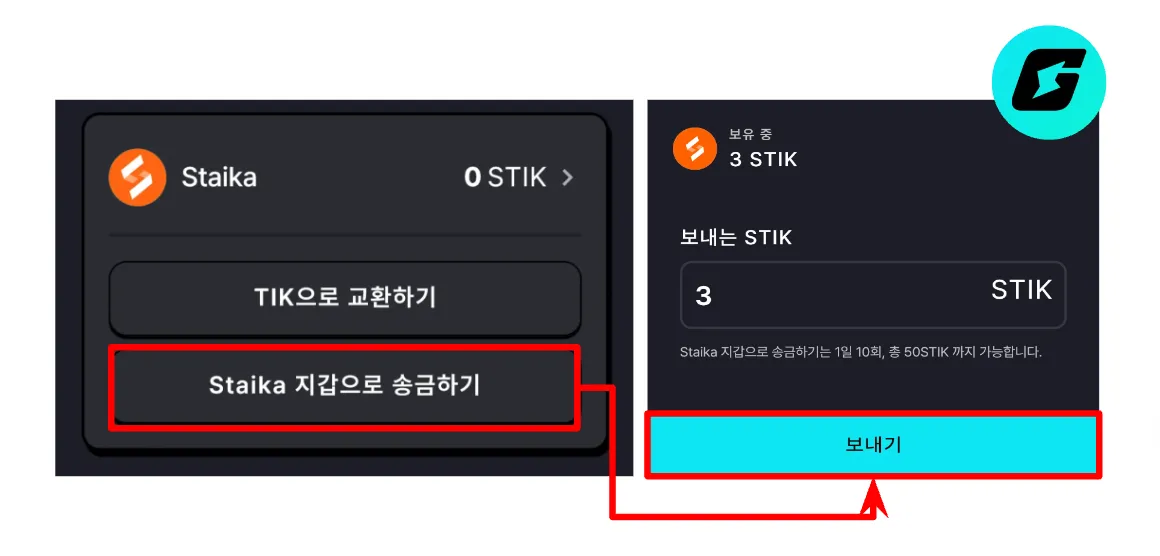
The minimum amount you can withdraw from the Gazago app to the Staika wallet is 5 STIK. Also, transfers are processed manually after you submit a withdrawal request, so it can take up to 24 hours. (The image above is for reference only, so the amounts may not match.)
3. Withdrawing from the Staika Wallet
Finally, to complete the cash-out, you need to send the STIK in your Staika wallet to an exchange. STIK is currently listed on exchanges such as Bitget and GOPAX.
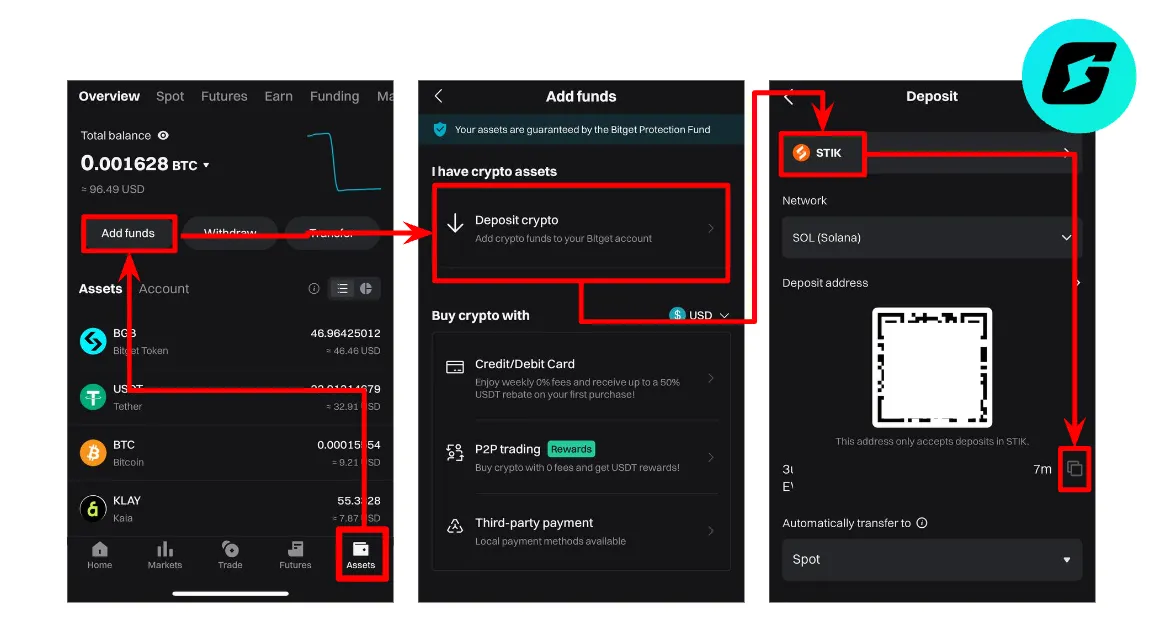
Log in to the exchange, find your STIK deposit address, and paste it into the Staika wallet. Note that you'll need a small amount of Solana to cover the transfer fee. If you don't have any Solana at all, you'll need to buy some on an exchange like Binance and send it to your Staika wallet first.
4. Selling STIK
After sending your STIK to the exchange, you just need to sell it to finish cashing out. Since Bitget is an overseas exchange, you can only sell into assets like USDT. That means you'll need to take one more step and deposit that USDT into your Upbit USDT wallet. Of course, if you sell on GOPAX, you can withdraw directly in Korean won.
My Review After 6 Months of Earning with Gazago
That wraps up how to cash out the points you've collected in the Gazago app. I've been using Gazago for about six months. I joined early, and I've already earned back everything I spent on shoes and gear.
When I first started with Gazago, I didn't know much, so I used to exchange my TIK points for gifticons (mobile gift vouchers) and sell them on Karrot (Danggeun Market). But doing it that way naturally meant a worse exchange rate. It took me a while to realize that the best option is to exchange for STIK and send it to an exchange.
One piece of news: Gazago Season 1 has ended, and Season 2 is starting soon. Gifticon conversion is also suspended for the time being. So for now, the only way to cash out is the method described above: exchange TIK for STIK, withdraw it to an external exchange, and sell it there.
Rather than using Gazago as your main M2E app, I think it works well to keep it running while you walk with another M2E app such as Superwalk. Since Season 1 ended recently, the rewards feel like they've been shrinking a little, but so far it still reliably covers about a cup of coffee each month.