How to Install and Use MetaMask (Complete Guide)
3 min read · · Korean original
Contents 3
MetaMask is a crypto wallet used to interact with blockchain networks such as Ethereum. You can download it as a Chrome browser extension or as a mobile app.
With MetaMask, you can freely use DeFi, DEXs, NFT trading, bridge services and more. In this post, we'll walk through how to install and use the MetaMask wallet.
Downloading and Installing MetaMask
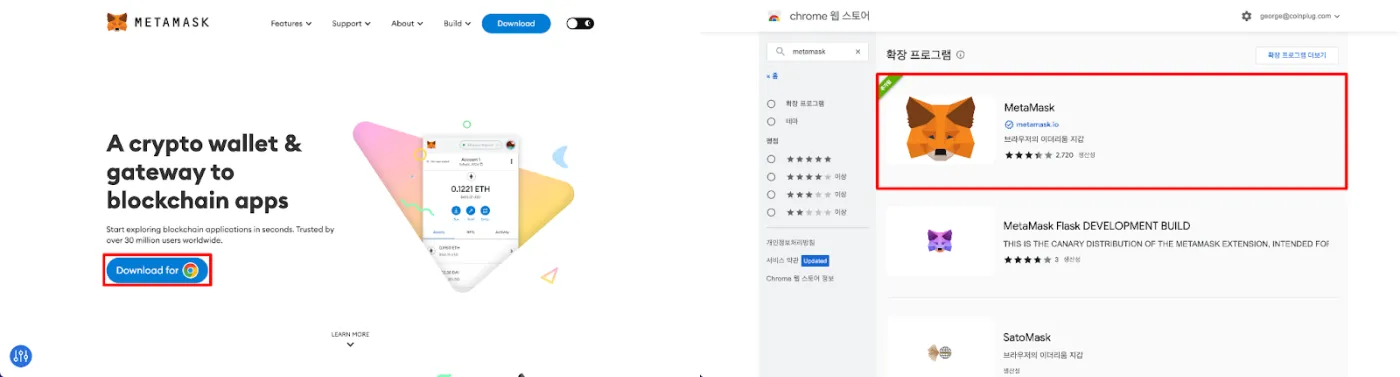
You can download and install MetaMask from https://metamask.io or the Chrome extension store. Visit the link to download and launch the official MetaMask.
Launching MetaMask and Setting a Password
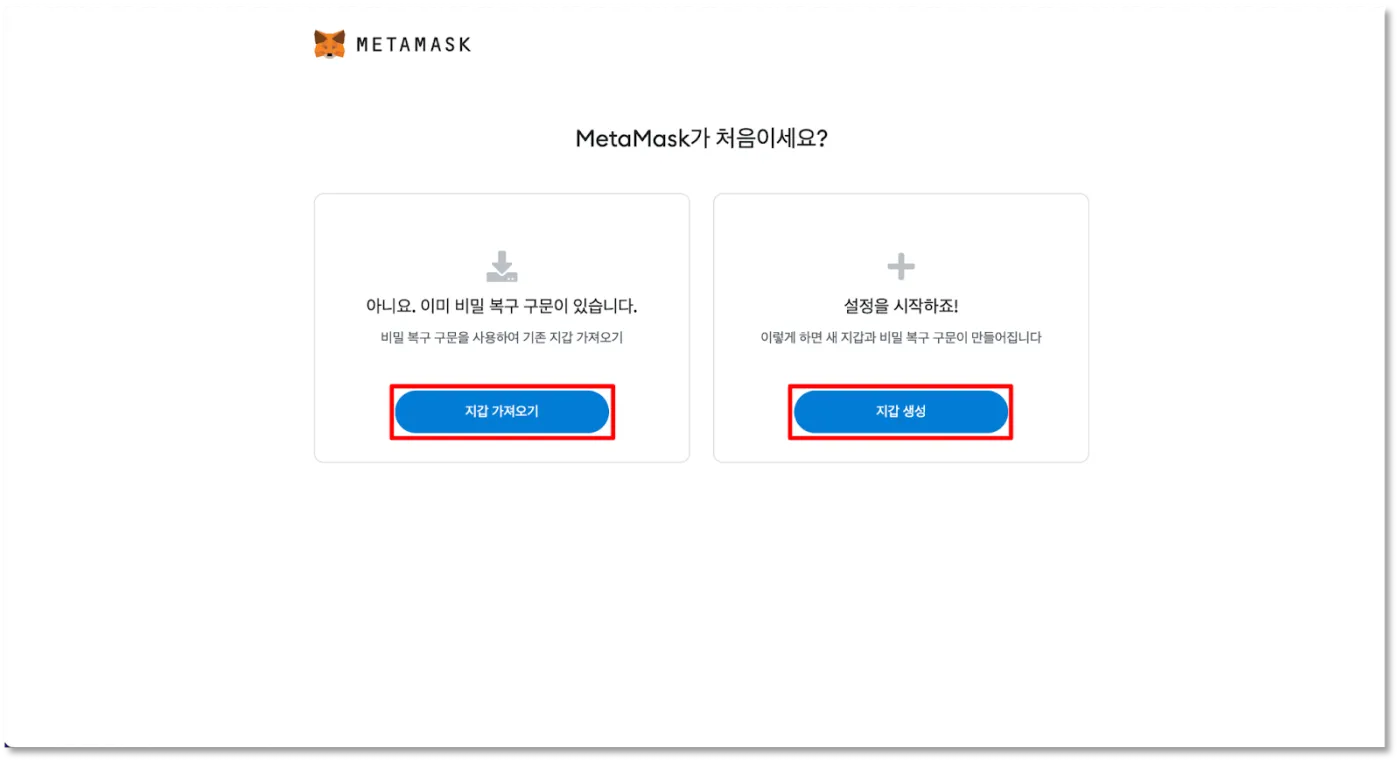
Did the download go smoothly? When you launch MetaMask for the first time, you'll see the wallet setup screen shown below.
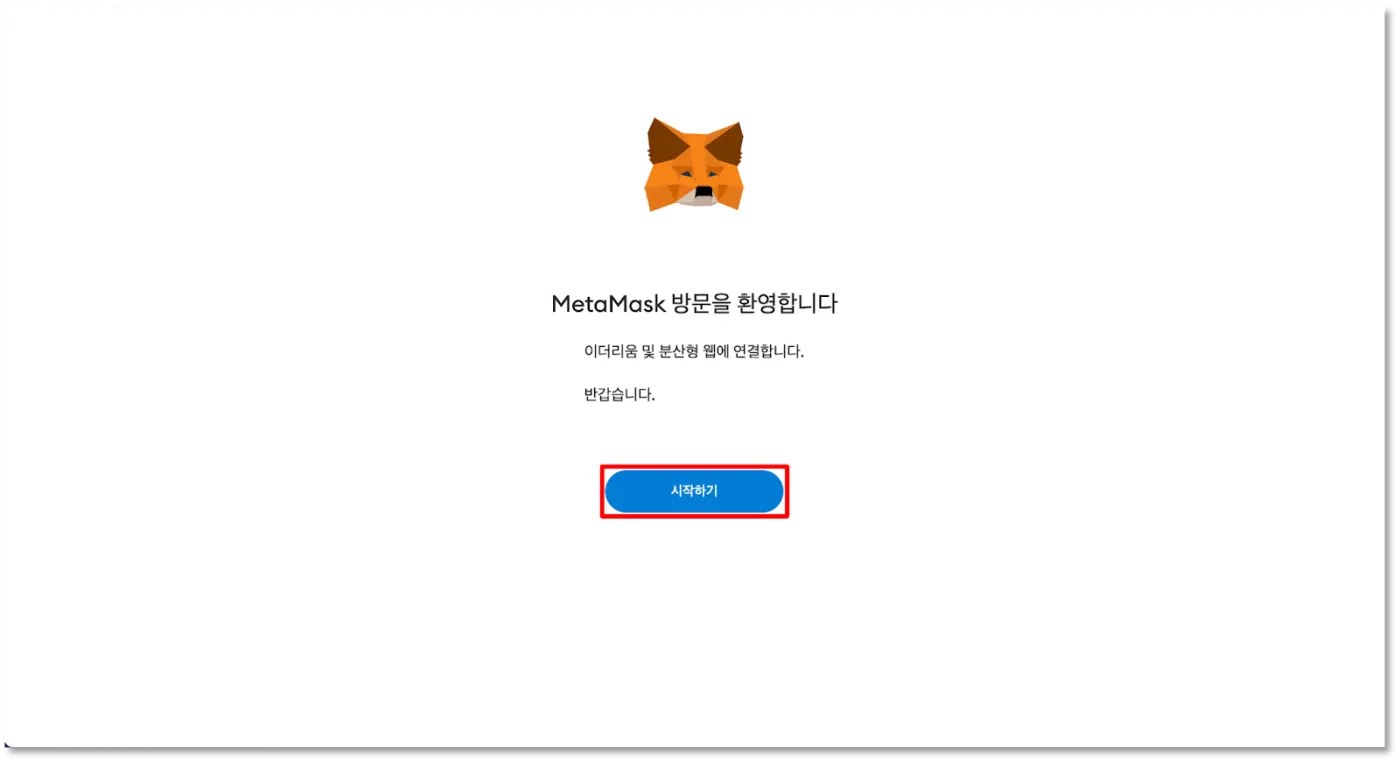
If you already have a wallet account, you can import it using your seed phrase or private key. Or, if you need a new wallet, just click "Create a wallet" to create one.
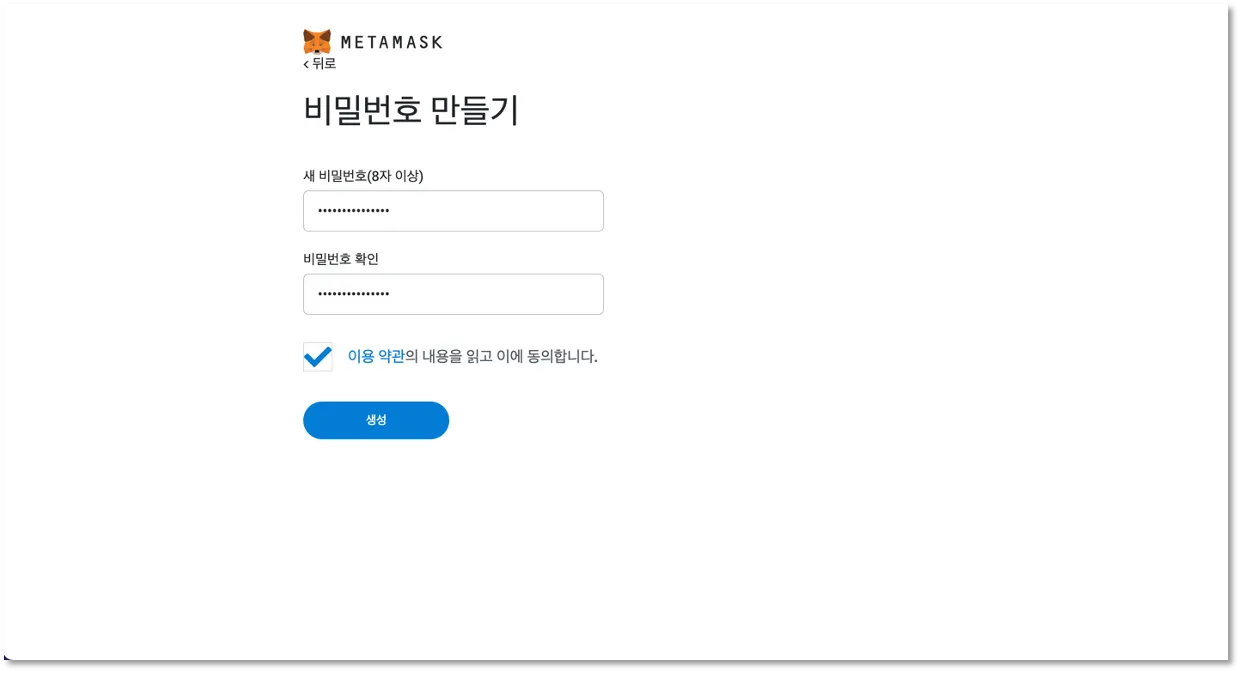
Before moving on, you need to create a password. This will be the password you use to log in to MetaMask. It's safer to set a fairly long password, as shown below. This password is reset if you reinstall the MetaMask program, so if you forget it, you can simply reinstall.
Generating and Backing Up Your Secret Seed Phrase
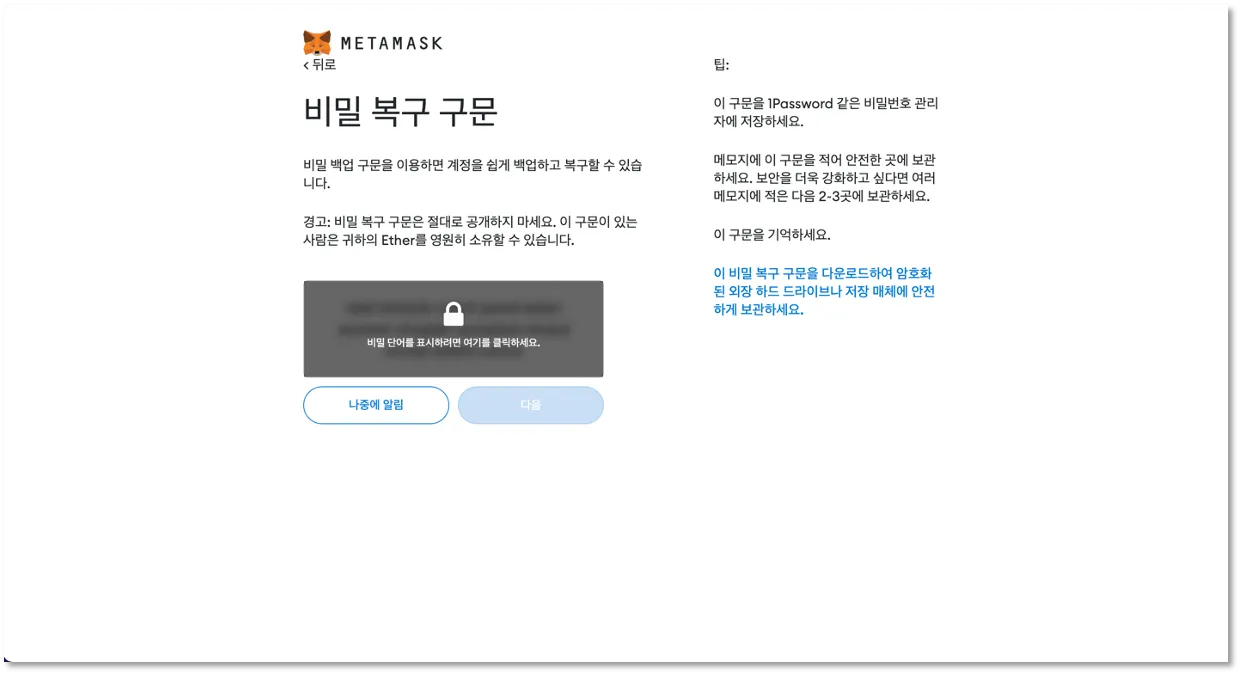
To create a new wallet, you need a secret seed phrase. MetaMask generates this phrase for you automatically. The seed phrase consists of 12 English words that are directly tied to your MetaMask wallet.
Having a MetaMask seed phrase means you own that wallet and can use the assets in it however you like. That's why you must never share your seed phrase with anyone. Sometimes scammers pretend to be customer support and ask for your seed phrase. This is 100% a scam, so please be careful.
Also, if you lose this phrase, you won't be able to recover your wallet, so it's a good idea to back it up in a safe place two or three times when you first create it.
Take your time and back up the secret seed phrase shown on the screen in a safe place. Do not take a photo of it, copy and paste it into KakaoTalk, or send it to yourself by email. You should always write it down on paper offline, or save it in a slightly altered form that only you can decode.
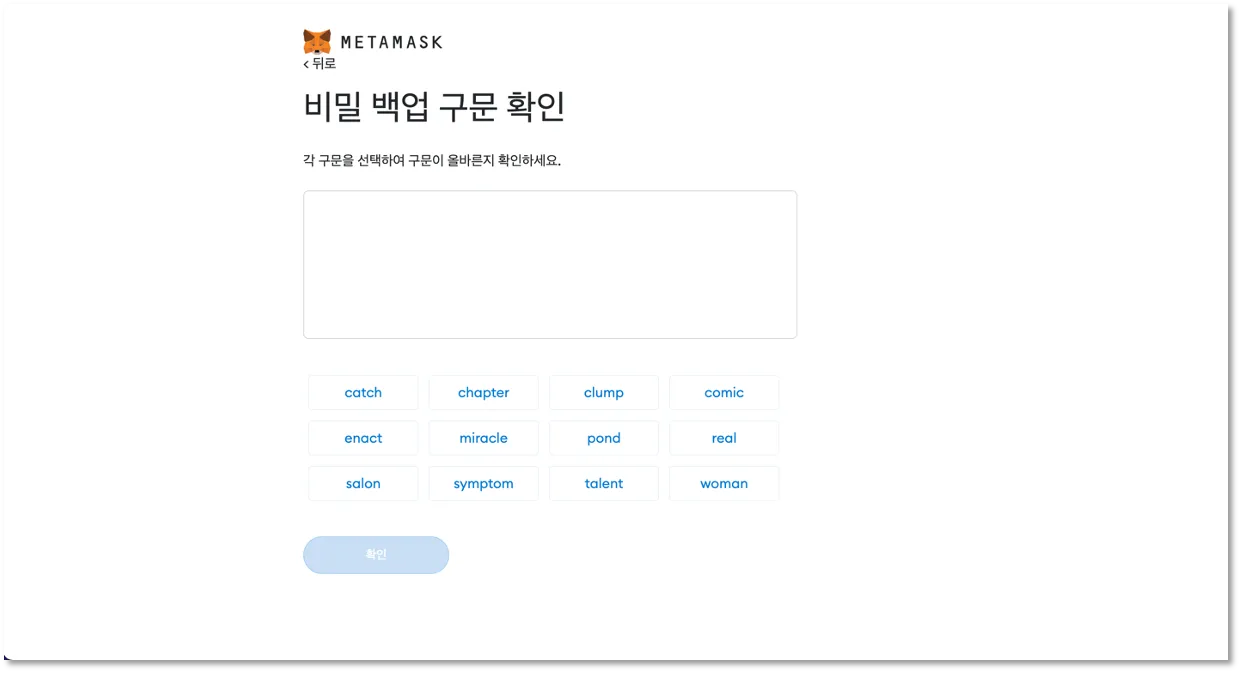
Now just one last step and your wallet will be created. Enter the seed phrase you backed up earlier in the correct order. Every word must be in exactly the right order for the wallet to be created!
The process so far may feel a bit tedious, but it's an essential step to protect your hard-earned funds, so always back up and manage your seed phrase safely.
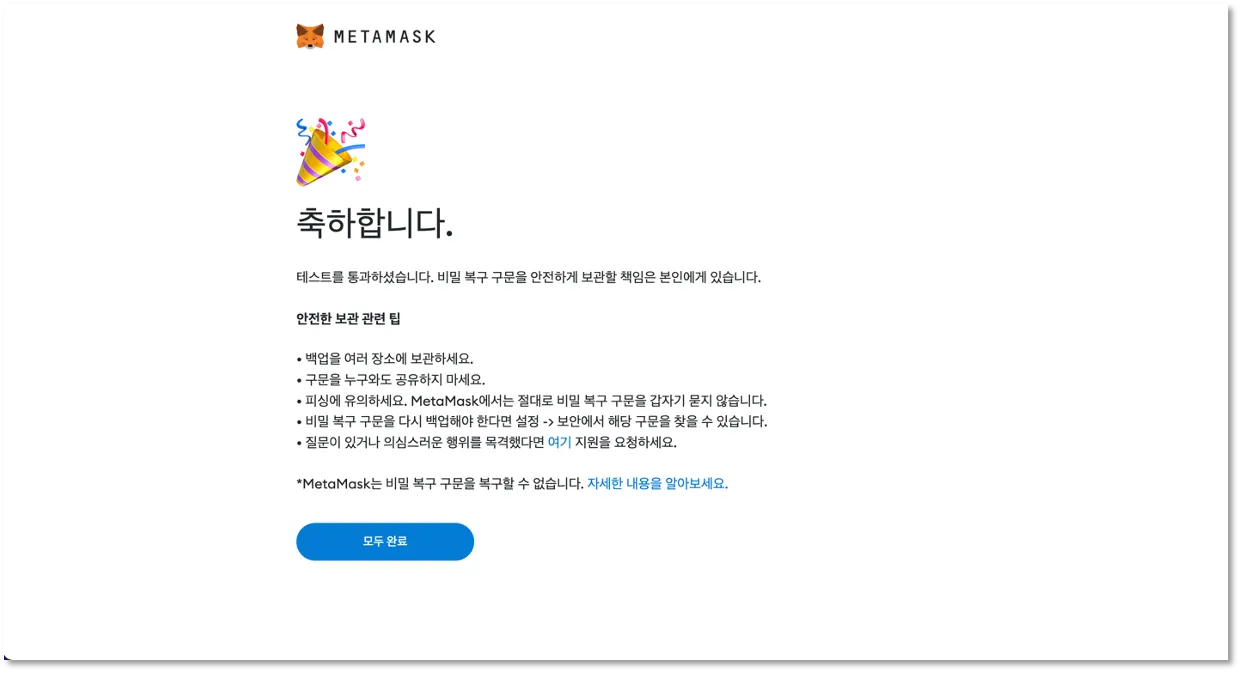
Once you've completed all the steps above, your wallet is created and you'll see a congratulations message like the one below. Click the MetaMask icon again and log in, and you can freely use your wallet on a variety of networks, including Ethereum!
That wraps up how to download, install and use the MetaMask wallet. If you found this post helpful, please tap the heart below and share it widely. Thank you!