How to Buy and Sell Kakao's KLAY Coin (🧢 Coinone <> Klip Wallet)
2 min read · · Korean original
Contents 3
Hello, this is Bitpunk. Today I'll show you 1) how to buy KLAY coin on an exchange and 2) how to send the KLAY in your Klip wallet (a personal wallet) to Coinone and sell it.

Buying KLAY on Coinone
KLAY coin is currently listed on Coinone. Click the link below to go to the Coinone sign-up page. The link below includes my referral code, and if you sign up through it, you get an extra 10% discount on trading fees.
Coinone is also currently running an event that gives new members a bonus worth KRW 10,000 when they sell KLAY coin after signing up, so if you don't have an account yet, this might be a good time to create one.
- Sign up for Coinone: coinone.co.kr/user/signup
Have you finished signing up for Coinone? To buy KLAY coin, just 1) deposit Korean won through KakaoBank and 2) buy KLAY. For more details on depositing and withdrawing won and trading KLAY, please refer to the links below.
How to Send KLAY from Your Klip Wallet to Coinone and Sell It
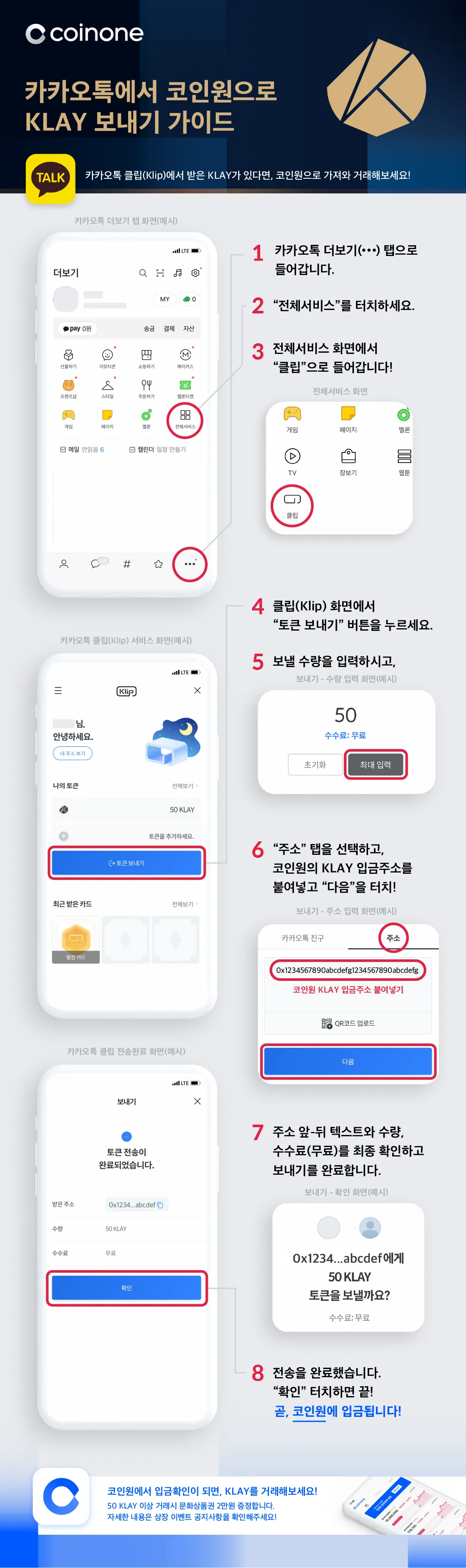
Now let's look at how to send KLAY from your KakaoTalk Klip wallet to Coinone and sell it.
- Log in to Coinone and click Assets > Deposit/Withdraw > KLAY.
- Generate a KLAY deposit address.
- Open KakaoTalk. In the More tab, click All Services > Klip.
- Under Send Tokens, enter the amount of KLAY to send and paste the wallet address you generated on Coinone. (Or send it by scanning the QR code.)
If you don't have a Klip wallet yet, refer to this post to create a Klip wallet.
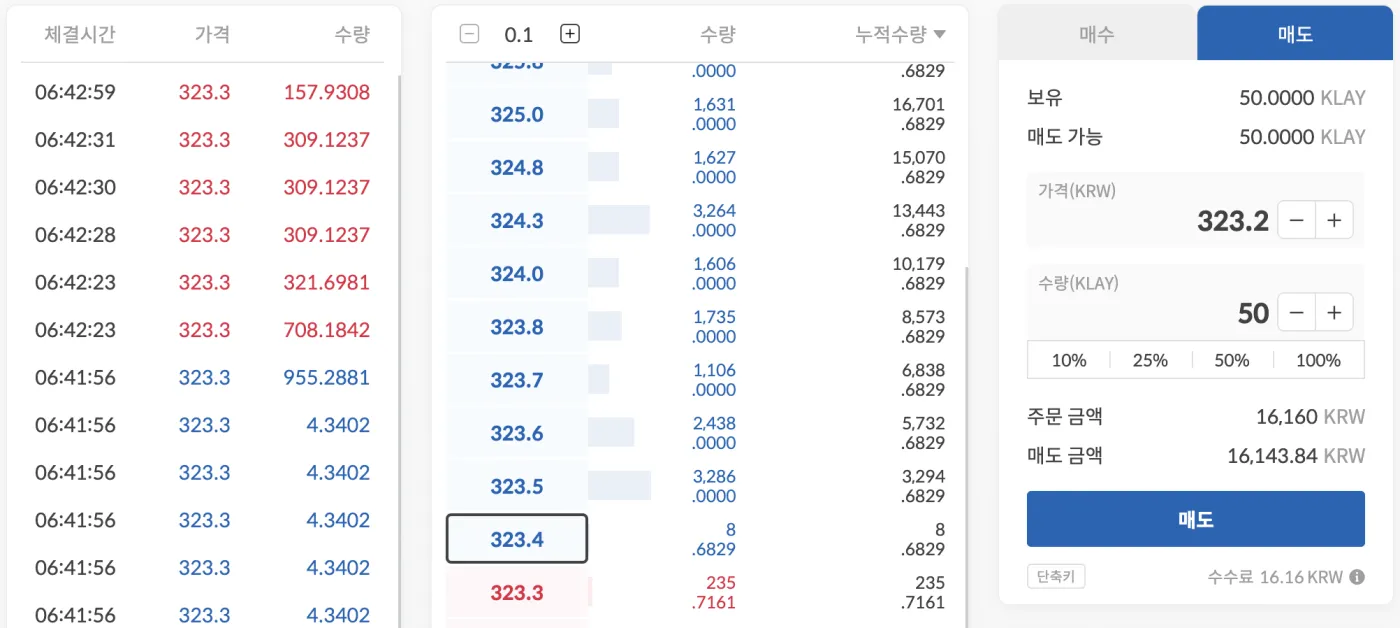
Once you send KLAY coin from your Klip wallet to Coinone, the deposit is usually processed within about 1 to 5 minutes. When the KLAY shows up in your Coinone account as below, you can sell it and withdraw the proceeds in Korean won.
Wrapping Up
That covers how to buy Kakao's KLAY coin on Coinone, as well as how to send it from your Klip wallet and sell it. If you found this helpful, please give it a heart below and share it. Thank you.