5 Reasons Your Futures Orders Fail on Global Crypto Exchanges
4 min read · · Korean original
Contents 6
Hello. In this post, we'll look at the 5 main reasons futures orders fail on global exchanges such as Binance or Bybit, and how to fix each one.
Are your orders not going through right now? Then take your time and read this post to the end! One of these reasons is almost certainly the cause.
Futures order failures happen for many reasons. However, the main causes are insufficient margin, exceeding order limits, and incorrect order settings, and they are easier to fix than you might think.
1. Insufficient Margin Balance
Are orders that used to work fine suddenly failing? The most common reason is an insufficient margin balance. Margin is the collateral for leveraged futures trading, and if your account's margin balance is insufficient, you cannot open or maintain a position. Check the amount shown in your available balance, as below.
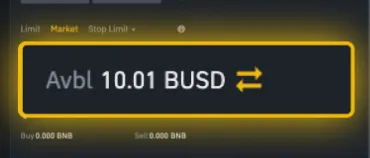
If you have no available margin balance, you may need to deposit additional funds to open a new position. Note that, especially in cross margin mode, losses on your positions can reduce your available margin balance!
2. Position Limits and Minimum Order Amounts
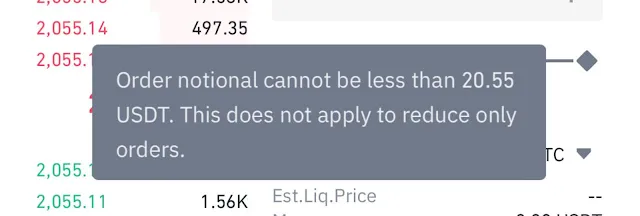
Each exchange has a maximum position limit and a minimum trade amount. These can differ by ticker and symbol. Check the maximum position limit for the leverage you are using, as well as the minimum amount requirement.
For example, unlike Bitcoin or Ethereum, some altcoins may have relatively low limits. Check the position limit before trading, and submit a position order of a size that meets the requirements.
3. Too Many Order Requests
If you set too many open orders on a single asset, additional orders may fail. In USDⓈ-M futures in particular, you can have up to 200 orders per symbol, and any orders beyond that will be rejected. So before submitting more orders, try canceling existing orders you no longer need.
Also, if you send too many orders in a short period of time, they may fail due to "traffic overload." Take your time and place your orders more slowly.
Finally, check that you don't have more than 10 conditional orders, such as stop market, take profit, and trailing stop orders. If too many conditional orders are set, additional orders may be rejected.
4. Incorrect Order Option Settings
If a long or short position won't open or close, your order options may be set incorrectly. For example, if any of the following 3 conditional orders is set, your order may fail.
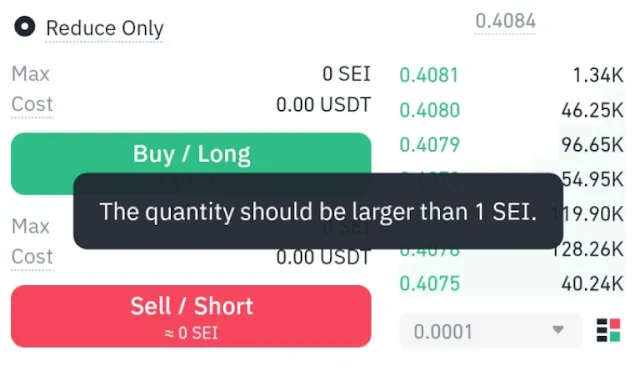
①. Reduce Only Orders
The Reduce Only option can only be used to reduce an existing position and cannot open a new one. If you place a new order in the same direction as your existing position with this setting enabled, it may fail.
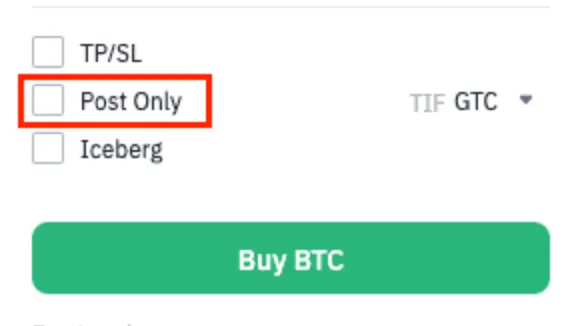
②. Post-Only Orders
A Post-Only order is filled only as a limit order and is rejected if it would not be executed as a maker. If the price moves sharply, or if the price you entered doesn't meet the condition, the order may fail.
③. FOK (Fill or Kill) Orders
An FOK order is a conditional order that is canceled if it isn't filled immediately. Check your order price and position size to make sure the order can actually be filled right away.
5. Exceeding the Price Range Limit
When a coin's price is moving sharply, your order may fail. This is meant to prevent positions from being filled at prices outside the allowed range due to significant price swings, so if a certain limit set by the exchange is exceeded, the order may fail.
Wrapping Up
There are many reasons futures orders can fail. Usually, the cause is an insufficient margin balance, exceeding order limits, or incorrect order option settings. Following the steps above should solve most cases.
However, futures orders can occasionally fail due to an issue with the exchange or the account itself. In that case, check the exchange's announcements or contact customer support to confirm whether there is a system issue.