Binance Stop-Limit Orders Explained: How to Automate Stop-Losses, Take-Profits and Entries with Advanced Orders
3 min read · · Korean original
Contents 5
Binance traders can use stop-limit orders to automatically stop out, take profit and enter positions without watching the market 24 hours a day. What is a stop-limit order, and how do you use one?
Stop-Limit Orders Explained
Stop-limit orders are simpler than you might think. First, let's look at the term. It is made up of "stop" and "limit." What does that mean?
You all know what "stop" means. It means "Stop!" "Limit" means "limit price." So a stop-limit order is an order that says, "Stop! Submit a limit order!"
In other words, a stop-limit order submits a preset limit order to the market when the market price reaches the price you want. So, by using this type of order, you can have your orders submitted without constantly monitoring the market.
How to Set Up a Stop-Limit Order
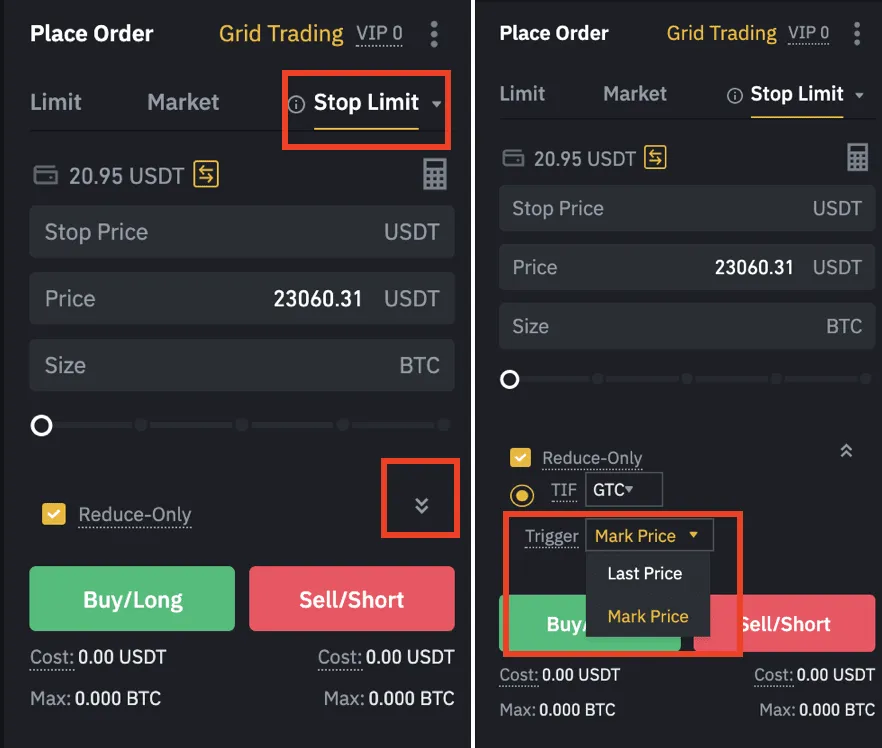
You can find the stop-limit order next to the limit and market orders, as shown below. When you click the stop-limit order, the following window appears.
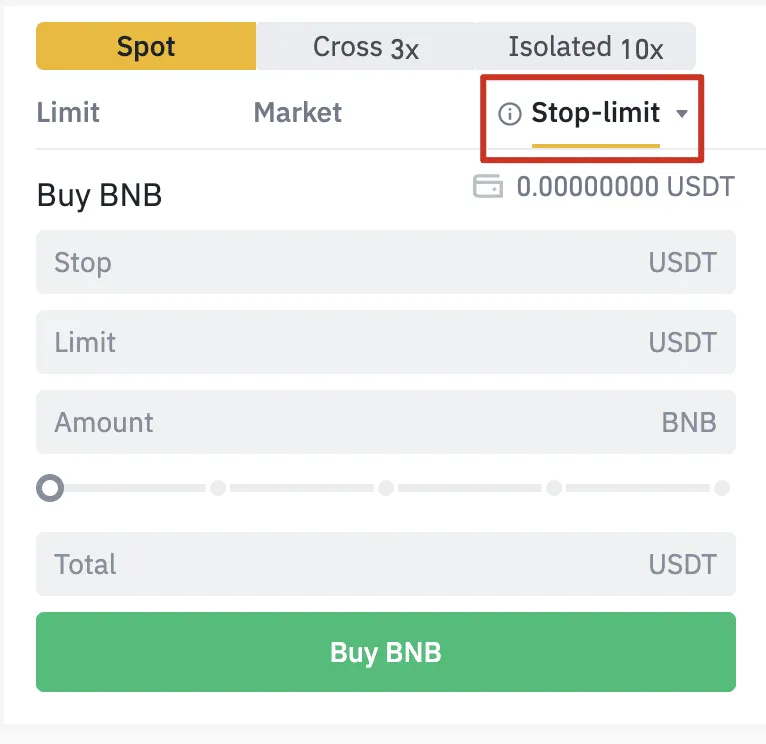
Earlier, we summarized a stop-limit order as one where a limit order is submitted to the order book once the market price reaches the stop price. We don't want to make any mistakes here, right? Let's go over it once more, clearly.
- Stop price: The price that triggers the limit order when the market price reaches it.
- Limit price: The buy or sell price that the stop price triggers. In other words, the price at which the order is filled.
To set up a stop-limit order, you need both a stop price and a limit price. We can think of the stop price as the trigger price. That is, the stop price is the price at which the limit order will be submitted. When the market price reaches the stop price, the limit order we set is immediately submitted to the order book.
For sell orders, the stop price is set higher than the limit price, and for buy orders, the stop price is set lower than the limit price, so that the order has the best chance of being filled.
Stop-Limit Order Example
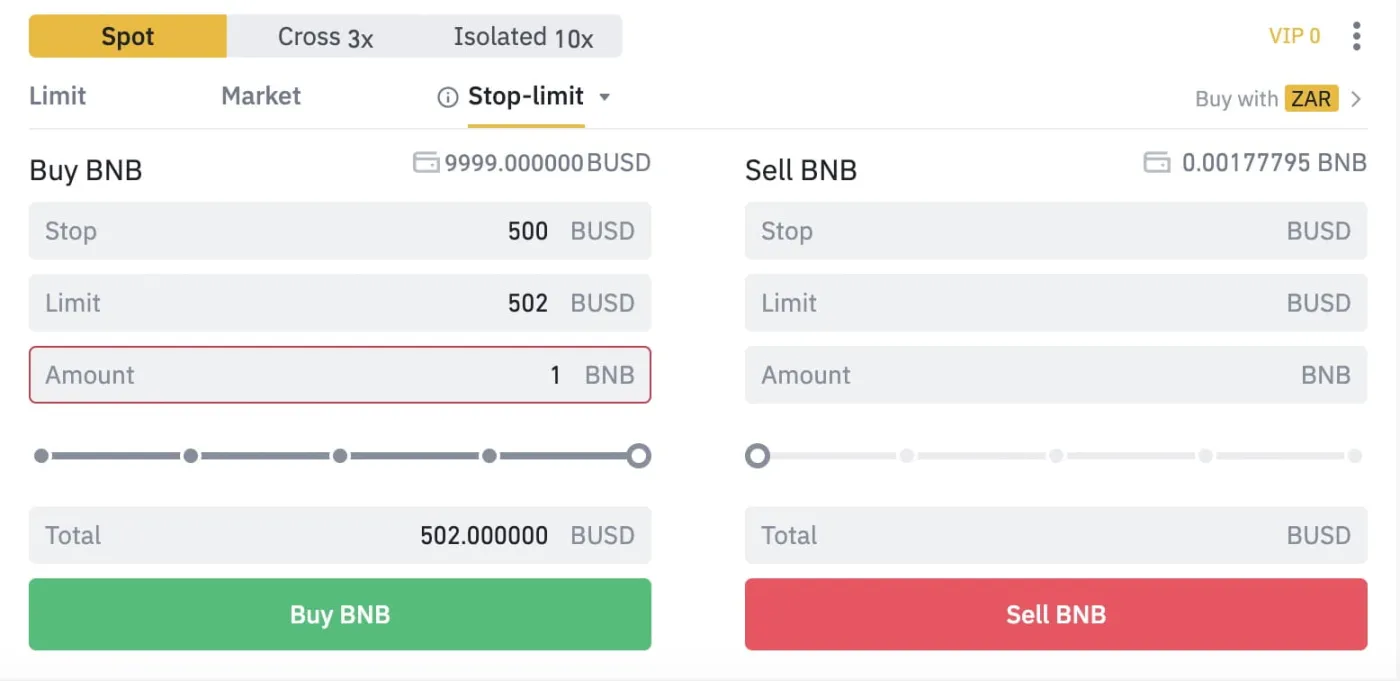
Let's look at a stop-limit order through an example. Say you're watching BNB on the crypto exchange Binance. The current price is $498, just under $500, and you plan to chase the breakout by buying at $502 if it breaks above $500. In that case, you can place a stop-limit order as follows.
- Select the stop-limit order in the trading interface.
- Enter 500 BUSD as the stop price and 502 BUSD as the limit price, then click Buy.
- When the market price reaches the stop price, your limit buy order is automatically submitted at 502 BUSD.
Pros and Cons of Stop-Limit Orders
Stop-limit orders are a very useful tool that lets you automatically stop out, take profit and enter positions. This means you can automate your trading without having to watch the market constantly. Swing traders and day traders in particular can use stop-limit orders to set stop-losses and take-profits and trade within the ranges they want.
There are downsides, too. Stop-limit orders can lead to unnecessary stop-outs, take-profits and entries. In other words, even short-term price moves, the ones we call "wicks," can trigger a stop-limit order and cause unexpected additional losses. Also, when the market moves sharply, a stop-limit order may go unfilled as the price blows right past it.
Wrapping Up
That covers stop-limit orders. A stop-limit order is made up of a stop price and a limit price, and traders can use it to stop out, take profit, add to a position and more at the points they choose.