Not Receiving Your OKX SMS Verification Code
3 min read · · Korean original
Contents 3
When using the OKX exchange, there are times when you need to receive a verification code by text message. However, you may run into a problem where the SMS doesn't arrive properly.
In this post, we'll look at why verification texts don't come through properly and how to fix the problem.
Why the OKX SMS Verification Code Isn't Arriving
The most common reason you can't receive the verification text is a server issue on OKX's side. In other words, when the exchange receives a large number of requests at once, it may take a while for the text to be sent.
In this case, waiting 5 to 10 minutes and trying again solves the problem in most cases.
Alternatively, the verification code may have been classified as spam and blocked. These days, spam-filtering apps come with a feature that automatically blocks messages written in English.
So please check whether the OKX verification text has been caught by that spam-filtering algorithm.
Next, you may have blocked the sender number that OKX uses for its texts. In fact, that number often changes periodically, so the chance that it's blocked isn't high.
Even so, if texts that used to arrive just fine have stopped coming, check whether you blocked the number by mistake.
Or, receiving international text messages may be blocked altogether. Carefully check your message settings to make sure messages sent from abroad are allowed.
Verifying With a Method Other Than SMS
Doing the above will fix most SMS delivery problems. However, there may be cases where you still can't receive the text because of some other issue.
In that case, you can use a verification method other than SMS, as shown below.
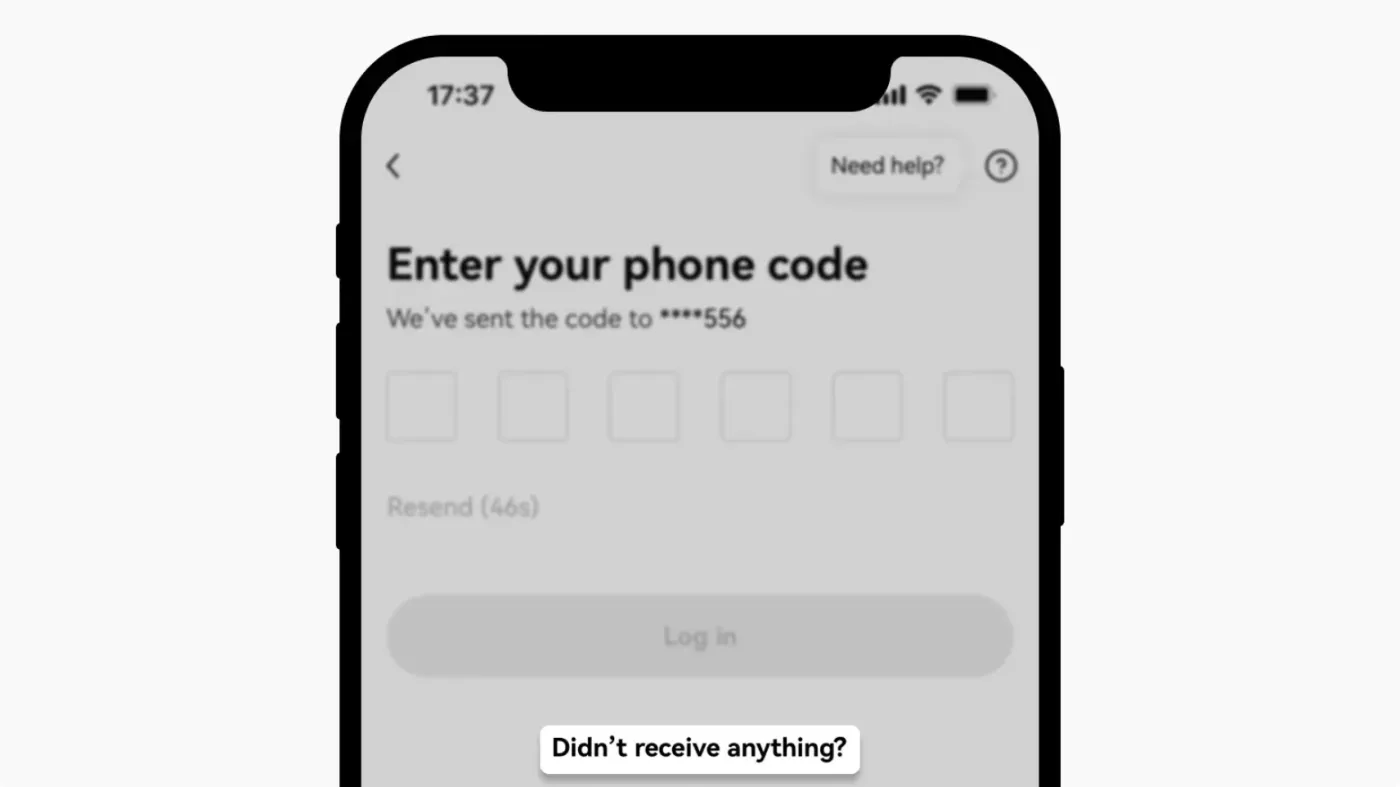
Where you're asked to enter the verification code, select a prompt such as 'Didn't receive anything' or 'Call me instead'.
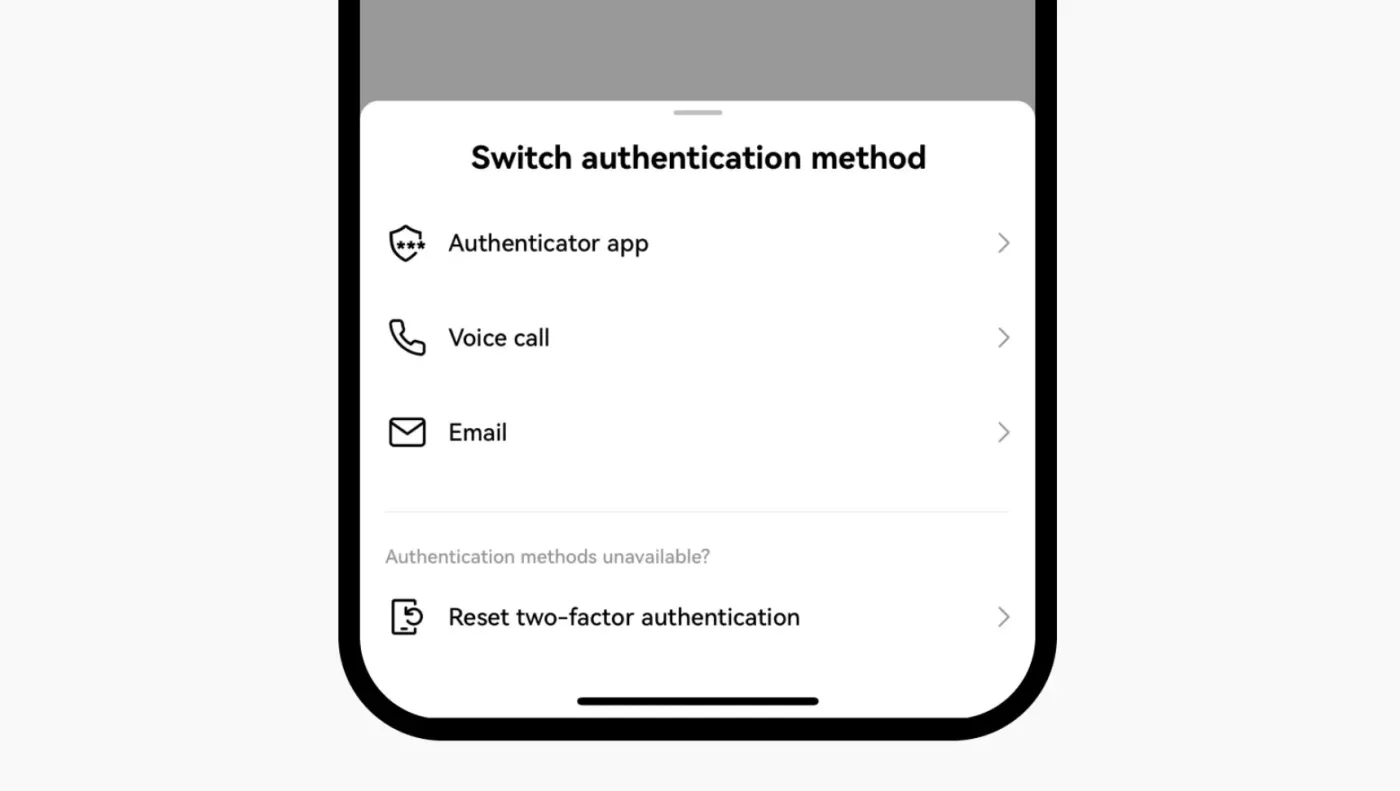
If you've already set up two-factor authentication such as Google Authenticator, you can use all features without any text messages at all. You can also complete verification by phone call or email.
When You've Tried Everything and It Still Doesn't Work
Even so, there may be cases where you can't complete verification by any method. In that case, try clearing the cookies and cache of your browser and app. Next, try updating your browser and app to the latest version. If that doesn't work either, try completely deleting the app and reinstalling it.
If it still doesn't work after all this, you've essentially already tried every method available. The very last resort is to contact customer support.
Please reach out to OKX customer support using the email address you linked when signing up for OKX. If you tell them you can't complete verification and want a reset, customer support will verify your personal information and can reset your verification methods.