How to Deposit and Trade Pi Coin on OKX... Get a 30% Trading Fee Discount
4 min read · · Korean original
Contents 5
OKX has finally listed Pi Coin (PI). In this post, we'll walk through how to sign up for OKX, as well as how to transfer Pi Coin from the Pi app and sell it.
Why Do You Need an OKX Account?
To trade Pi Coin, the first thing you need is an OKX account. Without an OKX account, you can't trade Pi Coin.
Follow the tutorial below to create a new OKX account and complete identity verification (KYC). The whole sign-up takes about 5 minutes.
How to Sign Up for OKX
1. Go to the OKX Website
Use the link below to go to the official OKX website. It will take you to a sign-up page with the fee discount applied.
- Sign up for OKX: https://www.okx.com/join/bitpunk
2. Select Your Country of Residence
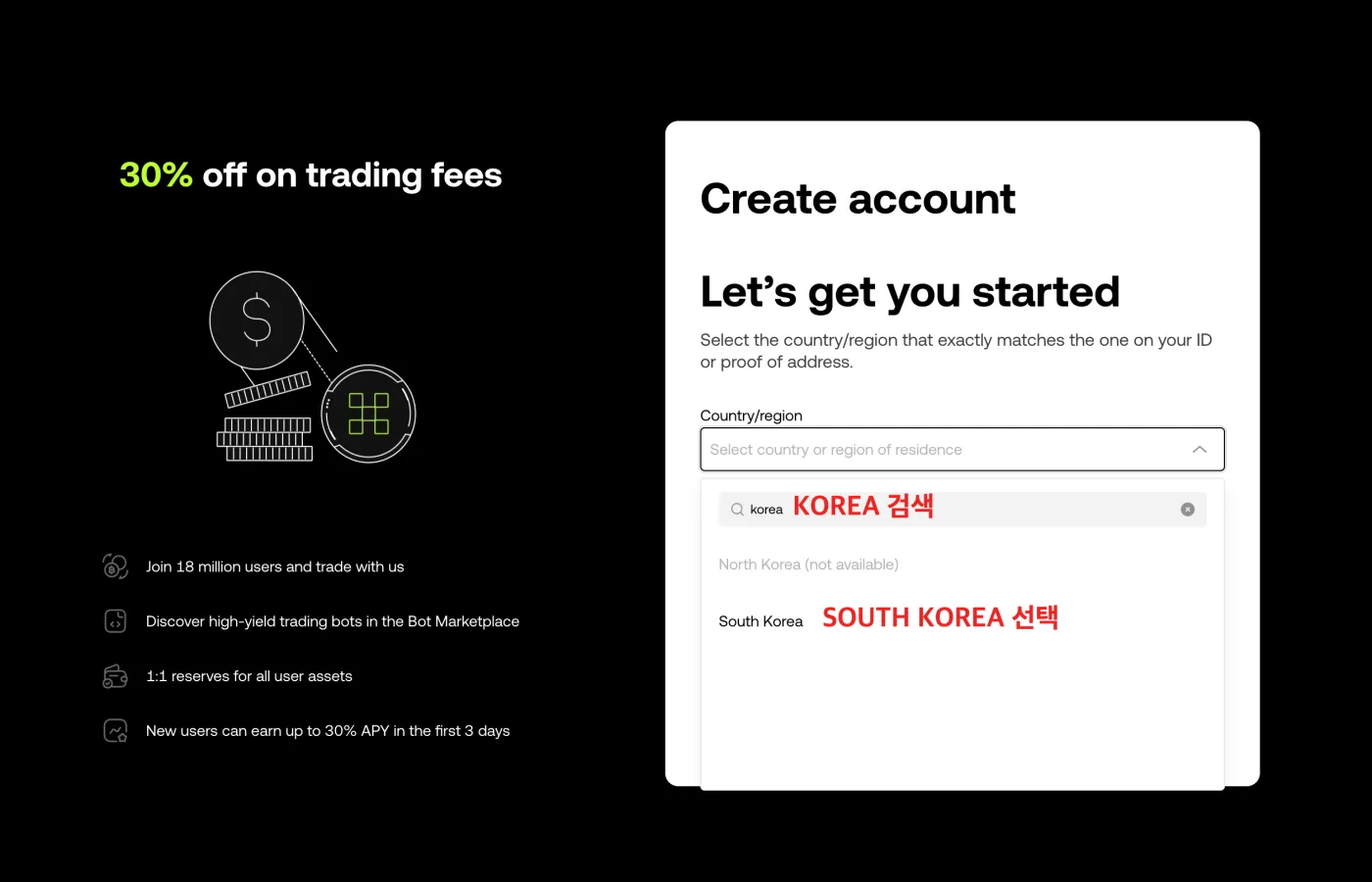
As shown below, the first screen asks you to select your country and region. Type 'Korea' into the search box, then find and select 'South Korea'.
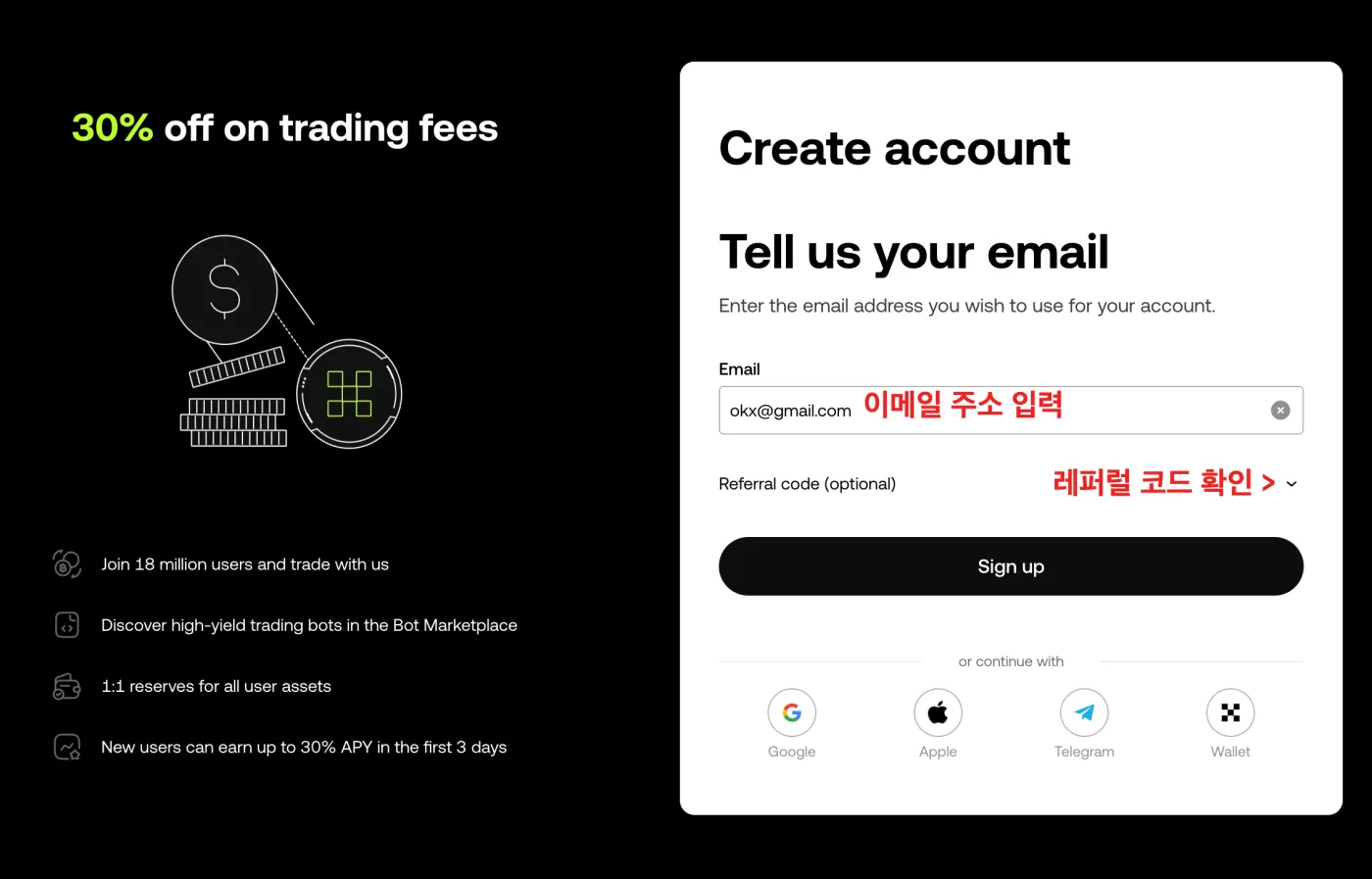
3. Enter Your Email Address and Check the Fee Discount Code
Enter the email address you'll use to log in to OKX. Do you see the 'Referral code (optional)' section below it, with an arrow on the right? Be sure to click the ▽ arrow button and check the discount code that has been entered.
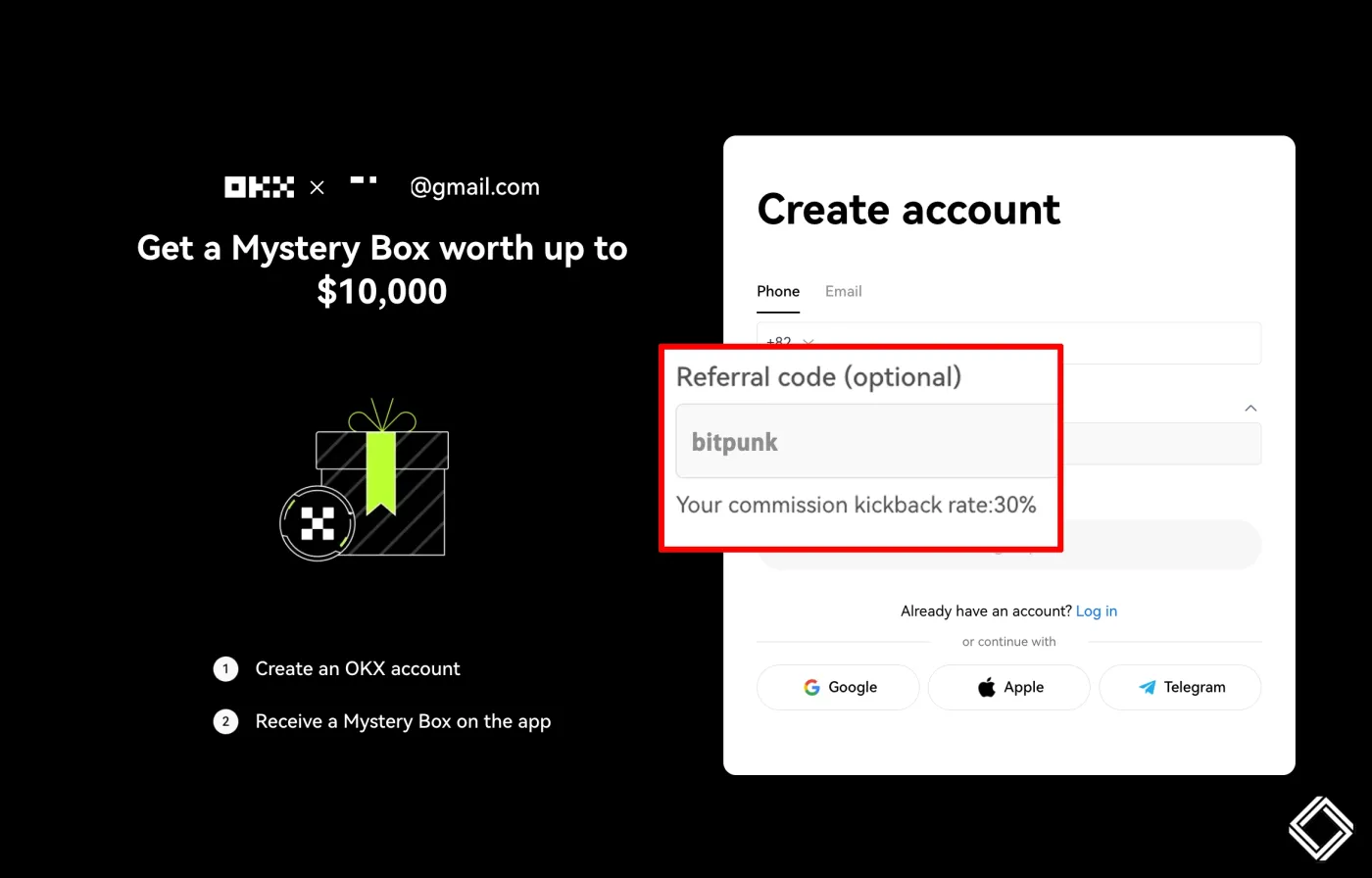
Is the code entered as shown below? If a different code is entered or the field is empty, type in bitpunk yourself. You need to enter this referral code exactly for the 30% fee discount (Your commission kickback rate: 30%) to be applied properly.
Is everything correct? Now click the [Sign Up] button to move on to the next step.
How to Withdraw and Trade Pi Coin
1. Find Your Pi Coin Deposit Address on OKX
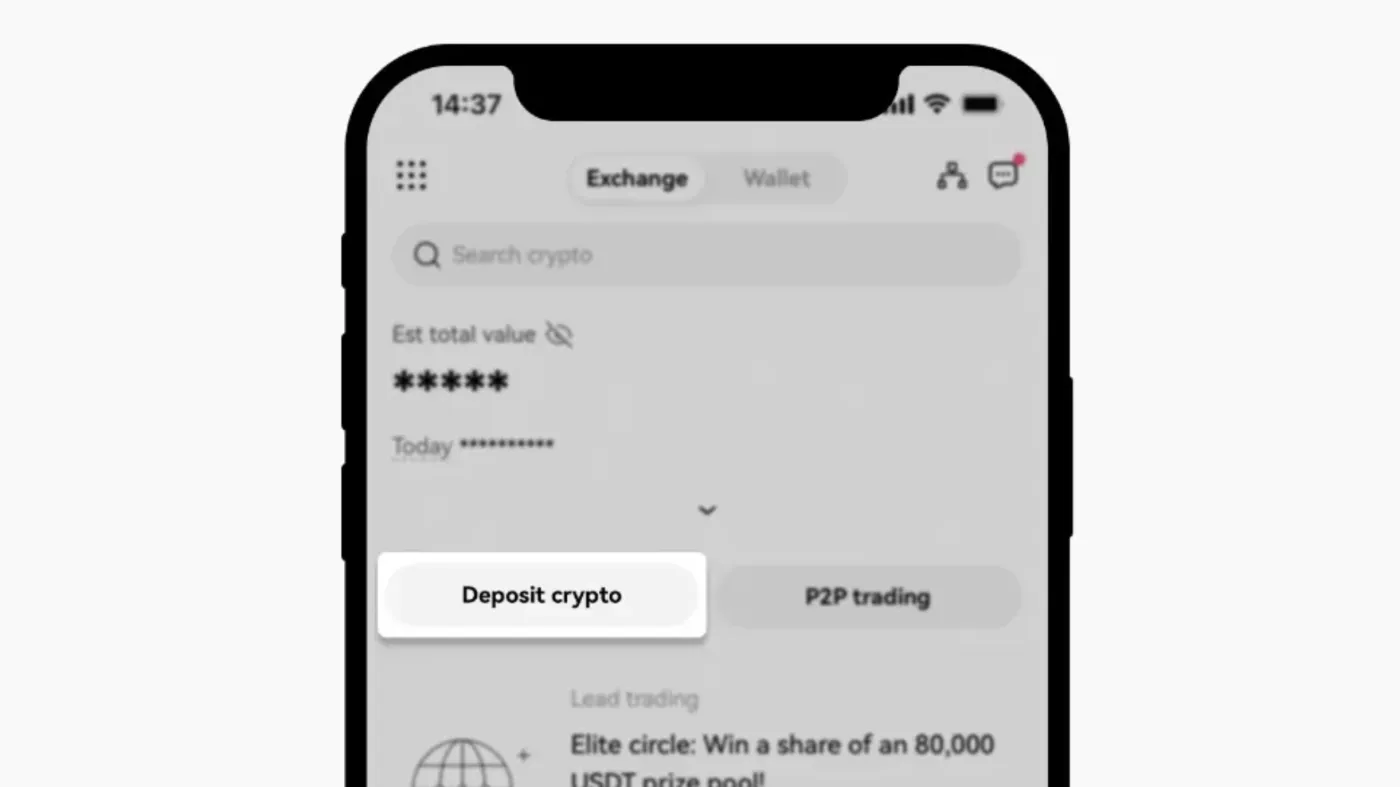
First, you need to find your personal deposit address on OKX for receiving Pi Coin. Log in to your OKX account, then select the Deposit menu. On PC, click "Assets" → "Deposit" in the top menu of the website.
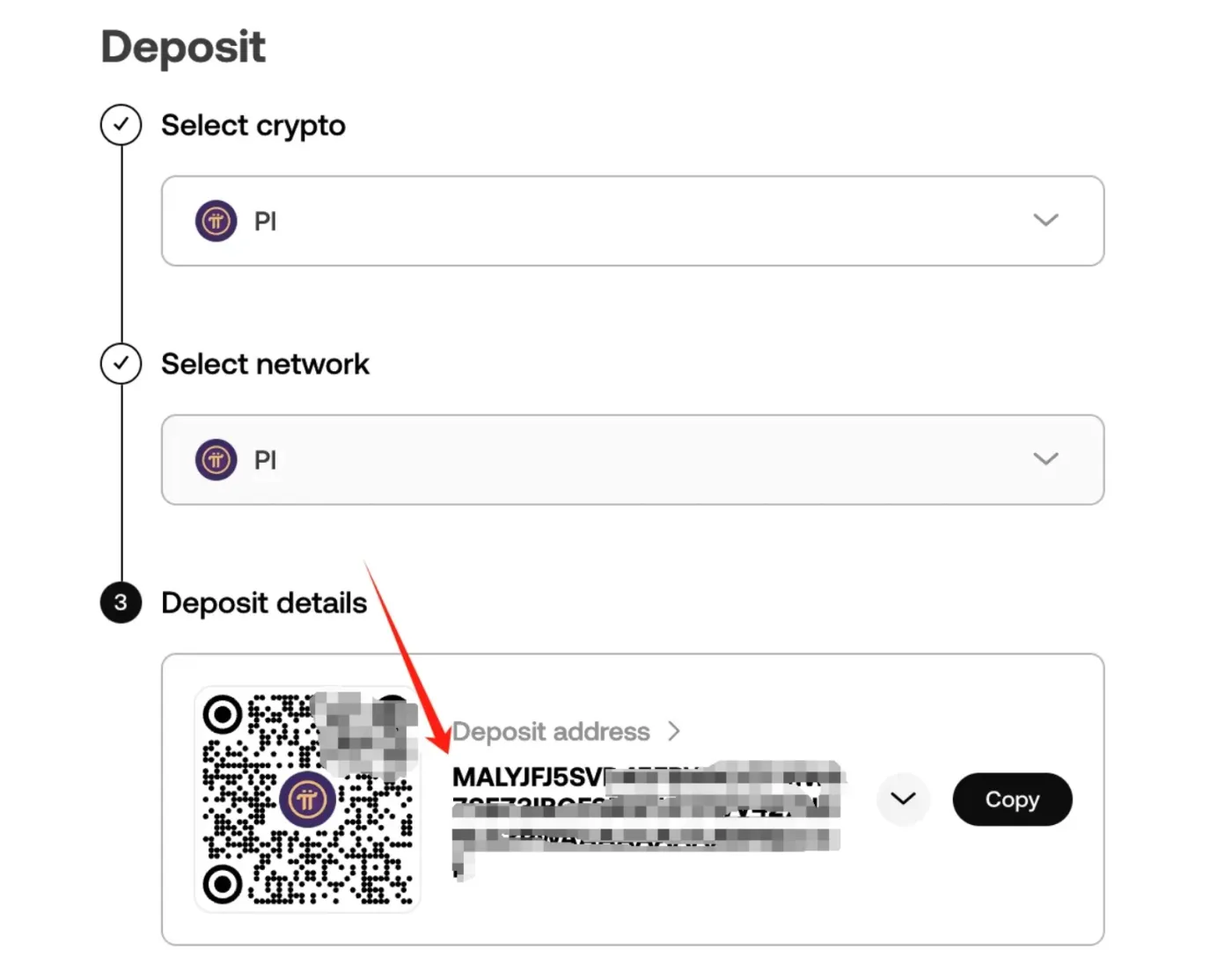
Type "PI" into the search box and select it. Check the Pi Coin deposit address shown on the screen.
2. Send Pi Coin from the Pi Network App
Once you have your OKX deposit address, it's time to send PI from the Pi Network app. Follow the steps below.
① Open the Pi Network Wallet (Pi Wallet)
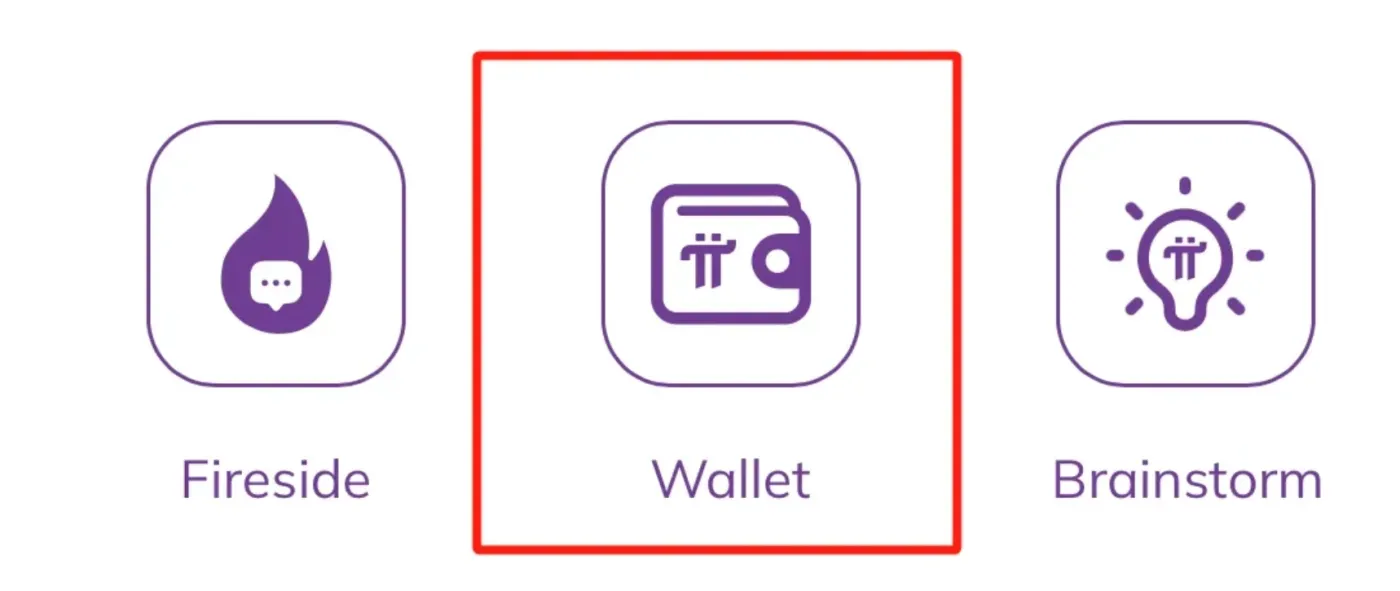
Launch the Pi Browser app, then select the "Wallet" menu.
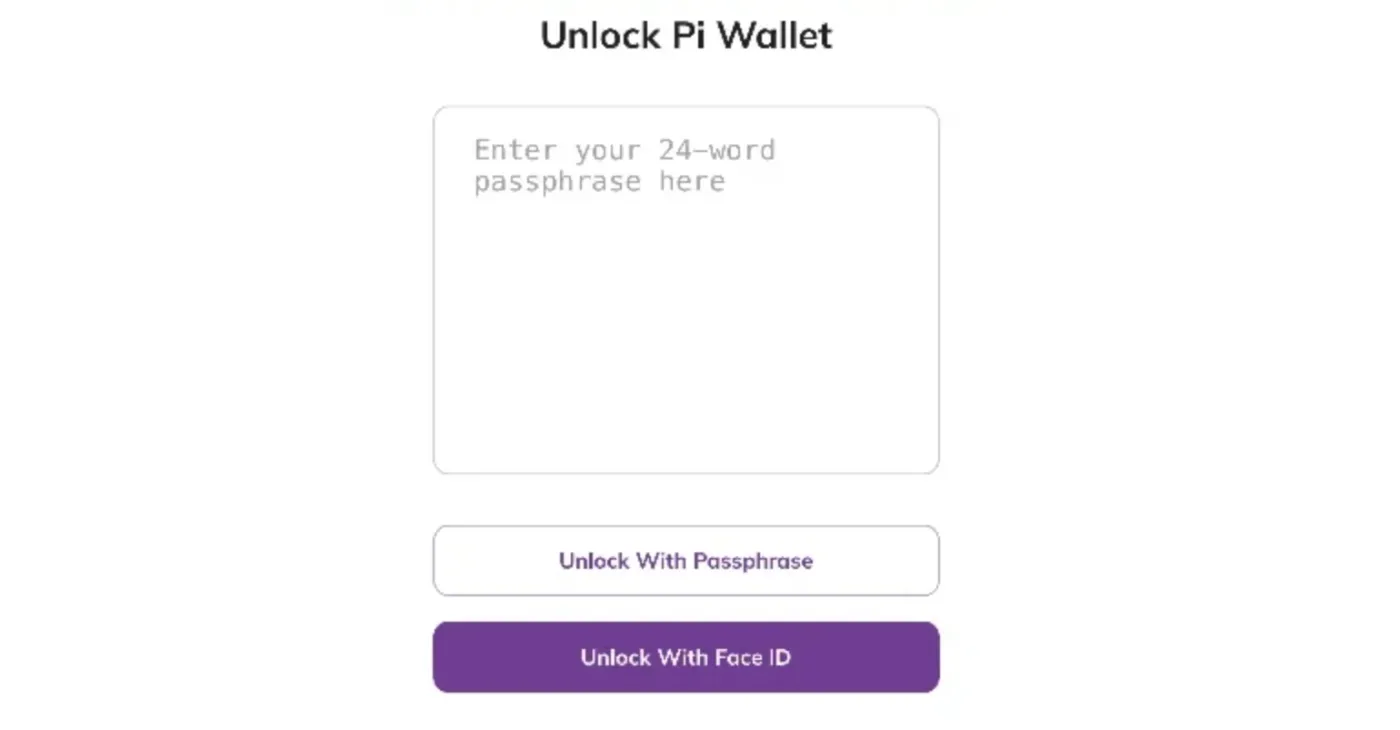
Next, enter your 24-word mnemonic phrase to unlock your wallet.
② Send Pi Coin to OKX
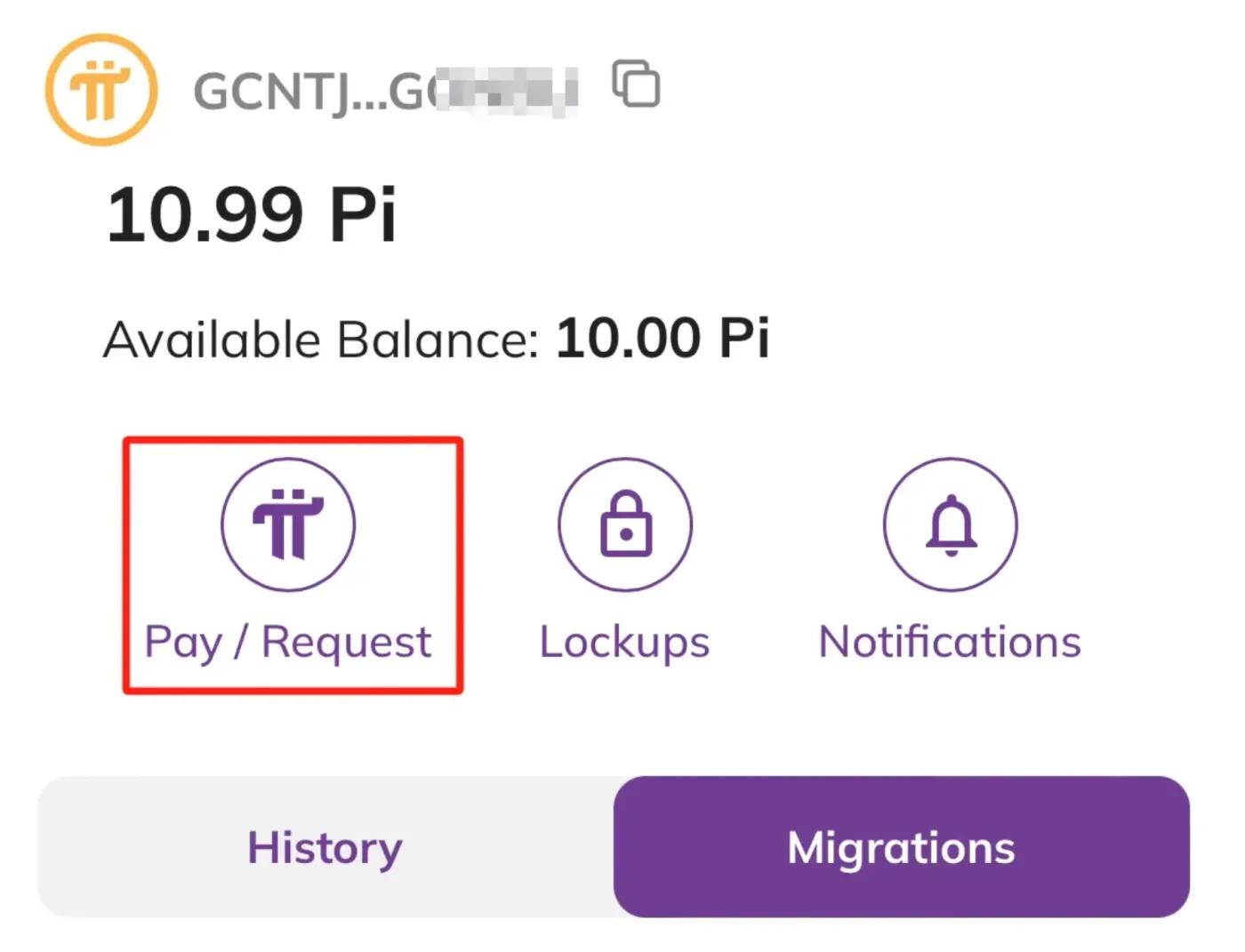
Click "Pay / Request" to start the Pi Coin transfer process.
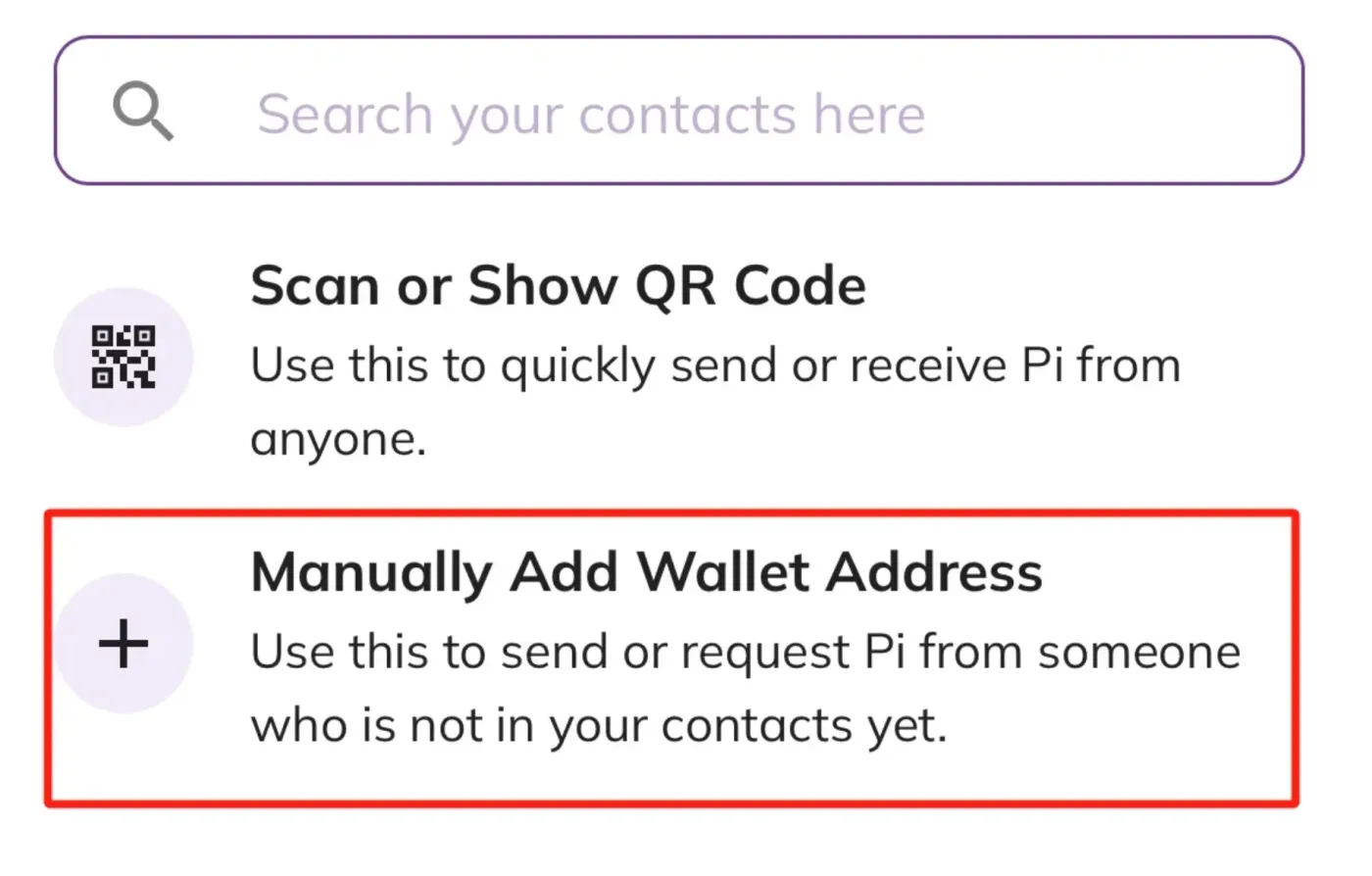
Select "Manually Add Wallet Address", then enter the Pi Coin deposit address you just checked on OKX.
Paste the deposit address you copied from OKX into the "Wallet Address" field. Double-check that the address has been entered correctly.
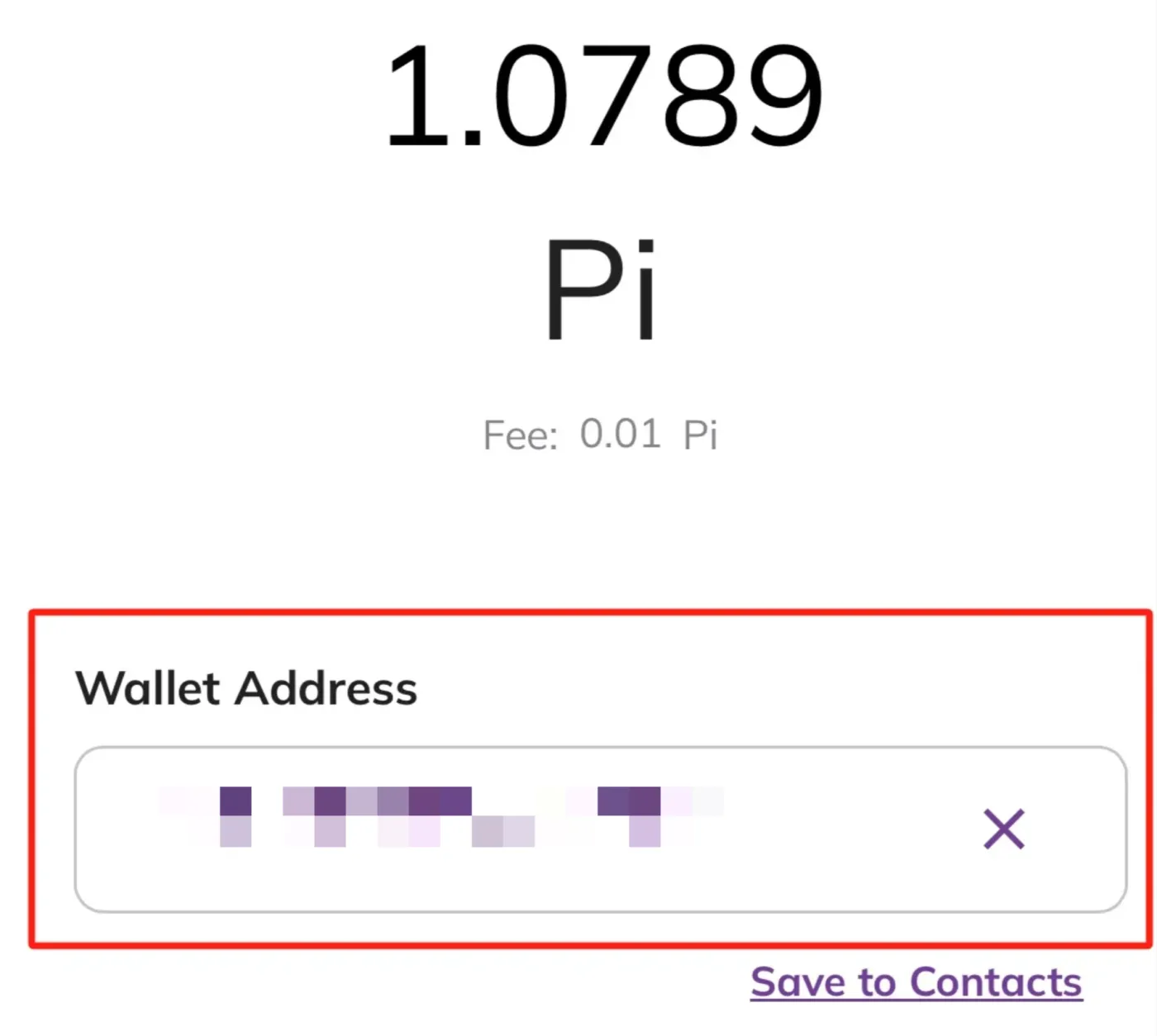
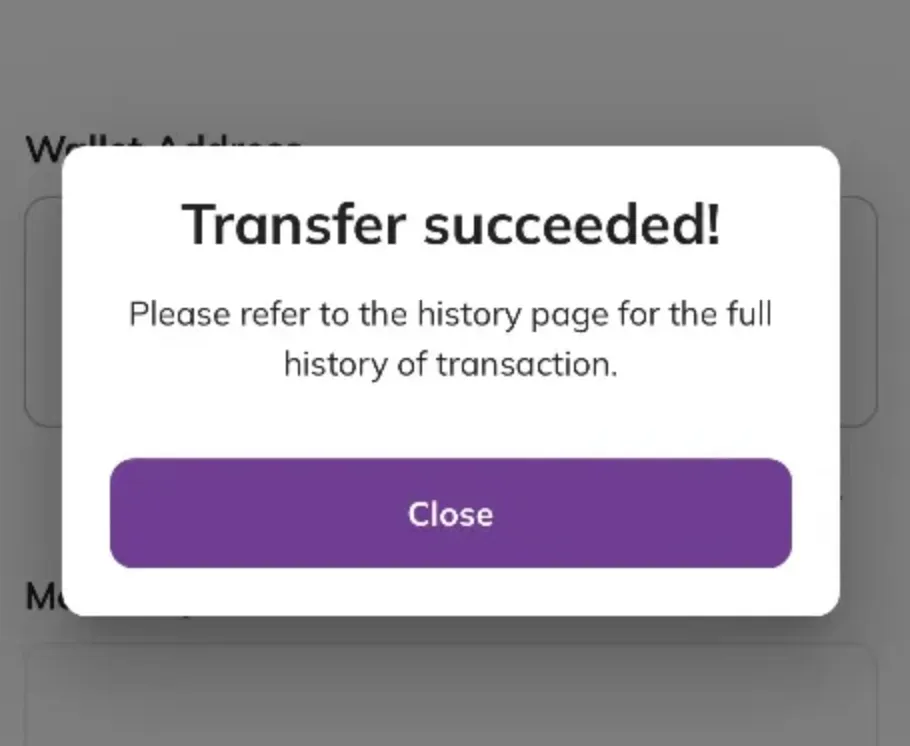
Enter the amount of PI to send, then press "Send" → "Confirm" to finish. Once the transfer is complete, a success pop-up message will appear, as shown below.
③ Confirm the Deposit on OKX
Once the transfer is complete in the Pi Network app, you need to check on OKX that the deposit has been processed properly. Log in to OKX and go to the "Assets" menu. In the "Deposit" tab, you can follow the progress of your Pi Coin transfer through your PI deposit history.
It may take a while for the deposit to be fully completed, so please be patient. Also, always make sure you've entered the correct deposit address when withdrawing. If you enter it incorrectly, you could lose the Pi Coin you worked so hard to collect!
④ Sell Your Pi Coin
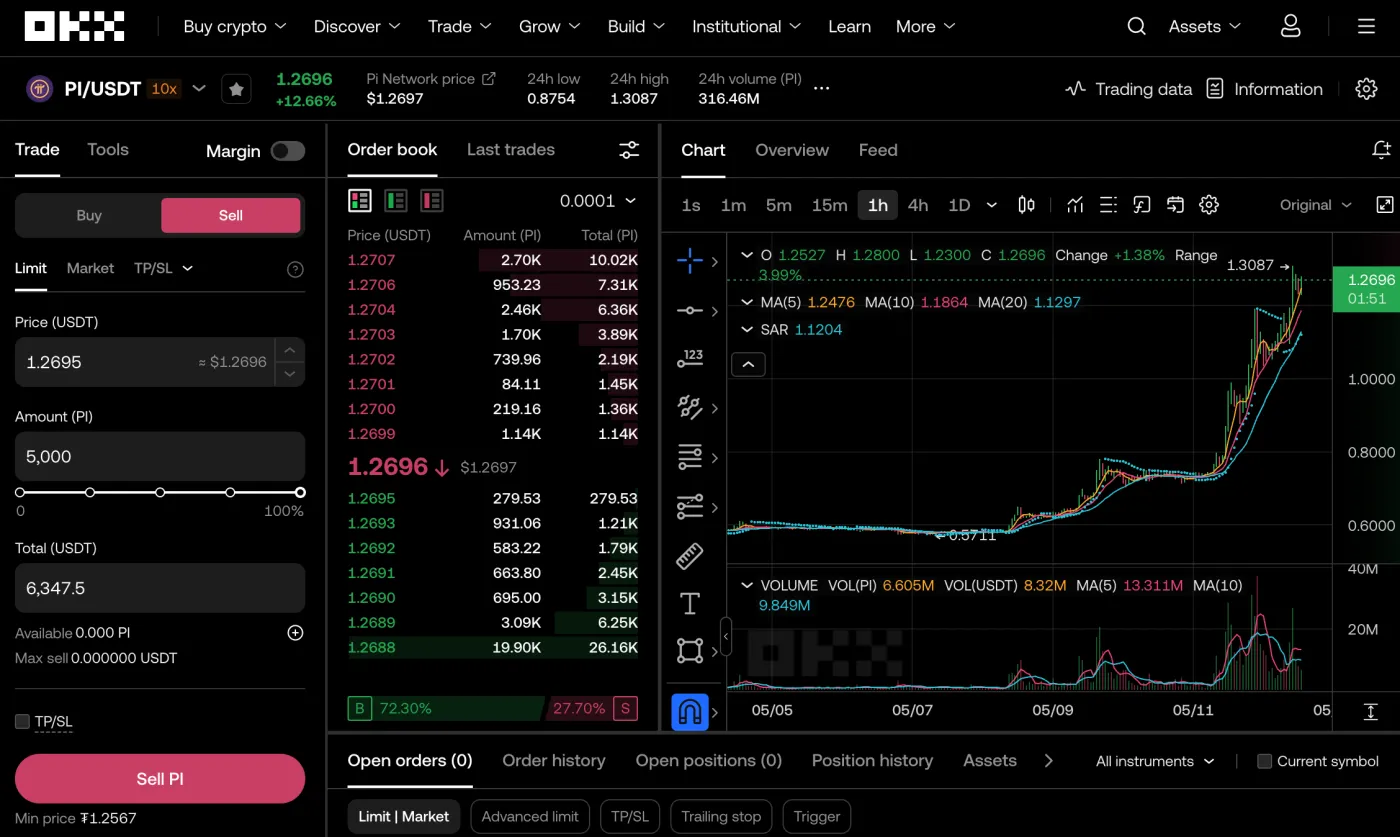
Once your Pi Coin deposit is complete, go to 'Trade' - 'Spot' to sell your Pi Coin. Enter 'PI' in the ticker search field and select the 'PI/USDT' trading pair.
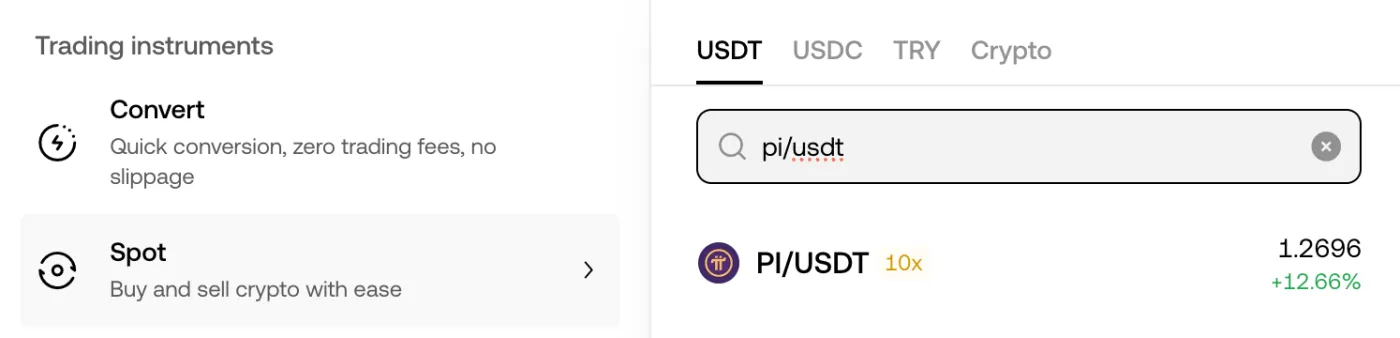
Next, enter the amount you want to sell and click the 'Sell' button to place your sell order, and you're done. As shown in the image below, you can choose your desired price, sell amount, order type and more in the Pi Coin trading tab.
Wrapping Up
That covers the news of Pi Coin's listing on OKX, along with how to sign up and make a deposit. OKX is the world's third-largest Bitcoin exchange and is popular for its deep liquidity and low fees. We hope you sell the Pi Coin you worked so hard to collect safely and make a great profit. Thank you.