How to Log In to the Bybit Exchange Safely and Quickly with a QR Code
2 min read · · Korean original
Contents 3
Hello, this is Bitpunk. In this post, we'll walk through how to log in to the Bybit exchange using a QR code. QR code login means you don't have to type in your password, so it's faster and more convenient.

1. Choose a Bybit Login Option: QR Code
Go to the official Bybit website. As shown in the screenshot below, select QR code from the login options.
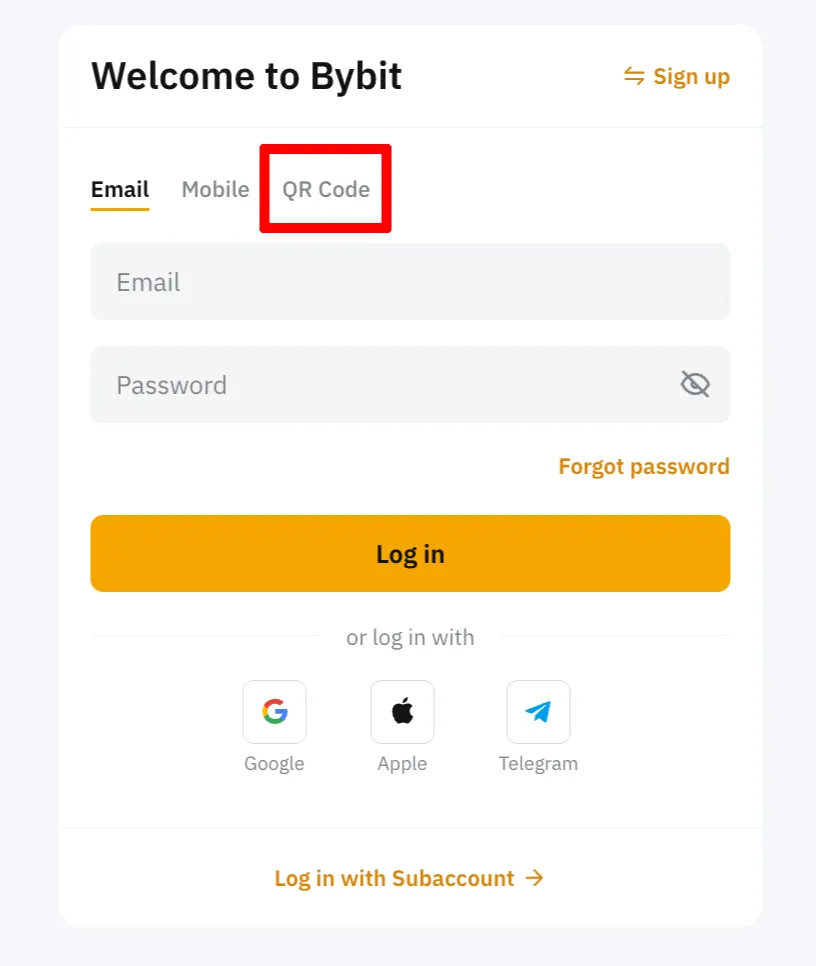
A screen where you can scan the QR code will appear. Before moving on to the next step, be sure to double-check that you're on the correct Bybit website address.
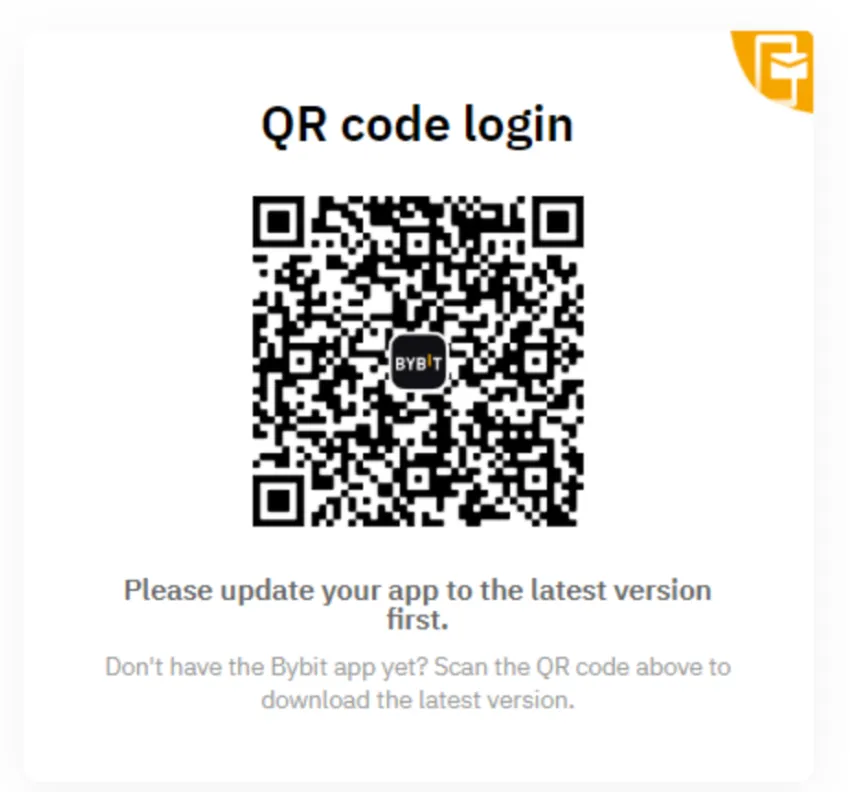
2. Scan the QR Code in the Bybit App
Open the Bybit app and tap the [-] button in the top-right corner. If this is your first time using QR code login, a permission prompt may appear. For reference, to use QR code login, you need to already be logged in to the Bybit app.
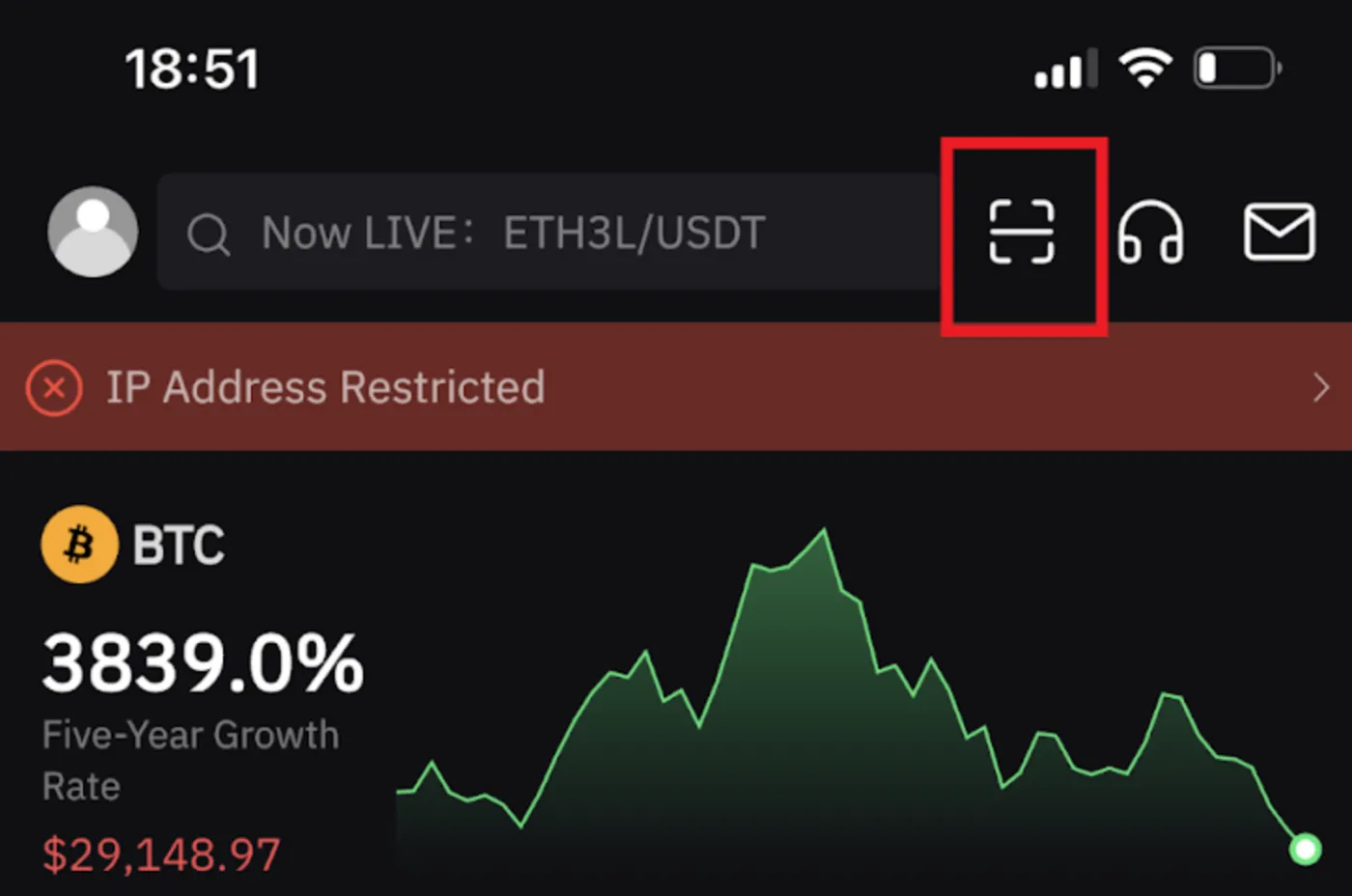
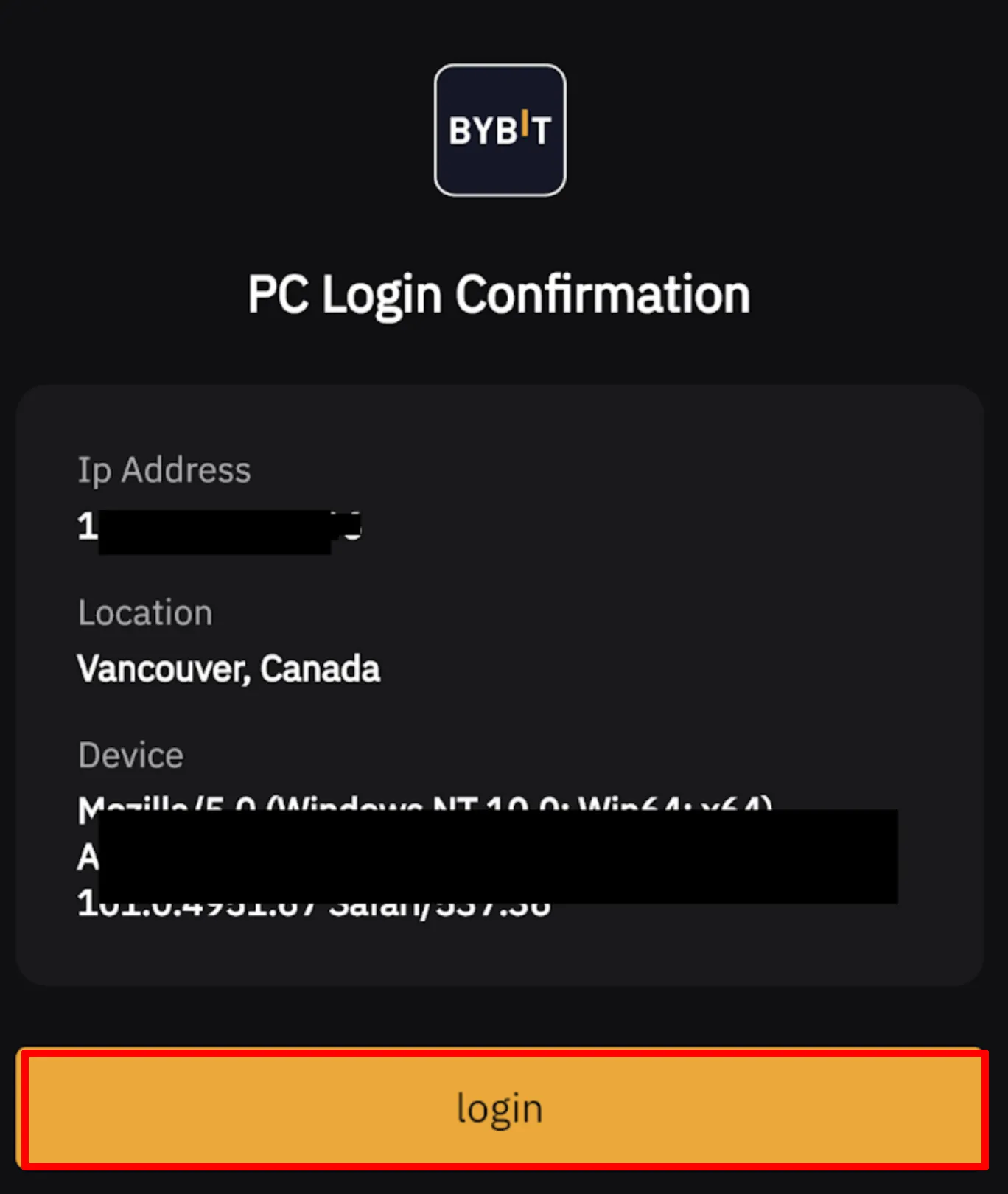
Once your smartphone's camera turns on, scan the QR code. A 'Confirm PC Login' screen will appear, as shown below. At this point, check that the location and device are the ones you're using, and if they're correct, tap 'Login' to complete the login.
3. Why Use QR Code Login, and What Should You Watch Out For?
When logging in to the Bybit exchange, you can use your ID and password, a passkey, or a QR code. Out of all these login methods, why use a QR code?
Above all, it's because QR code login is fast and convenient. On top of that, with a QR code your password is never sent directly to the server, which greatly reduces the chance of your password being leaked.
However, when using QR code login, you must make sure the QR code is provided by the official website. If you mistakenly scan a QR code from a phishing or malicious website, it can put your account's security at risk, so be careful.
It's also important to always keep your browser and OS up to date to prevent any possible security incidents. Lastly, try getting into the habit of bookmarking the official Bybit website and accessing it through that bookmark.