How to Reset Your Binance Account Password
3 min read · · Korean original
Contents 8
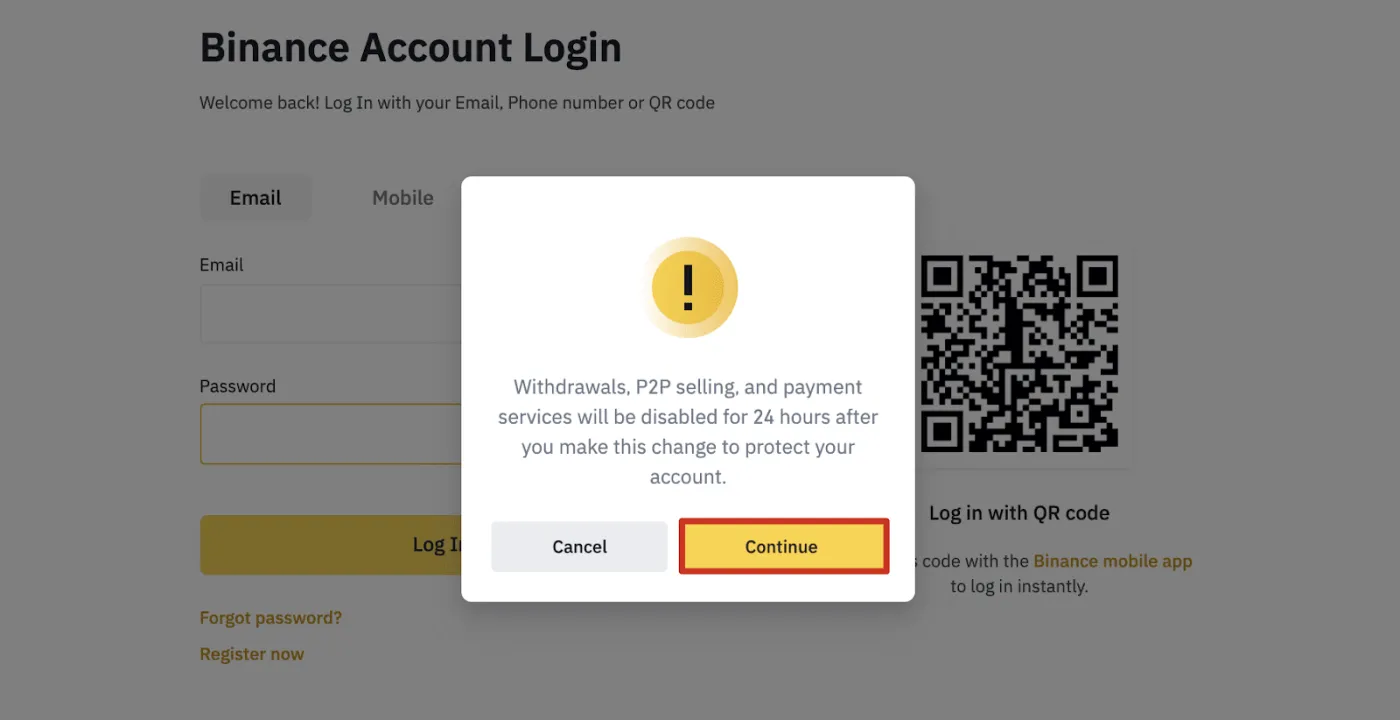
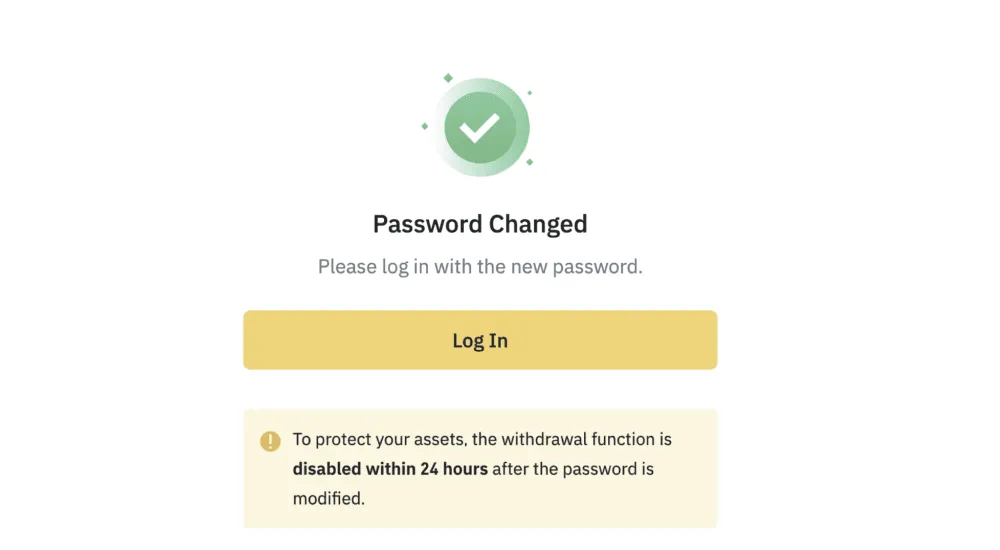
Looking for a way to reset your account password on the Binance website or app? For security reasons, withdrawals from your account are temporarily suspended for 24 hours after a password reset.
In this post, we'll walk through how to safely change your Binance account password in detail. Shall we get started?
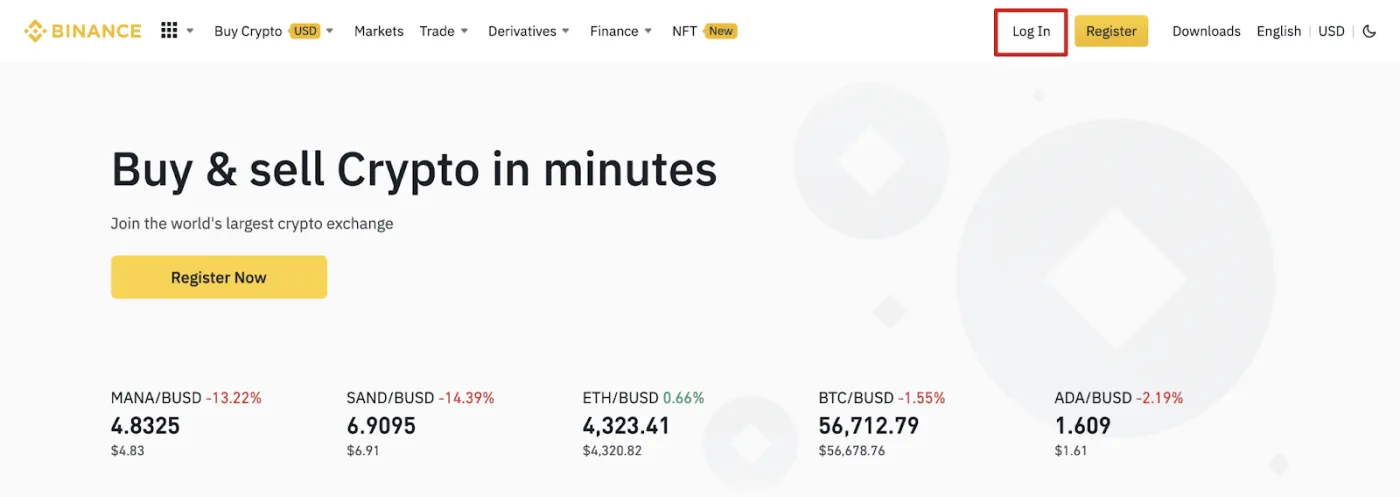
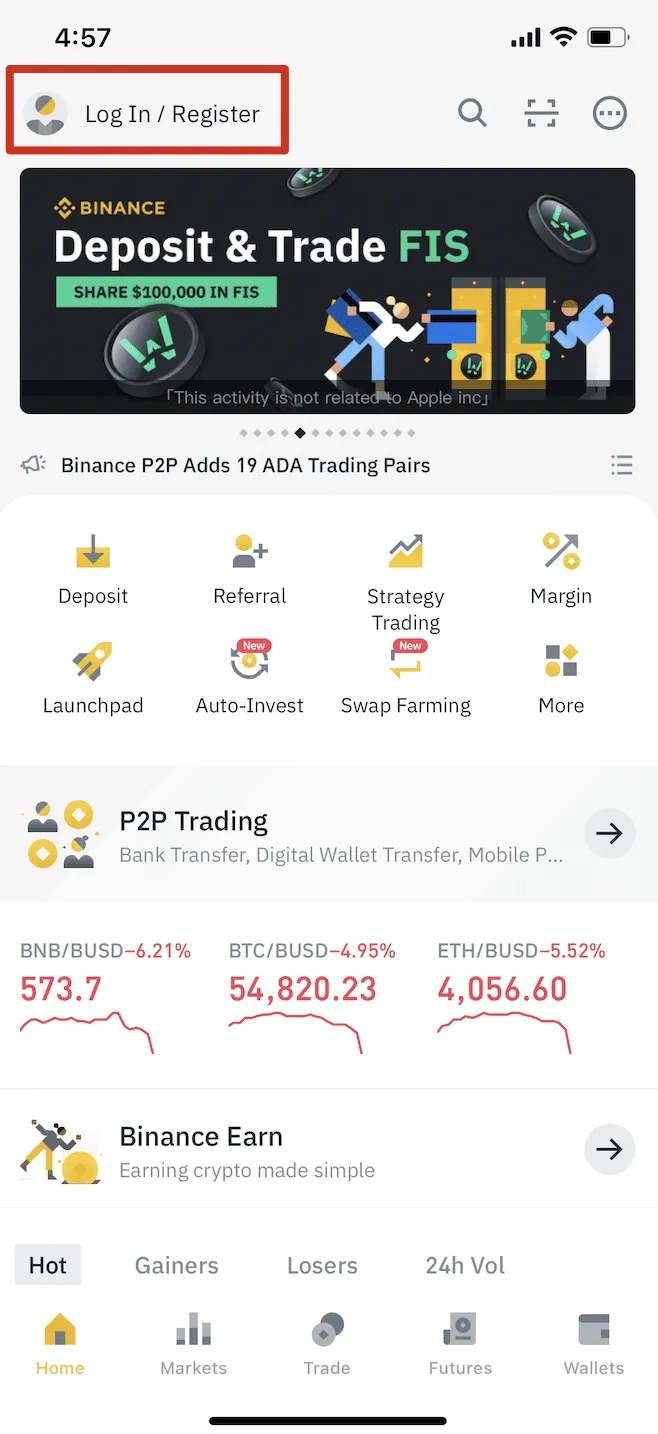
Step 1: Go to the login screen
Go to the Binance homepage and click [Log In]. If you're using the Binance app, tap the [Log In/Register] button.
Step 2: Start the password change
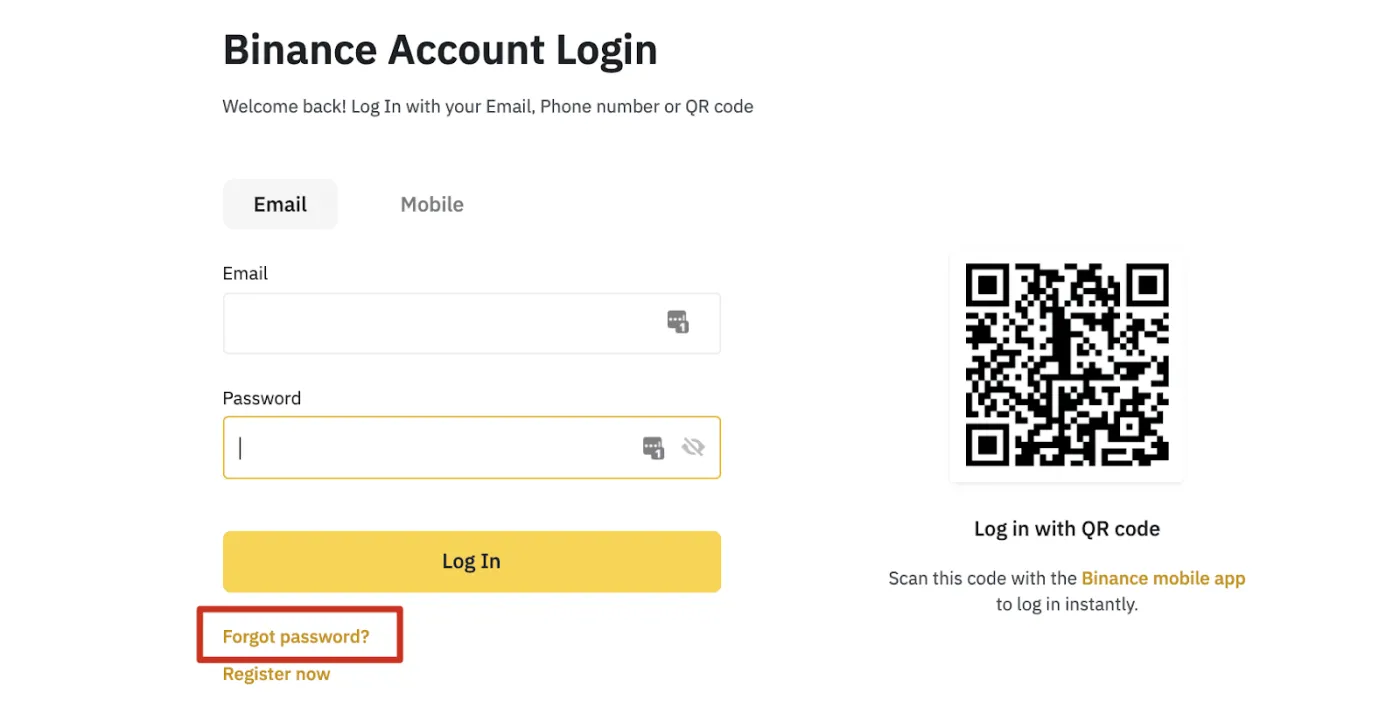
On the login page, click the [Forgot password?] button at the bottom. Pressing this button lets you begin changing your password.
Step 3: Check the notice
You'll see a notice that, for security reasons, withdrawals from your account will be temporarily suspended for 24 hours after the password reset. Click [Continue].
Step 4: Enter your email or phone number
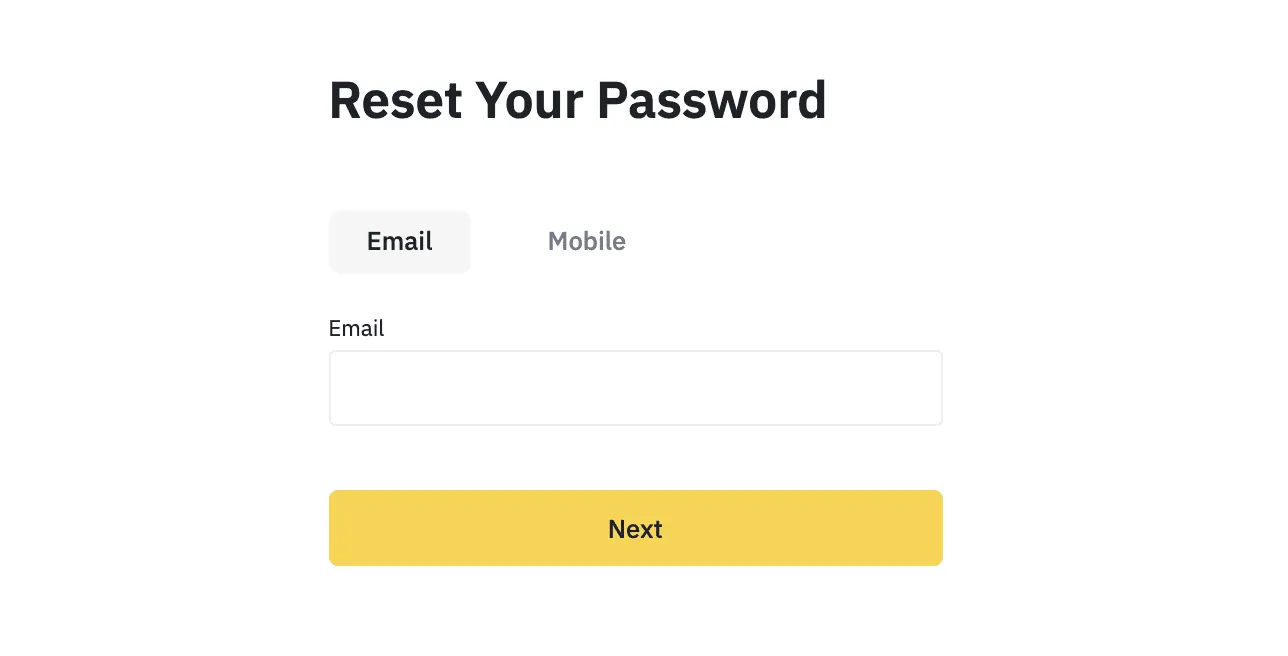
Enter the account email or phone number you used when signing up for Binance, then click the [Next] button.
Step 5: Complete the security puzzle
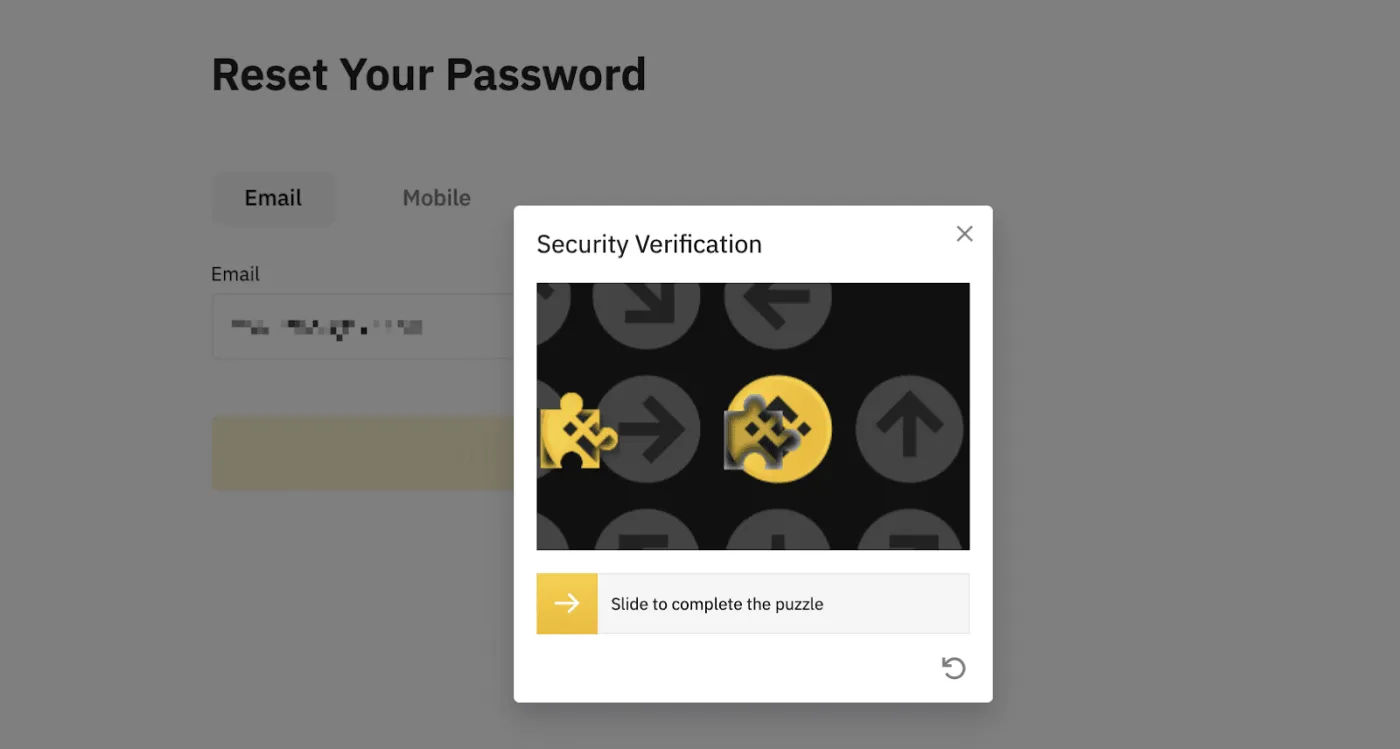
A security puzzle screen like the one below will appear. Follow what's on the screen to complete the security verification.
Step 6: Enter the verification code
A 6-digit verification code will be sent to you by email or SMS. Enter that code in the window below. If you've set up two-factor authentication such as Google Authenticator, you may also need to enter that verification code.
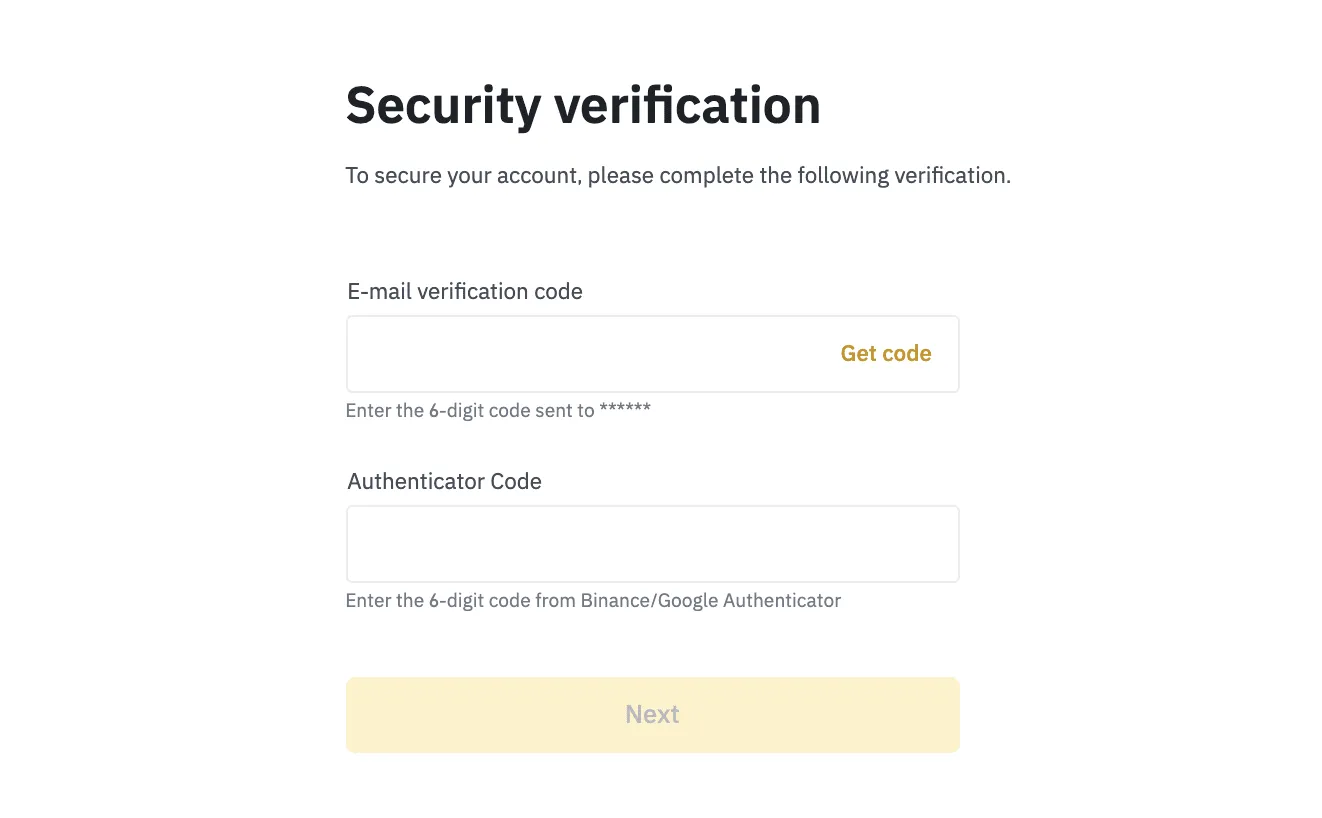
If your account is registered with an email and you've enabled SMS 2FA, you can reset your password using your phone number. Conversely, if your account is registered with a phone number and you've enabled email 2FA, you can reset your login password using your email.
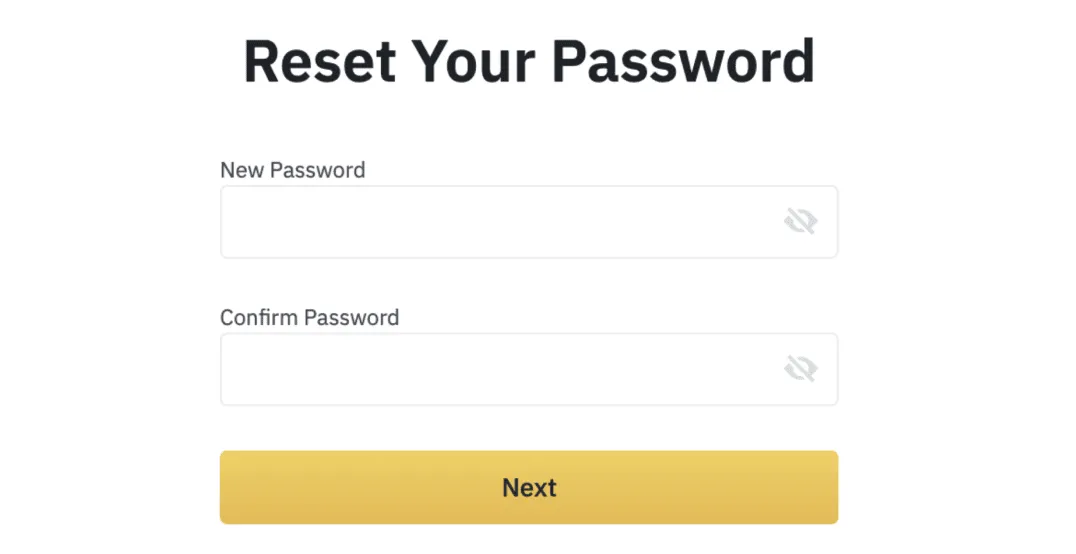
Step 7: Set a new password
Once you've successfully completed verification, you can set a new password. Enter your new password and click the [Next] button.
When you see a success screen like the one below, your password reset is complete. You can now log back in to your Binance account with your new password.
Frequently Asked Questions (FAQ)
- Q1. Is it okay to change my password often?
- You can, but the 24-hour withdrawal restriction may apply each time you change it.
- Q2. What if I've forgotten both my email and my phone number?
- You'll need to contact official customer support and request account recovery. Verification documents such as an ID may be required.
- Q3. My verification code isn't arriving. What should I do?
- Check your spam folder or check your phone's signal. If it still doesn't work, you can press the resend code button to get a new one.
- Q4. Can I lift the withdrawal restriction on my account right away?
- No. Under the security policy, the 24-hour restriction always applies and cannot be lifted on an individual basis.
- Q5. Where can I check my password changes later?
- After logging in, you can check your change history under [Security] → [Password].