How to Install the Kaikas Wallet and What to Watch Out For: Joining Kakao's KlaySwap DeFi (1)
3 min read · · Korean original
To take part in Kakao's KlaySwap DeFi, you need to install the Kaikas wallet. In this post, we'll walk through how to install the Kaikas wallet.
Installing the Kaikas Wallet
Go to the link below and install the Kaikas extension. To follow along with this post and install the extension, you'll need to use the Chrome browser.
KaikasGet the Klaytn blockchain wallet in your web browserchrome.google.com ↗Creating a Kaikas Wallet Account and Things to Watch Out For
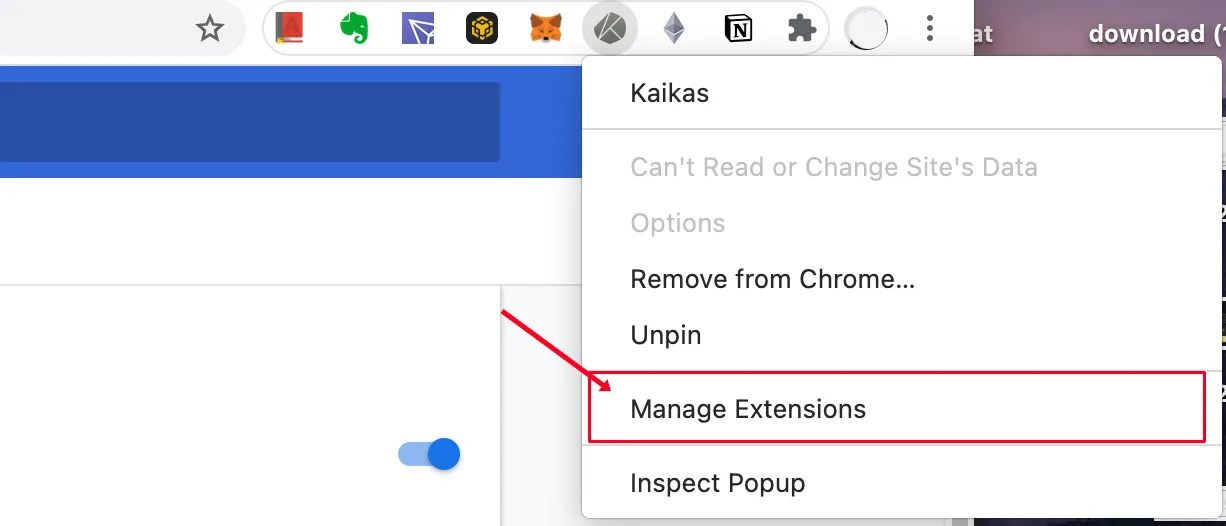
1. Once you've downloaded the Kaikas wallet, the Kaikas logo will appear on the right side of the Chrome browser. Right-click the logo and go to Manage.
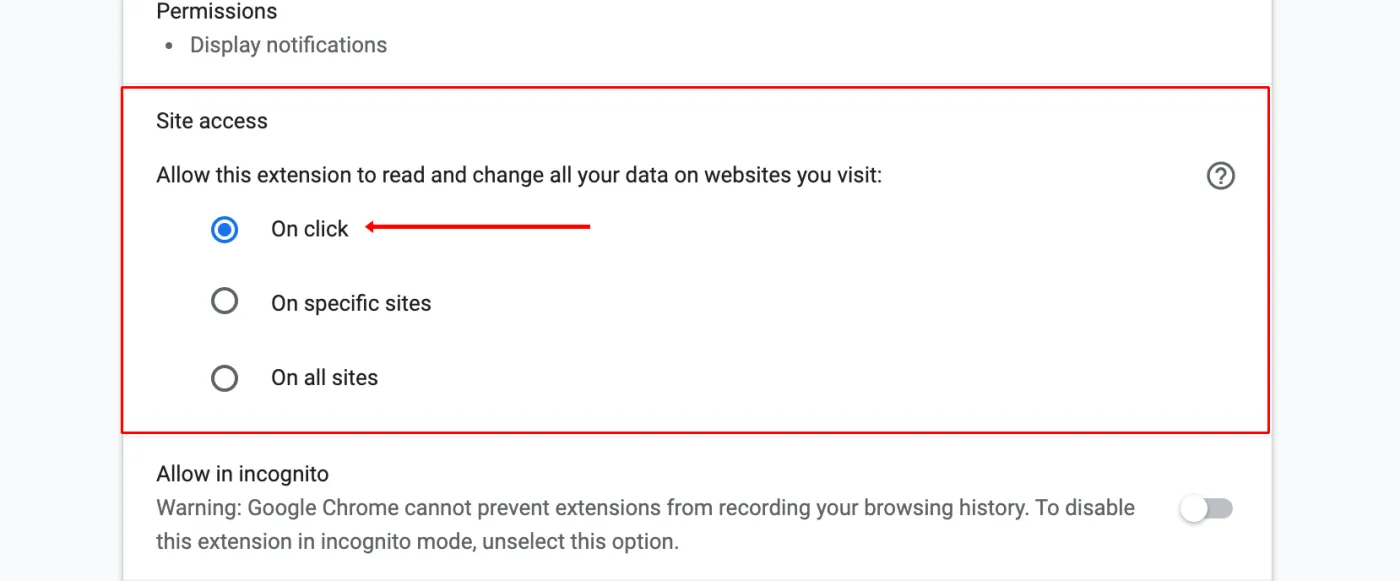
2. Set the security setting to On click. This keeps the wallet from opening on every site, so it only opens when you actually want to use it.
3. Once you've finished the settings, left-click the Kaikas wallet icon, and the initial password setup screen will appear as shown below.
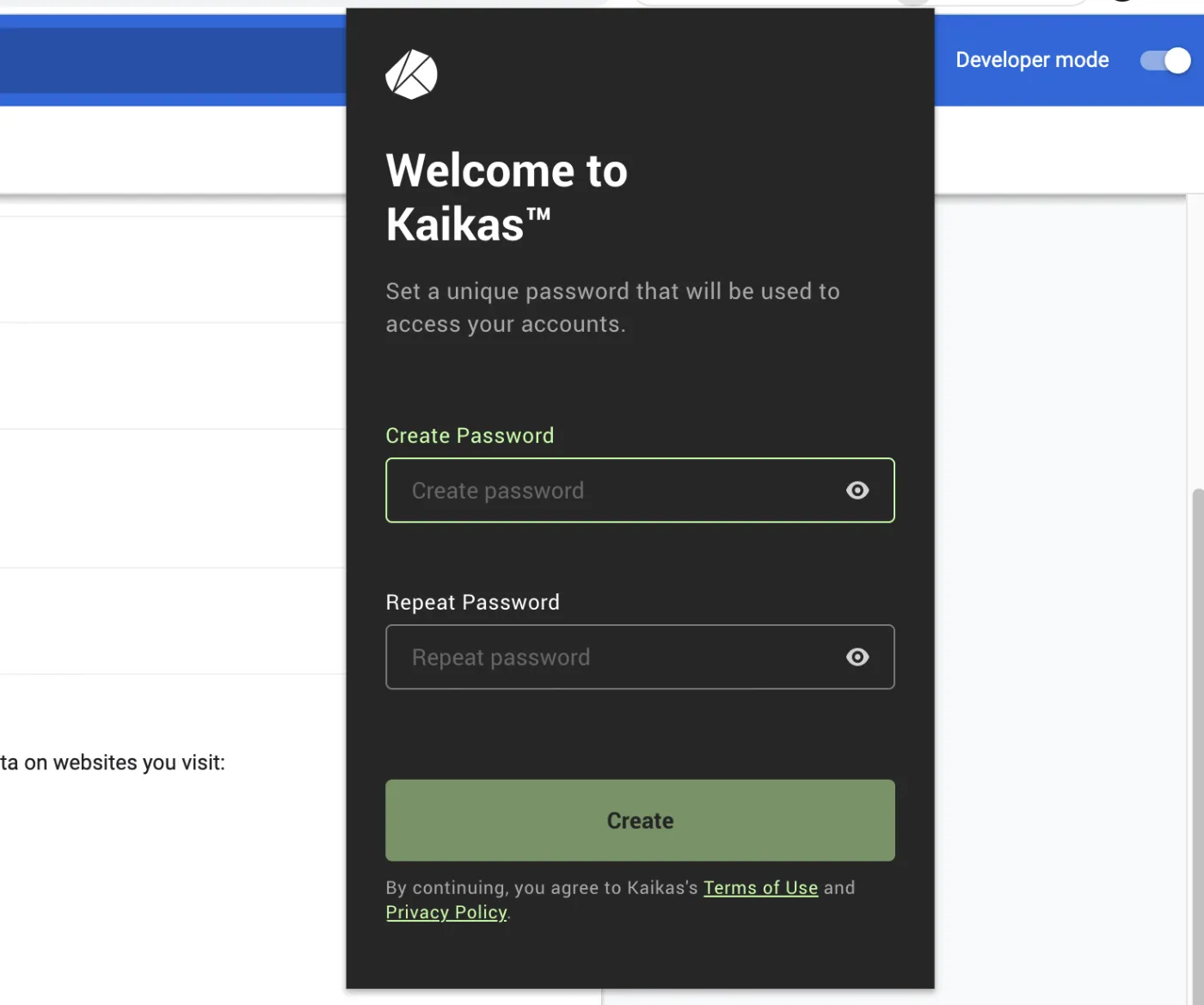
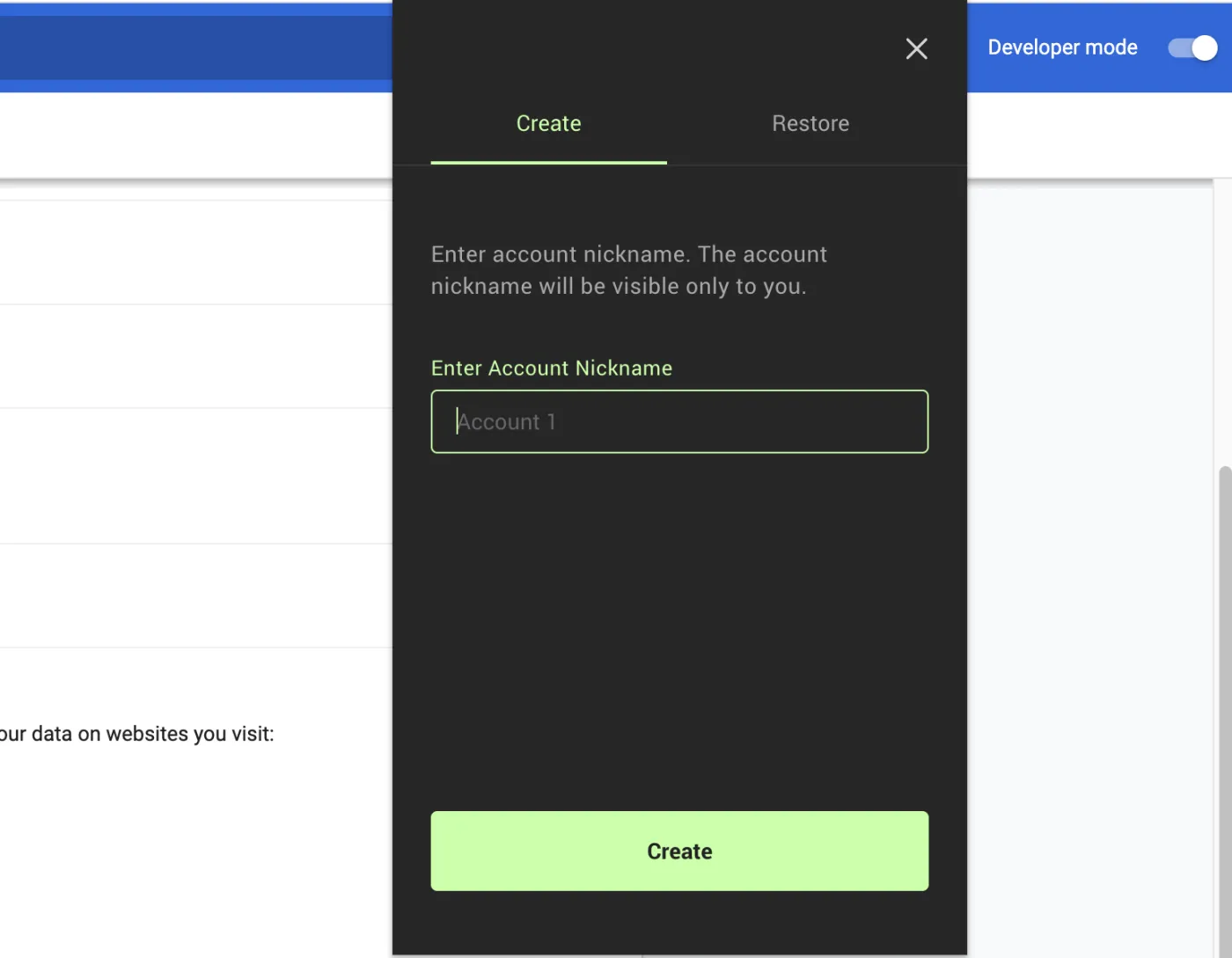
4. After you set your password, a window will appear asking you to set an account nickname. Create a nickname of your choice using a combination of English letters and numbers.
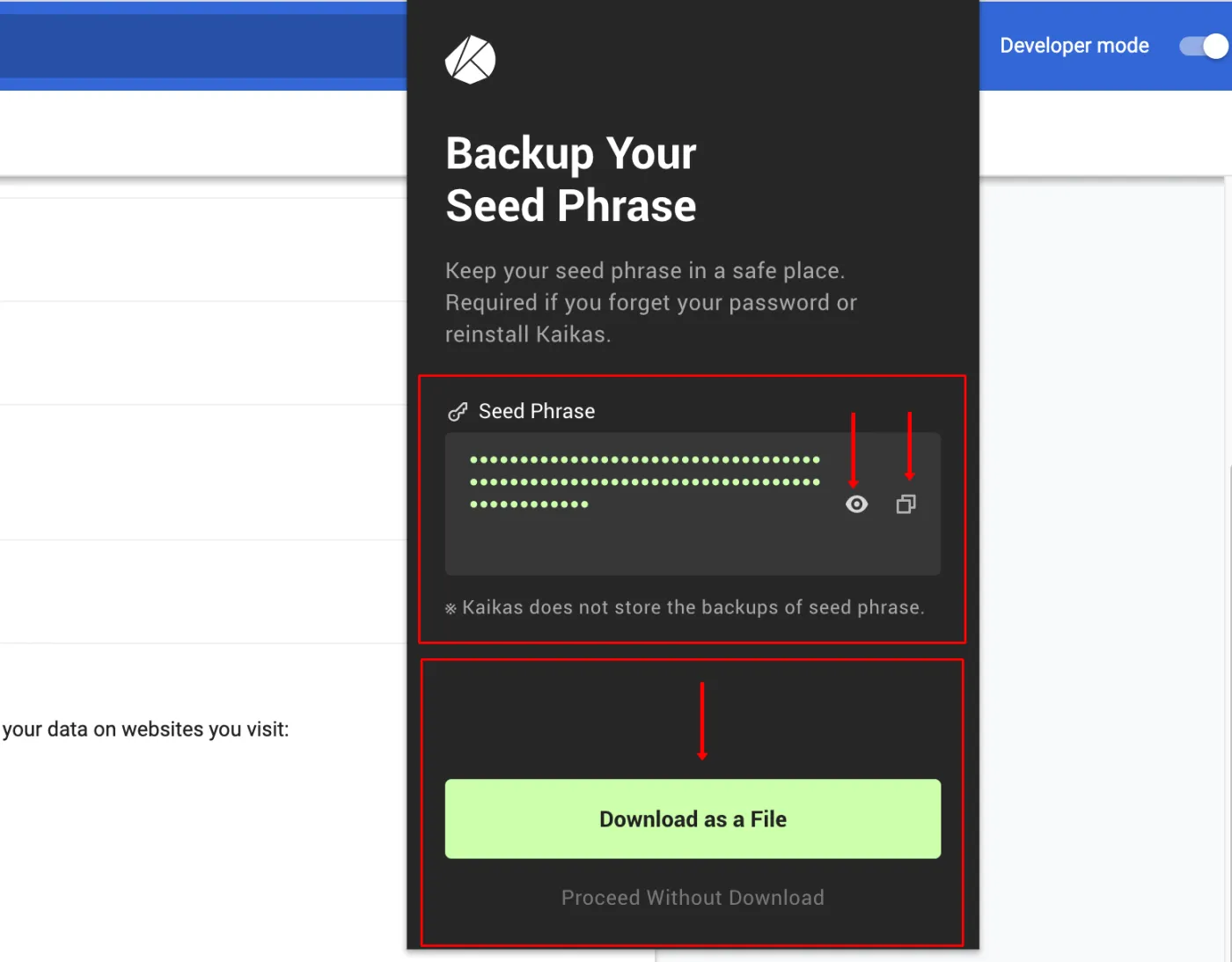
5. Next, the seed phrase backup window will appear. The seed phrase is what lets you recover your password, so you must keep it somewhere safe. Click the eye icon under Seed Phrase to reveal the phrase, and click the box on the right to copy it to your clipboard. Alternatively, click the green button below to download it as a txt file.
*If you store your seed phrase online, there's a high chance it will get stolen. Be sure to keep it safely offline where you won't lose it. If you do save it online, one option is to change a few words of the seed phrase in a way only you will remember.
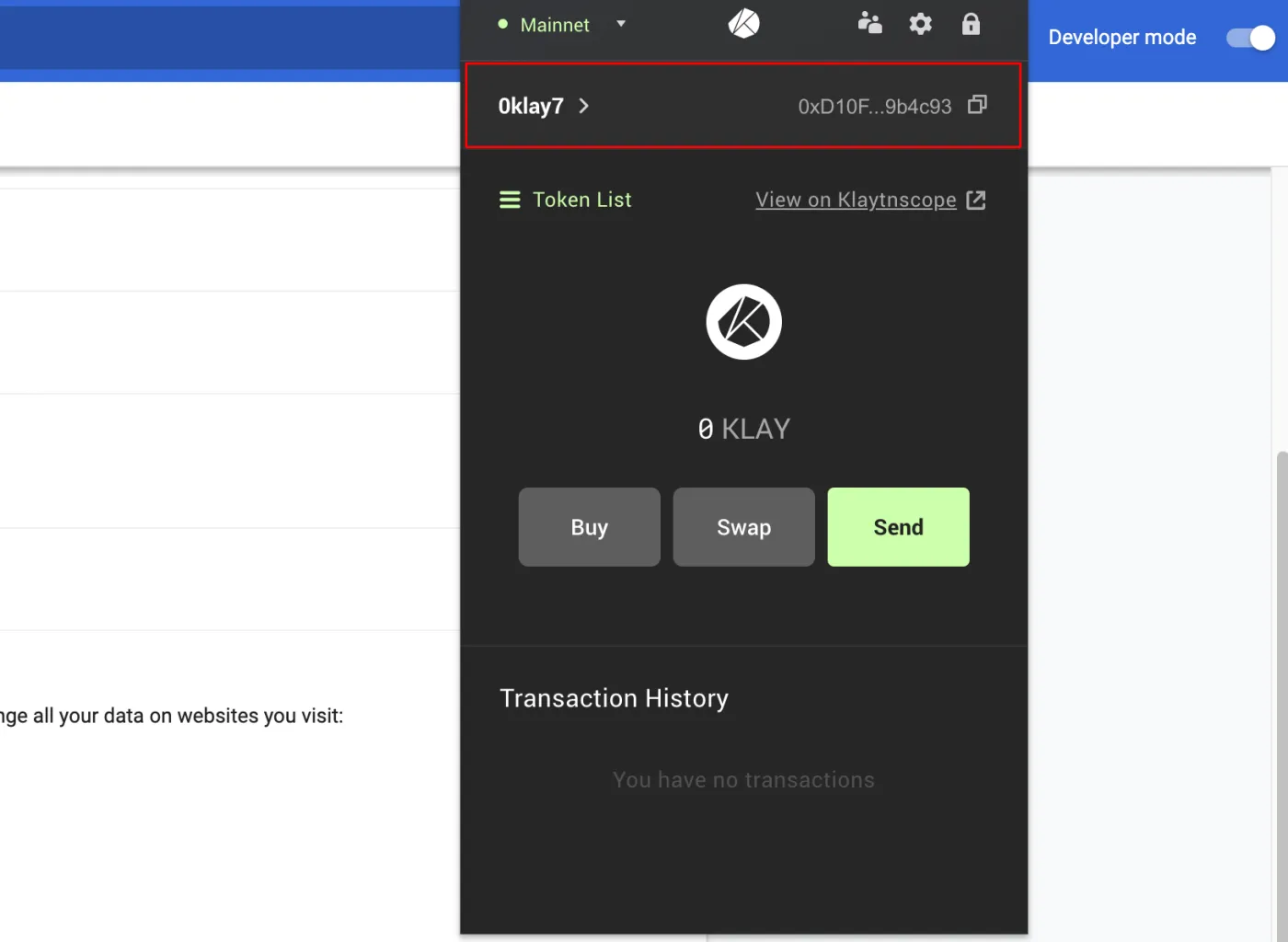
6. When the nickname you set and your address appear as shown below, your wallet account has been created. You can now use the Klaytn mainnet through the Kaikas wallet.
That wraps up the Kaikas wallet installation process and the things to watch out for. Next, we'll look at how to deposit coins from an exchange so you can take part in KlaySwap DeFi staking and liquidity provision.
 How to Send KLAY from Coinone to a Kaikas Wallet: Joining Kakao's KLAYswap DeFi (2)2 min read
 How to Buy and Sell Kakao's KLAY Coin (🧢 Coinone <> Klip Wallet)2 min read