How to Withdraw Safely from the OKX Exchange
3 min read · · Korean original
Hello, this is Bitpunk. Today, we'll walk you through how to safely withdraw crypto assets from the OKX exchange, as simply and in as much detail as possible.
By following this tutorial, you'll be able to withdraw the coins you hold on OKX to Binance, Bybit, Upbit, Bithumb and other platforms via an "on-chain withdrawal."
How to Withdraw from the OKX Exchange
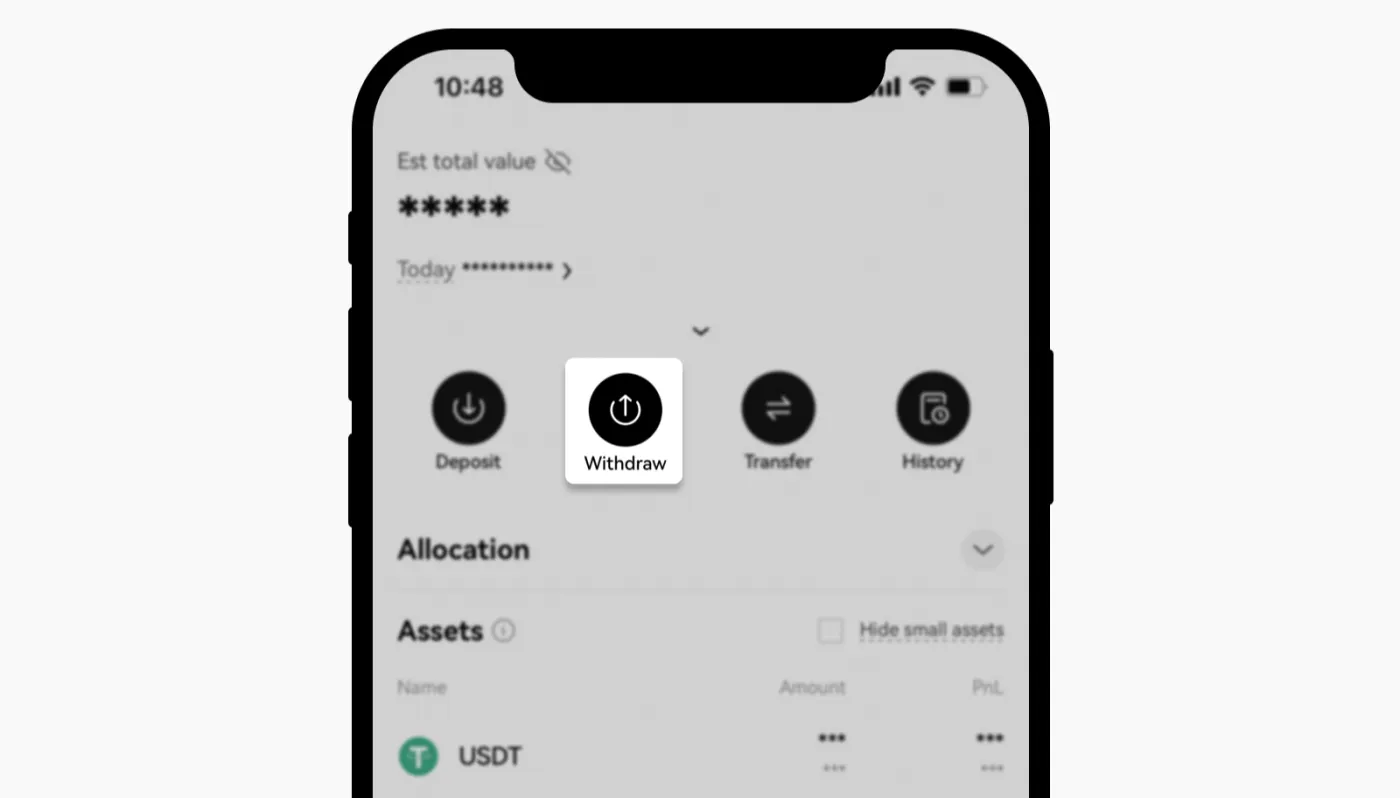
1) Open the withdrawal menu
Open the OKX app or website, then go to the 'Assets' - 'Withdraw' section. This is where you can withdraw the assets you hold.
2) Select the coin to withdraw
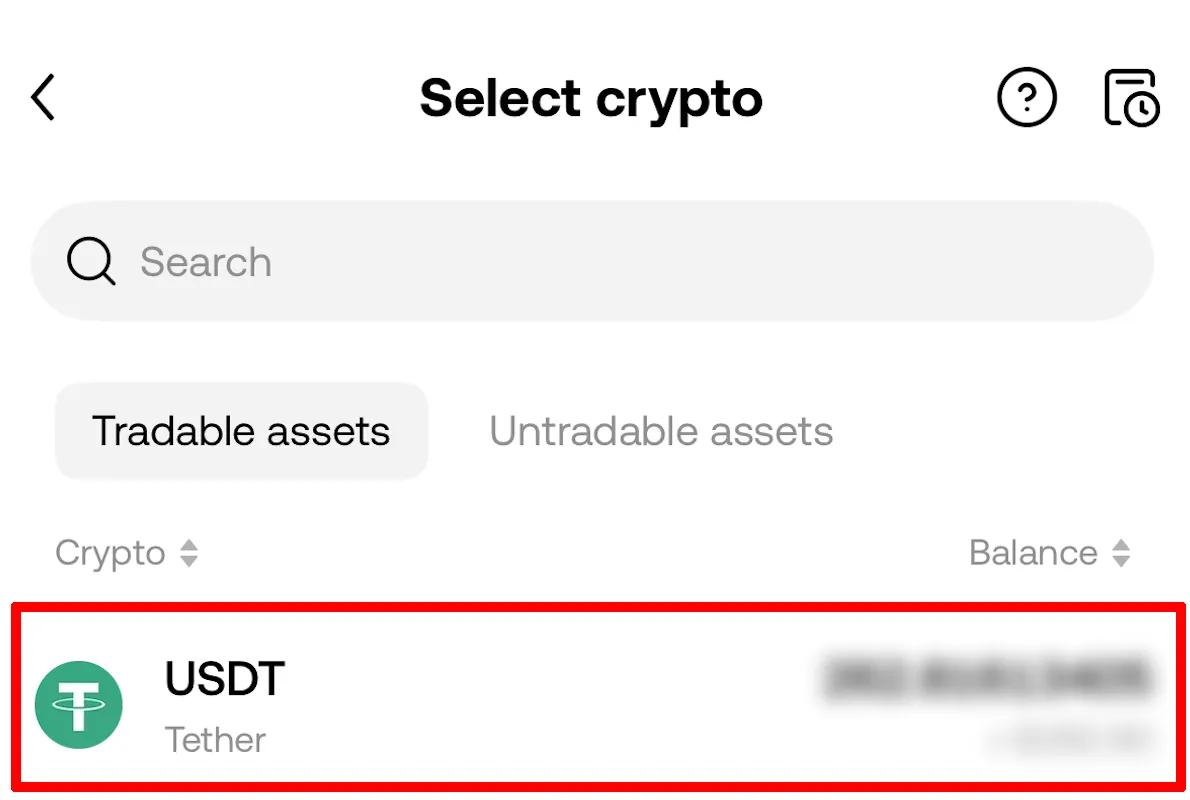
Next, select 'Withdraw Crypto' and choose the coin you want to withdraw. Here, we'll withdraw USDT.
3) Select the network
Select the network to use for the on-chain withdrawal. This network must be the same as one supported by the receiving platform.
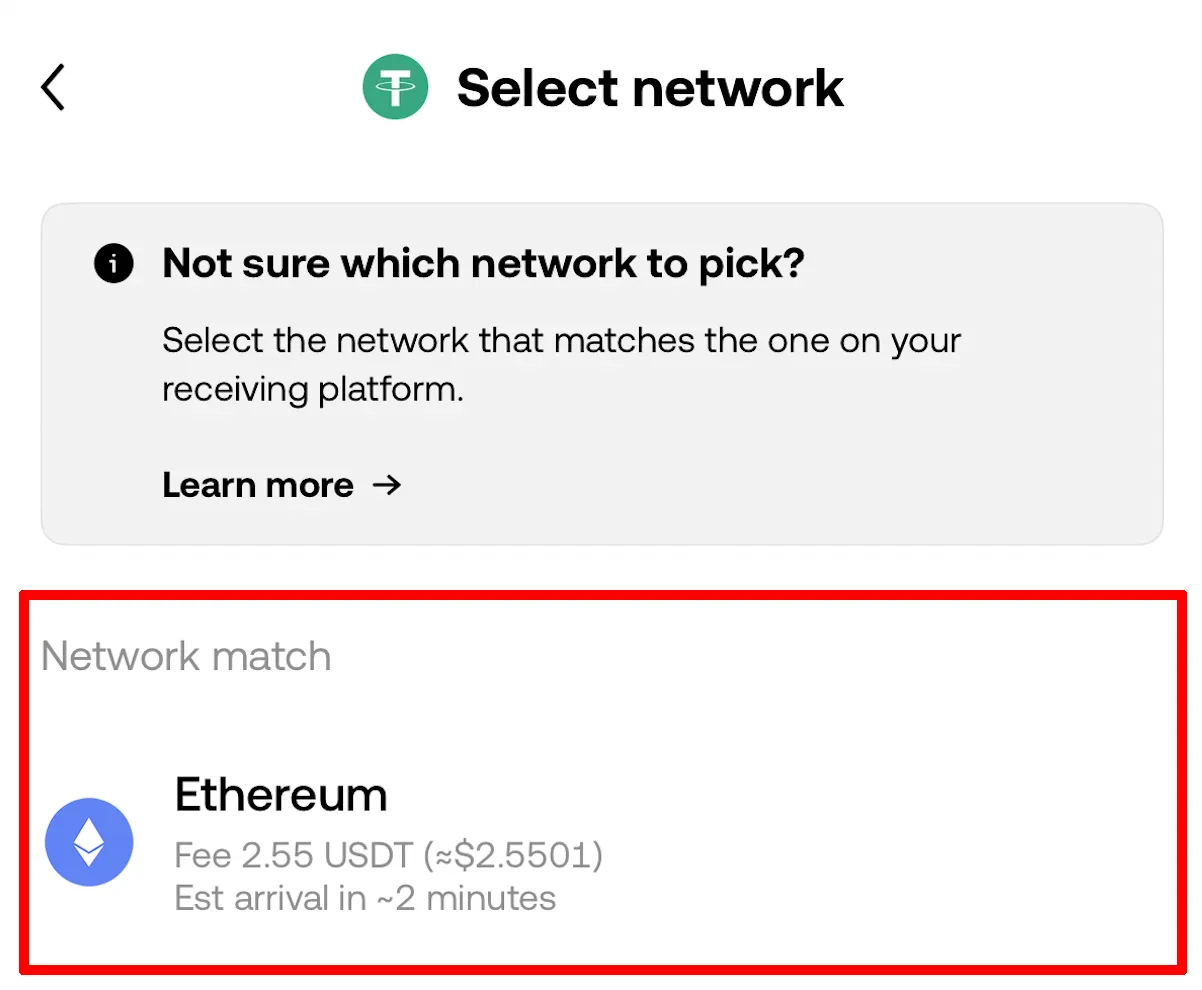
The image above shows Ethereum selected as the withdrawal network, but please don't forget that you must always choose the network that fits your situation.
4) Select an address or destination
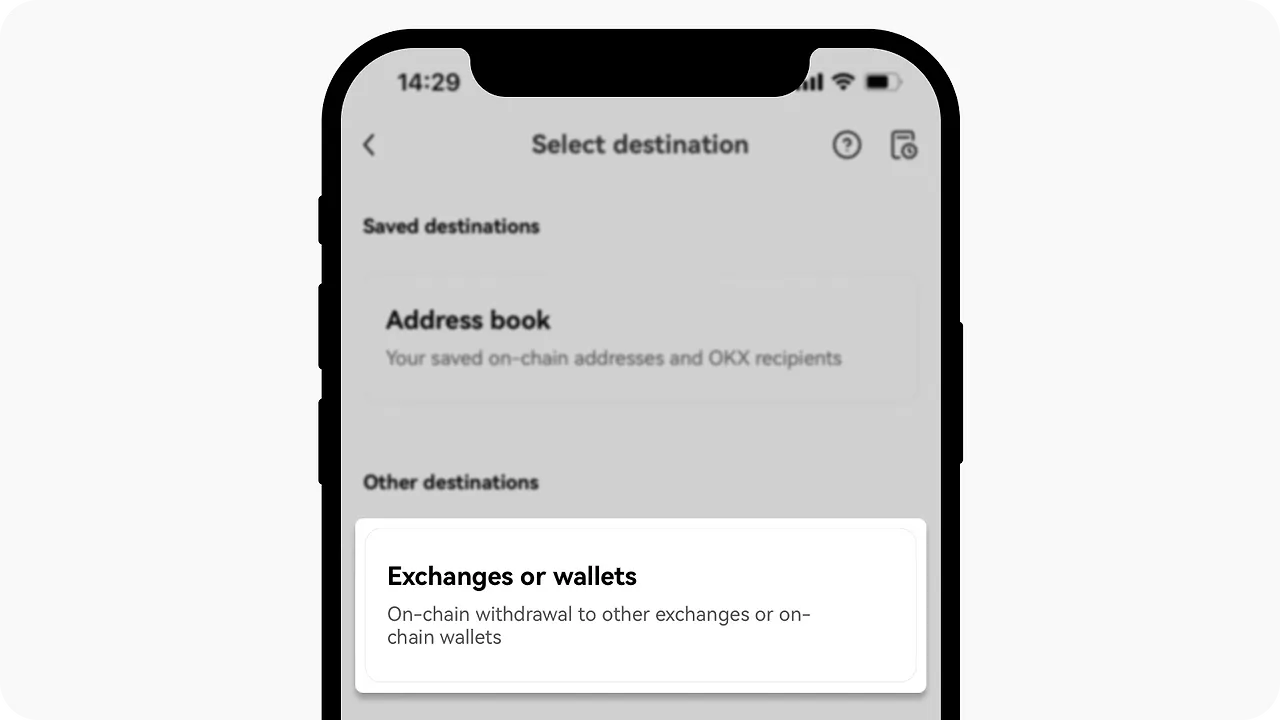
If you're withdrawing to a whitelisted address you saved in advance, you can select 'Address book'. Choose one of your saved addresses there.
Alternatively, you can select 'Exchanges or Wallets' in the 'Select destination' tab to withdraw to a new address, such as an exchange or a wallet.
5) Enter the withdrawal address and amount
In the 'Address' field, enter the destination address you want to withdraw your assets to. Double-check that the address is correct. Next, enter the amount you want to withdraw in the 'Withdrawal amount' field.
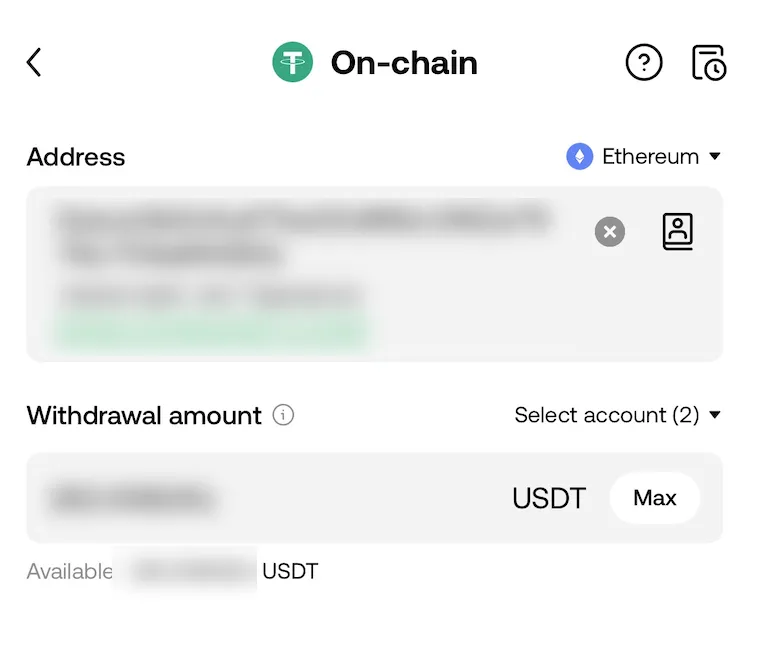
At this point, you can choose the account to withdraw from in the account selection field. Funding and Trading account options are available, and if your Funding account balance is insufficient, the remaining amount will be withdrawn from your Trading account.
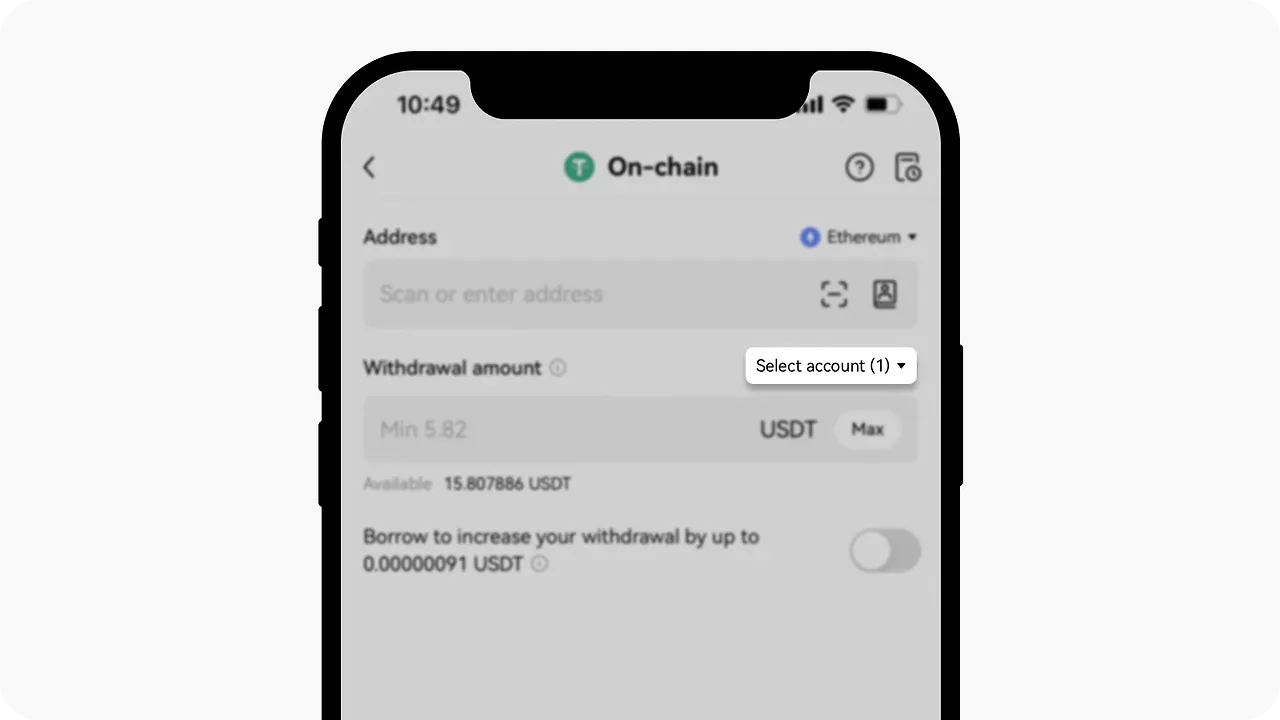
Have assets but can't enter a withdrawal amount? You can change the withdrawal account by tapping the 'Select account' button. Also check whether your assets are currently being used in Earn or Loan.
6) Review the withdrawal details
Check the withdrawal fee in the 'Network fee' section. Withdrawal fees differ by network and can change depending on blockchain conditions.

Next, before submitting the final withdrawal request, double-check the address and network once more. If all the information is correct, click the 'Submit' button to proceed with the withdrawal.
Some coins, such as XRP, may require a tag, usually made up of a series of numbers, to complete the withdrawal. You need to enter both the address and the tag when withdrawing; if you don't, the withdrawal may not go through properly.
7) Verify and complete the withdrawal request
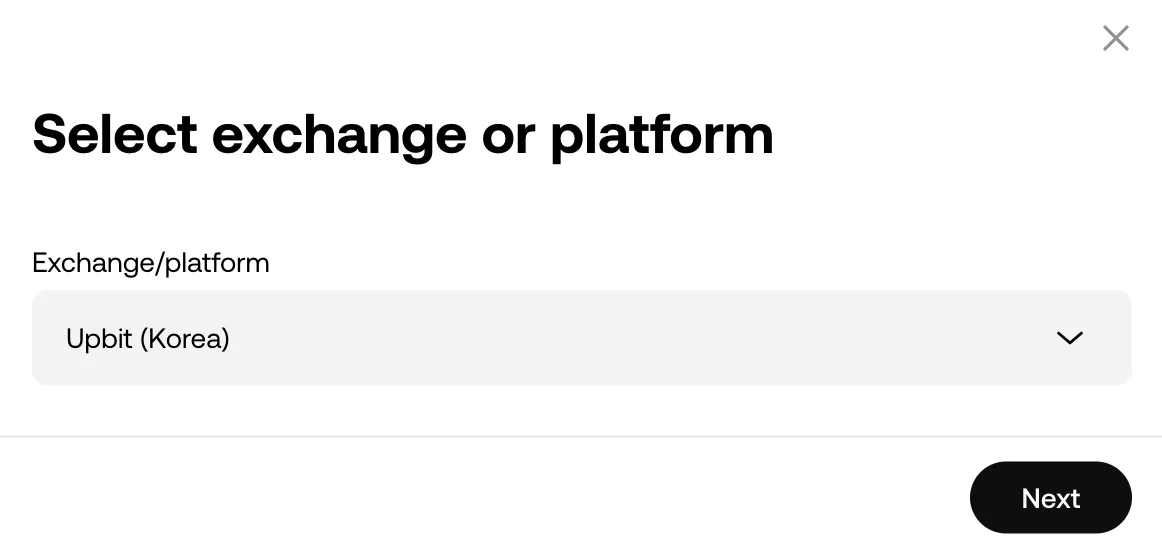
Complete the two-step Google Authenticator (2FA) verification and select Confirm, and your withdrawal request will be submitted. In some cases, you may need to select the exchange or platform that matches your withdrawal destination, as shown below.
Once you've completed all of the steps above, OKX typically approves the withdrawal in about 5 minutes on average. After that, the blockchain confirmations for the withdrawal take place within 5 to 30 minutes, and the deposit is finally completed.
Wrapping Up
That covers how to safely withdraw coins from the OKX exchange to external exchanges and wallets. When withdrawing, it's important to select the correct network and to double-check the address and whether a memo is required.
In addition to the withdrawal fee, you should also check other details needed to complete your withdrawal successfully, such as the receiving platform's minimum deposit amount. If you're worried that your withdrawal might not go through, be sure to send a small test amount first.