How to Use OKX Internal Transfer (Deposits and Withdrawals Between Accounts)
2 min read · · Korean original
Contents 4
On the OKX exchange, you can use the Internal Transfer feature to easily deposit and withdraw funds between user accounts. Internal transfers are processed off-chain and are free of charge.
- OKX Internal Transfer is a feature that lets OKX users send assets to each other quickly and easily.
- You can send assets using the recipient's phone number, email, UID, sub-account, and more.
- There is no withdrawal fee, and you can cancel the withdrawal within 1 minute after verification.
In this post, we'll take a detailed look at how to deposit and withdraw the coins you hold using Internal Transfer on your OKX account.
(1) Go to the OKX withdrawal page
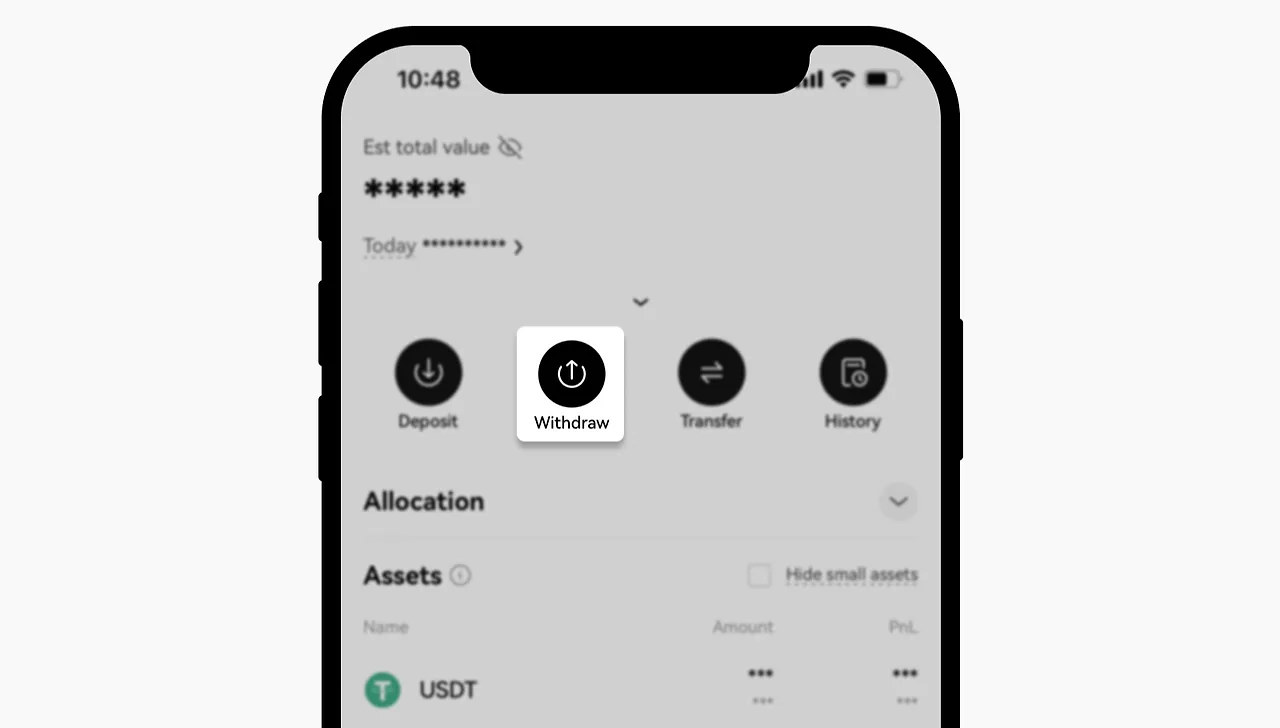
Open the OKX app or website, then click 'Assets' - 'Withdraw'. This is where you can withdraw the assets you hold.
(2) Select the coin to withdraw
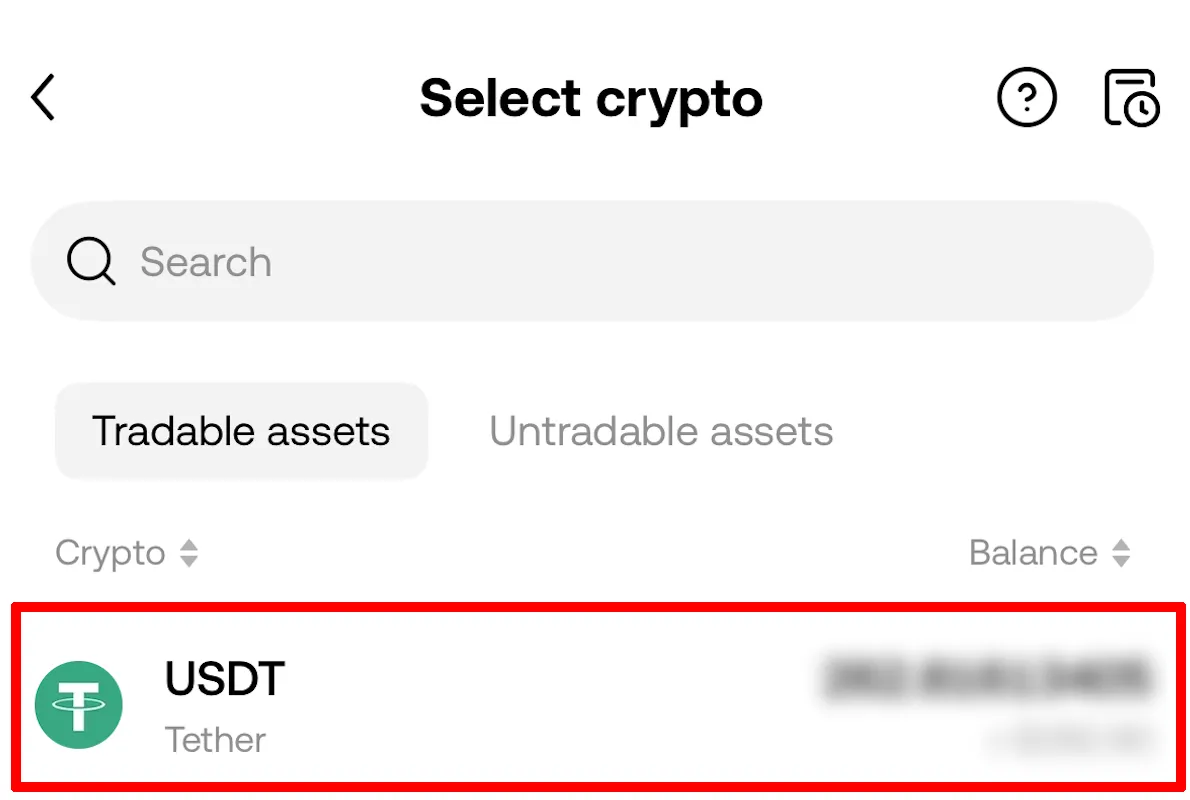
Select 'Withdraw Crypto', then choose the coin you want to withdraw. In this tutorial, we'll select USDT as the coin to withdraw.
(3) Enter the recipient's details
Under the destination (recipient) address, click 'OKX recipients' to proceed with an internal transfer. Note that both accounts must have completed identity verification (KYC) for the internal transfer to go through.
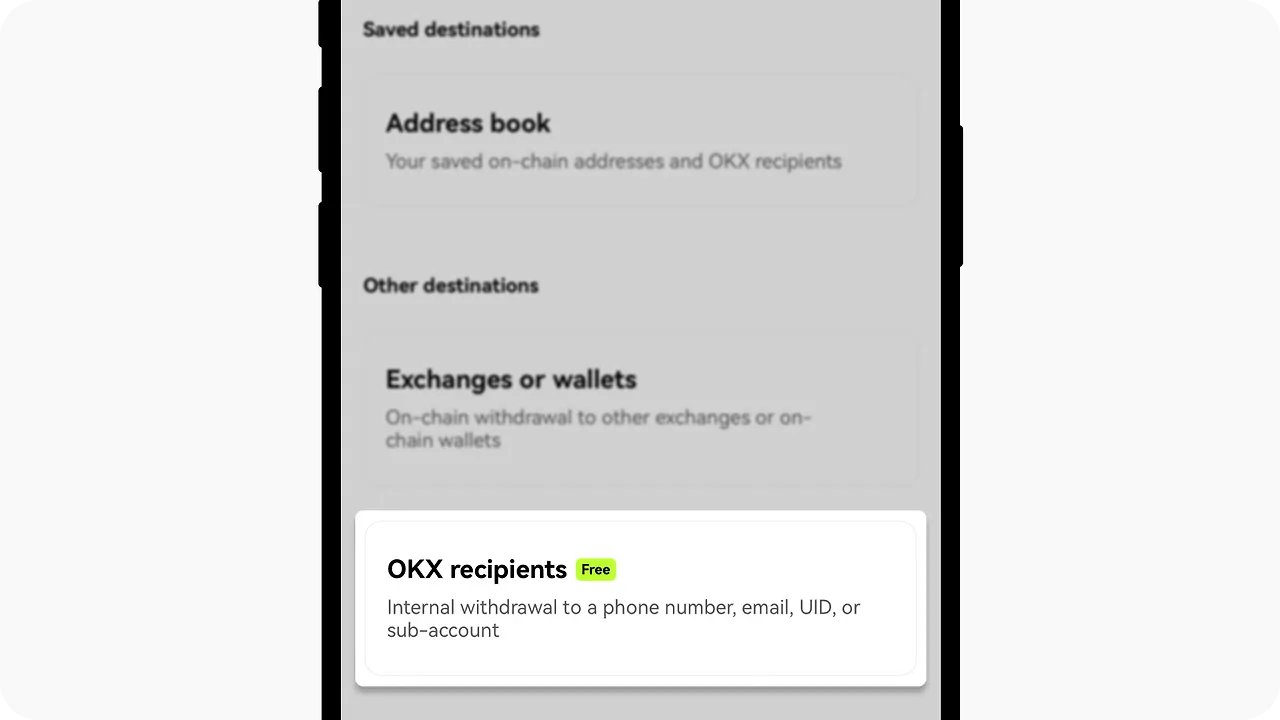
Next, enter the recipient's details. The available options are phone number or email, sub-account, and UID.
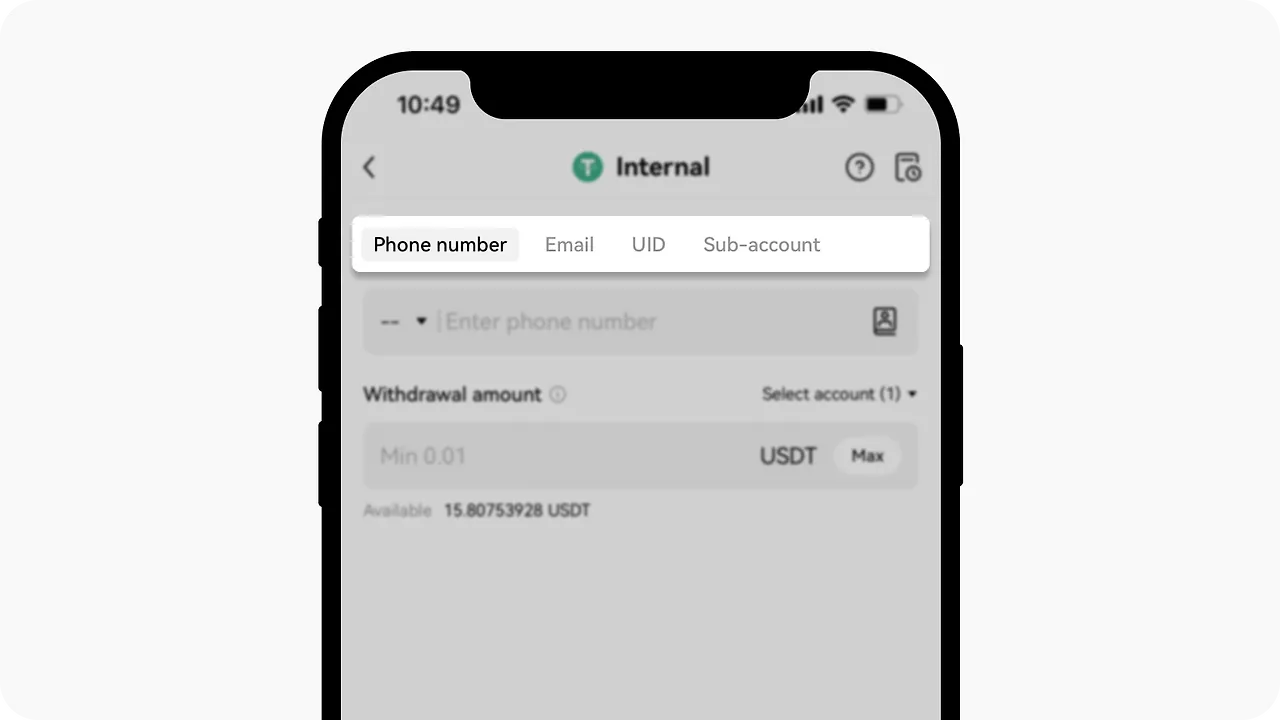
Then enter the withdrawal amount and click Confirm. After you complete two-factor authentication, the internal transfer goes through a review process.
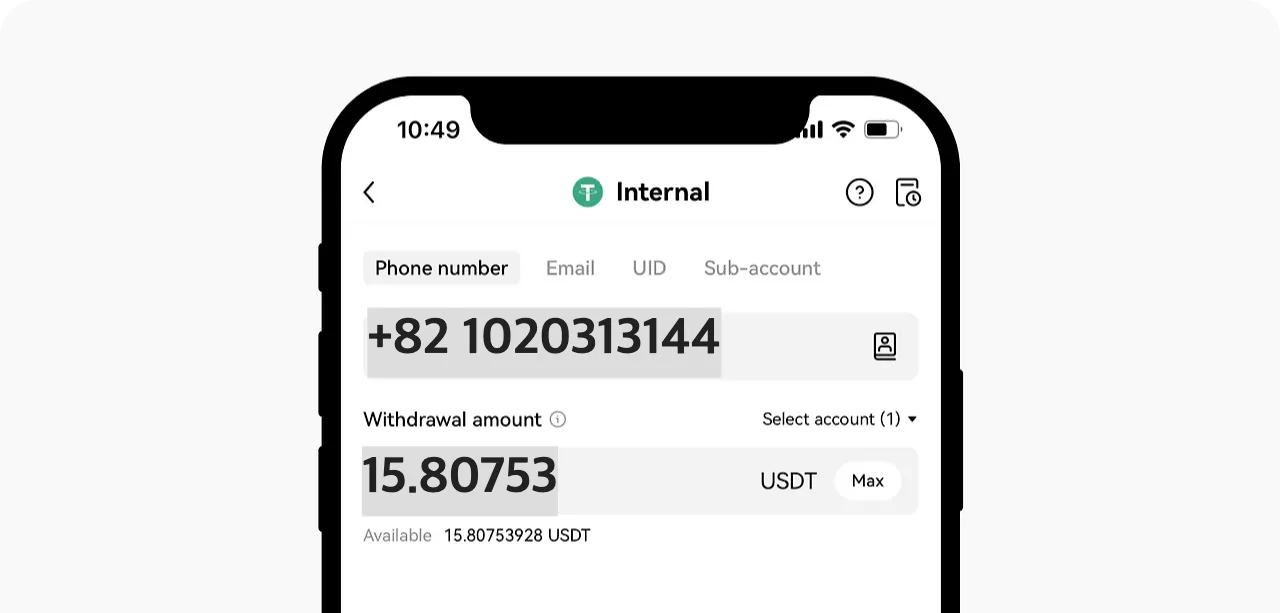
If you notice a problem with the withdrawal or want to cancel after submitting an internal transfer, you can request a cancellation at any time within 1 minute. There is no cancellation fee.
Wrapping up
That's a look at the Internal Transfer feature on the OKX exchange. Internal Transfer is a very handy tool for sending and receiving assets between OKX users.
OKX Internal Transfer has the advantages of being fast and low-cost, and it lets you move coins easily using just an email or UID, without needing a separate wallet address.