OKX Multi-Chart: How to View Multiple Charts at Once
3 min read · · Korean original
Contents 4
OKX offers a "Multi-Chart" feature that lets you view up to 8 charts at the same time on a single screen. In this post, we'll look at how to enable and set up Multi-Chart.

When should you use Multi-Chart?
Multi-Chart is useful when you want to monitor more assets at once within a limited trading setup. It's also handy when analyzing an asset's movement across different timeframes.
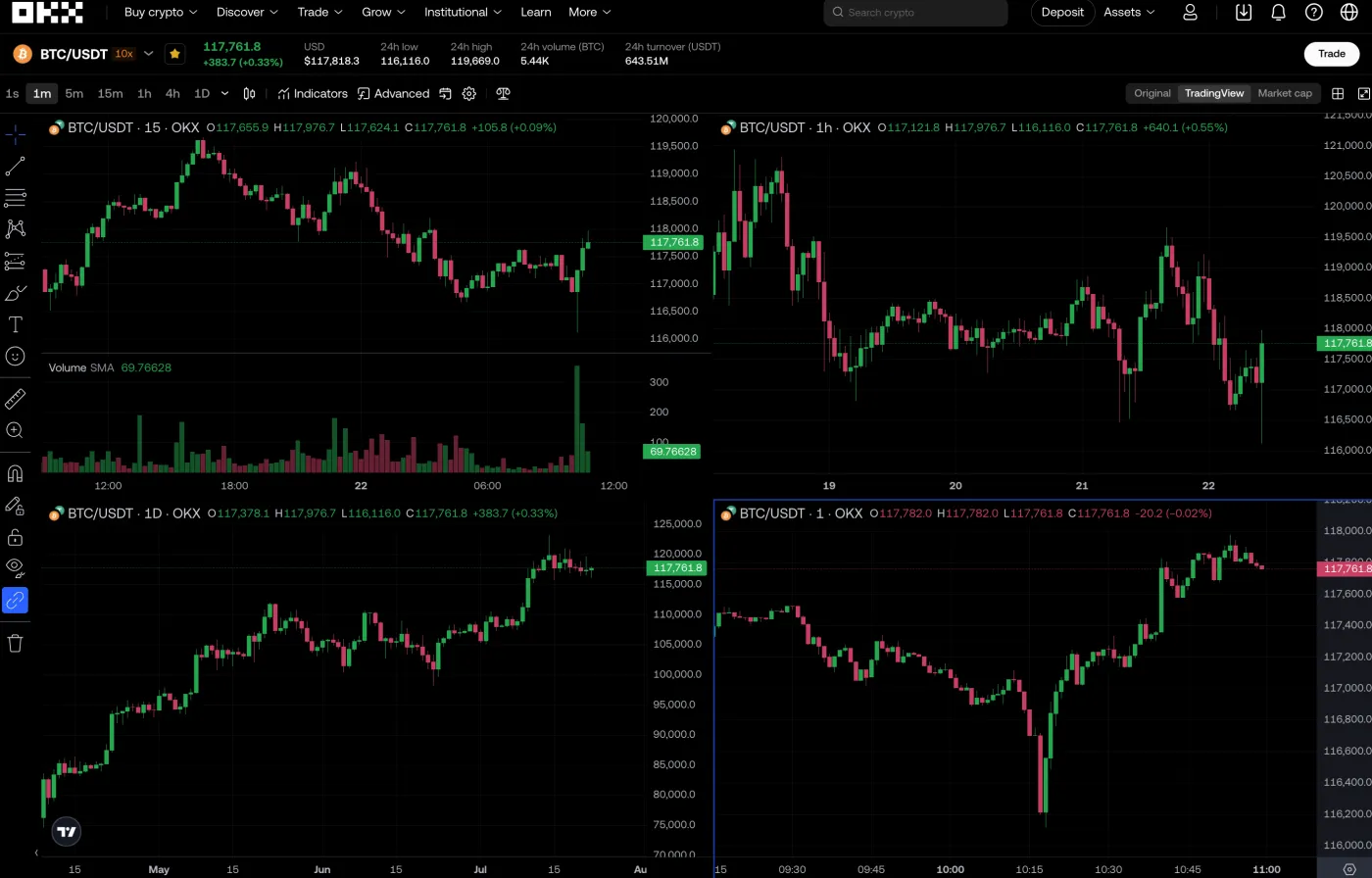
For example, you can keep a Bitcoin chart as your main view while watching Ethereum and Solana at the same time. Or you can use it to analyze a Bitcoin 1-minute chart alongside its 1-hour and daily charts.
How do you set up Multi-Chart?
Here's how to set up Multi-Chart on OKX.
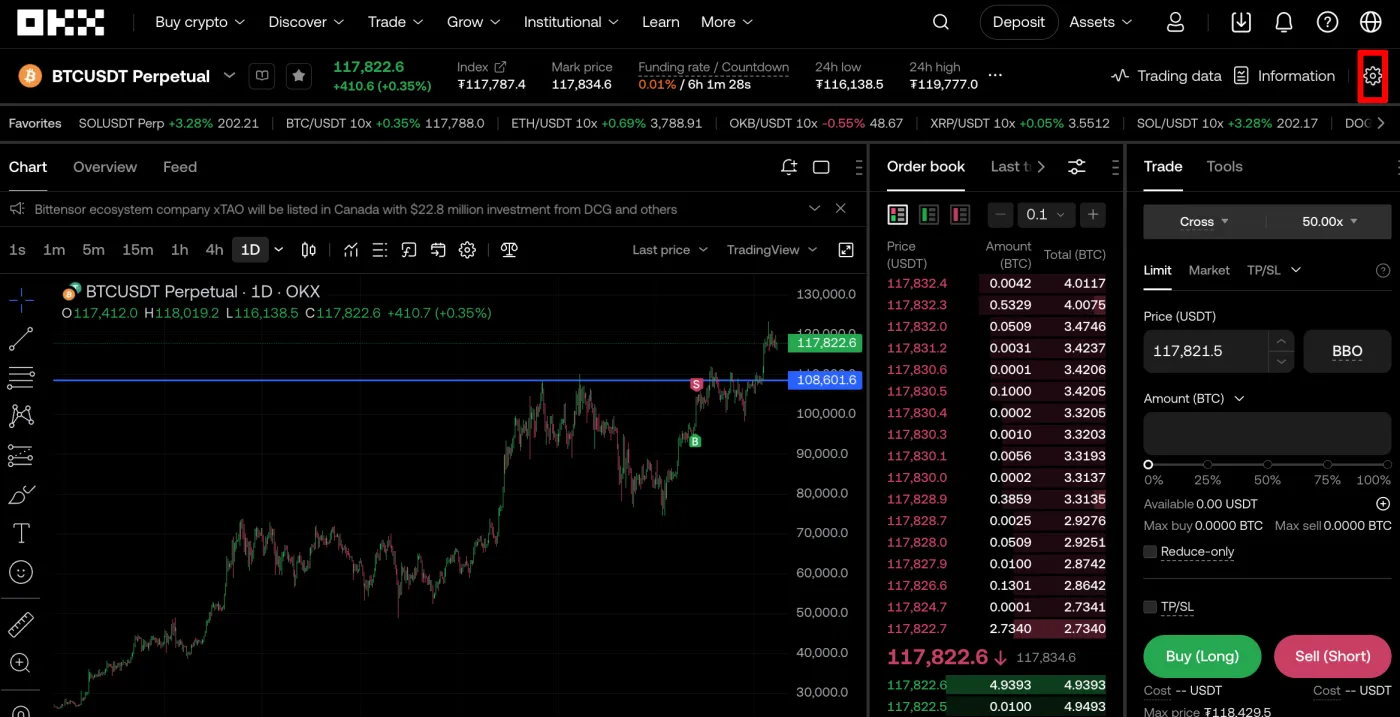
(1) Click the Settings button on the trading screen
After logging in to OKX, go to the trading screen. Then click the "Settings (⚙️)" button in the top-right corner.
(2) Select Multiple charts
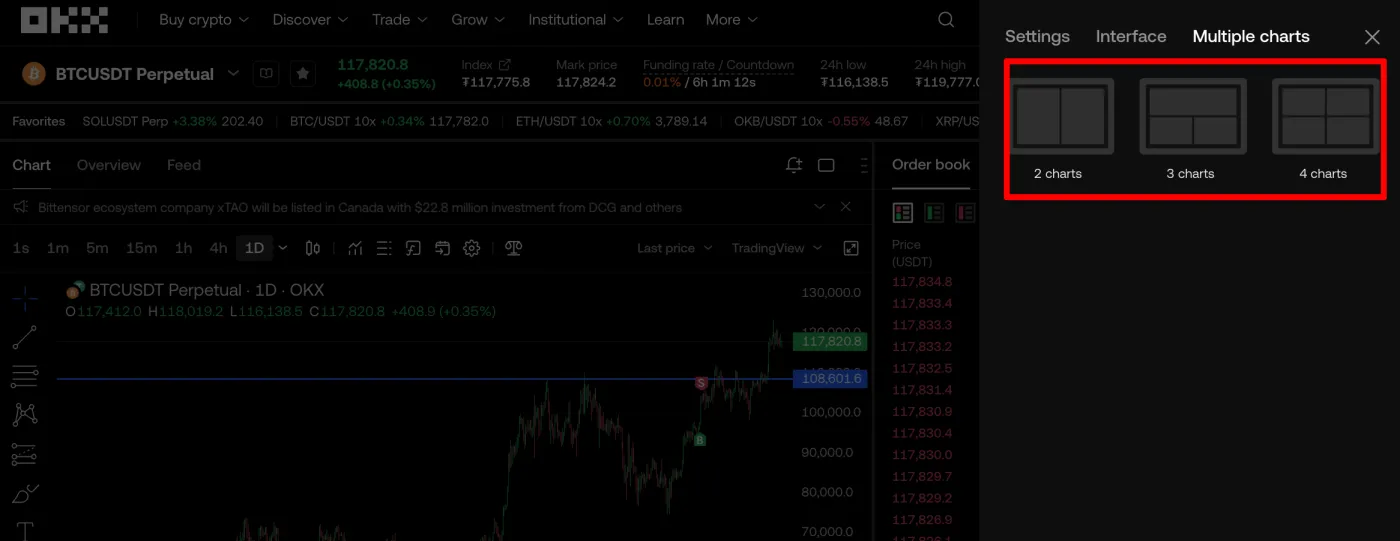
In the settings options, select Multi-Chart (Multiple charts).
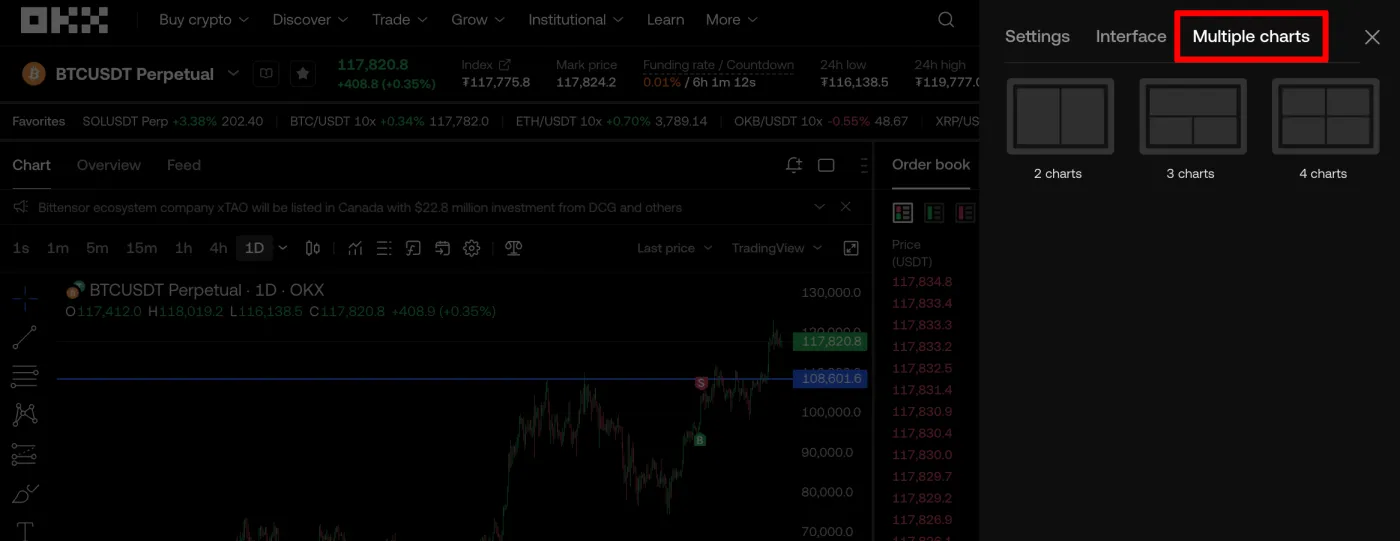
(3) Choose a layout
You can choose however many charts you want, such as 2, 4, 6, or 8. The number available may vary depending on your device, and Multi-Chart starts as soon as you click an option.
What should you watch out for when using Multi-Chart?
Multi-Chart gives you the convenience of viewing several charts at once, but each chart works independently. In other words, information or settings you configure on one chart may not carry over to the others, so keep this in mind.
Used well, though, this becomes an advantage, since you can give each chart its own settings. For example, you can turn on the 1-minute timeframe and MACD on one chart, and the 15-minute timeframe with RSI and Bollinger Bands on another.
Frequently Asked Questions (FAQ)
Q1. Can I view different trading pairs at the same time?
Yes. You can set a separate trading pair (e.g. BTC/USDT, ETH/USDT) on each chart, which makes side-by-side comparison possible.
Q2. What's the maximum number of charts I can view?
Generally up to 4 are supported, and up to 8 on high-resolution displays or high-performance devices.
Q3. Can I set a different timeframe on each chart?
Yes. You can freely set whatever time interval you want on each chart.
Q4. Can I use technical indicators and tools in Multi-Chart?
Yes. You can apply the same or different indicators and tools to each chart individually.
Q5. Can I change the chart layout later?
Yes. You can rearrange things at any time by choosing a new chart layout from the menu.