How to Connect OKX to TradingView and Trade (Spot and Futures)
3 min read · · Korean original
Contents 7
Hello, this is Bitpunk. In this post, we'll look at how to connect your OKX exchange account to TradingView and trade spot and futures.
1. Search for OKX on TradingView
Go to TradingView, type OKX: in the ticker search bar at the top, and search for the ticker you want to trade. For example, for the Bitcoin perpetual futures contract, you can enter OKX:BTCUSDT.P.
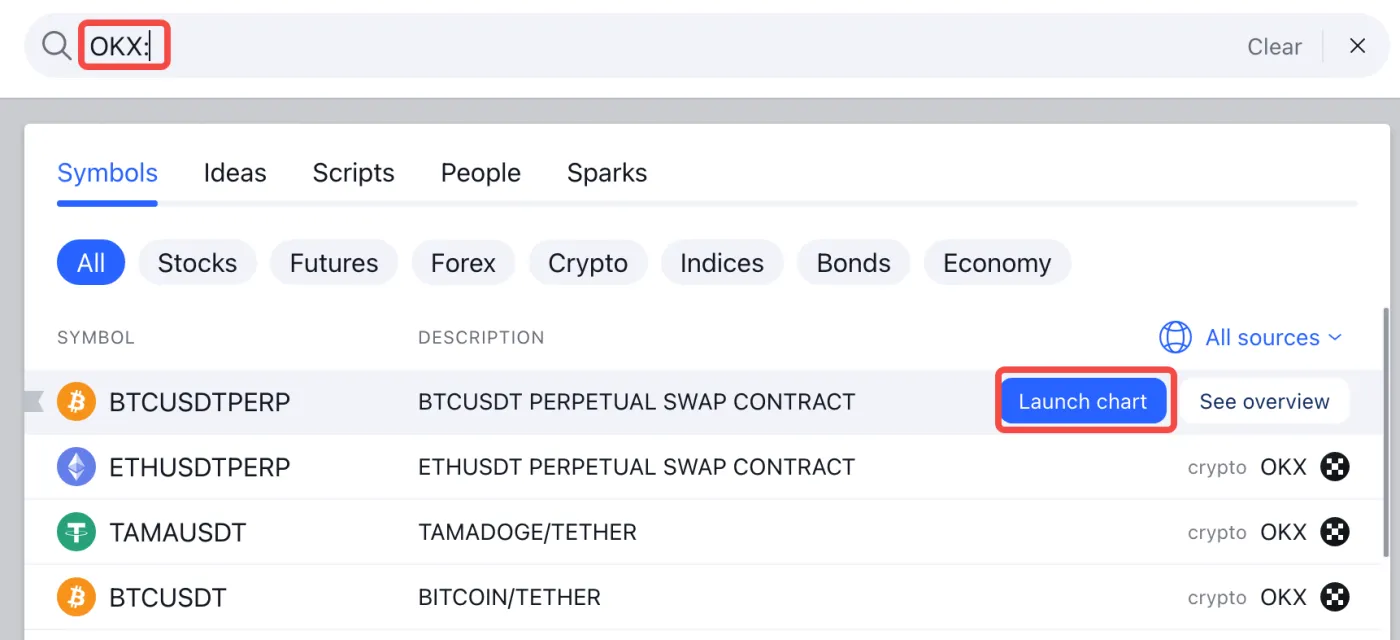
Once you've found the product you want, click the Launch Chart button on the right to go to its page.
2. Select OKX in the Trading Panel
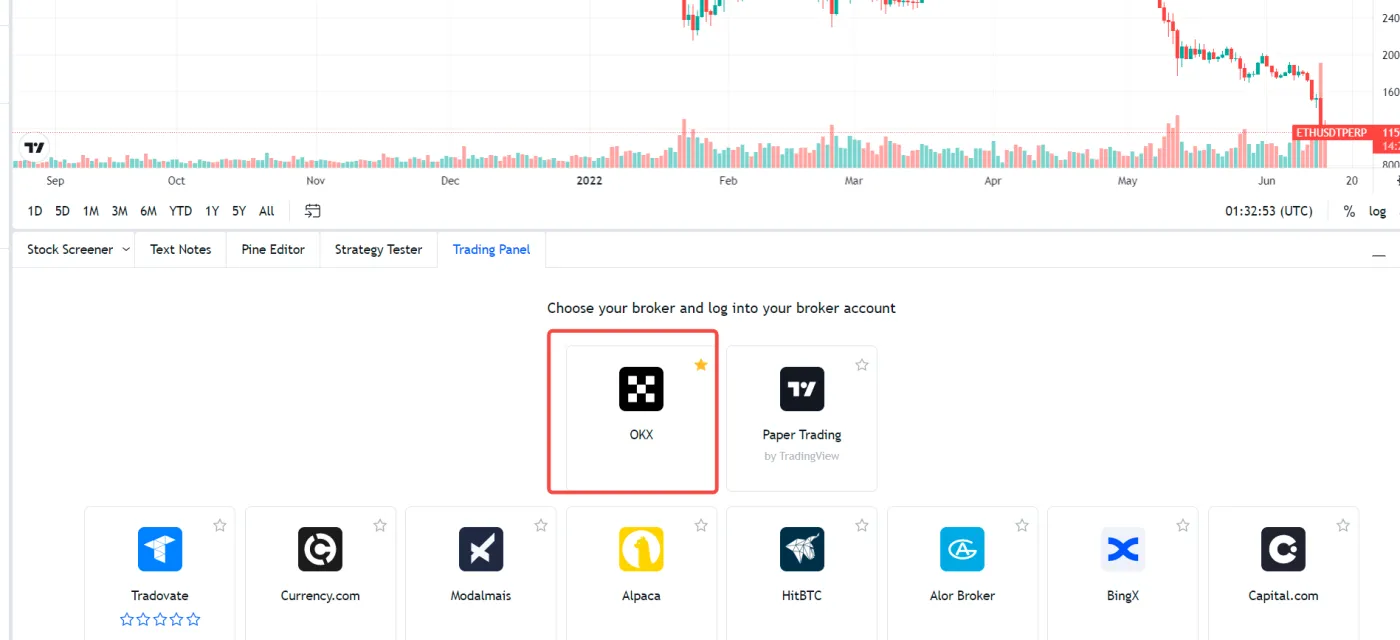
After launching the chart, you can select OKX in the 'Trading Panel' tab at the bottom. If OKX isn't shown, click the More button. From there, you can select the OKX exchange through the Broker option.
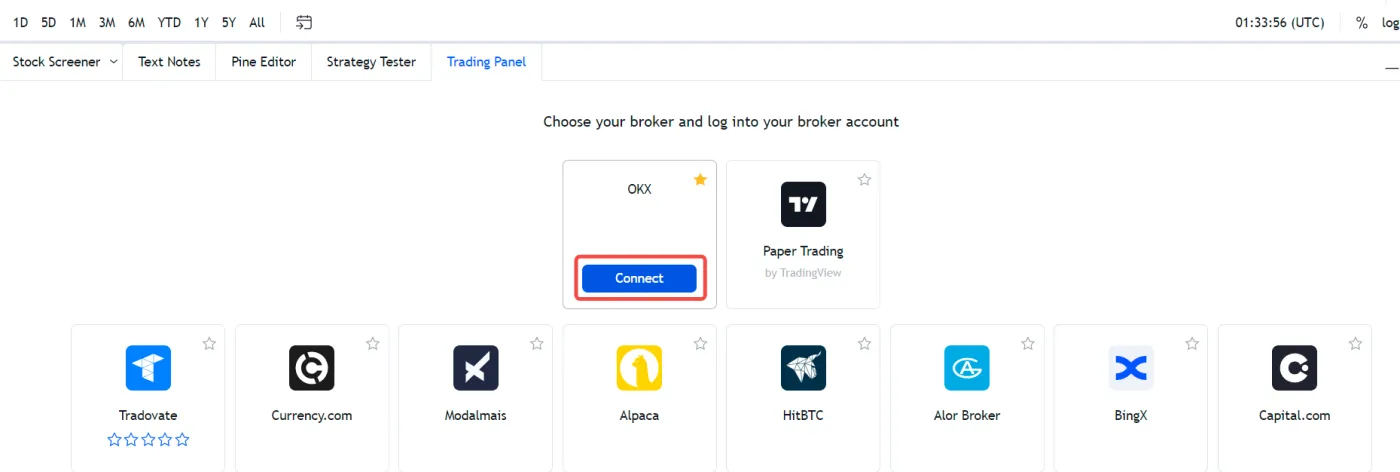
After selecting the OKX exchange, click the 'Connect' button to link your account.
3. Link Your OKX Account
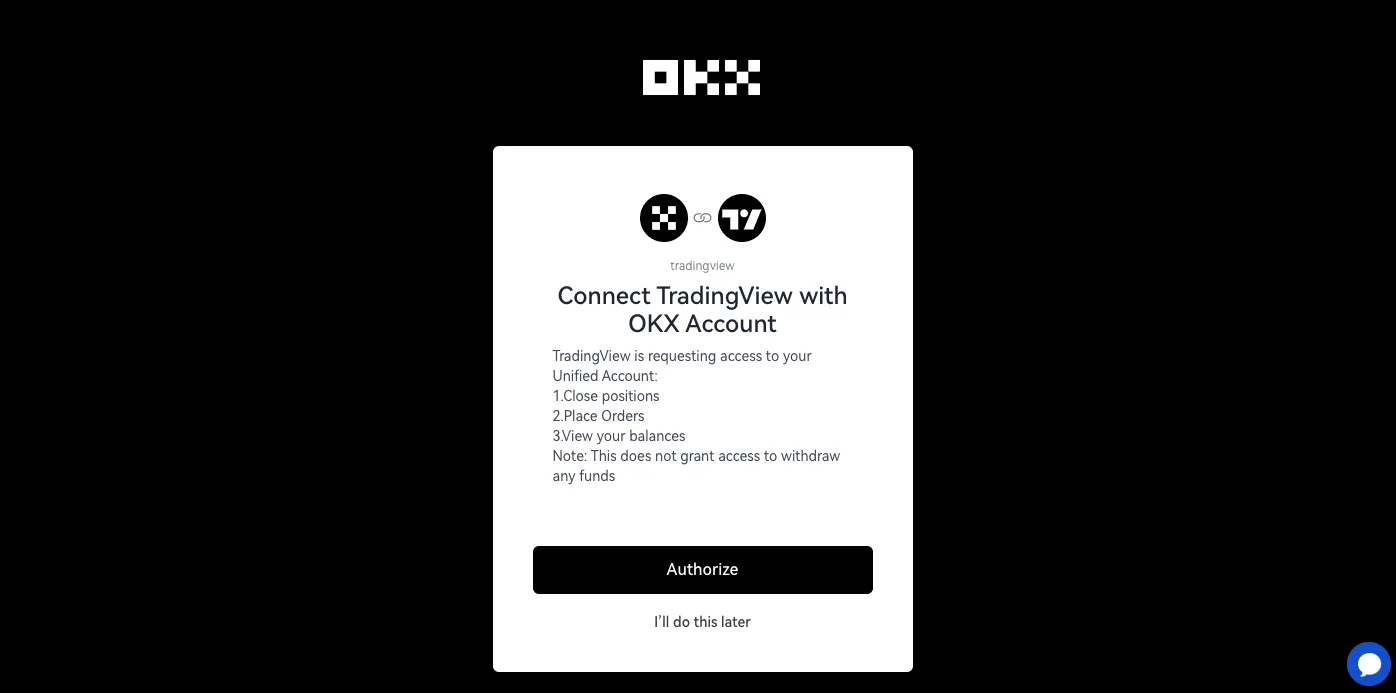
Log in to the OKX exchange and approve the required permissions. If you don't have an OKX account yet, you can get a 30% trading fee discount by signing up through this link.
4. Transfer Funds
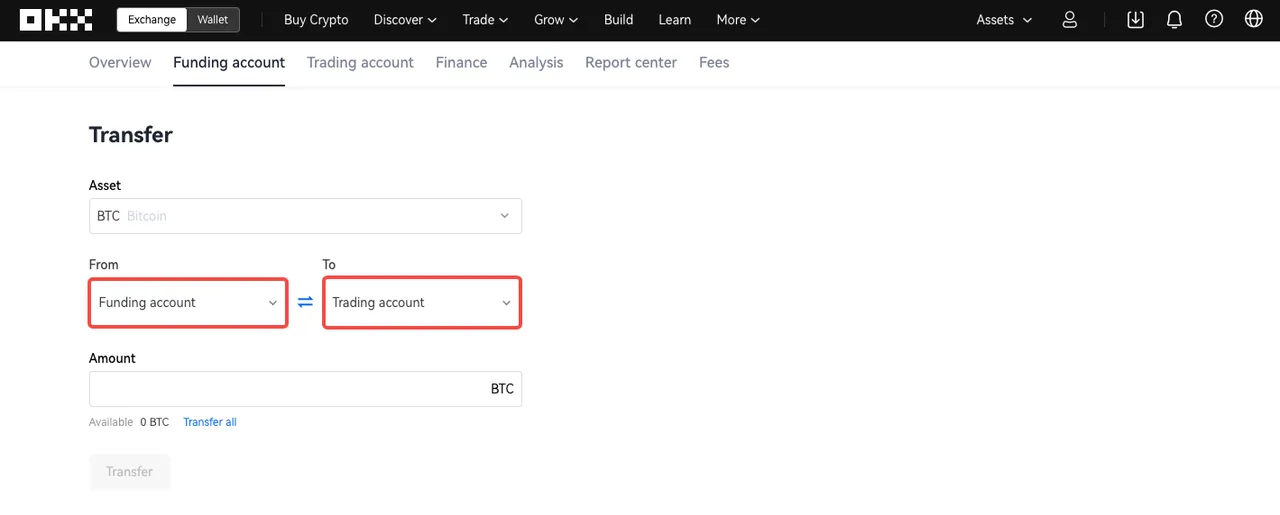
To start trading, you need funds in your OKX trading account. Complete a deposit to OKX from an external exchange. Or, if you already have assets, transfer funds from your Funding Account to your Trading Account as shown below.
5-1. Start Spot or Margin Trading
In the bottom panel of TradingView, there's an option to choose your OKX trading account mode. Here, you can select Spot or Margin mode to start trading.

5-2. Start Futures Trading
If you want to trade futures, you first need to set the mode in your OKX account. Go to the OKX exchange and navigate to 'Trade' - 'Futures'.
Next, click the Settings button at the top right, then change the Account Mode to Futures Mode.
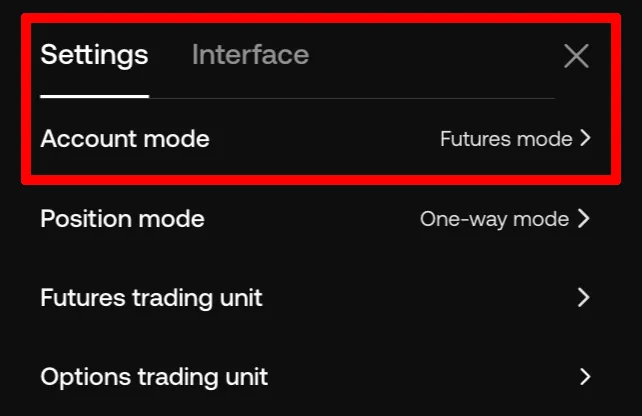
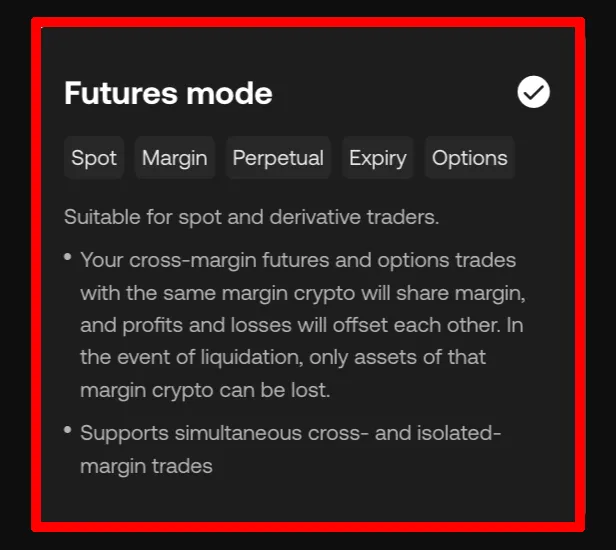
You may also want to choose the futures trading Unit. For smooth trading on TradingView, it's best to set the futures trading unit to 'Crypto' as shown below.
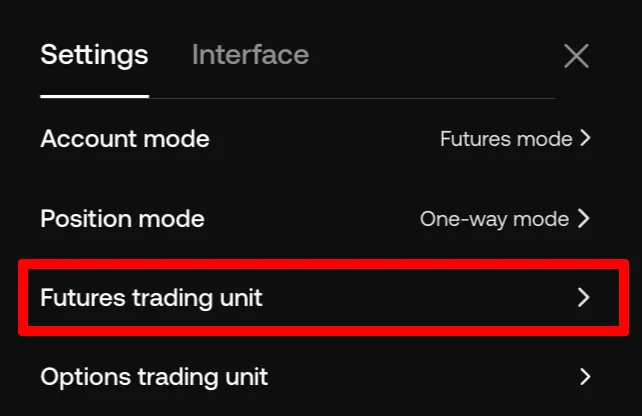
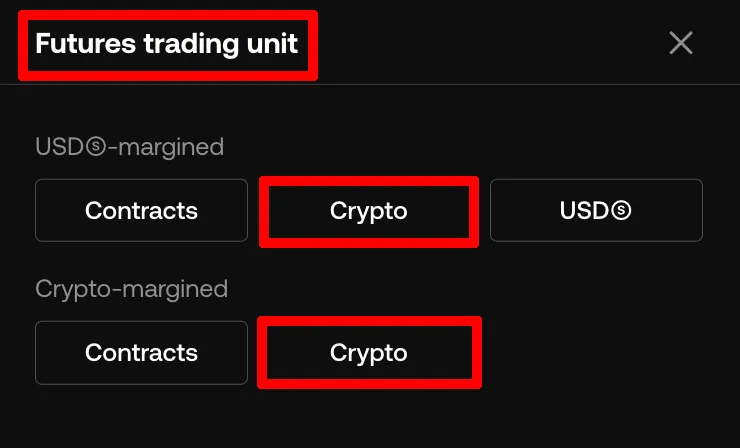
Now go to TradingView and select the contract you want to trade. As shown below, you can choose one of the USDT / USDC / COIN-M based contract modes.

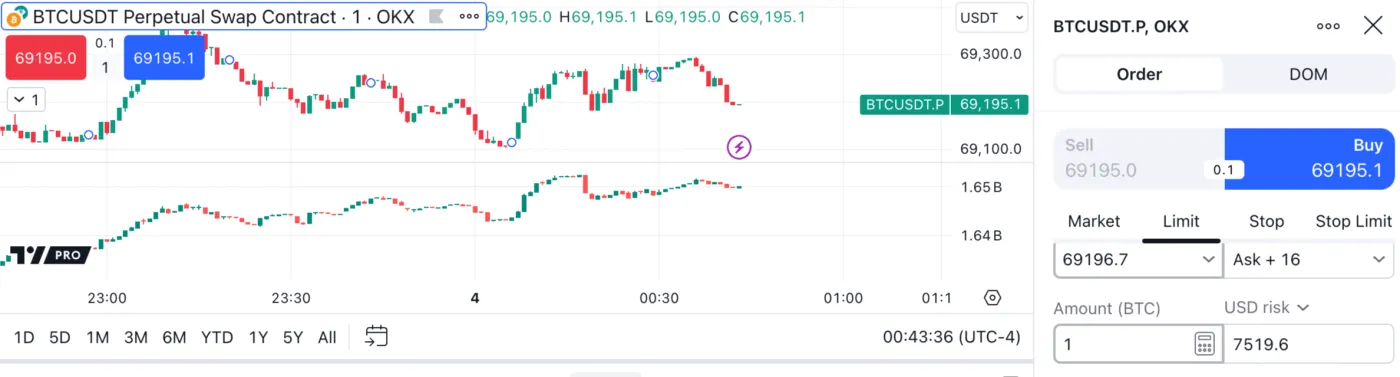
Once all the settings are done, you can start trading through the 'Trade' panel to the right of the OKX button. From now on, when you place an order on TradingView, it will be executed on your OKX account.
Wrapping Up
That covers how to connect your OKX account to TradingView and trade. TradingView is the world's largest charting community, where you can use a wide range of chart analysis tools.
The advantage of connecting the OKX exchange to TradingView is that you can execute TradingView's various strategies more easily and quickly.
If you like, you can also write Pine Script on TradingView and build a trading bot that automatically buys or sells based on signals.