How to Check Your Spot PnL and Average Cost Price on OKX
3 min read · · Korean original
Contents 3
Hello, this is Bitpunk. In this post, we'll look at how to check the profit and loss (PnL) and average cost price of the coins you've bought and traded on the OKX exchange.

On overseas exchanges, checking your profit and loss isn't always as easy as it is on Korean exchanges like Upbit or Bithumb. However, OKX offers a feature that lets you easily check the cost price of coins you've bought and sold on the spot market.
- OKX users can check the PnL and average cost price of the coins they hold in the Assets tab
- A chart feature is also provided that lets you track your asset returns over periods from 1 day up to 6 months
- The cost price is also shown on the chart and in the positions menu, and you can change how the cost price is calculated through the settings menu
How to Check PnL and Average Cost Price: (1) Checking in the Assets Tab
After logging in to the OKX exchange, go to the [Assets] tab. Here you can see a list of the coins you hold and their real-time value.
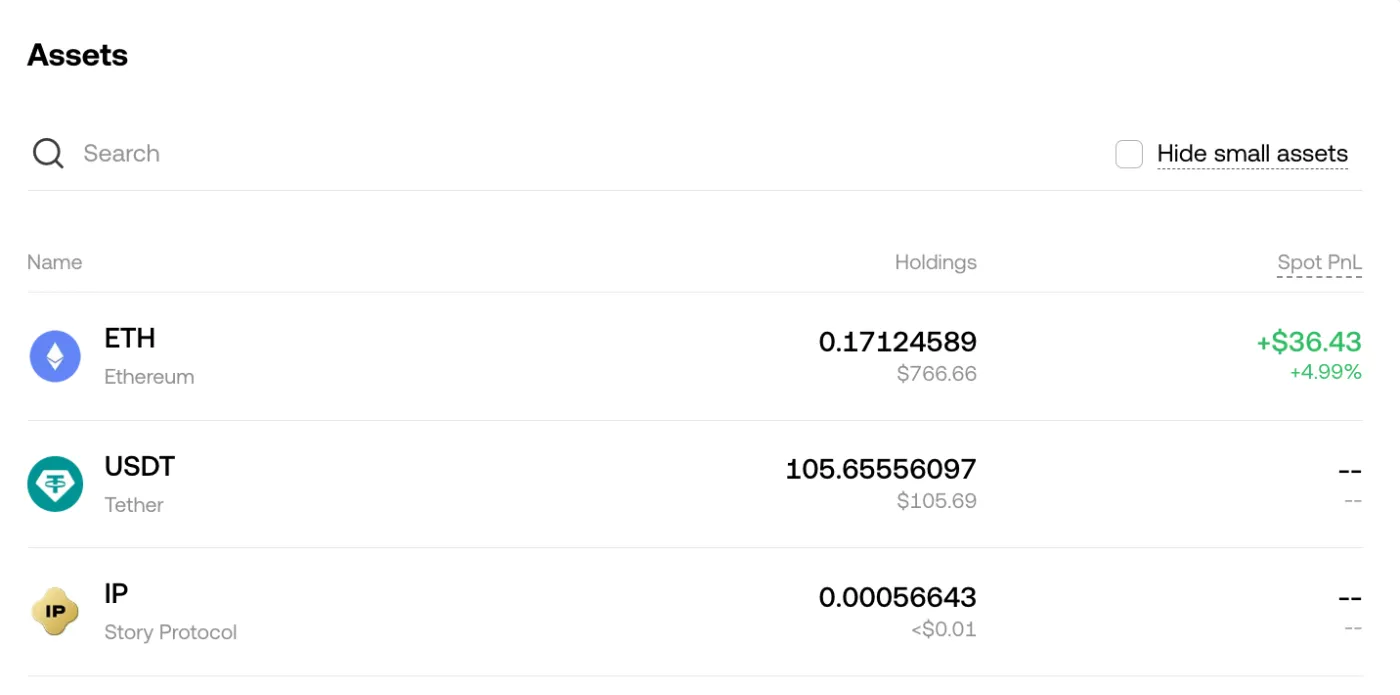
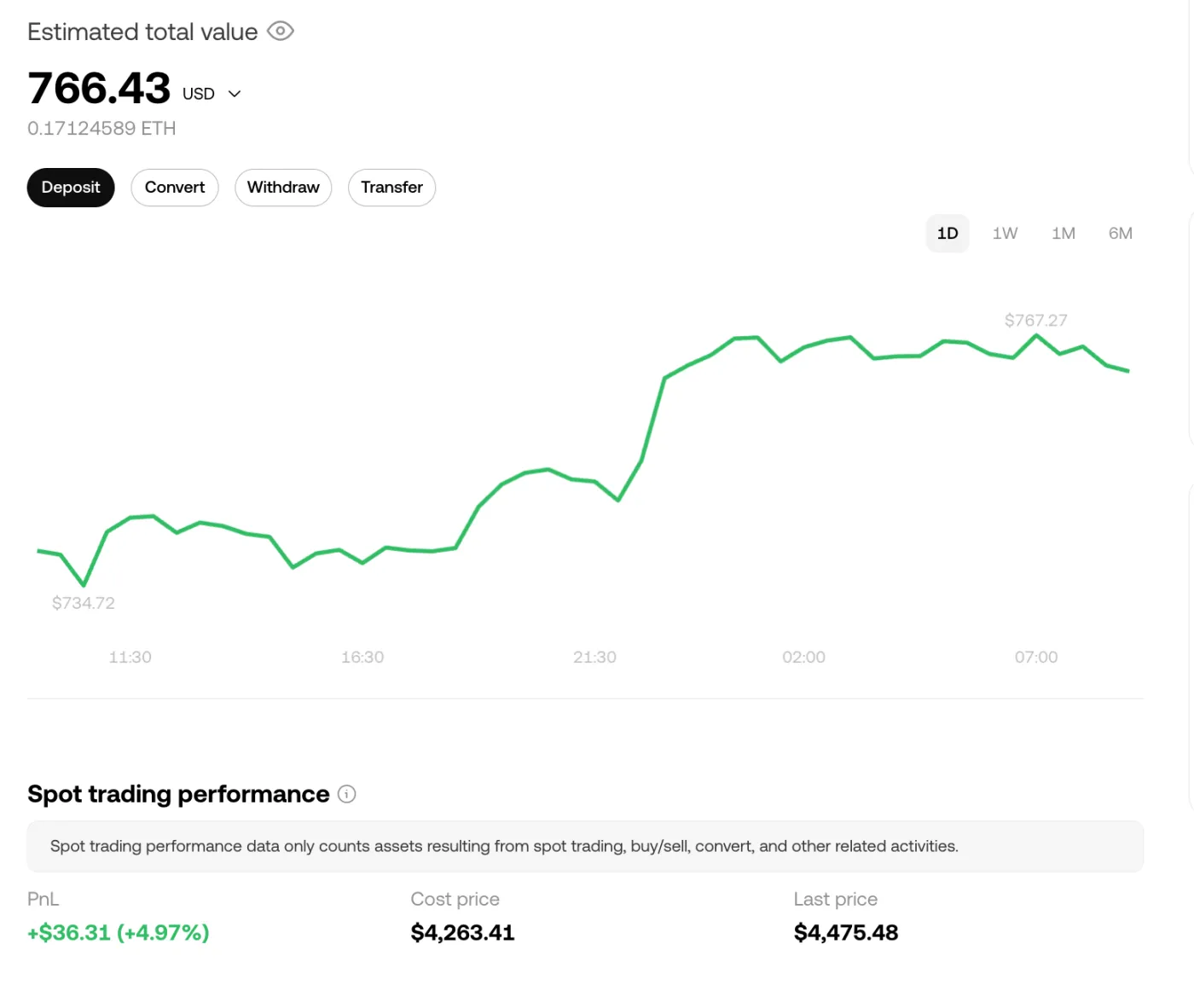
Click the coin whose average cost price you want to see in detail. For example, if you click Ethereum once more, its profit and loss (PnL), average cost price (Cost Price), current price (Last Price) and more will be displayed as shown below.
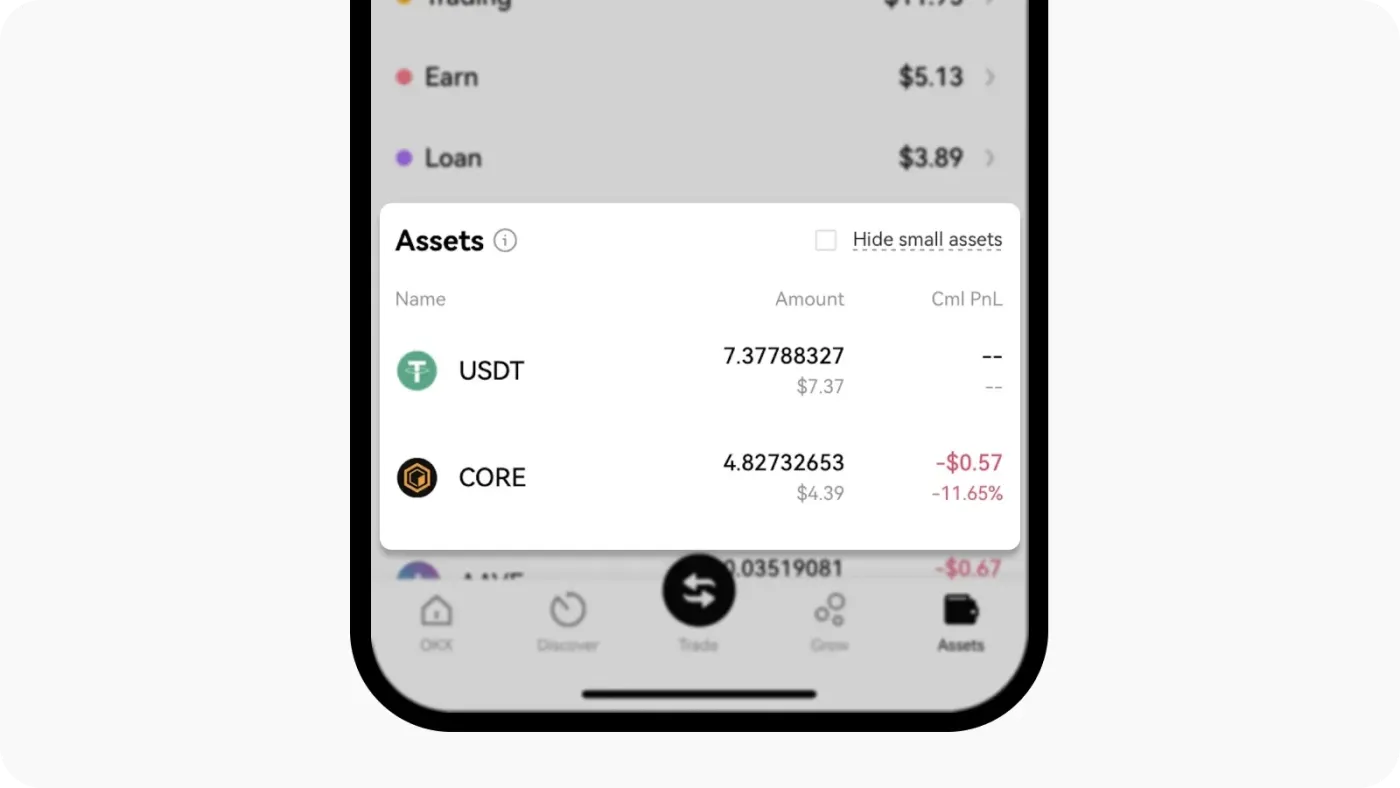
If you're using the OKX mobile app, tap [Assets] at the bottom to check your PnL and average cost price in the same way. To see more details, tap the coin once more.
How to Check PnL and Average Cost Price: (2) Checking on the Chart
One of the big advantages of the OKX exchange is that it offers a variety of features that are helpful to traders. Being able to easily check your average cost price right on the chart is one of them.
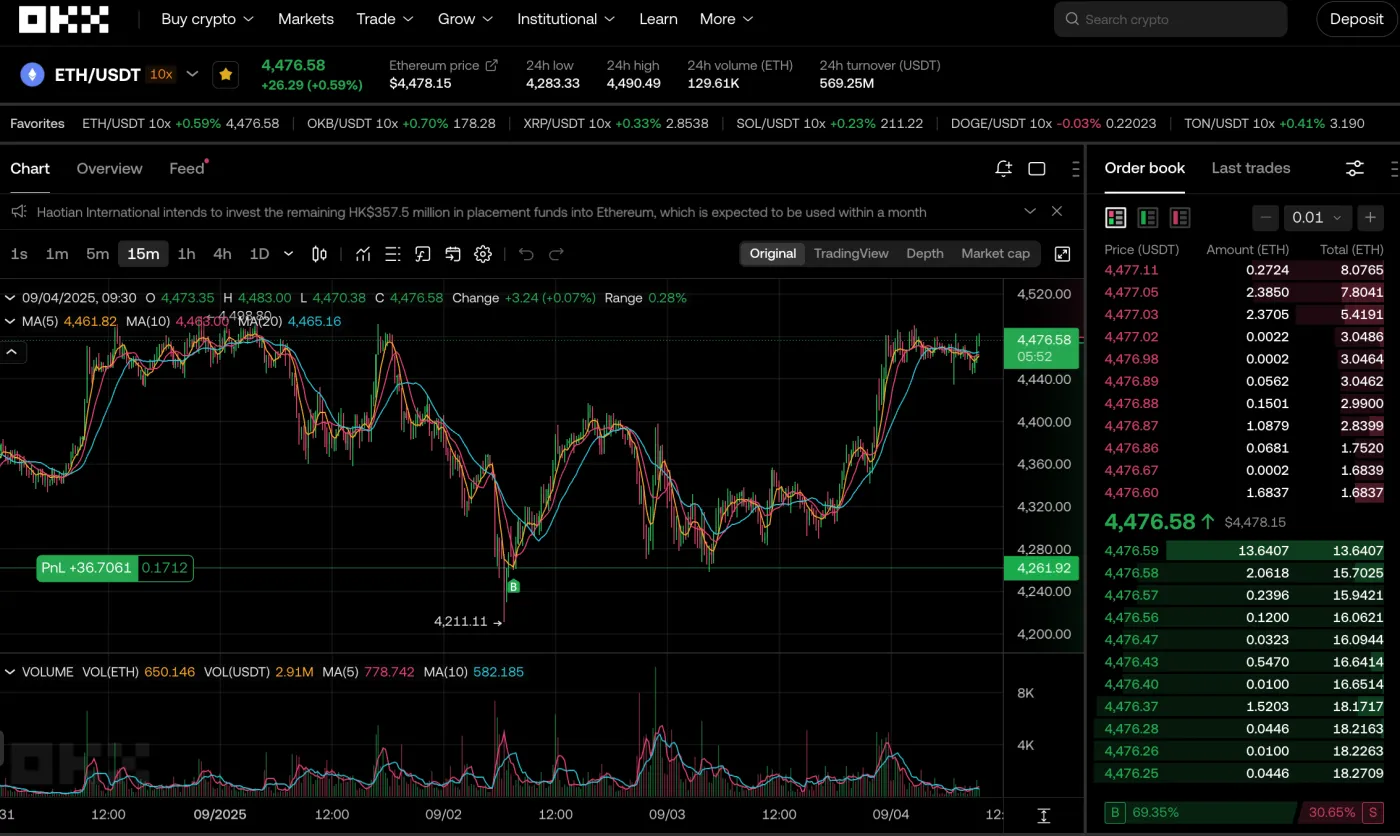
For example, if you go to the Ethereum spot market, you can see the average cost price and PnL of the coins you currently hold. You can also see on the chart the points at which you bought (B) and sold (S) the coin.
In the settings tab, you can also choose between "average cost" and "cumulative cost" for your spot average cost price. If you bought the coin over several purchases or bought and sold it multiple times, choosing cumulative cost may be more suitable.
Wrapping Up
That covers how to check your spot average cost price on the OKX exchange. Simply go to the Assets tab of your wallet, and you can see the PnL and average cost price of the coins you currently hold. Alternatively, you can also check your current PnL, along with your buy and sell points, in that coin's spot market.