How to Use the OKX Withdrawal Address Book and Whitelist
4 min read · · Korean original
Contents 3
OKX supports a withdrawal whitelist feature. When you turn it on, you can only withdraw to addresses saved in your address book. Using the whitelist helps you protect your OKX account more securely.

In this post, we'll take a detailed look at how to use the withdrawal whitelist feature in the OKX mobile app and in a web browser (computer).
How to Set Up the Withdrawal Whitelist (Mobile/App)
Open the OKX app and go to Assets > Withdraw. Next, choose the coin you want from the OKX withdrawal list and tap On-chain withdrawal.
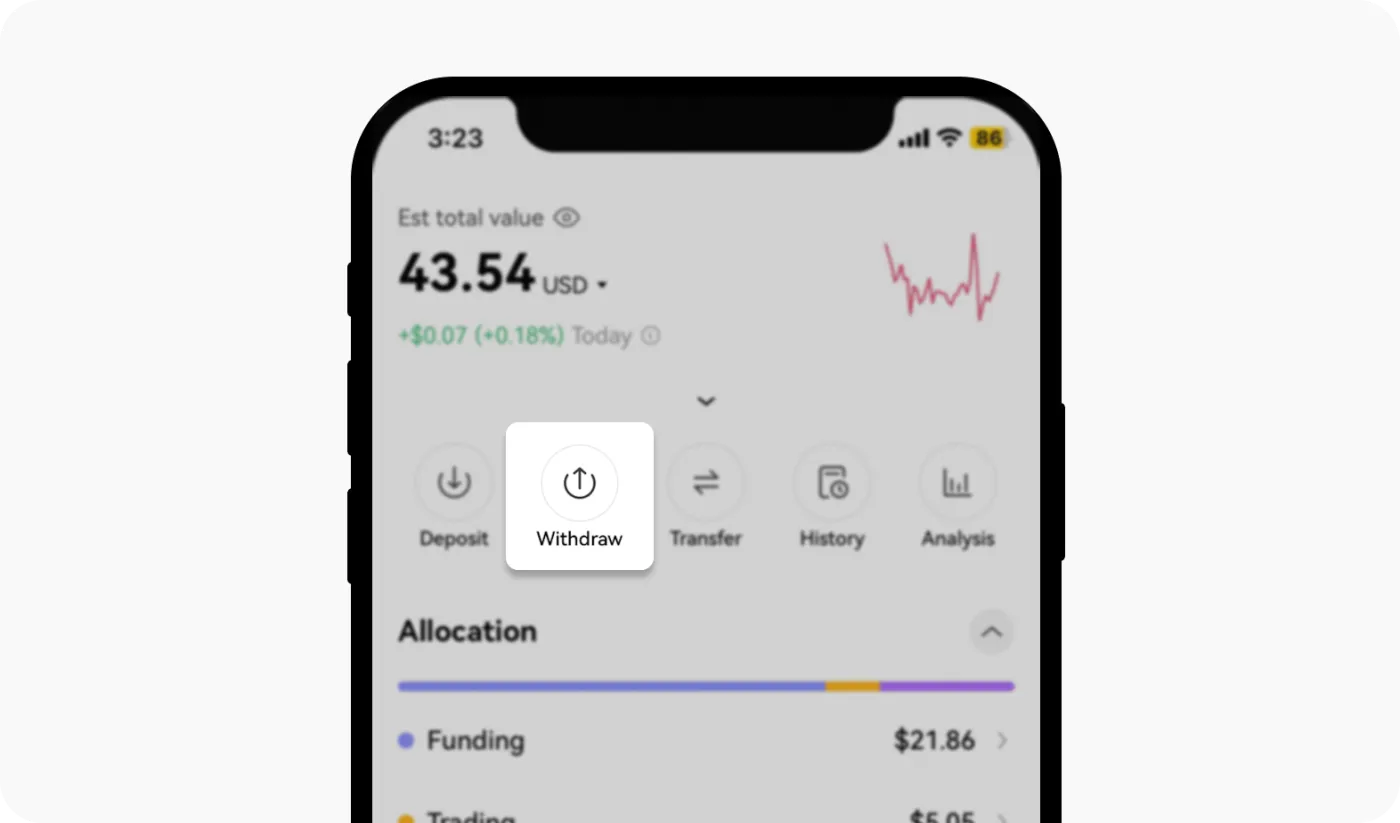
A screen like the one below will appear, where you can either enter an address directly or pick one from your address book. Click the person icon on the right to add a new wallet to your address book or manage existing addresses.
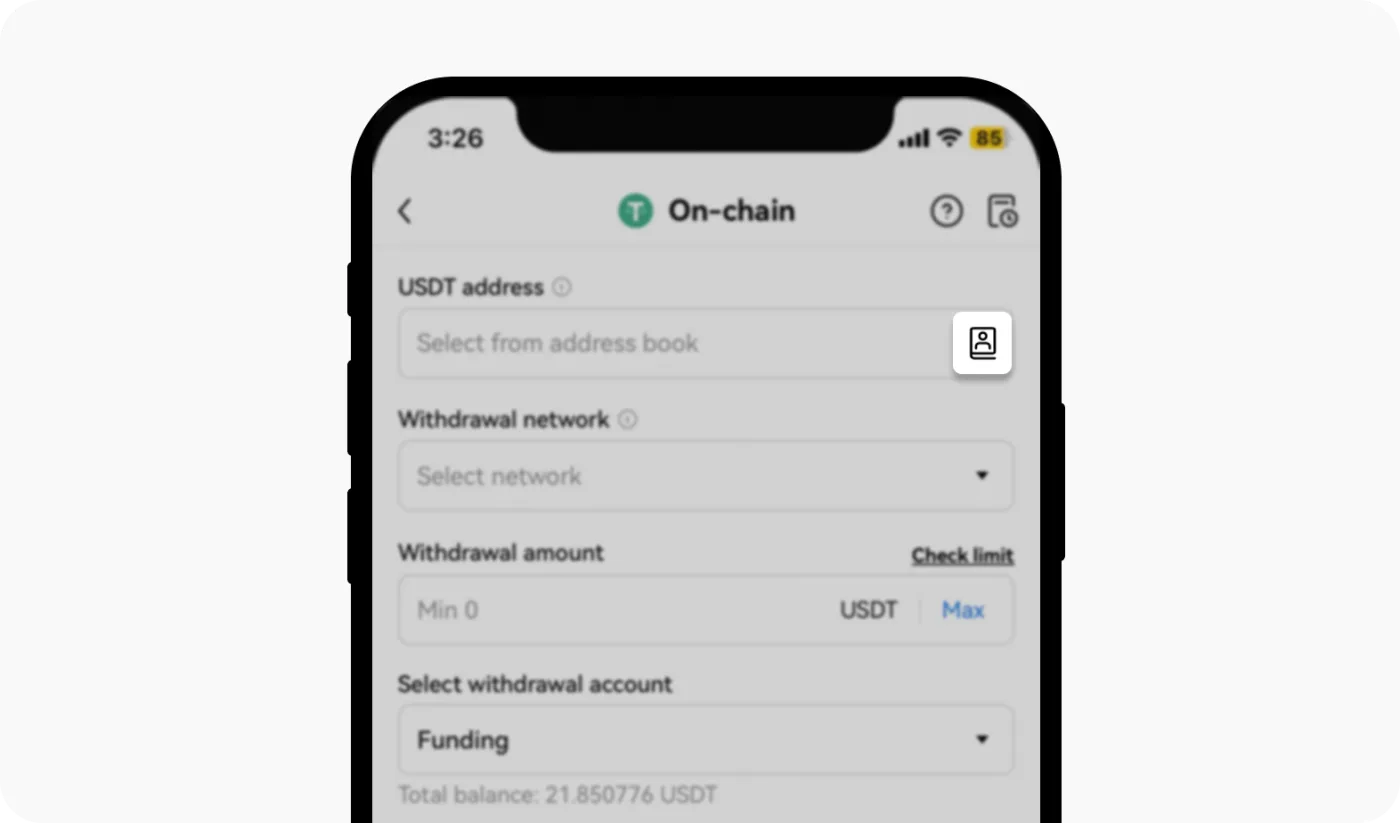
Select the address type. The ‘Standard’ option is for cases such as adding an ETH withdrawal address on the Ethereum network.
‘Universal’ adds every coin supported on that network to your withdrawal whitelist. The ‘EVM’ option adds every coin on Ethereum-compatible networks to your address book.
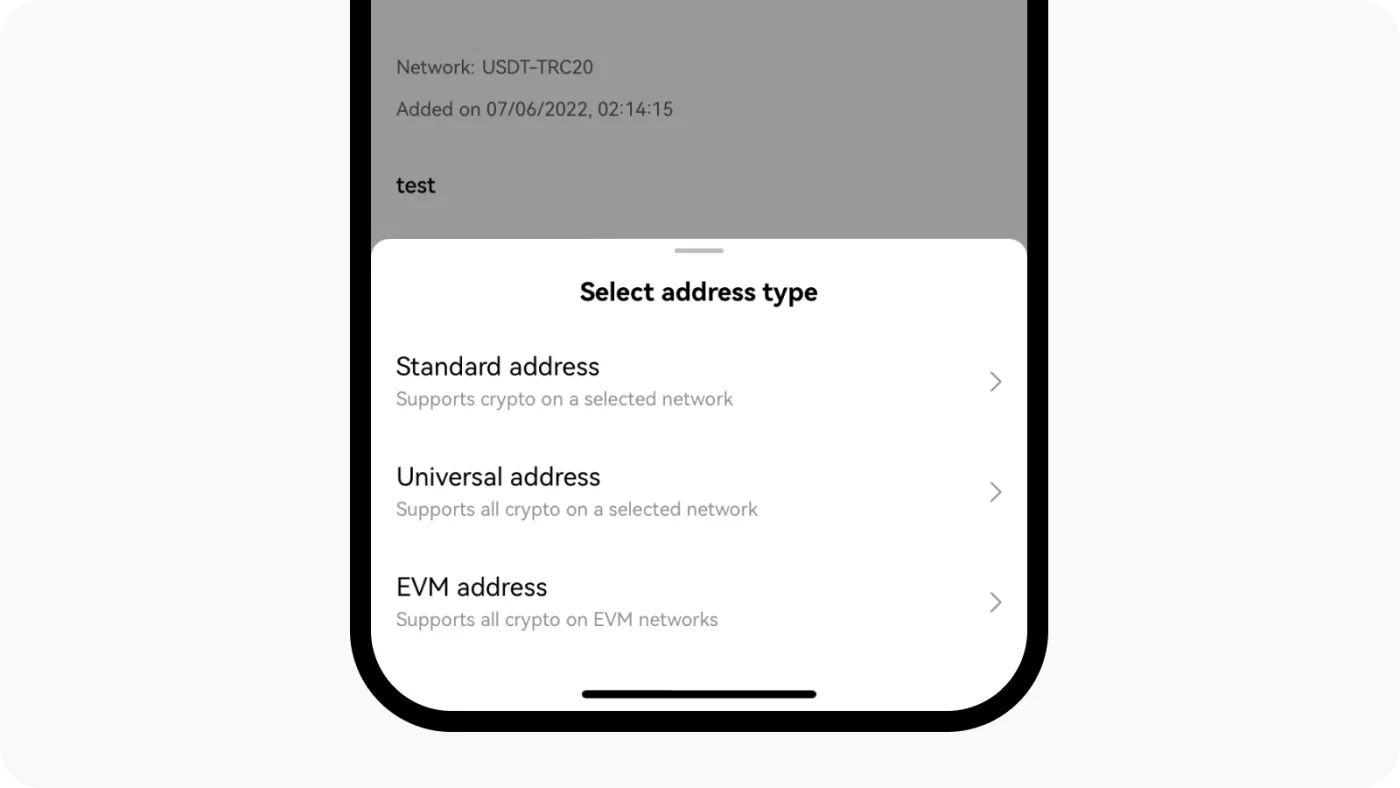
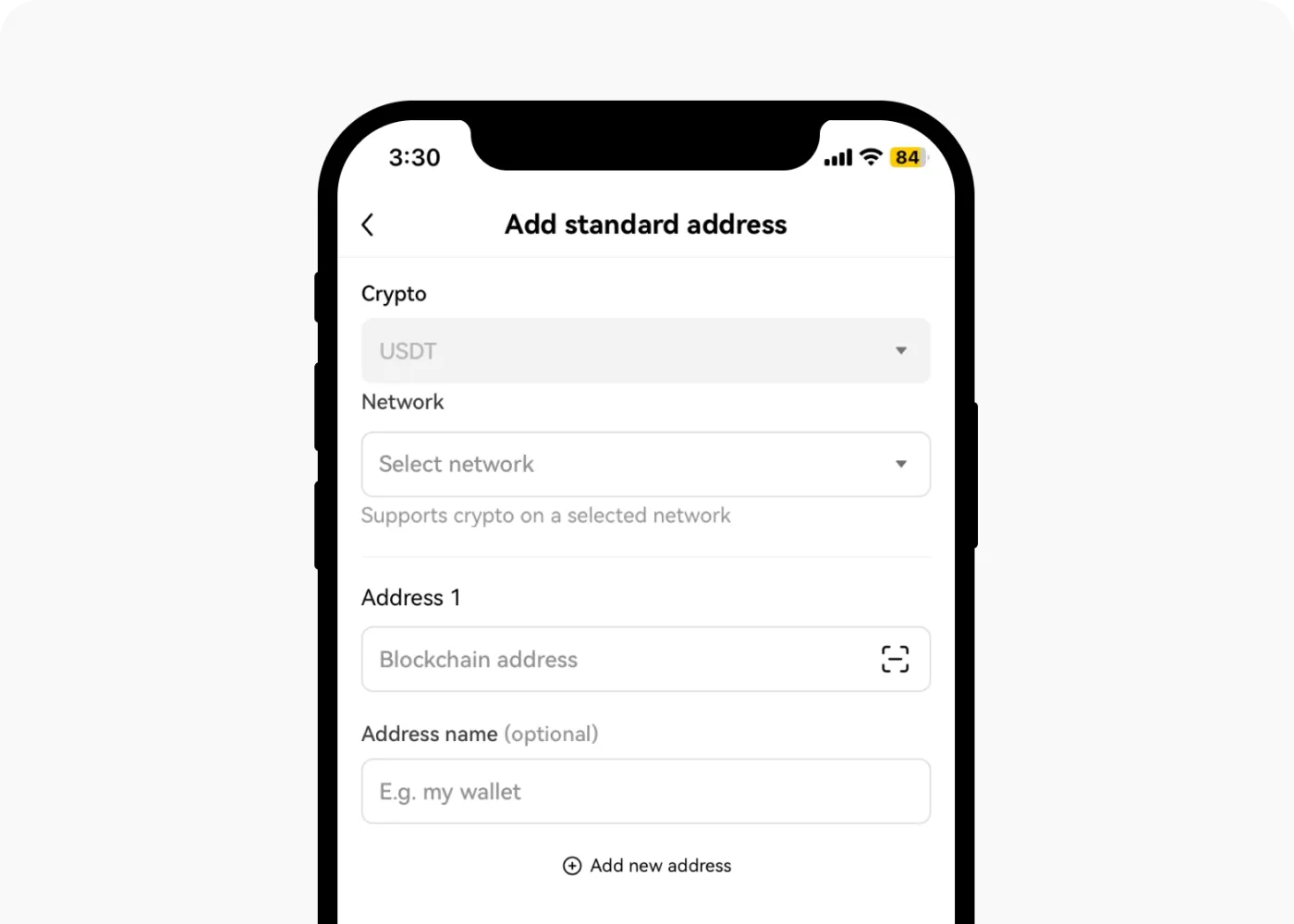
Below is an example of adding a USDT withdrawal address to the whitelist. After filling in all the details for the address book entry, double-check that everything is correct and tap ‘Save’.
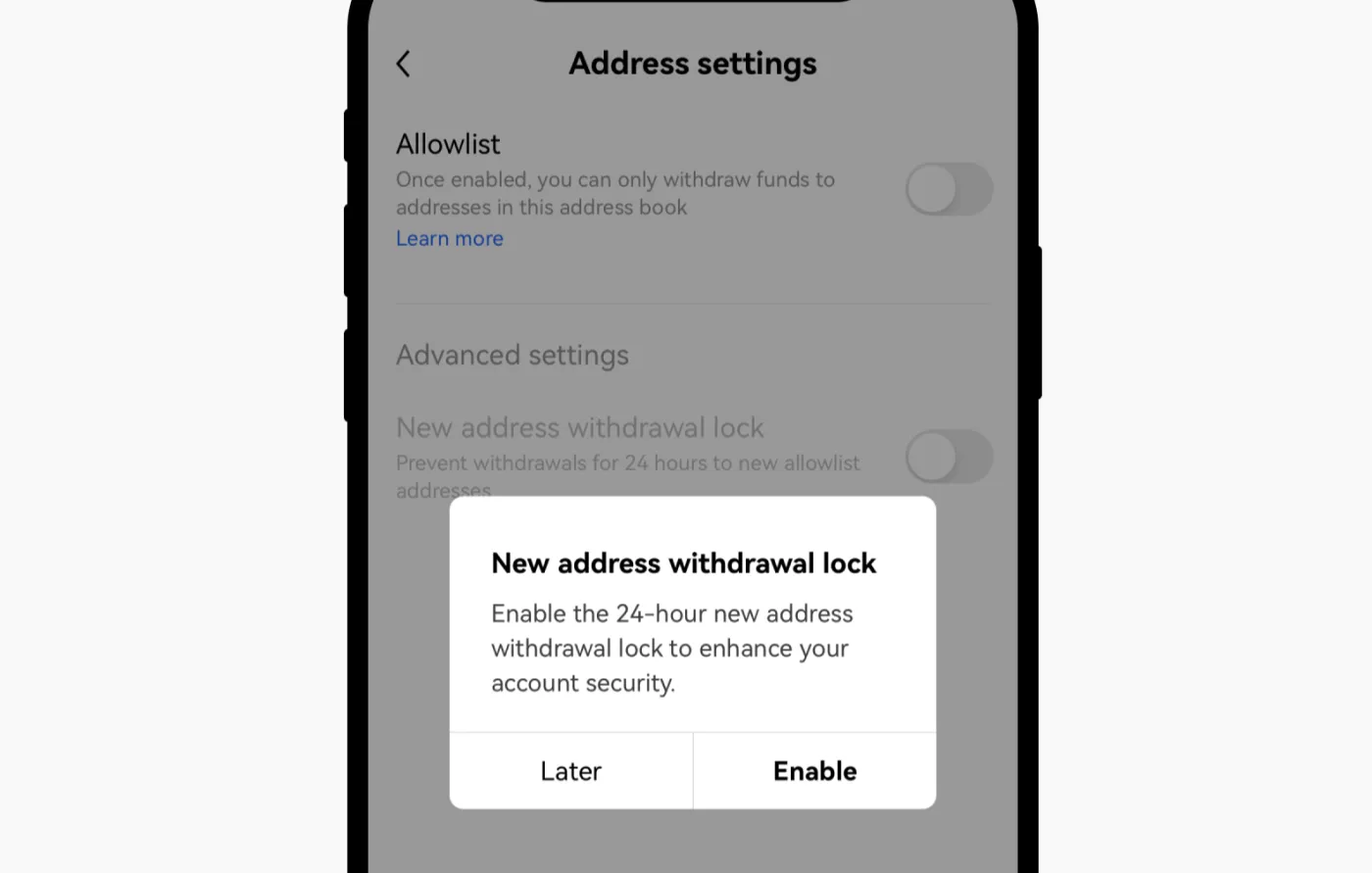
Next, in the ‘Address settings’ section, you can turn on the ‘Whitelist’ feature and the ‘Withdrawal lock for new addresses’ feature as shown below. With these enabled, withdrawals to any new address added to your address book are restricted for 24 hours, giving your account stronger protection.
How to Set Up the Withdrawal Whitelist (PC/Web Browser)
Here's how to set up the OKX withdrawal whitelist on a computer or in a web browser. First, log in to the OKX exchange and go to the Assets > Withdraw page.
Next, on the OKX Withdraw tab, choose the crypto asset you want and click On-chain. In the withdrawal address field, go to ‘Manage Address Book’, where you can add and manage your address book.
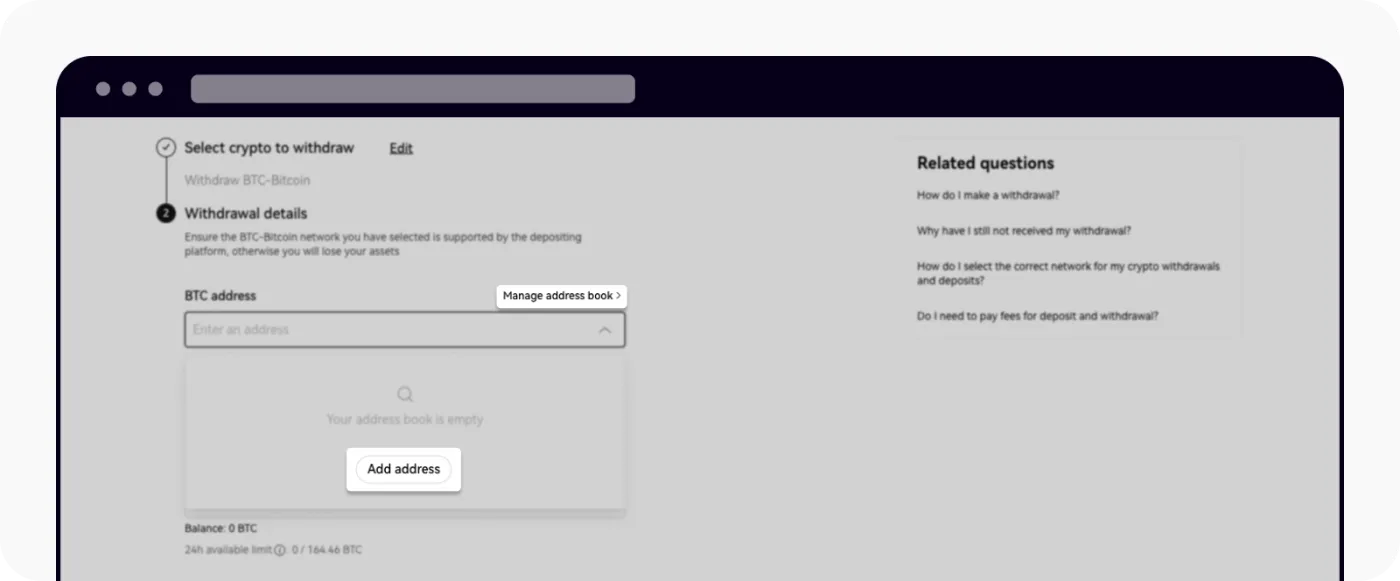
To add a new address, click ‘Add address’. You can add a single address or multiple addresses, and each address applies only to the coin on the network you selected.
Alternatively, you can set up a universal address for an entire network, such as Ethereum EVM or Solana, and add every coin on that network to your address book.
When adding an address, if you check ‘Use as a verified address for 30 days’ as shown below, you'll be able to withdraw quickly in the future without two-factor authentication.
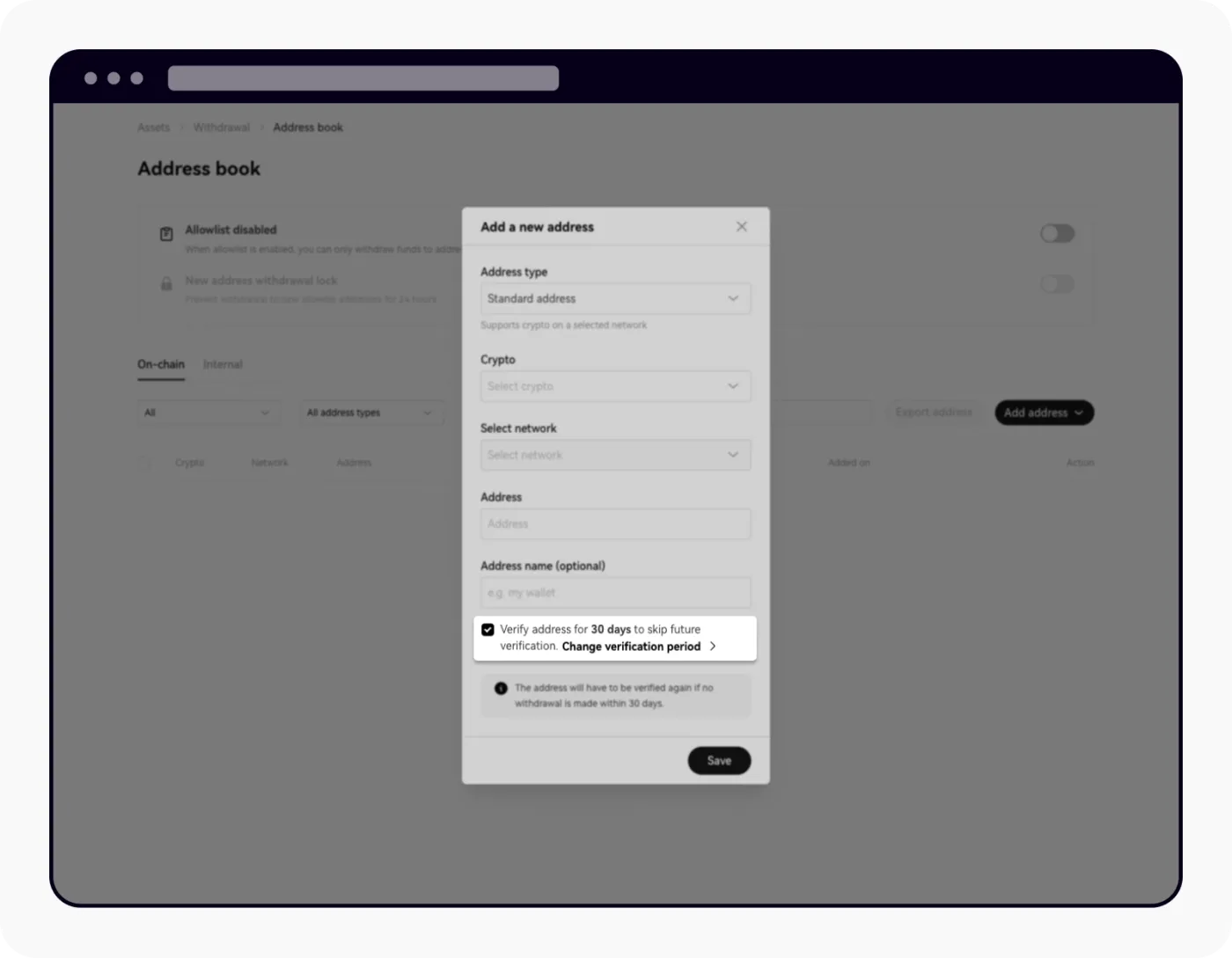
Next, turn on the ‘Allowlist’ feature so that withdrawals can only go to addresses in your address book. Finally, you can also enable the ‘24-hour withdrawal lock for new addresses’ so that a newly added address can't be used for withdrawals right away.
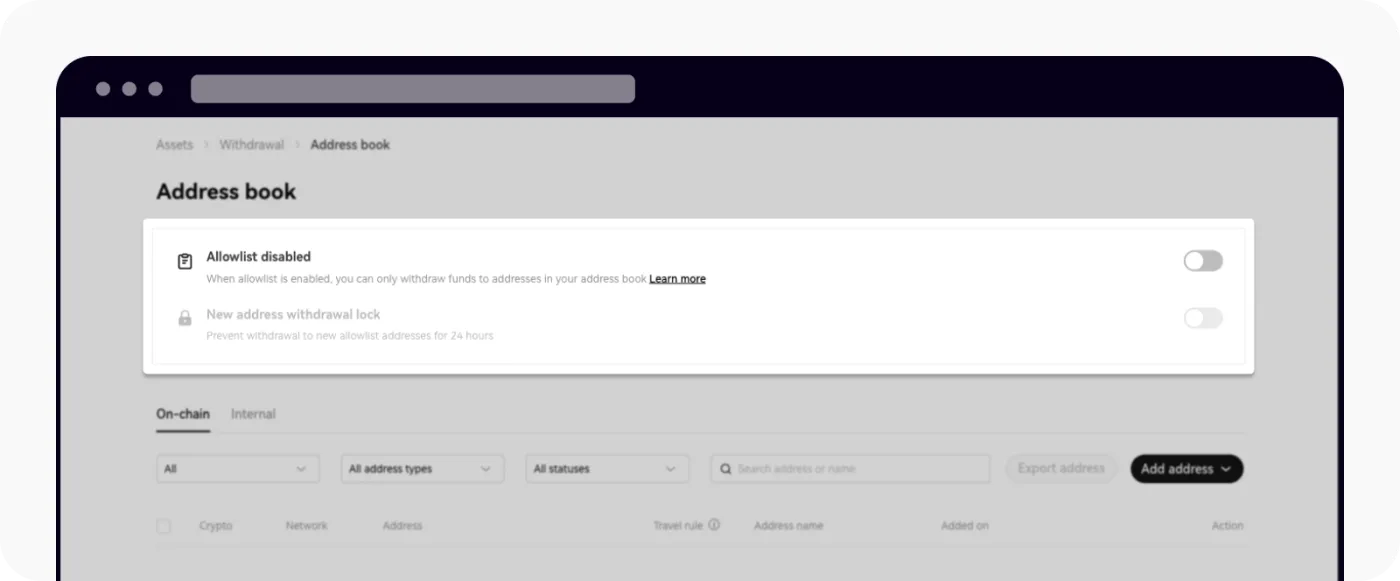
To turn off the withdrawal whitelist, simply enter your two-factor authentication code to disable the allowlist. Once the whitelist is turned off, you'll be able to withdraw freely to new addresses after 24 hours.
Wrapping Up
The OKX withdrawal whitelist is an extra layer of security that helps keep your account safe. With this feature on, withdrawals can only be sent to wallets saved in your address book.
So even if your account security is compromised, your funds stay protected for a certain period of time, and you can prevent funds from being sent to addresses you didn't intend.