How to Install and Use the Terra Station Wallet
3 min read · · Korean original
Contents 5
Learn how to install the Terra Station wallet and how to send tokens. This guide also explains how to recover an existing Terra wallet using your seed phrase.
About Terra Station
The Terra Station extension is a browser wallet available on Google Chrome. With Terra Station, you can use Terra-based dApps such as Terraswap and Anchor Protocol.
How to Install Terra Station
You can install the Terra Station extension from the link below.
https://chrome.google.com/webstore/detail/terra-station/aiifbnbfobpmeekipheeijimdpnlpgpp?hl=en
Terra StationThe Terra Station web extension allows you to access decentralized applications (DApps) powered by smart contracts on the Terra…chrome.google.com ↗How to Create a Terra Wallet
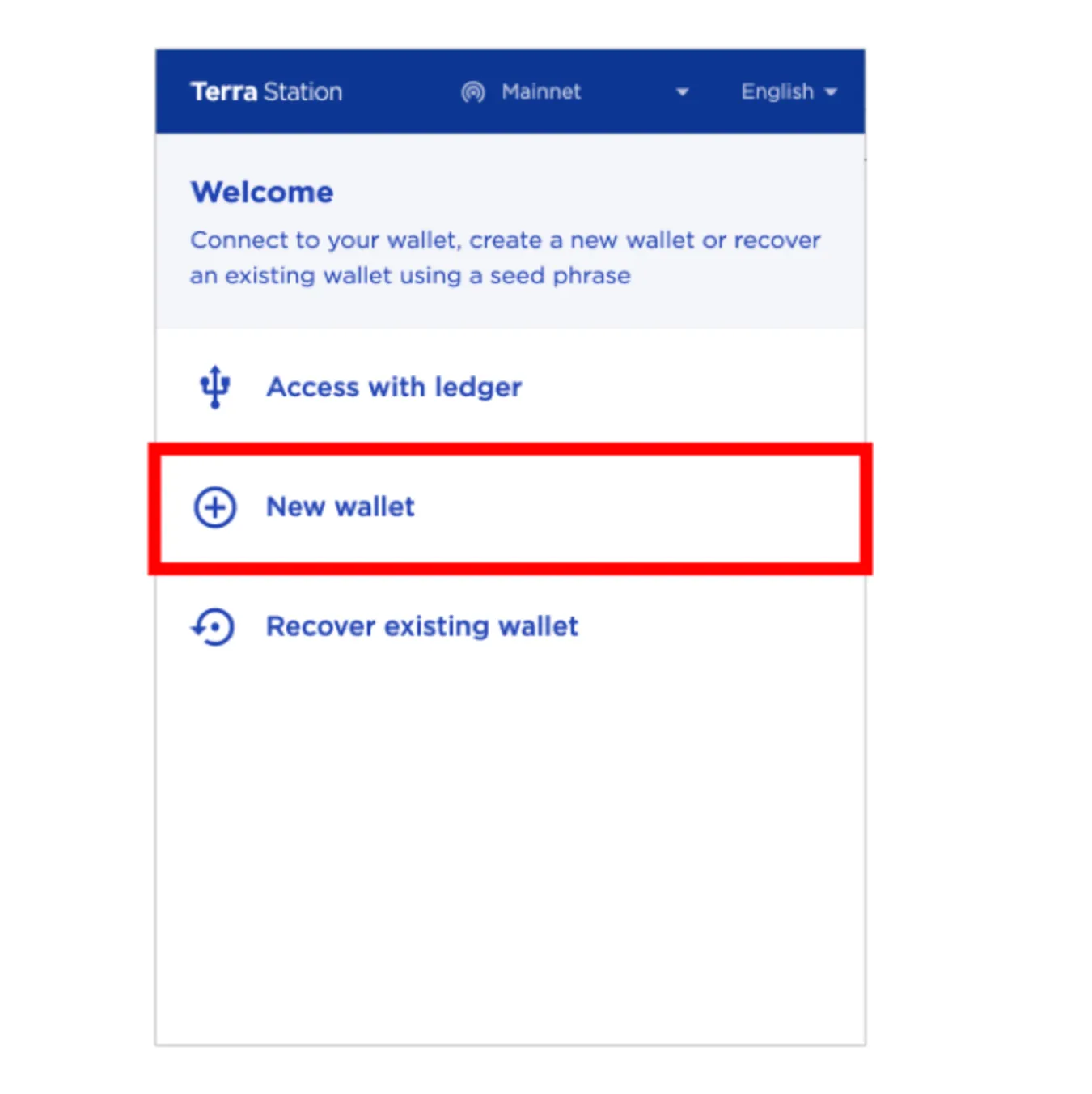
After installing the extension, click on it to create a Terra wallet. Click New Wallet as shown below.
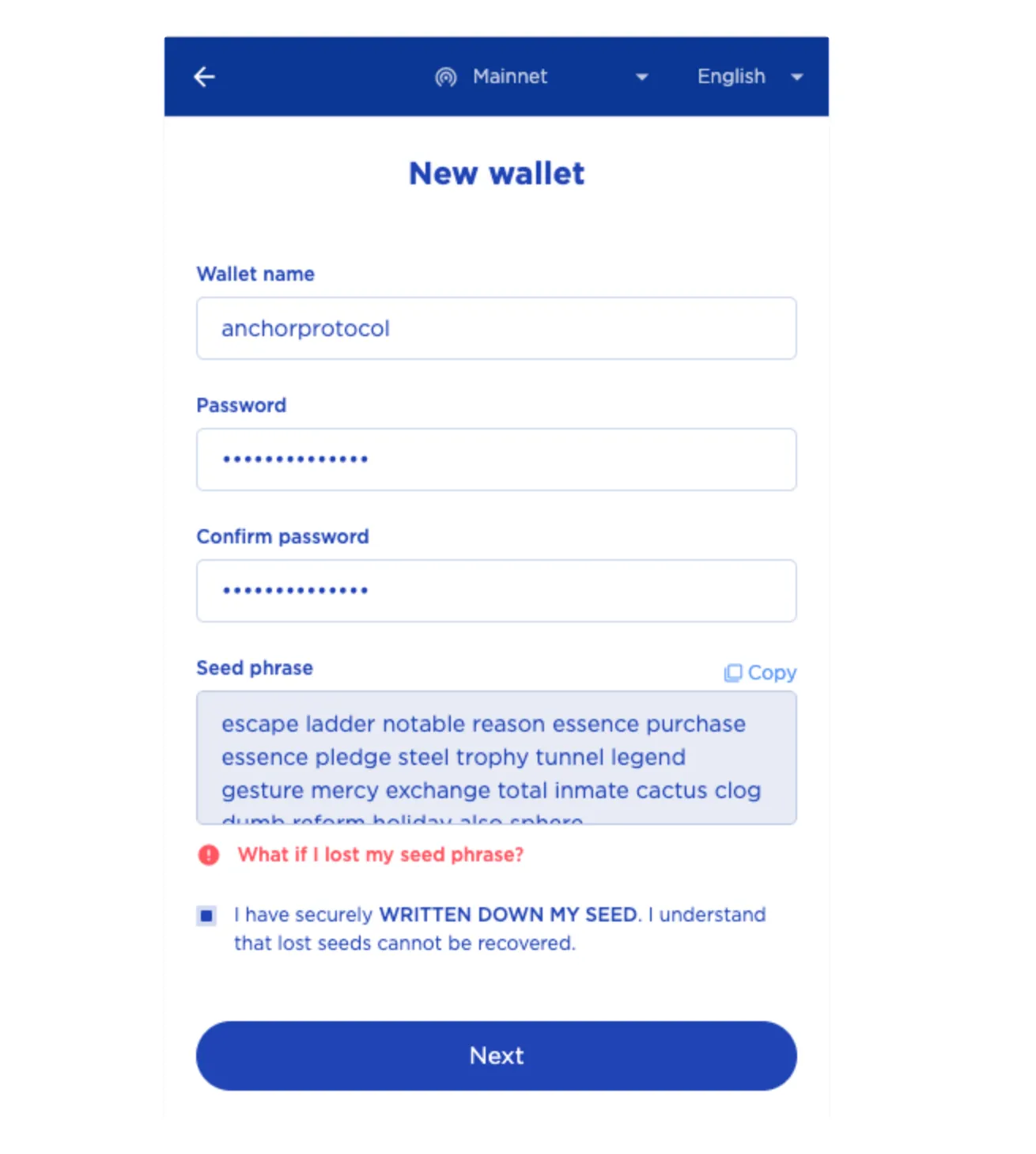
Enter a wallet name and password, then write down your 24-word seed phrase and keep it safe. Storing your seed phrase online puts it at risk of being stolen, so be sure to write it down offline and keep it somewhere secure.
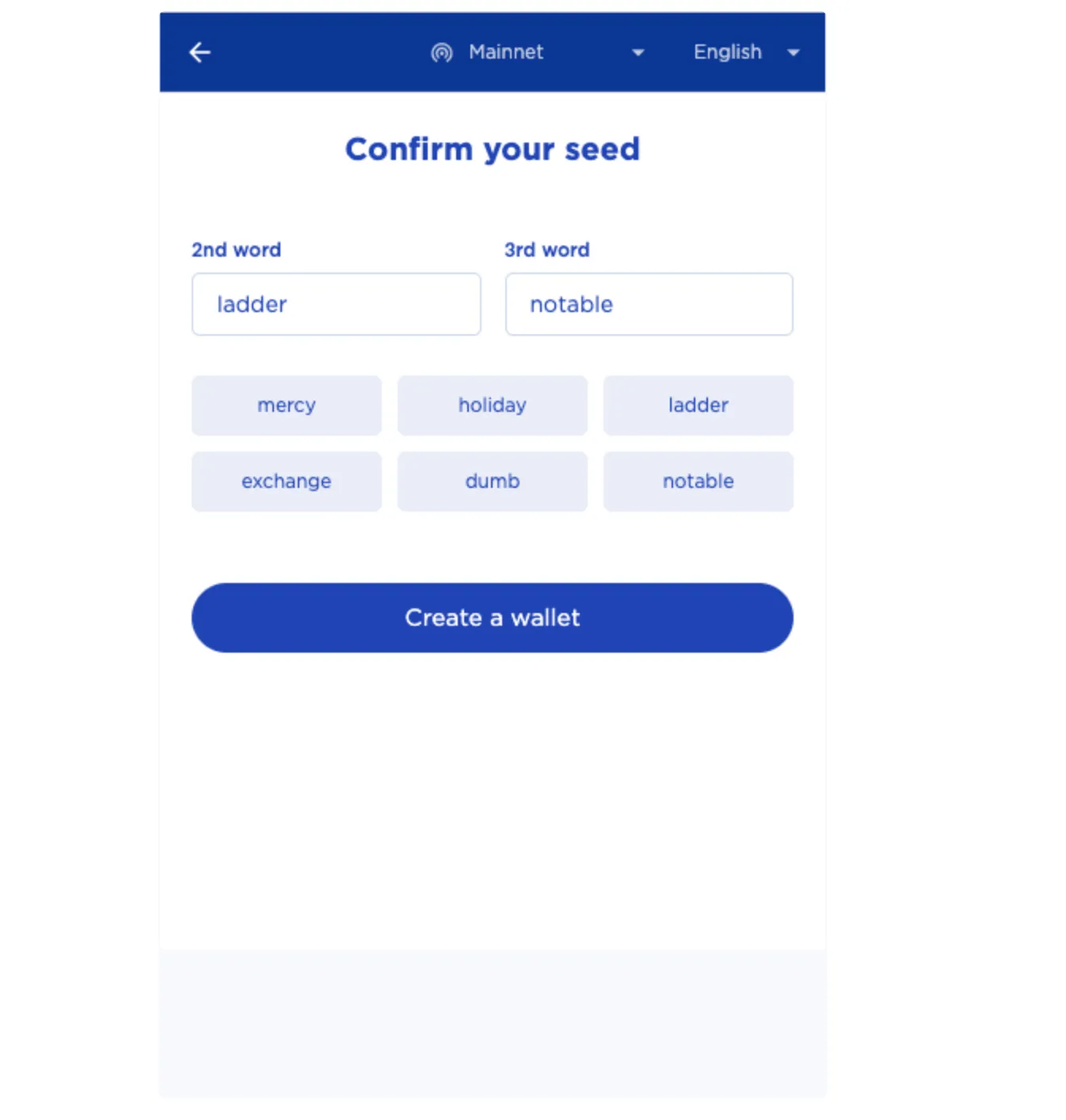
Next, you'll go through a step that checks some of the seed words you wrote down. Just enter the word that matches each number.
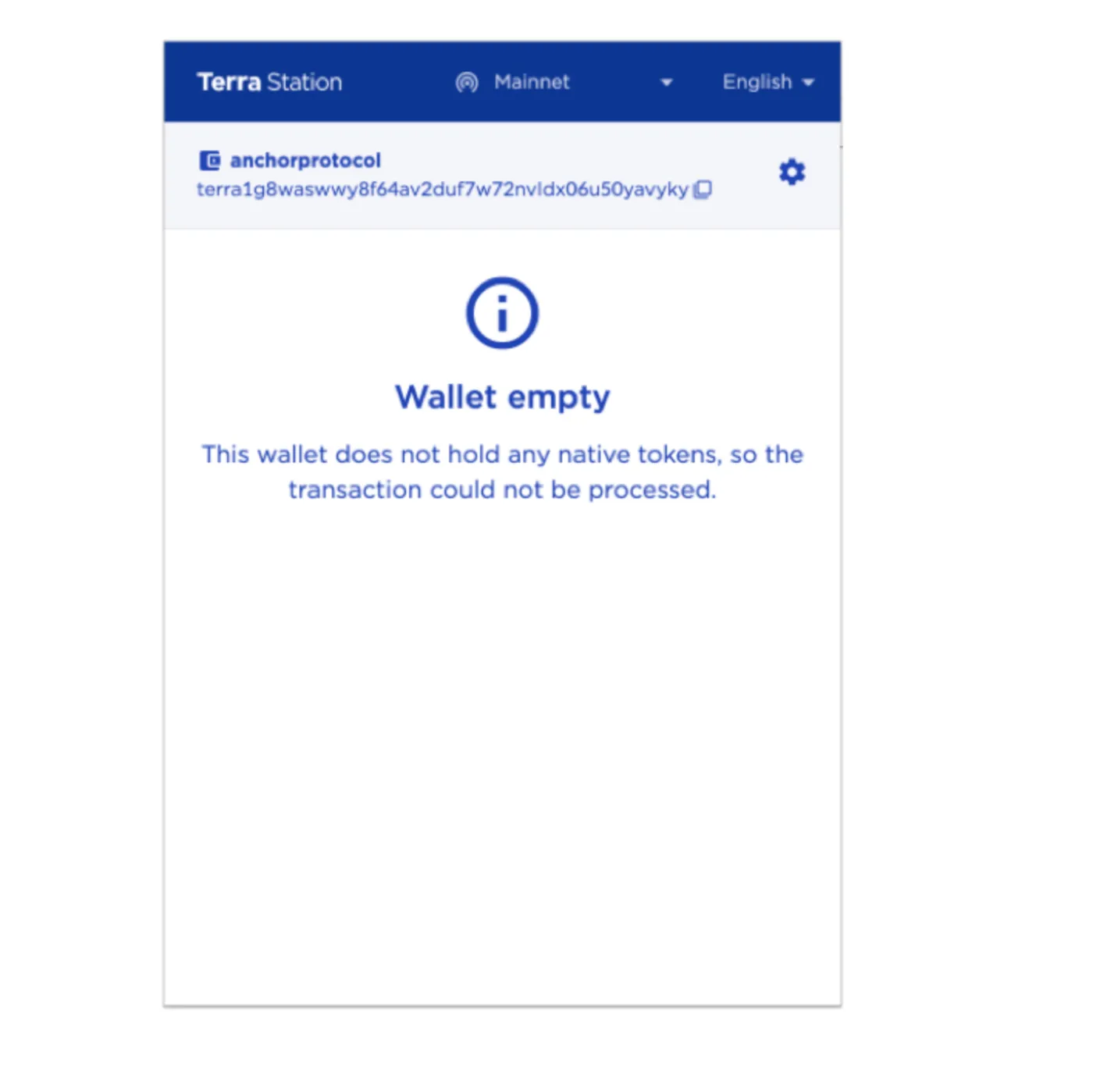
Once your wallet has been created, you'll see a screen like the one below, and your wallet is ready to use.
How to Use the Terra Wallet
Here's how to send tokens from your Terra wallet.
For reference, you can get LUNA, UST and other assets used on the Terra network through Terra Station or Binance. If you sign up for Binance through the link below, you'll get a 20% discount on trading fees.
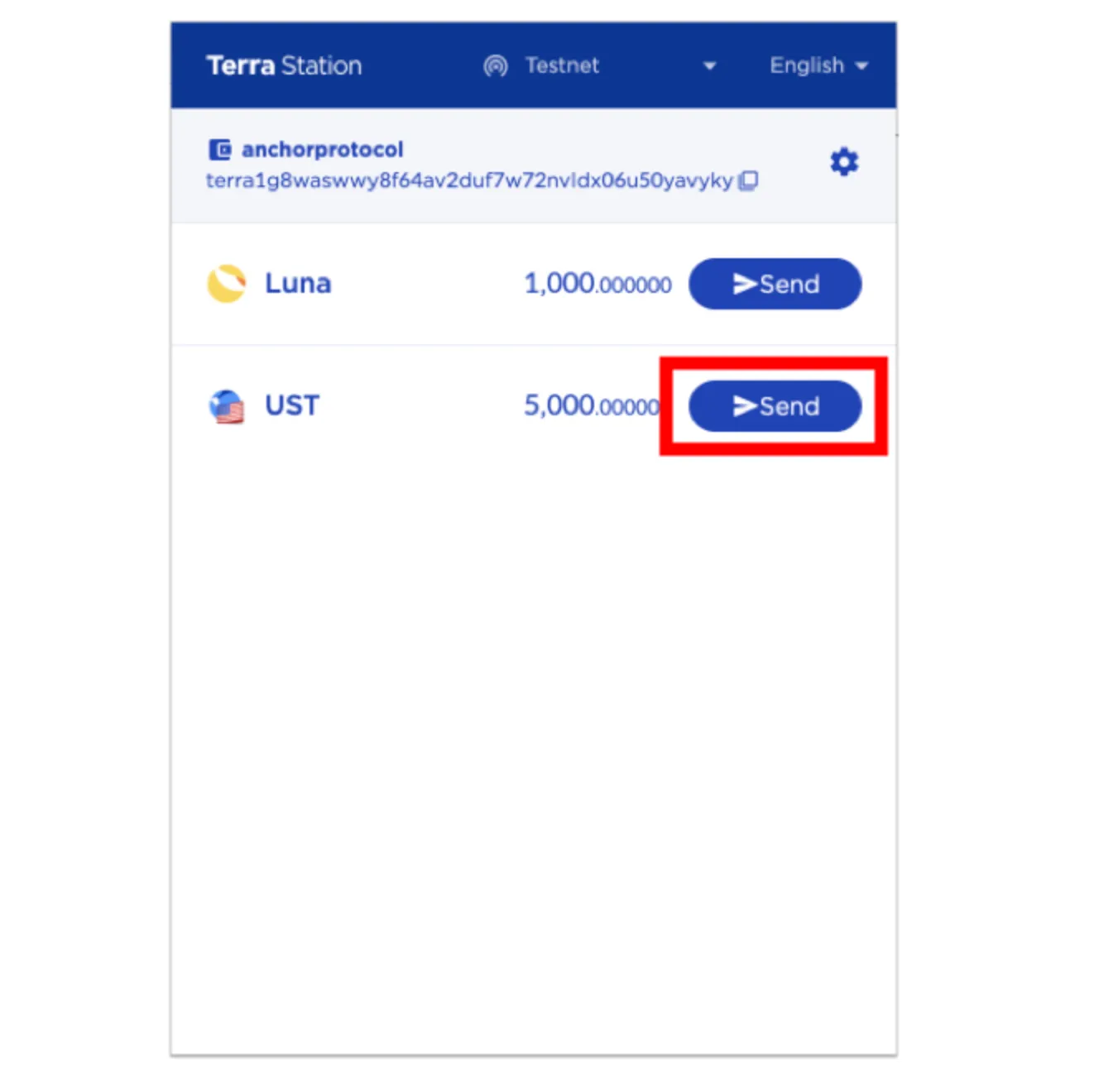
From here on, we'll assume you already hold assets on the Terra network. Click Send next to the asset you want to send.
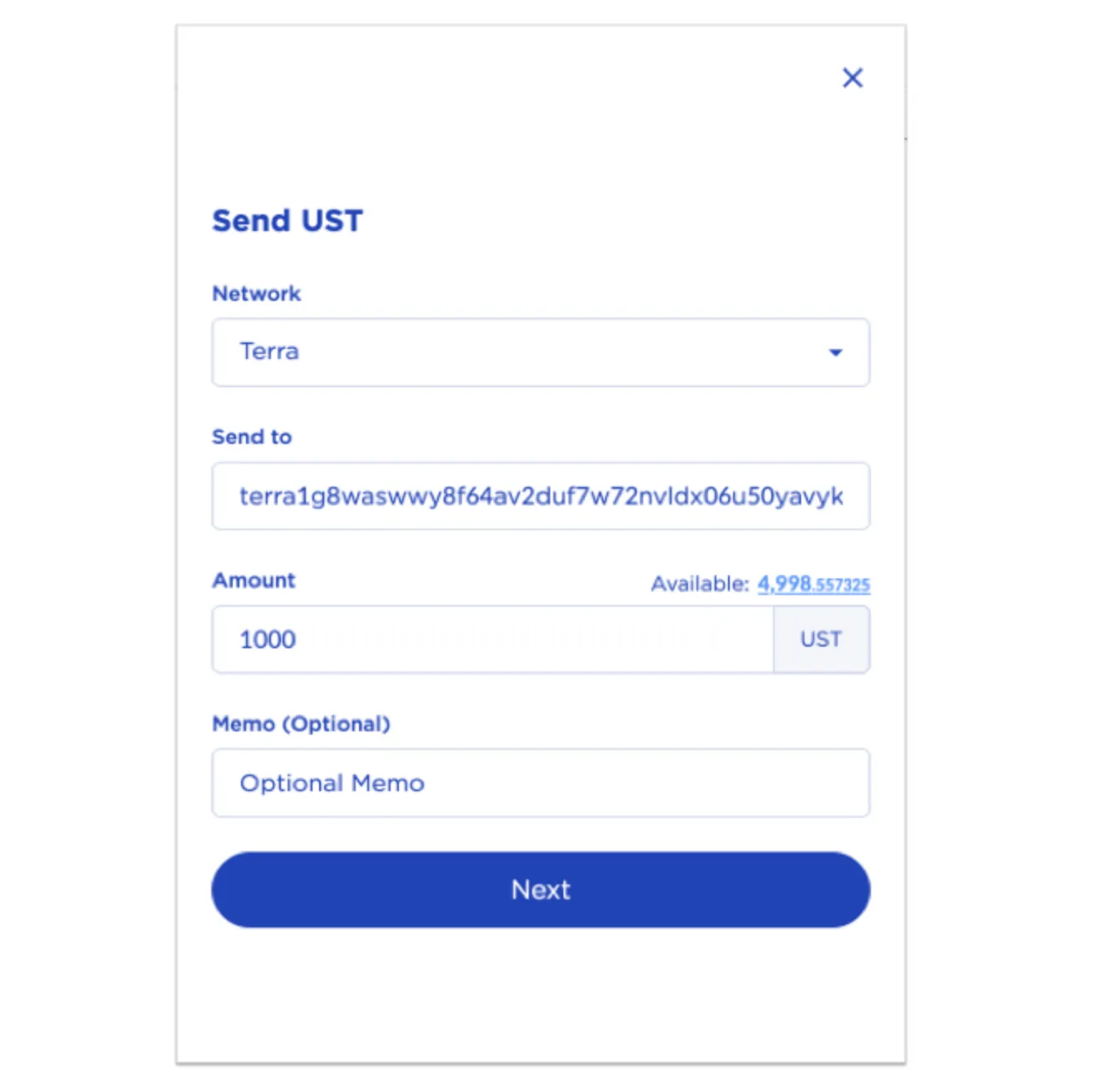
Next, check the network you're sending on, and enter the correct recipient address and amount.
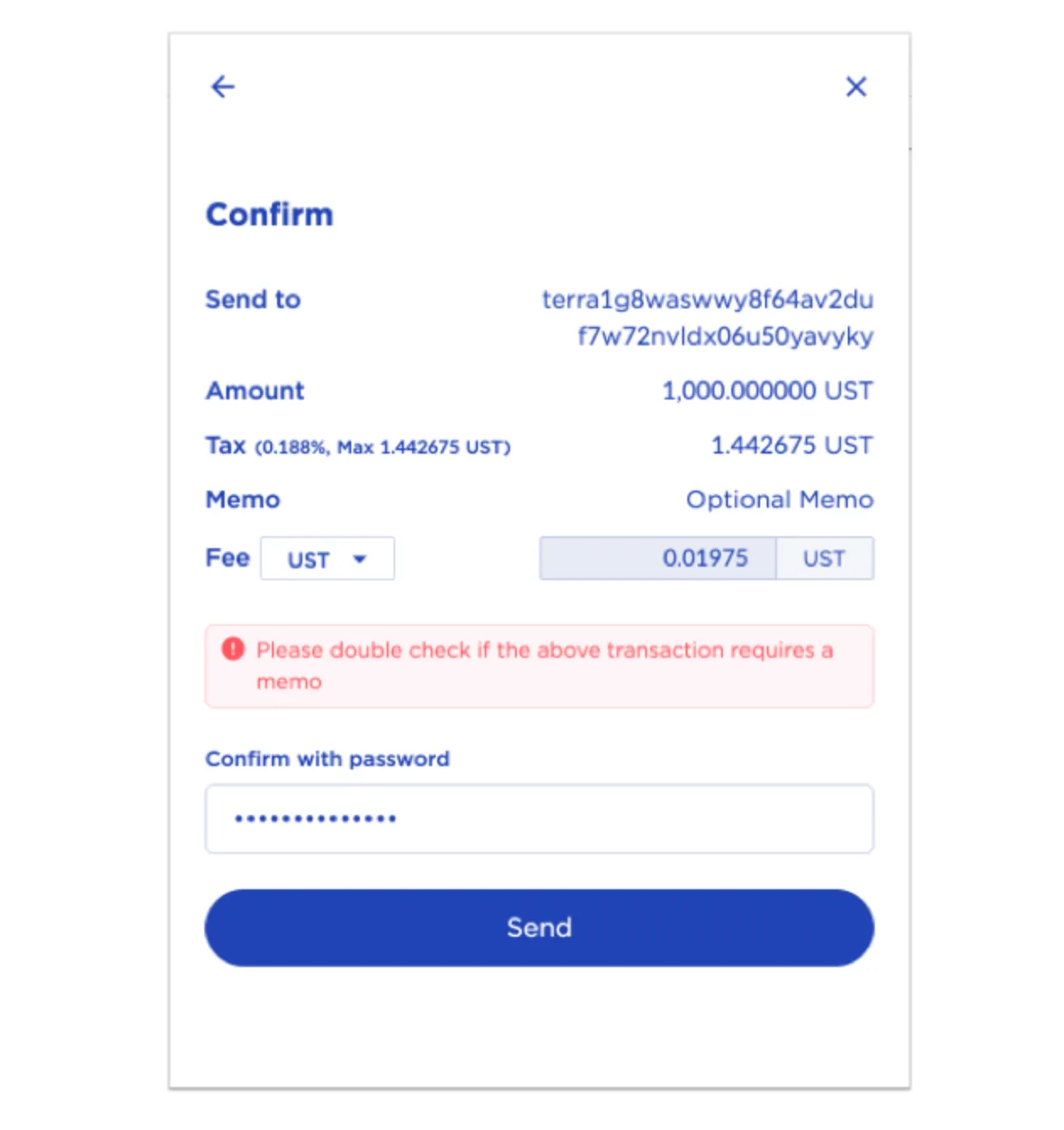
On the next screen, a final confirmation window appears. Here you can double-check the address and amount, and see the fee you'll need to pay. If everything is correct, enter your wallet password and click Send.
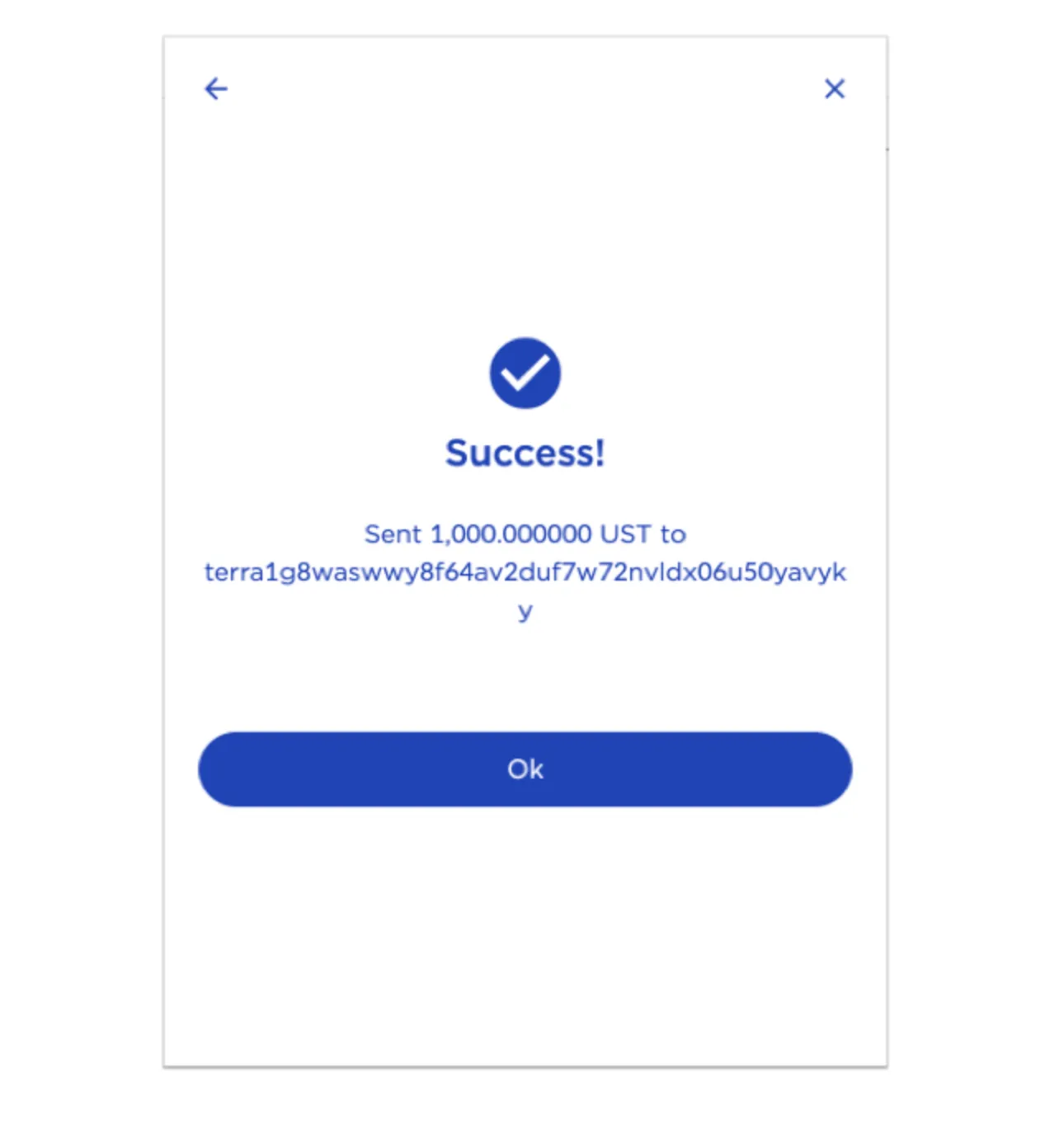
Once the transfer is complete, you'll see a window like the one below.
How to Recover a Terra Wallet
If you've switched to a new device or browser and need to recover your Terra wallet, just follow the steps below.
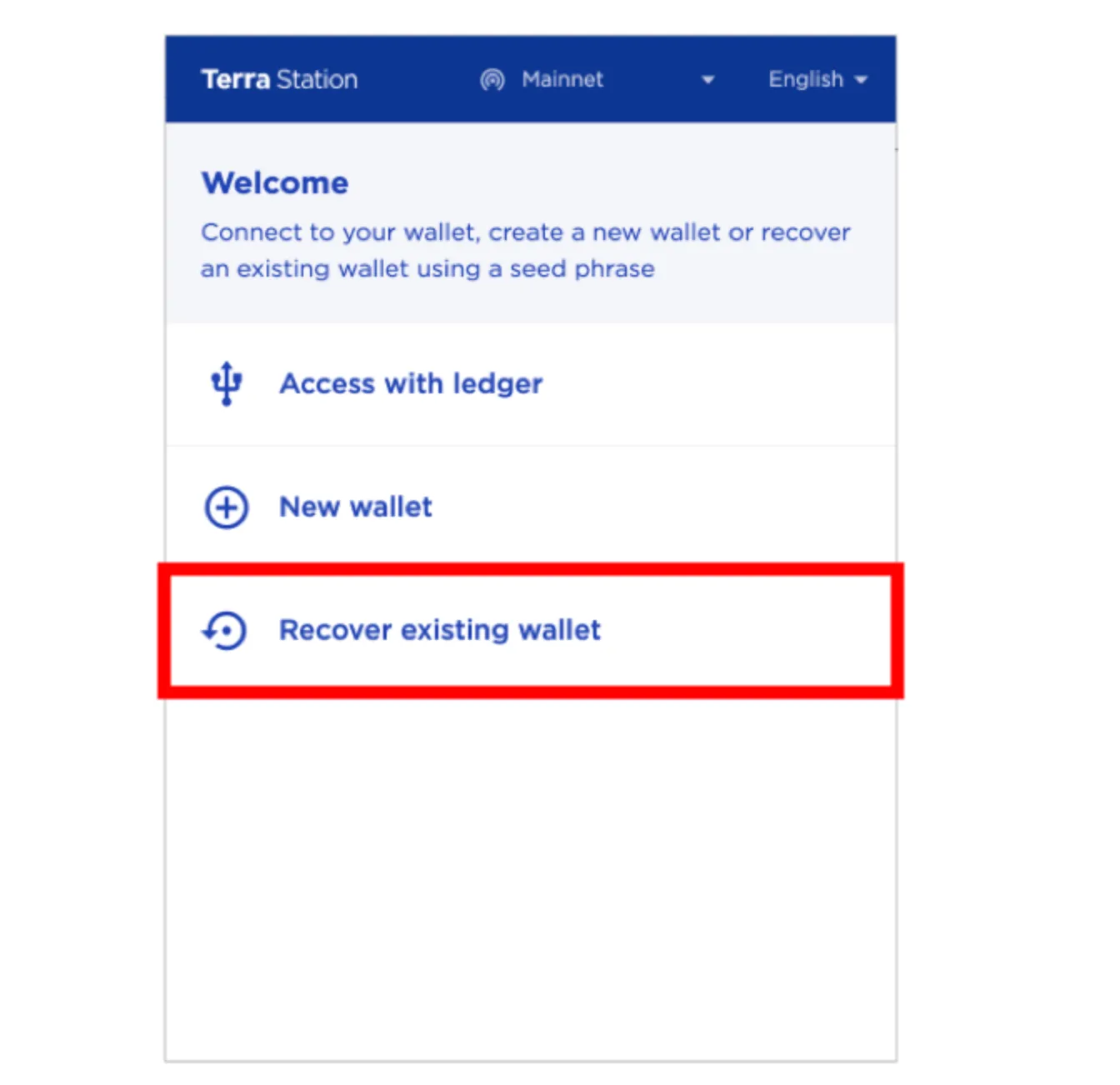
Click Recover existing wallet.
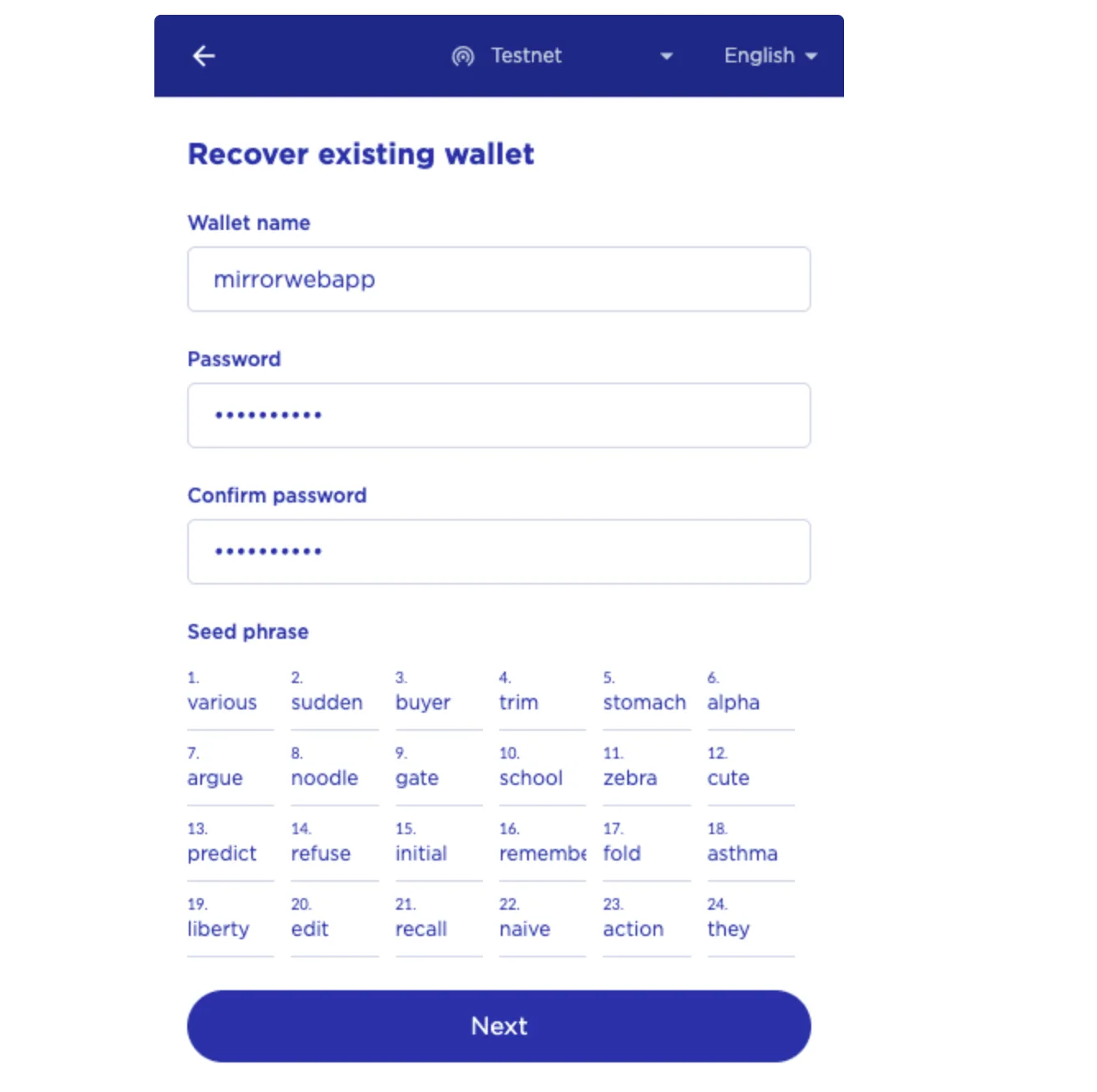
Set a new wallet name and password.
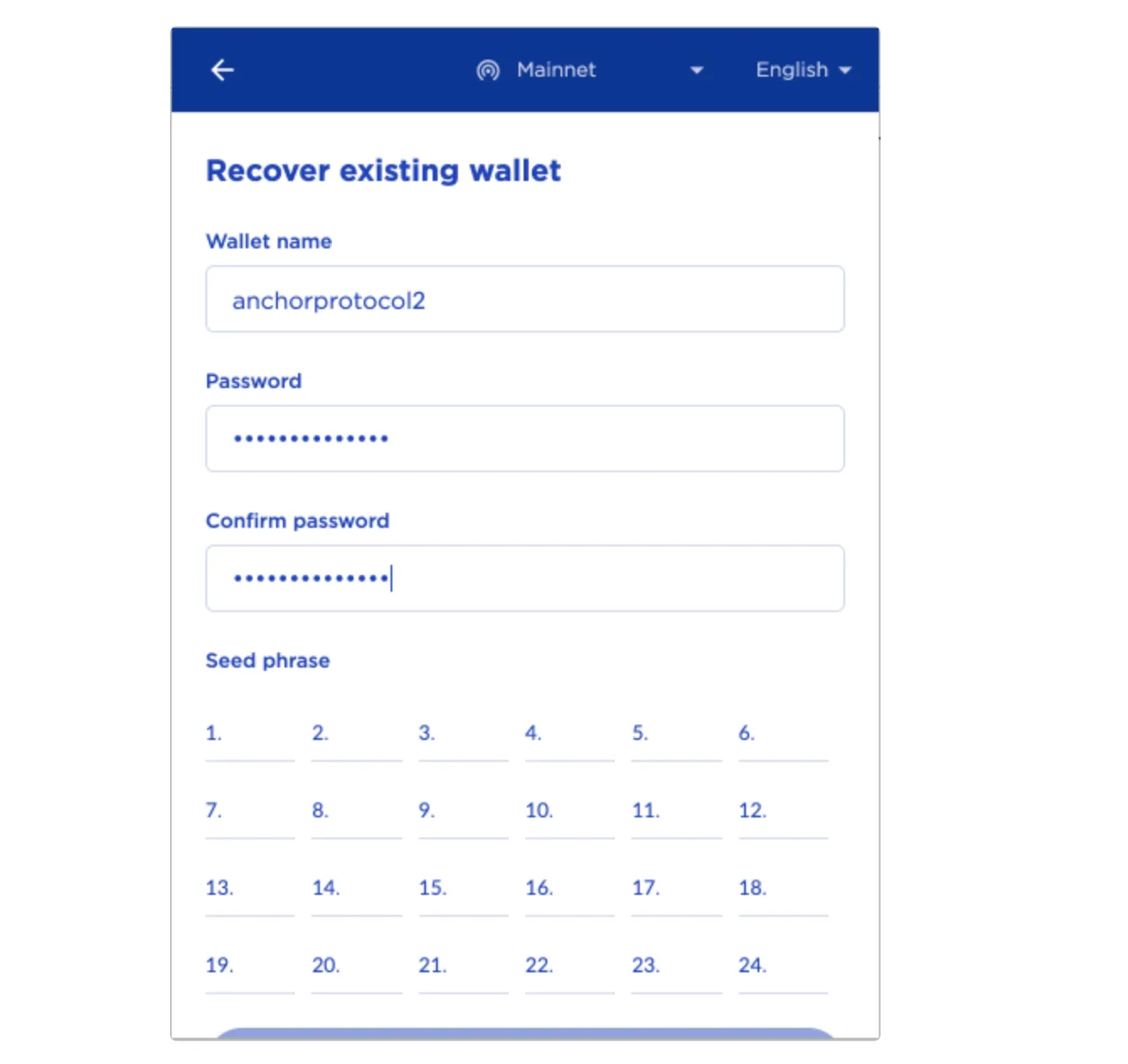
Enter the 24-word seed phrase you saved earlier in the correct order and click Next, and the recovery is complete.
That wraps up how to install and use Terra Station, and how to recover your wallet with a seed phrase.