Klaytn Staking and Liquidity Pools: Getting Started with Kakao's KLAYswap DeFi (3)
4 min read · · Korean original
Contents 3
It's finally time to earn interest with KLAYswap. By staking KLAY coins on KLAYswap or depositing them into a liquidity pool, you can earn returns of roughly 7–100%.
This post is the third in the KLAYswap DeFi series. If you'd like to see the previous steps, please refer to the posts on how to install the Kaikas wallet and how to transfer from the Coinone exchange to a personal wallet.

Getting Started with KLAYswap 1. Connecting Your Wallet
Go to the KLAYswap website. First, change the language to Korean in the top right corner.
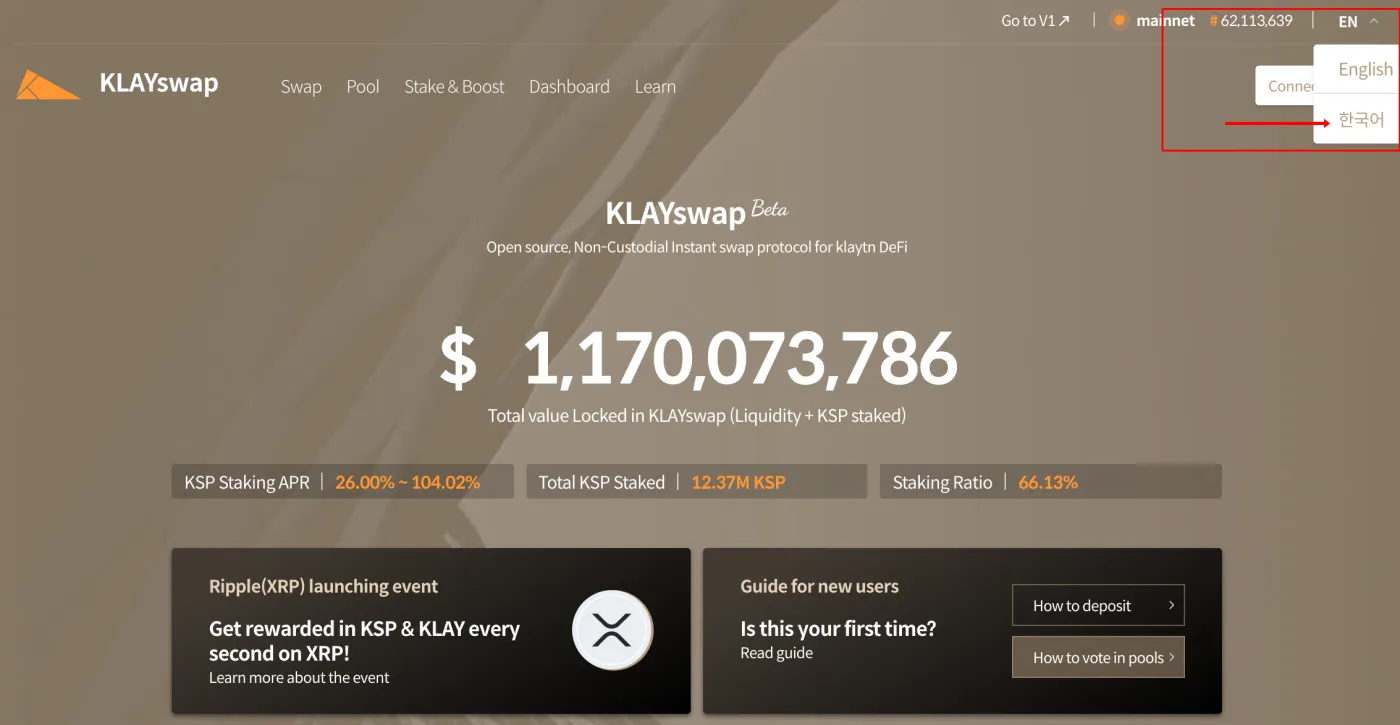
To join the various staking products and liquidity pools, you first need to connect your Kaikas wallet.
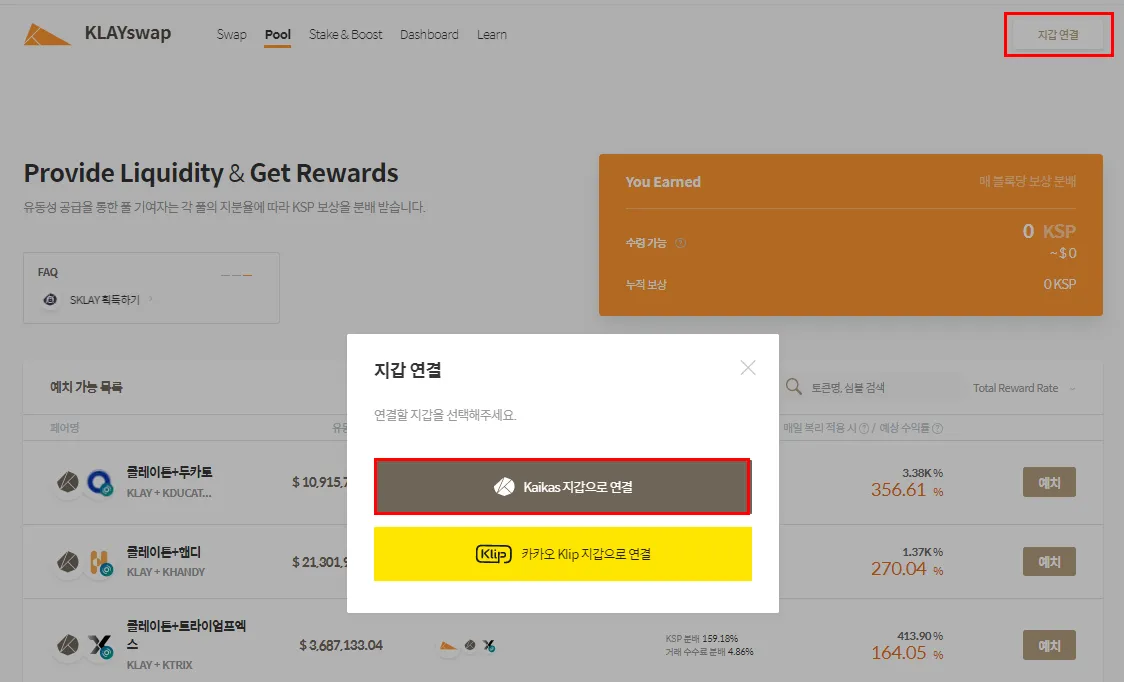
1. Click Connect Wallet in the top right corner, then click Connect with Kaikas.
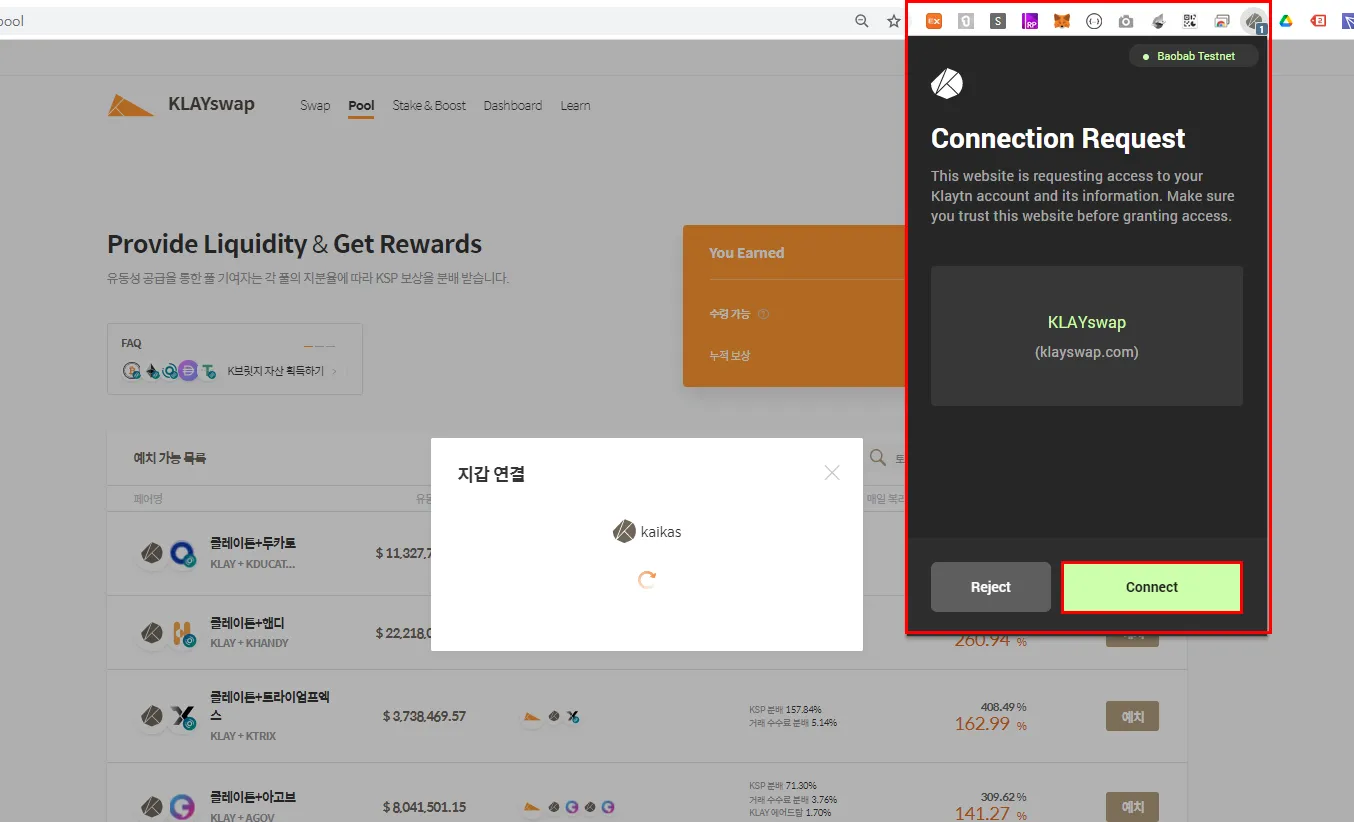
2. Once the Kaikas wallet opens (if it doesn't, click the extension icon first and then continue), click the Connect button.
3. When the connection is complete, you'll see the following.
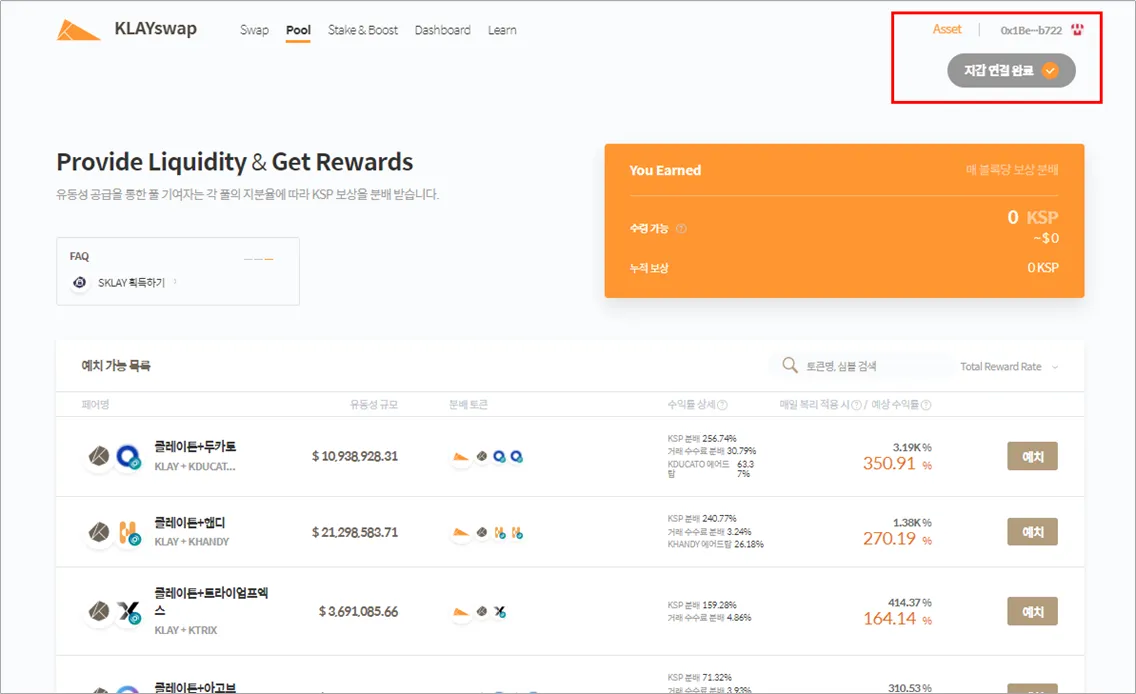
Getting Started with KLAYswap 2. Depositing Assets into a Pool
Now that your wallet is connected to KLAYswap, it's time to deposit assets into a pool and earn interest.
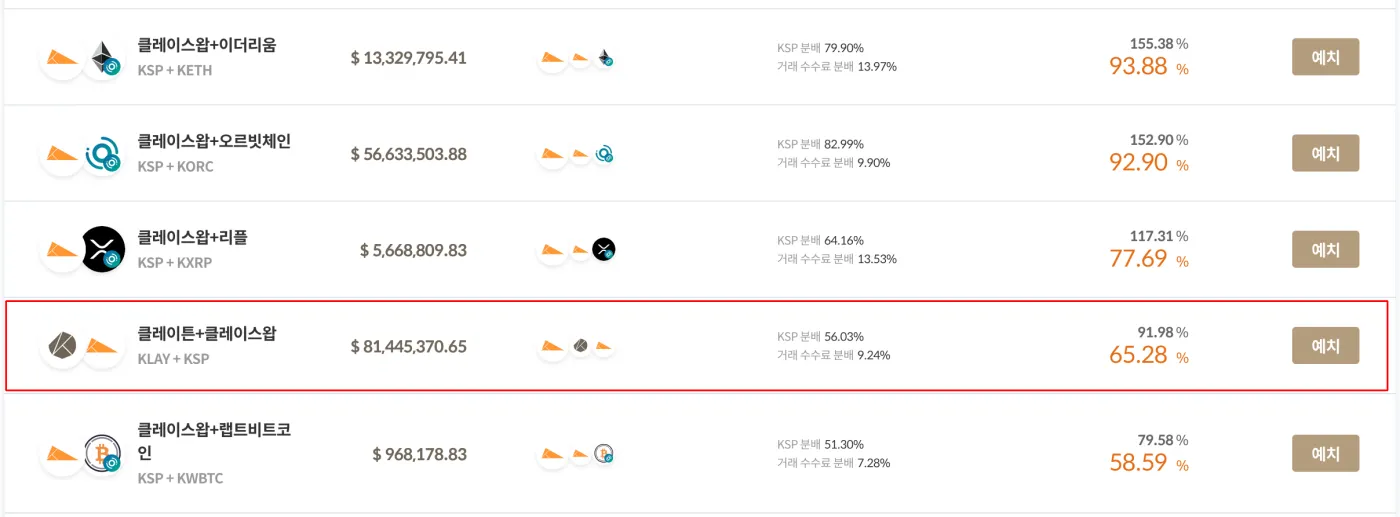
1. Click Pool at the top of the screen and choose the pool you want to join. You can see the estimated yield on the right.
I'm going to join the KLAY and KSP (KLAYswap) pool. Clicking Deposit takes you to the details page.
At this point, you should first understand the risks involved in liquidity swap pools. I've explained them in detail in my post on Binance Liquid Swap, so if you're new to this, please give it a read. It's about Binance's swap, but the same principles apply. Above all, it's essential to understand how the asset ratio in a pool changes and what impermanent loss is.
2. There are two ways to participate. You can deposit two tokens of equal value into the liquidity pool, or you can join with a single coin that gets swapped automatically.
I don't have any KSP, so I'll deposit using KLAY as a single asset.
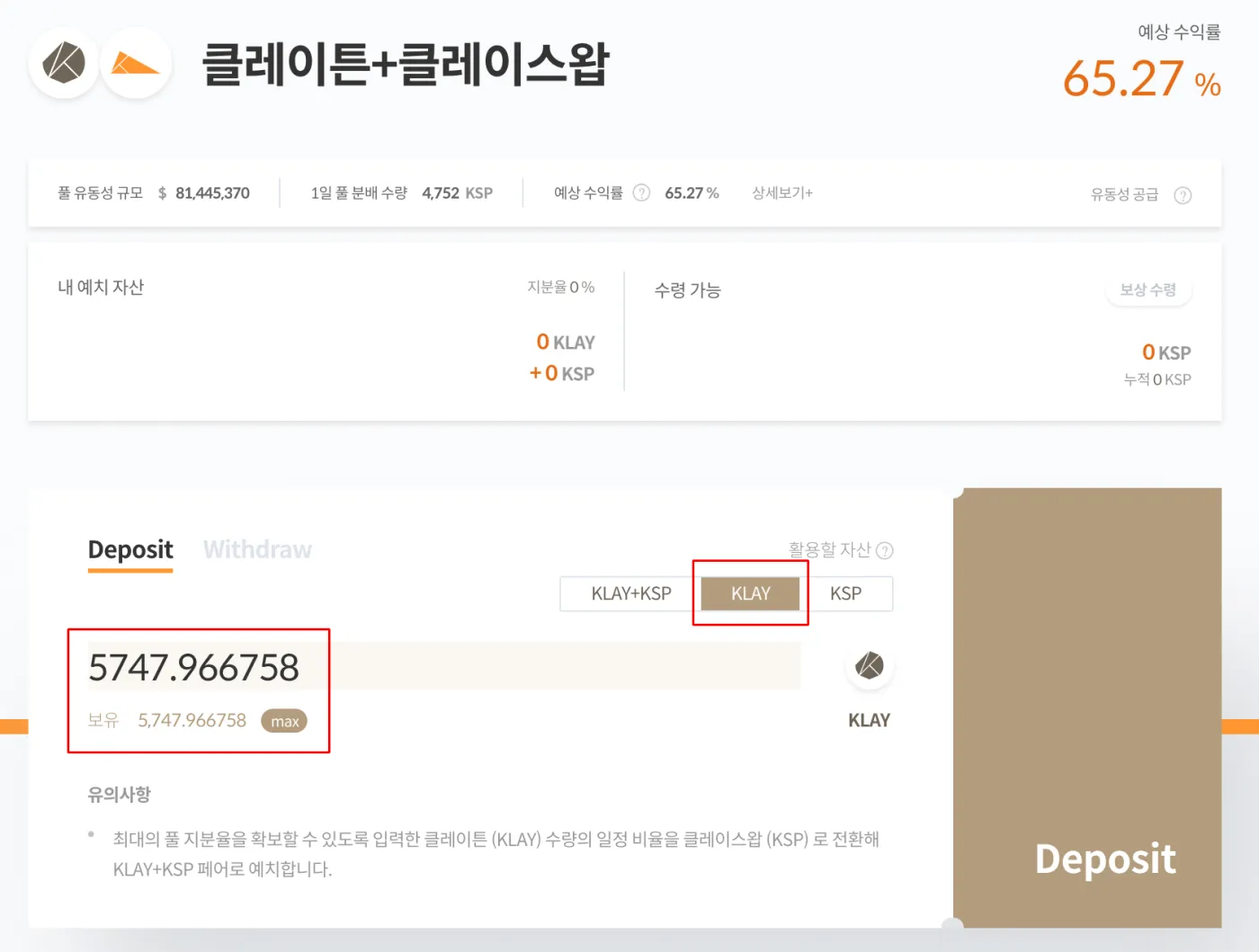
* Note: if you want to earn interest while keeping the same amount of KLAY you hold, you should join a staking product rather than a liquidity pool.
3. Click Deposit. A deposit confirmation window appears. It tells me that half of the KLAY I currently hold will be converted into KSP, and that I'll receive 0.4 KSP as a daily reward.
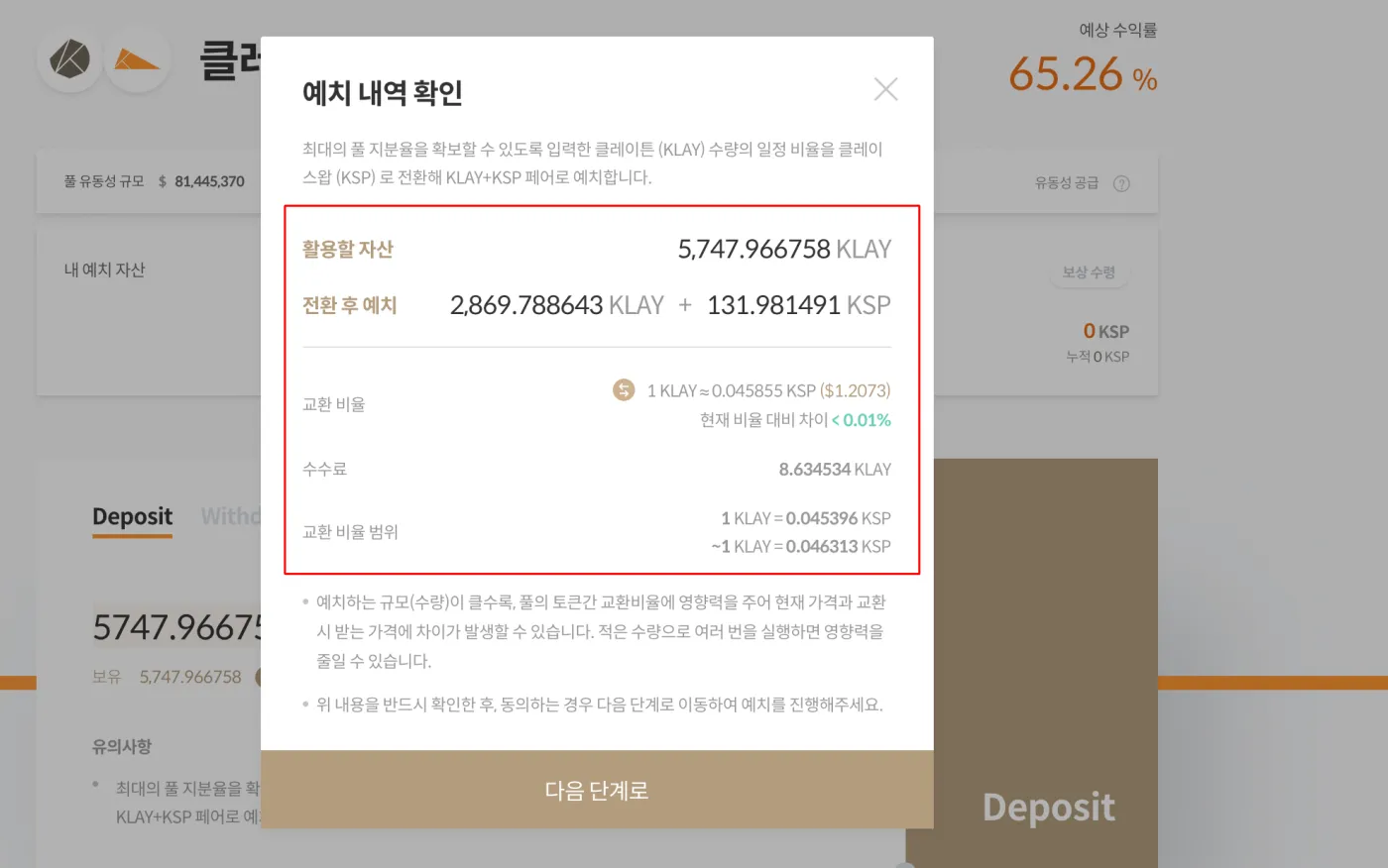
If you're converting a large amount, you should check the slippage here. Make sure the green percentage in the exchange rate doesn't exceed 0.01%. Once you've checked everything, click Next.
4. A transaction request window appears. When you click Deposit, a wallet confirmation window pops up. Click Confirm.
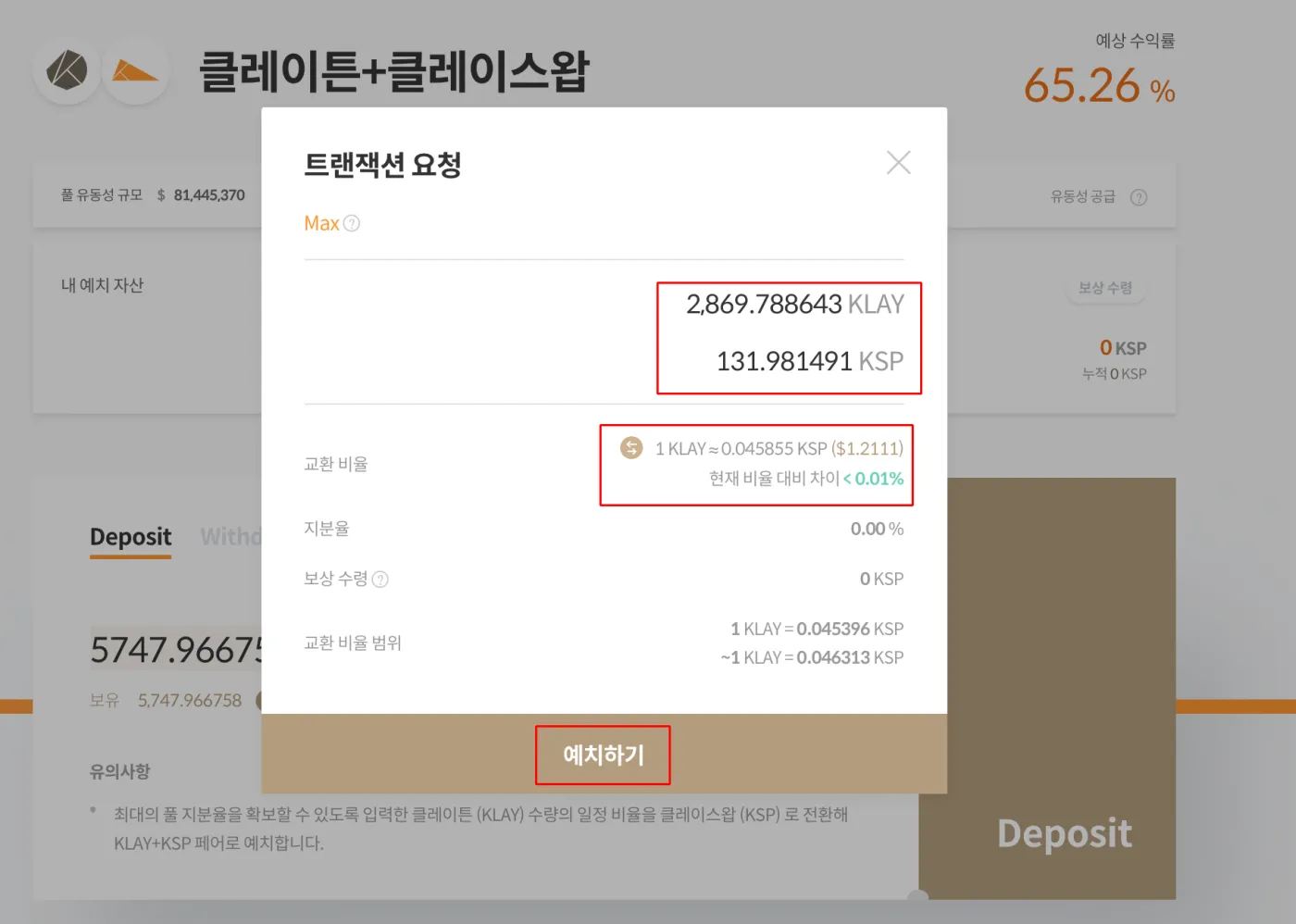
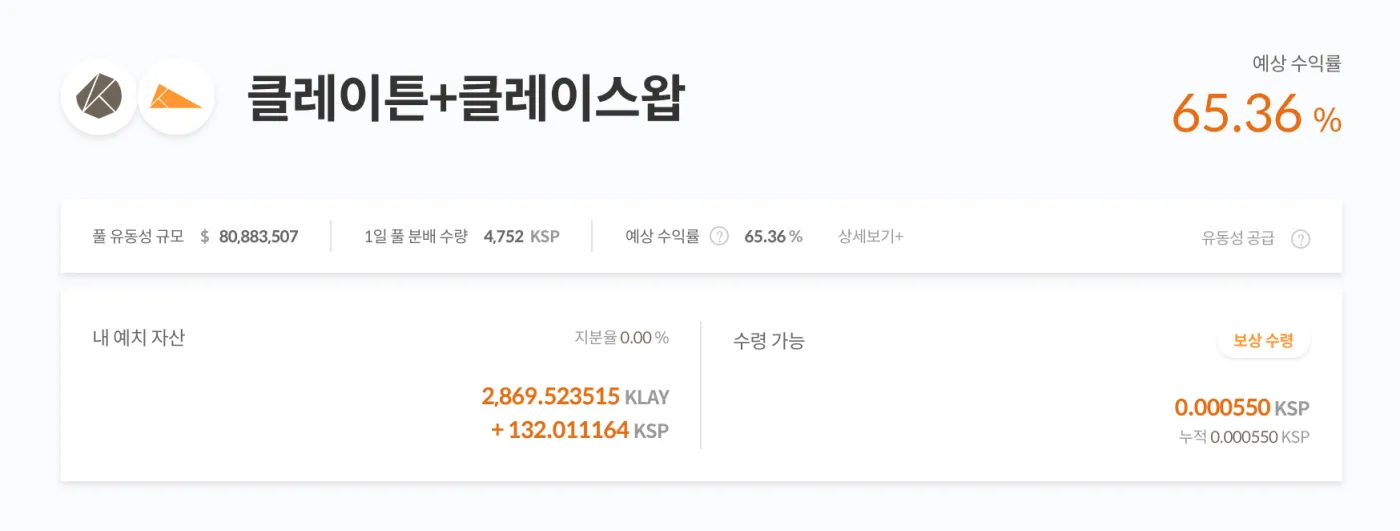
5. You're done when the pool, your deposited assets, the estimated yield and so on are displayed as shown below.
Getting Started with KLAYswap 3. Claiming Rewards
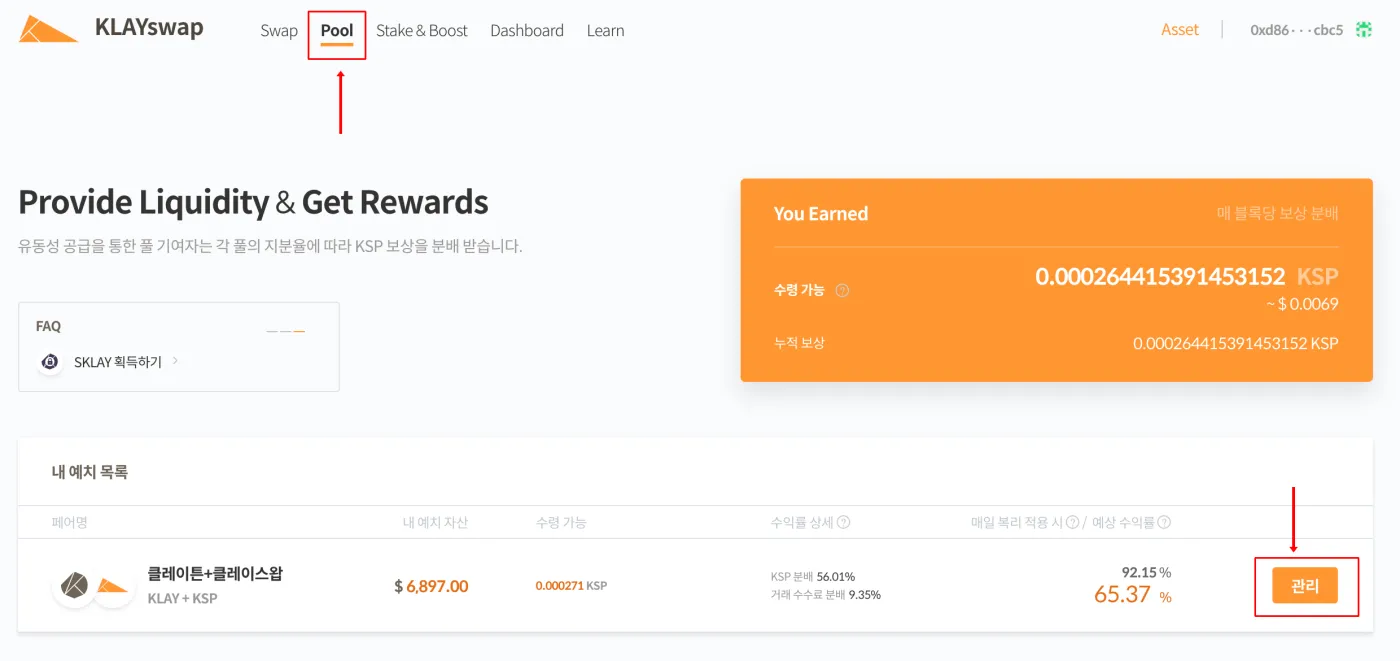
Now it's time to claim your rewards. If you go to Pool on the website, your rewards are displayed in real time. Click Manage below.
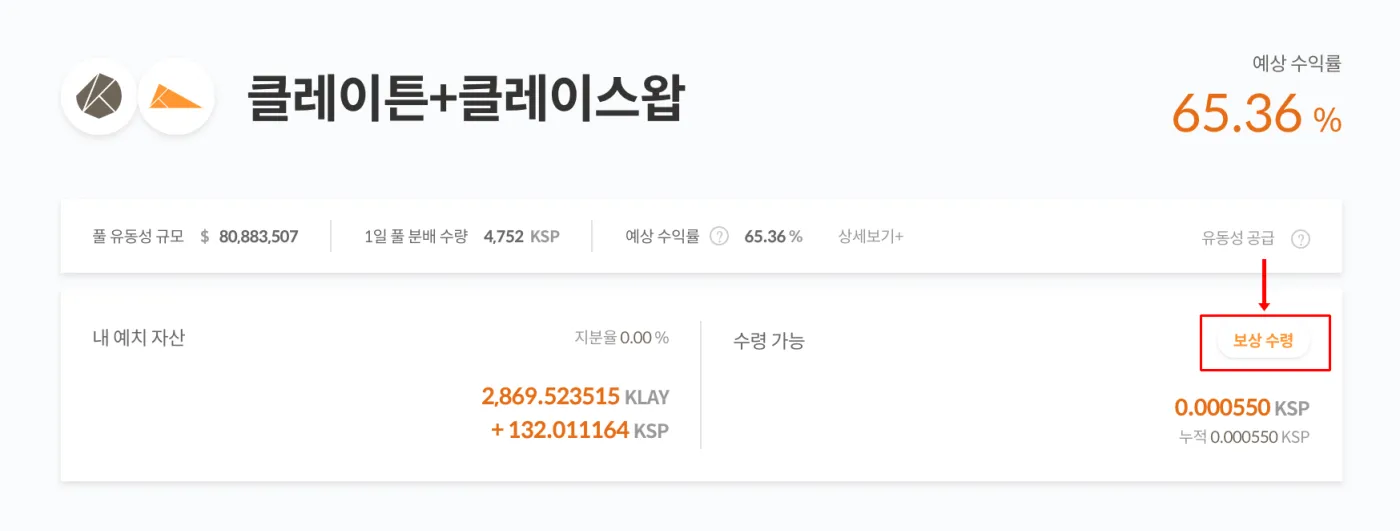
When you click Claim Rewards, a transaction request window appears in your Kaikas wallet. Click Claim, and KSP will be deposited into your wallet.
Normally a small amount of KLAY is required as a fee for each transaction, but the platform is currently covering the fees. Still, claiming too often is unnecessary and puts extra load on the network, so it's best to claim only about once a day or once a week.
Thanks for following along this far! That wraps up how to connect your wallet to KLAYswap, deposit assets into a liquidity pool, and claim your rewards.
If this helped, please tap the heart below. Thank you.
 How to Buy and Sell Kakao's KLAY Coin (🧢 Coinone <> Klip Wallet)2 min read