How to Withdraw and Sell Delisted Coins on Upbit and Bithumb
4 min read · · Korean original
Contents 5
Hello, this is Bitpunk. Today we'll look at how to withdraw and sell coins that have been delisted from Korean exchanges such as Upbit and Bithumb.

Upbit and Bithumb have already delisted coins that are well known to Korean crypto investors, such as WEMIX and Strike. Because of this, quite a few people still hold these assets but are struggling because they don't know how to sell them.
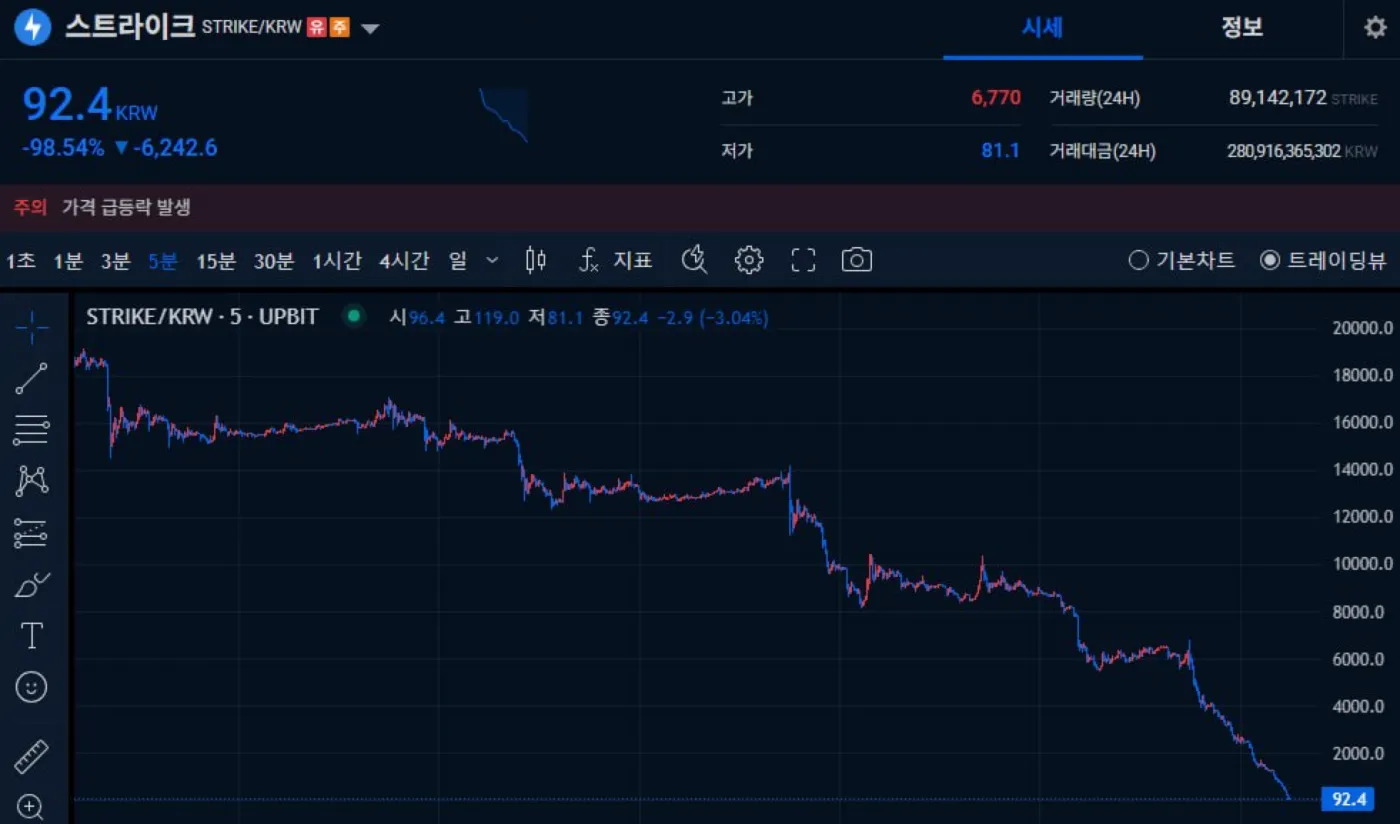
How do you withdraw a delisted coin?
Once a coin is delisted from a Korean exchange, it can no longer be traded there. So you need to withdraw it to an overseas exchange such as Binance or Bybit, or to a personal wallet, and sell it there.
Withdrawal support for delisted coins also has a deadline, so it's best to move your assets out as quickly as possible. So what exactly should you do?
Withdrawing a delisted coin is simpler than you might think. There are two main cases: the coin is listed on an overseas exchange, or it isn't.
1. If the coin is listed on an overseas exchange
If the delisted coin is listed on an overseas exchange, the simplest option is to withdraw it to that exchange and sell it there. However, for a smooth withdrawal, the exchange needs to be one that supports the Travel Rule.
Binance, Bybit, Bitget, OKX, BingX and Gate are known as the most widely used and trusted exchanges. Visit these exchanges and check whether they support trading for your delisted coin.
For example, WEMIX has been delisted from Korean exchanges, but Bybit still supports both spot and futures trading for it. In this case, you can withdraw your WEMIX to Bybit and sell it there.
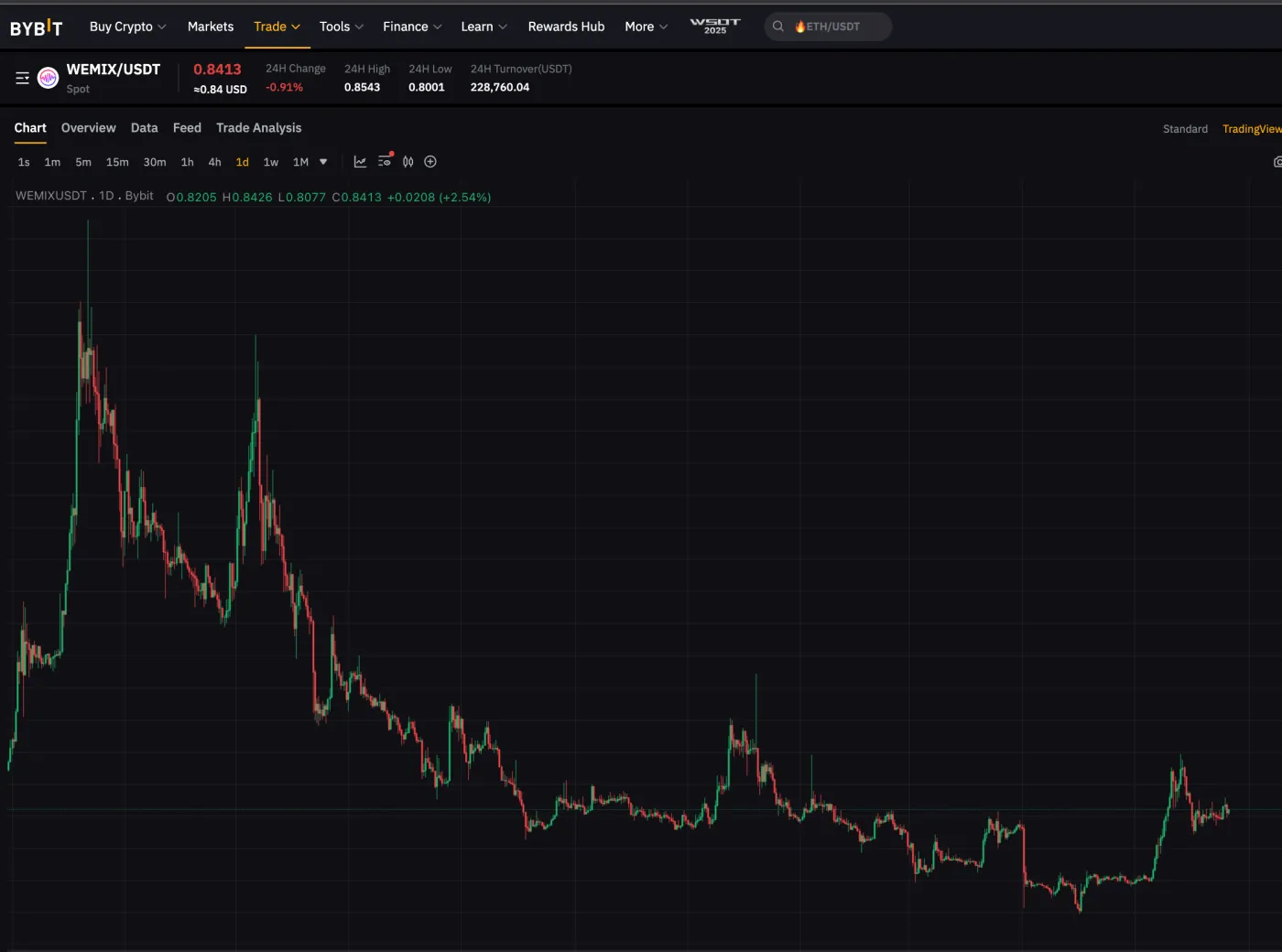
When withdrawing, it's important to check that the deposit and withdrawal networks supported by each exchange match. For example, with WEMIX, the legacy network and the WEMIX mainnet are not compatible with each other. Check this carefully, and keep in mind that you may need to bridge your coins if necessary. For large amounts, try a small test withdrawal first.
2. If the coin is not listed on an overseas exchange
What if there's no exchange at all that lists the delisted coin? First, it's important to get accurate information. Go to CoinMarketCap and search for the ticker, and you'll see which exchanges and DEXs currently support it.
For example, Strike, which was delisted in August 2025, has no supporting exchanges other than the Korean exchanges Upbit and Bithumb, as shown below. In this case, your only option is to withdraw the coin to a personal wallet and sell it from there.
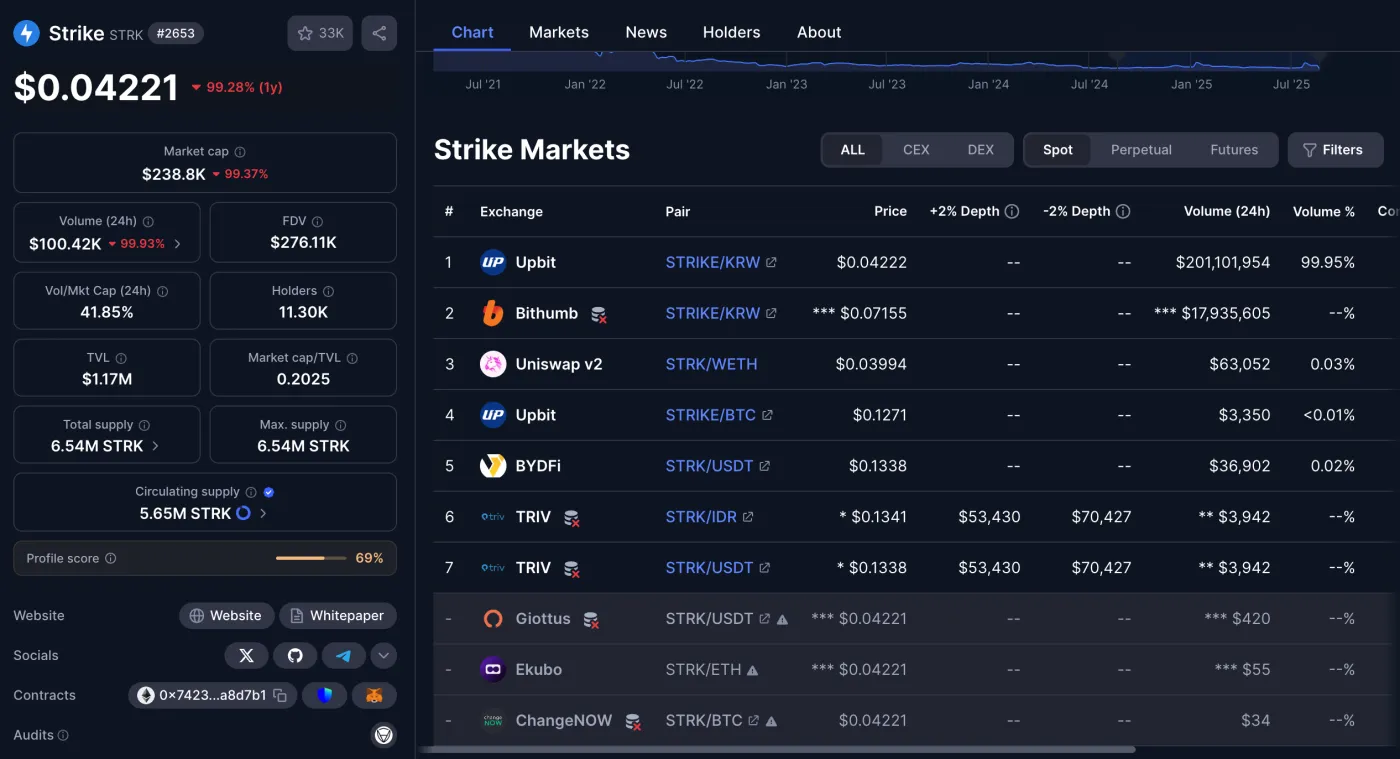
To withdraw to a personal wallet, you first need to register your wallet address on the exchange. Then simply withdraw your coins to that wallet address. After that, you can use MetaMask, OKX Wallet or a similar wallet to sell on Uniswap, 1inch and other platforms.
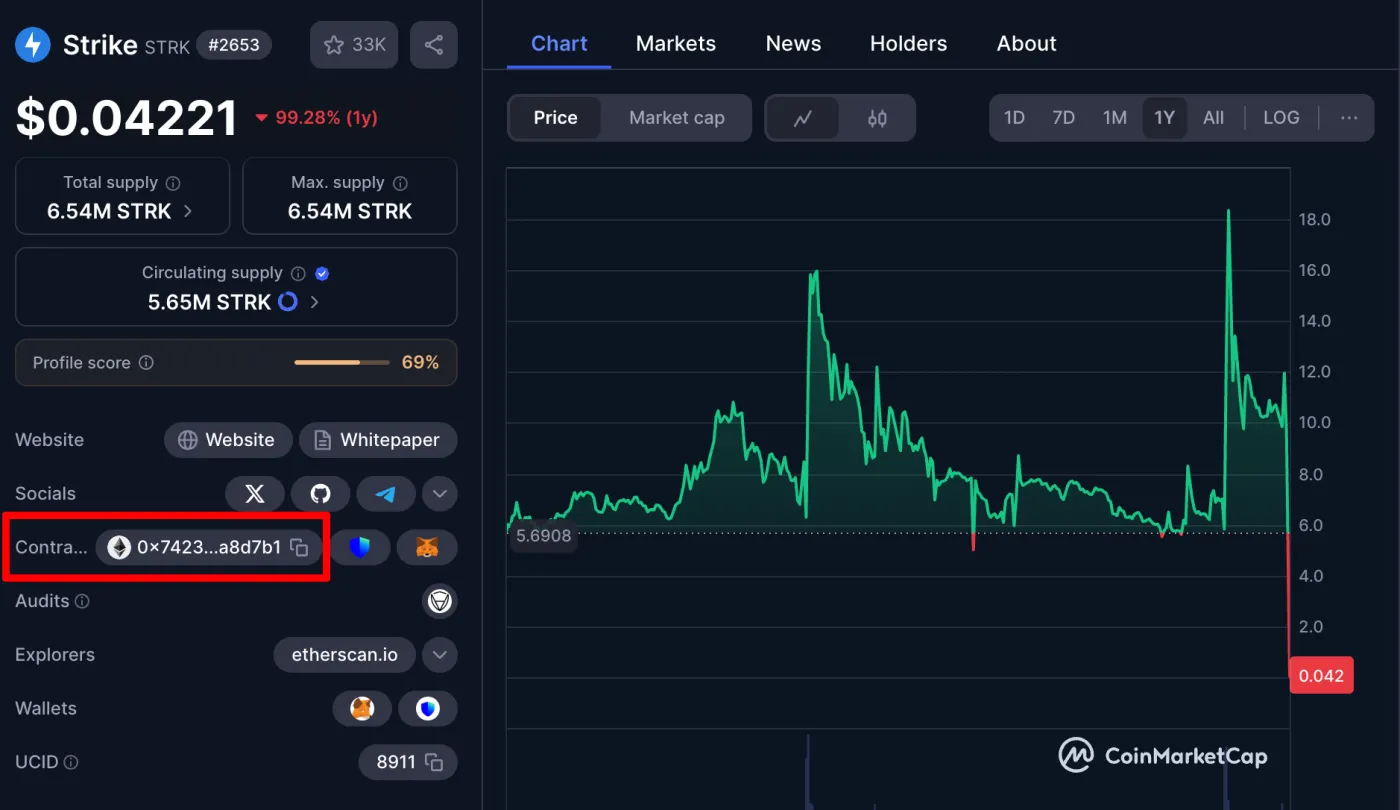
Smaller coins may not show up right away in search. In that case, find the coin's contract address on CoinMarketCap, then import it into the DEX to trade.
Real example: Withdrawing and selling delisted Strike
Let's walk through a real example. For Strike, which was delisted from Upbit, there are no overseas exchanges that support trading it at all. So the only way is to withdraw it to a personal wallet and then sell it.
Register a personal wallet address, such as MetaMask or OKX Wallet, on Upbit and complete the withdrawal. Next, go to Uniswap or 1inch and carefully paste in the Strike contract address 0x74232704659ef37c08995e386a2e26cc27a8d7b1.
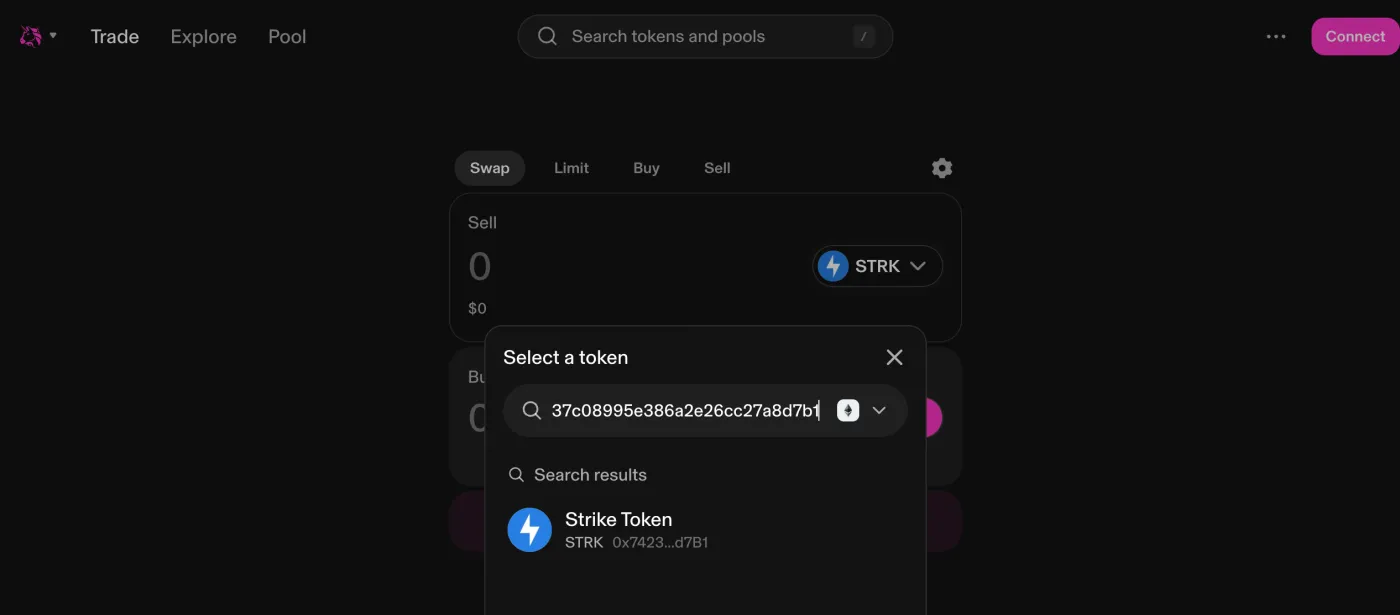
Then choose the asset you want to swap into and proceed with the sale. Below is an example of pasting the Strike contract address into Uniswap and swapping it for USDT.
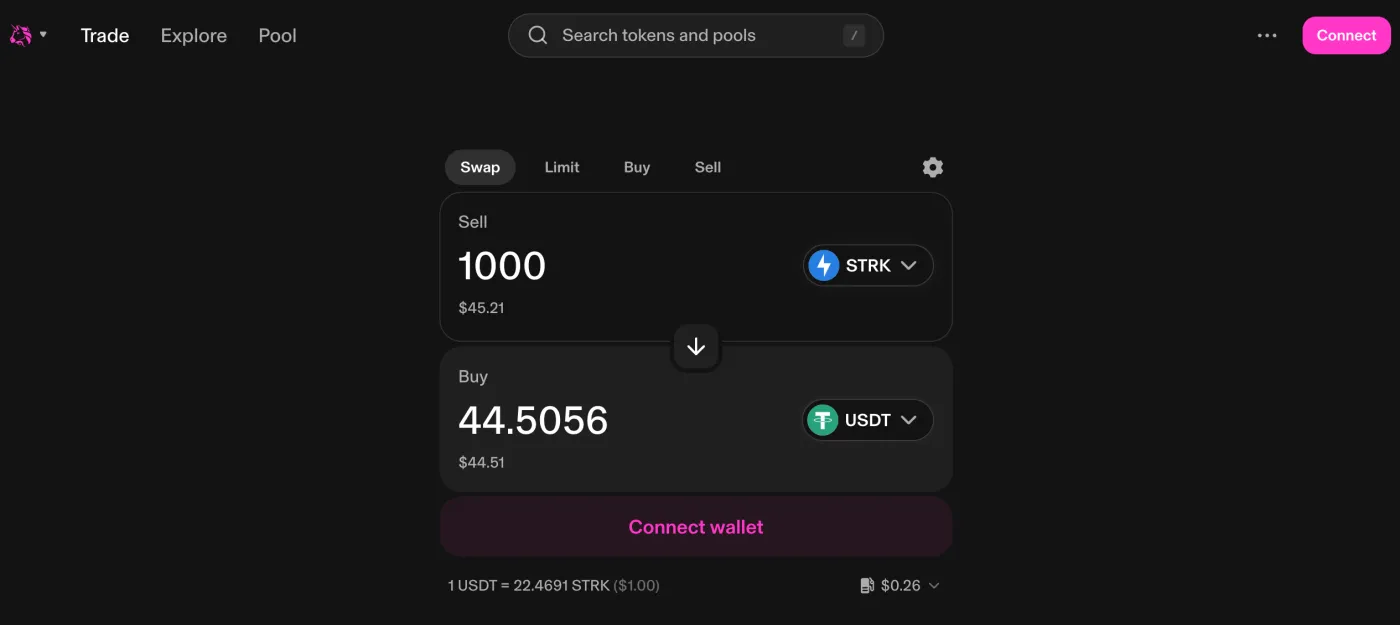
This trade takes place on the Ethereum network. So you'll need a small amount of ETH to pay the gas fee for the swap transaction.
There's one thing to watch out for when trading delisted coins on a DEX: significant slippage. Since almost no one wants to buy delisted junk coins anymore, even swapping a small amount can cause slippage of anywhere from 10% to nearly 50%, so be careful. For large amounts, always check the slippage before trading.
Wrapping up
That covers how to withdraw and cash out coins delisted from Upbit and Bithumb. The simplest and most convenient case is when the coin is listed on an overseas exchange. In that case, you just withdraw it to that exchange and sell it.
However, if the coin isn't listed anywhere, you'll need to withdraw it to a personal wallet and sell it on a DEX. When selling and cashing out on a DEX, slippage is often high, so it's wise to trade carefully. Popular DEXs include Uniswap, 1inch and Hyperliquid, and a well-known aggregator is DefiLlama Swap.