How to Sign Up on the Binance App in 4 Steps, Plus a 20% Trading Fee Discount Tip
2 min read · · Korean original
Contents 4
You can easily register a Binance account in the Binance app with your email address, phone number, or Apple/Google account. In this post, we'll walk through how to sign up for Binance and how to enter a referral code for a 20% trading fee discount when you register.

Step 1: Download the Binance App
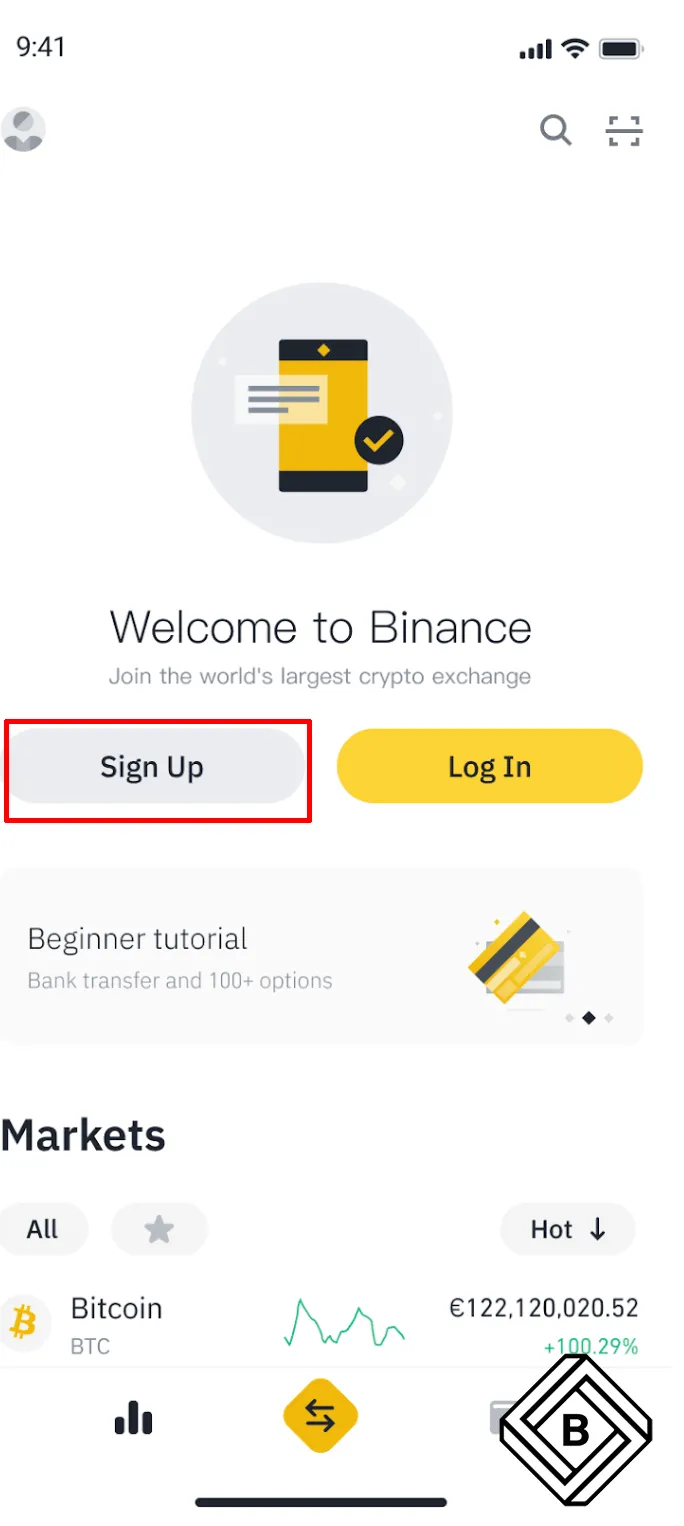
Download the Binance app from the App Store. Already have the Binance app? Open it and tap [Sign up].
Step 2: Choose How to Register
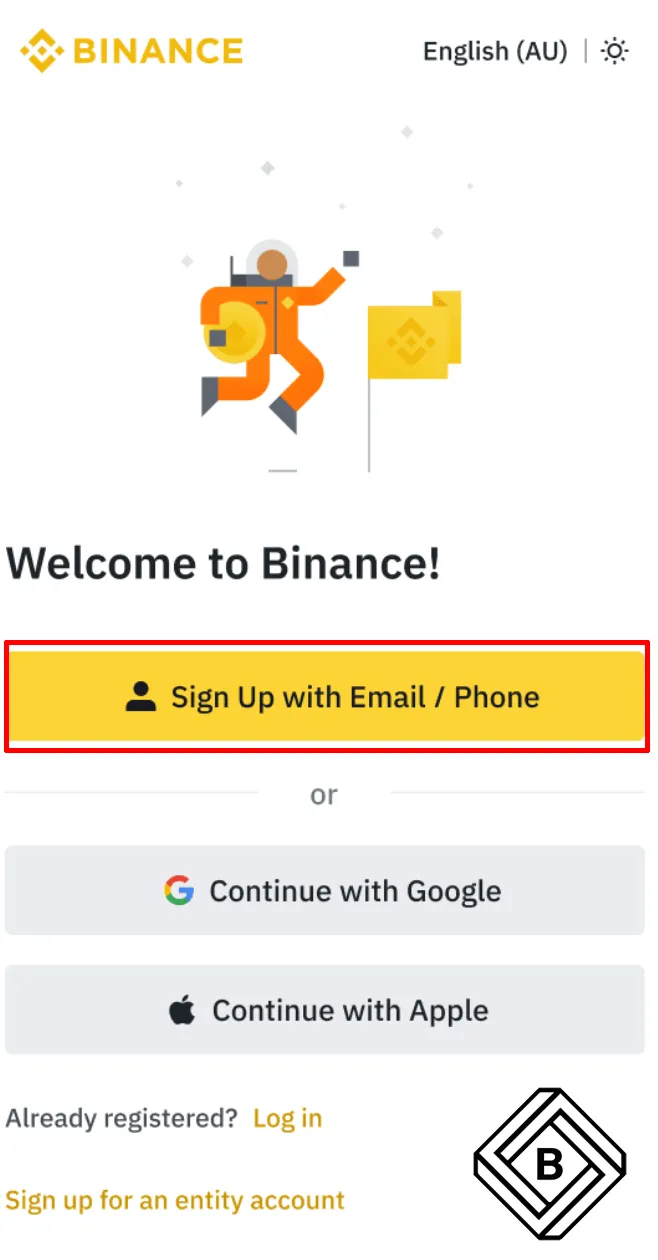
Choose how you want to register your new account. You can sign up with an email address, a phone number, or an Apple or Google account. Here, we'll look at how to sign up with email.
Step 3: Enter Your Personal Information and Apply the Fee Discount
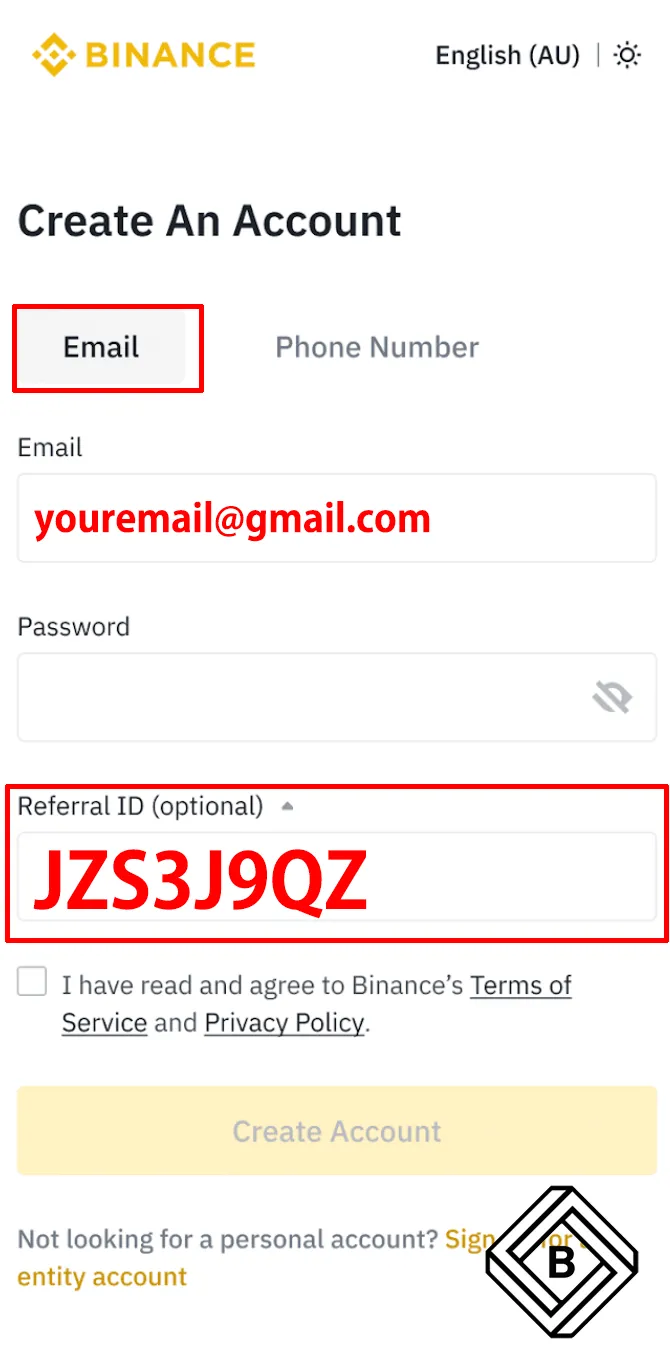
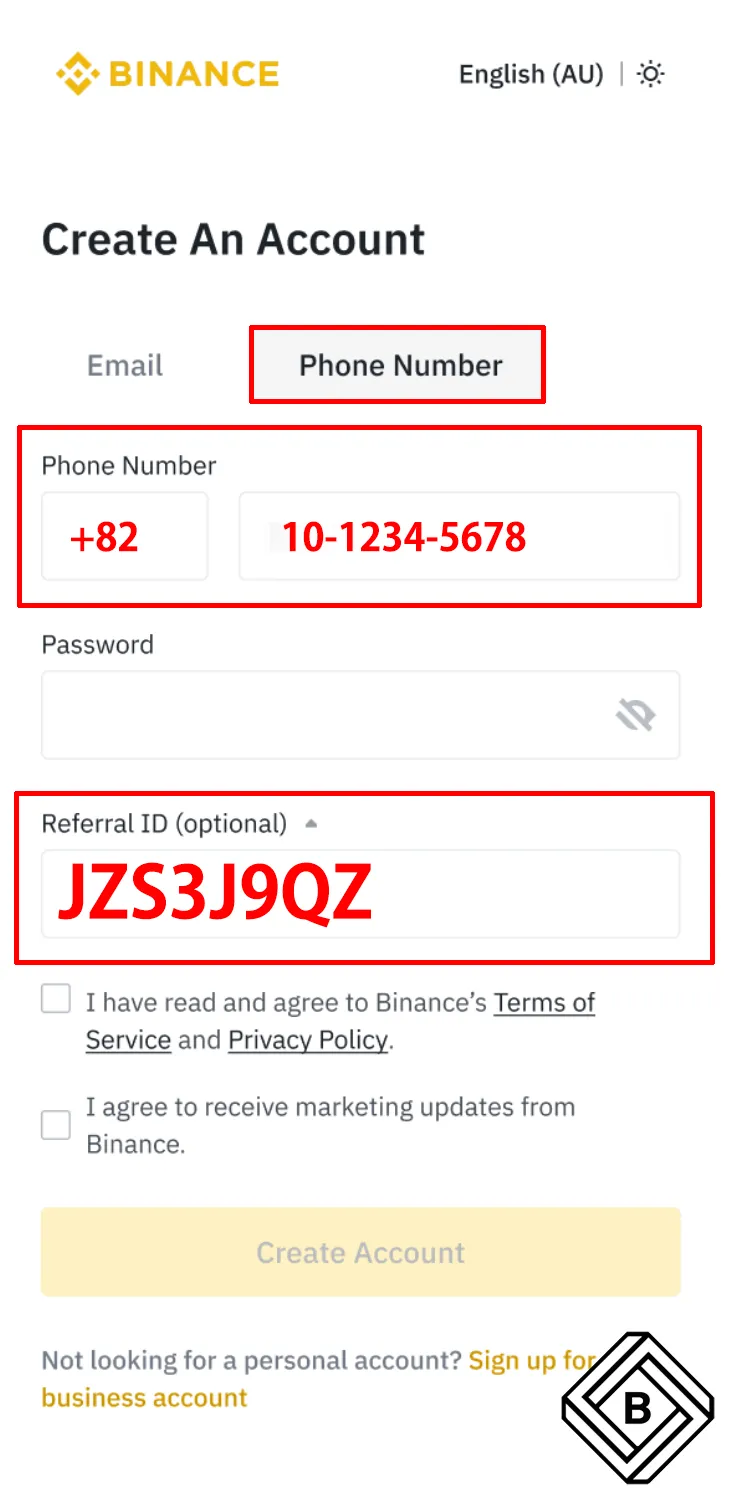
Select [Email] or [Phone Number] and enter your email address or phone number. Next, create a secure password for your account.
- Your password must be at least 8 characters long and include at least one uppercase letter and one number.
- If you enter the referral code JZS3J9QZ when signing up, you can get a 20% discount on trading fees.
- Read and agree to the Terms of Service and Privacy Policy, then tap [Create Account].
Step 4: Enter the 6-Digit Verification Code
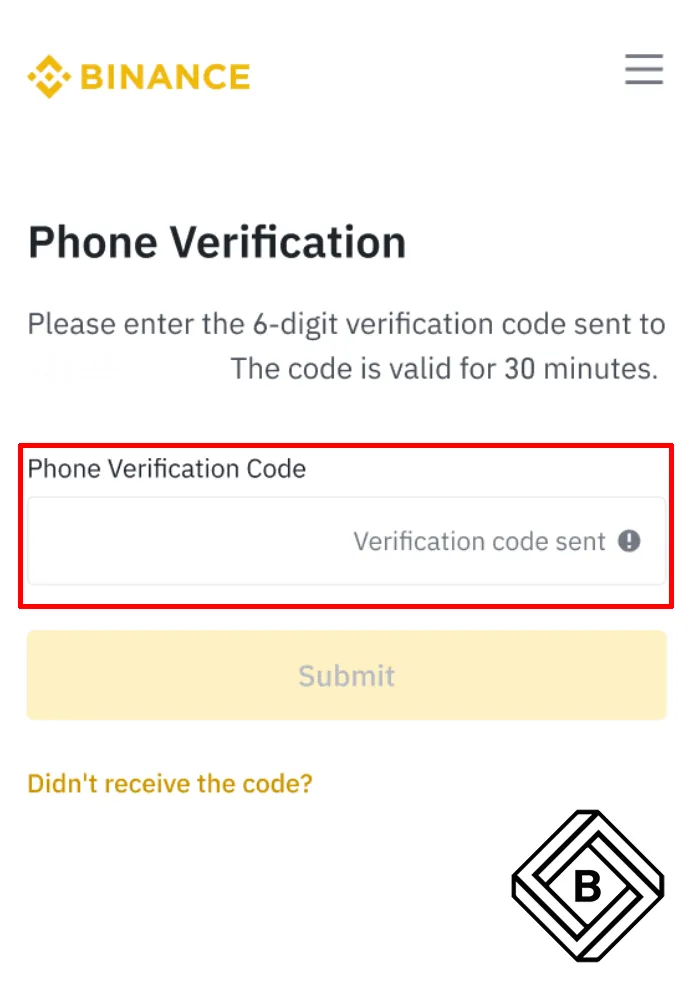
A 6-digit verification code will be sent to the email address or phone number you entered above. Enter the code within 30 minutes and tap [Confirm].
Congratulations! Your Binance account has been successfully created. To create a Binance account with your Apple or Google account, select [Continue with Apple] or [Continue with Google] in Step 3. You'll be prompted to sign in to Binance using your Apple or Google account. Tap [Continue].
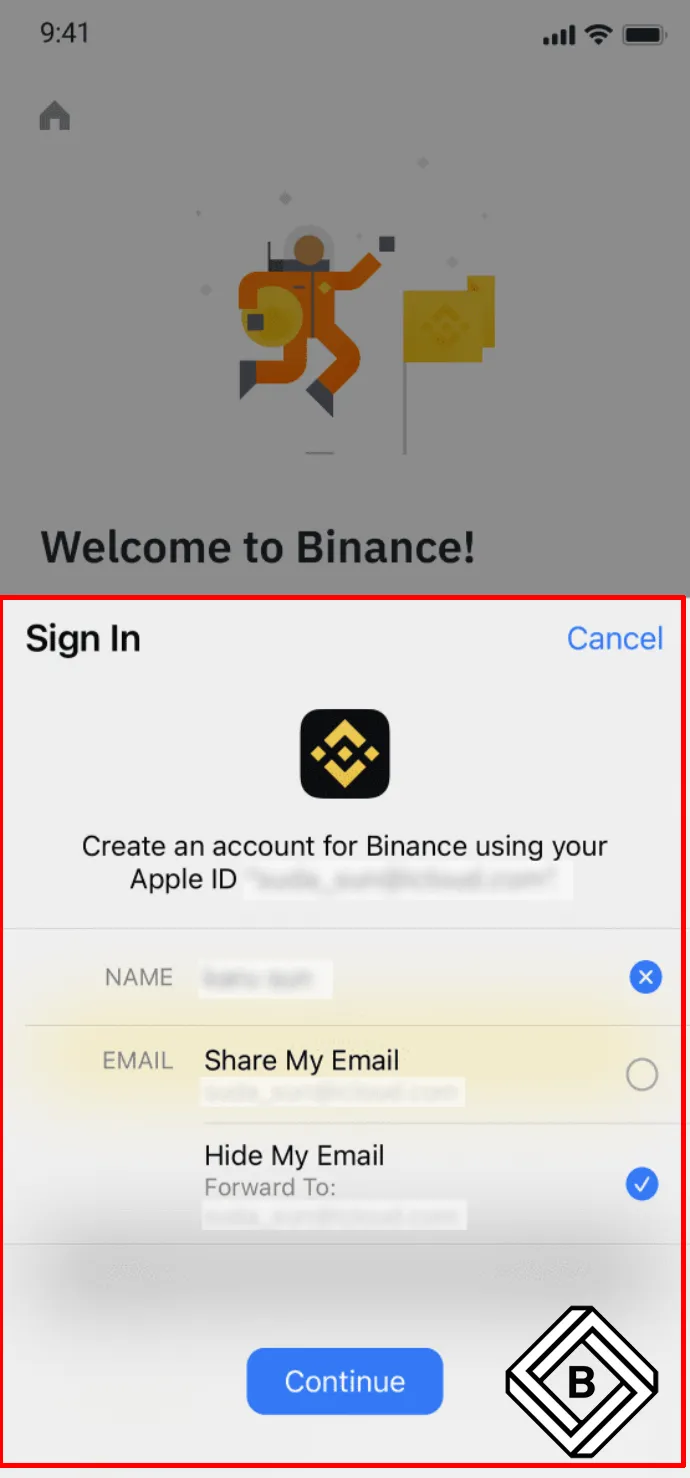
When signing up with an Apple or Google account, too, you can get a 20% discount on trading fees by entering the referral code JZS3J9QZ . Read and agree to the Terms of Service and Privacy Policy, then tap [Create Account].
Congratulations! Your Binance account has been successfully created.
- To protect your account, we recommend enabling at least one form of two-factor authentication (2FA).
- To use the Binance exchange and P2P trading, you need to complete KYC identity verification.