How to Use Binance Auto-Invest (Buying Bitcoin in Installments)
4 min read · · Korean original
Contents 7
Binance Auto-Invest lets you buy crypto assets on a recurring basis every day. It is a dollar-cost averaging (DCA) installment-buying strategy that lowers your average purchase price, and you can buy a fixed amount of crypto assets such as Bitcoin daily, weekly, biweekly or monthly. Binance Auto-Invest currently supports more than 210 crypto assets.
🪽 Recommended Articles on Binance Auto-Invest
How to Use Binance Auto-Invest (Installment Buying)
To set up auto-invest on Binance, follow the steps below. We'll use Bitcoin as an example here.
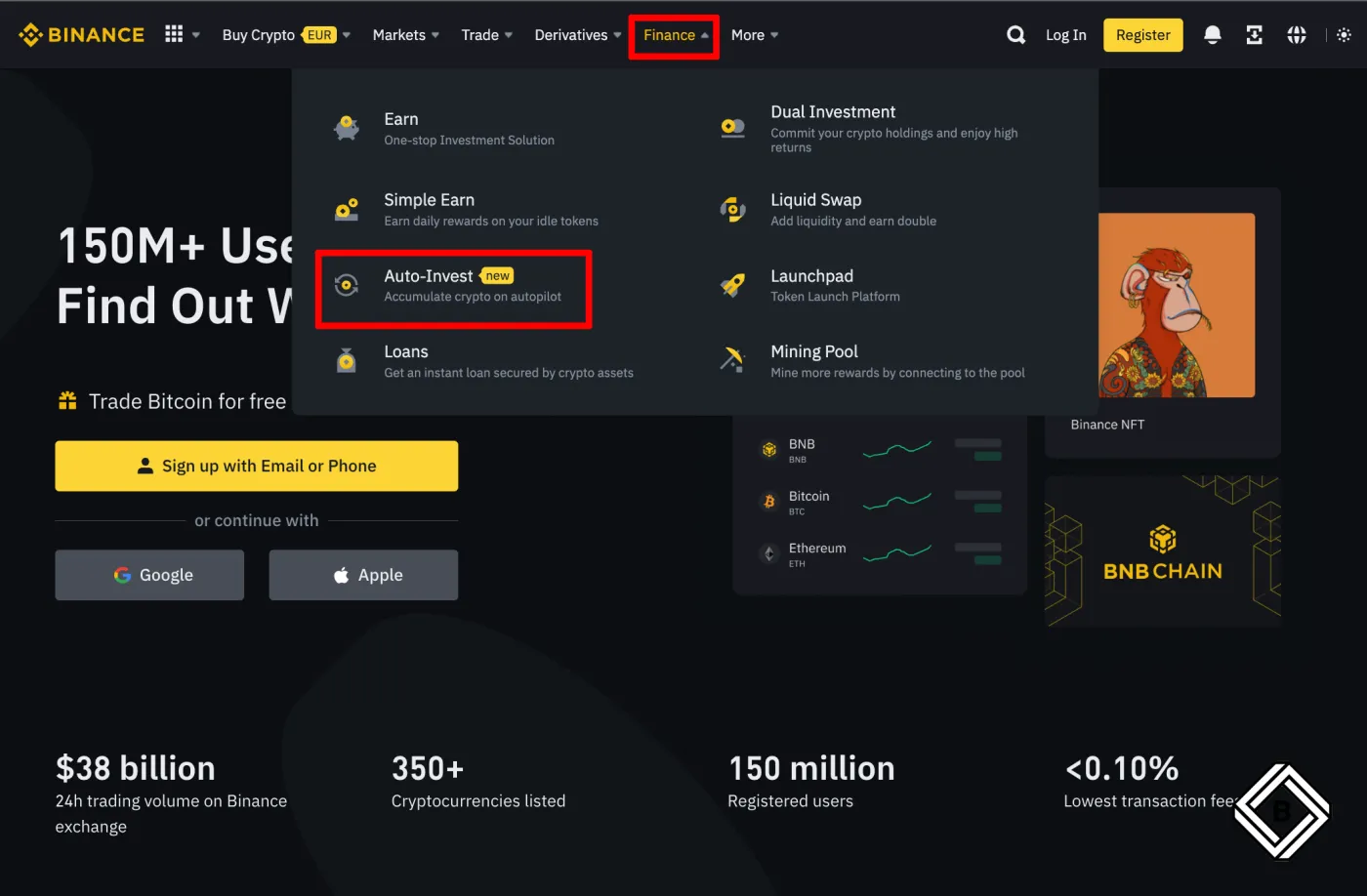
- Log in to your Binance account and go to [Earn] - [Auto Invest]. If you don't have a Binance account yet, sign up through the 20% Binance discount link to save on Auto-Invest purchase fees.
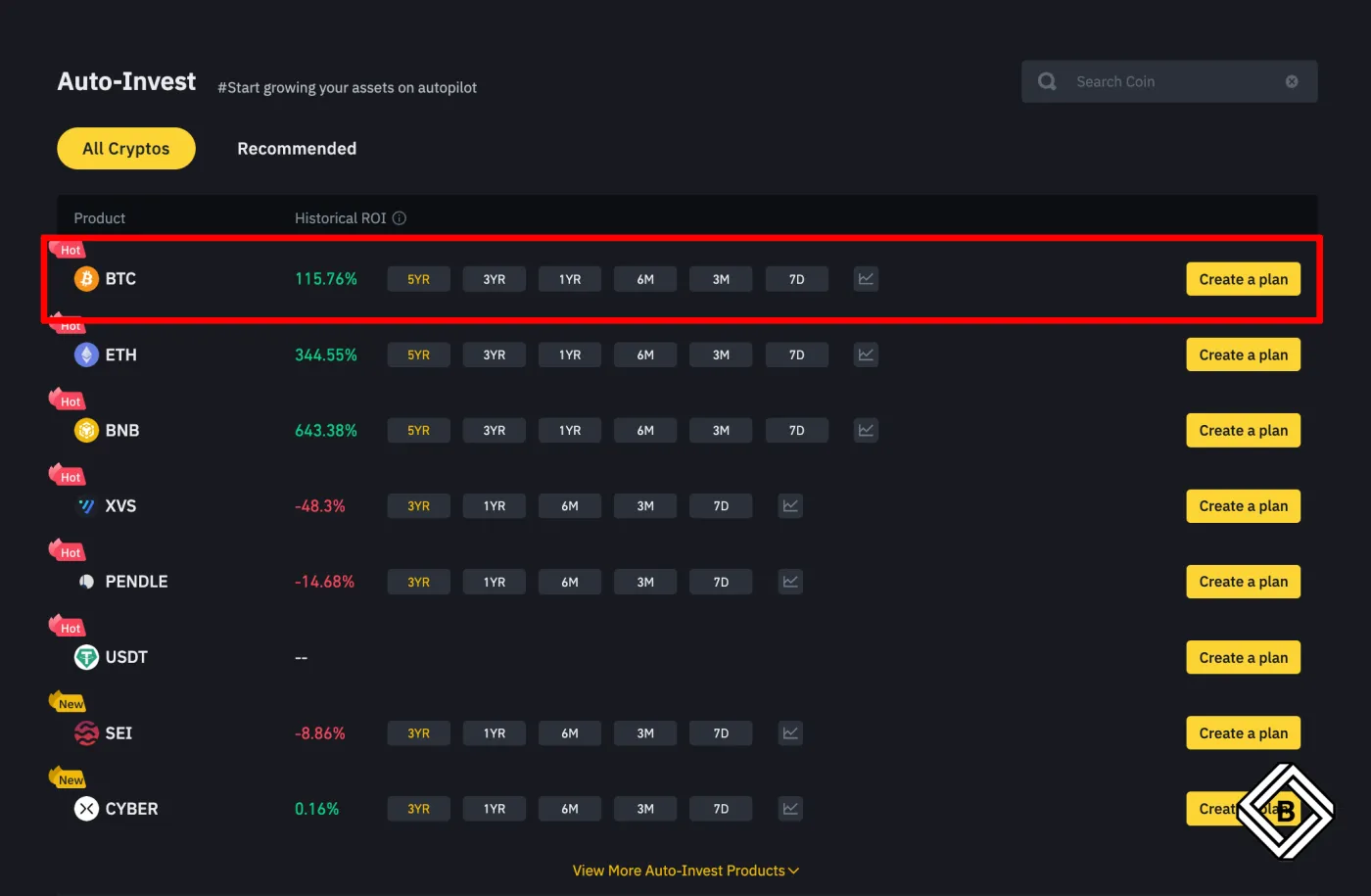
- Scroll down to the [Auto-Invest] - [All Cryptos] section. Click [Create a plan] next to BTC, the coin you want to buy in installments.
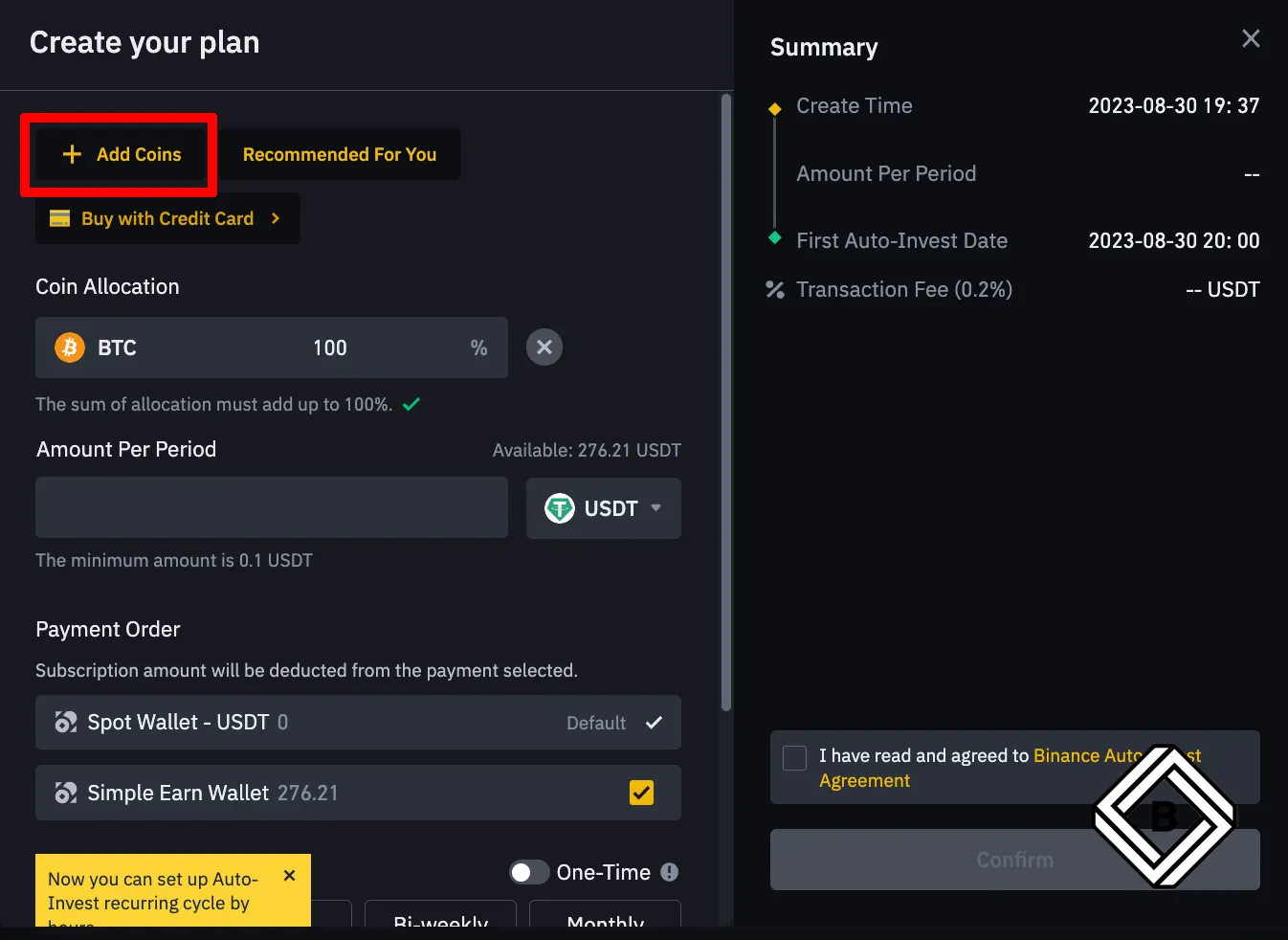
- A window like the one below will appear. If you'd also like to buy crypto assets other than Bitcoin, click [+ Add Coins].
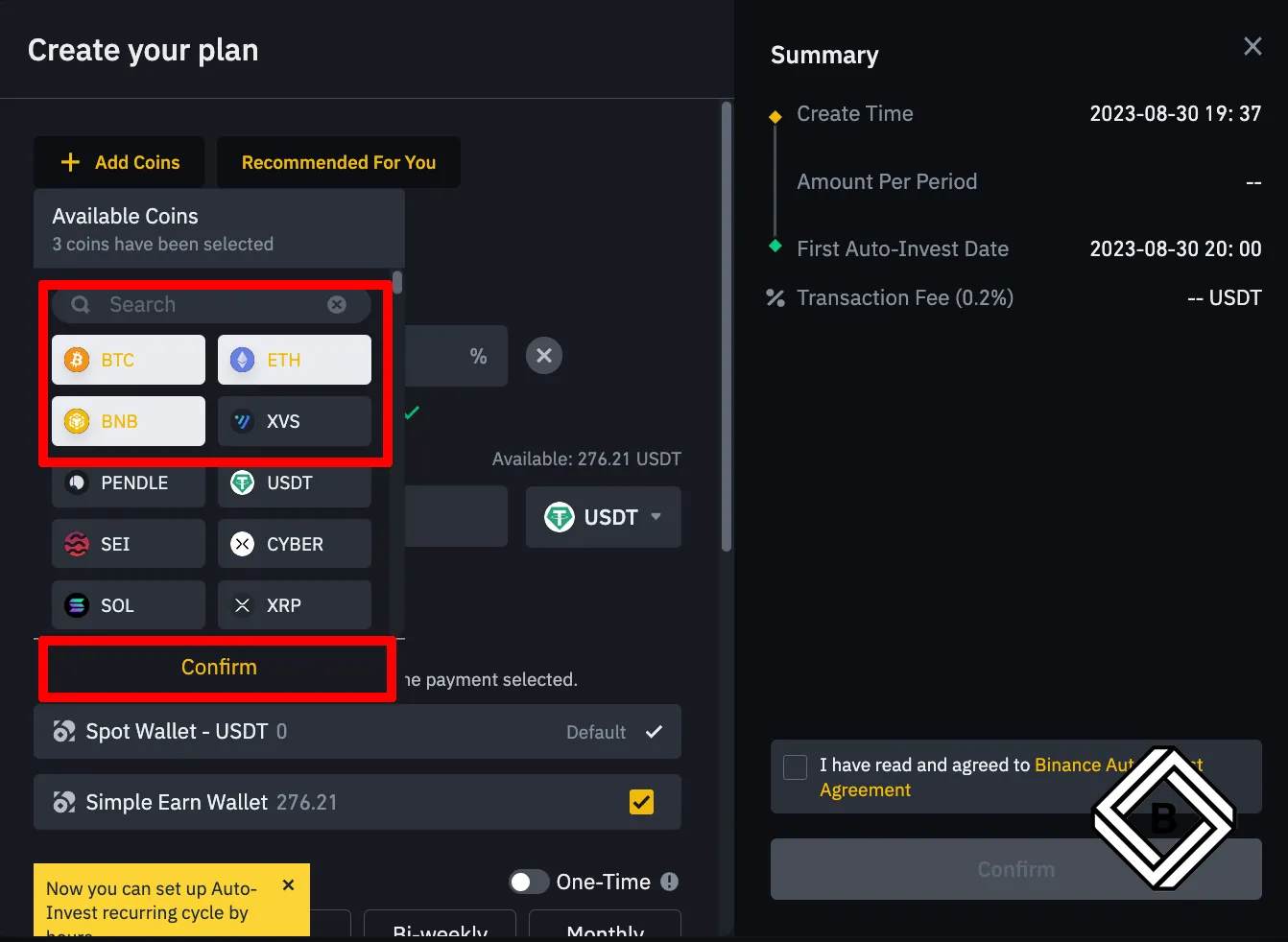
- You can freely add any coins you want, such as Ethereum (ETH) or BNB. Click [Confirm].
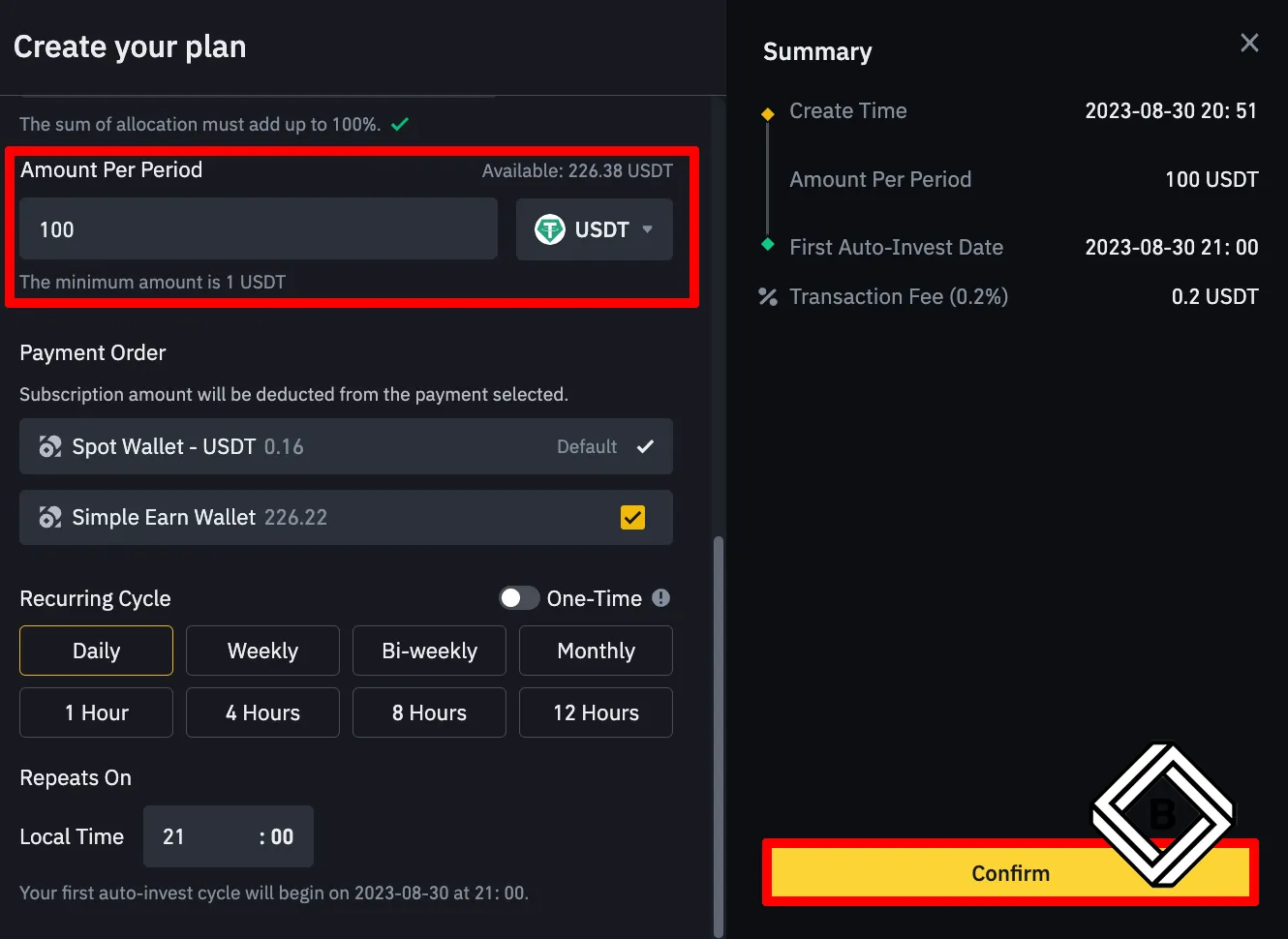
- As shown below, enter the allocation you want for each coin so that the total adds up to 100%. You can set the ratios however you like, but the total must be exactly 100%.
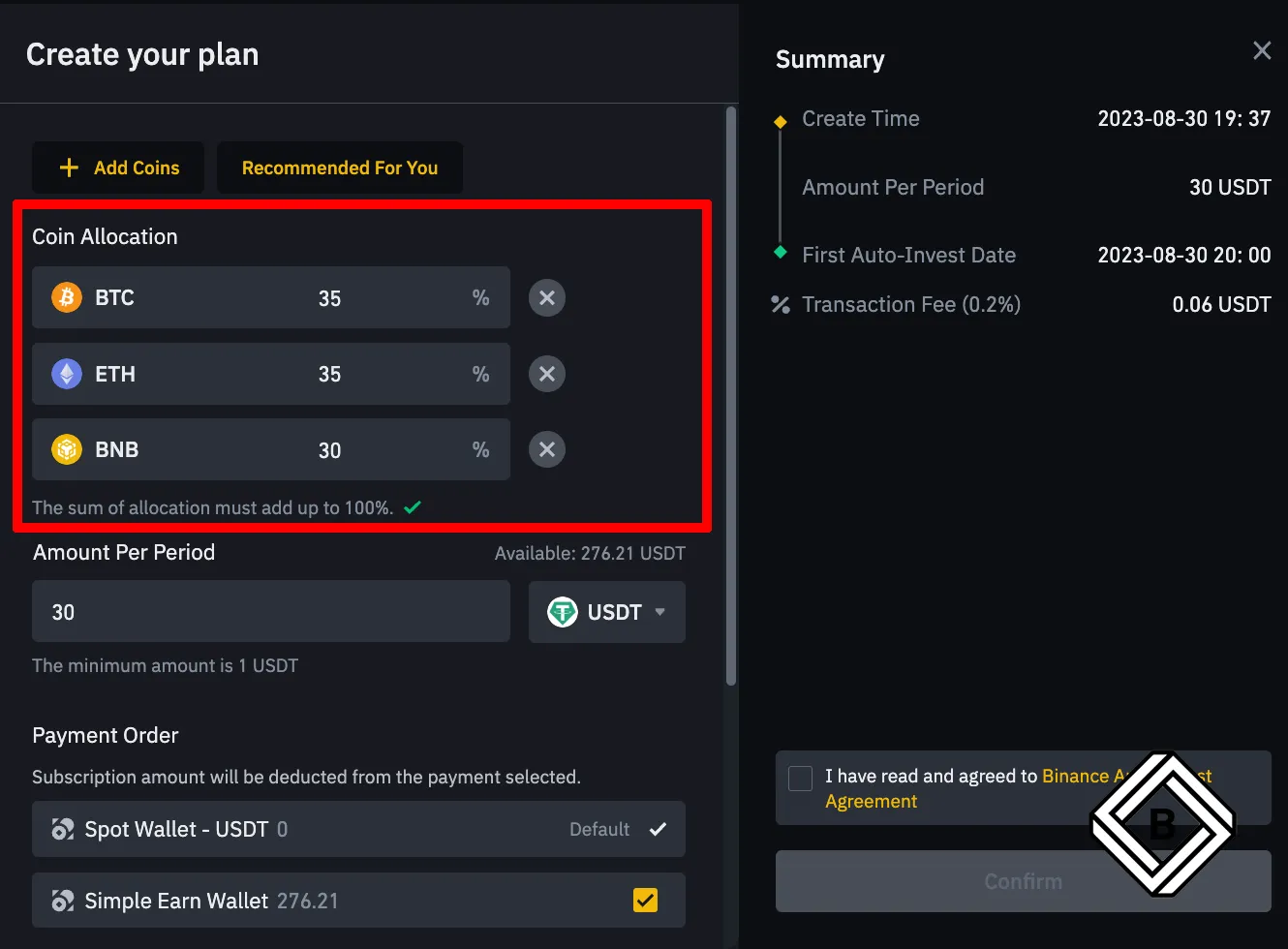
- Now it's time to enter the installment amount. Enter the amount you want to buy each time to the left of USDT. [Recurring Cycle] below refers to the purchase frequency, and you can choose daily, weekly, biweekly, monthly and so on. Once you've set the purchase frequency and time, click [Confirm] on the right.
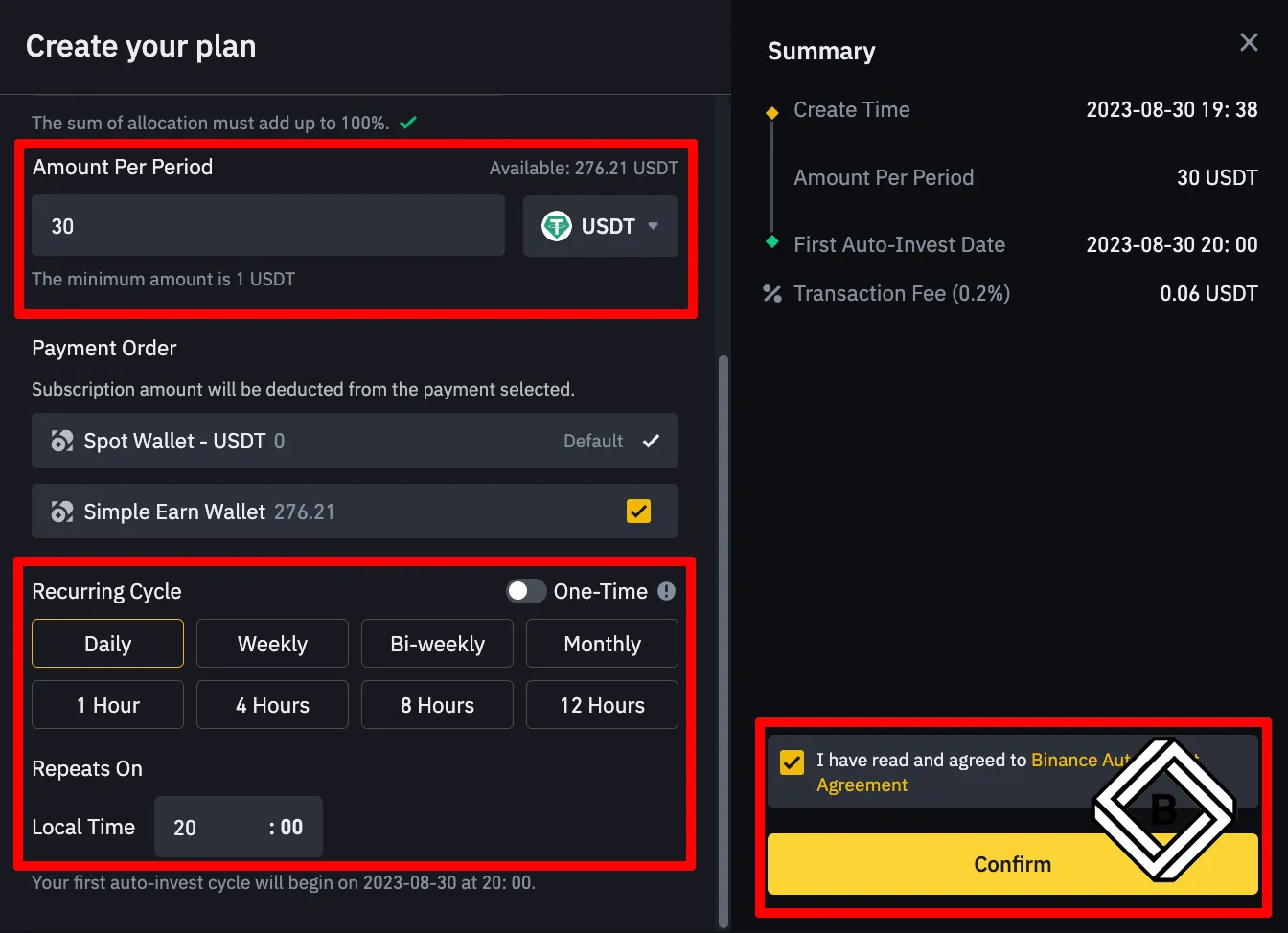
- Your Binance Auto-Invest plan has been created.
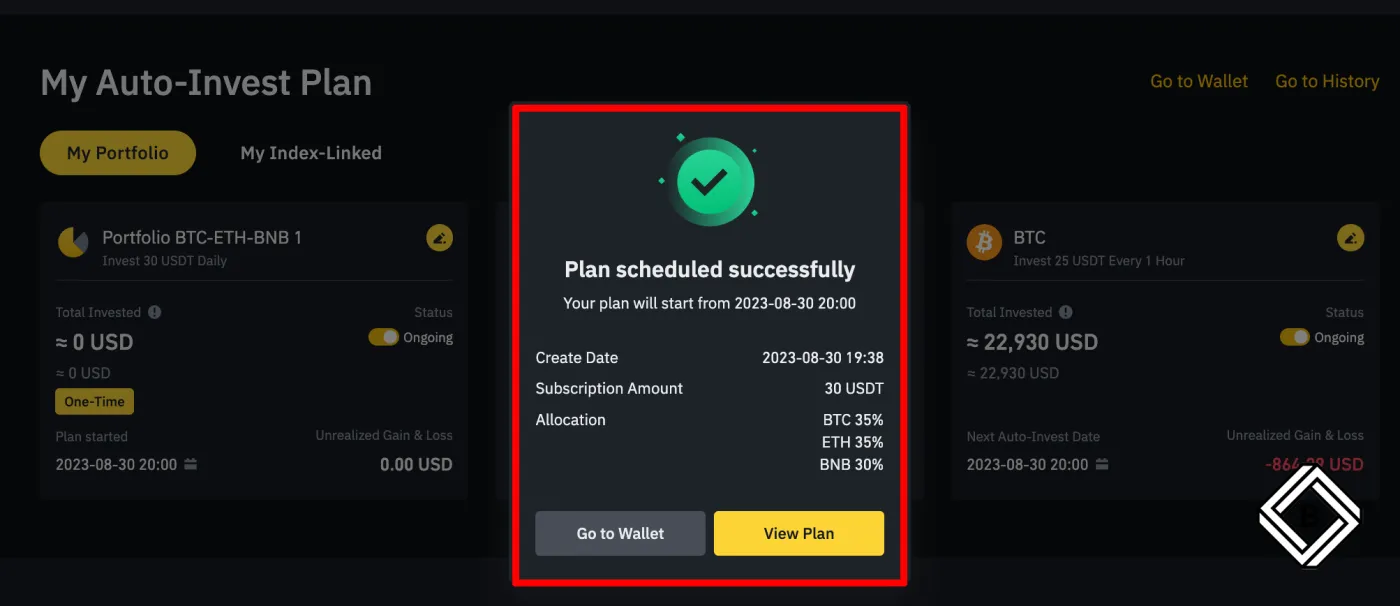
How to Auto-Invest in a Binance Recommended Portfolio
As we saw above, you can add a variety of coins besides Bitcoin to your installment-buying portfolio. You can also invest in portfolios that are preset around various themes. Here's how to set up auto-invest for a portfolio recommended by Binance.
- In Binance [Auto-Invest], click the [Recommended] section. Here, we'll choose gaming coins.
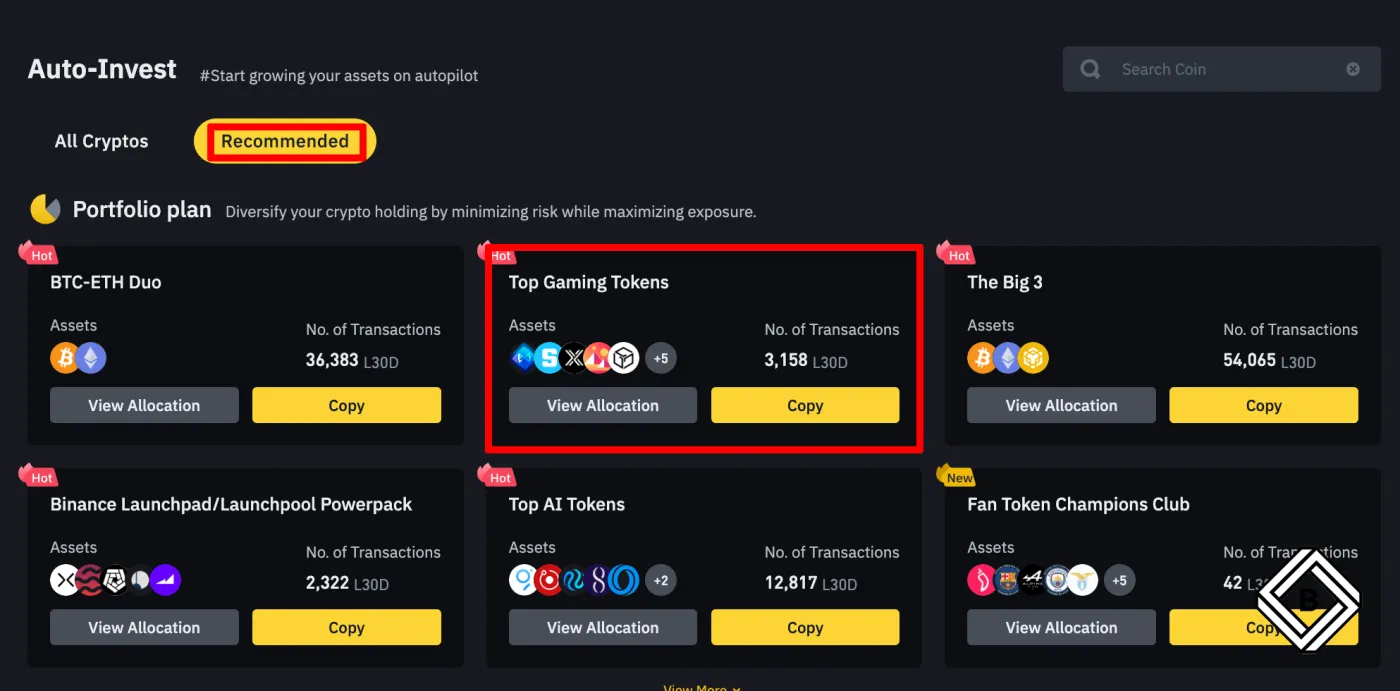
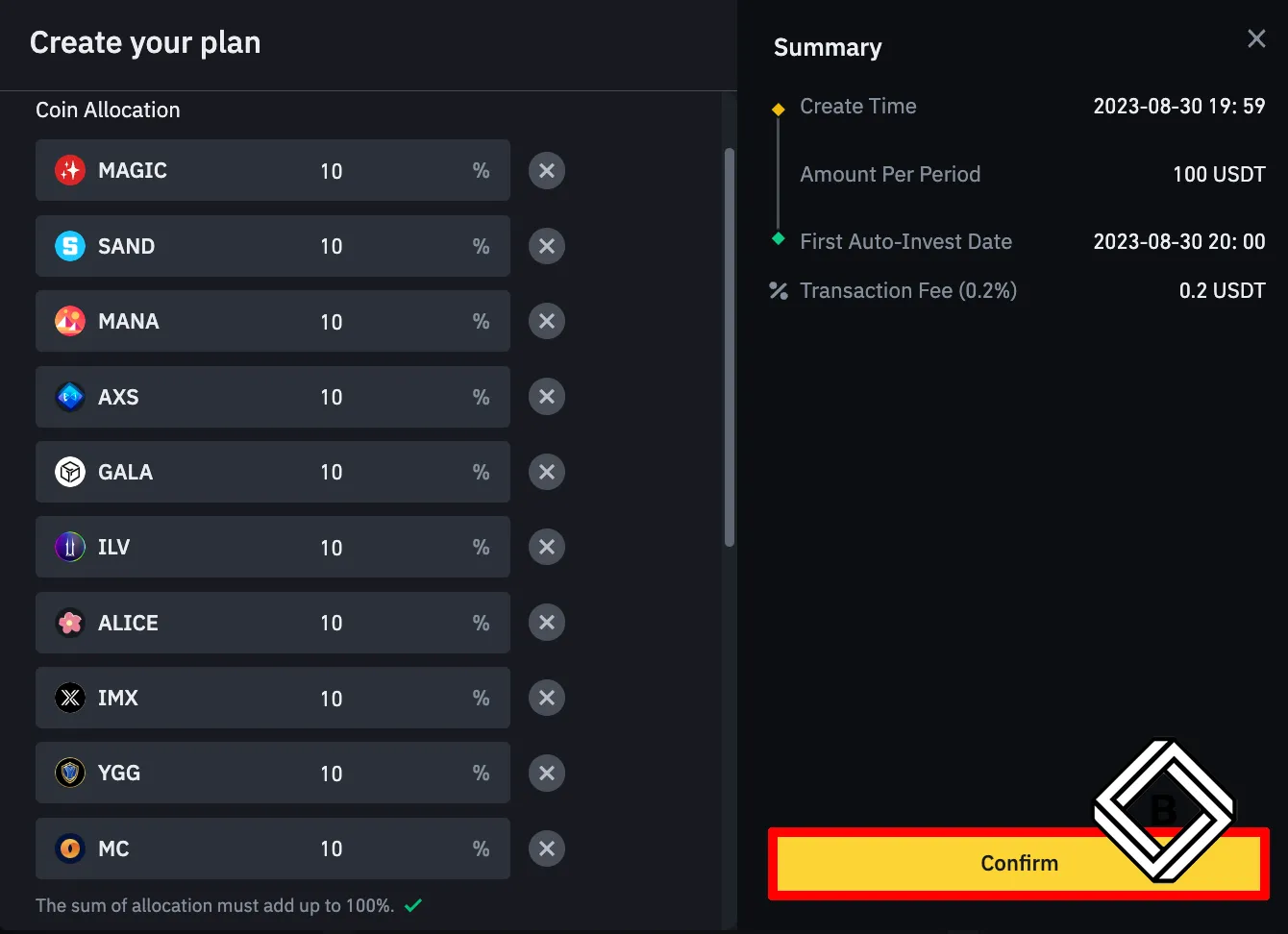
- Next, a list of coins like the one below will appear. Scroll down and set the purchase amount.
- You can add or remove coins and adjust the ratios as you like. Finally, click [Confirm] and you're done.
How to Auto-Invest in the Top 10 Coins by Market Cap
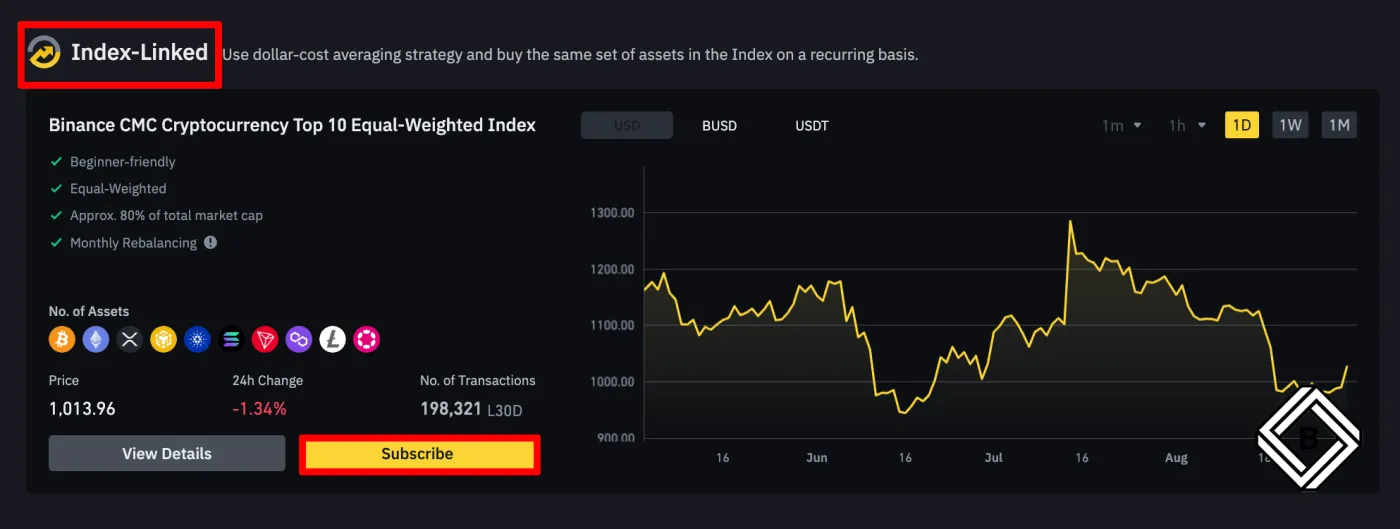
With Binance's [Index-Linked] auto-invest product, you can automatically invest in the top 10 coins by market cap. The holdings are rebalanced automatically.
- Click [Index-Linked] - [Subscribe] to start the sign-up process.
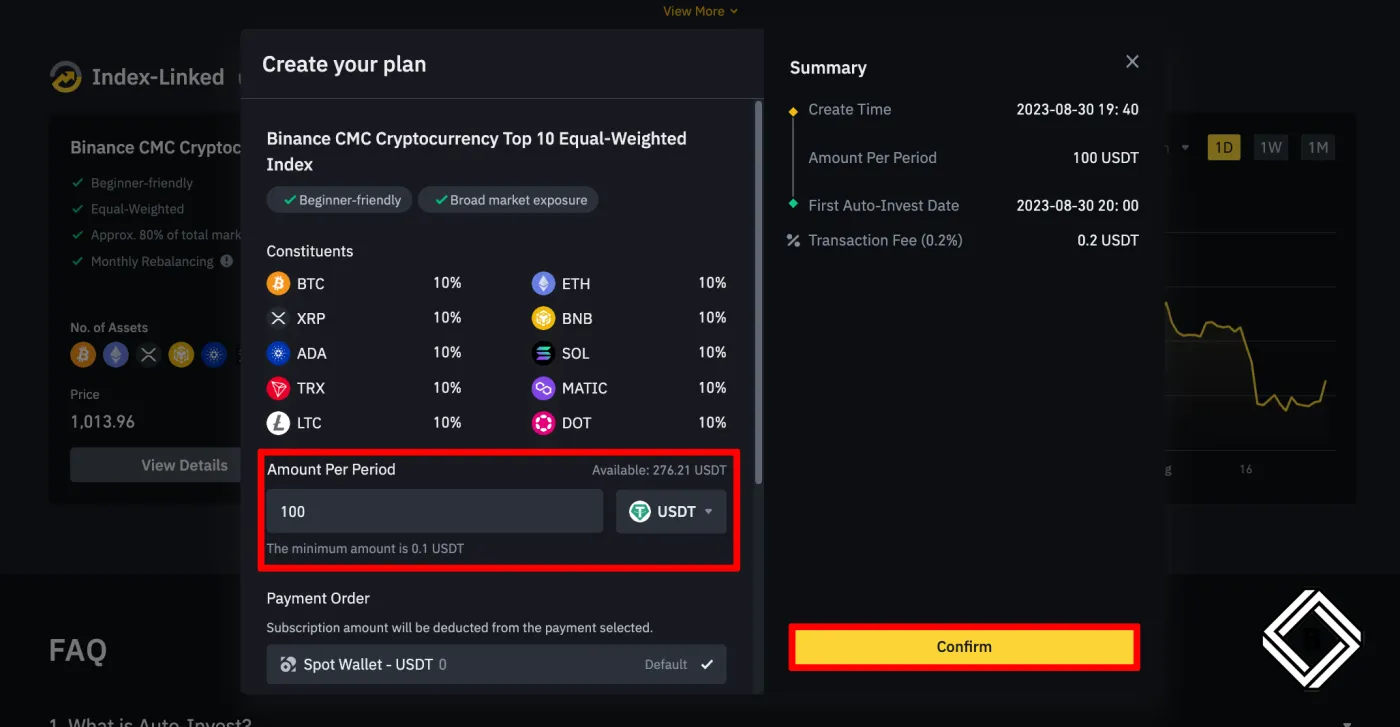
- As shown below, set the amount you want to auto-invest and click [Confirm].
Pausing and Canceling Binance Auto-Invest
Binance Auto-Invest pauses automatically if you don't have enough funds to invest. Here's how to pause or cancel it yourself.
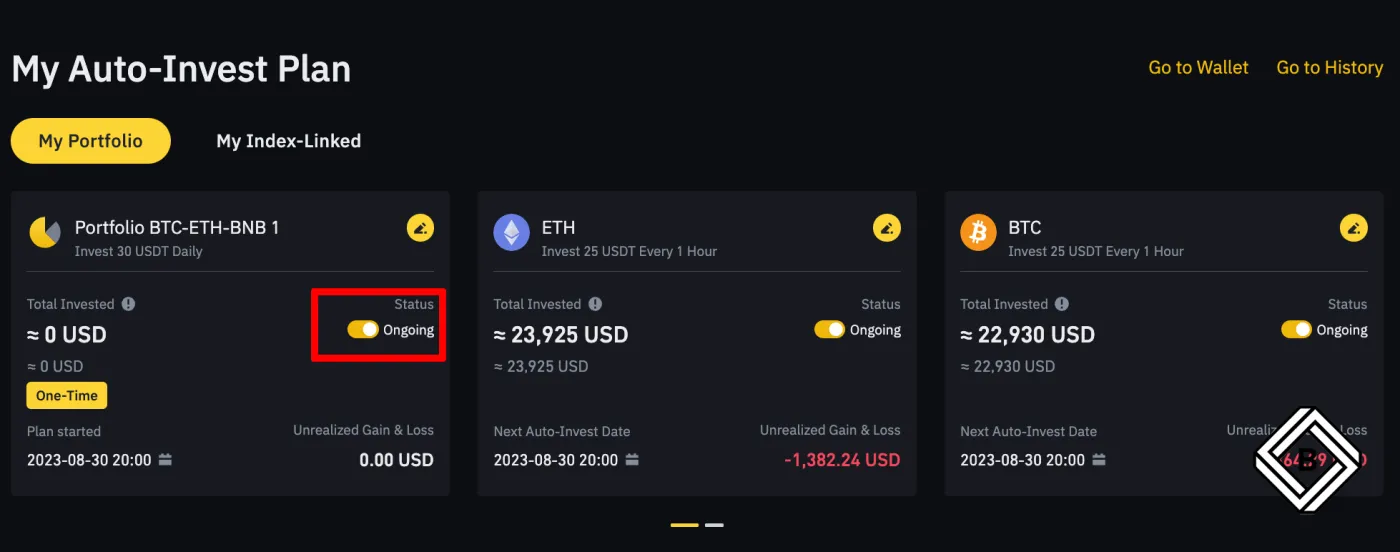
- Go to [Earn] on the Binance website and find the portfolio you want to pause. Then click the [Ongoing] toggle button.
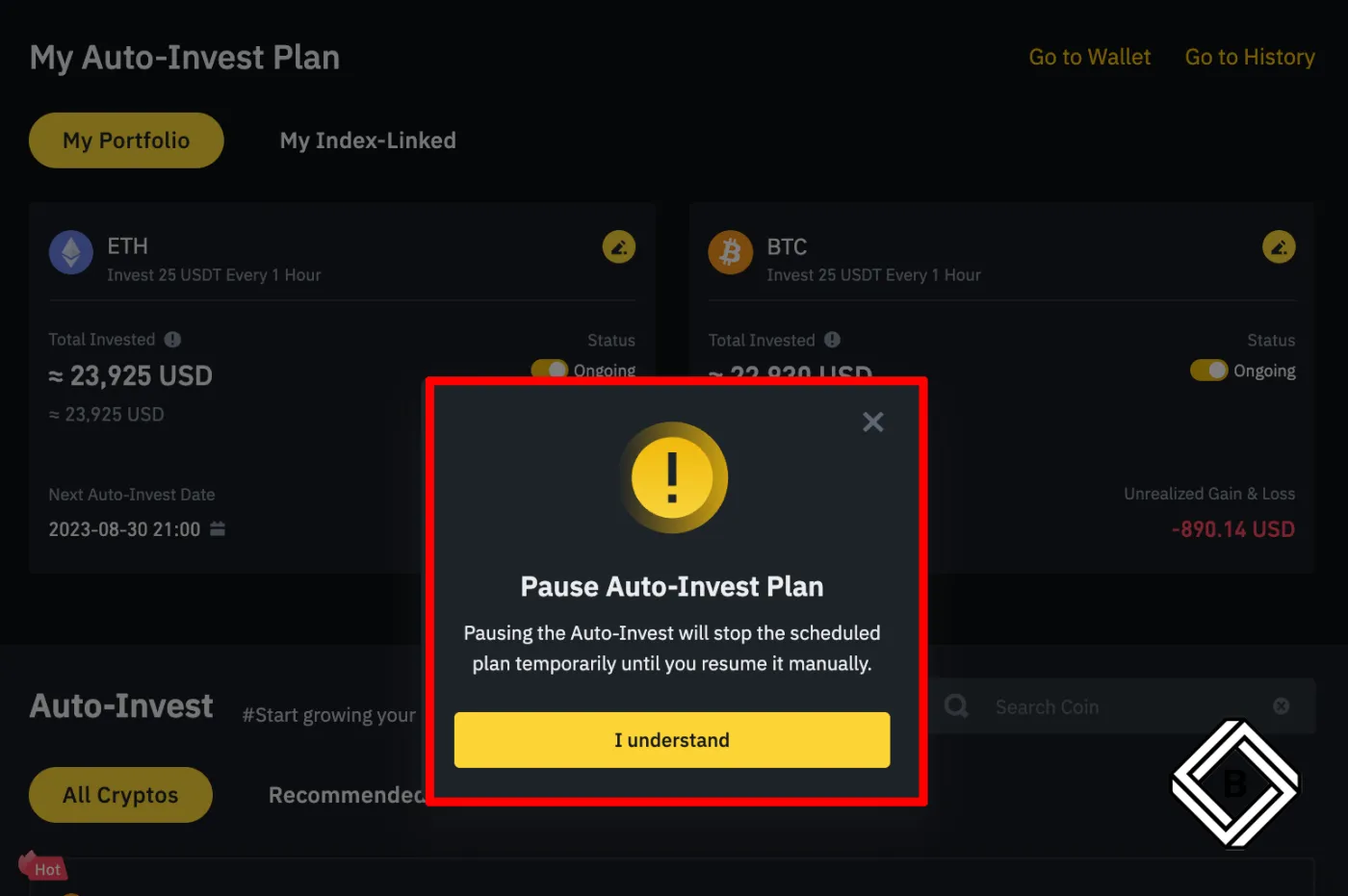
- A confirmation message about pausing will appear as shown below. Click [I understand].
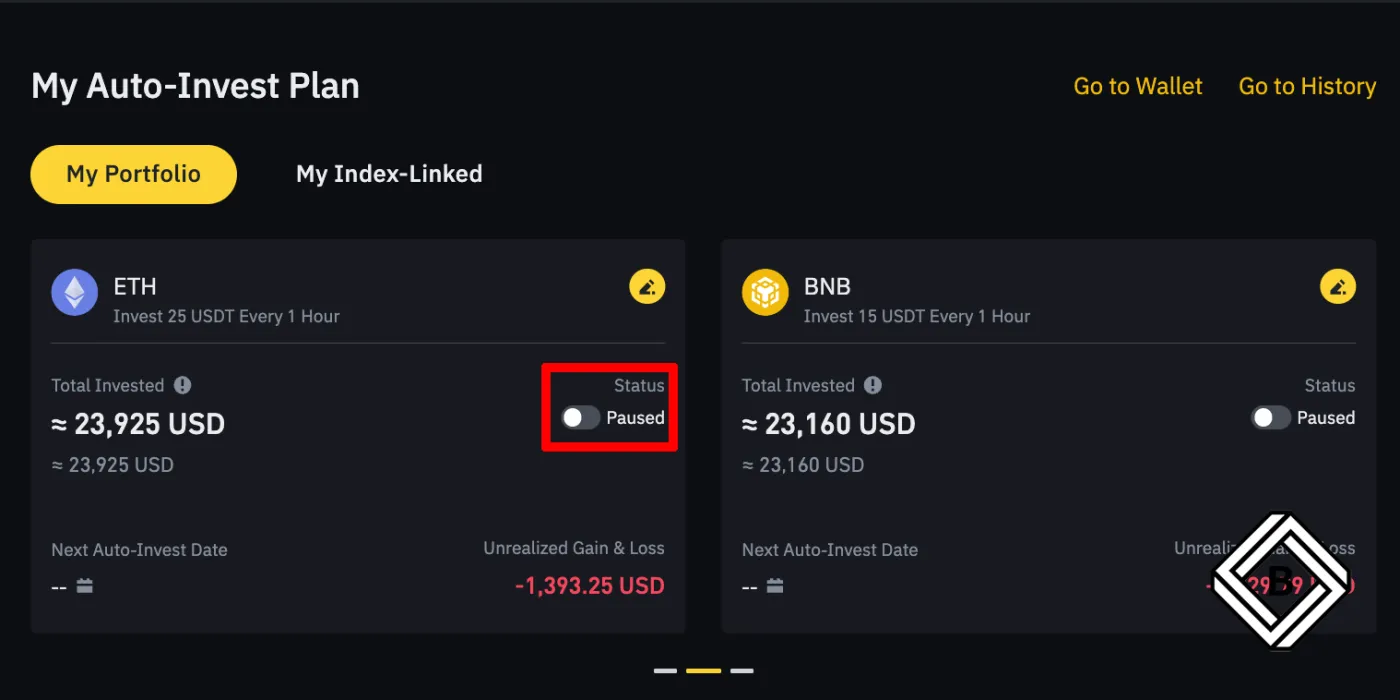
- Auto-invest for this portfolio is now paused. Click [paused] once more to resume installment buying for the portfolio.
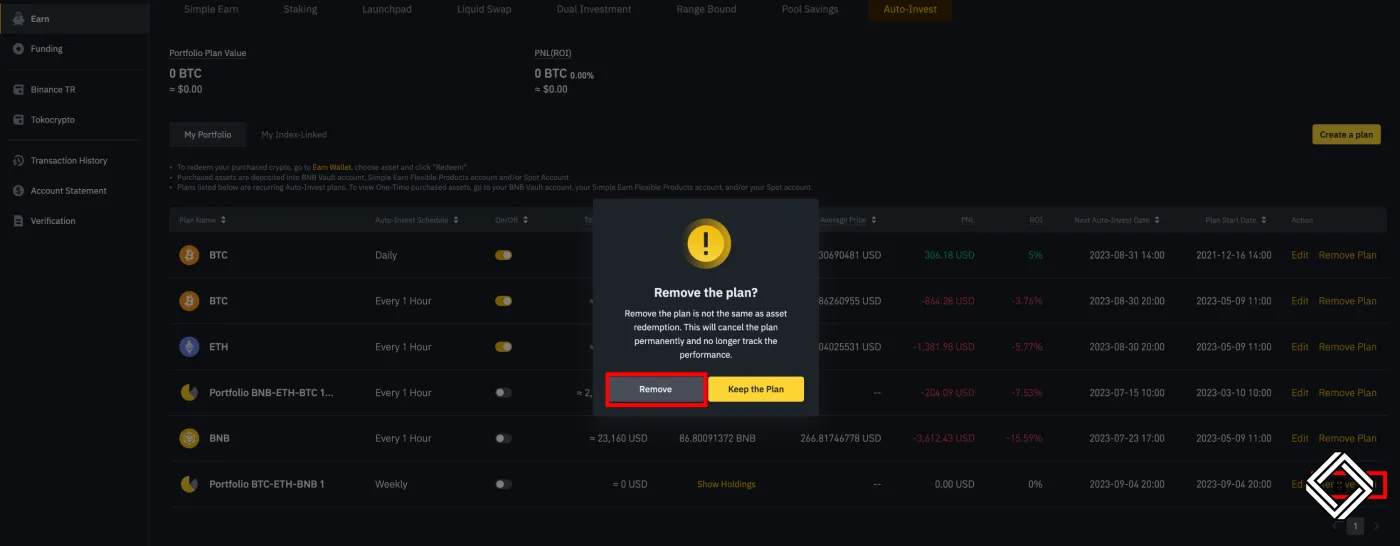
To cancel Binance Auto-Invest, go to [Earn] from your account dashboard. Your portfolios will be displayed as shown below.
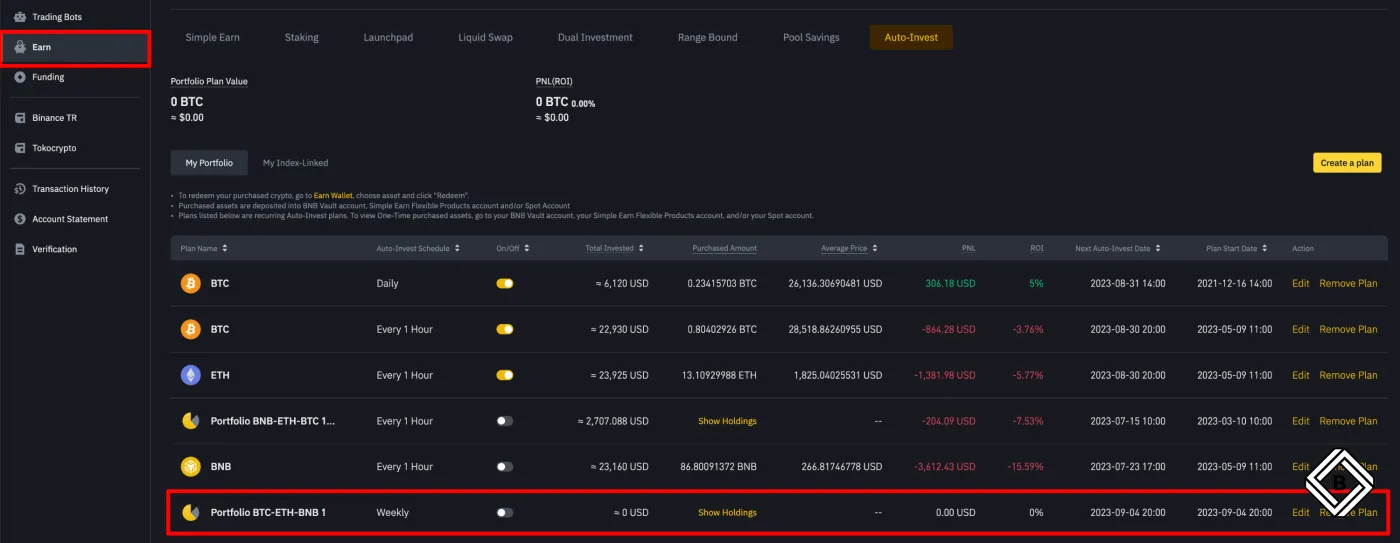
Click [Remove Plan] on the right, and the portfolio will be permanently deleted.
3 Advantages of Binance Auto-Invest
Binance Auto-Invest offers the following three advantages.
- Trading without emotional interference
Using an automated strategy minimizes the emotional interference that comes with investing. Since trades follow a planned strategy, you can also avoid the stress. - Consistent recurring purchases
Binance Auto-Invest helps you accumulate the crypto assets you want through recurring purchases at regular intervals. It also uses the dollar-cost averaging strategy, which can lower your average purchase price during a bear market. - Saving time through automated trading
Once you set up Binance Auto-Invest, purchases happen automatically even if you don't log in. This saves you time and effort.
Wrapping Up
Binance Auto-Invest makes investing in crypto assets convenient. By following this guide, you can quickly and easily create a portfolio made up of Bitcoin and various other crypto assets and invest in it automatically on a recurring basis.