Changing Your Binance Referral (How to Reapply the 20% Discount After Canceling KYC)
4 min read · · Korean original
Contents 3
In this post, we'll look at the different types of Binance referral discount codes and walk you through how to change your referral code and KYC, and how to get the maximum 20% fee discount.
✅ About Binance Referral Codes
A Binance referral code is a fee discount code you can enter only once, when you sign up. Since it's hard to change once entered, it's important to enter the right code when you first register.
You're probably wondering what the maximum referral discount is. As I explained in my post Don't Get Fooled: Check Binance Referral Codes Yourself, the maximum referral discount is 20%. Let me show you exactly how the discount is applied for each type of code.
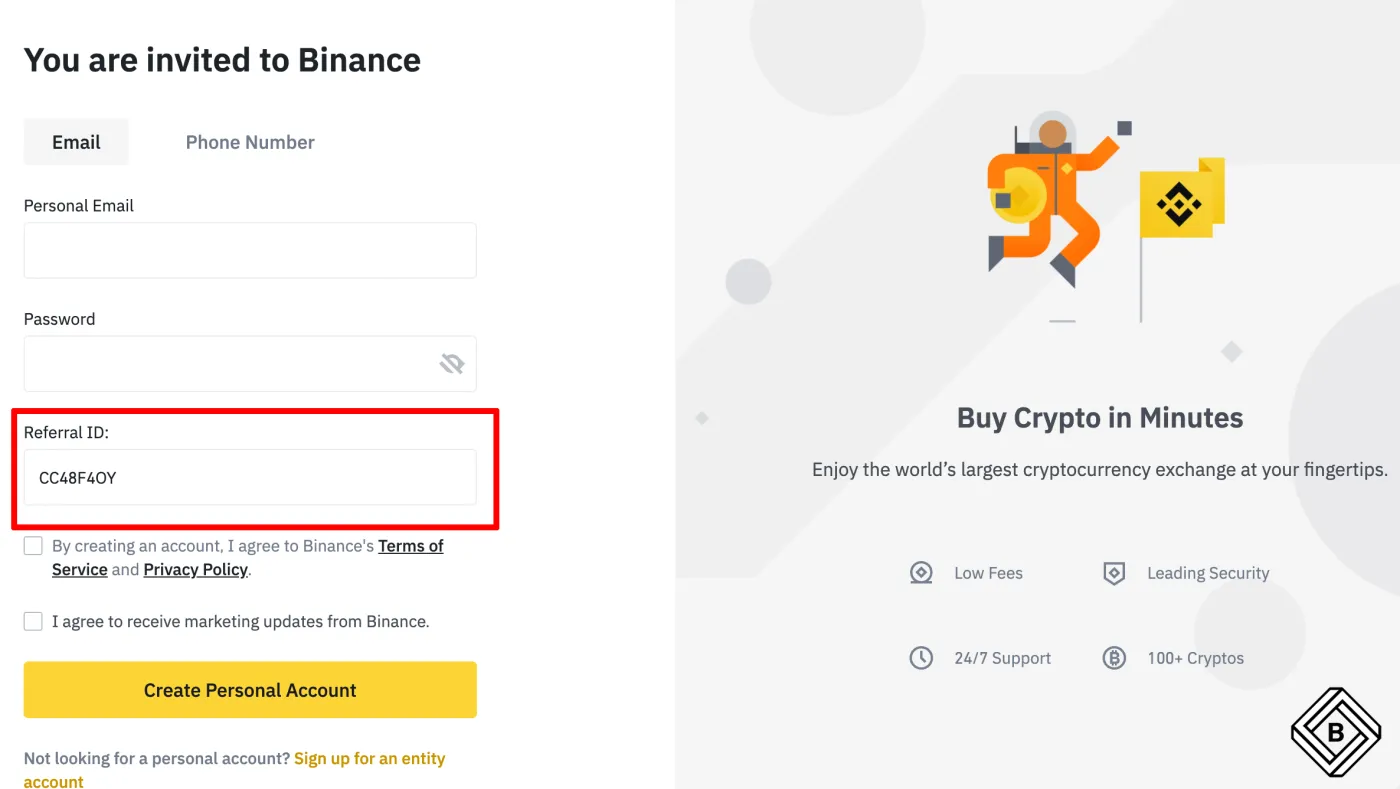
① No fee discount at all: the 0% referral code
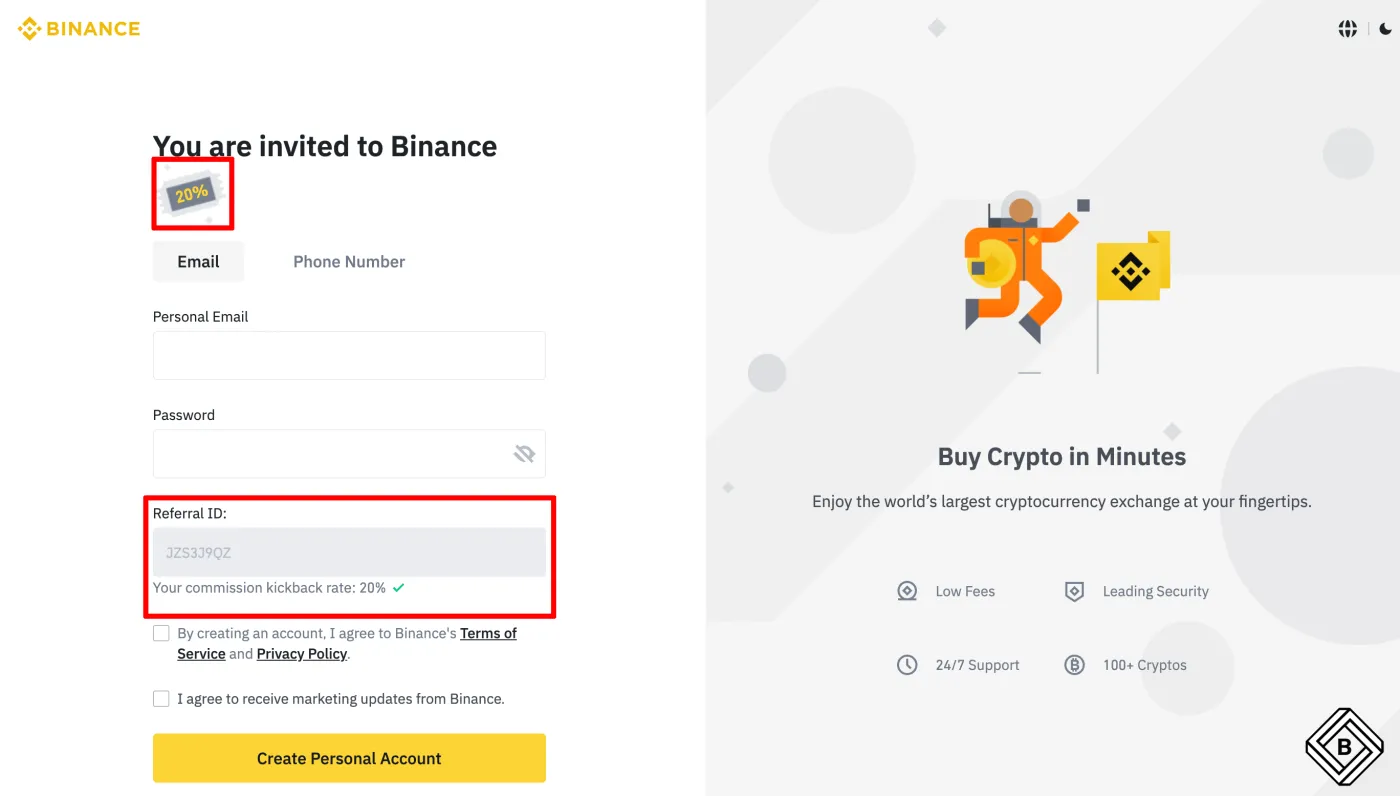
When signing up, if you see "Your comission kickback rate: 0%" or, as shown below, no message at all, your fee discount is 0%. You entered a referral code, but it gives you no real benefit, so it's best to cancel your KYC and sign up again.
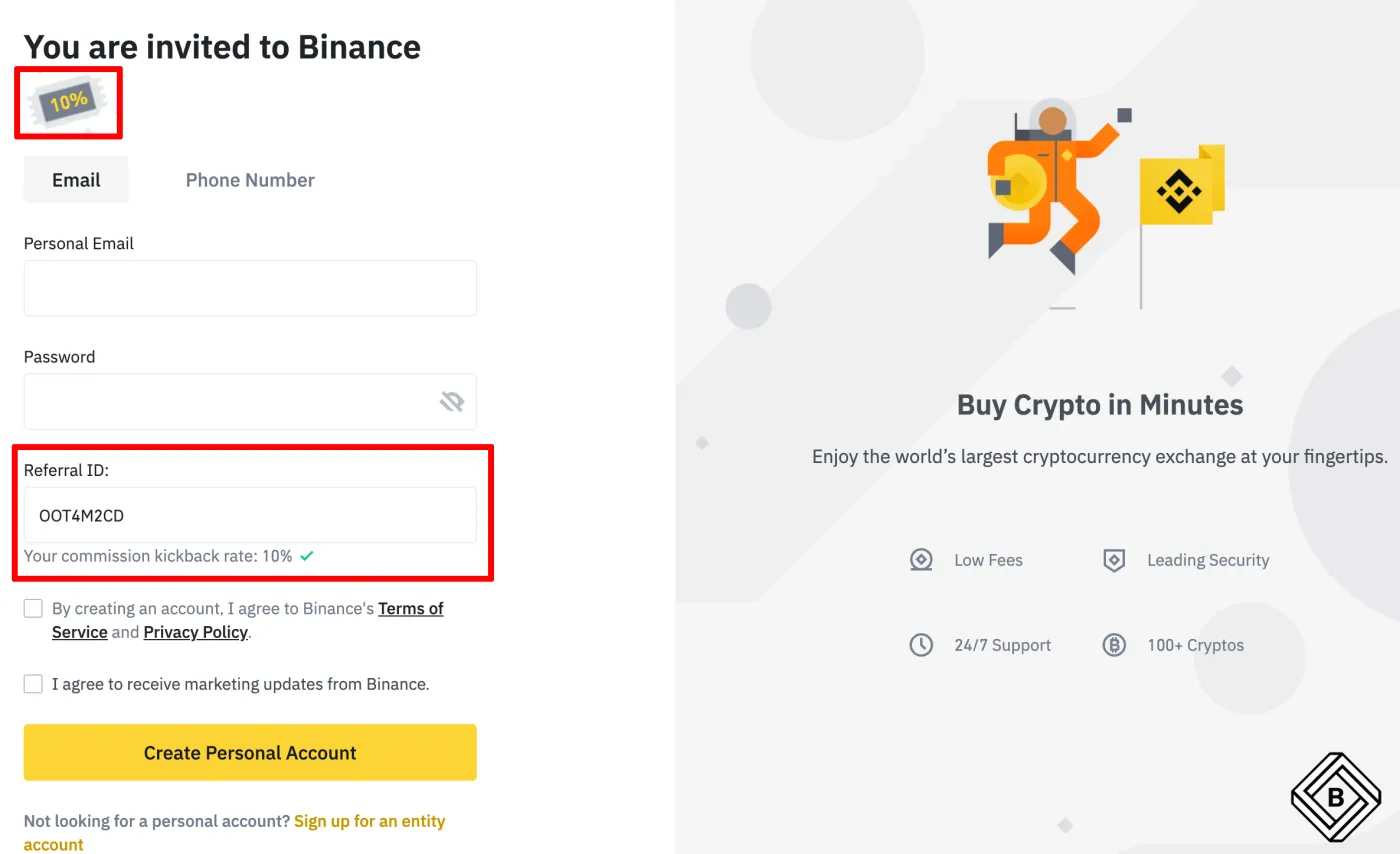
② A discount, but not the maximum: the 10% referral code
If you see the message "Your comission kickback rate: 10%" when signing up, a 10% fee discount is applied. The problem is that it isn't the maximum discount. If you signed up with a 10% referral code, it's best to cancel your KYC and sign up again.
③ The 20% referral code with the maximum discount
If you see the message "Your comission kickback rate: 20%" when signing up for Binance, you've got the maximum discount. There's no need to sign up again; just keep using your account as it is and the maximum discount will apply.
🪪 How to Change Your Binance Referral Code and Cancel KYC
In the past, Binance didn't allow you to cancel KYC. However, if you request a KYC reset on the grounds that your ID document has expired, you can sign up again. It works without any trouble for now, but this could be blocked at any time, so if you want the 20% fee discount, it's a good idea to try it soon.
Note that once you cancel KYC, you can no longer use your existing account. So before resetting your KYC, be sure to withdraw any crypto and NFT assets you hold on Binance and clear out any open orders.
Now, let me walk you through how to reset your Binance KYC and apply a new referral ID with the maximum discount!
① Contact Binance Customer Support
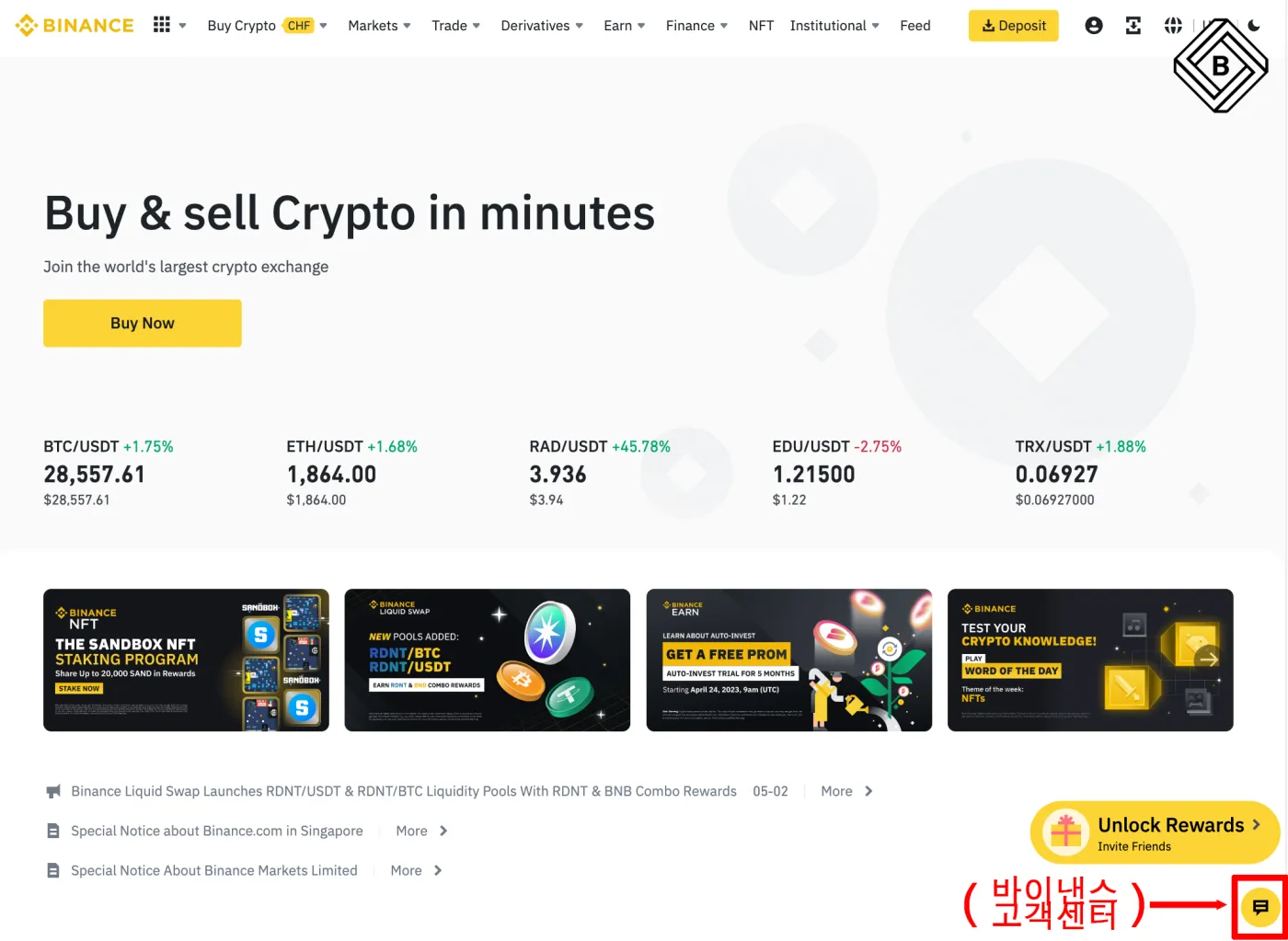
Go to the Binance website and click the chat icon shown below to open the customer support chat window.
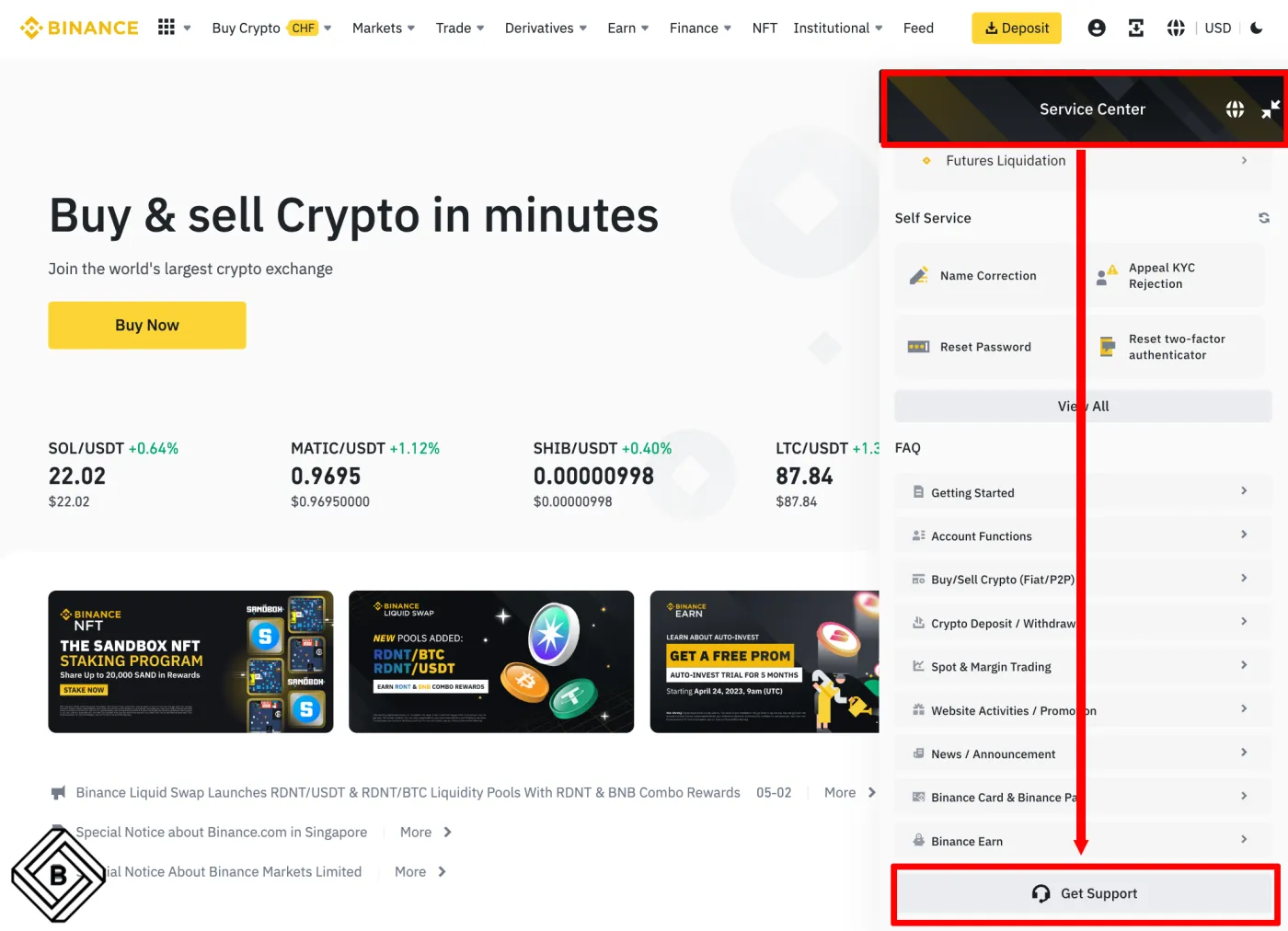
Scroll all the way down and you'll find the 'Get Support' button. Click it to go to the menu selection window.
② Request a KYC Reset
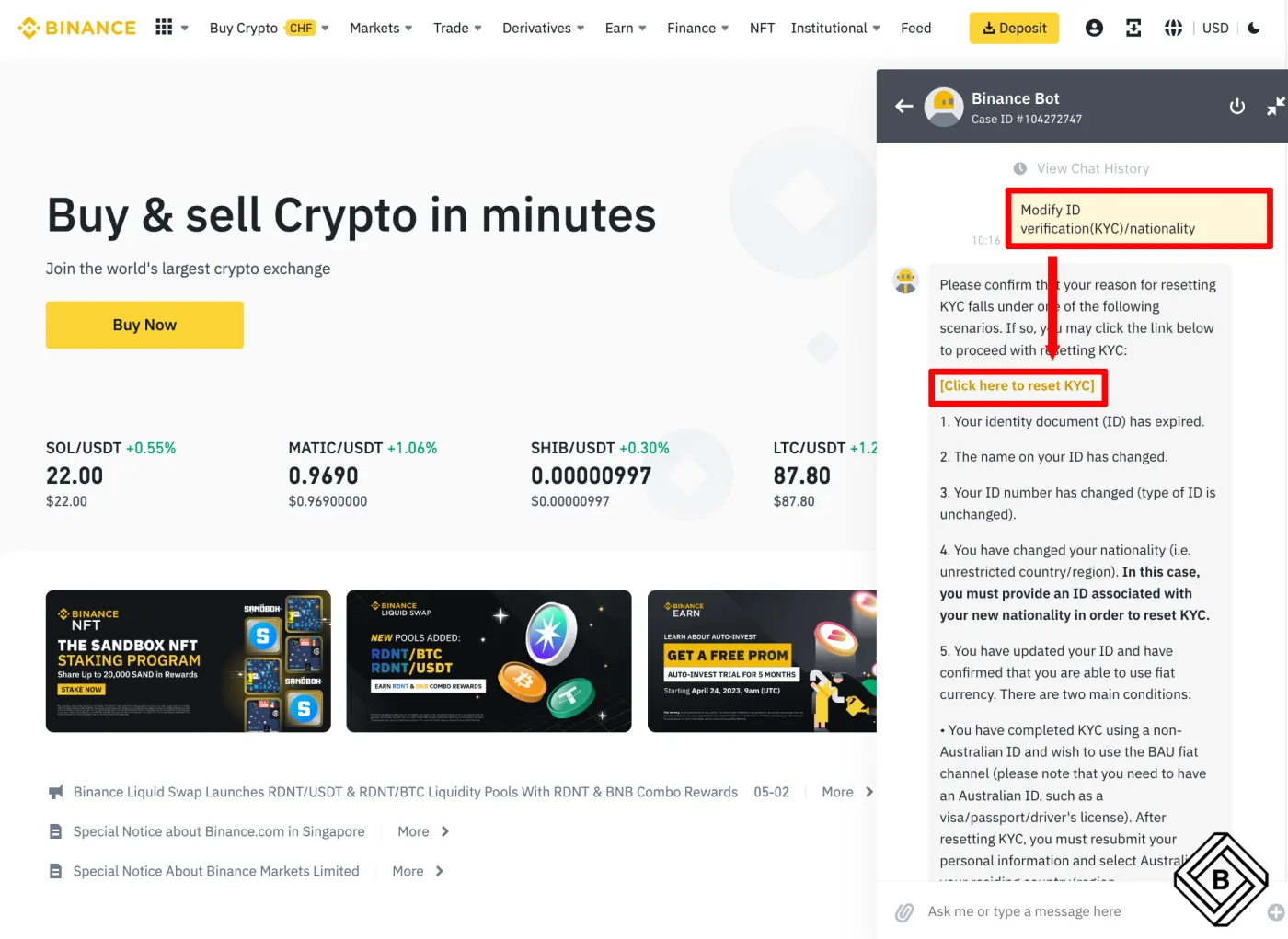
Next, on the left, click 'Registration/Identification' - 'Modify ID verification(KYC)/nationality'.
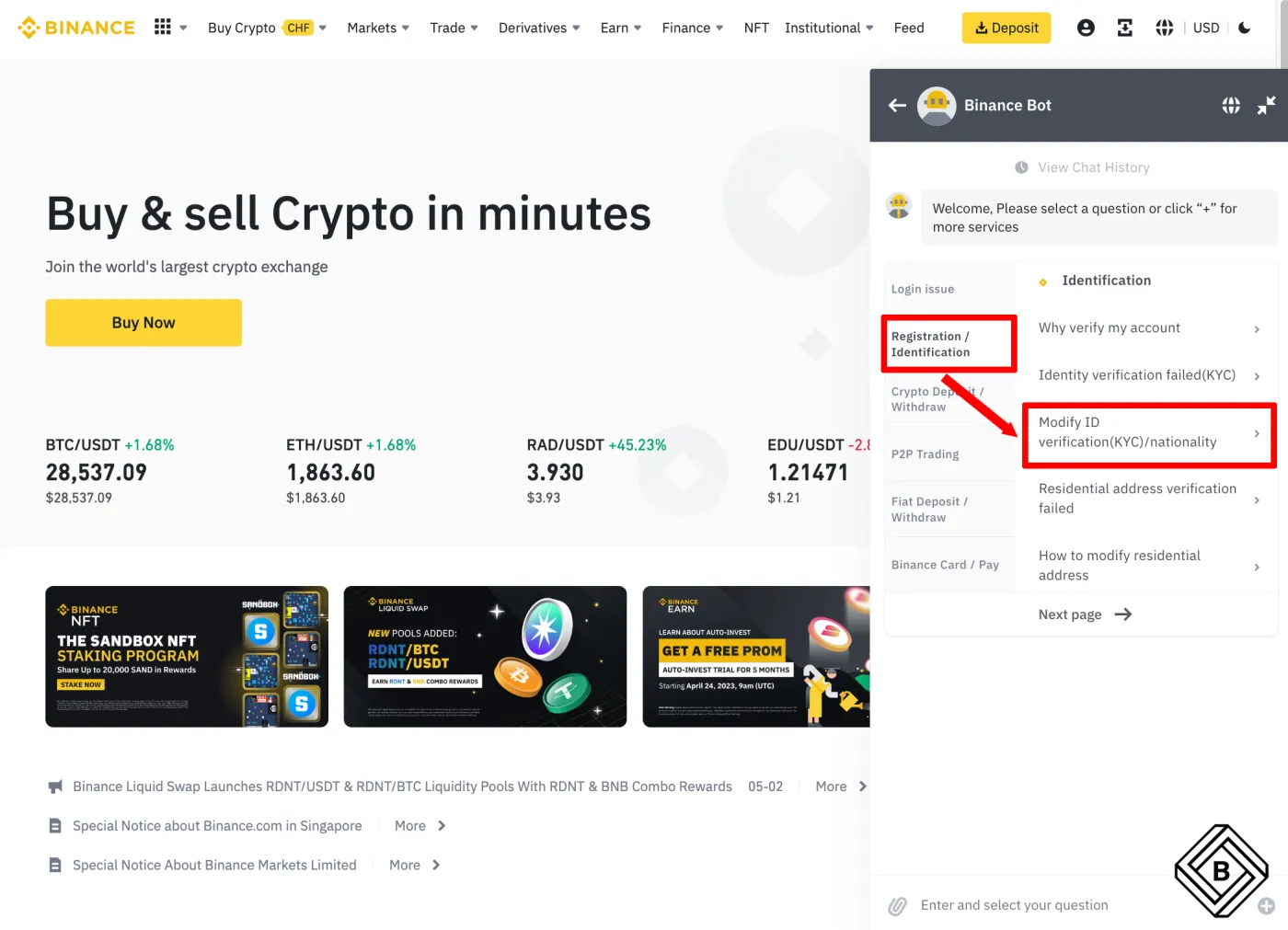
A window like the one below will appear. Click the yellow link [Click here to reset KYC].
③ Update the Reason for the KYC Reset
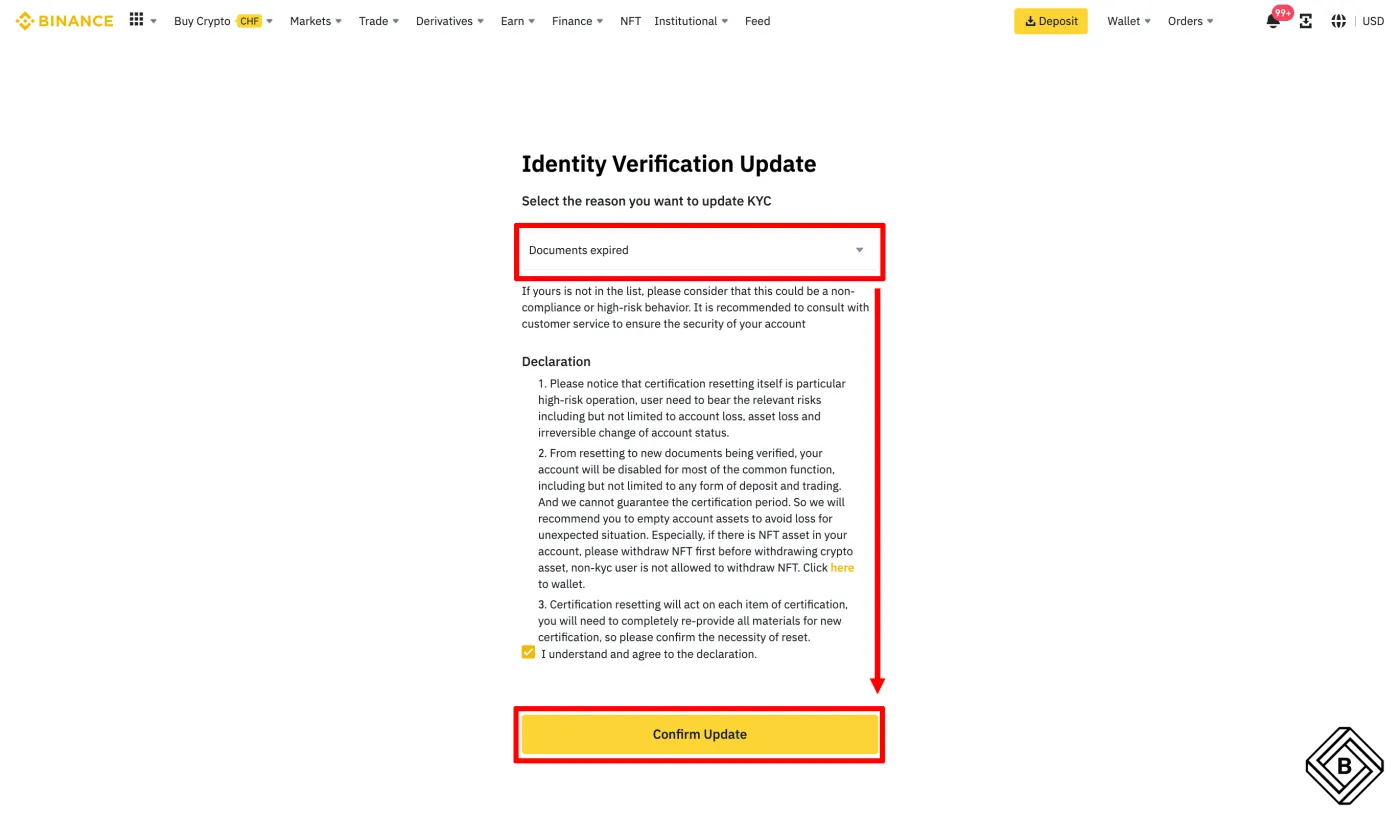
Select a reason for resetting your KYC. Here, choose 'Documents Expired'. It's fine even if your document hasn't actually expired yet. Finally, click [Confirm Update] and you're done.
④ KYC Cancellation Complete
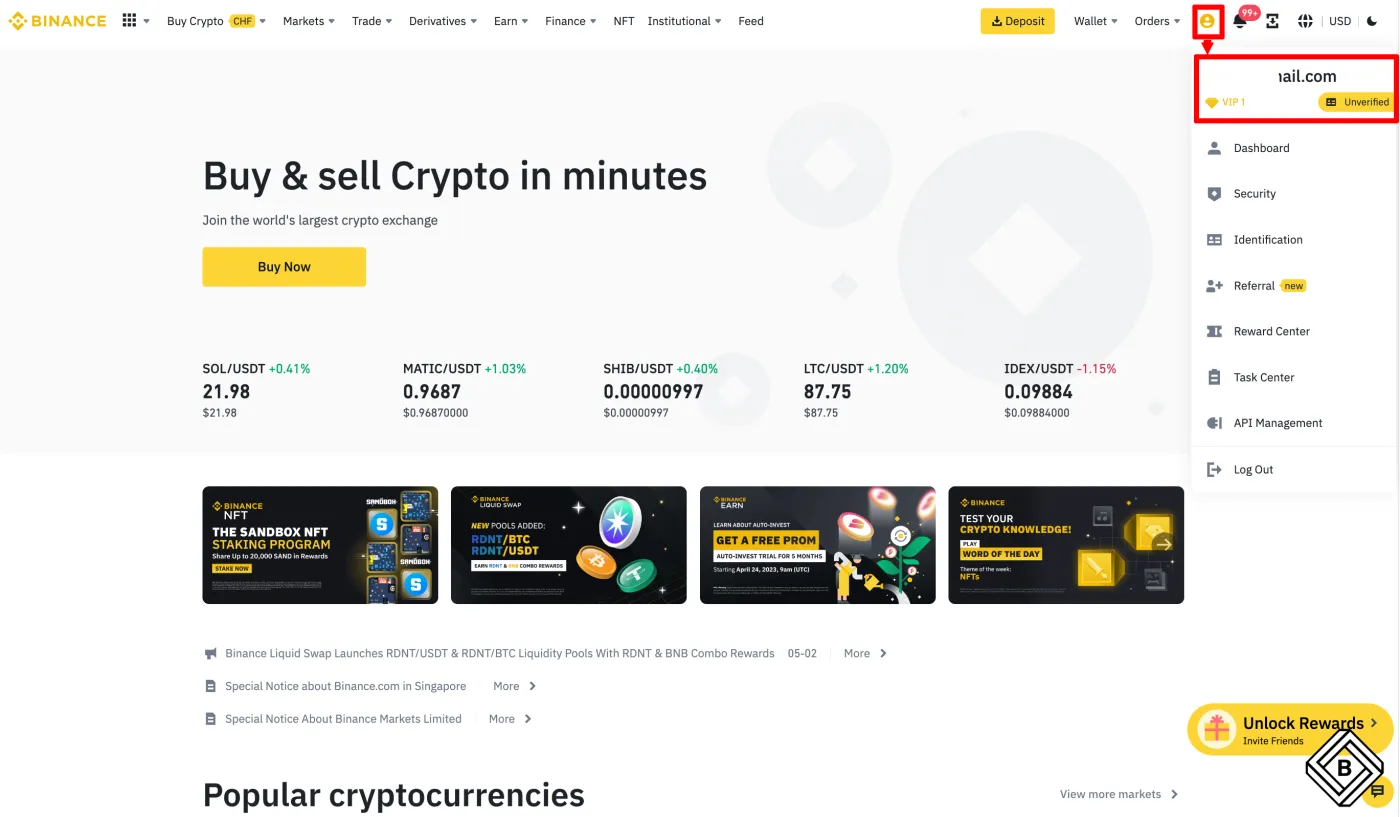
Go to the Binance main page. Click the person icon in the top right corner and you'll see that your KYC verification has been reset and now shows 'Unverified'. This means your KYC reset is complete.
⑤ Change Your Email or Phone Number
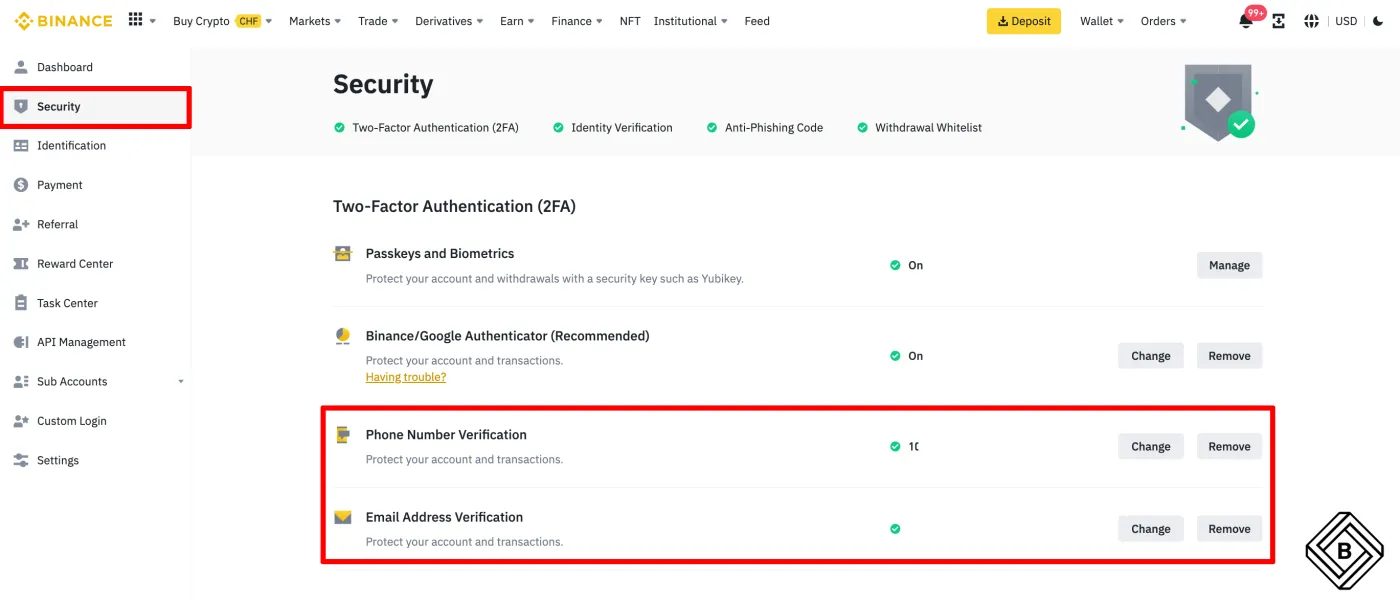
Finally, it's time to change your email or phone number. If you don't want to reuse your existing email or phone number, you can skip this step. However, you can't sign up again with the same account details for 30 days after closing your account. In that case, it's best to sign up again in the following order.
- Cancel KYC on your existing account (Account 1)
- Sign up for a new account and complete KYC (Account 2)
- Change the email on your existing account (Account 1)
- After 30 days, change to the email you want (Account 2)
🎁 Apply the Binance Referral Code with the Maximum 20% Discount
Want to register a new account after resetting your Binance KYC? If you use the Binance sign-up link below, you'll be taken to a registration page with the maximum 20% discount code already applied.
That wraps up how to reset your Binance KYC and apply the maximum 20% referral discount. If you're curious about how to make money with Binance referrals, be sure to check out my other post.