Want to Try Paper Trading on Binance? How to Practice with Demo Trading
3 min read · · Korean original
Contents 6
Hello, this is Bitpunk. Today, we'll look at how to use Demo Trading on the Binance exchange. Demo trading is also known as paper trading or simulated trading.
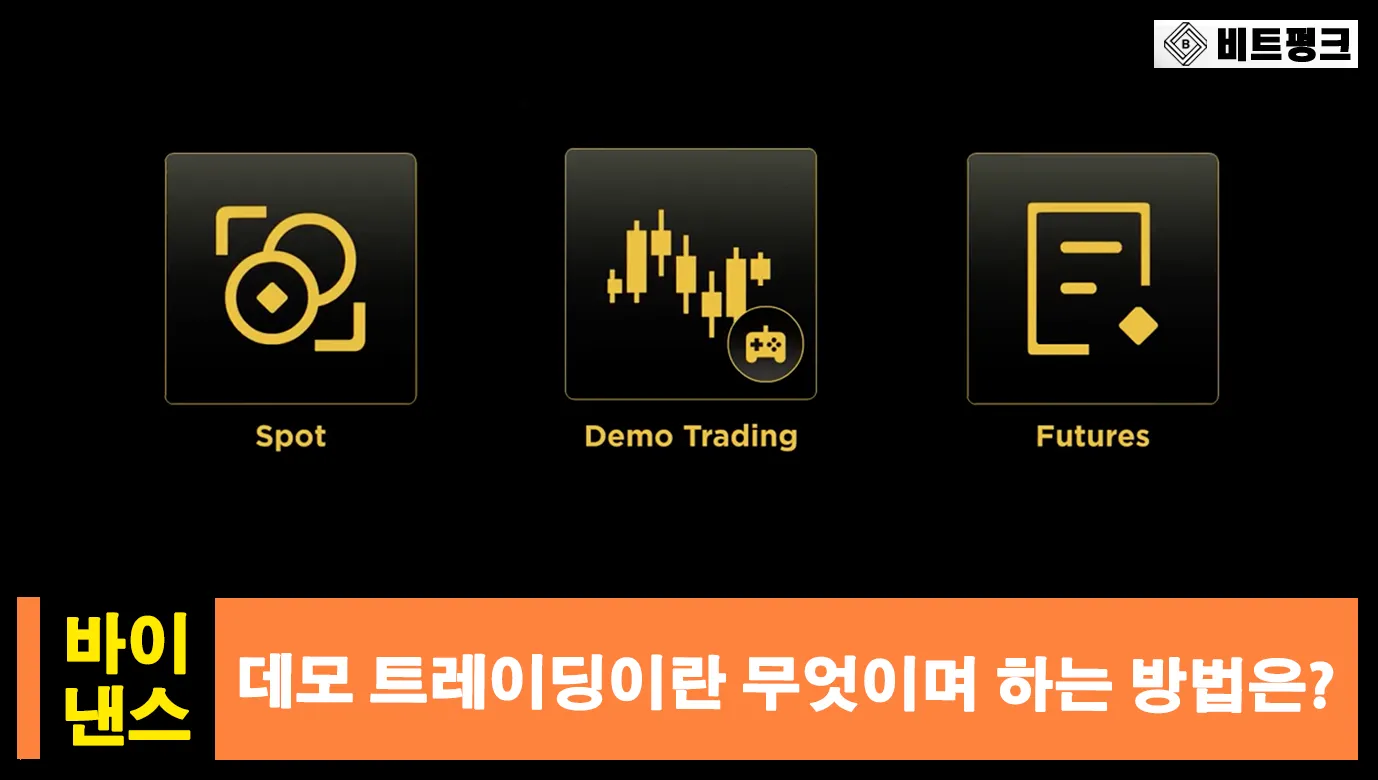
With Binance's Demo Trading feature, you can practice or test trades using virtual assets provided by the exchange, without using any of your own money.
What Is Binance Demo Trading?
Binance Demo Trading is a paper trading system that lets you experience trading in an environment that closely resembles the real trading interface. Anyone who has completed Binance sign-up can use the Demo Trading feature for free.
The advantage of demo trading is that Binance gives you free virtual funds to invest, which you can use for spot or futures trading to gain experience or test your own strategies.
How Do You Use Demo Trading on Binance?
You can go to Binance Demo Trading through the link below. As mentioned earlier, a Binance account is required, so if you don't have one yet, please sign up first.
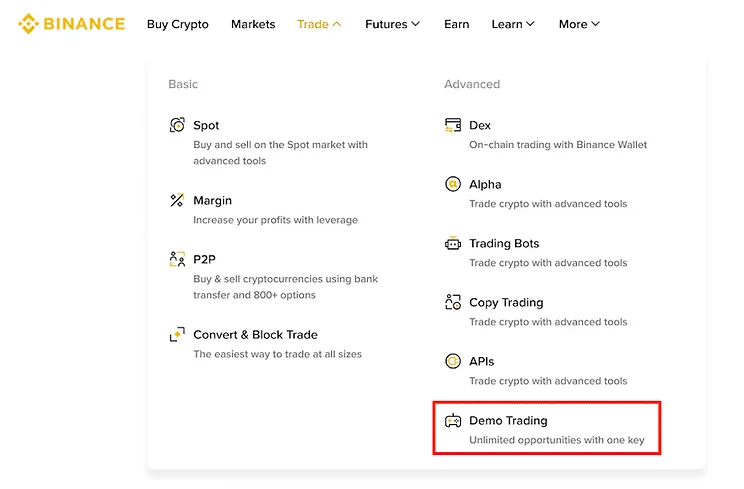
If you're accessing it from the Binance website or app, just go to [Trade] - [Demo Trading] as shown below.
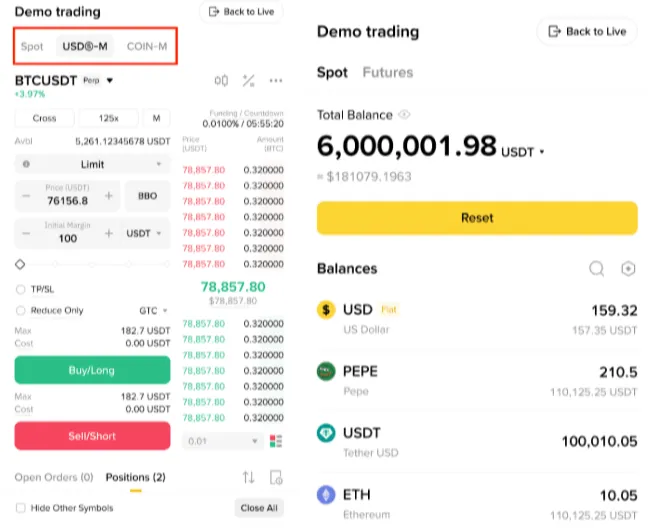
On the Demo Trading page, you'll see menus such as Markets, Trade, and Assets. If you open the [Assets] section, you'll find the assets that have been provided to you by default.
How Is It Different from Real Trading?
The demo trading system is actually quite similar to the real trading environment. The biggest difference is whether your profits and losses are virtual or real. In other words, demo trading is "practice trading" where you don't actually make or lose any money.
Another important difference is the order book. The Binance exchange has a real live order book and a separate demo trading order book, so there are differences in things like fill prices in the paper trading environment, actual prices, and slippage.
How Do You Top Up Your Demo Trading Funds?
As you trade, you may take losses, want to start over, or even get liquidated. But in demo trading, none of this is a big worry, because you can top up your funds again.
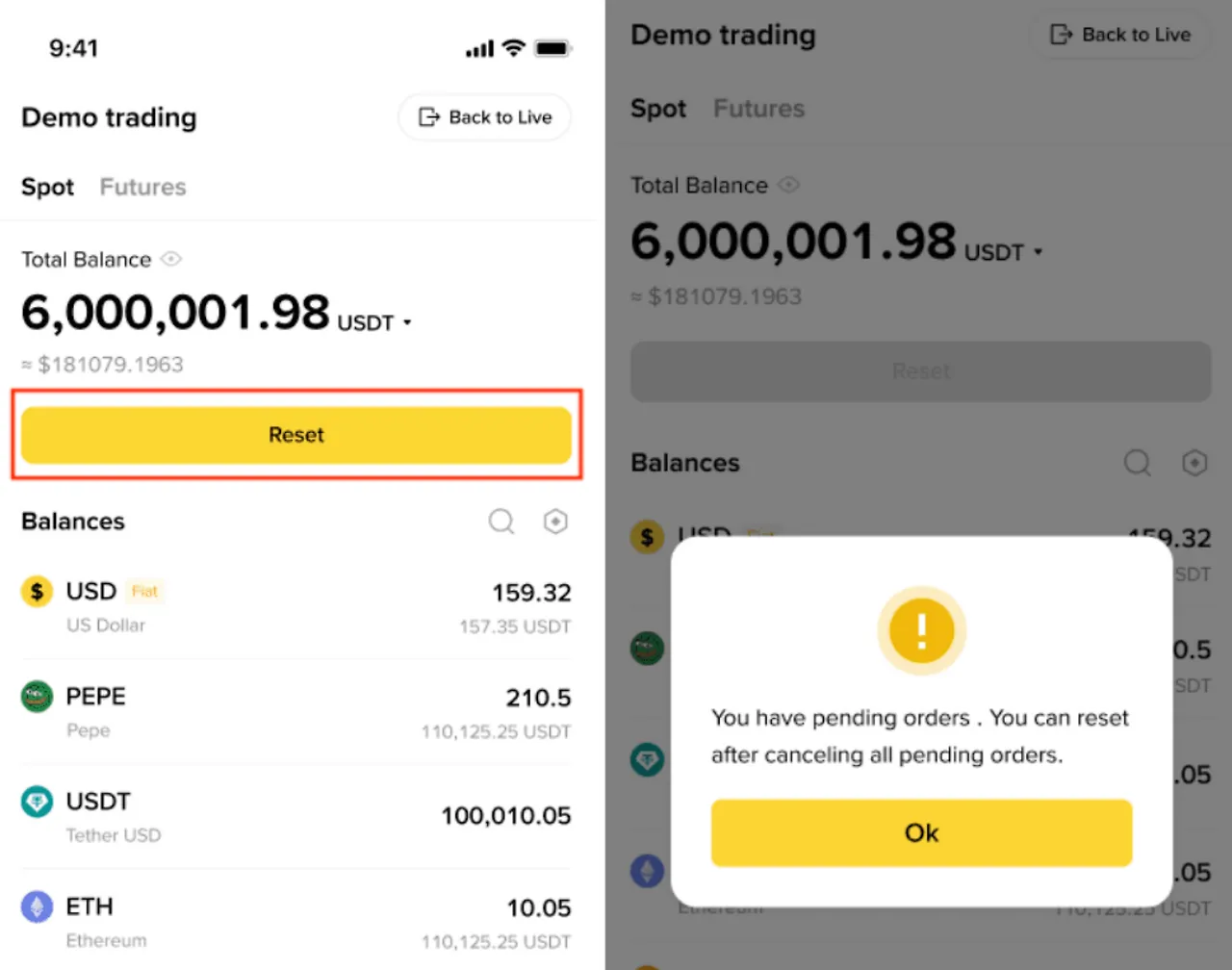
To top up your demo trading funds, go to Assets, where you'll find a [Reset] button. Click it, and your funds will be topped up again.
How Do You Go Back to Live Trading?
If you're done with demo trading or want to move on to real trading, look at the top of the page and you'll see a button called [Back to Live].
Here, "live" means real trading. When you click this button, you'll be taken to the main Binance exchange server, where real trading is possible.
In real trading, profits and losses are actually settled and real fees are charged. So be sure to also check out how to get a 20% Binance fee discount and an additional 25% discount with BNB, for a total fee discount of 45%.
Wrapping Up
Today, we looked at what Binance Demo Trading is and how it differs from real trading. If you're not yet comfortable with trading or are just getting started, you can make use of demo trading.
Or, if you need to fully test your strategy but don't want to put your capital at risk, you can test it in demo trading first. Demo trading also provides an API, so you can connect things like TradingView indicators to backtest trading bots or signals.