How to Automate Your Trades with Grid Trading (8-Step Guide)
5 min read · · Korean original
Contents 5
Grid trading automatically executes orders within a preset price range. It is a strategy that aims to profit from small price changes in a market where the price moves within a certain range. In this post, we'll walk through how to use grid trading step by step, focusing on Binance Futures.
Key Takeaways
- Grid trading is a trading method that automatically executes orders within a preset price range to buy or sell futures contracts.
- It works well in markets where the price moves within a specific range, and it executes trades automatically according to a preset grid.
- Grid trading is a good choice for traders who want a systematic approach and want to take advantage of market volatility.
How Grid Trading Works
Grid trading is a strategy that places buy and sell orders at regular intervals around a set reference price. It works well in markets where the price fluctuates within a certain range, and trades are executed automatically according to a preset grid.
For example, with grid trading you can submit an order to buy BTC at a price 1,000 USDT below the current market price and set an order to sell at a price 1,000 USDT above the market price.
| Grid trading example | Order price |
| Sell | $24,000 |
| Sell | $23,000 |
| Current market price | $22,000 |
| Buy | $21,000 |
| Buy | $20,000 |
Once a grid trading strategy is running, the system divides the price range into multiple grids and places pending orders at each price level.
When the asset's price falls, a buy order is executed and, at the same time, a sell order is placed at a higher price. When the asset's price rises, a buy order is immediately placed at a lower price. By buying low and selling high, this strategy lets you take advantage of market volatility.
Advantages of Grid Trading
Using a grid trading strategy on Binance Futures offers the following six advantages.
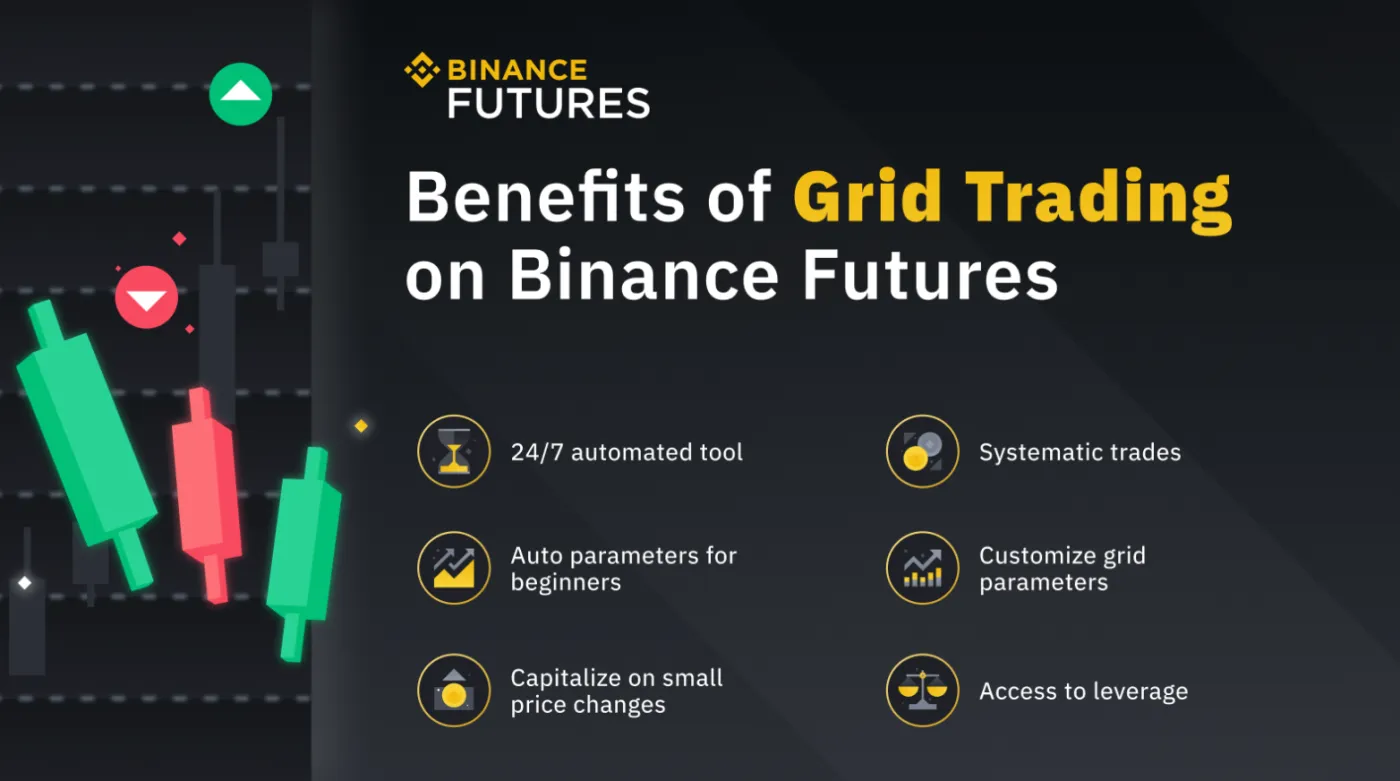
- Automation: Automating the process of buying and selling futures contracts lets you carry out your trading strategy without emotional decisions.
- Systematic trading: You can build a trading grid by systematically placing limit orders at intervals within a preset price range.
- Taking advantage of small price movements: Placing orders at predefined intervals lets you take advantage of small price movements in the market.
- Auto setup option: Binance Futures offers an auto setup option that lets you create a grid trading strategy with a single click.
- Customizable grid options: Advanced traders can set the grid parameters themselves to earn profits within a predetermined price range.
- Using leverage: On Binance Futures, you can set up a grid trading strategy with leverage. In a bull market, you can buy low and sell high. In a bear market, you can profit by selling high and buying low.
How to Use Grid Trading on Binance Futures in 8 Steps
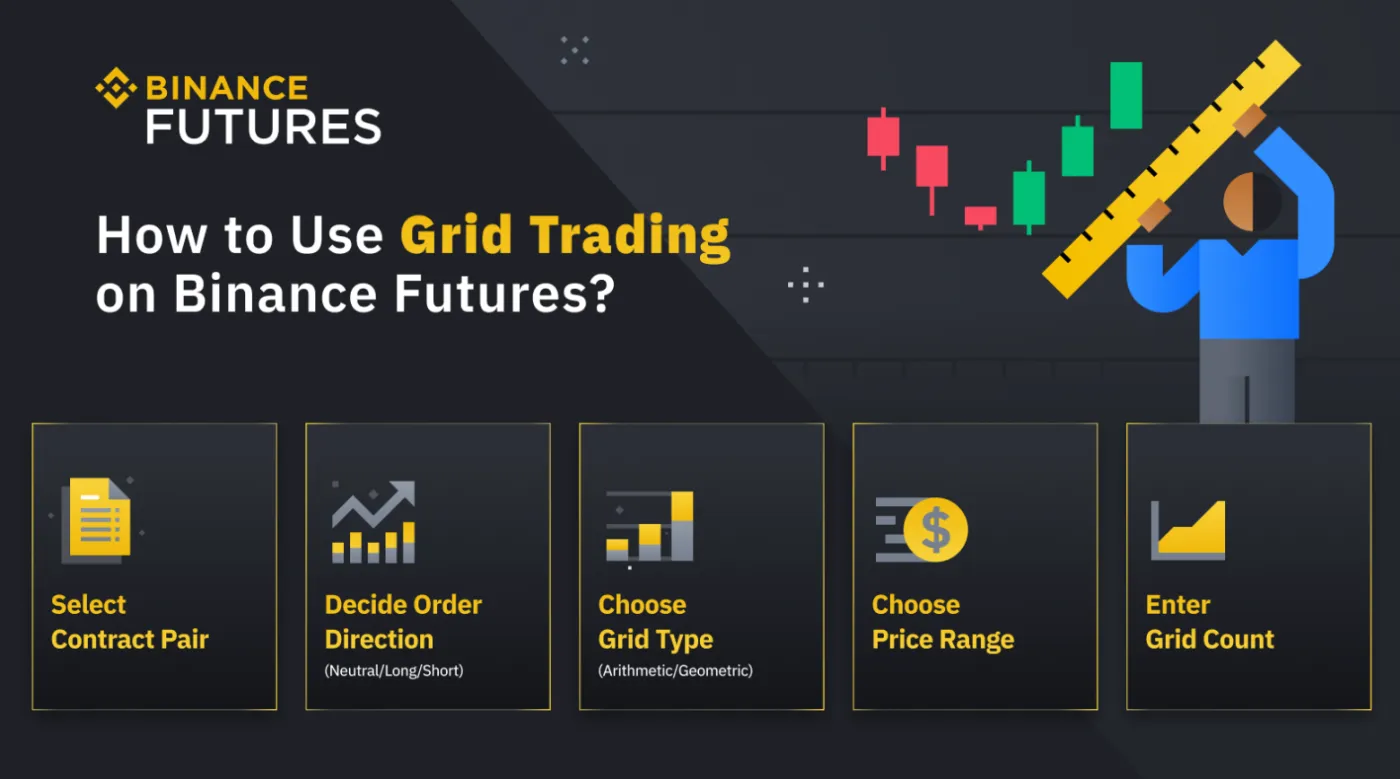
Here's how to set up a grid trading strategy.
1. Go to the Binance Futures trading page
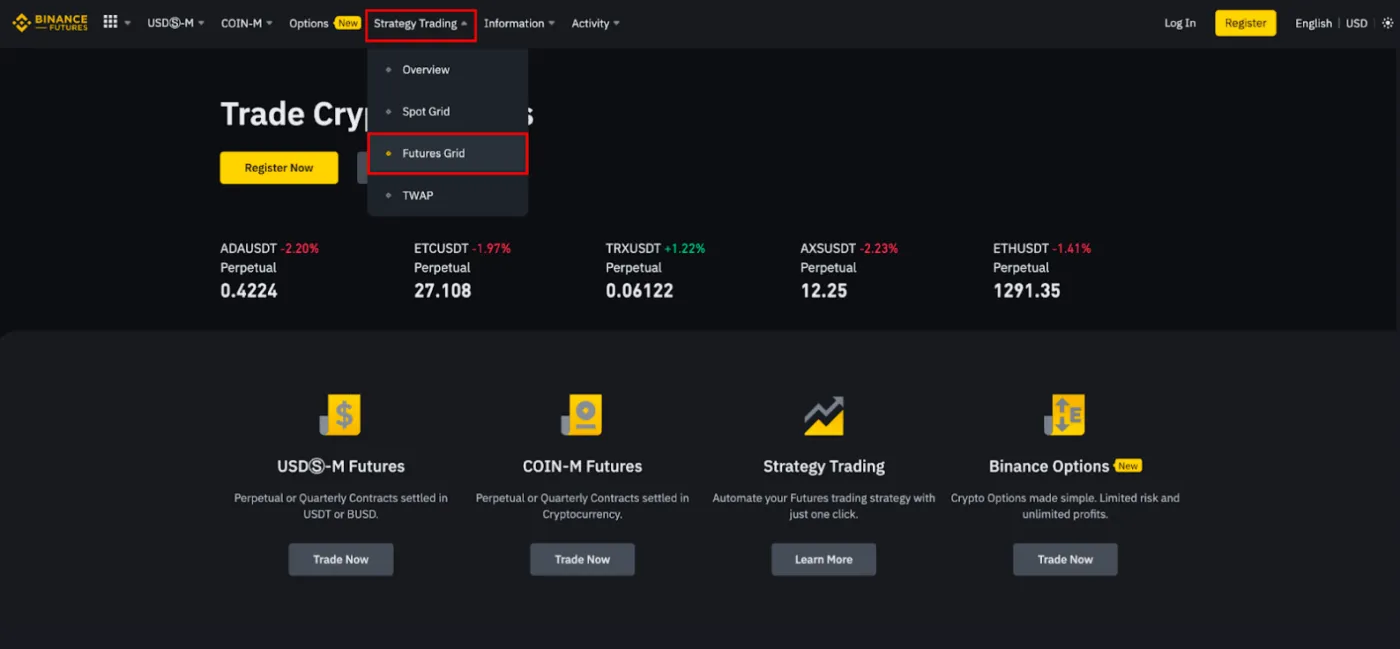
Go to the Binance Futures trading page, select [Strategy Trading] from the top menu, and then select [Futures Grid].
2. Choose a contract pair
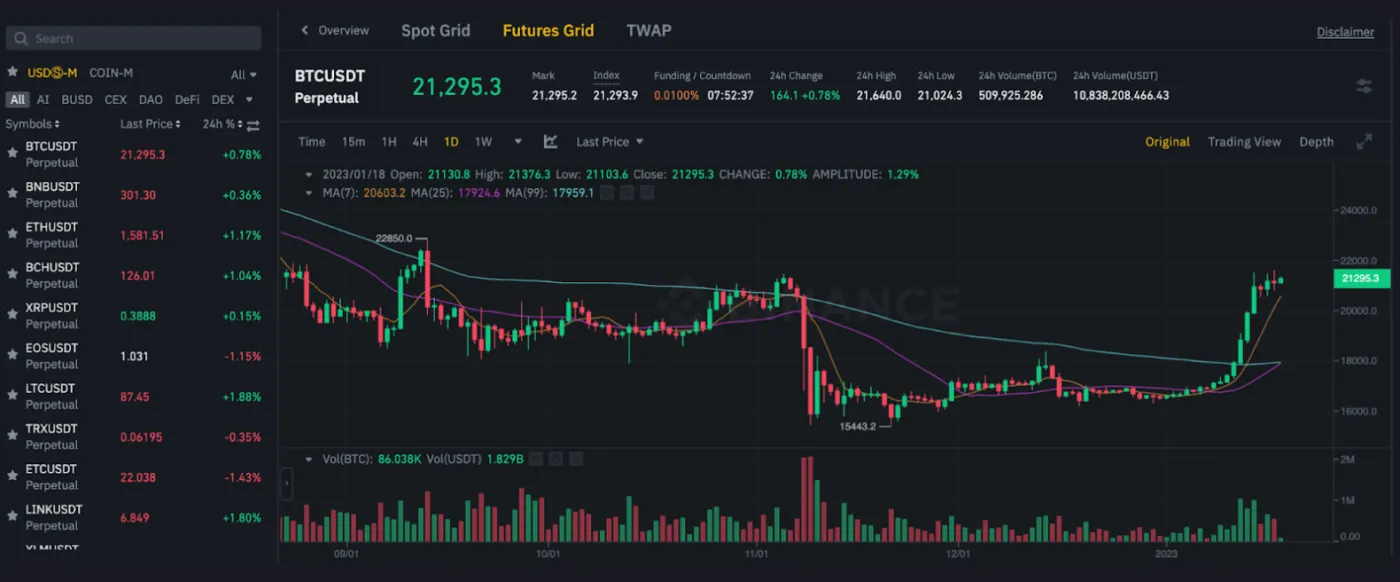
You need to choose the contract you want to deploy the trading bot on. In this example, we'll choose the BTCUSDT perpetual contract.
3. Choose an order mode
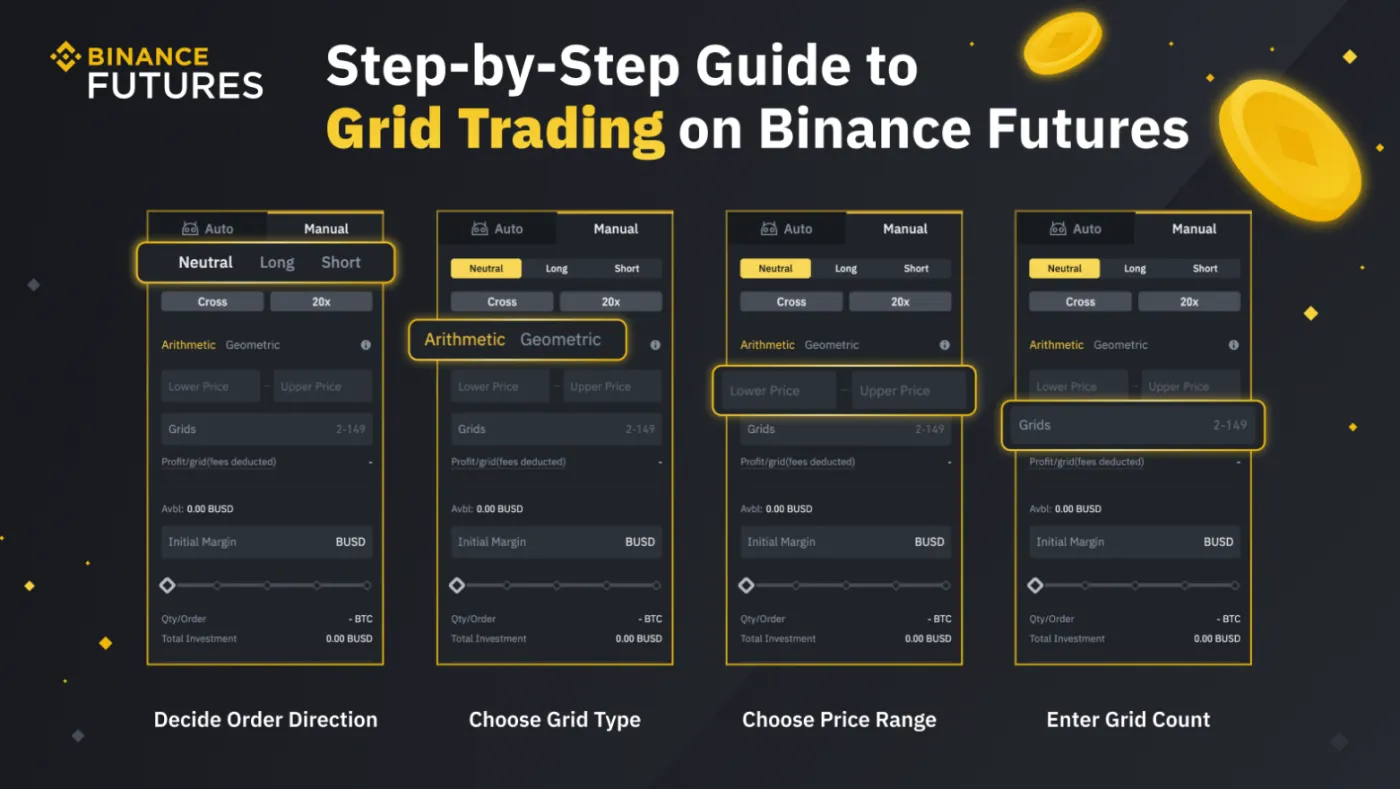
Next, in the sidebar, you need to choose between "Auto" mode (uses recommended parameters) and "Manual" mode (lets you customize the grid parameters). Here, we'll set the grid parameters ourselves.
4. Decide the order direction
In the grid trading panel, choose the grid direction from [Neutral], [Long], and [Short].
In a neutral grid strategy, a sell order is executed when the price is above the reference price, and a buy order is executed when it is below the reference price. In a long grid strategy, the first order is a buy order, and in a short grid strategy, the first order is a sell order.
For example, a trader who expects Bitcoin to rise can use a long grid strategy on BTCUSDT. In this case, they can place buy orders at intervals below the current market price and sell orders at intervals above the current market price.
5. Choose a grid type
There are two options: arithmetic mode and geometric mode. Arithmetic mode creates grids with an equal price difference, while geometric mode creates grids with an equal price ratio.
6. Choose a price range
Let's say you expect the price of BTC to stay between $20,000 and $30,000 over the next 24 hours. With a grid trading bot, you can automatically place buy orders at lower prices when the BTC price drops to $25,000, and place sell orders at higher prices once the price recovers. This lets you profit from price fluctuations.
7. Set the number of grids
Specify how many orders the system will place within the configured price range. The more grids you have, the more trades there will be, but the smaller the profit from each trade. You can aim for small profits from many trades or larger profits from fewer trades.
8. Allocate the initial margin
The initial margin is determined by the number of grids, the leverage, and the price range. Keep in mind that the narrower the grid spacing, the higher the initial margin.
Wrapping Up
Grid trading is a good option for traders who want to take advantage of market volatility and prefer a systematic approach to investing. To secure profitability, it's important to choose market conditions that suit the strategy. This helps you avoid losses in trending markets. It's also important to have a proper risk management strategy in place, including setting appropriate take-profit and stop-loss orders.