How to Mint a Binance Account Bound (BAB) Token
4 min read · · Korean original
Contents 3
What Is the Binance Account Bound (BAB) Token?
The Binance Account Bound (BAB) token is the first soulbound token (SBT) built on BNB Chain. BAB tokens are non-transferable and have no monetary value. They can serve as a digital verification tool for Binance users who have completed identity verification. For more details on how the token works, please see our Soul Bound Token (SBT) explainer.
How Do You Mint a Binance Account Bound (BAB) Token?
Binance users who have completed identity verification can mint a BAB token directly to their wallet. Here's how to mint a BAB token on Binance.
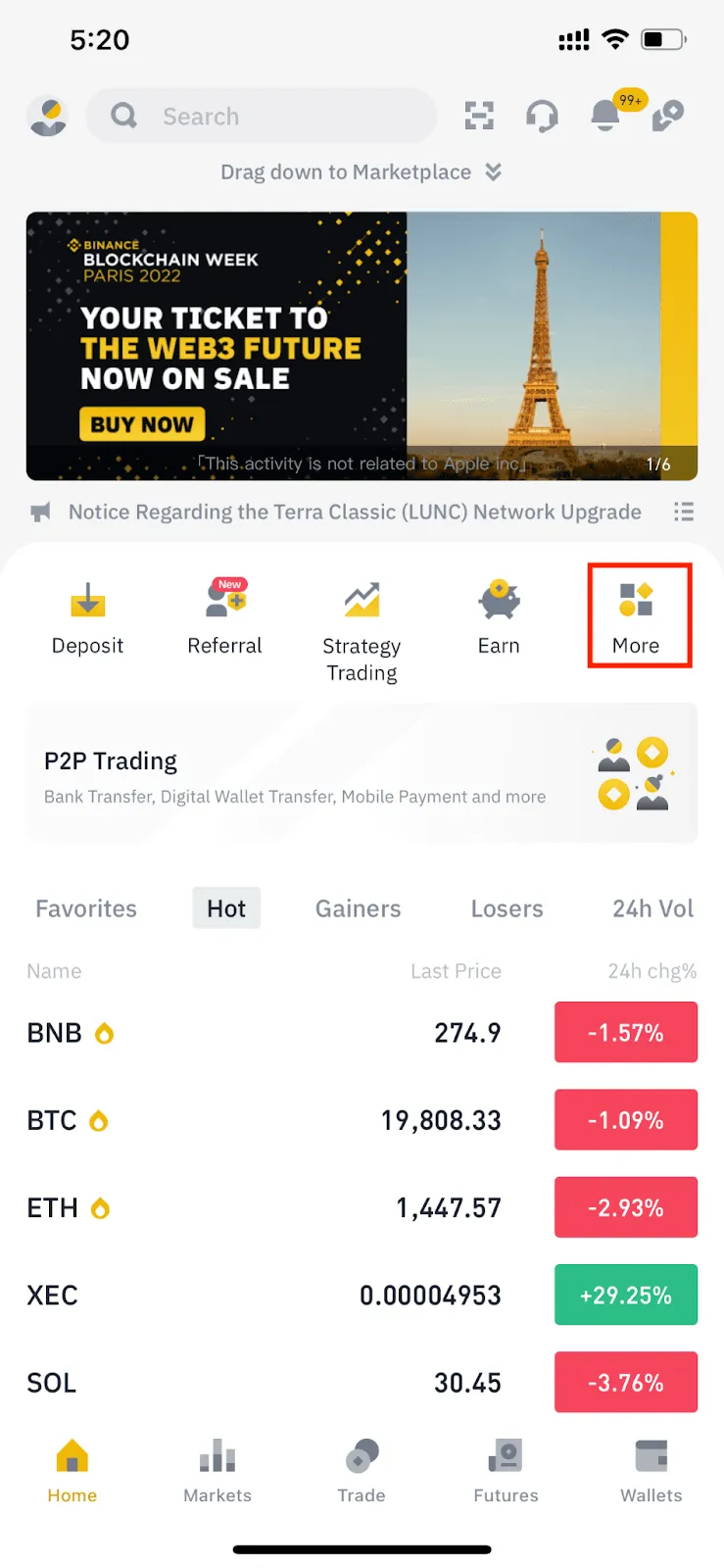
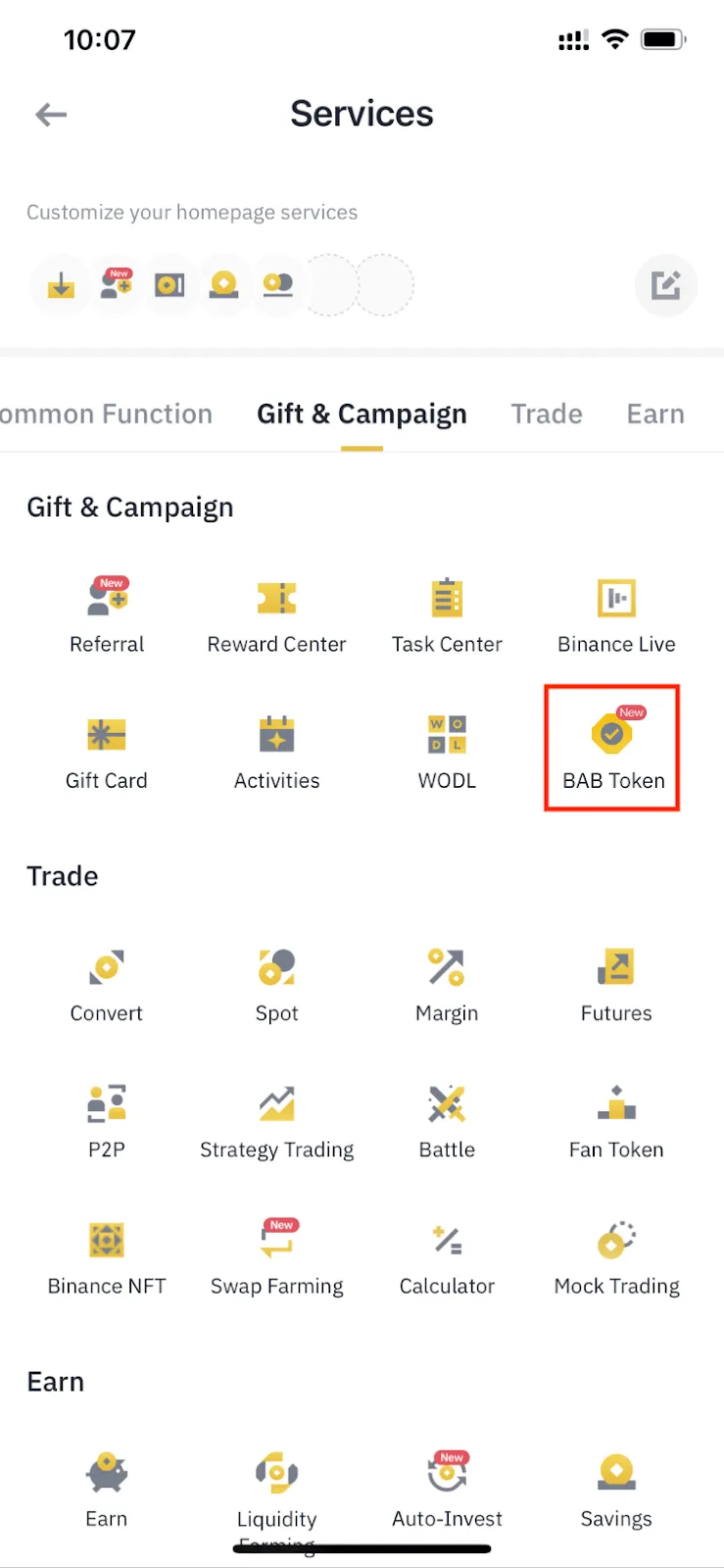
1. Log in to the Binance app and tap [More] on the home page. Scroll down and go to [Gift & Campaign] - [BAB Token].
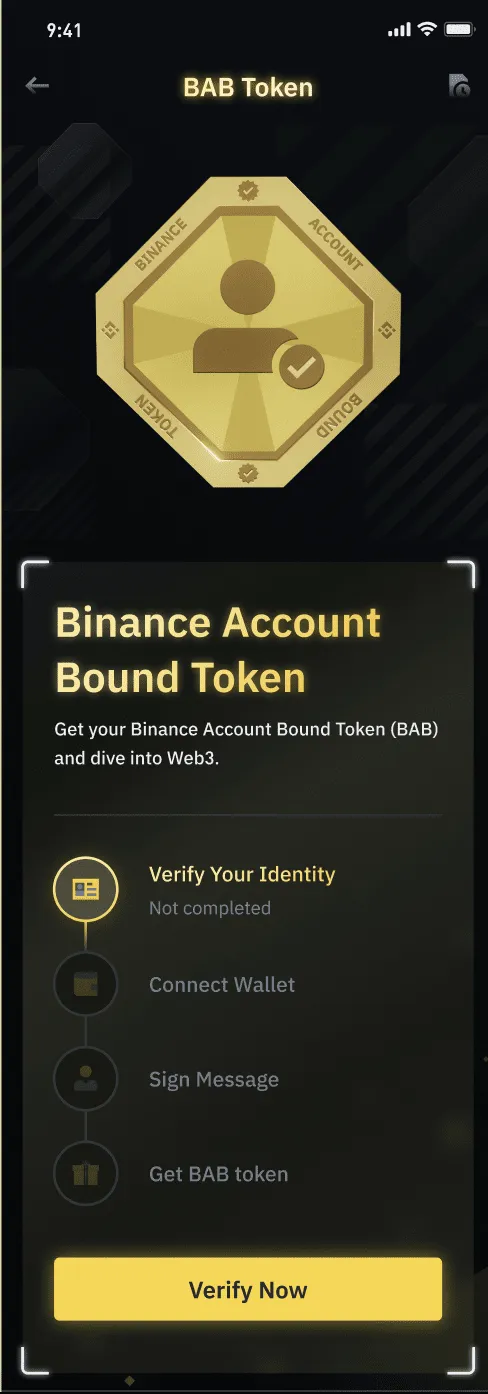
2. You'll see the requirements for minting a BAB token, including completing identity verification, connecting a compatible wallet, and verifying wallet ownership.
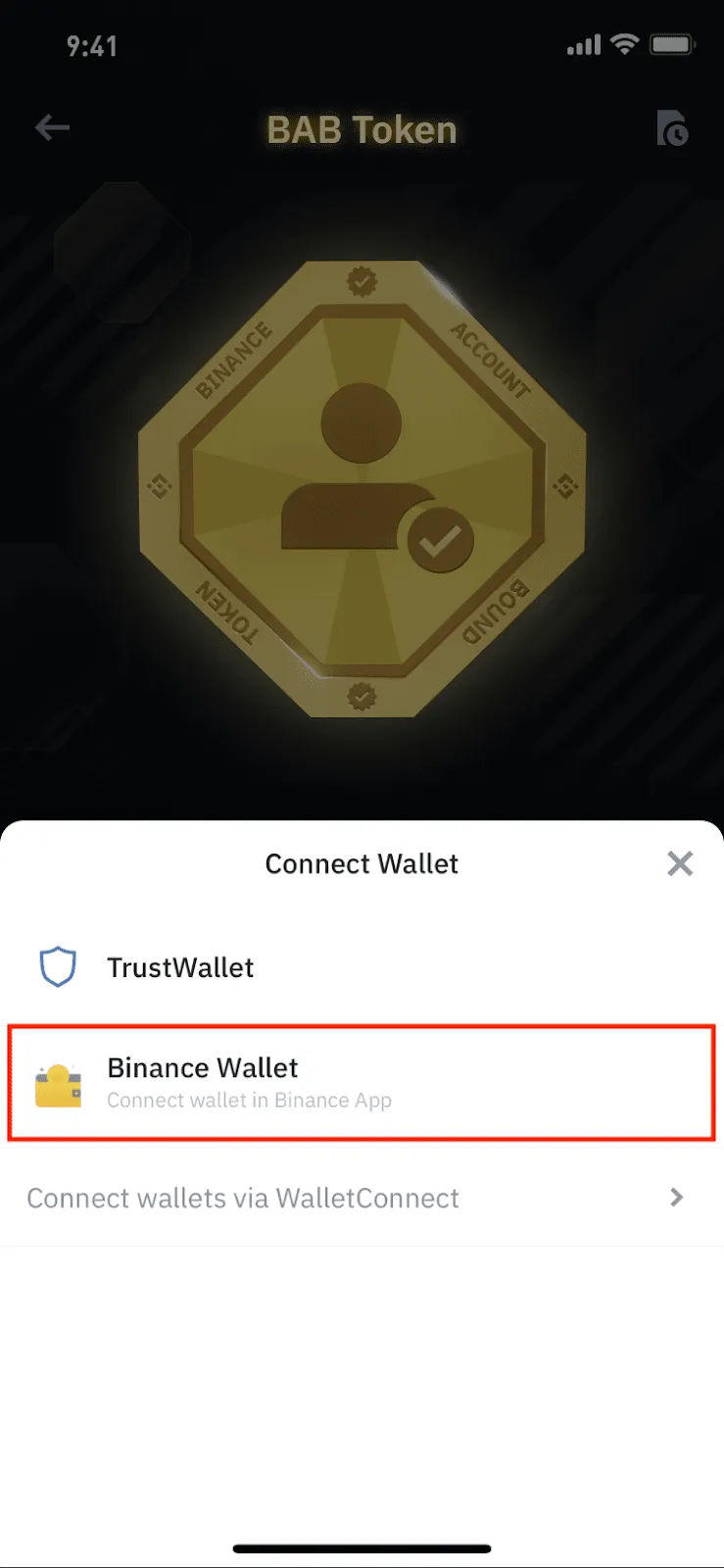
3. There are three ways to connect a wallet, depending on the type of wallet you use.
3.1 Binance DeFi Wallet
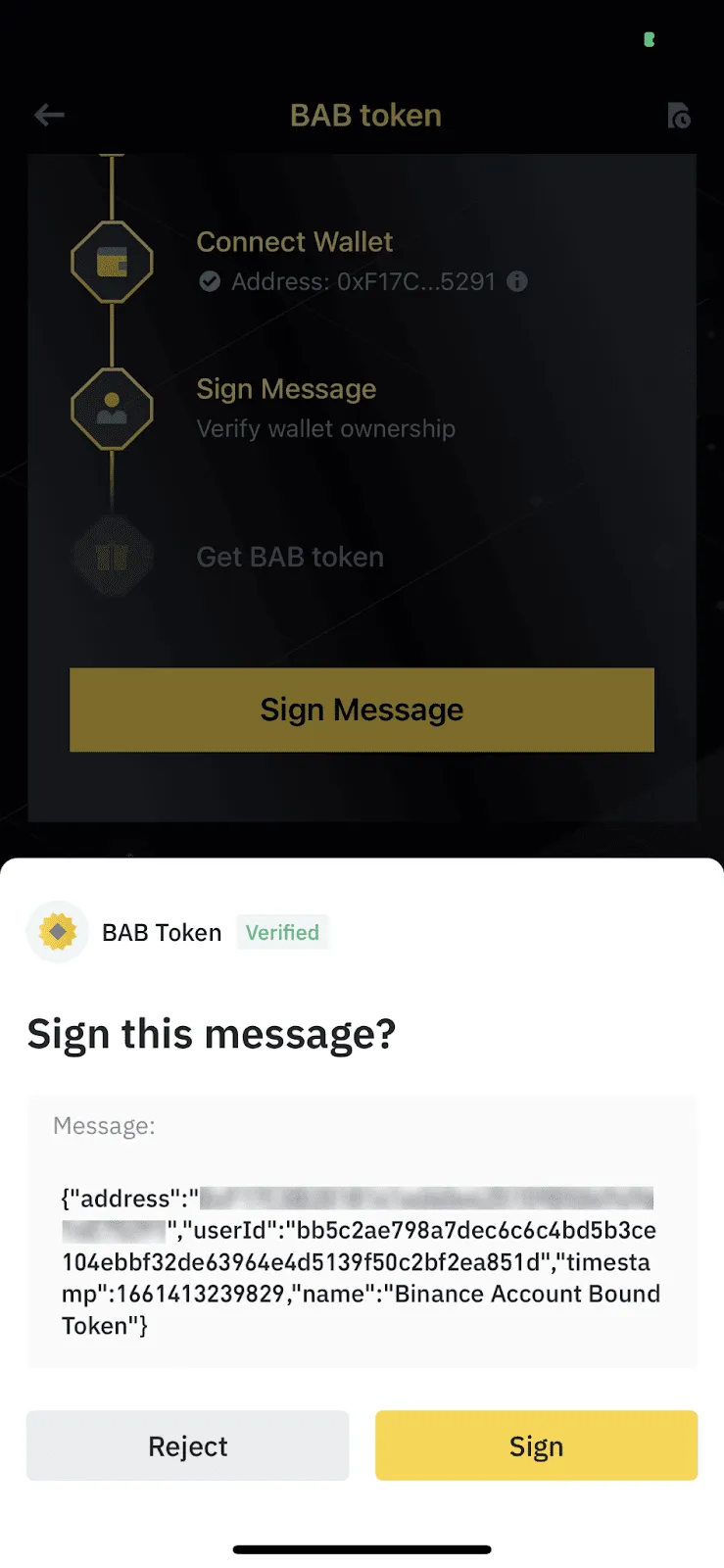
The Binance DeFi Wallet is a wallet built into the Binance app. Tap [Binance Wallet] and your DeFi wallet will be connected automatically.
Tap [Sign Message] - [Sign] to verify wallet ownership.
3.2 Trust Wallet
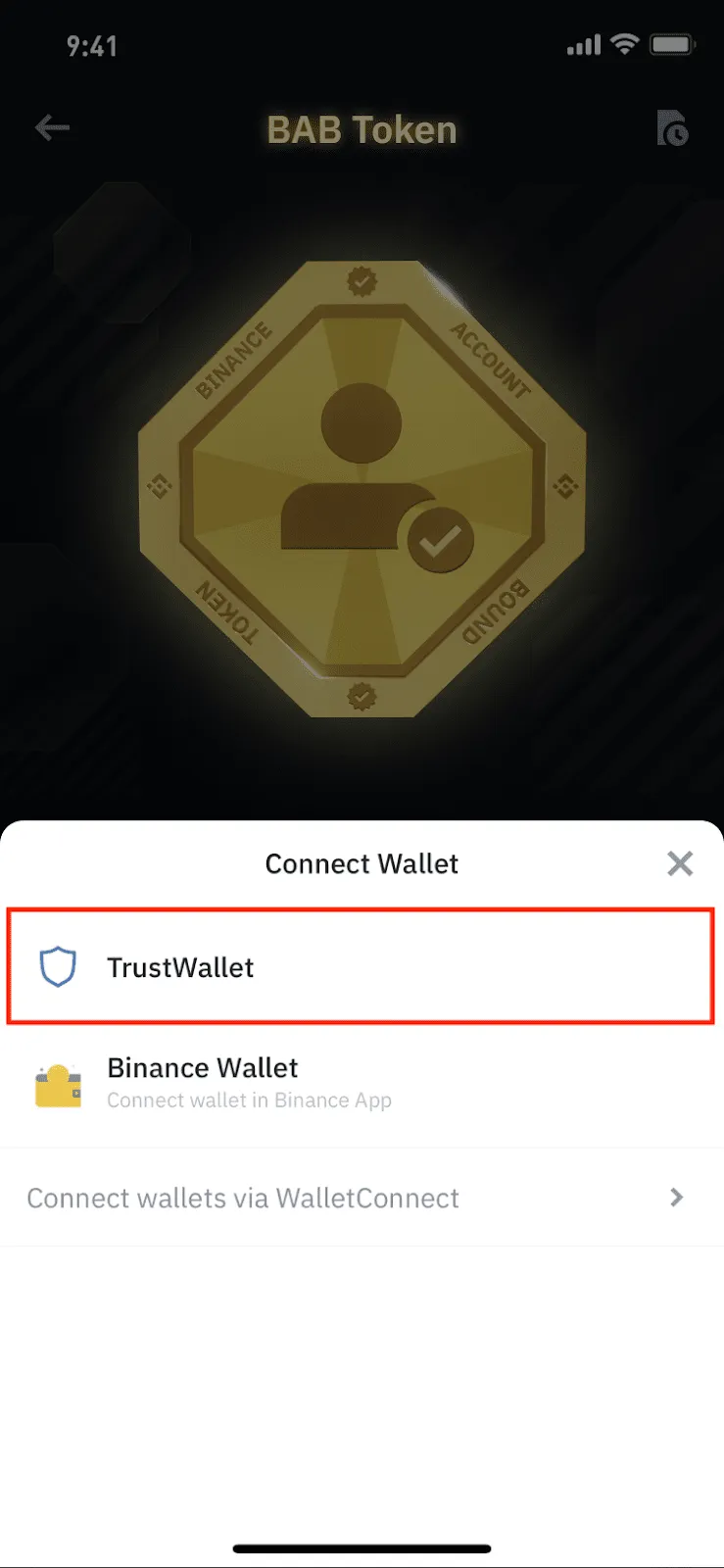
To connect Trust Wallet, tap [TrustWallet].
You'll be redirected to the Trust Wallet app with a pop-up. Tap [Connect]. If the pop-up doesn't appear, make sure your network connection is stable and try again.
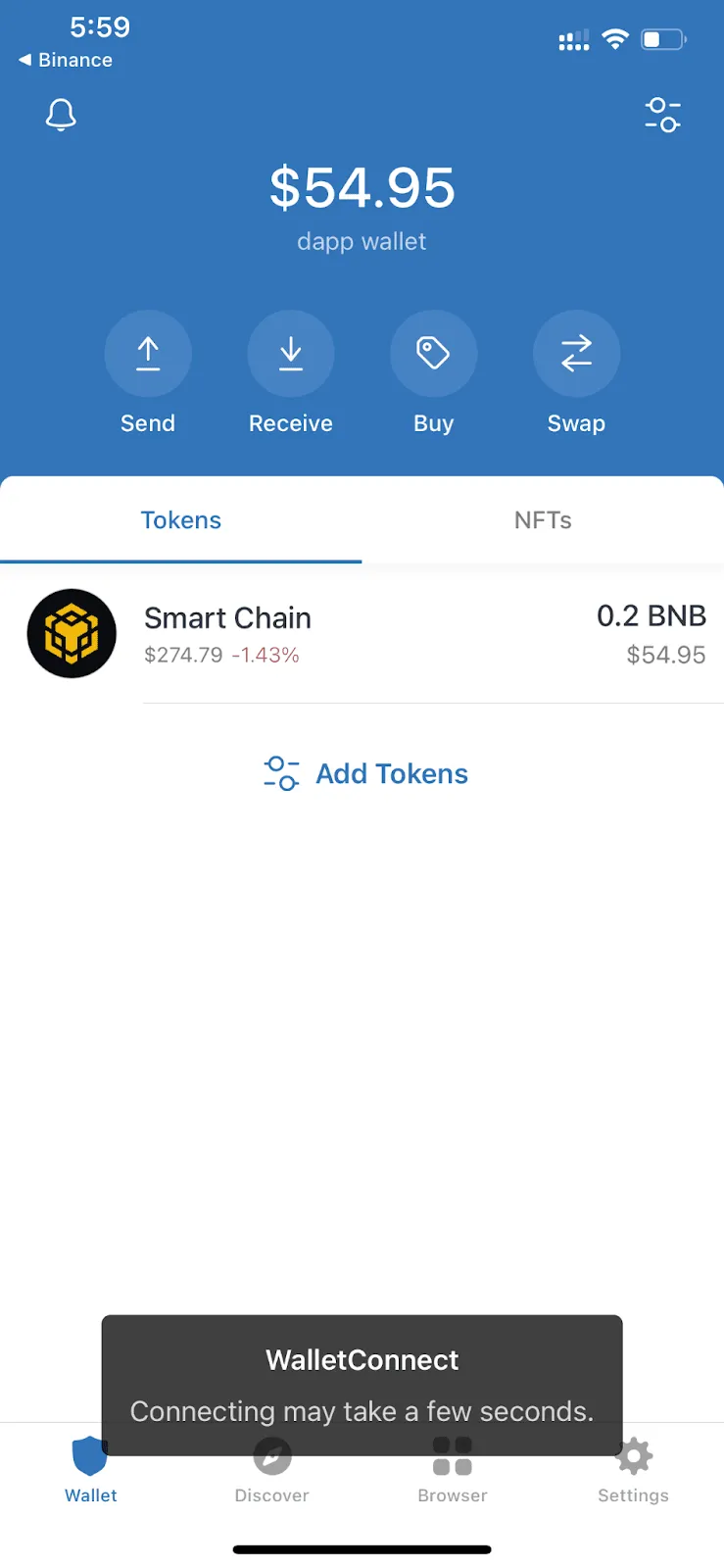
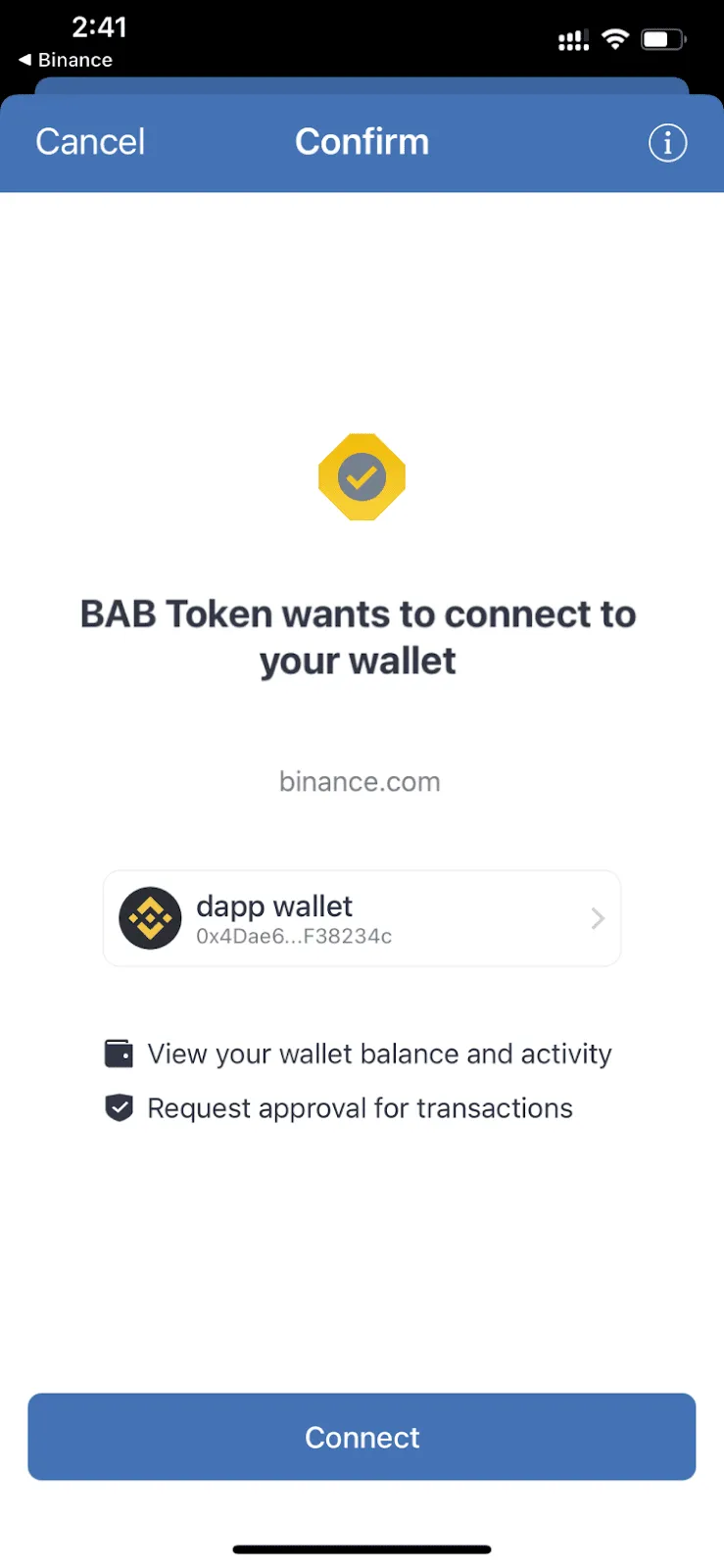
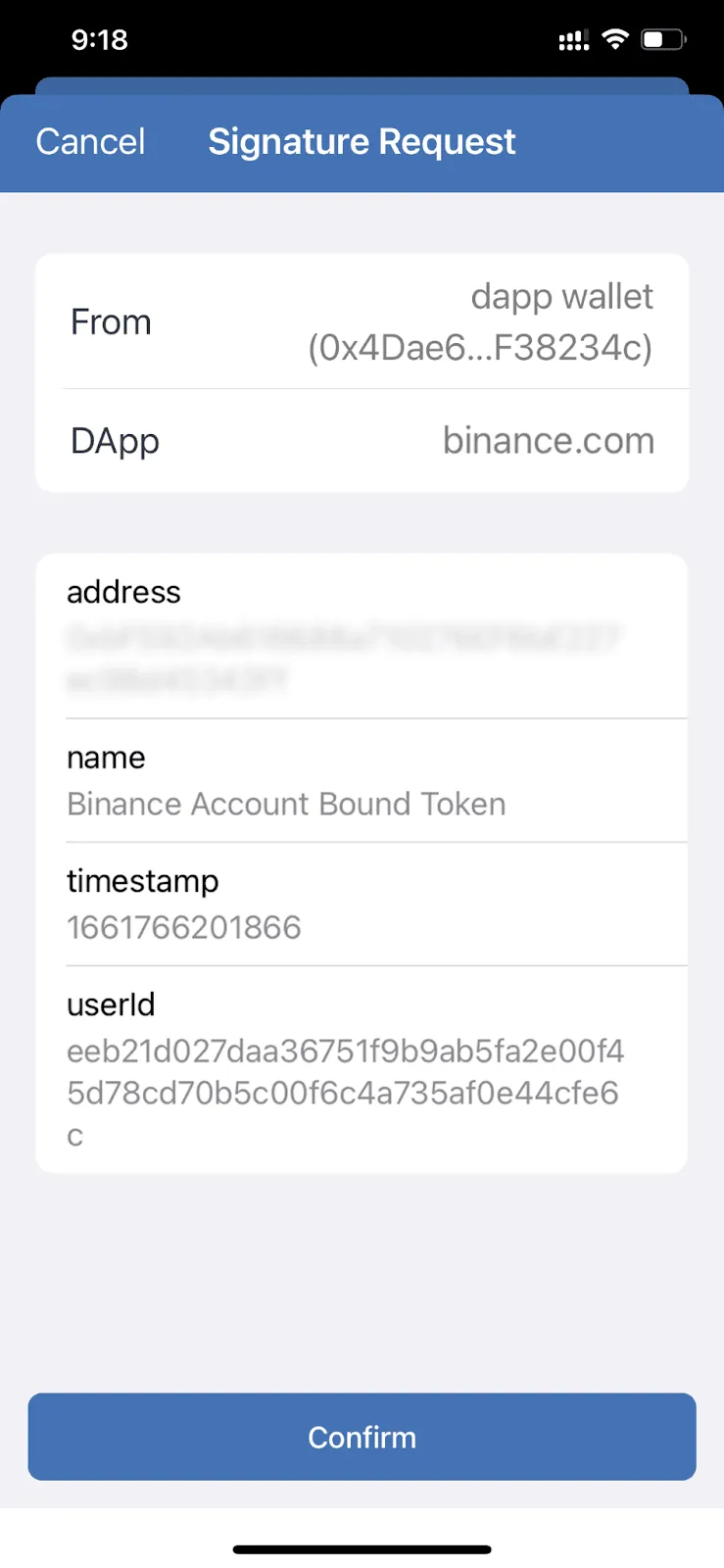
After connecting your wallet, you need to sign a message to verify wallet ownership. Tap [Sign Wallet], then tap [Confirm] in the Trust Wallet pop-up.
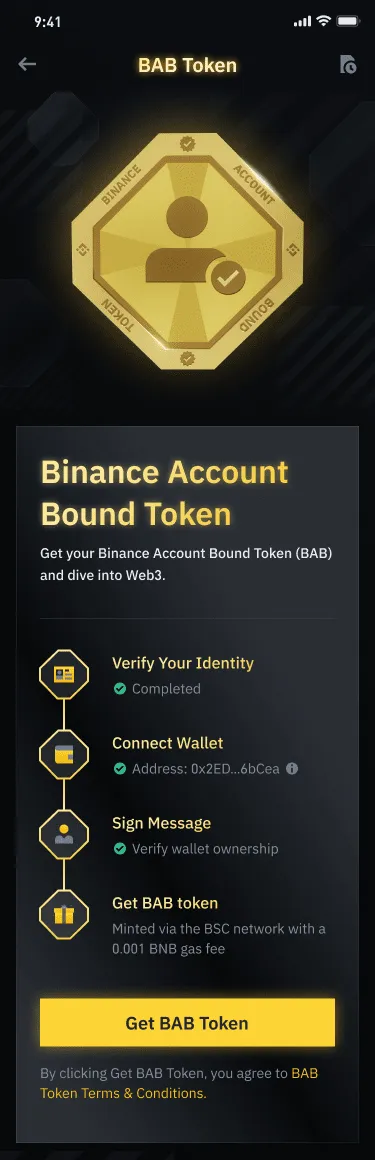
4. You can now mint your BAB token. Tap [Get BAB Token] to receive it.
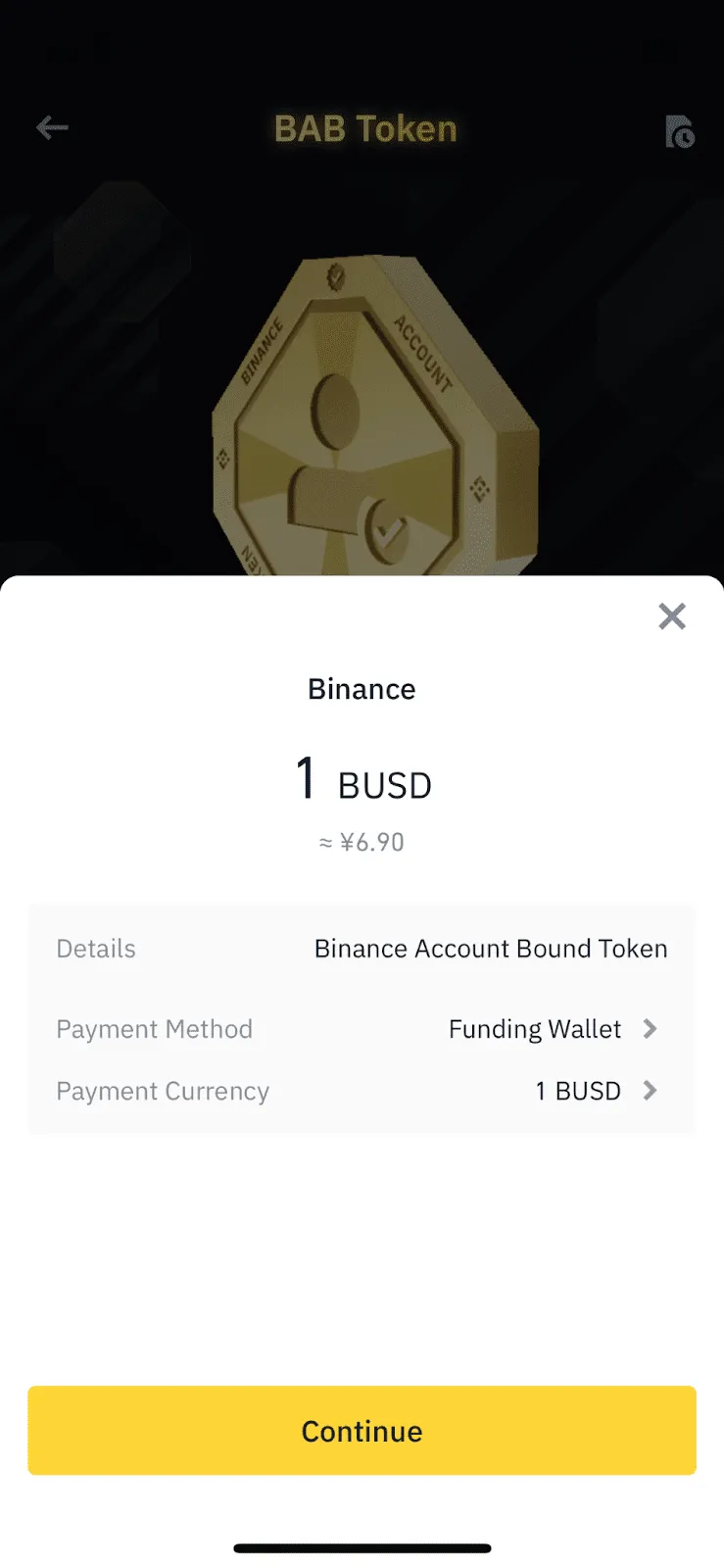
5. The gas fee for minting the BAB token will be shown. Choose either your Spot Wallet or Funding Wallet, then select the currency to pay with. Tap [Continue] to proceed.
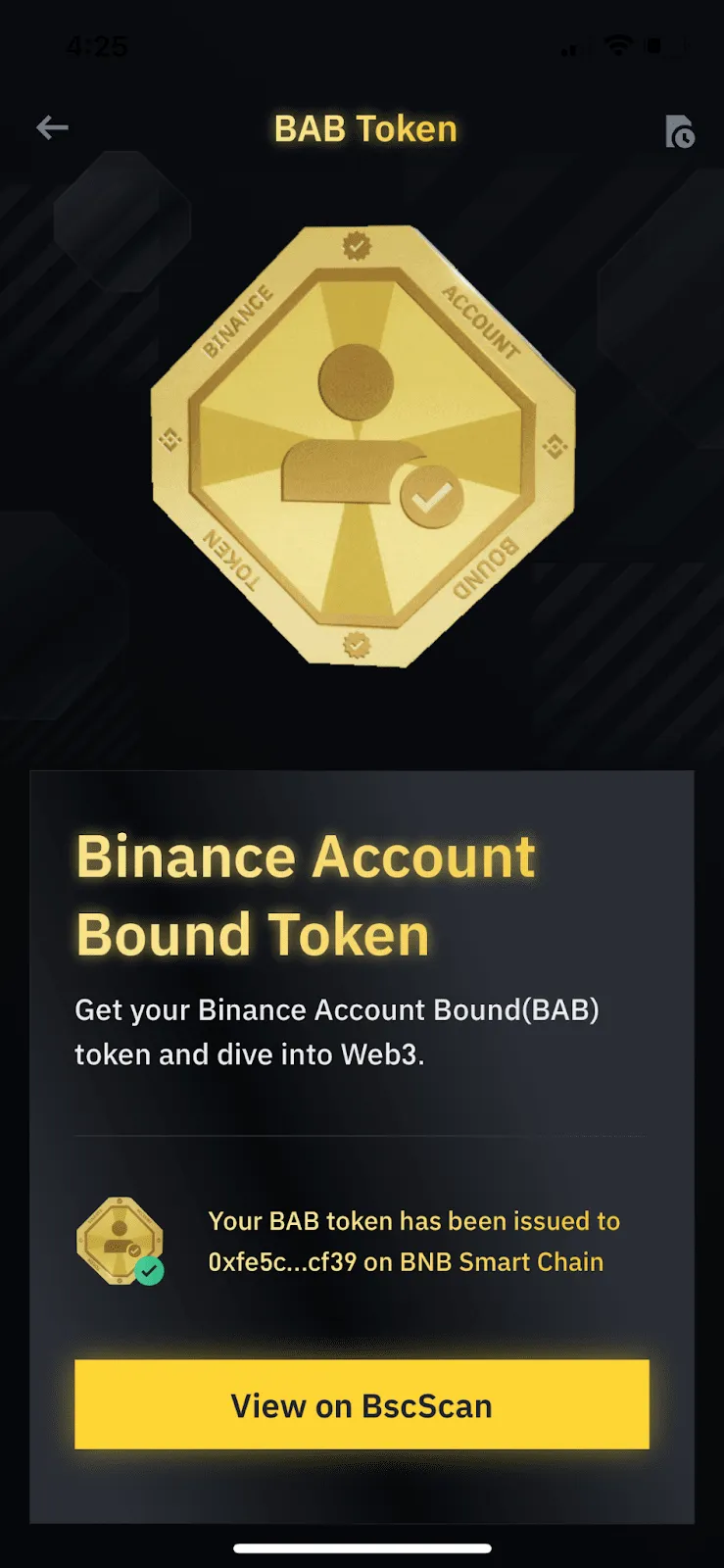
6. Your BAB token will be minted. Tap [View on BSCScan] to see the details on BscScan.
BAB Frequently Asked Questions
1. Who can mint a BAB token on Binance?
BAB tokens are issued by Binance and are non-transferable. Binance users who have completed identity verification can mint a BAB token directly in the Binance app.
2. Do I have to pay a gas fee to mint a BAB token?
Yes, you need to pay a gas fee when minting or revoking a BAB token. The gas fee is charged on BNB Chain. Binance deducts the gas fee directly from your Funding/Spot Wallet.
3. Can I mint more than one BAB token?
No, each Binance user can mint only one BAB token. However, if you lose access to your existing token, you can revoke it and mint a new BAB token.
BAB tokens have a 72-hour lock-up period. This means that after revoking a BAB token, you have to wait until the lock-up period ends before you can mint a BAB token again.
4. How can I check my BAB token?
Your BAB token is issued to the wallet you connected during the minting process. You can view it in any wallet that supports NFTs on BNB Chain (BSC). Before viewing your BAB token, please set your wallet network to [BNB Smart Chain].
5. How do I revoke my BAB token?
To revoke your BAB token, go to the BAB Token page in the Binance app and scroll down to the FAQ section. You'll see a [Revoke Token] link that lets you revoke the token. Visit the link to revoke your BAB token.
6. What happens if I lose access to my BAB token?
If you lose access to your BAB token (for example, if you lose your wallet's private key), you can revoke the BAB token with your Binance account. Once it's revoked, you can mint a new BAB token after 72 hours.
7. Can I transfer my BAB token to another wallet address?
To move your BAB token to another wallet address, you can first revoke it and then mint it to the new address. However, after revoking your BAB token, you can only mint it again after 72 hours.
8. What can I do with a BAB token?
You can take part in various projects being built on BNB Chain and earn rewards. For more details, please see the BNB Chain announcements page.