How to Find Your Binance UID (User ID)
1 min read · · Korean original
Contents 2
Your Binance ID, or UID, is a unique number assigned to each account. You may need to provide your user ID when contacting customer support or joining an event. Follow the steps below to find it on the Binance website or app.
Binance Website
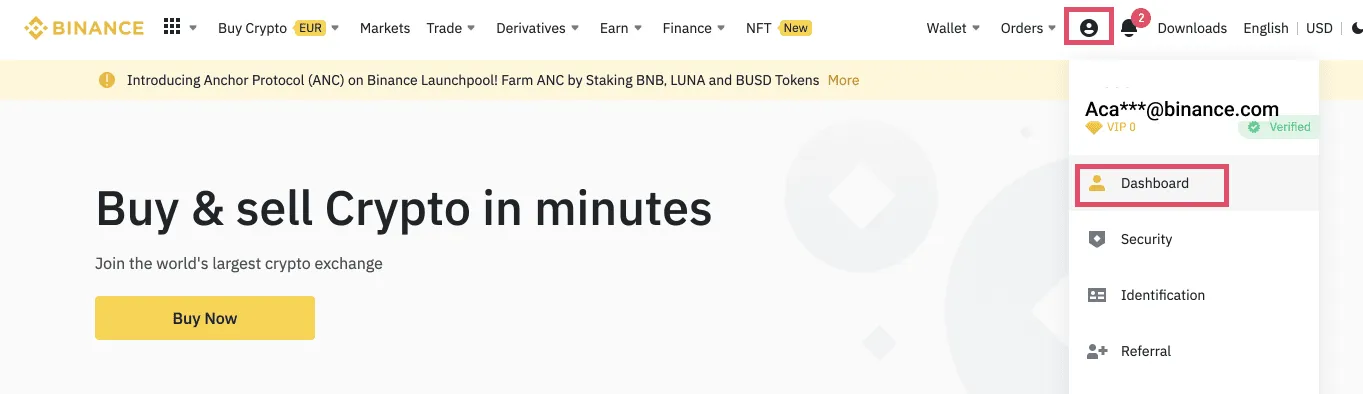
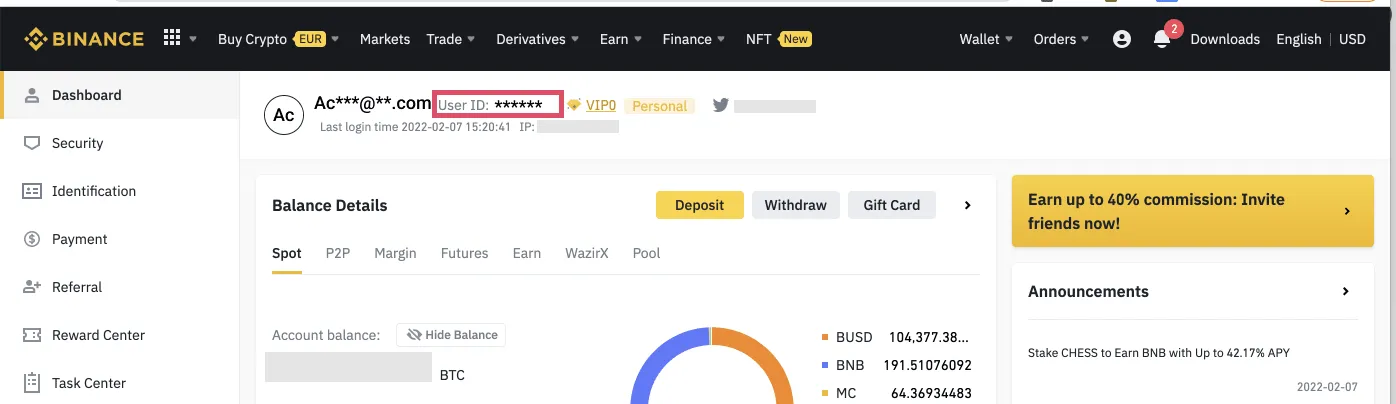
Log in to your account and go to [Profile] - [Dashboard]. Your user ID is shown next to your email address at the top of the page.
Binance App
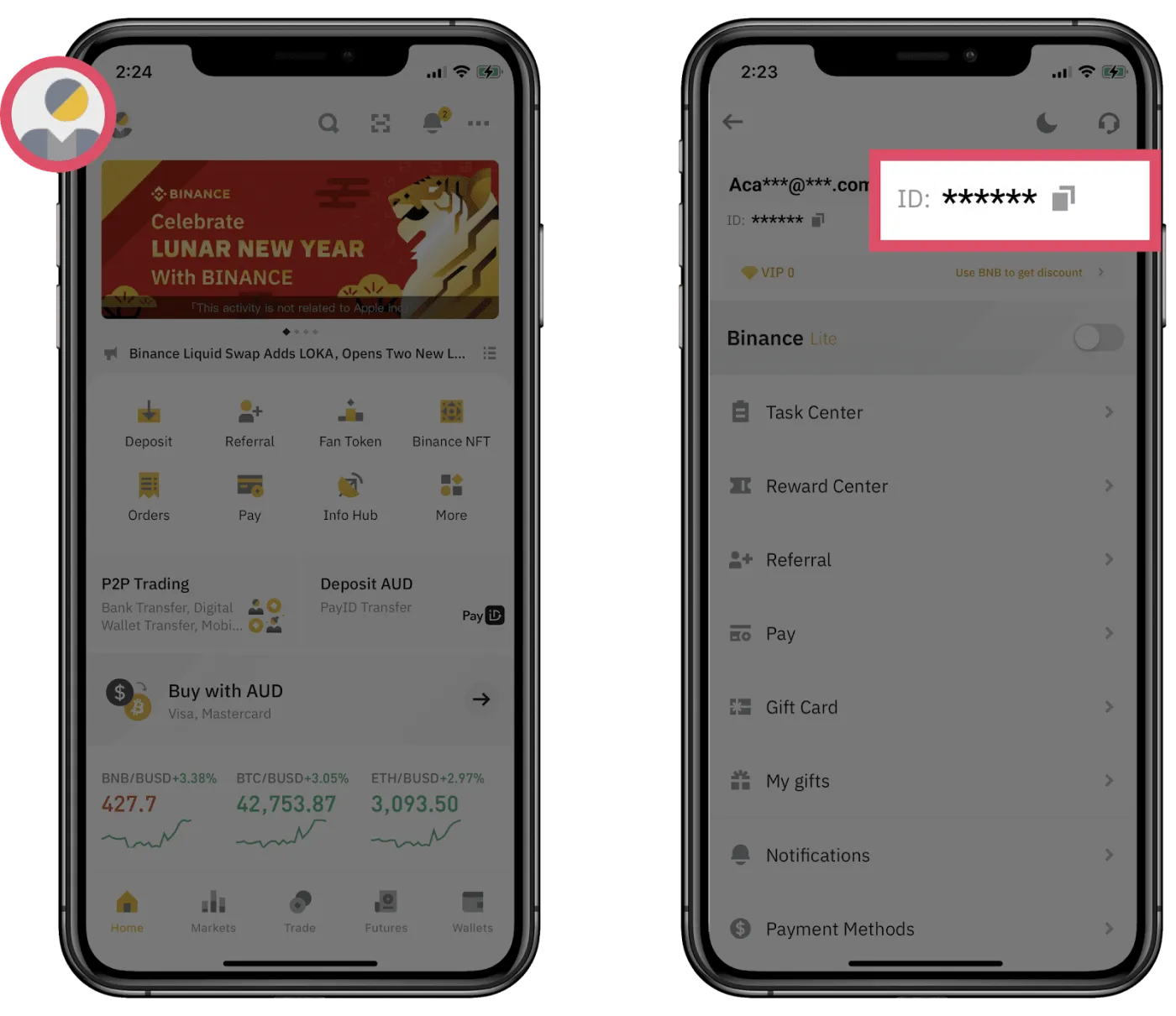
Tap the [Profile] icon in the top left. Your user ID is shown below your email address.
That covers how to find your user ID (UID) on Binance. Your user ID is personal information, so it's best not to share it outside the official website.