How to Check Your OKX Deposit History and Status
3 min read · · Korean original
Contents 3
Hello, this is Bitpunk. Today we'll look at how to track the progress of a coin deposit to the OKX exchange until it's fully credited.

Say you deposit to OKX from Binance, Bybit, or a Korean exchange like Bithumb. What happens during the deposit? And how can you check its current status?
How do you check deposits in the OKX app?
In the OKX app, there are two ways to check your deposits.
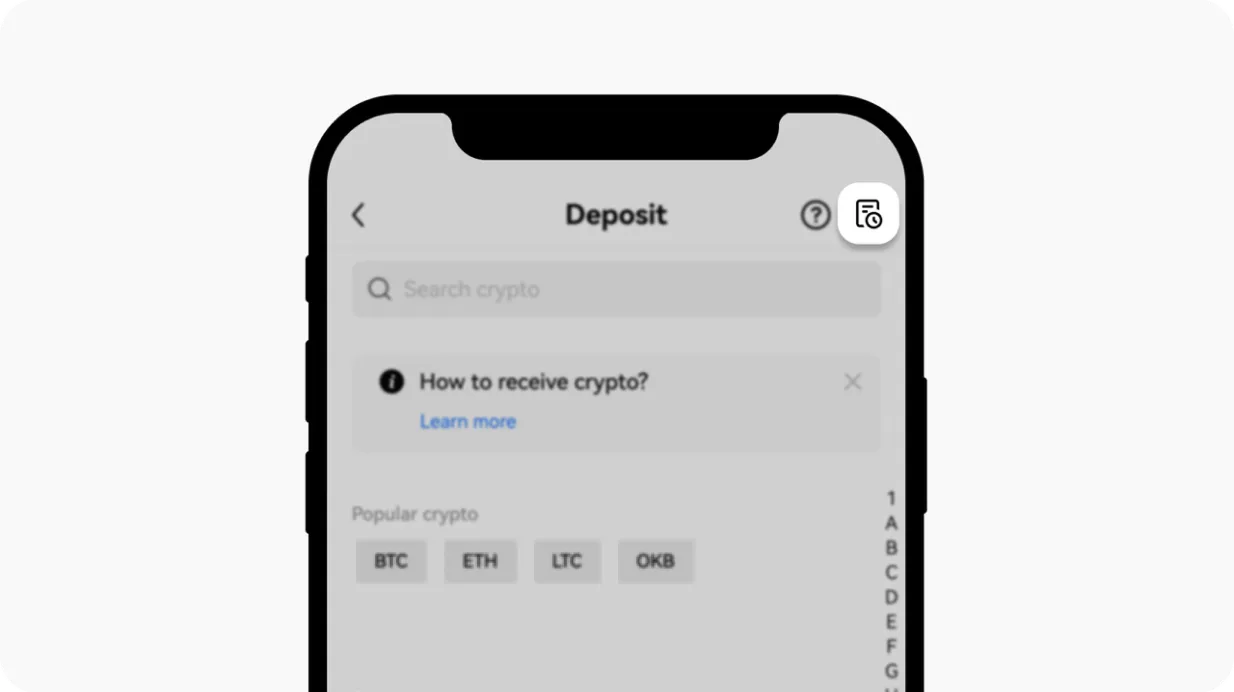
1. Check from the Deposit tab
Open the OKX app and tap the [Deposit] button. Then tap the 'Transaction history' icon on the right to see your 10 most recent deposit and withdrawal transactions.
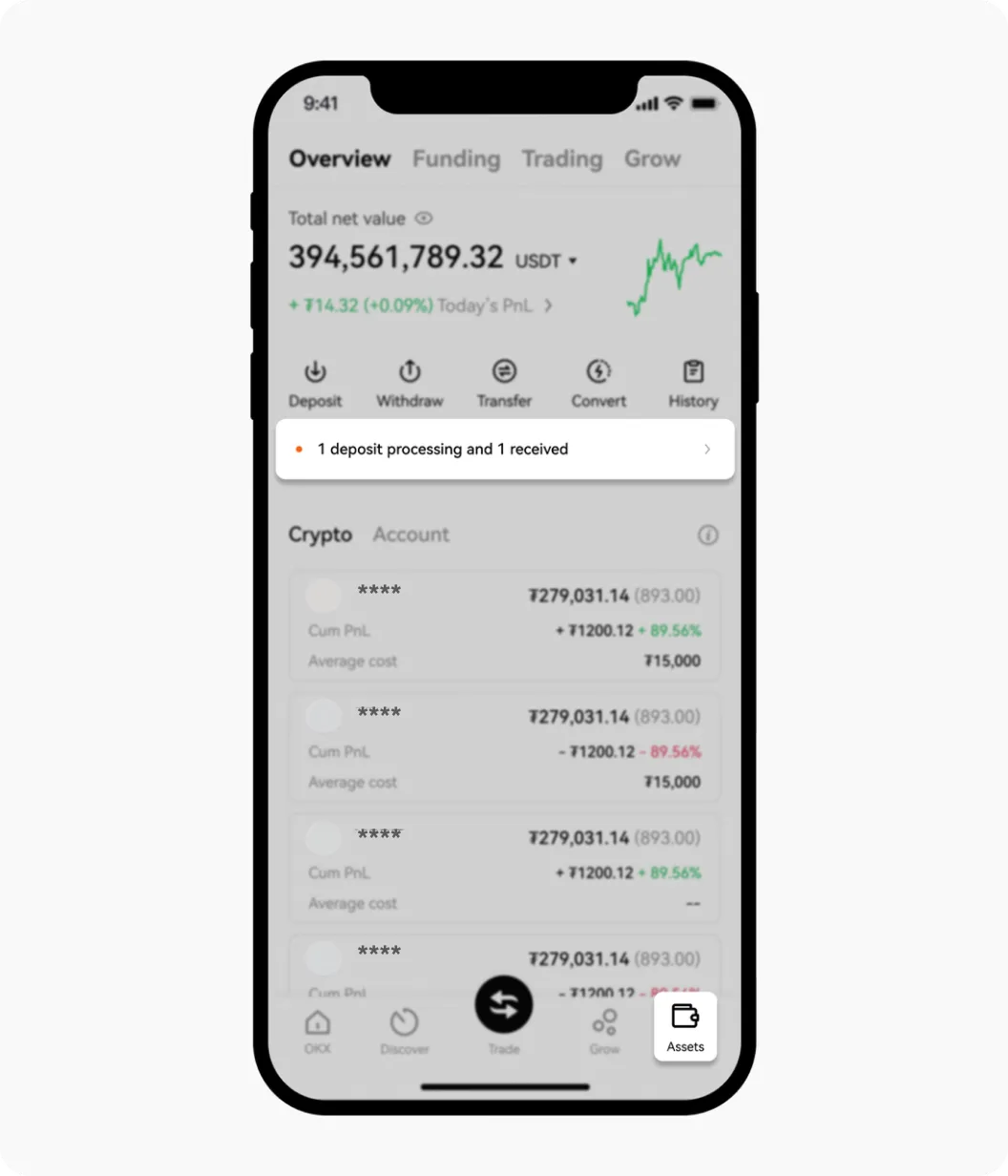
2. Check from the Assets tab
Open the OKX app and go to the [Assets] page. Here you can see deposits that are in progress or were recently completed.
How do you check deposit details and progress?
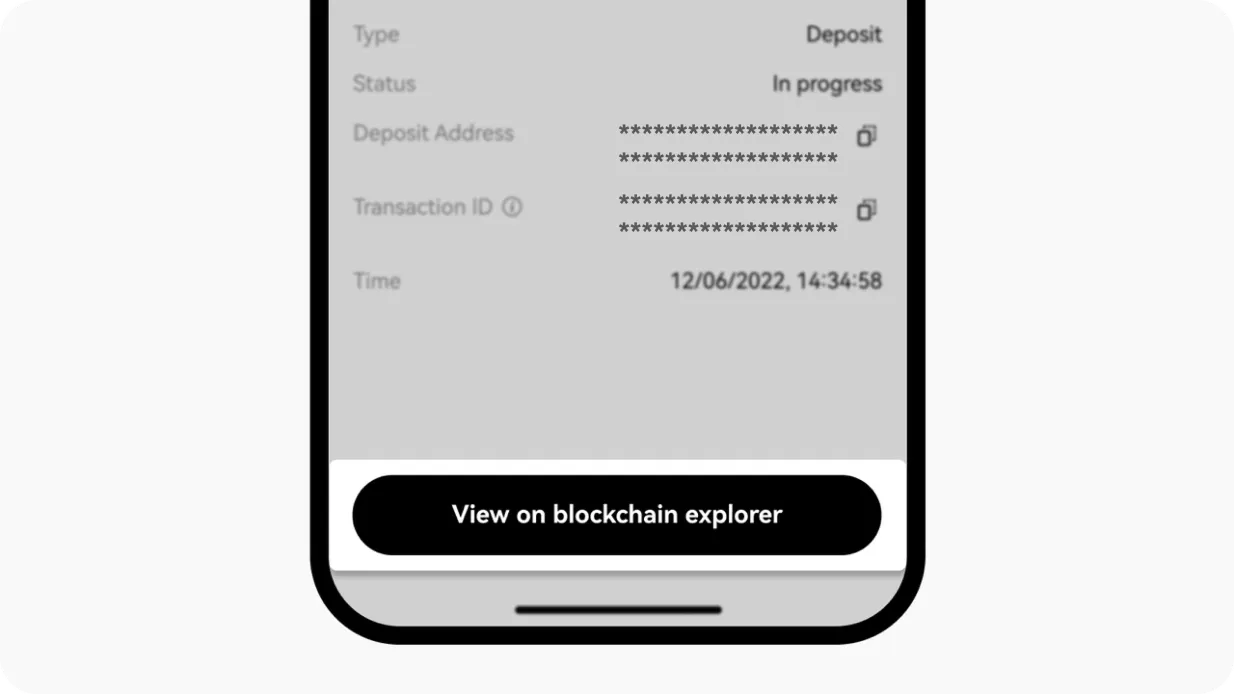
To see the details of a deposit, tap the deposit transaction in question. You'll see the coin, amount, status, time, and more. To view it in more detail on a blockchain explorer, tap 'View on blockchain explorer'.
If you want to check your history on a PC or the web, go to the [Assets] - [Deposit] section. You can see your full deposit history there. Or go straight to the deposit page through this link.
For a deposit to be fully credited on OKX, it needs at least a minimum number of blockchain confirmations. To check this, you can look at your OKX deposit history or go directly to a blockchain explorer such as Etherscan.
| Network | Main Tokens | Required Confirmations | Time per Confirmation | Final Credit |
|---|---|---|---|---|
| Bitcoin (BTC) | BTC | 1–2 | About 10 min | 10–20 min |
| Ethereum (ERC20) | ETH, USDT, USDC | 12 | About 15 sec | 3–5 min |
| Tron (TRC20) | USDT, TRX | 1 | About 1 min | 1–2 min |
| BNB Smart Chain (BEP20) | BNB, USDT | 15 | About 3 sec | 45 sec–1 min |
| Solana (SOL) | SOL, USDC | 1 | About 0.4 sec | 30 sec–1 min |
Frequently Asked Questions (FAQ)
Q1. I made a deposit, but my assets haven't arrived. Why?
A. If the blockchain hasn't completed enough confirmations yet, the coins may not have reached your OKX wallet. Check the status on a blockchain explorer.
Q2. How long does it take for a deposit to be confirmed?
A. It depends on network conditions and the type of crypto asset you sent. For example, Bitcoin can take more than 10 minutes, and ERC20 can take more than 5 minutes.
Q3. I sent it on the wrong network. What should I do?
A. In this case, you need to contact OKX customer support. Deposits sent by mistake are generally not recovered automatically, so be careful.
Q4. I can't see my transaction history.
A. The app only shows your 10 most recent transactions, so we recommend checking older ones in the full history on the website. If you still can't see the transaction, check again on the platform or wallet you sent it from.
Q5. The explorer shows it as complete, but it hasn't arrived in my OKX wallet.
A. The transaction may be complete, but it can take a little longer to show up in OKX's system. Wait a few minutes, and if the delay goes on for too long, contact customer support.