How to Safely Deposit Crypto to OKX
2 min read · · Korean original
Contents 5
Hello, this is Bitpunk. Today we'll look at how to deposit coins to OKX, one of the top three global exchanges, and the key precautions you need to know.
If this is your first time depositing to an overseas exchange, please follow the tutorial below and be sure to run a test deposit with a small amount first.
1. How to Deposit to OKX
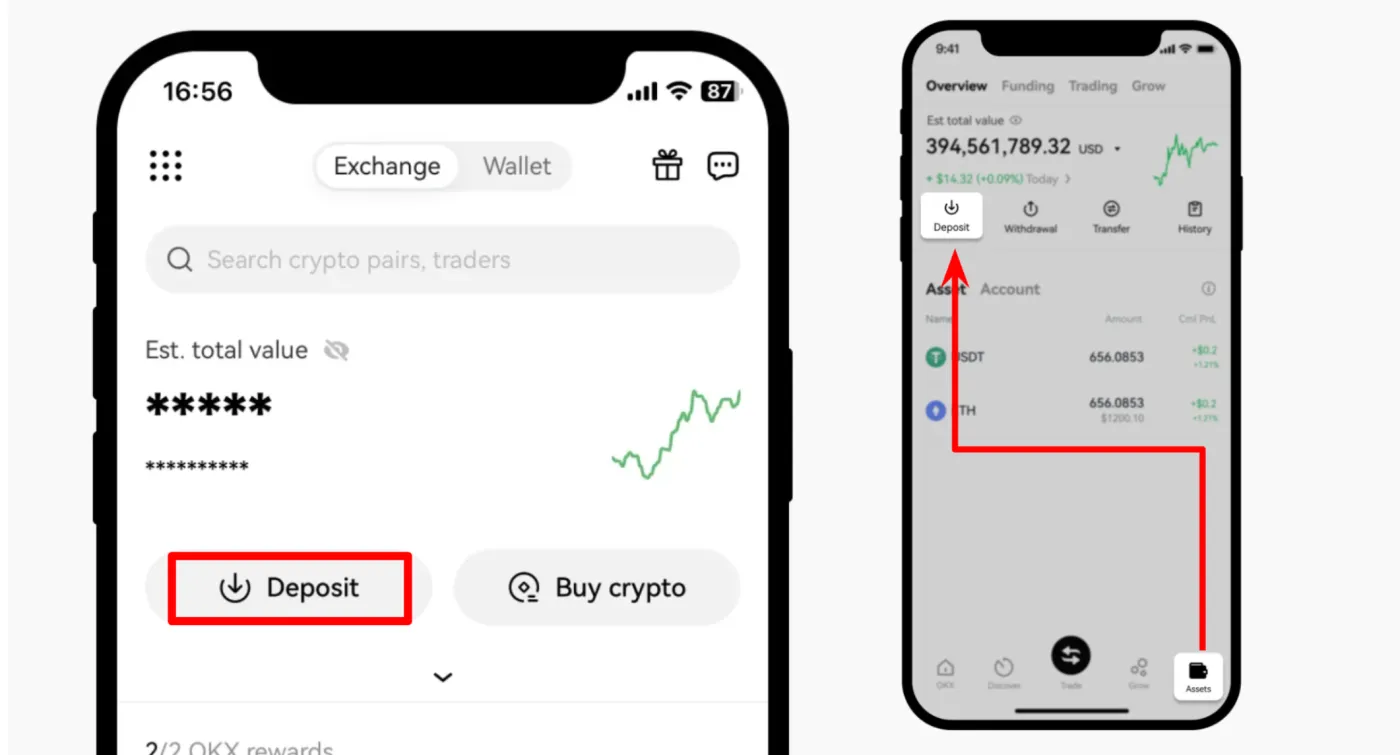
Log in to the OKX website or app, then go to the deposit tab. On the first screen you see after logging in, tap the [Deposit] button. Alternatively, you can go to the [Assets] section and tap [Deposit Crypto].
2. Choose the Asset to Deposit
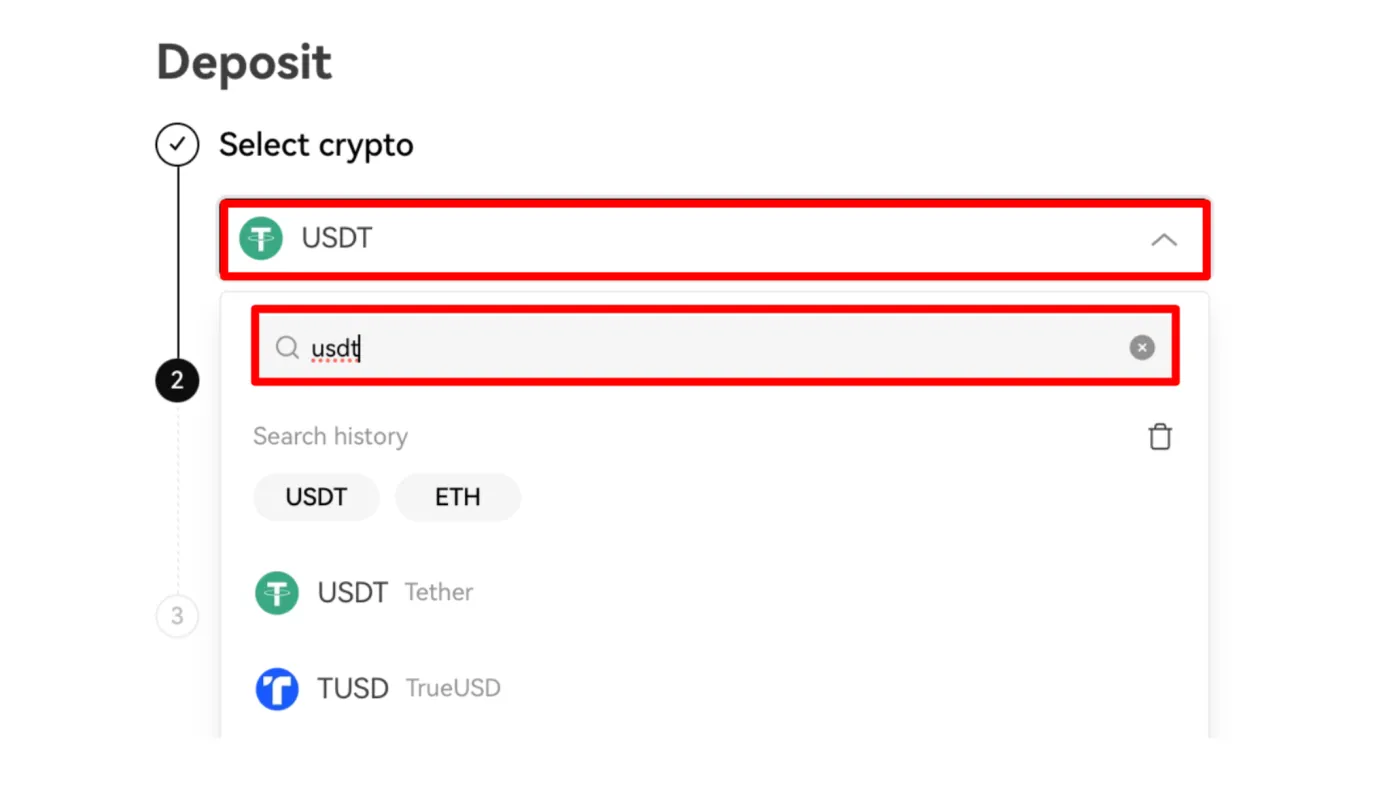
Next, choose the crypto asset you want to deposit. If your goal is to fund your trading, USDT is the best choice in terms of fees and stability.
3. Choose the Network and Wallet
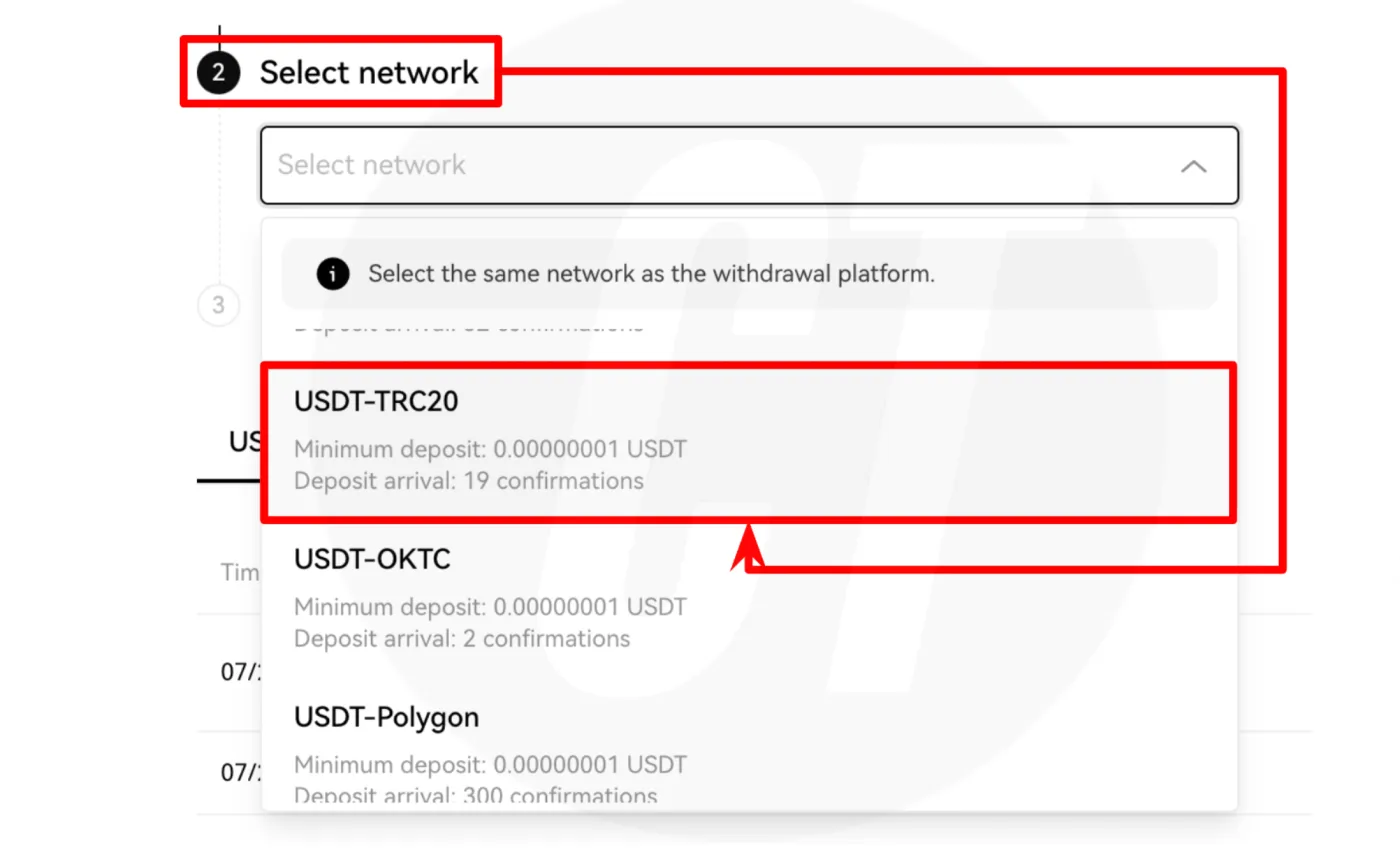
After choosing the coin to deposit, you need to select a network. The deposit network must be the same as the network used on the withdrawal platform. If the networks don't match, the deposit won't go through properly.
Next, choose either the Funding or the Trading wallet. You can move funds between the two wallets free of charge using OKX's internal transfer.
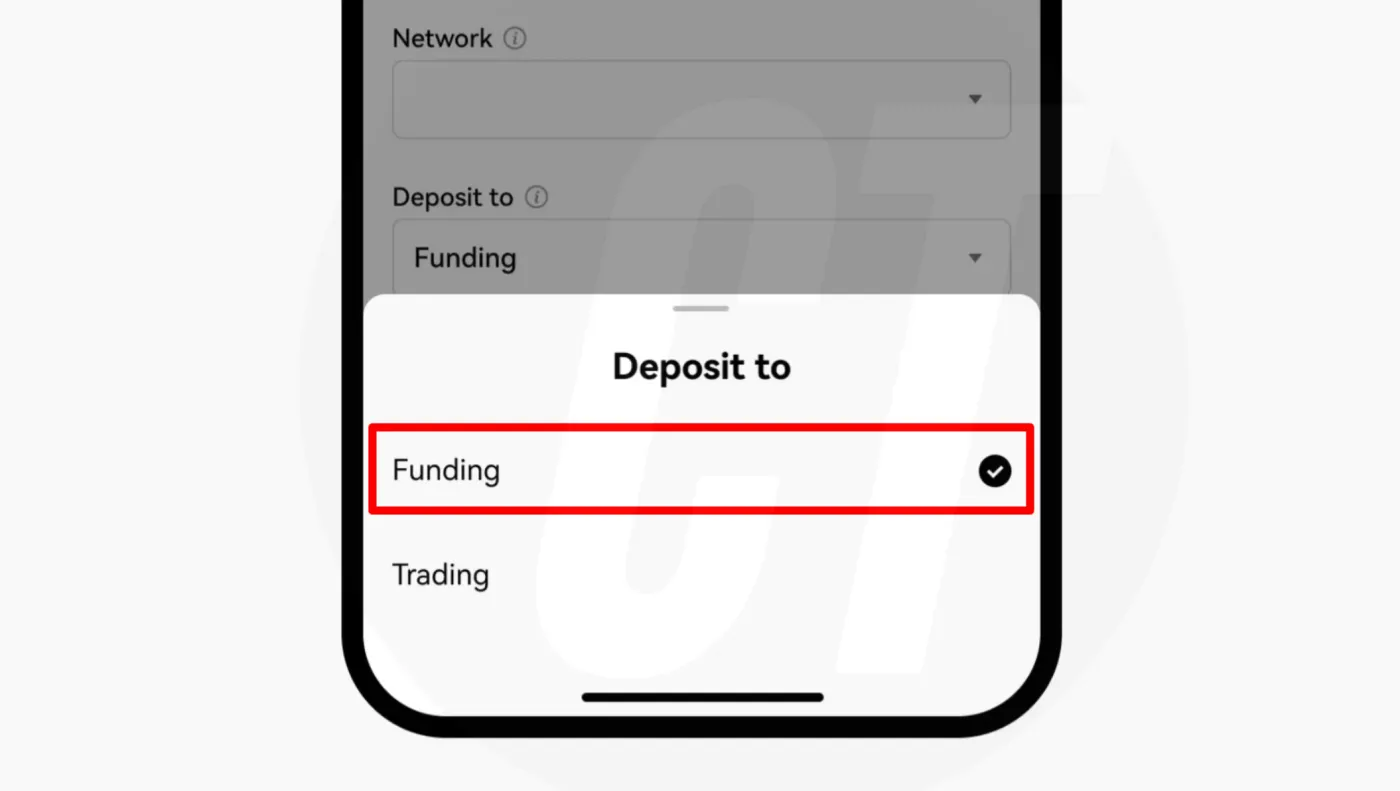
- Funding wallet: Use this if you won't be trading right after depositing.
- Trading wallet: Use this when you need to trade quickly.
4. Generate a Deposit Address and Request a Withdrawal
After choosing the network and wallet, paste the deposit address generated by OKX into the withdrawal platform. You can copy and paste the address, or scan the QR code instead.
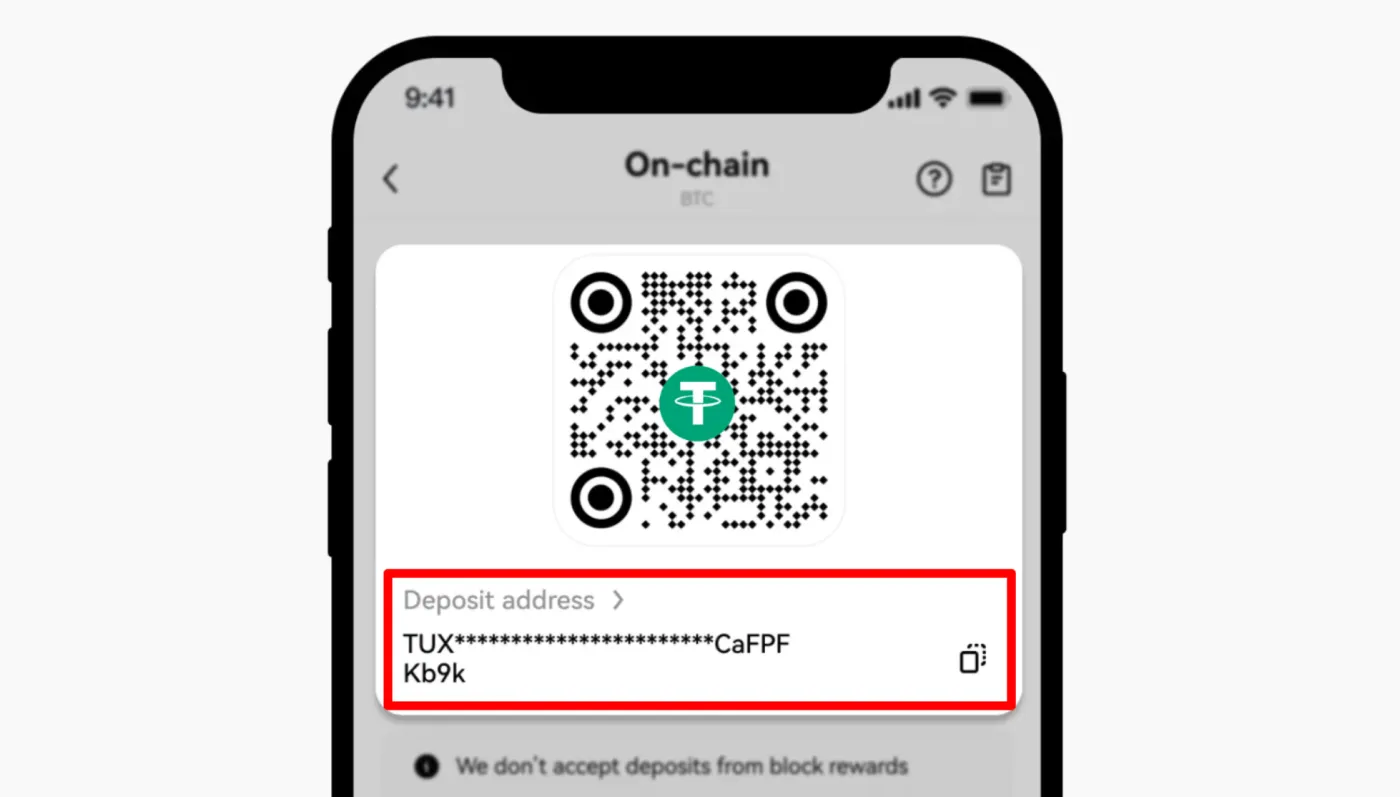
Once the withdrawal is complete, the deposit will arrive at OKX within 5–10 minutes. However, depending on network conditions, it can take longer in some cases. If that happens, contact the withdrawal platform or check a blockchain explorer.
5. 3 Precautions to Know Before Depositing
When sending coins on-chain over a blockchain network, there are some precautions you absolutely need to know. Make sure you understand the following 3 points and be careful not to make mistakes.
- Use the same network: You must select the same network on both the deposit and withdrawal platforms.
- Check the minimum deposit: The minimum deposit amount can differ for each coin, so check it before depositing.
- Enter a tag or memo: Some crypto assets, such as XRP, require a tag or memo when depositing.