How to Set Stop Loss and Take Profit (TP/SL) Orders on OKX
4 min read · · Korean original
Contents 4
OKX offers automatic Stop Loss and Take Profit features. Using these two orders strategically lets you protect your profits and minimize losses while responding to unexpected market moves.
In this post, we'll walk through how to set stop loss and take profit orders on OKX in detail, and look at how you can make use of these conditional orders.
1. Why set a stop loss and take profit?
The crypto market is highly volatile, so proper risk management is essential. Also, because the market runs 24 hours a day without a break, it's hard to know when the price move you want will happen.
That's why it's a good idea to set orders that automatically take profit or limit losses when the price reaches a level you've decided in advance. The two most common of these are the 'Stop Loss (SL)' and the 'Take Profit (TP)', and the key ideas can be summed up as follows.
- Stop Loss: automatically closes your position before losses grow larger and you get liquidated
- Take Profit: automatically closes your position when the price reaches your target
2. How do you set a stop loss and take profit?
On OKX, you can set take profit and stop loss orders in the following two ways.
- Setting them in the order panel
- Setting them with order lines on the chart
1. Setting them in the order panel
If you tick the 'TP/SL' box before placing a limit order, you can set a take profit and stop loss at the same time as your order. The advantage is that you can manage your risk the moment you enter a trade.
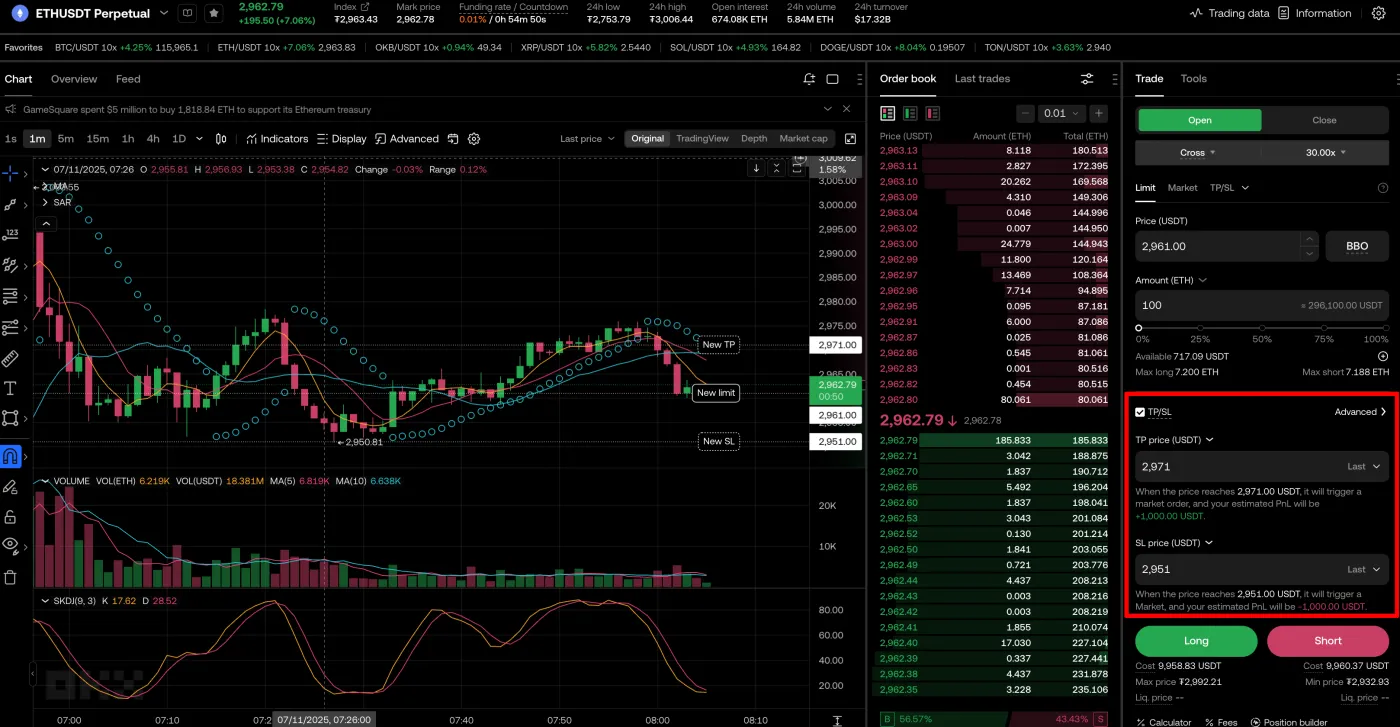
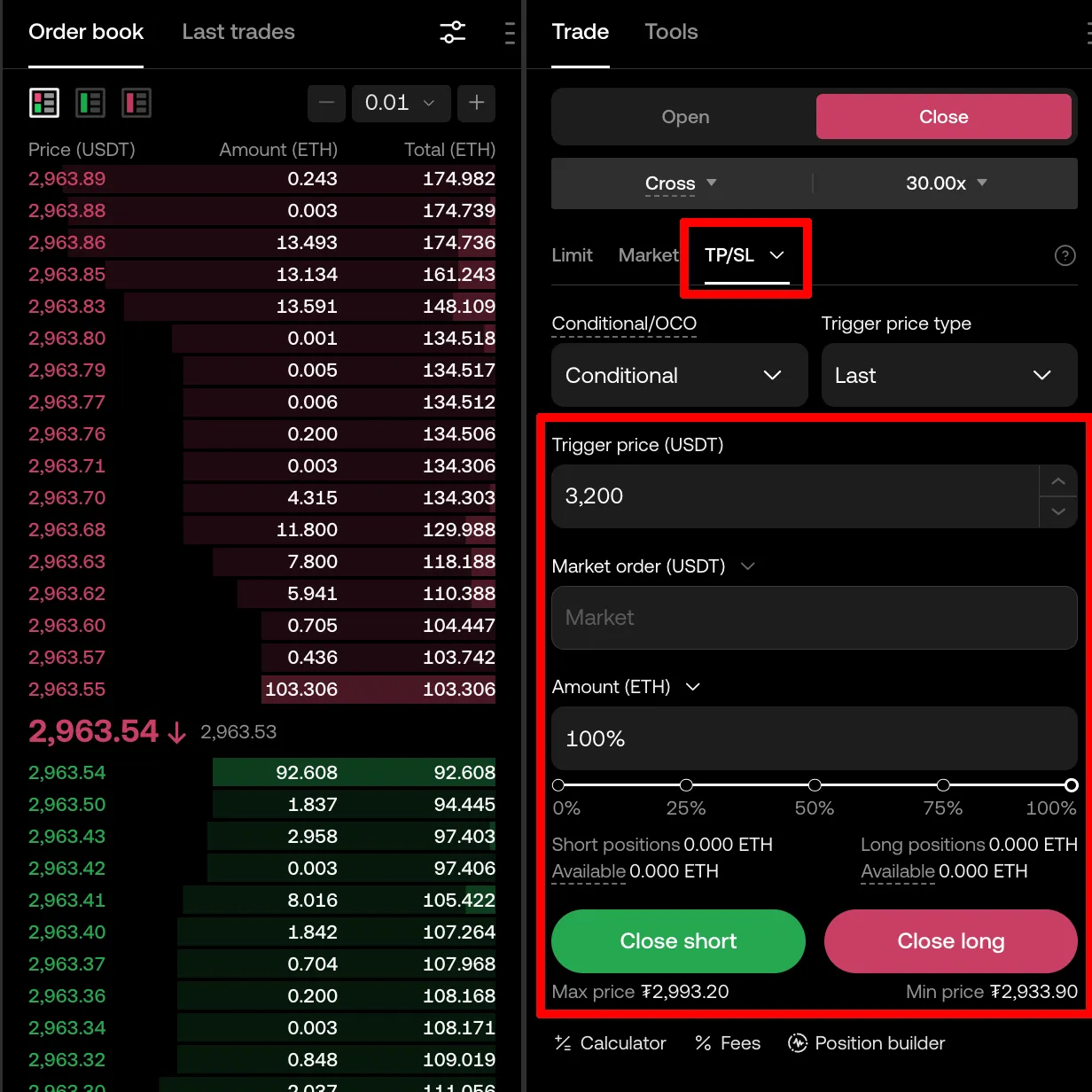
Or, if a trade is already in progress, you can set stop loss and take profit orders by clicking the 'TP/SL' option in the order panel.
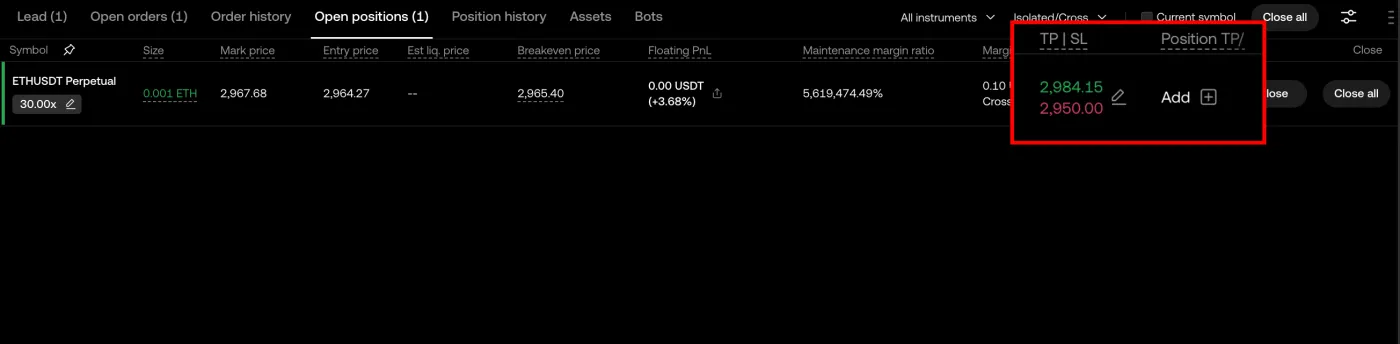
If you're holding a position in futures trading, you can also set a stop loss and take profit from the 'Open Position' section at the bottom.
When setting conditional orders such as stop loss and take profit, the key is the Trigger Price. The trigger price is the price at which the order is activated. When the trigger price is reached, the order is submitted as a 'Market Order' by default, but you can also change it to a 'Limit Order'.
2. Setting them with order lines on the chart
OKX also offers an 'Order Line' feature that lets you easily adjust take profit and stop loss right on the chart. The advantage of the order line tool is that you can quickly see your orders on the chart and simply drag them to change the price.
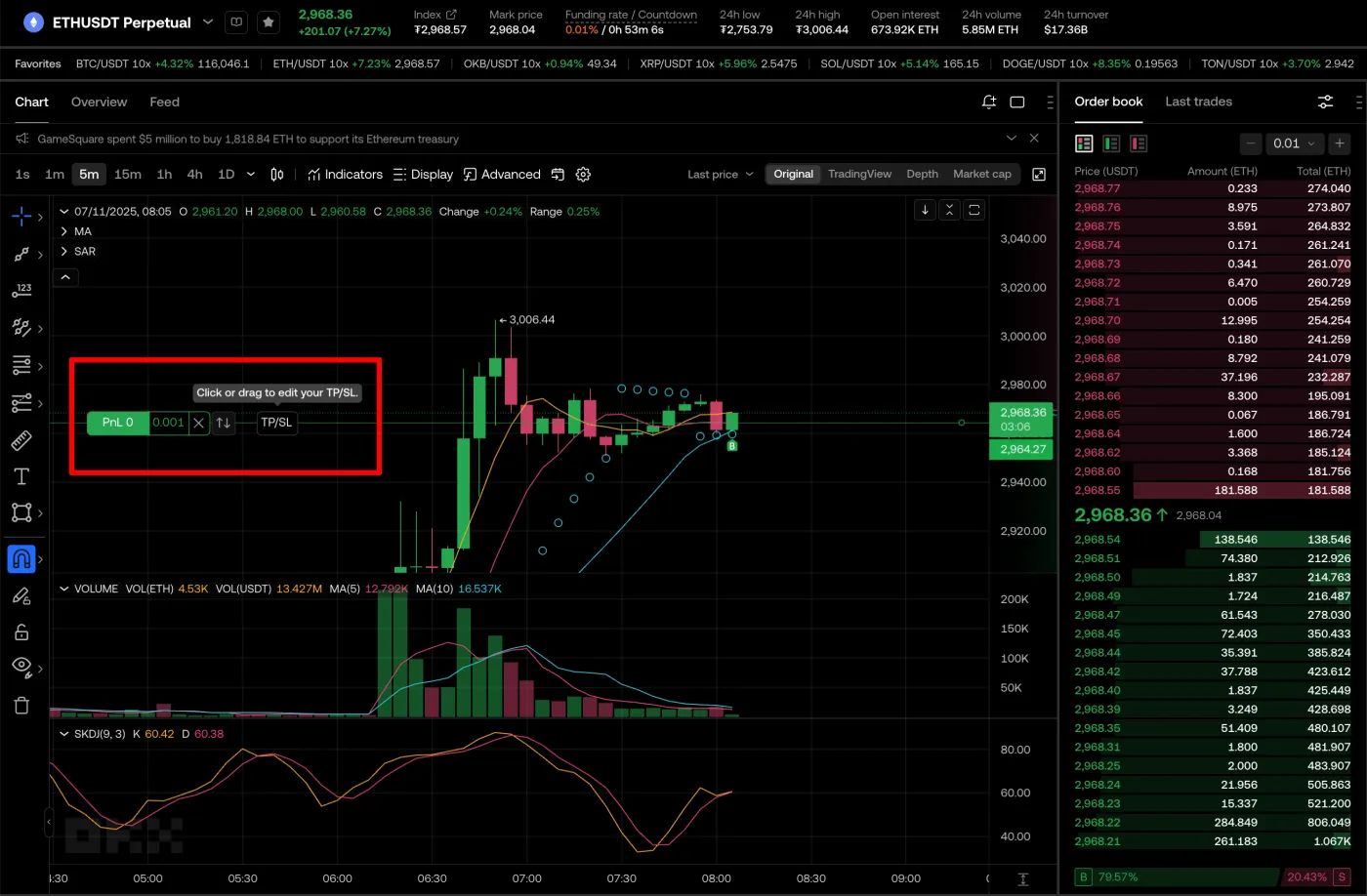
1) Click the TP/SL order button
If you've bought an asset or are holding a position, the order is shown on the chart as below. When you hover your mouse over that order, an option to set a 'TP/SL' order appears.
2) Set up the conditional order
When you click 'TP/SL', the conditional order settings window appears as shown below. Here you can set your take profit and stop loss, and enter the order quantity you want.
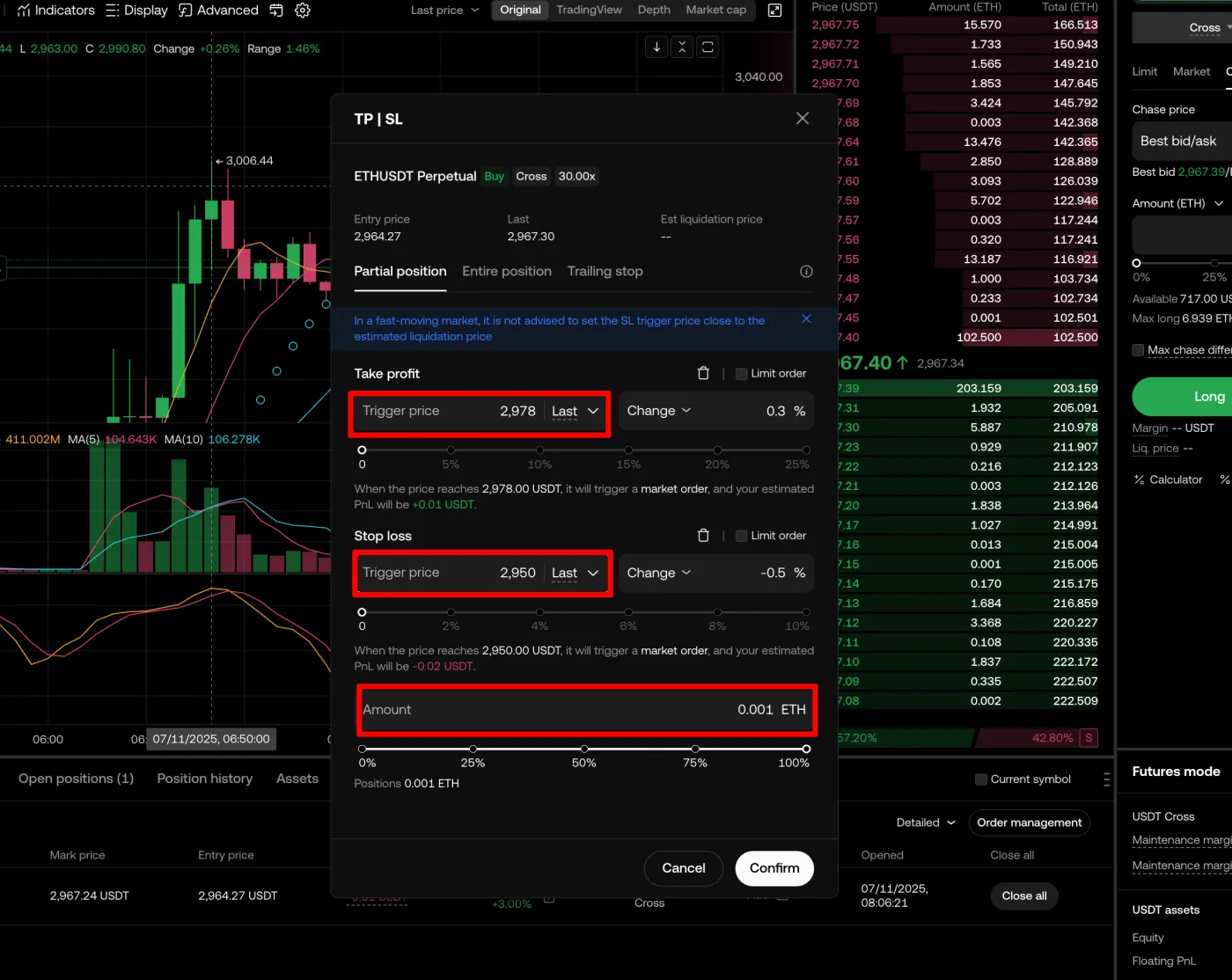
You can submit just a stop loss or just a take profit order, and you can also apply it to only part of your position. This can vary depending on your own risk management and position management strategy.
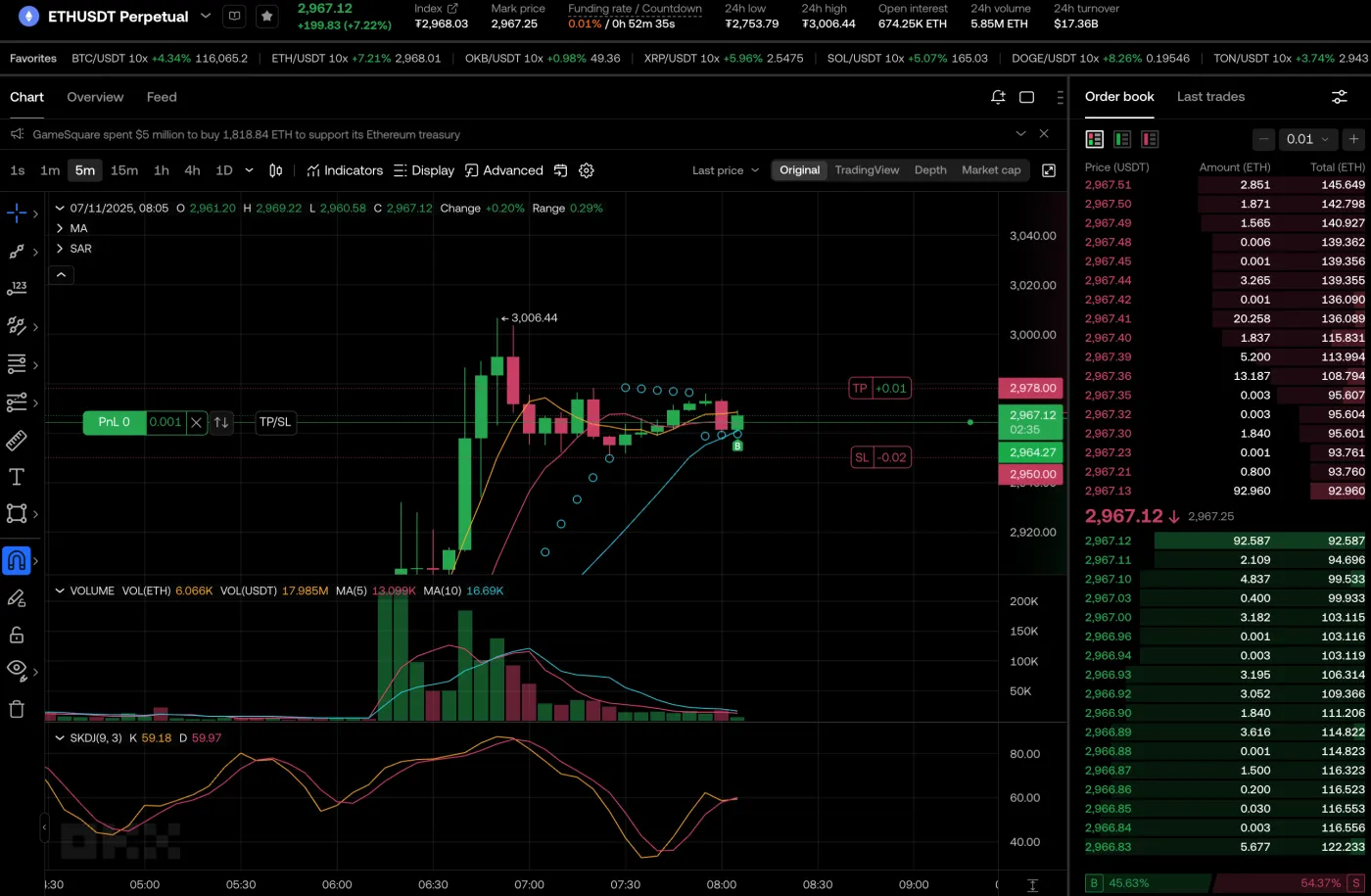
3) Check your orders on the order line
Once the order is set, your stop loss and take profit prices are shown on the chart as below. You can drag these orders up or down to change the trigger price.
3 things to consider when setting your orders
To set take profit and stop loss orders effectively, it's a good idea to also consider the following factors.
1. Set an appropriate trigger price
It's best to set the trigger price appropriately based on the asset's volatility and your risk management strategy. If you set conditional orders within too narrow a range, normal volatility may close your trade too early.
2. Consider slippage
Be careful when submitting large orders in markets with thin liquidity, as slippage can be bigger than you expect.
3. Consider your trading strategy
There's no single right answer for stop loss and take profit orders. You should decide on suitable stop loss and take profit levels based on market conditions and your own risk management strategy.
Wrapping up
Take profit and stop loss are among the key 'risk management strategies' for surviving in the eventful crypto market. Since no one can predict where the market will go, it's important to limit your losses and lock in as much profit as possible with well-placed take profit and stop loss orders.