Binance Web3 Wallet: How to Use It and How to Transfer Funds
4 min read · · Korean original
Contents 3
Hello, this is Bitpunk. These days, a variety of events such as airdrops and IDOs are being held through the Binance Web3 Wallet. Because of this, more and more people are creating and using a Binance Wallet for the first time.
In this post, we'll look at how to transfer funds from the Binance Web3 Wallet to the Binance exchange. The Binance Wallet can be used through the 'Binance mobile app,' and you'll need an account that has completed Binance sign-up.
How to Transfer from the Binance Exchange to the Web3 Wallet
(1) Access the Binance Web3 Wallet
Launch the Binance app and log in. Next, tap [Wallet] at the top.
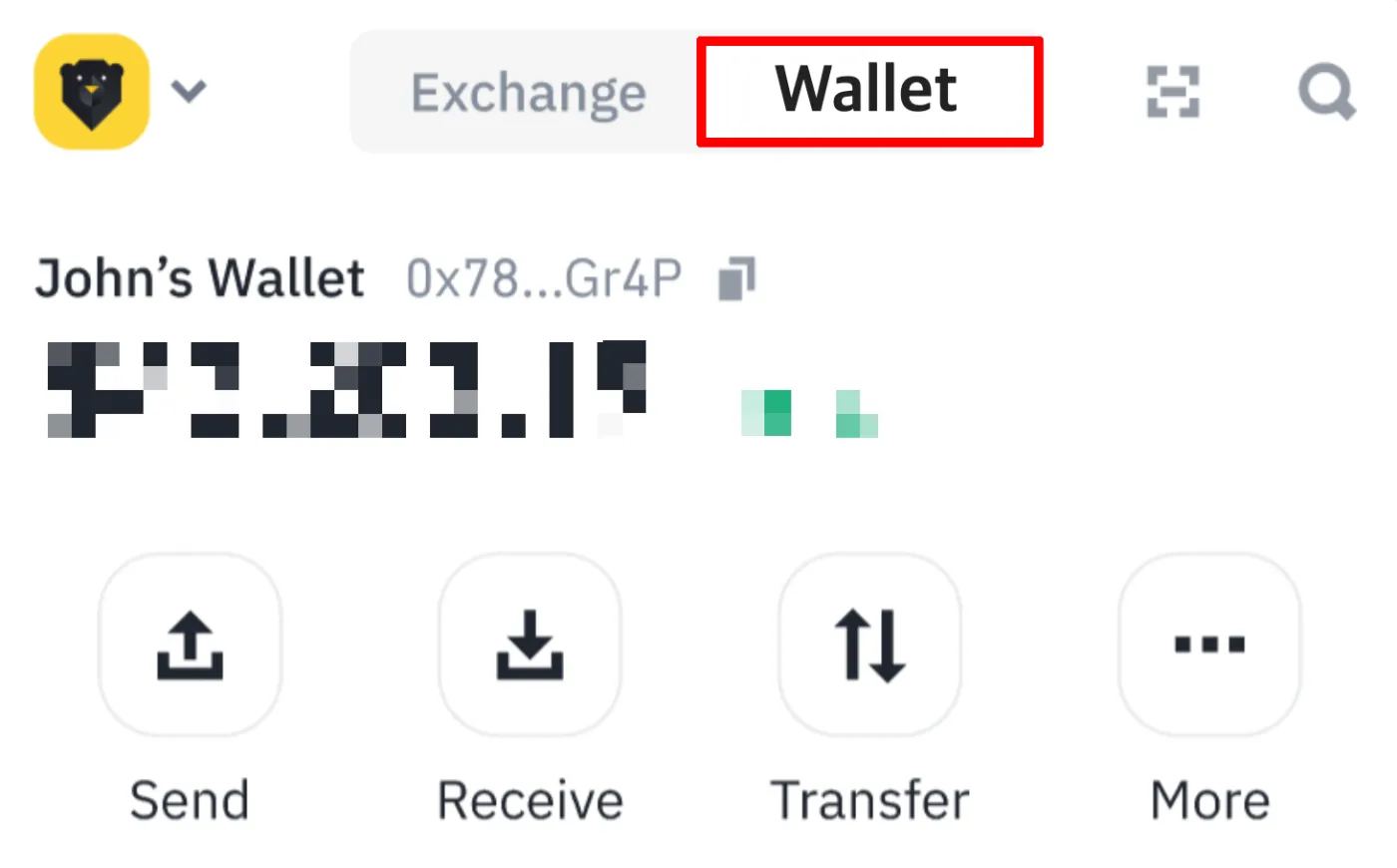
If you're using a browser on a computer instead of the Binance app, go directly to the Binance Web3 website.
(2) Request a Deposit
Tap the [Receive] button at the top of the wallet. Then tap [Receive] once more, and various deposit options will be displayed.
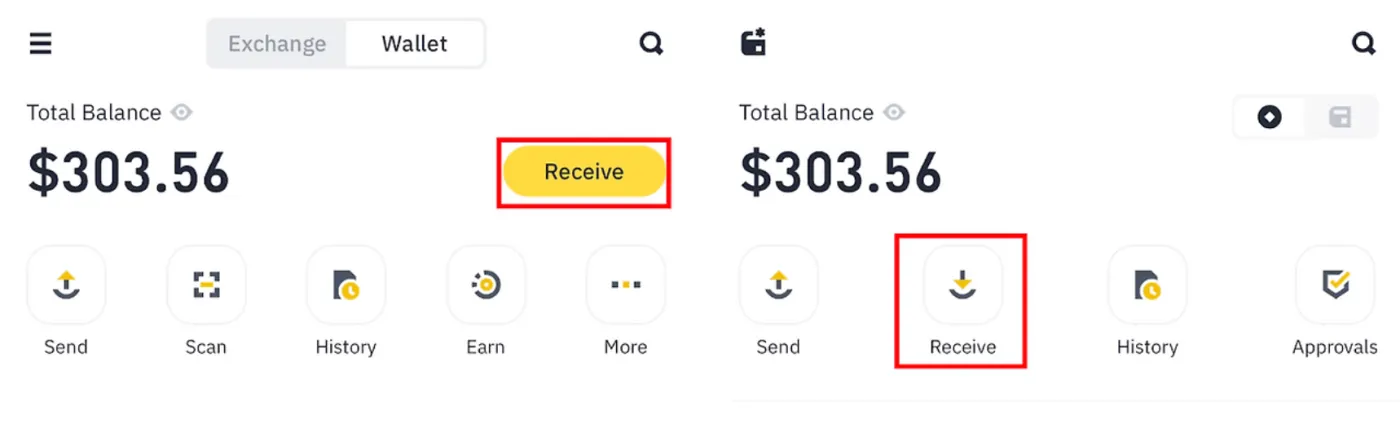
Tap the [Receive from Binance Exchange] button to make a deposit from the Binance exchange to your Web3 Wallet.
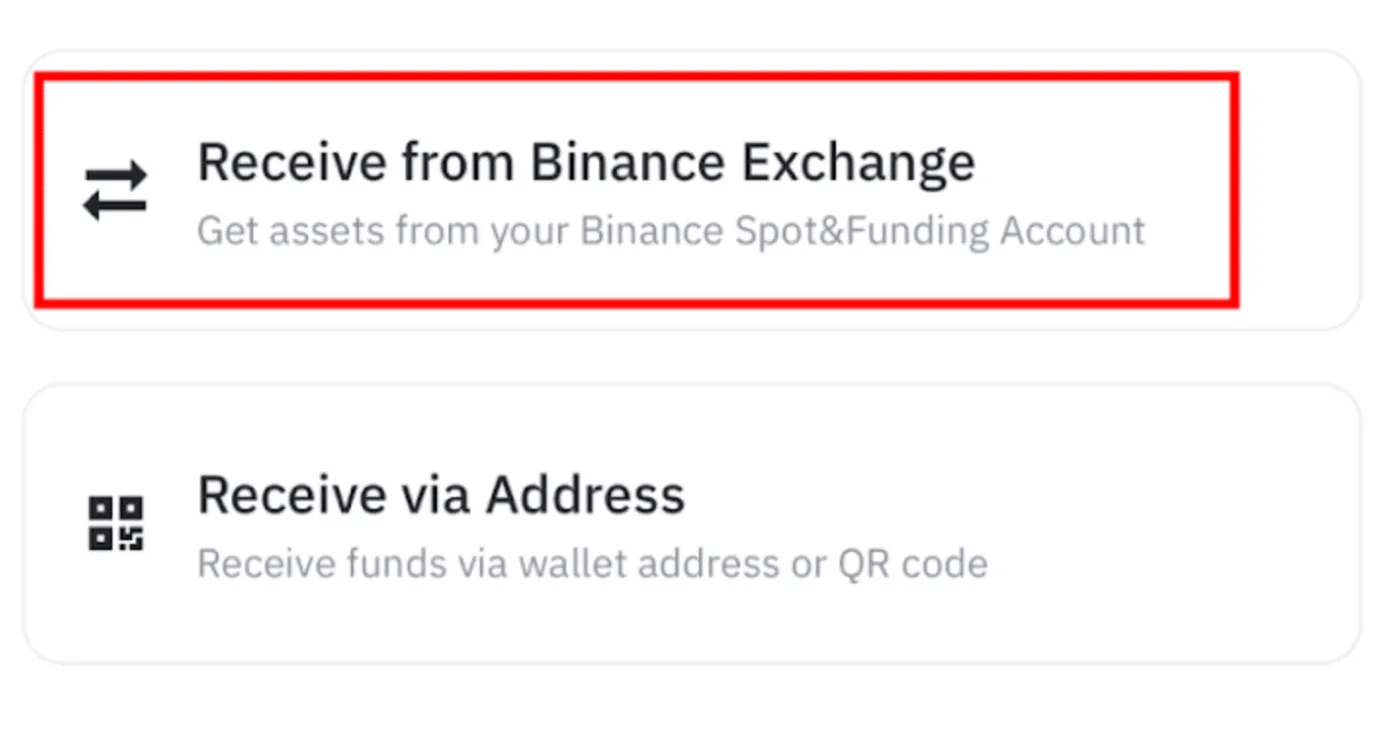
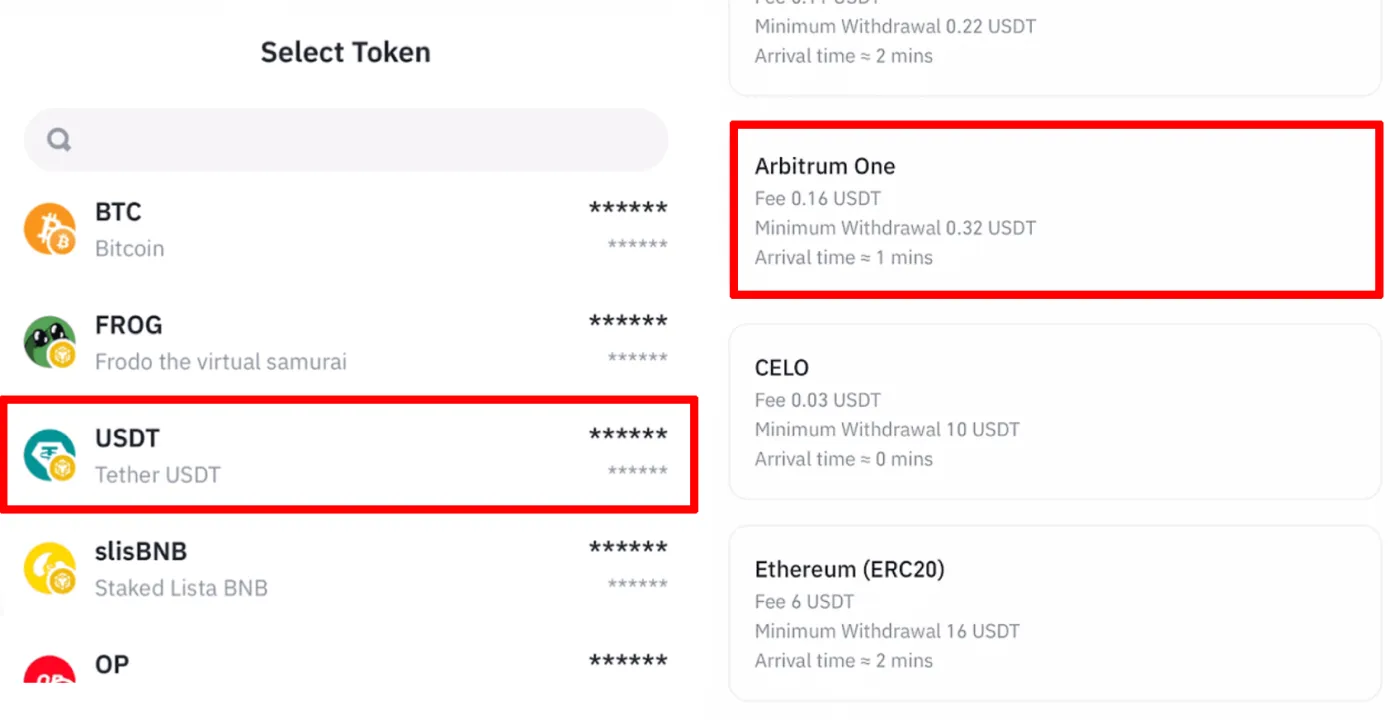
(3) Select the Coin and Network
Next, select the coin you want to withdraw and choose a network. Each blockchain network has different transfer times and fees, so you need to select the correct network for your purpose.
(4) Set Up the Whitelist
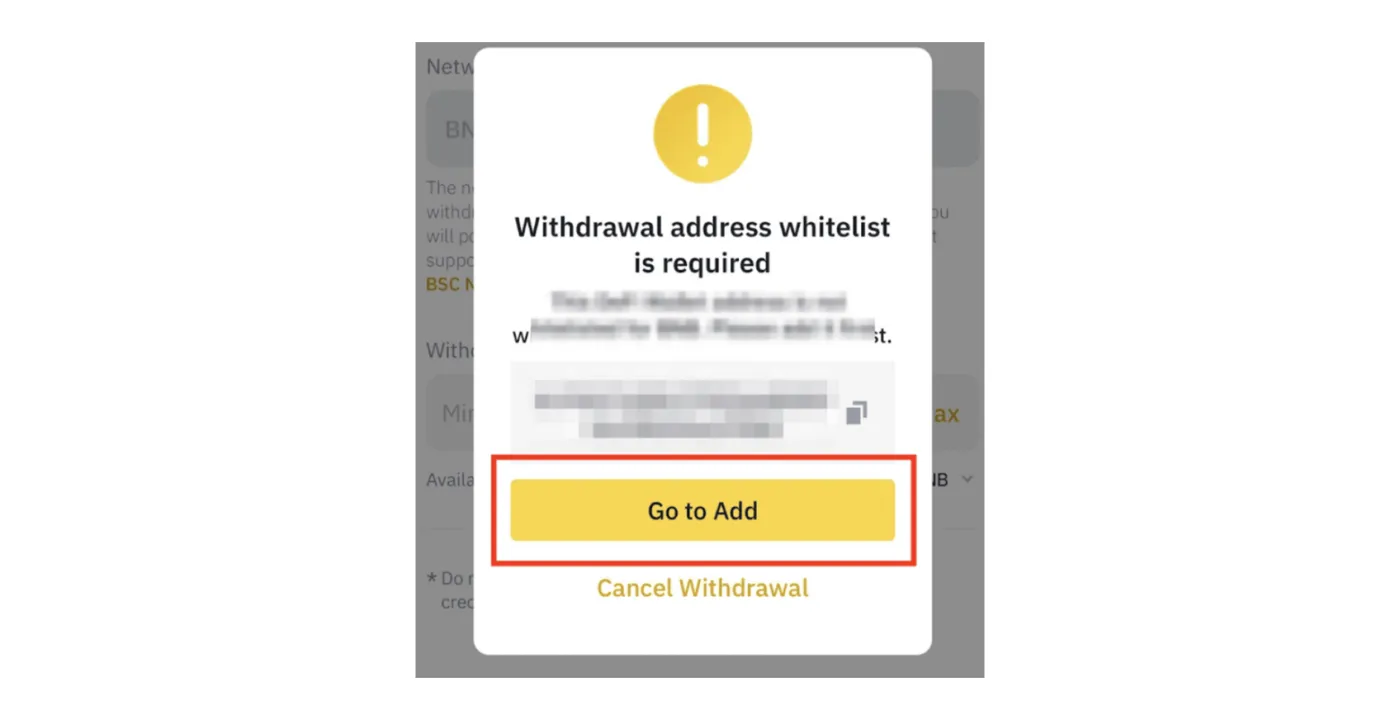
If this is your first withdrawal, you'll see a prompt asking you to add the address to your whitelist. It's a good idea to do this for security going forward. Tap the [Go to Add] button to add the wallet address to your whitelist.
(5) Request and Confirm the Withdrawal
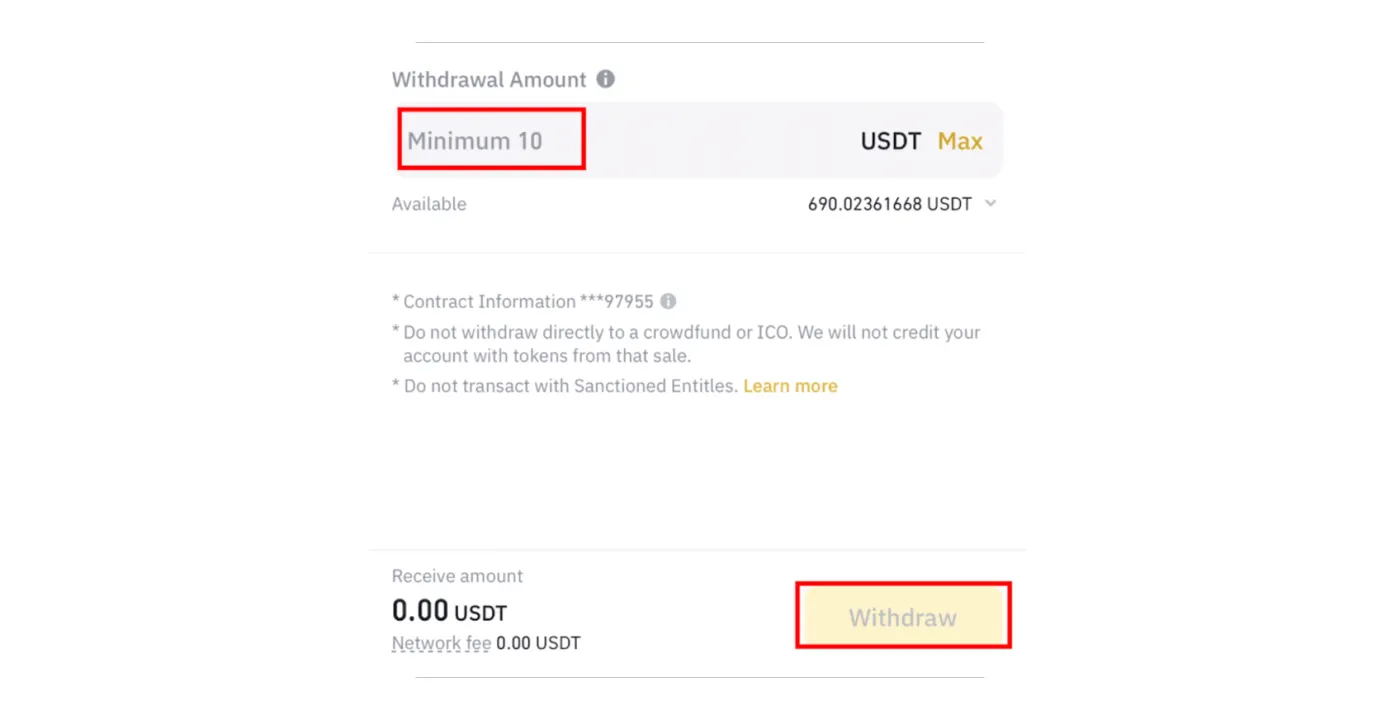
Next, enter the amount you want to withdraw and tap the [Withdraw] button to complete the withdrawal. Here, you can check the network withdrawal fee and the final amount of coins you'll receive.
How to Transfer from the Web3 Wallet to the Binance Exchange
(1) Access the Binance Wallet and Request a Withdrawal
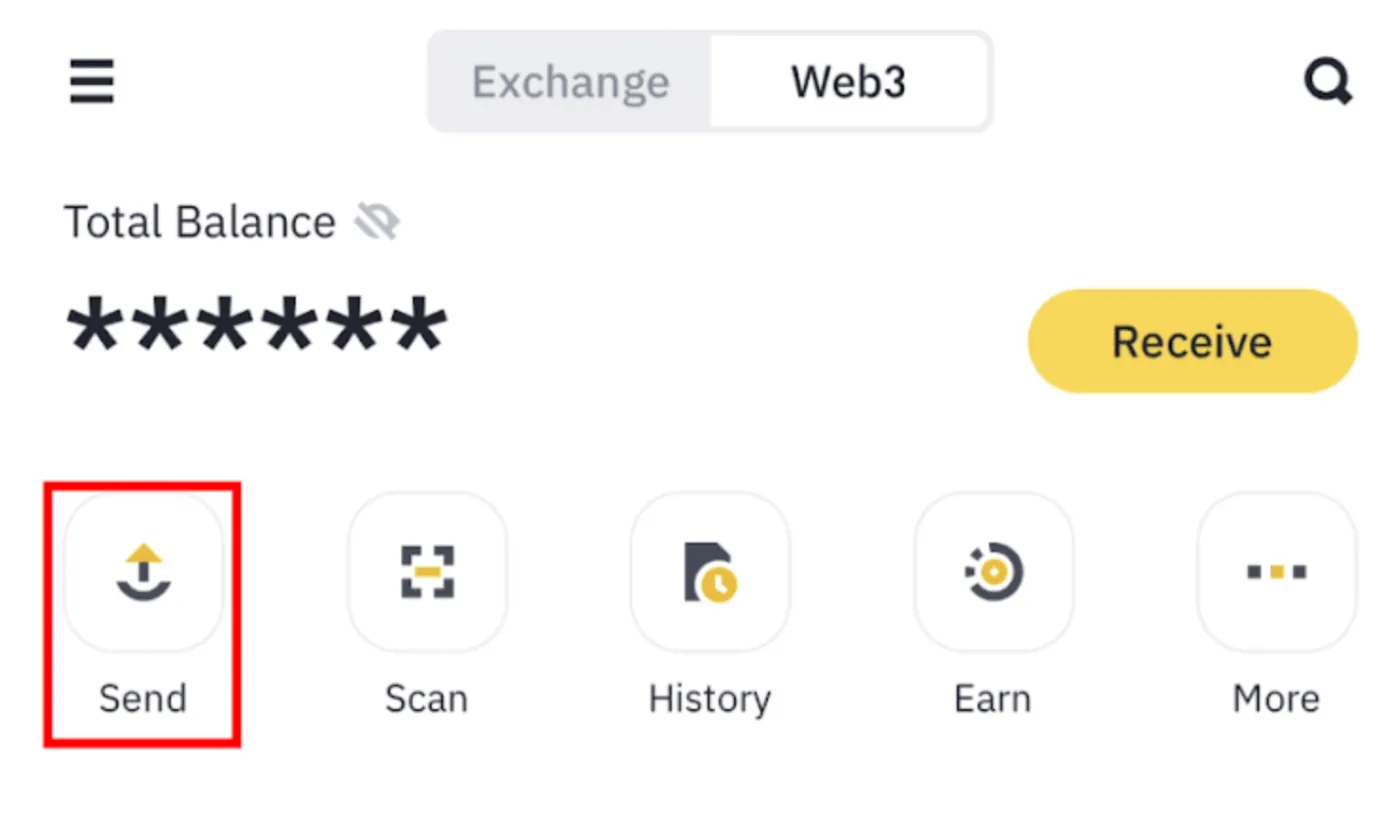
Open the Binance app and go to [Wallet]. Then, on the wallet's home screen, tap [Send].
(2) Select the Token and Enter the Address
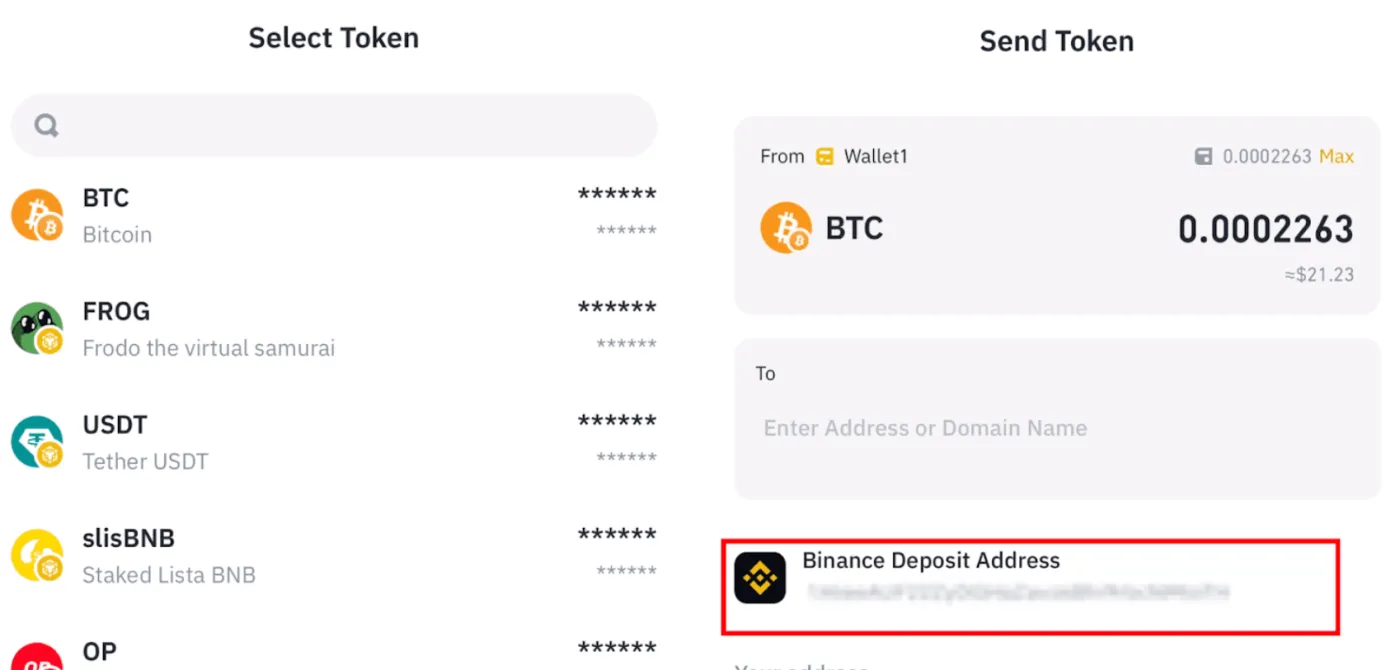
Select the token you want to withdraw and enter the amount. Next, select [Binance Deposit Address] shown below. This will automatically fill in your Binance account's deposit address in the 'To' wallet address field.
(3) Review and Submit the Withdrawal
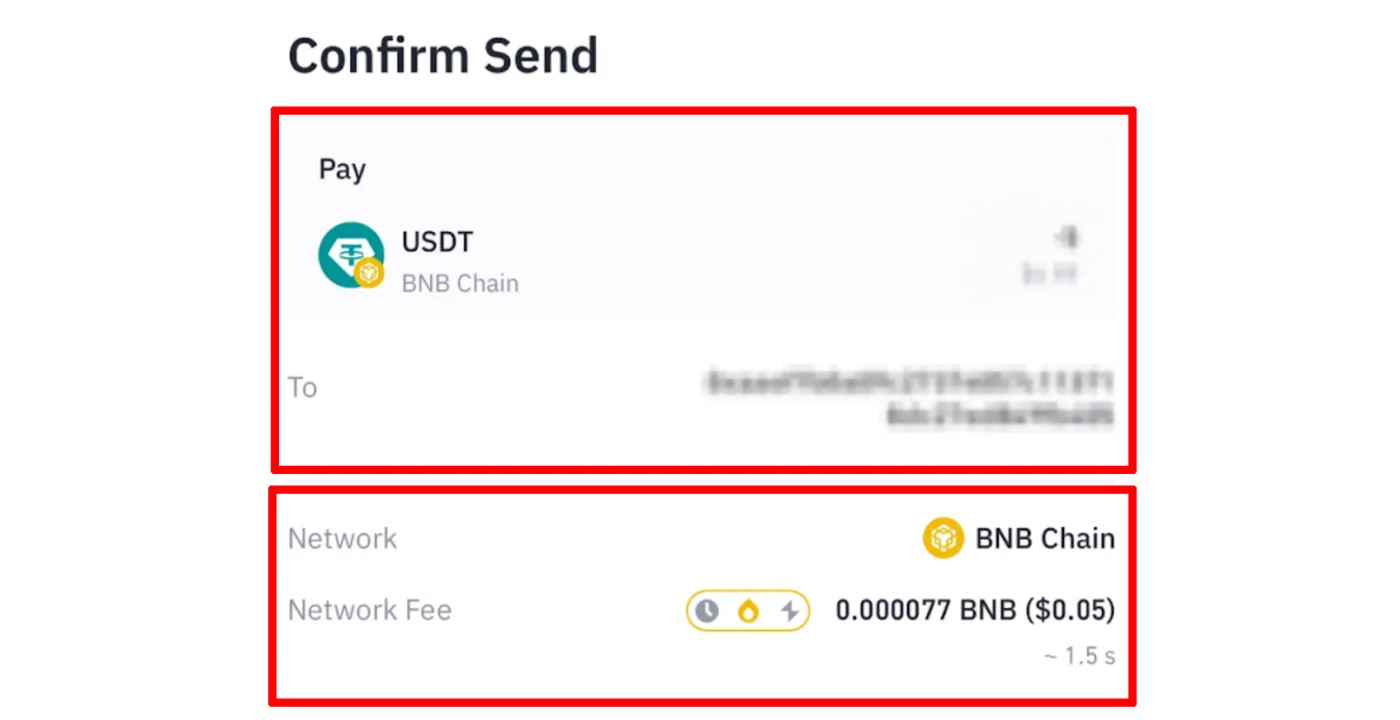
Check the coin being sent, the amount, and the gas fee. Before sending, make sure your Binance Web3 Wallet holds enough tokens to cover the gas fee.
(4) Binance Deposit Complete
When you tap [Confirm], you'll need to complete fingerprint or face verification. Once the withdrawal request is complete, the funds should be deposited into your Binance exchange account in about 5 to 10 minutes. You can check these funds in your Binance Spot wallet.
Wrapping Up
That covers how to transfer funds between the Binance Web3 Wallet and the Binance exchange. If you're a Binance user, you can use the 'Binance Wallet' to take part in DeFi activities such as IDOs and airdrops.
However, there are some precautions. When depositing and withdrawing coins through the wallet, you must enter the correct address and select the right network.
Also, with a non-custodial wallet, where control of the wallet lies entirely with the owner, it's important to back up your wallet securely and keep your mnemonic phrase and similar details safe.
Finally, double-check the network, address, and amount before withdrawing, and it's a good habit to always test with a small amount first before sending a large sum.