Bitget Sign-Up and 50% Fee Discount Referral Code
5 min read · · Korean original
Contents 6
Looking for how to sign up for Bitget and get a 50% discount on trading fees? In this post, I'll walk you through creating an account on the Bitget exchange in under 3 minutes and applying the referral code with the maximum discount!
Signing Up for the Bitget Exchange (Under 3 Minutes)
To create a Bitget account, visit the website or simply click the button below. It takes you straight to the sign-up page with the 50% fee discount referral code already applied.
Are you on the sign-up page? You should see a screen like the one below. You can register with Bitget using either an email address or a mobile phone number. The example below shows how to register with email.
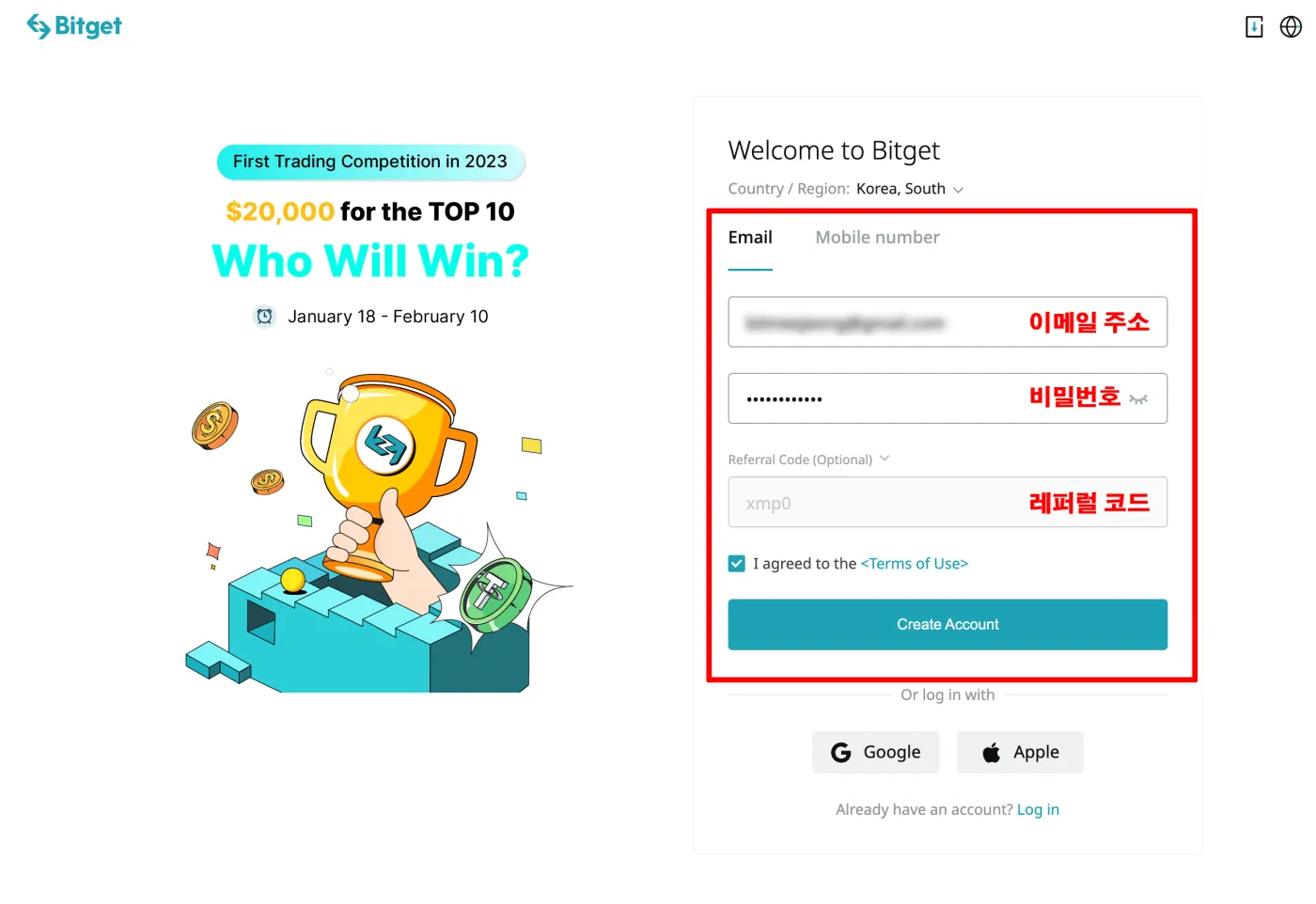
First, enter your account email and password. One thing to watch out for here: the code xmp0 must be entered in the [Referral Code] field, as shown in the image above, for the maximum 50% discount to apply.
If a different code is entered, reconnect through the sign-up button above or type the code in manually and exactly, so that the fee discount is applied correctly.
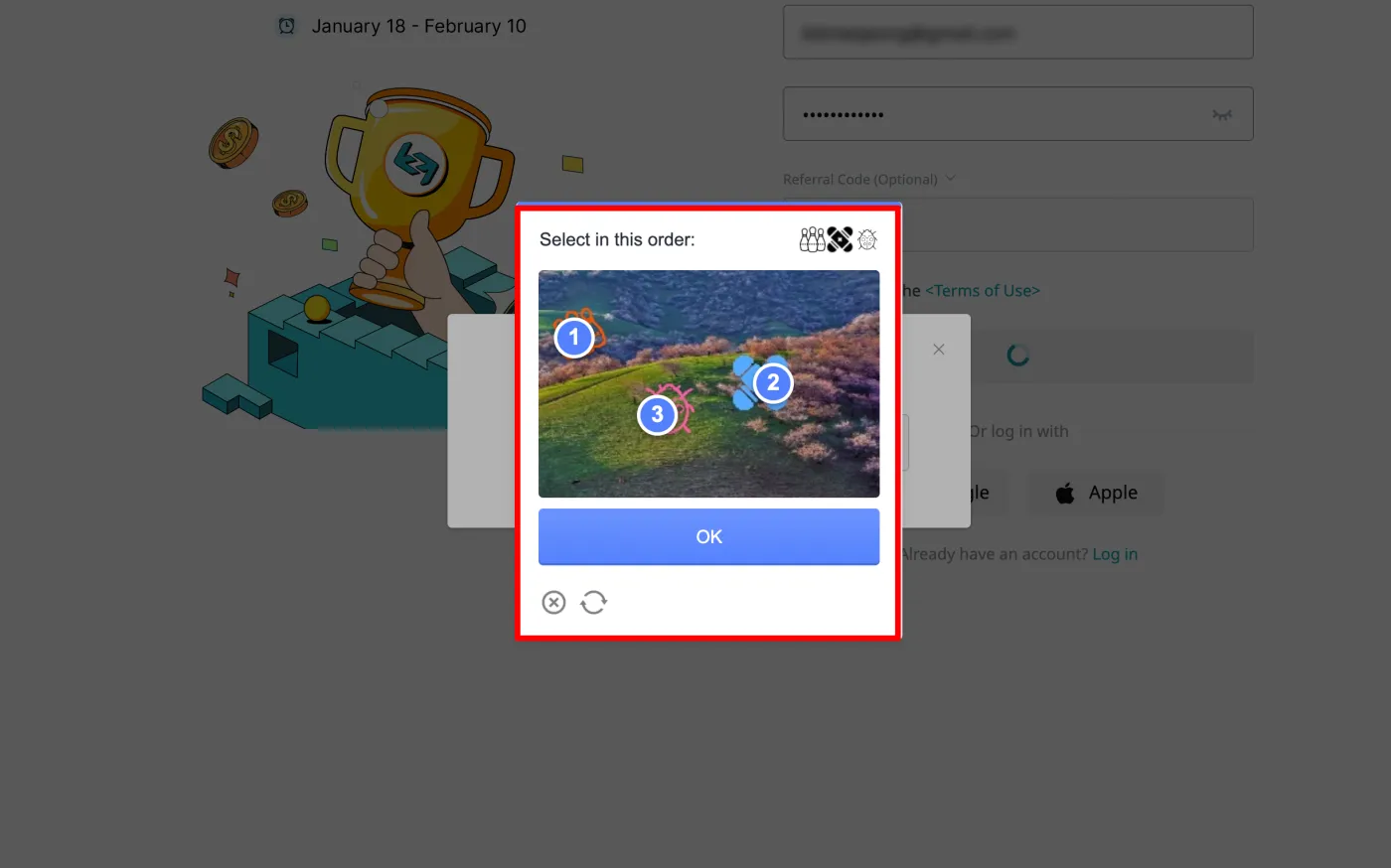
Have you double-checked that? Now click the [Create Account] button, and a window like the one below will appear. Click the pictures one by one in the same order as the images shown in the top right.
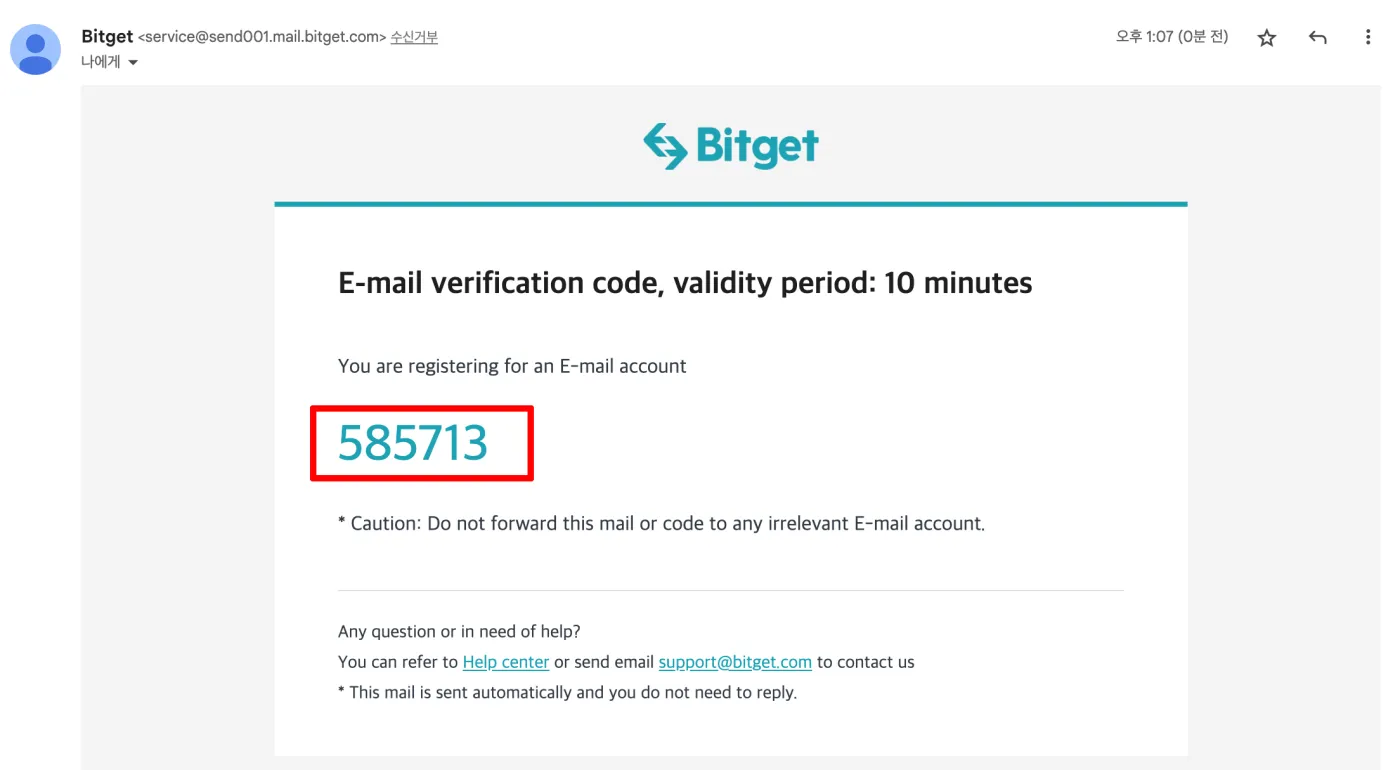
Finally, it's time to enter the 6-digit code sent to the email address you entered. When you open your email, you'll find a code like the one below. Enter it on the screen.
Did everything go smoothly so far? Congratulations, your Bitget exchange sign-up is complete. This was a simple process that usually takes anywhere from 1 to 5 minutes.
Now you can verify your Bitget exchange account to join various events and use products such as spot, futures, and copy trading.
If you want a 50% discount on fees when signing up for Bitget, just enter xmp0 in the referral code field. After that, the maximum discount will be applied automatically every time you trade on Bitget.
Completing Bitget Identity Verification (KYC)
Next up is KYC verification. You need to complete it to deposit and withdraw cryptocurrencies such as Bitcoin, and to take part in futures trading and copy trading.
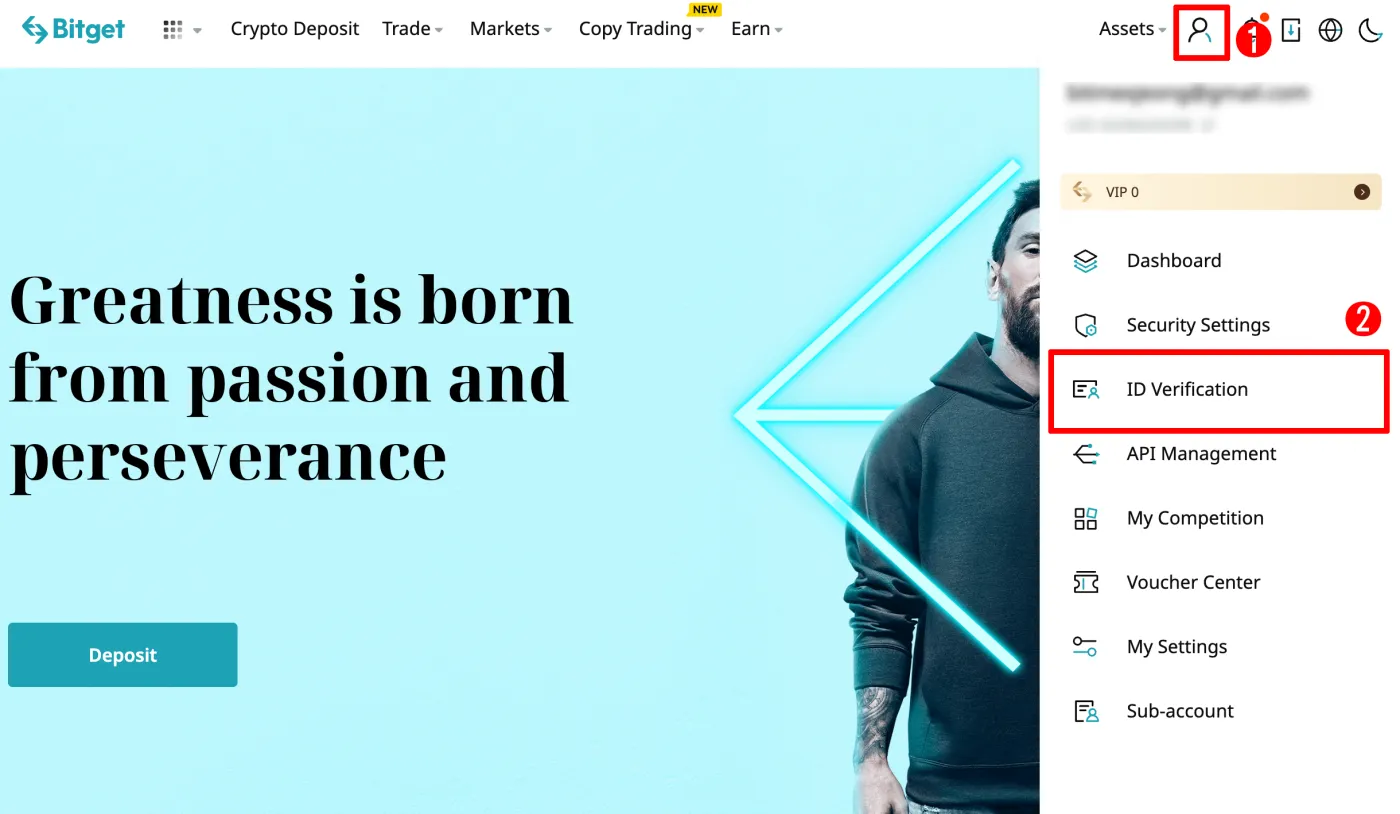
Here's how to complete identity verification. Referring to the image below, click the person icon in the top right of the Bitget website. Then click [ID Verification].
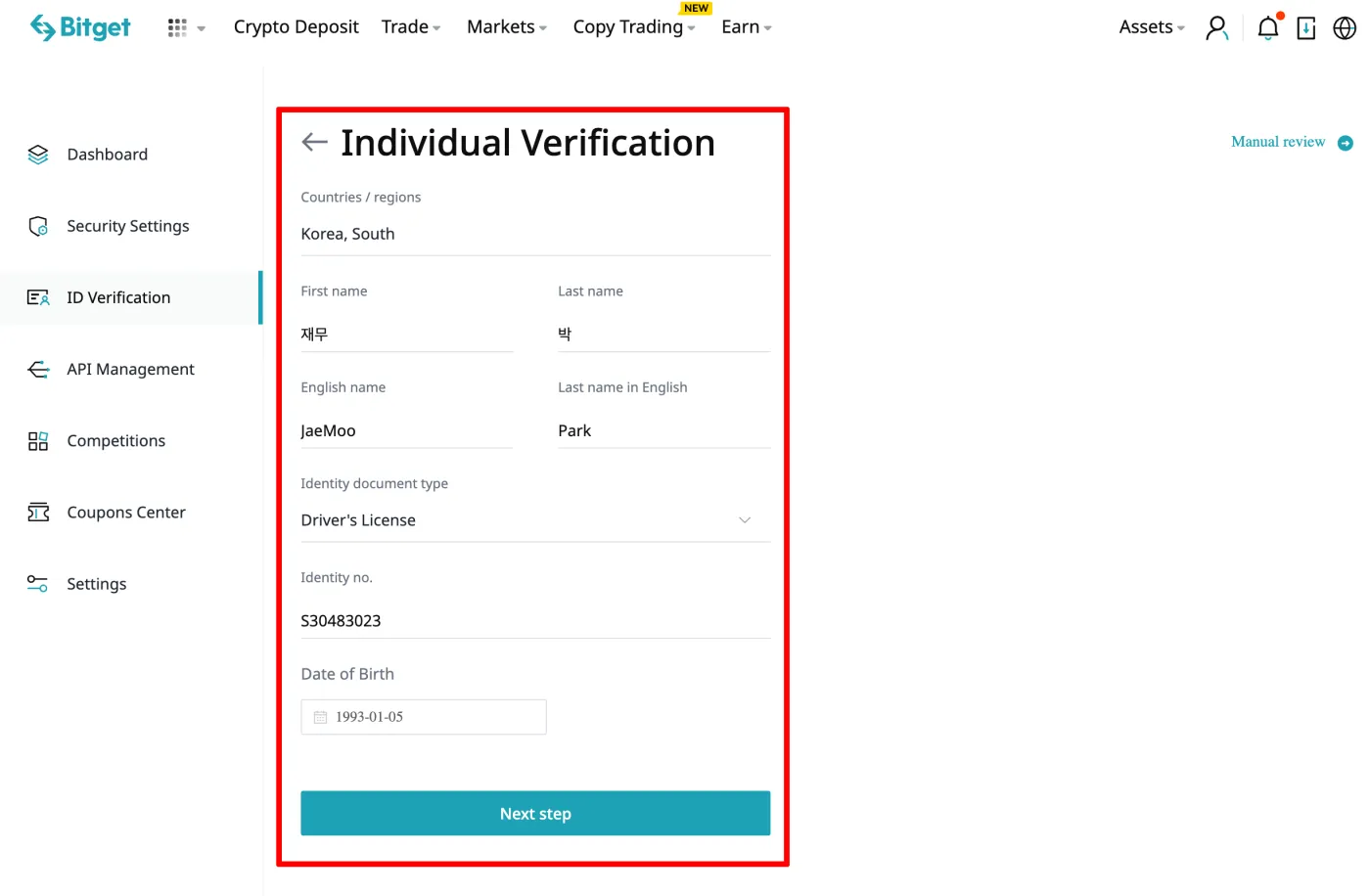
A personal verification window will appear, as shown below. Referring to the image below, enter your information and click [Next Step]. Next, you'll need to take photos. Just follow the instructions one step at a time.
If you run into problems verifying your identity on a PC, download the Bitget app from the App Store and go through the same process there. It may be a bit easier.
Getting Free Bonuses on Bitget
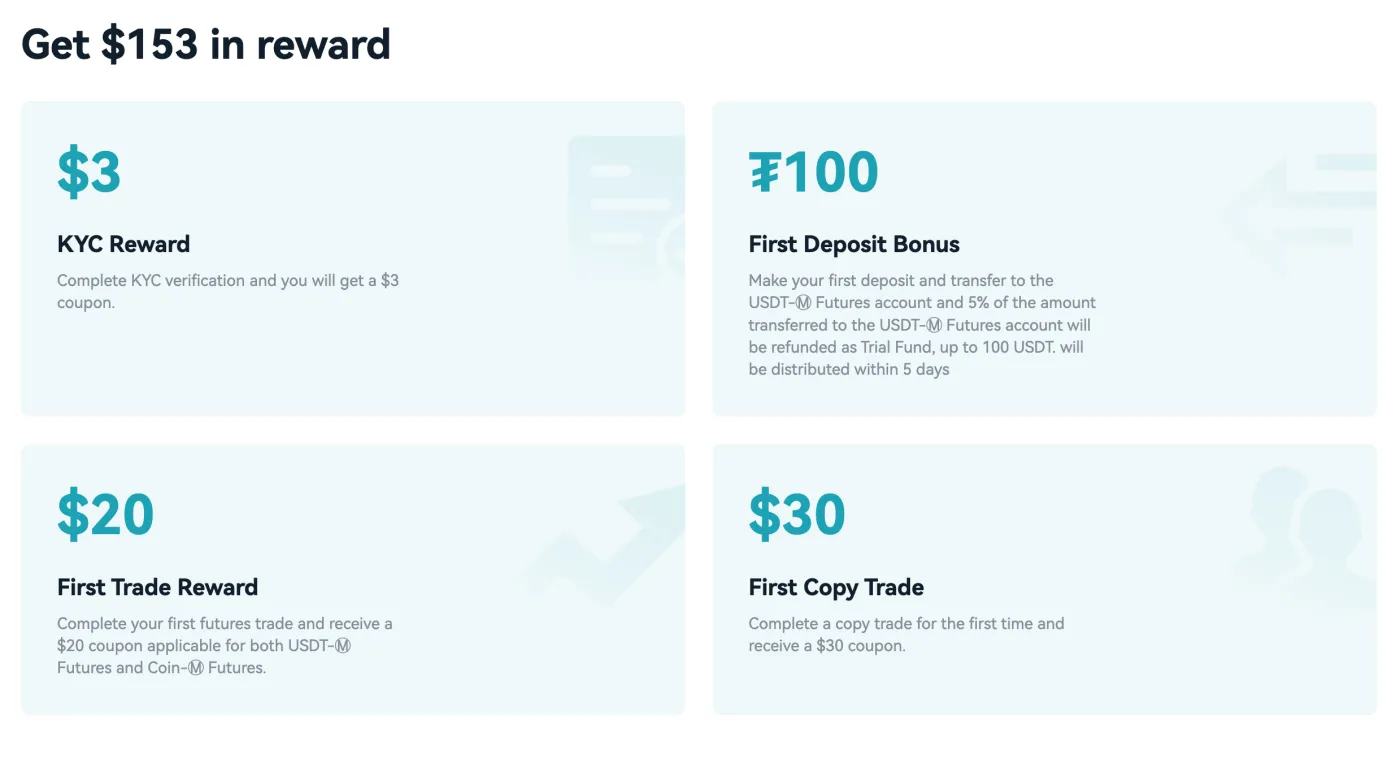
Have you signed up for Bitget and completed identity verification? Now you can receive free bonuses. Bonuses can't be withdrawn, but they can be used to pay fees and to offset losses. Complete the 4 missions below and claim your bonuses.
- Identity verification (KYC): $3 bonus
- First deposit: up to $100 bonus (5% of the deposit amount)
- First futures trade: $20 bonus
- First copy trade: $30 bonus
Bitget Exchange Fees
Have you finished signing up, completed identity verification, and claimed your bonuses? Now you're free to use all of Bitget's products.
But using these products naturally comes with fees. You need to be especially careful when using derivatives that involve leverage. That's because, on top of the risk of liquidation, fees increase in direct proportion to your leverage. For example, if you use 20x leverage, your fees become 20 times the usual amount.
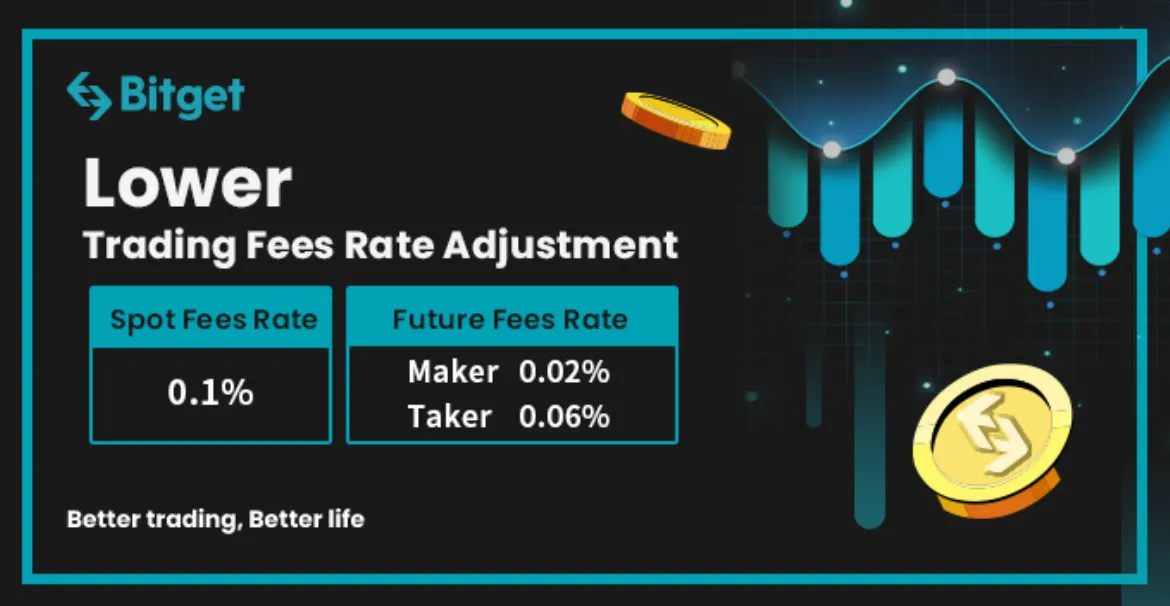
The Bitget exchange's base fees are 0.04% for limit (maker) orders and 0.06% for market (taker) orders. With the fee discount applied, however, you can trade at 0.02% for limit orders and 0.03% for market orders. This is why applying the fee benefit earlier is so important.
Bitget's Special Product: Copy Trading
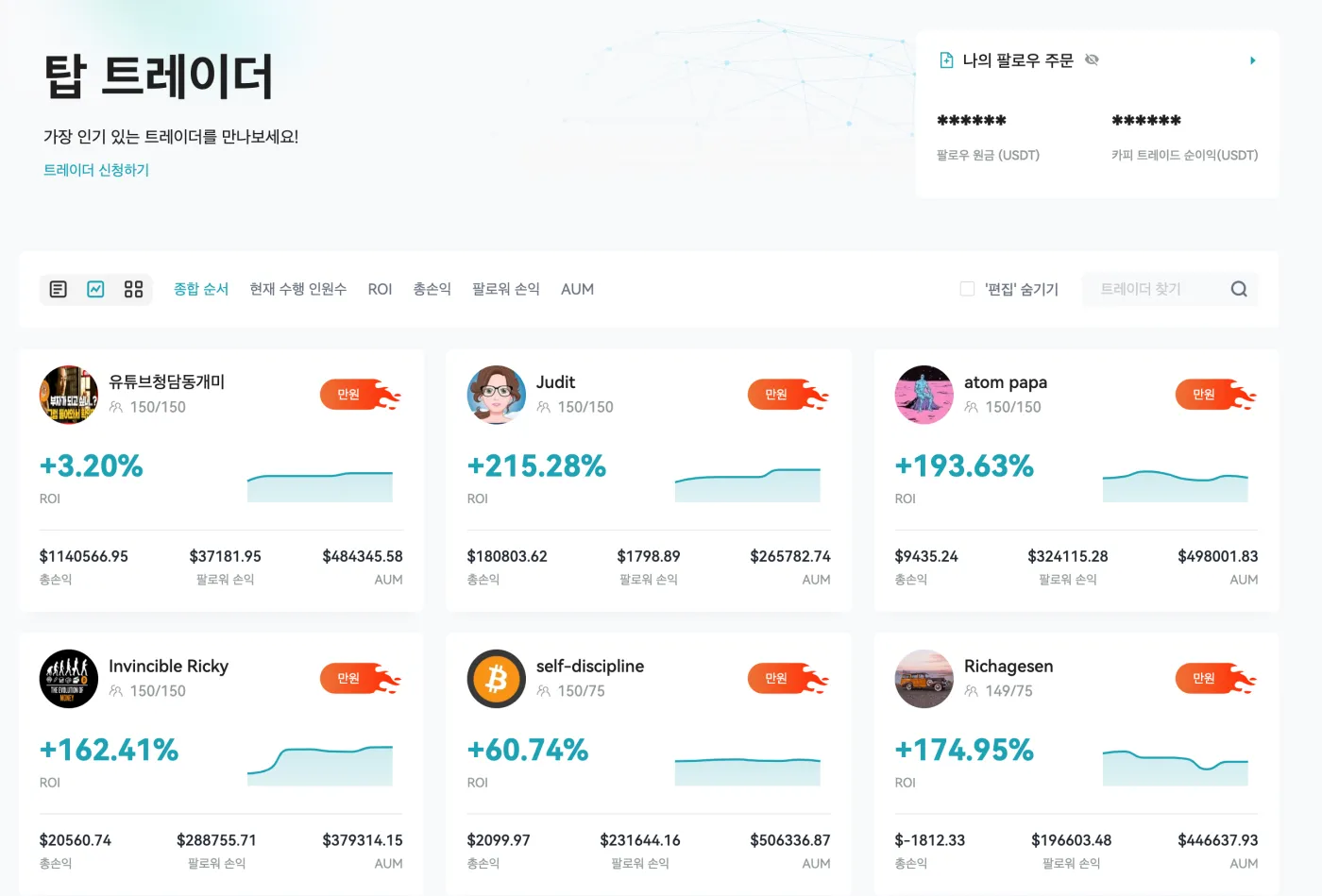
The last thing I'll introduce is Bitget's product called copy trading. It lets you follow top traders and copy the same positions they take. Personally, I think it's a product Bitget specializes in, but you need to be careful.
Copy trading can bring you profits, but it can also bring losses. Even if a copy trader has a 90% win rate, you could happen to hit that 10% chance of a big loss right when you follow them.
I strongly recommend trying copy trading only with small amounts under $100. Some traders focus solely on earning fees through frequent trading and even deliberately get many of their followers liquidated. Always think carefully and only participate with small amounts.
Wrapping Up
Bitget is one of the overseas Bitcoin exchanges that ranks among the top 5 exchanges in the world. It has risen to the top of the industry with its many events and its copy trading feature. Futures trading itself is extremely risky, and many copy traders are not professionals, so you need to be careful when using these products.
The best approach to Bitcoin trading is probably to build your own skills, manage risk yourself, and make a profit. Of course, if you've never traded futures before, it may be better not to start at all. That's because 99% of market participants lose money.
That covers how to sign up for the Bitget exchange, the discount benefit, identity verification, bonuses, and an introduction to its flagship product. Thank you. Always keep the risks in mind and approach things in the safest and most conservative way possible.