How to Install Binance Wallet (PC / Chrome Extension Download)
2 min read · · Korean original
Contents 4
Hello, this is Bitpunk. In this post, we'll walk through how to install and use Binance Wallet on your PC and browser.
What Is Binance Wallet?
Binance Wallet is a keyless wallet linked to your Binance account. Anyone who has signed up for Binance can create one, and you can easily use a Web3 wallet without the hassle of managing a seed phrase.
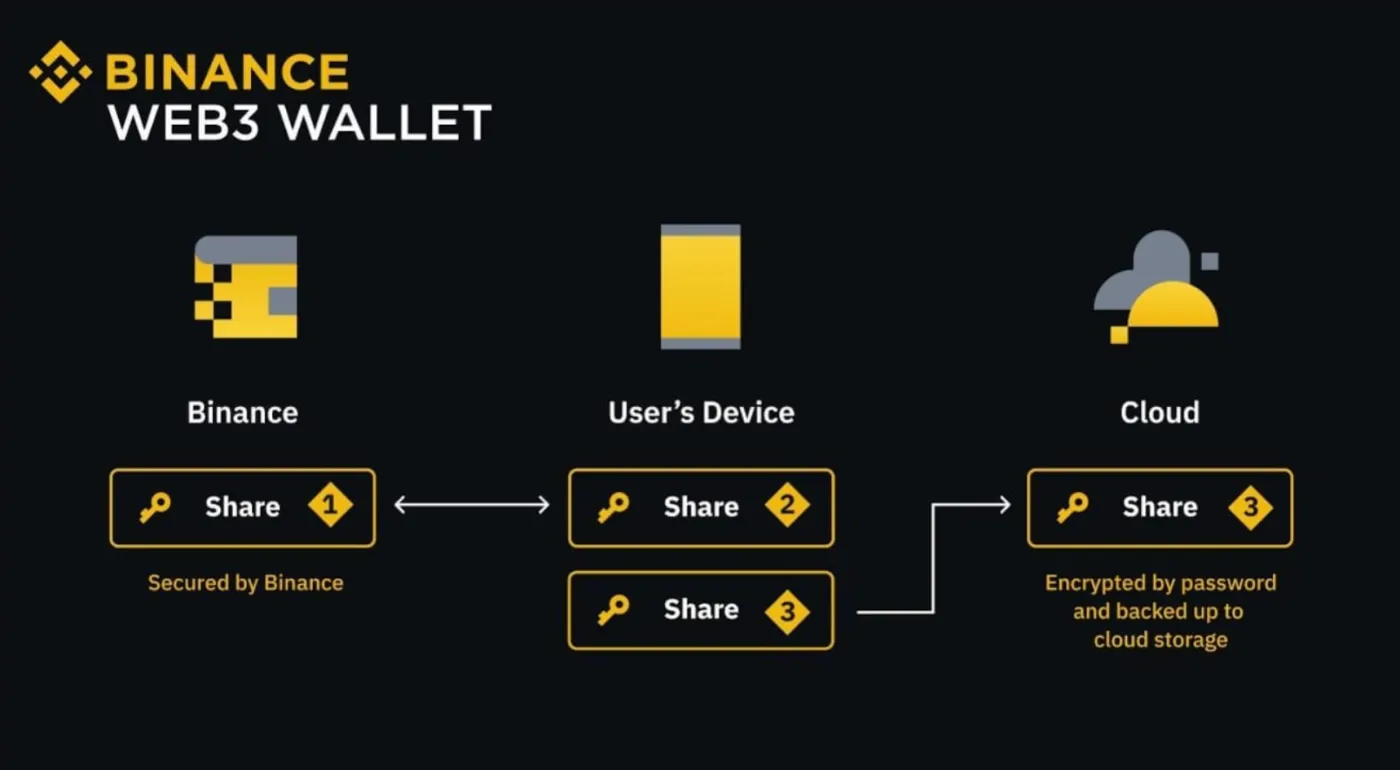
What is a keyless wallet? Unlike traditional wallets, where you keep your recovery phrase or private key yourself, a keyless wallet uses MPC (multi-party computation) technology to split the key into multiple pieces and store them separately for security.
Binance Wallet used to be available only in the mobile app, but with this update, it can now be used on PC and as a Chrome browser extension.
How Do You Install Binance Wallet?
The Binance Wallet extension is a "browser-only extension" that you can use in the Chrome browser. You can download and install Binance Wallet from the Chrome Web Store using the link below.
After installing it, you'll need to log in to the wallet. Generate a QR code in the extension, then scan it with the Binance mobile app. Next, set a browser password to use with the wallet, and your wallet will be successfully linked.
How Do You Import Another Wallet?
Binance Wallet also lets you import other wallets using a seed phrase or private key. With the 'Import Seed Phrase' or 'Import Private Key' option, you can link and use a wallet you already had, such as MetaMask or OKX Wallet.
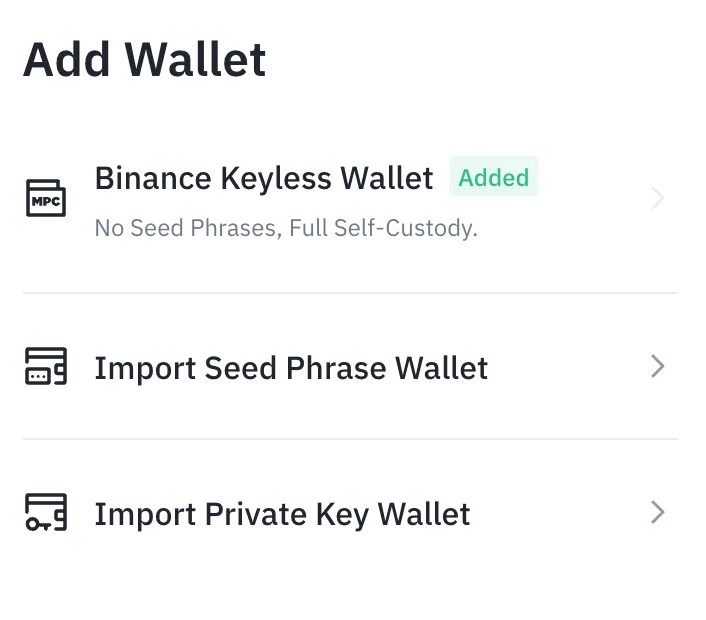
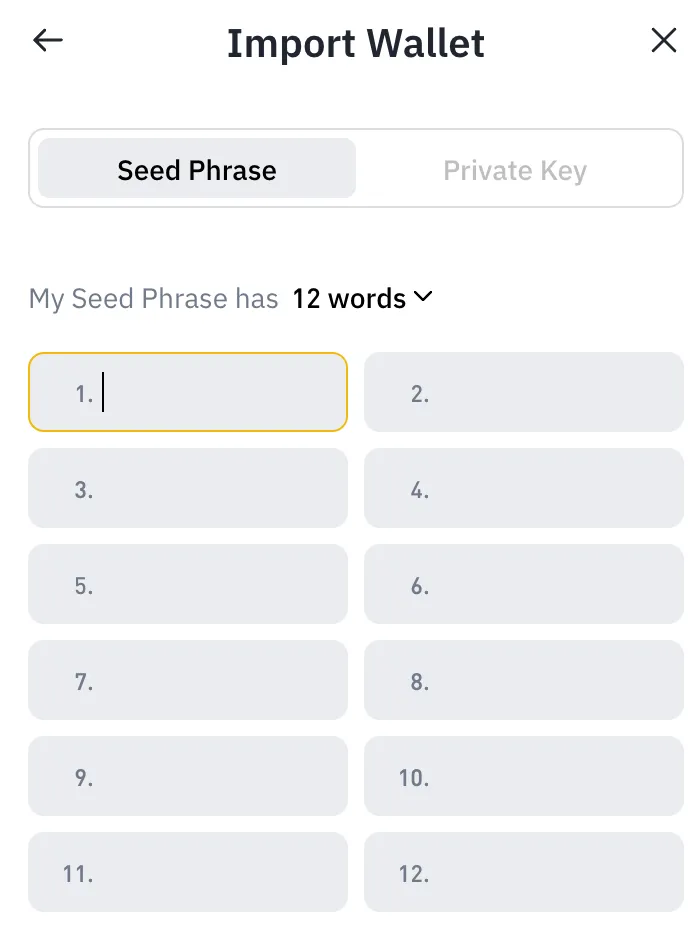
Your seed phrase and private key represent ownership of your wallet. Be careful not to expose this information anywhere while backing it up. Also, double-check that you're importing your wallet through the official app.
Wrapping Up
Binance Wallet is a self-custody Web3 wallet released directly by the Binance exchange. Any Binance user can easily create a keyless wallet, and a big advantage is that you don't have to manage a seed phrase separately.
With the release of the Binance extension, you can now easily use the Binance Web3 Wallet on your PC and browser as well. It's currently available only in the Chrome browser, and it lets you conveniently connect to a wide range of dApps and use multiple chains.