Pi Coin Listing: How to Sign Up for Binance and Make a Deposit
4 min read · · Korean original
Contents 4
Binance is holding a vote on listing Pi Coin. Binance is one of the largest Bitcoin exchanges in the world, so if Pi Coin gets listed there, it is likely to see the highest trading volume.

In this post, we'll take a detailed look at how to take part in the community vote to get Pi Coin listed on Binance, along with how to sign up for Binance and make a deposit.
Binance's Pi Coin Listing Vote
Binance is running a community vote on Square for the Pi Coin listing. If you'd like to see Pi Coin listed on Binance, you can join the vote by following the steps below.
- Create a Binance account – You need a Binance account to vote. We'll explain how to sign up in detail below.
- Hold at least $5 in assets – To take part in the vote, you need to hold at least $5 in assets.
- Join the official vote – You can find the vote announcement on Binance Square and cast your vote on the listing.
How to Sign Up for Binance
1) Go to the Binance Exchange
Go to the Binance sign-up page through the link below.
Binance - Cryptocurrency Exchange for Bitcoin, Ethereum & Altcoins3 How to buy Bitcoin and other cryptocurrencies on Binancewww.binance.com ↗2) Enter Your Email Address
You'll see a screen like the one below. In the 'Email / Phone Number' field, enter the email address you want to use for Binance. Next, agree to the Terms of Use and click 'Next'.

3) Enter the Verification Code
A verification email from Binance should have arrived. Open the email account you entered when signing up and find the 6-digit verification code, as shown below.
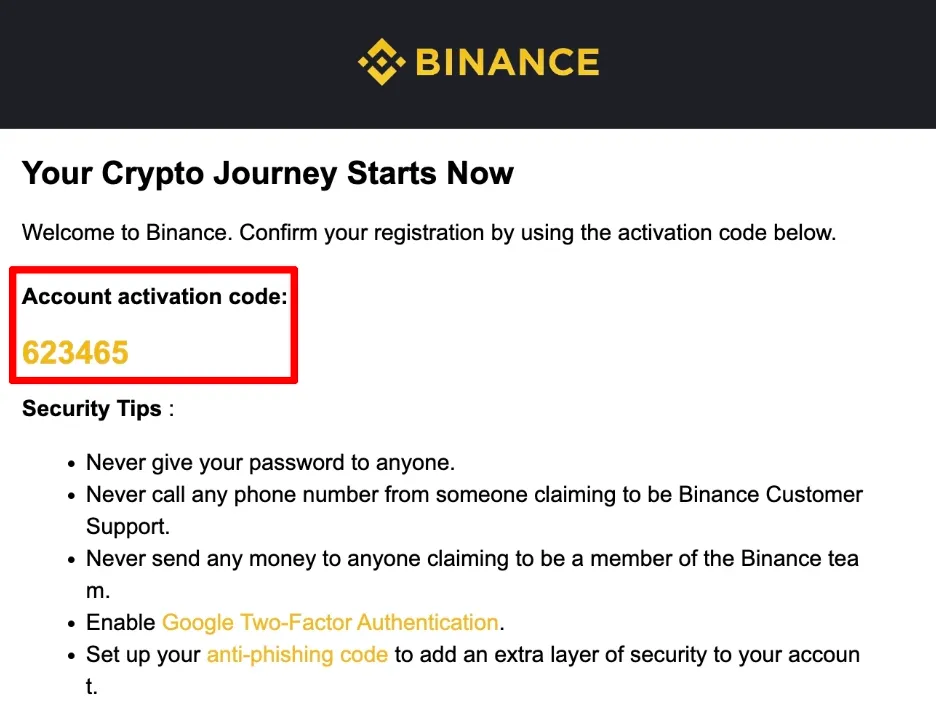
Enter that code exactly under 'Email Verification Code'. After entering the code, click the yellow 'Submit' button to move on to the next step.
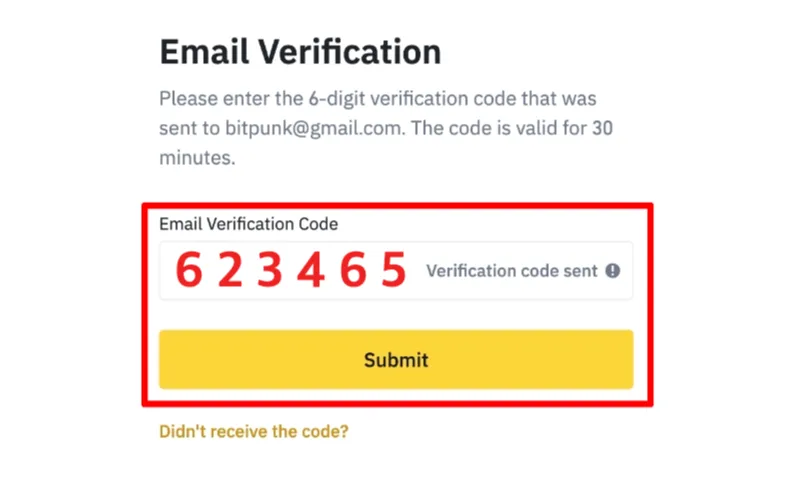
If the verification code doesn't arrive, wait about a minute and try again. Also check whether it landed in your spam folder or whether emails from Binance are being blocked.
4) Set Your Password
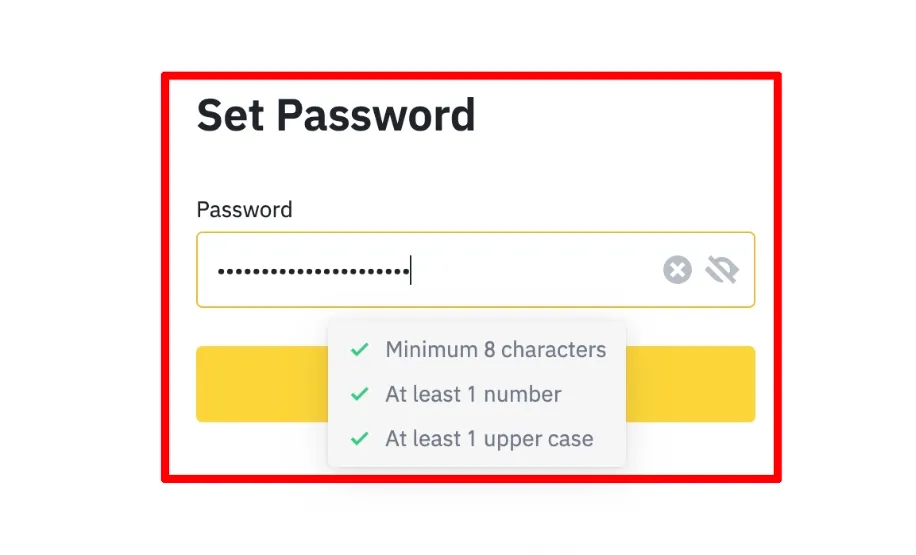
Now it's time to set your account password. Your password must be at least 8 characters long and include at least one uppercase letter and one number.
5) Your Binance Account Is Created
If you've made it this far, your Binance account has been created successfully. However, to deposit Pi Coin into your Binance account or take part in the listing vote, you need to complete identity verification. Please refer to the following post to complete your Binance identity verification.
 How to Complete Binance Identity Verification in 8 Steps, Plus Common Failure Reasons and Fixes6 min read
Taking Part in the Pi Coin Listing Vote
Once you've completed all the steps above, you can take part in the Pi Coin listing vote. Here's how. Log in to Binance and go to 'Square'.
Next, find the post from Binance's official Square account, 'Binance Square Official', and cast your vote there.

Note that for your vote in the Pi Coin listing to count, you need to hold at least $5 in assets during the voting period. So you'll need to withdraw an asset such as Tether (USDT) from Upbit or Bithumb to Binance and hold it there.
 How to Deposit and Withdraw Tether (USDT) on Upbit (Transfers to Overseas Exchanges and Personal Wallets)4 min read
Using the post above, you can safely deposit and withdraw coins from Upbit or Bithumb to the Binance exchange.
Wrapping Up
That covers the news about Binance's community vote on listing Pi Coin, along with how to sign up. We also looked at how to go to Binance Square and take part in the vote for or against listing Pi Coin.
On top of that, the OKX and Bitget exchanges are also running a variety of Pi Coin-related events, so you may want to check those out as well. Thanks for reading this long post!