How to Trade Bitcoin Futures on Binance
8 min read · · Korean original
Contents 7
In this post, we'll walk through how to trade futures contracts for Bitcoin, Ethereum and more on the Binance exchange. We'll also look at the key precautions you need to know when trading futures.
- Binance is the world's largest crypto derivatives exchange. Liquidity and slippage matter a lot in futures trading, so it's best to choose an exchange with high trading volume.
- Futures trading lets you maximize capital efficiency and earn high returns without putting a large amount of money at risk (using leverage).
- However, you can only become a successful trader if you have a risk management strategy ready for the market's high volatility. If you don't handle risk management properly, you could lose all of your margin assets in futures trading, so caution is needed.
Futures Trading Basics
Futures are derivatives that let you go long or short without actually holding the asset. These are also known as buying long and short selling. They aren't available in domestic or overseas stock markets, but they're already a well-known product on overseas exchanges like Binance.
Traders can use derivatives to hedge against volatility or to open positions on the price movements of Bitcoin or Ethereum. Unlike the spot market, the futures market lets you use leverage, which has the advantage of letting you make the most of the capital you hold.
So how do you make money with futures trading? You open a position by going long (buying low and selling high) or short (selling high and buying back low), and if the price moves the way you expected, you earn a profit.
However, if the price moves against you, you can take a loss or get liquidated, so you need to be careful. Futures trading isn't suitable for beginners and should only be used by experienced traders.
Now, let's go through how to trade futures on the Binance exchange in as much detail, and as simply, as possible.
Step 1: Sign Up for Binance
You need a Binance account to trade futures. If you already have one, you can skip to Step 2. If you don't, sign up through the link below to get a 20% discount on trading fees.
- Sign up for Binance (20% discount): https://www.binance.com/join?ref=ABV8BWDG
(1) Go to the Binance website
When you visit Binance through the link above, you'll see a sign-up screen like the one below.
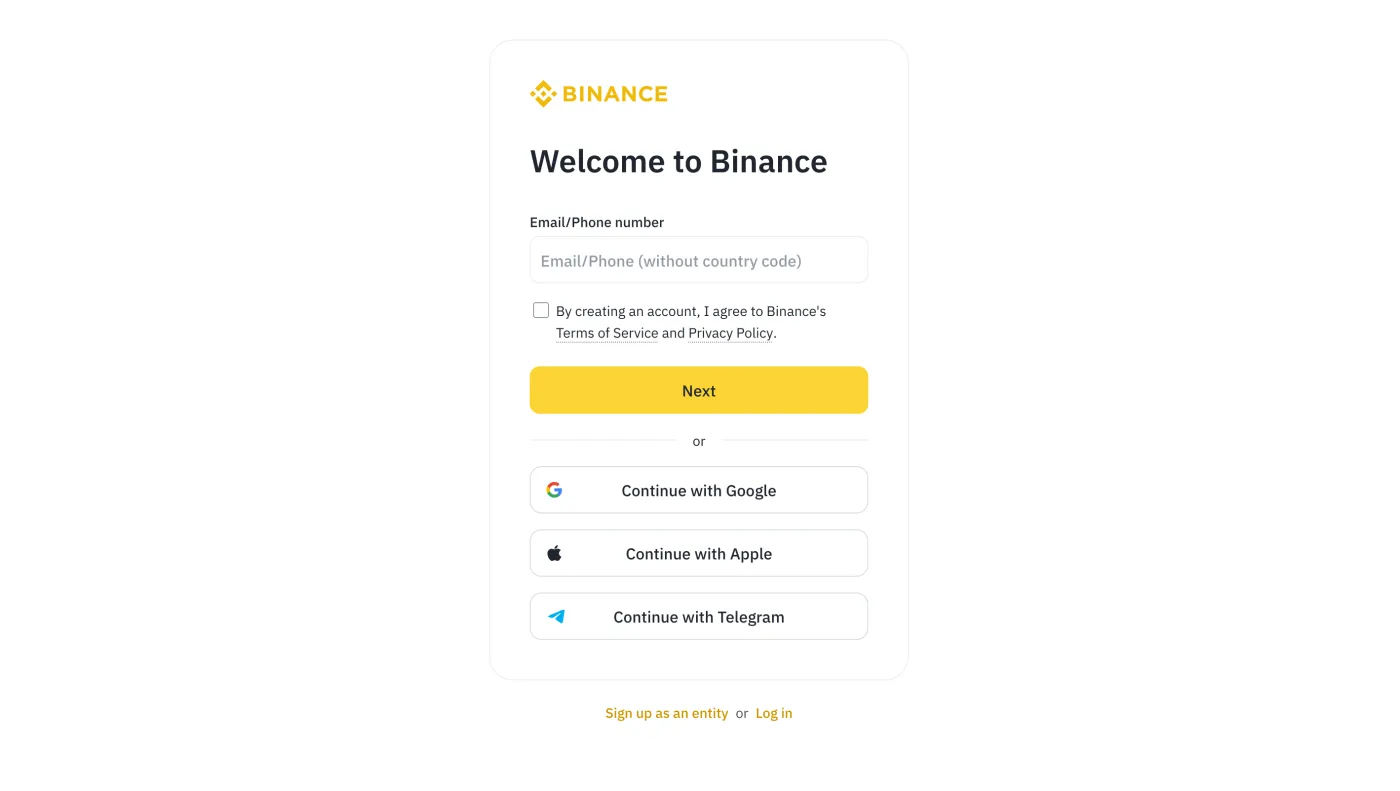
(2) Set your email and password
Enter the email address or mobile phone number (+82) you'll use for your Binance account. Next, check the box to agree to the terms and click [Next].
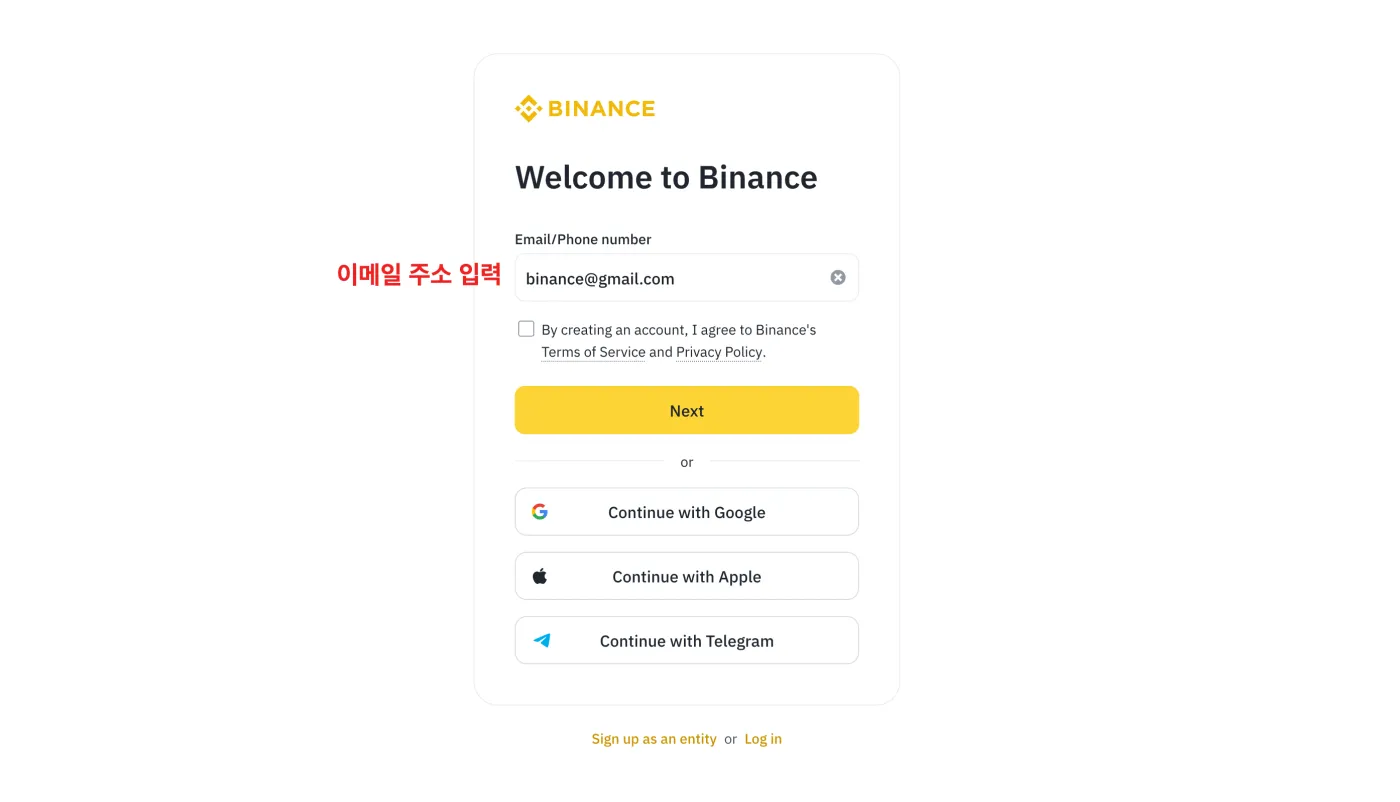
(3) Enter the 6-digit verification code
You'll receive a verification code at the email you entered. Enter the 6-digit code below and click [Submit] to create your Binance account.
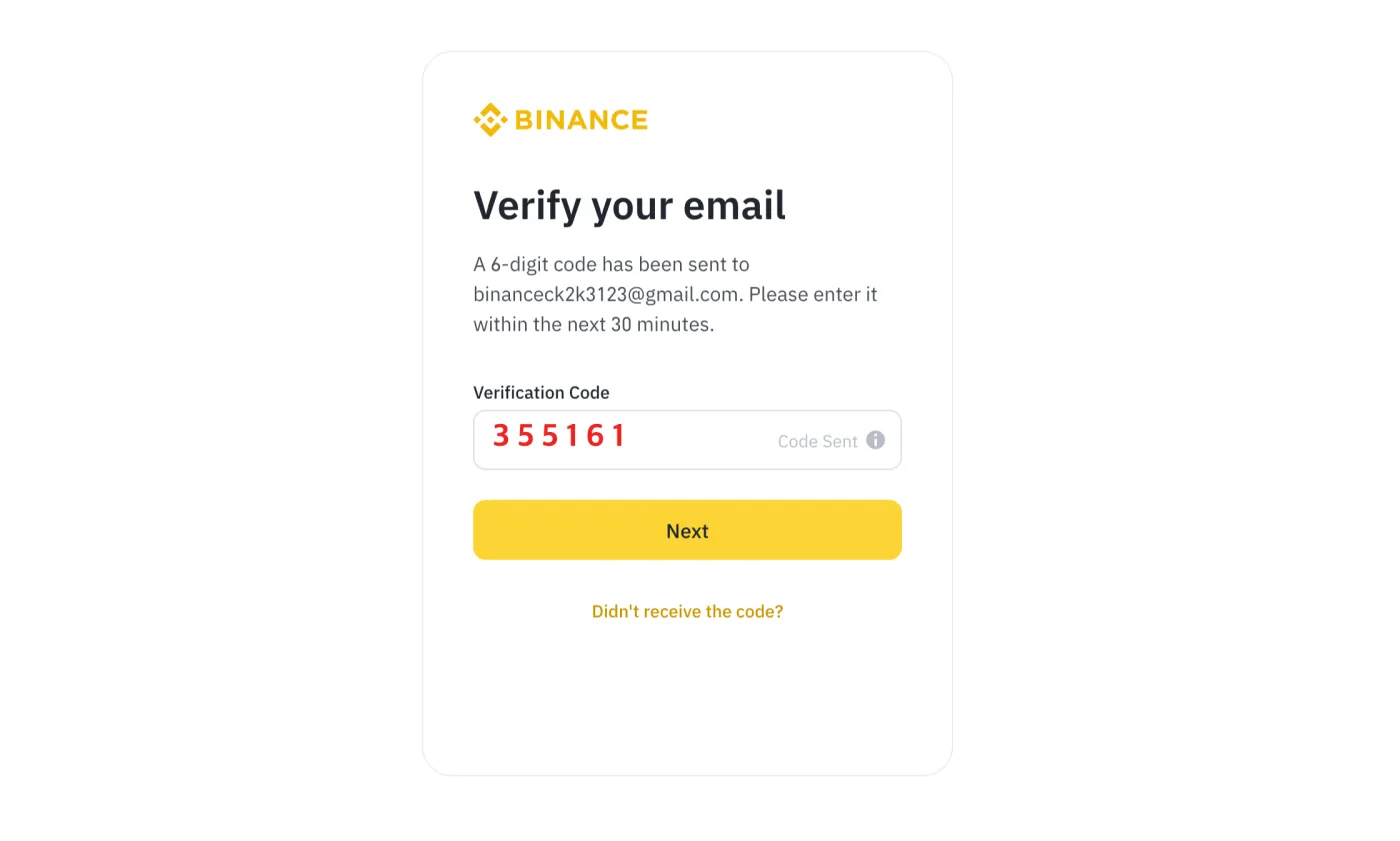
Step 2: Open a Binance Futures Account
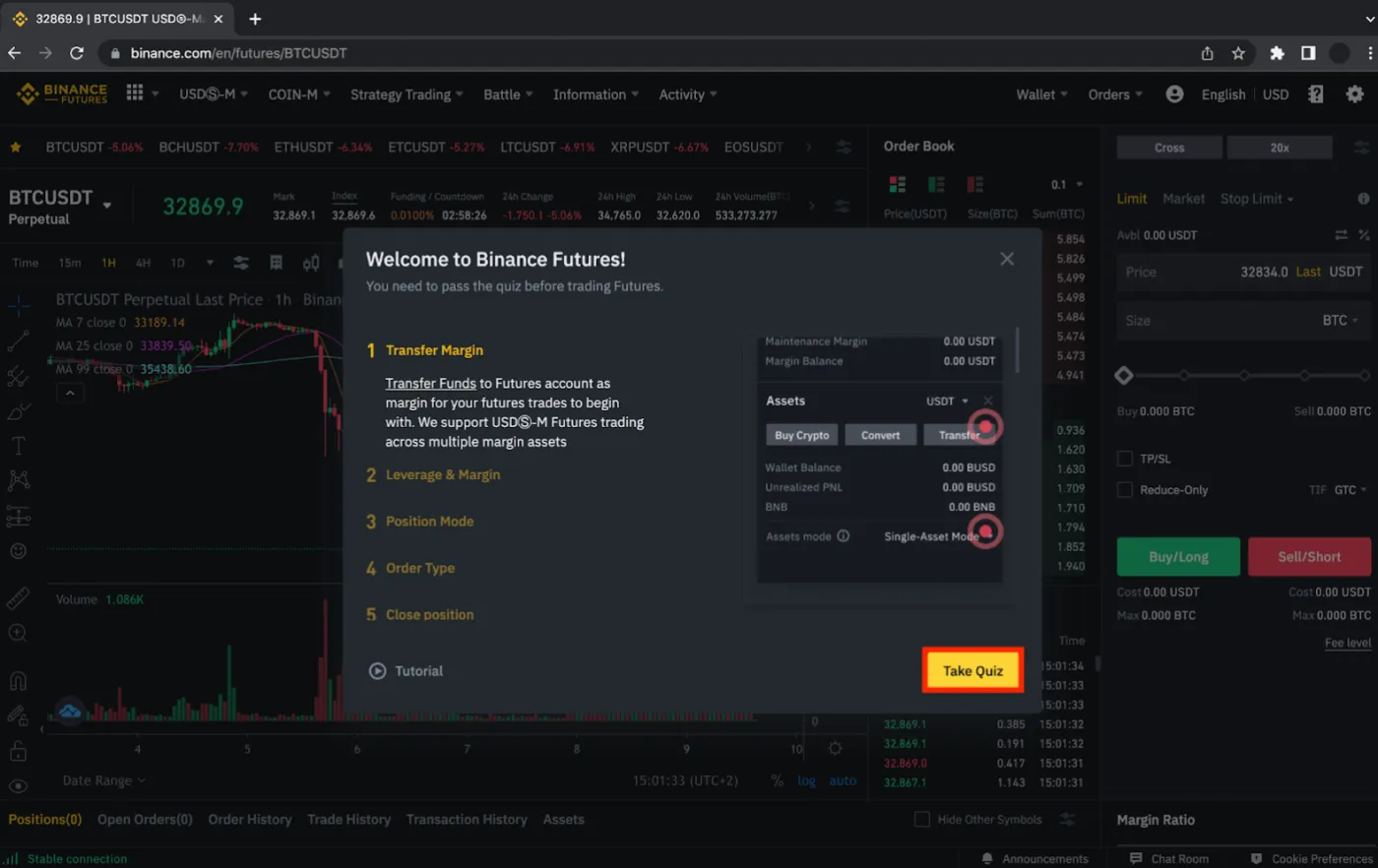
Once you've signed up for Binance, it's time to open a futures account. To create a Binance futures account, go to Binance Futures and click [Open Account].
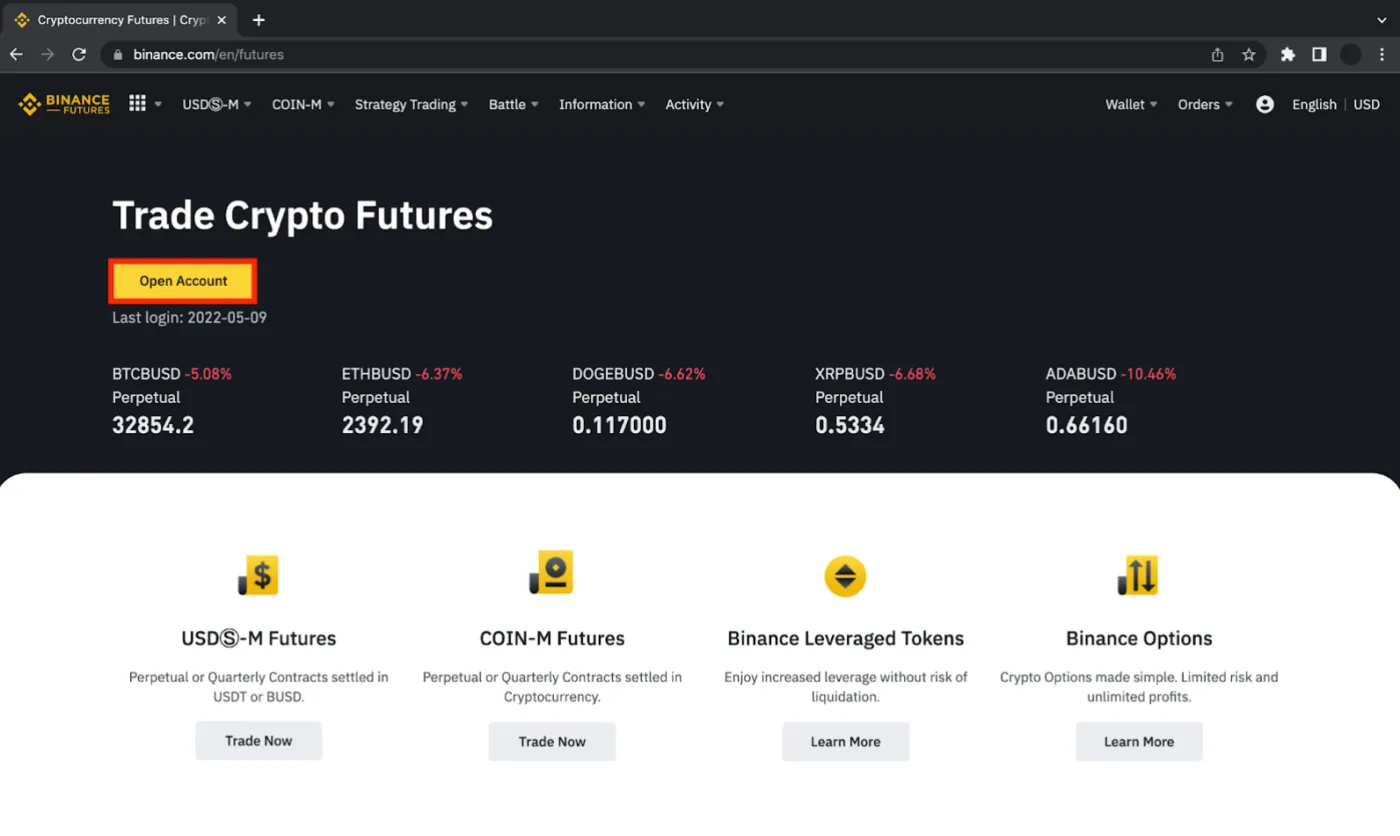
To activate the account, you need to pass a quiz. Click [Take Quiz] and answer all the questions correctly. If you fail the quiz, you can try again. (In Google Chrome, you can right-click to use the translate feature.)
Step 3: Verify Your Account
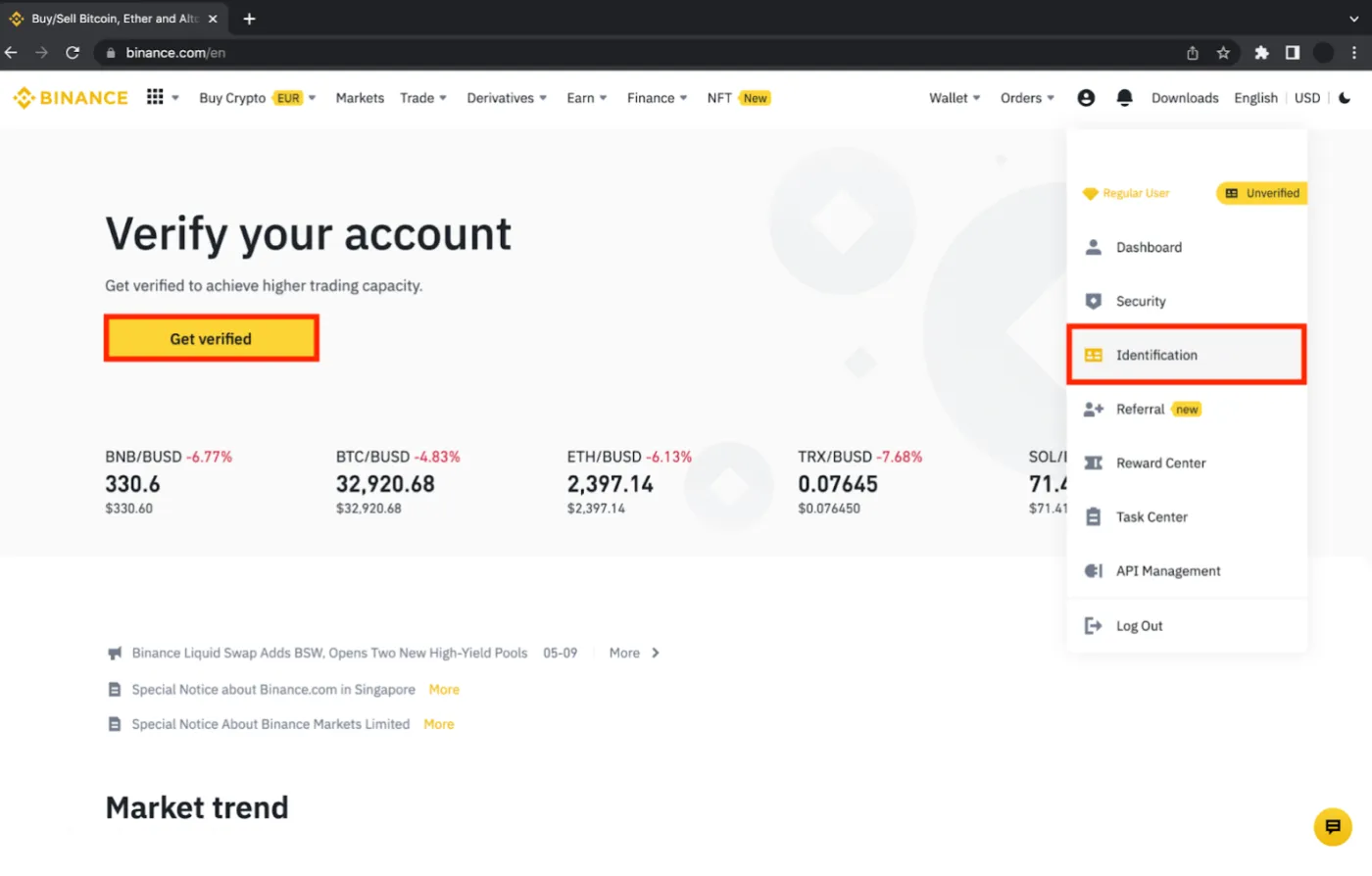
Before trading futures, you need to complete identity verification. Go to the Binance homepage, click the person icon [Profile] on the right, and go to [Identification].
Click [Start Now] to begin the KYC identity verification process.
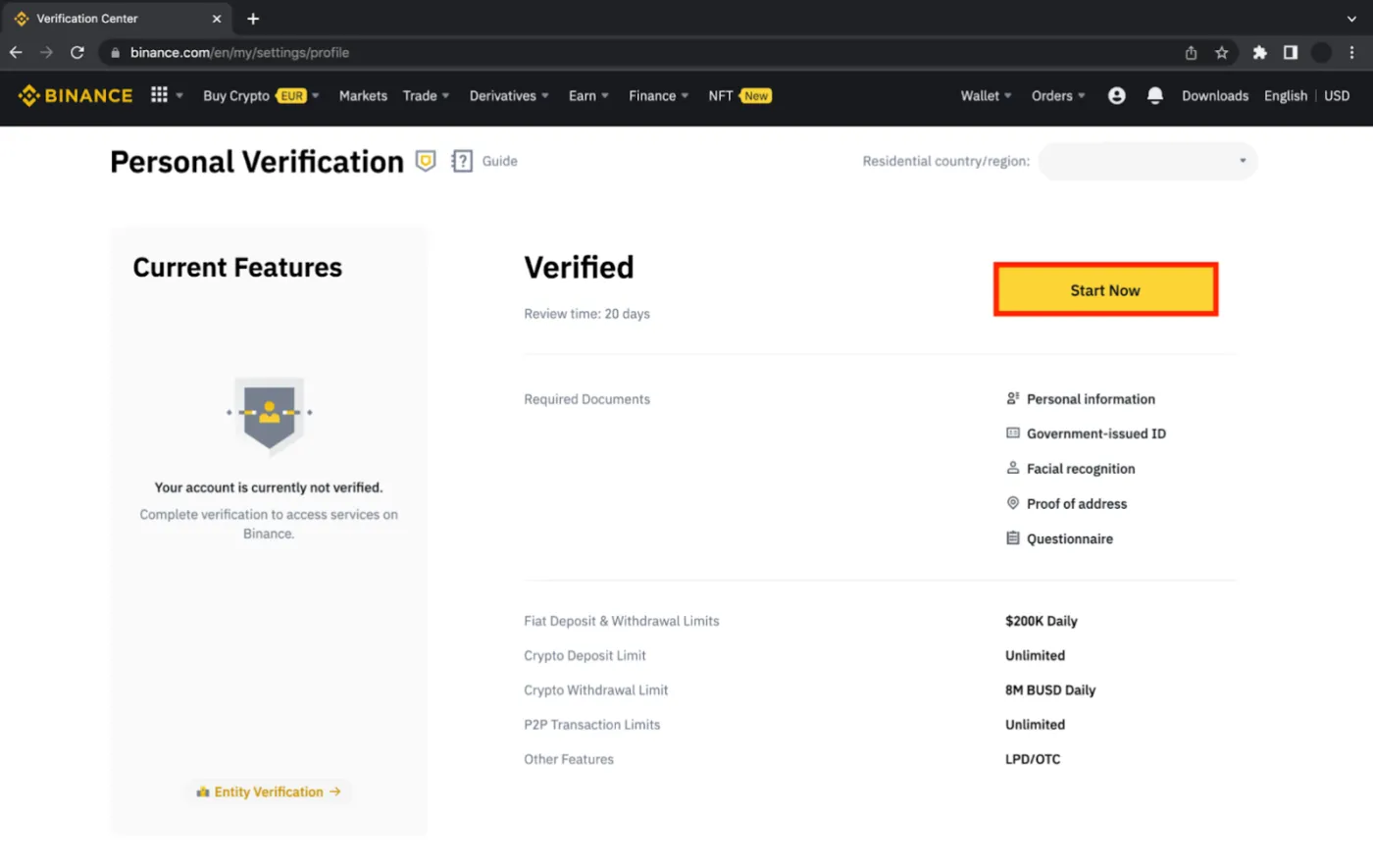
If your identity verification fails or you need a more detailed guide, please check the link below. Once you've finished identity verification, move on to the next step.
 How to Complete Binance Identity Verification in 8 Steps, Plus Common Failure Reasons and Fixes6 min read
Step 4: Make a Deposit
To start trading futures on Binance, you need to transfer crypto from a Korean exchange to Binance. Refer to our posts on withdrawing Tether from Upbit or withdrawing Tether from Bithumb to deposit USDT into Binance.
This is also well explained in the link above, but when depositing to Binance you must double-check the blockchain network, address and memo. Otherwise, your funds may be lost and you won't be able to recover them.
Before depositing a large amount, be sure to make a small test deposit first. Once you've confirmed that the funds arrived safely in your Binance account, deposit the rest.
You can check your deposit and withdrawal history under [Transaction History].
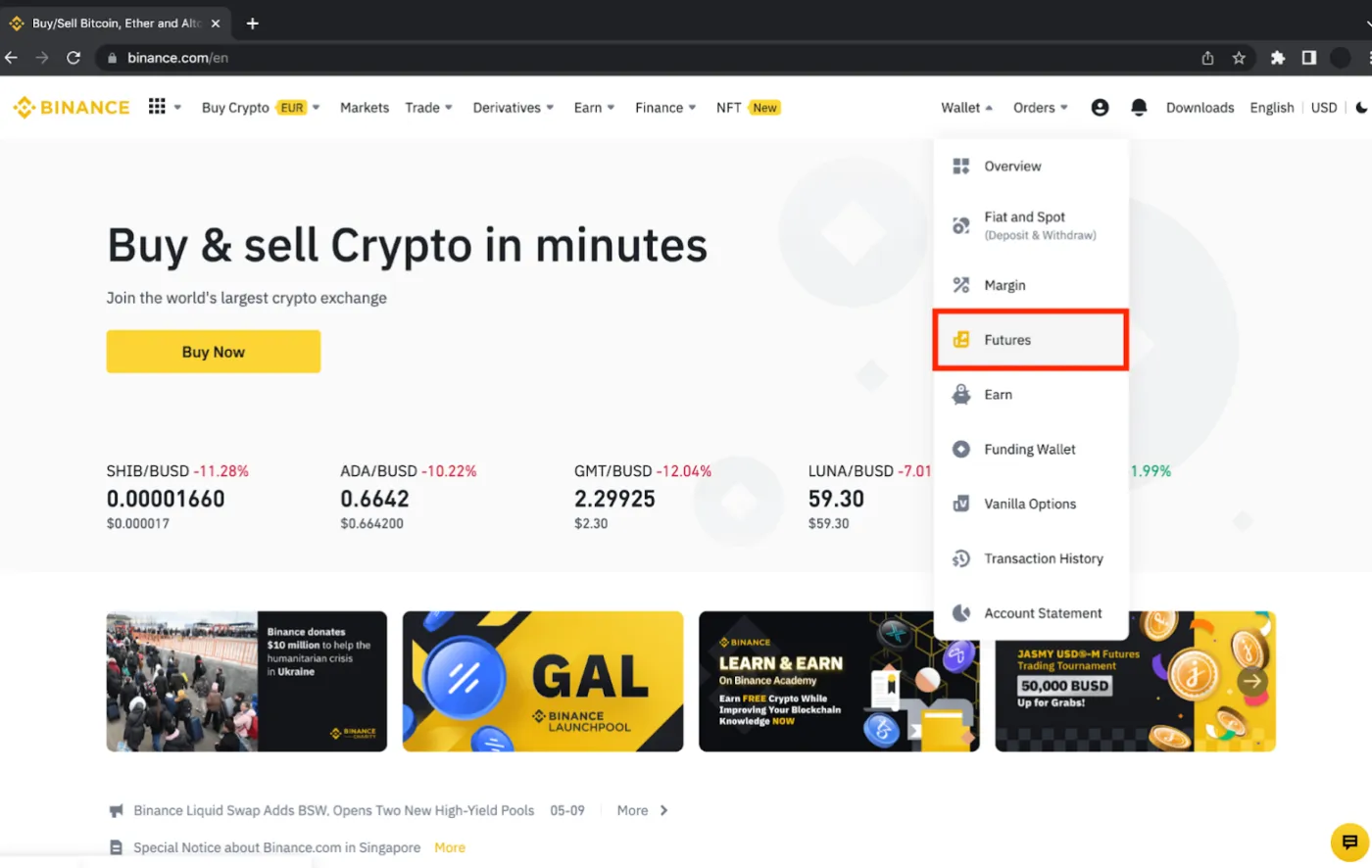
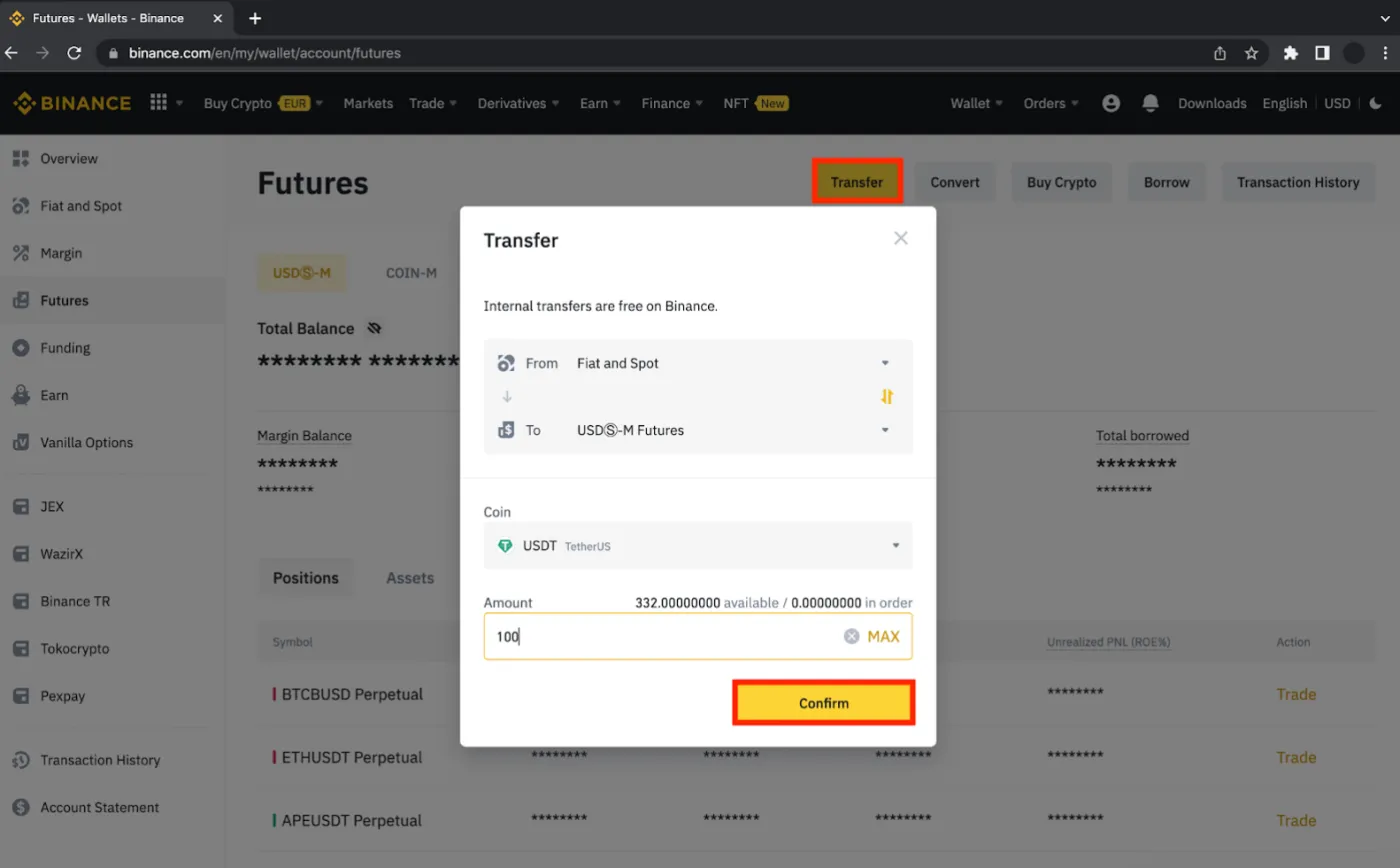
Once the deposit is complete, go to [Wallet] - [Futures] to move funds into your futures account.
As shown below, go to the Futures section, click [Transfer], select the coin you want to move (USDT) and enter the [Amount].
Step 5: Make Your First Trade
Have you verified your account and transferred USDT to your Binance futures wallet? Now you can make your first trade.
(1) Choose a futures contract
When you hover over the [Futures] tab on Binance, you can choose between [USDⓈ-M] and [COIN-M] futures contracts. Since we'll be trading with USDT here, select [USDⓈ-M].
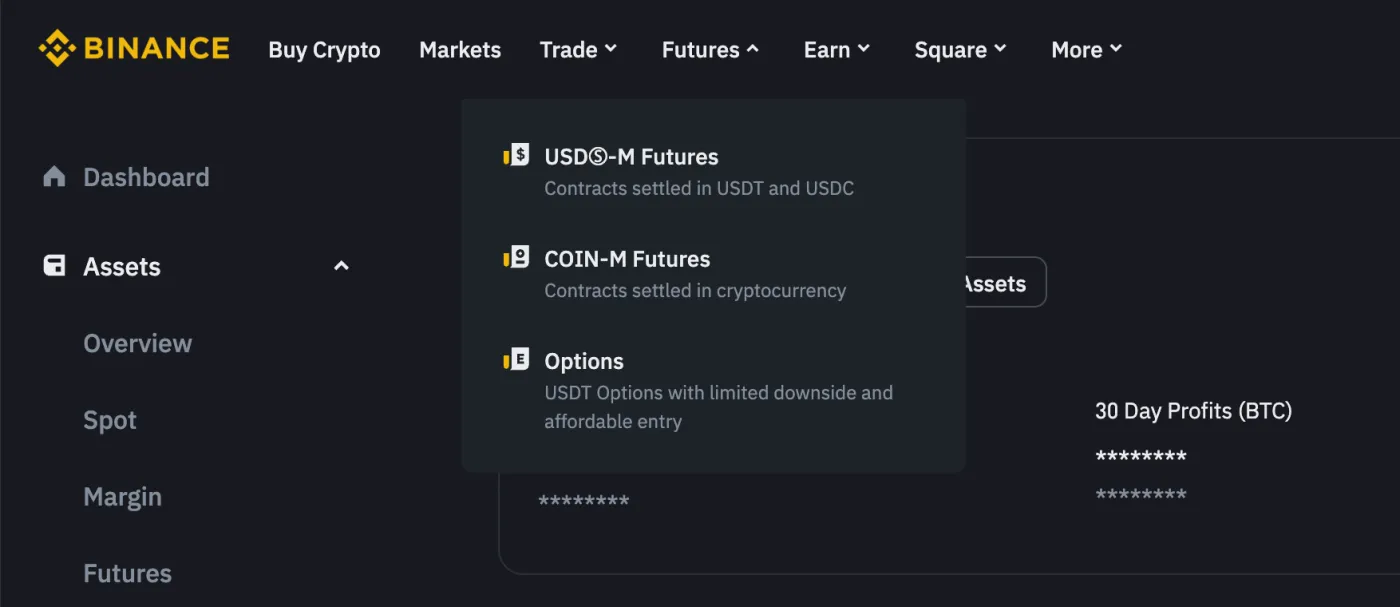
If you're curious about the difference between USDⓈ-M and COIN-M contracts, check out the post below.
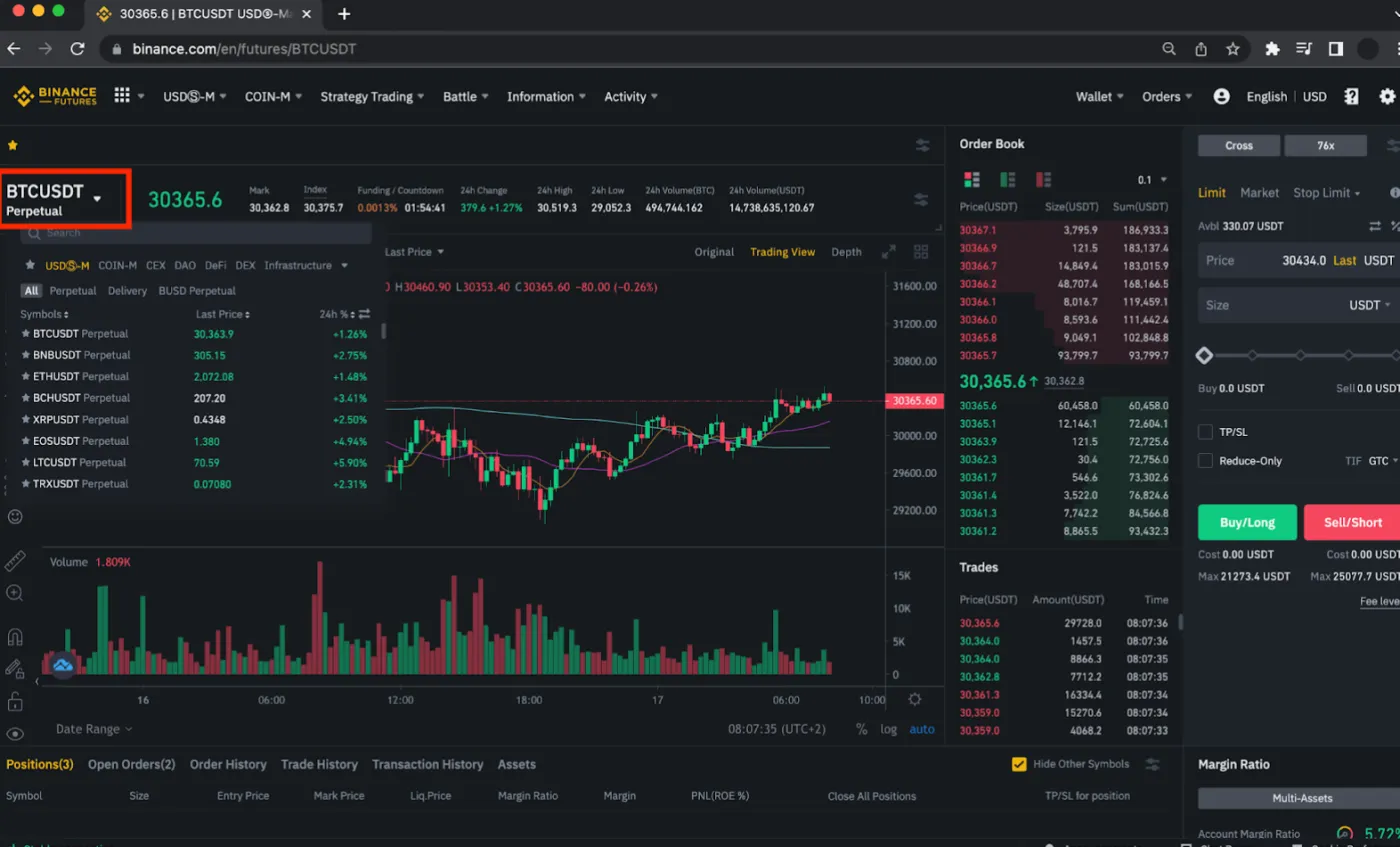
Next, choose the pair you want to trade. Most traders pick highly liquid pairs like BTCUSDT or ETHUSDT. Other altcoins are extremely volatile, so it may be better to choose an asset like BTCUSDT.
(2) Set the margin mode
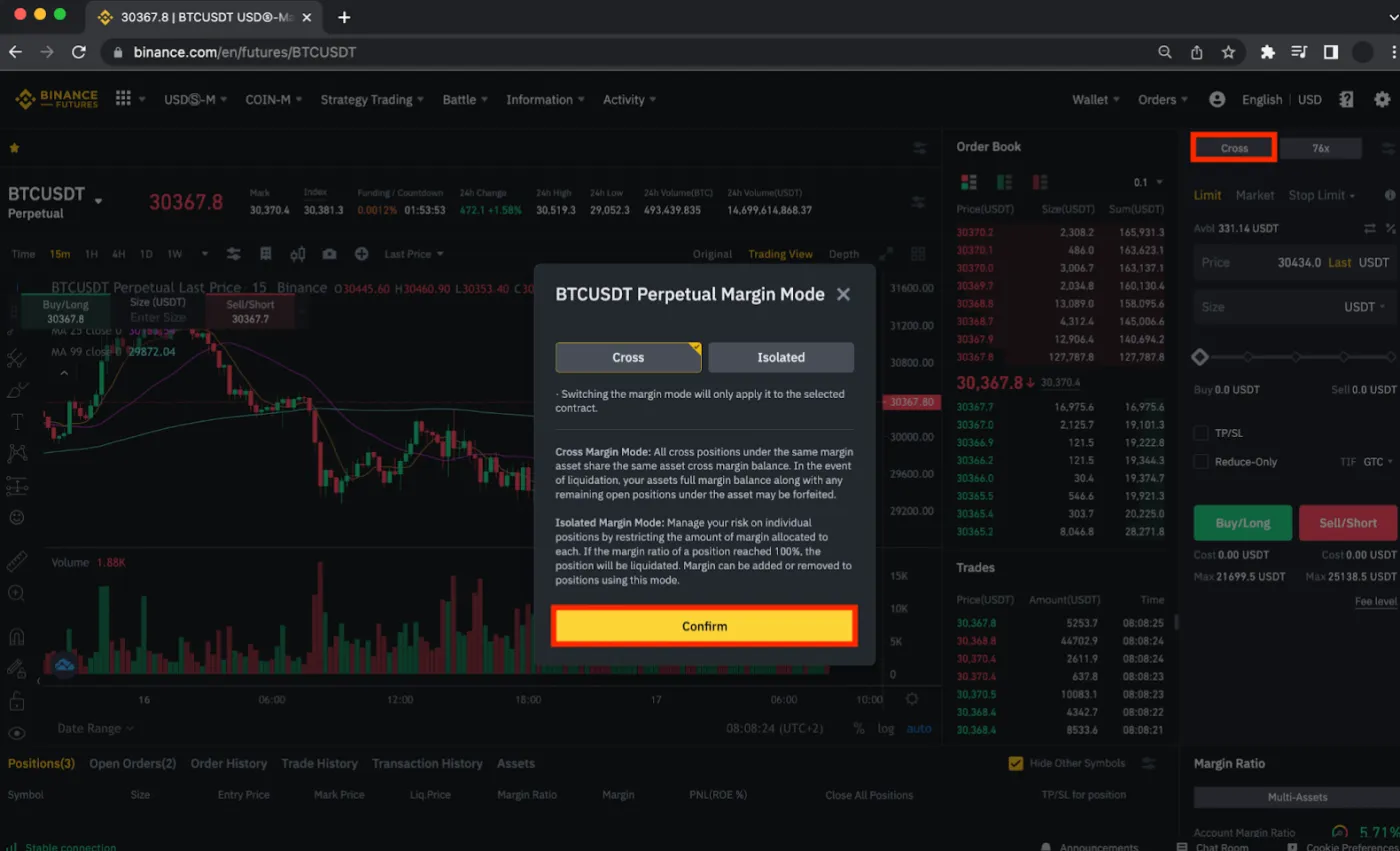
Next, it's time to choose the [Margin Mode]. Select either [Cross] or [Isolated] margin mode and click [Confirm].
The margin mode applies only to the futures contract you selected. In other words, if you switch the contract from BTCUSDT to ETHUSDT, settings such as leverage won't carry over. So it's a good habit to double-check before every trade.
For the difference between cross margin and isolated margin, please refer to the following article.
 Binance Futures: What's the Difference Between Isolated and Cross Margin3 min read
(3) Set the leverage
Next, it's time to set your leverage. Set the leverage ratio under [Adjust Leverage] and click [Confirm].
For a detailed explanation of leverage and its risks, please see the article below. To put it briefly, high leverage lets you maximize capital efficiency, but if you don't manage risk properly, you can get liquidated and lose all of your funds.
 What Is Leverage and How Do You Use It? What Should You Watch Out For?2 min read
(4) Set up and submit your order
Finally, it's time to submit your order. Check the [Type of Order], such as limit or market, and check the [Price] and order [Size]. Click the [Buy/Long] or [Sell/Short] position button and your order is placed.
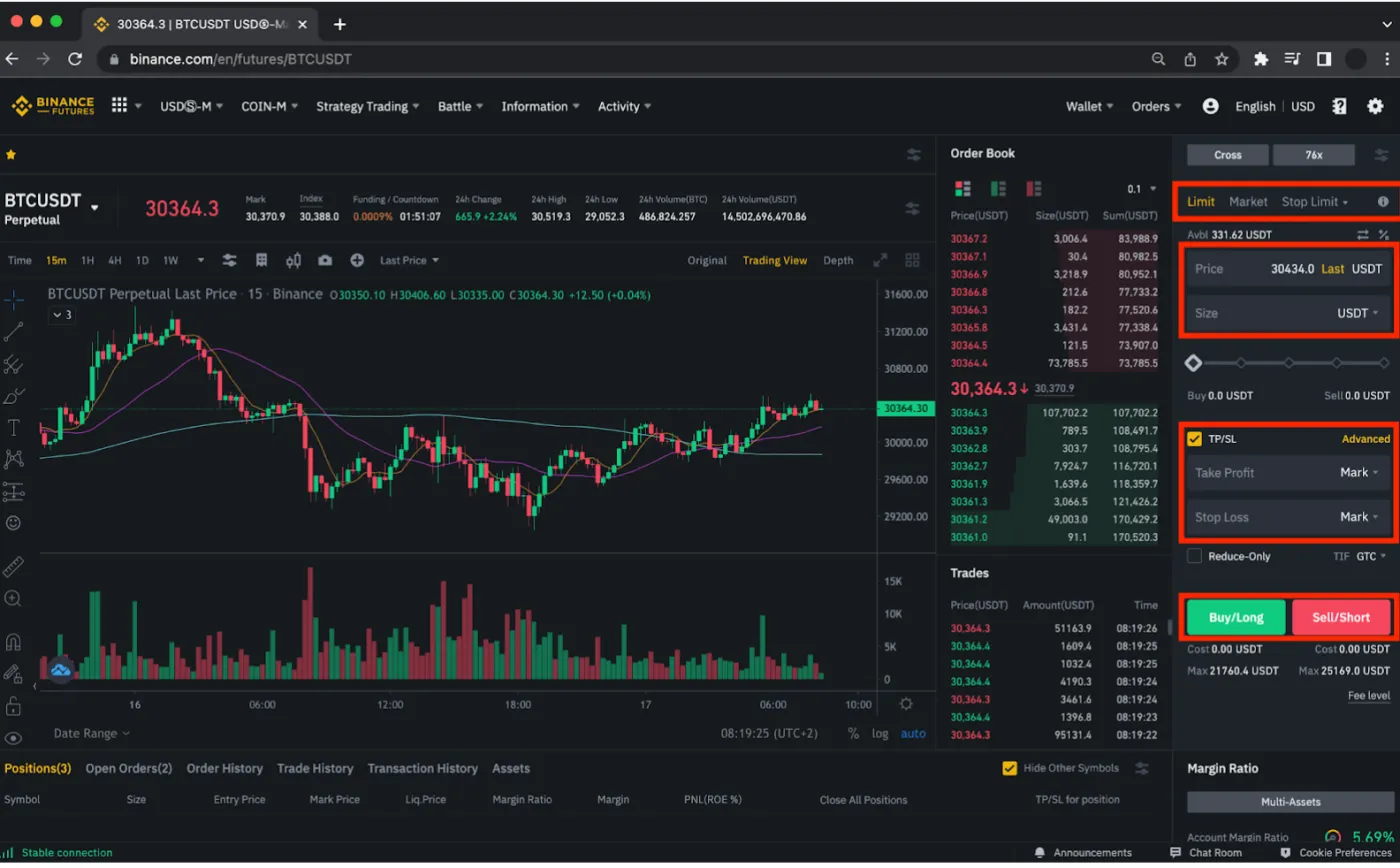
Before entering a trade, be sure to set a [Take Profit] and a [Stop Loss] to manage your risk. If you're not familiar with take profit and stop loss, please read the article below and learn the most basic yet effective risk management strategy.
 Binance Stop-Limit Orders Explained: How to Automate Stop-Losses, Take-Profits and Entries with Advanced Orders3 min read
Final Summary
So far, we've looked at how to create a Binance account and make your first futures trade. Futures trading maximizes capital efficiency and lets you make a lot of money with a small amount, but on the flip side, it's a high-risk derivative product where you can lose all of your money.
That's why it takes considerable study, practice and testing before you start trading, and it's a product recommended only for experienced traders at an intermediate level or above.
If you're new to futures or trading in general, you can get free funds to practice with on the Binance Testnet. It's best to build up enough confidence there before you start trading for real. Don't forget: there are always opportunities in the market.